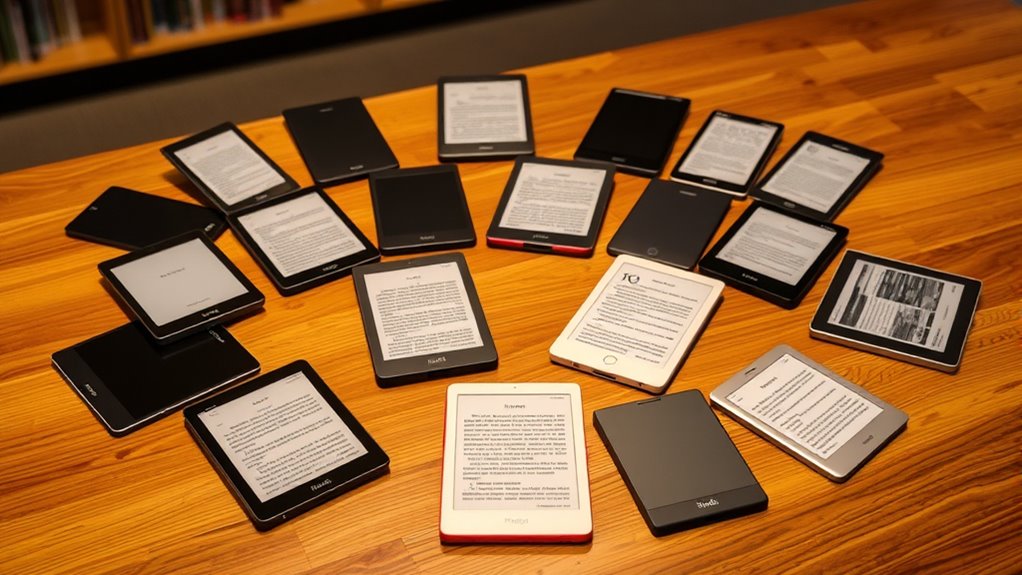
The Amazon Kindle Paperwhite Signature Edition is my best overall pick for readers who want a larger waterproof screen, while the Kindle (2024) is a simpler, lighter choice and the Kobo Libra Colour suits readers who want color and page controls. The main tradeoffs are screen size and portability, black-and-white clarity versus color, and a straightforward reading device versus one that also handles handwritten notes. Kindle models offer several closely related versions, so the practical differences between editions matter more than their shared name. Kobo adds color options in both a compact and an ergonomic design, while the Kindle Scribe Colorsoft is built for reading and writing. Read on for the full breakdown and help matching an ereader to your habits.

Get audio and creator gear delivered free with Prime
- Fast, free delivery on millions of items
- Prime Video, Amazon Music and more included
- Member-only deals all year
Complete the kit


Key Takeaways
- Paperwhite models dominate the middle ground: their 7-inch screens and waterproof designs suit readers who want a capable everyday device, but several listings appear to be near-duplicates.
- Signature Edition adds convenience: its larger storage, wireless charging, and automatic front light are useful upgrades for frequent readers, though casual readers may not need them.
- Color is a specific advantage, not a universal upgrade: amazon.com/dp/B0CFPTK5JG?tag=strongmocha04-20&ascsubtag=dc-160756″ target=”_blank” rel=”nofollow sponsored noopener”>amazon.com/dp/B0GHTD6Q5C?tag=strongmocha04-20&ascsubtag=dc-160756″ target=”_blank” rel=”nofollow sponsored noopener”>amazon.com/dp/B0CFPJYX7P?tag=strongmocha04-20&ascsubtag=dc-160756″ target=”_blank” rel=”nofollow sponsored noopener”>amazon.com/dp/B0CNV9F72P?tag=strongmocha04-20&ascsubtag=dc-160756″ target=”_blank” rel=”nofollow sponsored noopener”>amazon.com/dp/B0C8RR4WN3?tag=strongmocha04-20&ascsubtag=dc-160756″ target=”_blank” rel=”nofollow sponsored noopener”>amazon.com/dp/B0D1KV86N4?tag=strongmocha04-20&ascsubtag=dc-160756″ target=”_blank” rel=”nofollow sponsored noopener”>Kobo Libra Colour and Clara Colour make covers and illustrated material more vivid, while black-and-white models keep the focus on text.
- Screen size changes how you read: the 11-inch Kindle Scribe Colorsoft provides room for notes and documents, while the 6-inch Kobo Clara models are easier to carry.
- Small devices serve different priorities: the basic Kindle emphasizes a familiar, lightweight reading experience, whereas the 68-gram XTEINK X4 is aimed at readers who put pocketability first.
| Amazon Kindle Scribe Colorsoft 64GB (newest model) |  | Best for Reading and Handwritten Work | Display: 11-inch Colorsoft; 300 ppi black and white, 150 ppi color | Storage: 64 GB (50 GB available to user) | Weight: 400 g | VIEW ON AMAZON | See Our Full Breakdown |
| Amazon Kindle Paperwhite 16GB (12th Generation, 2024) – 7” Glare-Free Display, Jade |  | Best Overall for Most Readers | Display: 7-inch Paperwhite, 300 ppi, 16-level grayscale | Lighting: Built-in adjustable light, white to amber | Storage: 16 GB | VIEW ON AMAZON | See Our Full Breakdown |
| Kobo Libra Colour eReader, 7″ Color E Ink, Waterproof, White |  | Best for Color Reading and Library Borrowing | Display: 7-inch E Ink Kaleido 3 color, 1680 × 1264 | Storage: 32 GB | Weight: 7.05 oz | VIEW ON AMAZON | See Our Full Breakdown |
| Amazon Kindle Paperwhite Signature Edition (2024), 32 GB, Metallic Black |  | Best Premium Paperwhite | Display: 7-inch Paperwhite, 300 ppi, 16-level grayscale | Storage: 32 GB | Weight: 214 g | VIEW ON AMAZON | See Our Full Breakdown |
| Amazon Kindle (2024, 16 GB) – Black |  | Best Compact Pick | Display: 6-inch glare-free, 300 ppi, 16-level grayscale | Lighting: Built-in adjustable front light | Storage: 16 GB | VIEW ON AMAZON | See Our Full Breakdown |
| Amazon Kindle Paperwhite (2024), 16 GB, 7-inch Display, Black |  | Best Overall | Display: 7-inch Paperwhite, 300 ppi, built-in adjustable light | Storage: 16 GB | Dimensions: 5 × 7 × 0.3 inches | VIEW ON AMAZON | See Our Full Breakdown |
| Amazon Kindle Paperwhite, 16 GB, 7-inch Display, Graphite |  | Best for Kindle Store Readers | Display: 7-inch, high-contrast, glare-free | Lighting: Adjustable warm light | Storage: 16 GB | VIEW ON AMAZON | See Our Full Breakdown |
| Kobo Clara Colour 6-Inch Waterproof Color eReader, 16GB, White |  | Best for Color Reading | Display technology: E Ink Kaleido 3 | Screen size: 6 inches | Native resolution: 1072 × 1448 | VIEW ON AMAZON | See Our Full Breakdown |
| Amazon Kindle Paperwhite 16GB (12th Generation, 2024) – 7-inch Glare-Free Display – Raspberry |  | Best Colorway Pick | Display: 7-inch Paperwhite, 300 ppi, 16-level grayscale, adjustable white-to-amber light | Storage: 16 GB | Battery life: Up to 12 weeks with specified reading conditions | VIEW ON AMAZON | See Our Full Breakdown |
| XTEINK X4 Classic Pocket eReader, Ultra-Light 68g & 4.9mm Thin |  | Best for Pocket Portability | Display: 4.3-inch E Ink | Weight: 2.4 oz (68 g) | Thickness: 0.19 inches | VIEW ON AMAZON | See Our Full Breakdown |
| Amazon Kindle Paperwhite Signature Edition 32GB (newest model) – Metallic Jade |  | Best for Hands-Free Lighting | Display: 7-inch glare-free E Ink | Storage: 32GB | Front light: Auto-adjusting | VIEW ON AMAZON | See Our Full Breakdown |
| Kobo Clara BW 6-Inch Waterproof eReader, 16GB, Black |  | Best for Format Flexibility | Display: 6-inch E Ink Carta 1300 HD touchscreen | Resolution: 1072 × 1448 | Storage: 16GB | VIEW ON AMAZON | See Our Full Breakdown |
| Kindle 16 GB (2024 model) – Matcha |  | Best Compact Kindle | Display: 6-inch glare-free display | Resolution: 300 ppi | Storage: 16GB internal | VIEW ON AMAZON | See Our Full Breakdown |
| ereader | Storage | Display | Battery life | Weight |
|---|---|---|---|---|
| Amazon Kindle Scribe Colorsoft | 64 GB (50 GB available to user) | 11-inch Colorsoft; 300 ppi black and white, 150 ppi color | Up to 8 weeks reading or 2 weeks writing under specified conditions | 400 g |
| Amazon Kindle Paperwhite 16GB | 16 GB | 7-inch Paperwhite, 300 ppi, 16-level grayscale | Up to 12 weeks under specified reading conditions | 211 g |
| Kobo Libra Colour eReader | 32 GB | 7-inch E Ink Kaleido 3 color, 1680 × 1264 | Up to 4 weeks | 7.05 oz |
| Amazon Kindle Paperwhite Signa | 32 GB | 7-inch Paperwhite, 300 ppi, 16-level grayscale | Up to 12 weeks under specified usage conditions | 214 g |
| Amazon Kindle | 16 GB | 6-inch glare-free, 300 ppi, 16-level grayscale | Up to 6 weeks under specified conditions | 158 g |
| Amazon Kindle Paperwhite | 16 GB | 7-inch Paperwhite, 300 ppi, built-in adjustable light | Up to 12 weeks under specified reading conditions | 7.4 oz (211 g) |
| Amazon Kindle Paperwhite | 16 GB | 7-inch, high-contrast, glare-free | Up to 12 weeks | — |
| Kobo Clara Colour 6-Inch Water | 16 GB | — | Up to 2 weeks | — |
| Amazon Kindle Paperwhite 16GB | 16 GB | 7-inch Paperwhite, 300 ppi, 16-level grayscale, adjustable white-to-amber light | Up to 12 weeks with specified reading conditions | 7.4 oz (211 g) |
| XTEINK X4 Classic Pocket eRead | 16 GB | 4.3-inch E Ink | — | 2.4 oz (68 g) |
| Amazon Kindle Paperwhite Signa | 32GB | 7-inch glare-free E Ink | Up to 12 weeks via USB-C, according to product description | — |
| Kobo Clara BW 6-Inch Waterproo | 16GB | 6-inch E Ink Carta 1300 HD touchscreen | Up to 2 weeks | 6.14 ounces |
| Kindle 16 GB | 16GB internal | 6-inch glare-free display | Up to 6 weeks under stated usage conditions | 5.56 ounces |
More Details on Our Top Picks
Amazon Kindle Scribe Colorsoft 64GB (newest model)
The Kindle Scribe Colorsoft is the clear choice here for readers who want an eReader that can also serve as a notebook and document markup device. Its 11-inch color display gives PDFs and illustrated pages more room than the 7-inch Kindle Paperwhite, while the included pen lets you write in books and notebooks without buying a stylus separately. That larger canvas comes with a real portability cost: at 400g, it is far heavier than the compact Kindle and less convenient to carry for everyday reading. Color resolution is also lower than black-and-white resolution, so text-focused readers may prefer the sharper, smaller Paperwhite experience. I’d choose it for reading, annotation, and handwritten notes in one device, but skip it if pocketability is the priority.
Pros:- Large 11-inch display provides space for PDFs, notes, and comfortable page layouts
- Included pen supports handwriting, highlighting, and notebook use without charging
- Color display can make illustrated content and marked-up pages easier to scan
- Supports importing and annotating documents from Google Drive and OneDrive
Cons:- At 400g, it is substantially heavier than the Kindle Paperwhite and basic Kindle
- Color content renders at 150 ppi, below its 300 ppi black-and-white resolution
- Writing battery life is listed as up to two weeks, shorter than the reading estimate
Best for: Readers who annotate books, mark up documents, and want a large digital notebook alongside their eReader
Not ideal for: Commuters seeking a light, easy-to-hold reader for one-handed reading
- Display:11-inch Colorsoft; 300 ppi black and white, 150 ppi color
- Storage:64 GB (50 GB available to user)
- Weight:400 g
- Dimensions:189 × 245 × 5.4 mm, excluding feet
- Battery life:Up to 8 weeks reading or 2 weeks writing under specified conditions
- Connectivity:Dual-band Wi-Fi
- Supported formats:AZW3, AZW, TXT, PDF, unprotected MOBI and PRC; additional formats through conversion
- Included:Kindle Scribe Colorsoft, Premium Pen, USB-C cable, replacement tips
Our verdict“Choose the Scribe Colorsoft if you want a large-screen eReader that doubles as a pen-enabled notebook, and choose the Paperwhite if you mainly want portable book reading.”
Amazon Kindle Paperwhite 16GB (12th Generation, 2024) – 7” Glare-Free Display, Jade
The Kindle Paperwhite earns my best overall spot by balancing a generously sized reading screen with portability and useful everyday protections. Its 7-inch, 300 ppi display is larger than the basic Kindle’s 6-inch screen, and the adjustable warm light makes evening reading more comfortable without adding the Scribe Colorsoft’s bulk. The Paperwhite is also IPX8 waterproof, making it a stronger fit for reading near a bath or pool than the basic Kindle. Its 16GB capacity should suit a large ebook library, though readers who keep many audiobooks or bulky comics locally may prefer the Signature Edition’s 32GB. This model keeps the core reading experience straightforward; it does not add the Signature Edition’s automatic light adjustment or wireless charging.
Pros:- Sharp 7-inch, 300 ppi display offers more reading area than the basic Kindle
- Adjustable warm light supports comfortable reading across different lighting conditions
- IPX8 waterproofing suits baths, pools, and other wet reading spots
- Battery life is rated up to 12 weeks under specified conditions
Cons:- 16GB storage is less suited to large locally stored audiobook or comic collections than the Signature Edition
- Lacks the Signature Edition’s auto-adjusting front light and wireless charging
- Audible playback over Bluetooth can reduce battery life
Best for: Frequent ebook readers who want a larger screen, warm lighting, waterproofing, and long battery life in a portable device
Not ideal for: Readers who want color annotation, pen input, or the Signature Edition’s extra storage and charging options
- Display:7-inch Paperwhite, 300 ppi, 16-level grayscale
- Lighting:Built-in adjustable light, white to amber
- Storage:16 GB
- Weight:211 g
- Battery life:Up to 12 weeks under specified reading conditions
- Waterproofing:IPX8; tested in 2 m of fresh water for 60 minutes
- Connectivity:Dual-band Wi-Fi, USB-C
- Accessibility:VoiceView screen reader, dark mode, adjustable fonts and spacing
Our verdict“Pick this Paperwhite for a well-rounded, waterproof daily reader, while choosing the Signature Edition if you want more storage and charging convenience.”
Kobo Libra Colour eReader, 7″ Color E Ink, Waterproof, White
The Kobo Libra Colour is the most distinctive 7-inch alternative to Amazon’s grayscale Kindles: its color E Ink display can bring illustrations and book annotations into view without switching to a tablet. Compared with the Kindle Paperwhite, it also offers page-turn buttons, landscape mode, and built-in OverDrive library borrowing, which can make browsing and holding the device more convenient for some readers. Its 32GB storage gives it more room than the 16GB Paperwhite, and IPX8 waterproofing adds flexibility around water. The tradeoffs are practical: color E Ink is less detailed in color than a tablet screen, and the Kobo Stylus 2 is sold separately for handwriting. I’d choose this over the Paperwhite for color pages and library access, but not for pen use out of the box.
Pros:- Color E Ink display shows illustrations and annotations while remaining glare-free in sunlight
- Built-in OverDrive supports borrowing ebooks from participating libraries
- Page-turn buttons and landscape mode offer more ways to hold and navigate than the Paperwhite
- 32GB storage and IPX8 waterproofing suit substantial libraries and varied reading locations
Cons:- Color E Ink has lower color detail than an LCD tablet display
- Kobo Stylus 2 is sold separately for handwriting and annotation
- The Paperwhite offers a 300 ppi grayscale display, while the listed Kobo resolution is 1680 × 1264
Best for: Readers who want color book pages, physical page-turn buttons, and built-in borrowing from participating public libraries
Not ideal for: Readers who mainly read plain text or want a stylus included for handwritten annotations
- Display:7-inch E Ink Kaleido 3 color, 1680 × 1264
- Storage:32 GB
- Weight:7.05 oz
- Battery life:Up to 4 weeks
- Waterproofing:IPX8
- Connectivity:Wi-Fi and Bluetooth
- File formats:EPUB, PDF, MOBI, CBZ, CBR, RTF, HTML, TXT, and more
- Special features:Page-turn buttons, landscape mode, dark mode, Kobo Stylus 2 compatibility
Our verdict“Choose the Libra Colour for color E Ink, library borrowing, and page-turn buttons; choose the Paperwhite for a simpler grayscale reading setup.”
Amazon Kindle Paperwhite Signature Edition (2024), 32 GB, Metallic Black
The Paperwhite Signature Edition keeps the same compact 7-inch, 300 ppi reading format as the standard Paperwhite, then adds conveniences for readers who use their device often. Its 32GB storage doubles the standard Paperwhite’s capacity, while the auto-adjusting front light can adapt brightness without manual changes. Wireless charging is another useful extra for a reader who already has compatible charging gear, though the dock is not included. Compared with the Kindle Scribe Colorsoft, the Signature Edition is much easier to carry and better suited to text-first reading, but it has no color display or pen-based note taking. I’d pay attention to the extras only if they fit your routine; readers content with manual lighting and 16GB can get the core Paperwhite experience in the standard model.
Pros:- 32GB storage provides more room than the standard 16GB Paperwhite
- Auto-adjusting front light can reduce repeated brightness changes
- Wireless charging support offers an alternative to plugging in by USB-C
- Sharp, glare-free 300 ppi display and IPX8 waterproofing retain the Paperwhite strengths
Cons:- Wireless charging dock is sold separately
- It shares the standard Paperwhite’s grayscale screen and lacks the Scribe’s writing tools
- Battery life varies with settings and usage
Best for: Dedicated Kindle readers who want extra storage, automatic lighting, and wireless charging support in a waterproof 7-inch reader
Not ideal for: Buyers who do not need more than 16GB or do not plan to use wireless charging or auto-adjusting light
- Display:7-inch Paperwhite, 300 ppi, 16-level grayscale
- Storage:32 GB
- Weight:214 g
- Dimensions:127.6 × 176.7 × 7.8 mm
- Battery life:Up to 12 weeks under specified usage conditions
- Charging:USB-C and wireless charging
- Waterproofing:IPX8; tested in 2 m of fresh water for 60 minutes
- Connectivity:Dual-band Wi-Fi and Bluetooth audio
Our verdict“Choose the Signature Edition if its larger storage, automatic light, and wireless charging match your habits; otherwise the standard Paperwhite covers the main reading needs.”
Amazon Kindle (2024, 16 GB) – Black
The 2024 Kindle is the most portable option in this group: at 158g, it weighs less than the Paperwhite and its 6-inch screen is easy to slip into a small bag. Its 300 ppi display keeps text crisp, and the adjustable front light and dark mode cover basic reading in varied light. Compared with the Paperwhite, however, the smaller screen gives pages less room, and this Kindle does not have the listed IPX8 waterproofing or adjustable warm light. That makes it a more focused pick for lightweight everyday reading than for poolside use or long sessions where a larger page may feel more comfortable. I’d choose it for portability and straightforward ebook reading; the Paperwhite is the better fit if you want a larger, waterproof screen.
Pros:- 158g weight makes it the lightest device in this five-product group
- 6-inch glare-free display offers 300 ppi text clarity
- Adjustable front light and dark mode support reading in different lighting
- 16GB storage holds a substantial ebook collection
Cons:- Smaller 6-inch screen gives less page space than the 7-inch Paperwhite models
- No waterproof rating is provided in the listed specifications
- Battery life is rated up to six weeks, below the Paperwhite models’ up to 12 weeks
Best for: Travelers and commuters who want a lightweight reader for novels and a large portable ebook library
Not ideal for: Readers who want waterproofing, warm-light adjustment, or a larger screen for PDFs and comics
- Display:6-inch glare-free, 300 ppi, 16-level grayscale
- Lighting:Built-in adjustable front light
- Storage:16 GB
- Weight:158 g
- Dimensions:157.8 × 108.6 × 8.0 mm
- Battery life:Up to 6 weeks under specified conditions
- Connectivity:Dual-band Wi-Fi
- Charging:USB-C
Our verdict“Choose the basic Kindle if low weight and easy carrying matter most, and move up to the Paperwhite for a larger waterproof screen and warm light.”
Amazon Kindle Paperwhite (2024), 16 GB, 7-inch Display, Black
The 12th-generation Kindle Paperwhite is my strongest all-around pick for readers who want a roomy screen, simple controls, and reliable reading away from an outlet. Its 7-inch, 300 ppi glare-free display gives novels and nonfiction more breathing room than the compact XTEINK X4 Classic, while adjustable white-to-amber lighting helps make evening reading more comfortable. IPX8 protection and up to 12 weeks of battery life suit commutes, travel, or reading near water. The tradeoff is that it remains a focused Kindle rather than a flexible color reader like the Kobo Clara Colour, and it has no physical page-turn buttons. Battery life also varies with settings and audiobook use. I’d choose it for a dependable everyday library, provided Kindle’s ecosystem fits how I get books.
Pros:- 7-inch, 300 ppi glare-free display offers clear text and more page area
- Adjustable white-to-amber lighting supports reading in different settings
- IPX8 waterproofing suits reading by a pool or bath
- 16 GB storage and long stated battery life support a substantial reading library
Cons:- No physical page-turn buttons
- Black-and-white screen cannot show comics and illustrations in color
- Battery life can fall with different settings or audiobook streaming
Best for: Readers who want a waterproof, large-screen black-and-white Kindle for novels, travel, and regular reading at home.
Not ideal for: Readers who want color illustrations, physical page-turn buttons, or a pocket-size device.
- Display:7-inch Paperwhite, 300 ppi, built-in adjustable light
- Storage:16 GB
- Dimensions:5 × 7 × 0.3 inches
- Weight:7.4 oz (211 g)
- Battery life:Up to 12 weeks under specified reading conditions
- Charging:USB-C; less than 2.5 hours with a 9 W adapter
- Waterproofing:IPX8; tested in 2 meters of fresh water for 60 minutes
- Connectivity:Dual-band 2.4 GHz and 5.0 GHz Wi-Fi
Our verdict“Choose this Paperwhite for a balanced, waterproof Kindle with a spacious screen; choose the Kobo Clara Colour if color content matters more.”
Amazon Kindle Paperwhite, 16 GB, 7-inch Display, Graphite
This graphite Kindle Paperwhite fits readers who already want access to Kindle Store titles and prefer a straightforward black-and-white device. The 7-inch glare-free screen, adjustable warm light, waterproof design, and stated battery life of up to 12 weeks cover the core needs of a daily reader. Its role overlaps with the 2024 black Paperwhite, so I’d treat these as close alternatives rather than different classes of ereader: the listing gives this model fewer technical details, including no stated resolution or dimensions. Compared with the Kobo Clara Colour, it gives up color and Kobo’s listed broad file-format support, but keeps the focus on Kindle reading. The page-turn remote and protective accessories are sold separately, so this is less ready for hands-free or protected use straight from the box.
Pros:- 7-inch glare-free display is suited to text-focused reading
- Adjustable warm light supports reading at night
- Waterproof design adds flexibility near water
- 16 GB storage and access to Kindle Store titles
Cons:- Page-turn remote is sold separately
- Protective covers and sling bags are sold separately
- Listing provides fewer technical details than the 2024 black Paperwhite entry
Best for: Kindle Store readers who want a waterproof 7-inch ereader in graphite for books at home and on the go.
Not ideal for: Buyers who need detailed confirmed display specifications, color reading, or a page-turn remote included.
- Display:7-inch, high-contrast, glare-free
- Lighting:Adjustable warm light
- Storage:16 GB
- Waterproof:Yes
- Battery life:Up to 12 weeks
- Color:Graphite
- Content access:Kindle Store titles
Our verdict“Pick this graphite Paperwhite if Kindle Store access and its listed core features meet your needs, and verify the finer specifications before choosing it over the 2024 black model.”
Kobo Clara Colour 6-Inch Waterproof Color eReader, 16GB, White
The Kobo Clara Colour is the most distinct choice here for readers whose books rely on color. Its E Ink Kaleido 3 display can show comics, graphic novels, and colored highlights in ways the Kindle Paperwhite’s grayscale screen cannot. It also supports EPUB and image formats listed in the product data, making it a different fit from a Kindle-first library. The compromise is screen size: at 6 inches, it gives illustrated pages less room than the 7-inch Paperwhite models, and its stated battery life is up to two weeks rather than the Paperwhite’s up to 12 under specified conditions. For mostly text novels, the monochrome Kindle Paperwhite (2024) offers a larger screen and longer stated battery interval. I’d choose this Kobo when color utility outweighs those limits.
Pros:- Color E Ink display supports comics, illustrations, and colored highlights
- IPX8 waterproofing
- Supports EPUB, image formats, MOBI, and PDF
- Adjustable lighting and Dark Mode
Cons:- 6-inch display can feel cramped for comic and graphic novel pages
- Stated battery life is up to two weeks, shorter than the Paperwhite’s stated interval
- 16 GB may constrain larger collections
Best for: Readers of comics, graphic novels, and illustrated ebooks who want color E Ink in a waterproof compact reader.
Not ideal for: Readers who mainly want long battery intervals and a larger page for text, or who need more than 16 GB of storage.
- Display technology:E Ink Kaleido 3
- Screen size:6 inches
- Native resolution:1072 × 1448
- Storage:16 GB
- Connectivity:Wi-Fi
- Battery life:Up to 2 weeks
- File formats:EPUB, GIF, JPEG, MOBI, PDF, PNG
- Input:Touchscreen
- Color:White
Our verdict“Choose the Clara Colour for color content and format flexibility; the 7-inch Kindle Paperwhite is a better fit for mostly text and longer stated battery life.”
Amazon Kindle Paperwhite 16GB (12th Generation, 2024) – 7-inch Glare-Free Display – Raspberry
The Raspberry Kindle Paperwhite offers the same central reading case as the black 2024 model, with a distinct finish for buyers who want their device to look less utilitarian. It pairs a 7-inch, 300 ppi display with adjustable warm lighting, IPX8 protection, 16 GB storage, and a stated battery life of up to 12 weeks under specified conditions. Compared with the graphite Paperwhite listing, this entry provides more detail on resolution, supported formats, charging, and accessibility. Its screen is still grayscale, though, so readers of illustrated books may prefer the Kobo Clara Colour. The Paperwhite also lacks physical page-turn buttons, and Audible streaming can shorten battery life. I’d rank this as a style-led alternative within the Paperwhite family, not a different reading experience from the black version.
Pros:- 7-inch glare-free display with 300 ppi resolution
- Adjustable white-to-amber lighting and Dark Mode
- IPX8 waterproofing and USB-C charging
- 16 GB storage with up to 12 weeks of stated battery life under specified conditions
Cons:- No physical page-turn buttons
- Grayscale display cannot render color content
- Audiobook streaming over Bluetooth reduces battery life
Best for: Readers who want the 2024 Paperwhite feature set and prefer a raspberry finish for their everyday Kindle.
Not ideal for: Readers looking for color E Ink, physical page-turn controls, or a functional upgrade over the black 2024 Paperwhite.
- Display:7-inch Paperwhite, 300 ppi, 16-level grayscale, adjustable white-to-amber light
- Storage:16 GB
- Battery life:Up to 12 weeks with specified reading conditions
- Charging:USB-C; less than 2.5 hours with a 9 W adapter
- Dimensions:5 × 7 × 0.3 inches
- Weight:7.4 oz (211 g)
- Waterproofing:IPX8; tested in 2 meters of fresh water for 60 minutes
- Connectivity:2.4 GHz and 5.0 GHz Wi-Fi; Bluetooth for audio
- Supported formats:AZW3, AZW, TXT, PDF, MOBI, PRC natively; additional formats by conversion
Our verdict“Choose the raspberry Paperwhite if you want the 2024 Kindle reading experience in this finish; the Kobo Clara Colour is the better match for color pages.”
XTEINK X4 Classic Pocket eReader, Ultra-Light 68g & 4.9mm Thin
The XTEINK X4 Classic makes the strongest case for readers who want an ereader small enough to carry almost anywhere. At 2.4 oz and 0.19 inches thick, it is far lighter and slimmer than the 7-inch Kindle Paperwhite models, so it suits brief reading sessions on a commute or while waiting. Its glare-free E Ink screen and support for EPUB, MOBI, and PDF cover a useful range of files. That portability comes with real limits: the listed 4.3-inch display offers much less page area, and there is no built-in light for reading in darkness. Compared with the Kobo Clara Colour, it trades color and a larger screen for a more pocketable form. File transfers may also require an external app, adding friction for readers who want a simple setup.
Pros:- Very light at 2.4 oz
- Slim 0.19-inch profile is easy to carry
- Glare-free E Ink display for text reading
- Supports TXT, EPUB, MOBI, PDF, and PNG
Cons:- 4.3-inch screen limits page area
- No built-in lighting for dark environments
- Some file transfers require an external app
Best for: Commuters and travelers who prioritize a very light, slim device for short reading sessions and compatible local files.
Not ideal for: Readers who need a built-in light, a large page for PDFs or comics, or simple app-free file transfers.
- Display:4.3-inch E Ink
- Weight:2.4 oz (68 g)
- Thickness:0.19 inches
- Battery:920 mAh
- Storage:16 GB
- Supported formats:TXT, EPUB, MOBI, PDF, PNG
Our verdict“Choose the X4 Classic when pocketability matters most; the Kindle Paperwhite is a more comfortable primary reader for longer sessions.”
Amazon Kindle Paperwhite Signature Edition 32GB (newest model) – Metallic Jade
The Kindle Paperwhite Signature Edition suits readers who want a large, waterproof screen and less fuss adjusting it throughout the day. Its 7-inch glare-free display gives long novels more room than the basic 2024 Kindle’s 6-inch screen, while the auto-adjusting front light can respond as you move from daylight to a dim room. The 32GB storage also leaves more space for a large collection than the Kobo Clara BW’s 16GB. Those upgrades make it a stronger fit for frequent readers than for someone who mainly wants the smallest, simplest Kindle. The tradeoffs are its larger body and reliance on the Kindle Store for the smoothest book access. Wireless charging requires a separately sold dock, and its advertised battery life depends on reading conditions.
Pros:- 7-inch glare-free display provides more reading area than the 6-inch Kindle
- Auto-adjusting front light reduces manual brightness changes across settings
- 32GB storage accommodates a large ebook collection
- Waterproof design suits reading by a pool or in a bath
Cons:- Larger than compact 6-inch readers such as the Kobo Clara BW
- Wireless charging requires a separately sold dock
- Kindle Store focus may be limiting for readers who want broad native file-format support
Best for: Frequent Kindle readers who want a larger waterproof screen, automatic lighting, and room for a substantial library
Not ideal for: Readers who prioritize pocketable size, EPUB flexibility, or audiobook playback over Kindle Store integration
- Display:7-inch glare-free E Ink
- Storage:32GB
- Front light:Auto-adjusting
- Charging:USB-C and wireless charging with separately sold dock
- Battery life:Up to 12 weeks via USB-C, according to product description
- Waterproof:Yes
- Color:Metallic Jade
Our verdict“Choose this Kindle if you want a roomy waterproof screen and automatic lighting, and can make use of its larger storage.”
Kobo Clara BW 6-Inch Waterproof eReader, 16GB, Black
The Kobo Clara BW is the most flexible pick here for readers whose libraries include books from multiple sources. Its support for EPUB, PDF, and MOBI gives it an advantage over the Kindle 16GB when you want to bring compatible files without centering your collection on Amazon’s store. The 6-inch screen keeps it compact, though the Kindle Paperwhite Signature Edition offers a larger 7-inch display that is easier to read on when you want more page area. Kobo’s ComfortLight PRO adjusts brightness and color temperature, and the optional Dark Mode adds another way to tailor reading in low light. It is waterproof and supports Bluetooth audiobooks, but the small screen is less suited to PDFs, and audiobooks need separate Bluetooth headphones or speakers.
Pros:- EPUB, PDF, and MOBI support accommodates varied ebook sources
- ComfortLight PRO adjusts brightness and color temperature
- IPX8 waterproof design
- Bluetooth audiobook support and 16GB storage
Cons:- 6-inch display offers less room than the 7-inch Kindle Paperwhite Signature Edition
- Audiobooks require Bluetooth headphones or speakers
- Up to two weeks of stated battery life is shorter than the Kindle 16GB’s stated six weeks
Best for: Readers with EPUB collections from multiple sources who want a compact, waterproof device with adjustable warm lighting
Not ideal for: Readers who often view PDFs or want built-in audio playback without Bluetooth headphones or speakers
- Display:6-inch E Ink Carta 1300 HD touchscreen
- Resolution:1072 × 1448
- Storage:16GB
- Battery life:Up to 2 weeks
- Connectivity:Bluetooth, USB, Wi-Fi
- Supported formats:EPUB, PDF, MOBI
- Lighting:ComfortLight PRO with adjustable brightness and color temperature; optional Dark Mode
- Weight:6.14 ounces
- Waterproof:IPX8
Our verdict“Pick the Kobo Clara BW if broad file support and adjustable warm lighting matter more to you than a larger screen.”
Kindle 16 GB (2024 model) – Matcha
For readers who want an uncomplicated device they can carry everywhere, the 2024 Kindle is the lightest option among these three. At 5.56 ounces, it weighs less than the Kobo Clara BW, while its 6-inch glare-free screen stays easy to pack. The 300 ppi display and adjustable front light keep text sharp and readable, and the stated battery life of up to six weeks makes it a good companion for trips where charging access is limited. Compared with the Kindle Paperwhite Signature Edition, this model gives up the larger screen, waterproofing, automatic light adjustment, and extra storage. That makes it a practical choice for everyday reading, but less convincing for bath or poolside use. It also lacks the Kobo’s stated EPUB support and Bluetooth audiobook capability.
Pros:- Light 5.56-ounce body is easy to carry
- 300 ppi display keeps text crisp on a compact screen
- Up to six weeks of stated battery life
- 16GB storage holds thousands of books, according to product description
Cons:- No waterproof rating, unlike the Kobo Clara BW and Paperwhite Signature Edition
- 6-inch screen provides less page area than the 7-inch Paperwhite
- No stated Bluetooth audiobook support or native EPUB support
Best for: Commuters and travelers who want a light Kindle for novels and everyday reading
Not ideal for: Readers who need waterproofing, a larger display, EPUB support, or audiobook playback
- Display:6-inch glare-free display
- Resolution:300 ppi
- Storage:16GB internal
- Dimensions:6.2 × 4.3 × 0.32 inches
- Weight:5.56 ounces
- Battery life:Up to 6 weeks under stated usage conditions
- Connectivity:Dual-band Wi-Fi, 2.4 GHz and 5 GHz
- Color:Matcha
- Waterproof:No waterproof rating stated
Our verdict“Choose the 2024 Kindle if portability and a sharp screen matter most and you do not need waterproofing or broader format support.”

How We Picked
I ranked these ereaders by how well their features match distinct reading needs, weighing screen size and readability, portability, waterproofing, color, note-taking, storage, lighting, and charging convenience. I gave more weight to features that change day-to-day use than to cosmetic color variants or repeated listings with the same core configuration.
The order favors versatile choices for regular reading, then devices that make a clear case for a particular budget, format, or use. The Paperwhite Signature Edition leads for its mix of a 7-inch screen and convenience features; the standard Paperwhite and basic Kindle follow for readers who want fewer extras. Kobo’s color and compact models rank well for those specific priorities, while the Scribe and XTEINK serve narrower needs. Product names and specifications supplied for this roundup do not establish that similarly named listings are distinct hardware versions, so check the exact edition before choosing.
Factors to Consider When Choosing Ereaders
Before choosing an ereader, I would start with the books and reading situations that already make up your routine. A short list of tradeoffs can prevent you from paying attention to a feature that will rarely matter—or overlooking one that changes how comfortable the device is to carry and use.
Choose Screen Size for Your Reading Habits
A larger screen can make documents, comics, and handwritten notes more comfortable, but it also takes up more space in a bag. For novels and typical ebooks, a compact screen is often enough and can make one-handed reading easier. Think about where the device will live when you are not reading: a nightstand, a work bag, or a pocket. Buyers sometimes choose the biggest display available and then find that they leave it at home. If you read long documents or plan to write on the screen, room to work may justify the extra bulk. For ordinary text reading, portability may matter every day while extra display area does not.
Decide Whether Color Solves a Real Need
Color can help with book covers, diagrams, comics, and other illustrated material, but it may not improve a mostly text-based library. Ask how often you read content where color changes the experience, rather than treating it as an automatic upgrade. A color screen can make an ereader more versatile, while a black-and-white model keeps the device focused on text. For many novels, reading comfort and lighting matter more than color capability. If illustrated books are central to your routine, make sure the screen size also suits the page layout. Buying color without a regular use for it can mean carrying a feature that adds little to your reading.
Check Waterproofing Against Where You Read
Water resistance is most useful when you read near a bath, pool, or other place where splashes are plausible. It has less value if your ereader stays indoors and away from drinks. Do not treat waterproofing as permission to ignore the device’s care instructions; water resistance has limits, and conditions can matter. A buyer who frequently reads outdoors may also want to think about glare and front-light controls, not just water exposure. Compare the protection with your actual routine before letting it decide the purchase. A smaller non-waterproof device may be the more sensible fit if you mainly read at home.
Match Note-Taking Features to Your Work
Writing on an ereader makes the most sense if you regularly annotate books, keep handwritten notes, or review documents on the same device. If your reading is almost entirely fiction, a stylus-ready screen may add bulk without changing much. Consider whether you need to write in books, notebooks, documents, or all three, since those tasks can call for different software features. A larger display gives notes more room, but it can be less convenient to carry than a standard reader. Also check what comes included, such as a pen, before assuming you can start writing immediately. For occasional annotations, a simpler reader may be enough.
Think Through Library Access Before Switching
An ereader’s fit depends partly on where your ebooks come from and how you prefer to manage them. Before choosing a new device family, check whether your existing books, library loans, and purchasing habits work with it. A device can have a comfortable screen yet create friction if moving or accessing your collection is awkward. Think about whether you want one store’s straightforward setup or prefer flexibility in how you obtain and organize books. This check is especially useful when replacing an older ereader, since familiarity with an existing library can outweigh a hardware upgrade. Resolve that question before comparing smaller differences such as body color.
Pay for Convenience Only When You Will Use It
Extra storage, automatic lighting, and wireless charging can make regular use smoother, but they are not equally valuable to every reader. Someone with a large collection stored on the device may appreciate more capacity, while a reader who keeps a few books at a time may not notice the difference. Automatic front-light adjustment helps if reading conditions change often; fixed habits can make manual control perfectly workable. Wireless charging is convenient if it fits your existing setup, but it is not a substitute for checking charging compatibility. Treat these features as ways to remove recurring annoyances, not as proof that an edition is right for you. The best upgrade is the one that matches a routine you actually have.
Frequently Asked Questions
Should I choose a Kindle or a Kobo if I already own ebooks?
Start by checking how your current books can be accessed on the device you are considering. Collections tied to a particular store or account may be easiest to keep within that ecosystem, while books from other sources can involve extra steps. Also check library access in your region, since availability and borrowing workflows vary. The screen features matter less if your existing collection becomes inconvenient to use. If you are unsure, identify a few books you read often and confirm their access path before switching.
Is a color ereader worth choosing for mostly novels?
For a library made up mainly of novels, color may not change much about the reading experience. It becomes more useful for comics, illustrated nonfiction, diagrams, and readers who enjoy seeing covers in color. Consider whether those materials are a regular part of your reading rather than an occasional possibility. If not, screen size, lighting, and comfort may deserve priority. A color model is easiest to justify when you can name the types of books it will improve.
Do I need a waterproof ereader if I do not read in the bath?
Not necessarily: waterproofing is most valuable for reading around water or in settings where spills are likely. If you read at a desk, in bed, or on a commute, it may be a secondary feature. Outdoor use alone does not automatically call for waterproofing, though weather and accidental splashes can be part of your routine. Decide whether the added protection addresses a real exposure in your day. Then compare the remaining differences, such as screen size and weight.
Should I buy an ereader with a stylus for annotating books?
A stylus-equipped model makes sense when handwritten notes or document markup are part of how you read and work. For occasional highlights or short typed notes, a standard ereader may meet your needs with less size and complexity. Think about where your annotations need to go and whether you want to write in books, documents, or separate notebooks. A larger screen can make writing more comfortable but can also make the device less portable. Choose based on how often you will use handwriting, not just the possibility of trying it.
Are the different Kindle Paperwhite listings actually different models?
The supplied roundup includes several 2024 Paperwhite listings with similar screen size and storage, alongside Signature Edition variants with additional features. Some entries may reflect color or seller listing differences rather than meaningfully different hardware. Compare the exact generation, storage, lighting, charging features, and included accessories on the listing before deciding. Do not assume that a different body color means a different reading experience. If the specifications match, choose based on availability and the finish you prefer.
Conclusion
For most regular readers, I recommend the Kindle Paperwhite Signature Edition as the best overall balance of screen size and convenience. The standard Kindle is my best value-style pick for readers who want a straightforward, portable device, while the Signature Edition is the premium choice for those who will use its added storage, automatic light, and wireless charging. Beginners can start with the basic Kindle rather than sorting through closely related Paperwhite listings. Choose the Kobo Libra Colour for color and an ergonomic reading format, the Kobo Clara BW or Clara Colour for compact reading, and the Kindle Scribe Colorsoft when notes and documents matter as much as books. If pocketability outweighs a conventional ereader experience, the XTEINK X4 is the specialist option; check its fit with your reading sources before choosing it.
Halloween Picks
halloween
As an affiliate, we earn on qualifying purchases.