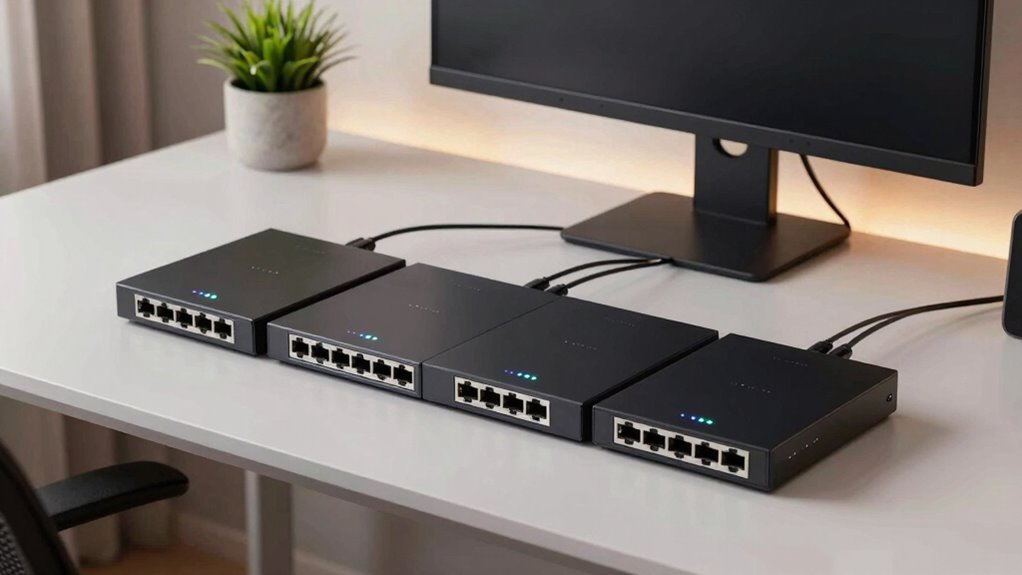

Choosing the right Ethernet switch for a home office depends on your specific needs, such as number of devices, network complexity, and budget. For most users, a simple unmanaged switch like the TP-Link 8 Port Gigabit Ethernet Network Switch offers plug-and-play convenience and silence, making it perfect for general use. For those who prefer a compact, energy-efficient option, the NETGEAR 5-Port GS305 is a solid choice. If you anticipate expanding or want more control, a managed switch like the NETGEAR GS305E provides basic management features without overwhelming complexity. Each has tradeoffs: more ports and features generally mean higher cost and complexity, while smaller, unmanaged models may lack advanced configurability.

Get audio and creator gear delivered free with Prime
- Fast, free delivery on millions of items
- Prime Video, Amazon Music and more included
- Member-only deals all year
Complete the kit



Key Takeaways
- Unmanaged switches like TP-Link‘s and NETGEAR‘s GS308 are ideal for simple setups with plug-and-play operation.
- The NETGEAR GS305E offers manageable features suited for small networks needing basic VLAN and QoS controls.
- Size and noise level are key; fanless designs ensure quiet operation and versatile placement.
- More ports provide expansion but often come with increased cost and power use, not always necessary for home offices.
- Budget options tend to have fewer features, so consider future needs before choosing.
| TP-Link 8 Port Gigabit Ethernet Network Switch – Unmanaged, Fanless, Metal Housing |  | Best Overall for Versatile, High-Speed Home Office Networking | Number of Ports: 8 | Port Speed: Gigabit Ethernet (10/100/1000 Mbps) | Design: Fanless, Metal Housing | VIEW ON AMAZON | See Our Full Breakdown |
| NETGEAR 5-Port Gigabit Ethernet Unmanaged Network Switch (GS305) |  | Best Compact and Quiet for Small Home Networks | Number of Ports: 5 | Compatible Devices: Desktop | Voltage: 100-240 volts | VIEW ON AMAZON | See Our Full Breakdown |
| NETGEAR 8-Port Gigabit Ethernet Unmanaged Network Switch (GS308) |  | Best for Larger Small Networks Needing Simple High-Speed Connectivity | Ports: 8 x 1.0Gbps Ethernet ports | Design: Metal, compact | Operation: Fanless, energy-efficient | VIEW ON AMAZON | See Our Full Breakdown |
| TP-Link TL-SG105 5-Port Gigabit Unmanaged Ethernet Switch |  | Best Budget-Friendly, Reliable for Basic Home Networks | Ports: 5 Gigabit Ethernet ports | Technology: Auto Negotiation, Auto MDI/MDIX | Energy Efficiency: Yes | VIEW ON AMAZON | See Our Full Breakdown |
| NETGEAR 5-Port Gigabit Ethernet Easy Smart Managed Network Switch (GS305E) |  | Best for Small Networks with Basic Management Needs | Number of Ports: 5 | Port Speed: 1.0Gbps | Management: Easy Smart Managed | VIEW ON AMAZON | See Our Full Breakdown |
| ethernet switch for home office | Number of Ports | Design | Warranty |
|---|---|---|---|
| TP-Link 8 Port Gigabit Etherne | 8 | Fanless, Metal Housing | Lifetime |
| NETGEAR 5-Port Gigabit Etherne | 5 | — | 3 years |
| NETGEAR 8-Port Gigabit Etherne | — | Metal, compact | — |
| TP-Link TL-SG105 5-Port Gigabi | — | — | 3 years |
| NETGEAR 5-Port Gigabit Etherne | 5 | Fanless, compact metal | — |
More Details on Our Top Picks
TP-Link 8 Port Gigabit Ethernet Network Switch – Unmanaged, Fanless, Metal Housing
The TP-Link 8 Port Gigabit Ethernet Network Switch stands out for its high port count and reliable performance in a straightforward package. Its unmanaged design means no configuration fuss, making it suitable for most home setups. The fanless metal housing ensures silent operation, which is a decisive factor for quiet home offices. Compared to smaller switches, it offers more connectivity, but its larger size might be less ideal for very tight spaces. It lacks PoE support and advanced management, which might limit future expansion or customization.
Pros:- High-speed gigabit connectivity for multiple devices
- Silent fanless operation with durable metal build
- Simple plug-and-play setup with traffic prioritization
Cons:- Limited to unmanaged features, no advanced controls
- No Power over Ethernet (PoE) support
- Basic traffic management may not suffice for complex networks
Best for: Home users needing multiple wired connections with minimal setup fuss
Not ideal for: Users wanting advanced network management or PoE features
- Number of Ports:8
- Port Speed:Gigabit Ethernet (10/100/1000 Mbps)
- Design:Fanless, Metal Housing
- Shielded Ports:Yes
- Flow Control:IEEE 802.3x
- Warranty:Lifetime
Our verdict“A reliable, high-capacity switch perfect for straightforward, high-speed home networks.”
NETGEAR 5-Port Gigabit Ethernet Unmanaged Network Switch (GS305)
The NETGEAR GS305 offers a compact footprint, ideal for those with limited space or needing a discreet addition to a desk or wall. Its five ports provide sufficient expansion for most small home office setups. The fanless, energy-efficient design ensures silent operation, and its simple plug-and-play interface minimizes setup time. However, being unmanaged limits advanced configuration options, making it less suitable for those who want to tweak VLANs or QoS settings. Its purple color might not blend with all decor, but that’s a minor aesthetic concern.
Pros:- Easy setup with no software required
- Silent operation with energy efficiency
- Versatile mounting options for desktop or wall
Cons:- Limited to unmanaged network switching
- Color may not match all setups
- Designed primarily for small networks
Best for: Small offices or remote workers seeking a simple, quiet, and space-saving switch
Not ideal for: Users requiring managed features or PoE support
- Number of Ports:5
- Compatible Devices:Desktop
- Voltage:100-240 volts
- Data Transfer Rate:1000 Mbps
- Case Material:Metal
- Warranty:3 years
Our verdict“A compact, fuss-free switch that delivers reliable gigabit connections without complexity.”
NETGEAR 8-Port Gigabit Ethernet Unmanaged Network Switch (GS308)
The NETGEAR GS308 is a straightforward, 8-port switch designed for users who need more connections without added complexity. Its compact, fanless design means it fits easily into most environments, and energy-efficient features help keep power costs low. Its unmanaged nature makes setup effortless, but it doesn’t support management features like VLANs or QoS, which limits customization. Designed primarily for U.S. and Canadian outlets, its regional compatibility could be a consideration for international users.
Pros:- Easy plug-and-play setup
- Silent and energy-efficient operation
- Compact size with versatile mounting options
Cons:- Limited to unmanaged features
- Region-specific power compatibility
Best for: Home offices with multiple devices requiring reliable gigabit connections
Not ideal for: Those seeking managed features or PoE support
- Ports:8 x 1.0Gbps Ethernet ports
- Design:Metal, compact
- Operation:Fanless, energy-efficient
- Compatibility:For U.S. & CA
Our verdict“A dependable, straightforward switch suitable for larger small networks that prioritize simplicity.”
TP-Link TL-SG105 5-Port Gigabit Unmanaged Ethernet Switch
The TP-Link TL-SG105 offers a compact, durable solution for basic home network needs. Its five ports support gigabit speeds, and advanced features like IGMP snooping and port-based QoS ensure reliable data flow for streaming or remote work. Its plug-and-play setup appeals to users who want straightforward installation without configuration hassles. Its limited port count makes it less suitable for growing networks, but it remains an excellent value for smaller setups.
Pros:- Easy setup with no software needed
- Supports traffic prioritization for quality data transfer
- Energy-efficient with durable metal casing
Cons:- Limited to 5 ports, not expandable for larger needs
- Basic management features only
Best for: Budget-conscious users needing reliable gigabit connectivity for few devices
Not ideal for: Larger networks or users requiring managed switches
- Ports:5 Gigabit Ethernet ports
- Technology:Auto Negotiation, Auto MDI/MDIX
- Energy Efficiency:Yes
- Flow Control:IEEE 802.3X
- Warranty:3 years
Our verdict“A cost-effective, reliable choice for small, simple home office networks.”
NETGEAR 5-Port Gigabit Ethernet Easy Smart Managed Network Switch (GS305E)
The NETGEAR GS305E combines simplicity with manageable features, making it suitable for home users who want a bit more control. Its easy-to-use management interface supports VLANs and QoS, enhancing network flexibility without overwhelming complexity. Its fanless, compact design fits well into any home environment, and energy-saving features keep power consumption low. However, its regional limitations and lack of PoE might restrict some use cases.
Pros:- Easy to configure with intuitive interface
- Silent, fanless operation
- Energy-efficient with versatile mounting options
Cons:- Limited to U.S. & CA regions
- No PoE support
- Basic management features only
Best for: Home users who want basic management controls without complexity
Not ideal for: International users or those needing PoE support
- Number of Ports:5
- Port Speed:1.0Gbps
- Management:Easy Smart Managed
- Design:Fanless, compact metal
- Energy Efficiency:IEEE 802.3az
- Mounting Options:Desktop or wall-mount
Our verdict“A practical, manageable switch for small home networks requiring simple VLAN and QoS controls.”
How We Picked
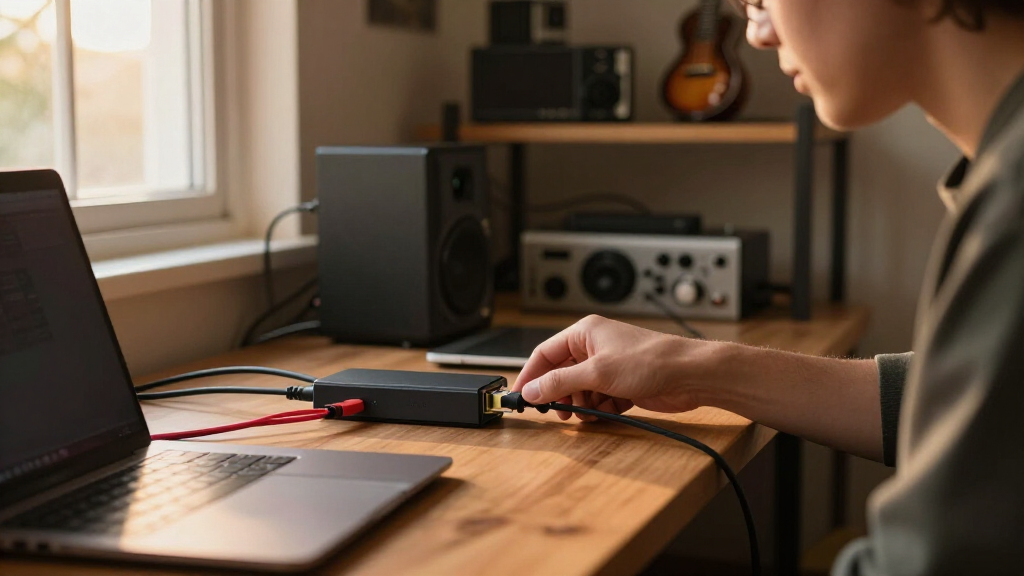
Our selection process focused on models that balance affordability, ease of use, and reliability for home office environments. We prioritized switches that are fanless for silent operation, simple plug-and-play setup for ease of installation, and a range of port options to accommodate different network sizes. We compared features such as management capabilities, energy efficiency, build quality, and compatibility with typical home networking gear. While higher-end managed switches offer advanced features, we focused on models that suit most home users without overwhelming complexity or cost.
| ethernet switch for home office | Design |
|---|---|
| TP-Link 8 Port Gigabit Etherne | Fanless, Metal Housing |
| NETGEAR 5-Port Gigabit Etherne | — |
| NETGEAR 8-Port Gigabit Etherne | Metal, compact |
| TP-Link TL-SG105 5-Port Gigabi | — |
| NETGEAR 5-Port Gigabit Etherne | Fanless, compact metal |
Factors to Consider When Choosing Ethernet Switch For Home Office
Selecting the right Ethernet switch for your home office involves balancing port count, management features, size, noise, and future needs. I focus on key aspects like unmanaged versus managed, the importance of silent operation, and whether extra features like PoE or VLAN support are necessary. Understanding these factors helps match a model to your specific setup, whether you want plug-and-play simplicity or a bit of network control.
Unmanaged vs. Managed Switches
Unmanaged switches are ideal for most home offices because they require no configuration and provide reliable plug-and-play functionality. Managed switches, however, give more control over traffic, VLANs, and QoS, which may benefit users with more complex or expanding networks. For typical remote work or small setups, unmanaged models usually suffice, but those needing specific traffic prioritization or network segmentation should consider managed options.
Size, Ports, and Placement
Size and number of ports directly influence your network’s flexibility. A 5-port switch might be enough for a few devices, but if you plan to add more computers, printers, or smart devices, an 8-port model offers more room. Fanless, compact designs allow placement anywhere—on a desk, shelf, or wall—without noise or heat concerns. Think about your current and future device count to avoid needing an upgrade soon.
Power and Noise Considerations
Quiet operation is often overlooked but essential for home environments, especially if the switch is near your workspace. Fanless designs offer silent operation and are generally more durable, but they might be slightly larger. Energy-efficient features can reduce power bills over time, especially if the switch remains on 24/7. If space and noise are priorities, these factors should weigh heavily in your choice.
Additional Features and Budget
PoE support is rarely needed in home offices unless you plan to power IP cameras or VoIP phones directly through the switch. Traffic management features like QoS help prioritize work-related data streams, which can improve streaming or video calls. Budget models tend to have fewer features but are often sufficient for basic needs. If you anticipate network growth or require management, investing in a slightly more expensive model may save hassle later.
Frequently Asked Questions
What is the difference between unmanaged and managed switches?
Unmanaged switches are simple plug-and-play devices that do not require configuration. They are ideal for basic setups where minimal control over traffic is needed. Managed switches, on the other hand, allow you to configure VLANs, QoS, and security features, offering greater control but also more complexity. For most home offices, unmanaged switches are sufficient unless you have specific network management requirements.
How many ports should I look for in a home office switch?
The number of ports depends on your current and future device count. A 5-port switch can handle a small setup with a few wired devices, while an 8-port model provides extra flexibility for additional computers, printers, or smart home gadgets. If you expect significant expansion, opting for more ports now can avoid an upgrade later. Balance your port needs with space and budget considerations.
Is fanless operation really important?
Fanless switches operate silently, making them ideal for quiet home environments or shared spaces. They also tend to be more durable, as there are no moving parts that can fail. While some fans can improve cooling, most home office switches generate minimal heat and don’t require active cooling. Choosing a fanless model is a practical decision if noise and placement flexibility matter to you.
Should I worry about PoE support for my home setup?
PoE (Power over Ethernet) is mainly useful for powering devices like IP cameras or VoIP phones directly through the Ethernet cable. Most home offices do not need PoE unless you have specific equipment that requires it. For typical remote work setups, PoE support is unnecessary, and a standard unmanaged switch will suffice. If you plan to add PoE devices in the future, consider a switch with PoE capabilities now.
Do I need a managed switch for my home office?
In most cases, a managed switch is not necessary for a home office. Unmanaged switches provide all the connectivity you need with ease and at a lower cost. However, if you want to create separate network segments, prioritize traffic for video calls, or have future expansion plans, a basic managed switch like the NETGEAR GS305E can provide useful control without overwhelming complexity. Evaluate your current needs and future plans before investing in management features.
Conclusion
For most home office users, especially those seeking simplicity and reliability, unmanaged switches like the TP-Link 8 Port Gigabit Ethernet Network Switch or the NETGEAR GS308 are excellent choices. Those with limited space or needing quieter operation might lean toward the NETGEAR GS305. If you want basic network management, the NETGEAR GS305E offers a good balance of control and ease of use. Advanced users or those with expanding networks should consider higher-end managed switches, but for typical remote workers, these five options cover most needs effectively.
Halloween Picks
halloween
As an affiliate, we earn on qualifying purchases.