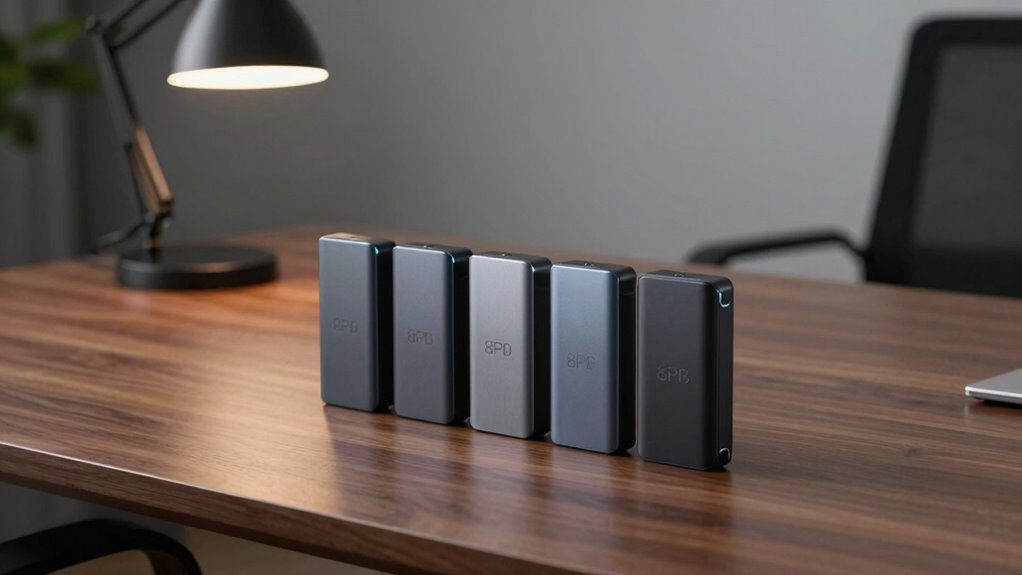

Choosing the right external 8TB SSD in 2026 depends on your specific needs—whether you prioritize speed, portability, or budget. The Samsung T5 EVO stands out for its reliable performance and compact design, making it ideal for content creators on the go. The SanDisk Extreme Portable SSD offers rugged durability combined with fast NVMe speeds, perfect for outdoor use or rough handling. Meanwhile, the SSK Portable SSD with blazing fast 2000MB/s transfer speeds is tailored for professionals handling massive data transfers. Each of these picks balances performance, durability, and price differently, so understanding their tradeoffs helps you make the best choice.

Get audio and creator gear delivered free with Prime
- Fast, free delivery on millions of items
- Prime Video, Amazon Music and more included
- Member-only deals all year
Complete the kit


Key Takeaways
- The Samsung T5 EVO offers reliable, portable storage with decent speeds but is limited to USB 3.2 Gen 1.
- SanDisk‘s Extreme Portable SSD excels in ruggedness and high-speed NVMe performance, ideal for outdoor or demanding environments.
- The SSK 8TB Portable SSD provides the fastest transfer speeds but requires compatible hardware for full performance.
- Western Digital’s Elements Desktop is a budget-friendly, high-capacity solution suited for Windows users needing straightforward storage.
- SanDisk‘s Desk Drive combines large capacity with easy setup, best for desktop use on multiple platforms.
| Samsung T5 EVO Portable SSD 8TB, USB 3.2 Gen 1 |  | Best Overall Portable 8TB SSD | Capacity: 8TB | Interface: USB 3.2 Gen 1 | Speed: Up to 460MB/s | VIEW ON AMAZON | See Our Full Breakdown |
| Western Digital 8TB Elements Desktop External Hard Drive, USB 3.0 |  | Best Budget High-Capacity Desktop Storage | Capacity: 8TB | Interface: USB 3.0 | Compatibility: Windows | VIEW ON AMAZON | See Our Full Breakdown |
| SSK 8TB Portable SSD External Solid State Drive USB 3.2 Gen 2×2 20Gbps |  | Fastest External SSD with Cross-Platform Compatibility | Capacity: 8TB | Transfer Speed: Up to 2000MB/s | USB Version: USB 3.2 Gen 2×2 | VIEW ON AMAZON | See Our Full Breakdown |
| SanDisk 8TB Extreme Portable SSD |  | Best Rugged High-Speed Portable SSD | Capacity: 8TB | Read Speed: 1050MB/s | Write Speed: 1000MB/s | VIEW ON AMAZON | See Our Full Breakdown |
| SanDisk 8TB Desk Drive SSD |  | Best Desktop 8TB SSD for Large Media Collections | Capacity: 8TB | Read Speed: Up to 1000MB/s | Interface: USB Type-C | VIEW ON AMAZON | See Our Full Breakdown |
| external ssd 8tb | Capacity | Compatibility | Warranty | Interface |
|---|---|---|---|---|
| Samsung T5 EVO Portable SSD 8T | 8TB | Windows, Mac, Linux, Android | Limited 3-year | USB 3.2 Gen 1 |
| Western Digital 8TB Elements D | 8TB | Windows | 2 years | USB 3.0 |
| SSK 8TB Portable SSD External | 8TB | Windows, Mac, Linux | 1-year | — |
| SanDisk 8TB Extreme Portable S | 8TB | Windows, Mac, Android | 5 years | — |
| SanDisk 8TB Desk Drive SSD | 8TB | Windows, Mac | Not specified | USB Type-C |
More Details on Our Top Picks
Samsung T5 EVO Portable SSD 8TB, USB 3.2 Gen 1
The Samsung T5 EVO stands out for its balance of large capacity and portability. With transfer speeds up to 460MB/s, it offers quick file access without the need for high-end interfaces. Its compact design and shock resistance make it a dependable choice for mobile professionals, especially those who need a reliable backup on the move. Compared to the SSK, it sacrifices some raw speed but gains broader compatibility and proven durability. However, it’s priced higher than basic HDDs and limited to USB 3.2 Gen 1, which might slow down maximum transfer rates for some users.
Pros:- Large 8TB capacity in a portable form factor
- Fast transfer speeds for a portable SSD
- Shock and fall resistant for mobile use
Cons:- Limited to USB 3.2 Gen 1, not the latest USB standard
- Higher price compared to traditional HDDs
- Not optimized for systems supporting newer interfaces
Best for: Content creators and travelers needing dependable, portable storage
Not ideal for: Pro users requiring ultra-fast transfers or those with systems supporting only newer USB standards
- Capacity:8TB
- Interface:USB 3.2 Gen 1
- Speed:Up to 460MB/s
- Shock Resistance:Yes
- Fall Protection:Up to 6 feet
- Size:Compact
- Compatibility:Windows, Mac, Linux, Android
- Warranty:Limited 3-year
- Weight:Approx. 50 grams
Our verdict“A well-rounded portable SSD that balances capacity, speed, and durability for most users on the move.”
Western Digital 8TB Elements Desktop External Hard Drive, USB 3.0
The WD Elements Desktop offers straightforward, high-capacity storage at a more accessible price point. Its USB 3.0 interface ensures decent transfer speeds for large files, especially for Windows users who prefer plug-and-play simplicity. Compared with SSD options, it’s less expensive per gigabyte, but it sacrifices speed—making it less suitable for tasks demanding rapid data access. Its bulkier design and lack of rugged features mean it’s better suited for stationary setups rather than portable use. It’s an attractive choice for those prioritizing high capacity over speed or portability.
Pros:- High 8TB capacity at a budget-friendly price
- Plug-and-play setup with Windows
- Decent transfer speeds for large files
Cons:- Limited to USB 3.0, slower than newer standards
- Not portable—bulkier and less rugged
- No encryption or advanced security features
Best for: Users needing large, affordable storage and primarily working on Windows
Not ideal for: Professionals needing fast transfers or users on Mac or Linux without additional formatting
- Capacity:8TB
- Interface:USB 3.0
- Compatibility:Windows
- Transfer Speed:Up to 120MB/s
- Dimensions:Bulkier
- Warranty:2 years
- Power:Bus-powered
- Encryption:No
- Form Factor:Desktop
Our verdict“A solid, budget-friendly high-capacity drive best suited for static, Windows-based storage needs.”
SSK 8TB Portable SSD External Solid State Drive USB 3.2 Gen 2×2 20Gbps
The SSK 8TB Portable SSD offers astonishing transfer speeds up to 2000MB/s thanks to its USB 3.2 Gen 2×2 interface. It’s designed for professionals who need rapid data movement, such as video editors or large data analysts. The inclusion of dual USB-C and USB-A cables enhances compatibility across systems, while health diagnostics and an LED activity indicator boost reliability and usability. The main tradeoff is the need for a compatible USB 3.2 Gen 2×2 port to reach full speed—systems lacking this will experience significantly slower transfers. Its premium price reflects its high-performance focus.
Pros:- Incredible transfer speeds up to 2000MB/s
- Versatile connectivity with dual cables
- Reliable data security features with health diagnostics
Cons:- Requires USB 3.2 Gen 2×2 port for full speed
- Price premium compared to standard SSDs
- External drive needs safe ejection to prevent data loss
Best for: Professionals and power users demanding ultra-fast external storage
Not ideal for: Casual users or those with systems lacking the latest USB ports
- Capacity:8TB
- Transfer Speed:Up to 2000MB/s
- USB Version:USB 3.2 Gen 2×2
- Cables Included:USB-C, USB-A
- Data Security:S.M.A.R.T., TRIM
- LED Indicator:Yes
- Compatibility:Windows, Mac, Linux
- Form Factor:Portable
- Warranty:1-year
Our verdict“The ultimate choice for users who need the fastest possible external SSD, provided their system supports it.”
SanDisk 8TB Extreme Portable SSD
The SanDisk Extreme Portable SSD combines rugged durability with high-speed NVMe performance, making it ideal for outdoor professionals or those needing resilience against the elements. With read speeds up to 1050MB/s and IP65 water and dust resistance, it’s built for tough environments. Its 5-year warranty and hardware encryption add peace of mind, though its high price reflects its premium features. The performance can vary based on host device capabilities, and it’s not as fast as the SSK for raw speed, but durability is its standout trait.
Pros:- High-speed NVMe performance
- Rugged design with water, dust, and drop resistance
- Secure hardware encryption
Cons:- Performance may vary depending on host device
- Premium price for high-capacity rugged SSD
- Limited to portable use—no desktop variant
Best for: Outdoor workers, travelers, and those needing durable, fast portable storage
Not ideal for: Users with systems supporting only USB 3.0 or those seeking maximum transfer speeds regardless of durability
- Capacity:8TB
- Read Speed:1050MB/s
- Write Speed:1000MB/s
- Drop Protection:Up to 3 meters
- Water/Dust Resistance:IP65
- Warranty:5 years
- Encryption:256-bit AES
- Dimensions:Compact
- Compatibility:Windows, Mac, Android
Our verdict“An excellent rugged portable SSD for demanding environments, offering reliable speed and durability for mobile professionals.”
SanDisk 8TB Desk Drive SSD
The SanDisk Desk Drive SSD offers a large 8TB capacity with read speeds up to 1000MB/s, making it suitable for extensive media libraries and professional workflows. Its compact, space-efficient design fits neatly on desks or in drawers, while support for Windows and Mac with exFAT formatting simplifies setup across platforms. It’s a practical choice for stationary use, though it lacks detailed info on durability or warranty, and its write speeds are not specified, which could matter for heavy write workloads.
Pros:- Large 8TB capacity for media storage
- Fast read speeds for quick access
- Easy setup for Windows and Mac
Cons:- Limited info on durability and warranty
- No mention of write speeds or encryption
- Designed for desktop, not portable use
Best for: Media professionals, photographers, and video editors needing large, fast storage on a desktop
Not ideal for: Portable use or users requiring rugged features or encryption
- Capacity:8TB
- Read Speed:Up to 1000MB/s
- Interface:USB Type-C
- Compatibility:Windows, Mac
- Form Factor:Desktop SSD
- Warranty:Not specified
- Encryption:No
- Size:Compact
- Cable Included:Yes
Our verdict“A practical, high-capacity desktop SSD ideal for media-heavy workflows requiring quick access and easy setup.”

How We Picked
Our selection process focused on capacity, speed, durability, compatibility, and value. We prioritized products with genuine 8TB capacities, ensuring they meet real-world storage needs. Speed was evaluated through maximum transfer rates and interface standards—favoring NVMe and USB 3.2 Gen 2×2 where possible. Durability features like water, dust, and shock resistance were key for portable models, while compatibility with Windows, Mac, or cross-platform use was also considered. Finally, we balanced price against features to recommend options suitable for different budgets and use cases.
| external ssd 8tb | Interface | Compatibility | Form Factor |
|---|---|---|---|
| Samsung T5 EVO Portable SSD 8T | USB 3.2 Gen 1 | Windows, Mac, Linux, Android | — |
| Western Digital 8TB Elements D | USB 3.0 | Windows | Desktop |
| SSK 8TB Portable SSD External | — | Windows, Mac, Linux | Portable |
| SanDisk 8TB Extreme Portable S | — | Windows, Mac, Android | — |
| SanDisk 8TB Desk Drive SSD | USB Type-C | Windows, Mac | Desktop SSD |
Factors to Consider When Choosing External Ssd 8tb
When selecting an 8TB external SSD, your main considerations should include speed, durability, portability, and compatibility. High-speed models like the SSK or SanDisk Extreme are perfect for professionals handling large files regularly, but they come with higher prices and system requirements. Those who need ruggedness for outdoor use or frequent travel should lean toward SanDisk’s rugged options. Budget-conscious buyers might prefer desktop drives like Western Digital’s Elements, sacrificing speed for capacity and affordability. Understanding these factors helps tailor your choice to your specific workflow and environment.
Speed and Interface
Transfer speed is critical for efficiency, especially when working with large media files. SSDs using NVMe technology or USB 3.2 Gen 2×2 interfaces deliver the fastest speeds, with some reaching 2000MB/s or more. In contrast, USB 3.0 or USB 3.2 Gen 1 drives max out at around 400-460MB/s, suitable for most casual users but less ideal for professional workflows. Ensure your system supports the drive’s interface to maximize performance.
Portability and Durability
If you’ll carry your drive frequently, look for rugged features like water, dust, and shock resistance, especially for outdoor use. The SanDisk Extreme Portable SSD excels here, while larger desktop models are better suited for stationary setups. Consider the size and weight if mobility matters, and remember that rugged drives often cost more but provide peace of mind in demanding environments.
Compatibility and Ease of Use
Most portable SSDs support Windows and Mac, but check for compatibility if you use other operating systems. Plug-and-play setup simplifies installation, especially for desktop models like WD Elements, which need no extra software. For high-performance drives, verify system requirements such as USB port version to achieve advertised speeds. Encryption and security features may also influence your choice if data protection is a priority.
Price and Value
High-capacity SSDs tend to be expensive, especially high-speed models. Balance your budget against required features—if speed and durability are non-negotiable, expect to pay a premium. Conversely, if storage capacity and affordability are paramount, desktop drives like WD Elements provide a cost-effective solution, albeit with slower speeds and less portability. Consider long-term needs and potential upgrades when evaluating price versus performance.
Frequently Asked Questions
What is the main difference between portable and desktop external SSDs?
Portable external SSDs are designed for mobility, featuring rugged, compact builds with resistance to shocks, water, and dust, making them ideal for on-the-go use. Desktop SSDs, on the other hand, are generally larger, less rugged, and intended for stationary use—offering higher capacities at a lower cost but lacking portability features. Your choice depends on whether you need to carry your storage frequently or keep it in a fixed location.
How does interface speed impact external SSD performance?
The interface speed directly influences transfer rates. USB 3.2 Gen 1 supports speeds up to 460MB/s, suitable for most users, while USB 3.2 Gen 2×2 can reach 2000MB/s, ideal for professional workflows. If your system doesn’t support the faster interfaces, you won’t benefit from the higher speeds, so check your port compatibility before investing in a high-end drive.
Are rugged SSDs worth the extra cost?
For users who frequently work outdoors, travel, or in environments prone to physical shocks or exposure to dust and water, rugged SSDs like the SanDisk Extreme provide valuable durability. They prevent damage from drops and environmental hazards, which can save data and money in the long run. However, if you only use your drive in controlled indoor settings, standard portable SSDs may suffice, making rugged features a less critical factor.
Can I use these drives with multiple operating systems?
Most external SSDs support Windows and Mac, often formatted with exFAT for cross-platform compatibility. Some drives may require reformatting or software setup for optimal use, especially if encryption or security features are involved. Always verify compatibility and formatting options if you plan to switch between systems regularly.
Is it better to buy an SSD or an HDD for 8TB storage?
For speed, reliability, and shock resistance, SSDs are superior to HDDs, especially at large capacities like 8TB. They offer faster transfer speeds, quieter operation, and better durability, making them suitable for professional use or large media libraries. The main tradeoff is cost—SSDs are more expensive per gigabyte than traditional HDDs, so consider your budget and performance needs carefully.
Conclusion
For users who prioritize speed and portability, the SSK Portable SSD offers unmatched high-speed transfers, provided their system supports its interface. Content creators and mobile professionals will find the SanDisk Extreme Portable SSD ideal due to its rugged design and reliable performance. Budget-conscious buyers or those with stationary needs should consider the Western Digital Elements Desktop for affordable, high-capacity storage. Each choice aligns with different workflows, environments, and budgets—making clarity about your primary use case essential for the best fit.
Fall Picks
fall essentials
As an affiliate, we earn on qualifying purchases.