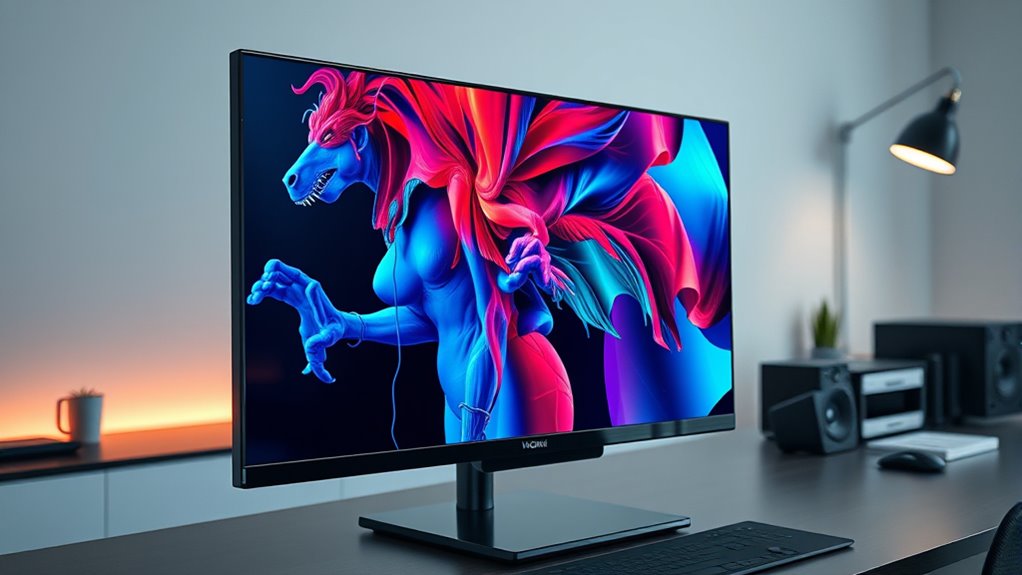

Choosing the right OLED monitors for Mac requires balancing stunning contrast with practical connectivity, specifically USB-C power delivery and text clarity. My top recommendation is the MSI PRO MAX 271UPXW12G because it offers a 4K QD-OLED panel with a robust USB-C hub, solving the common issue of needing multiple dongles. For those prioritizing speed over resolution, the LG 27GX704A-B delivers exceptional motion handling, though it lacks the pixel density for crisp macOS text. The main tradeoff you will face is between 4K clarity for productivity and high refresh rates for gaming, as few monitors excel at both without a steep price. Continue reading to see how these panels compare in color accuracy, burn-in risk management, and Mac-specific compatibility.

Get audio and creator gear delivered free with Prime
- Fast, free delivery on millions of items
- Prime Video, Amazon Music and more included
- Member-only deals all year
Complete the kit


Key Takeaways
- QD-OLED panels offer wider color gamuts than WOLED, making them superior for creative work on Mac, but they may exhibit slight color tinting at extreme viewing angles.
- 4K resolution is strongly preferred over QHD for Mac users to maintain text sharpness at native scaling, avoiding the blurriness associated with 1440p panels.
- USB-C with at least 90W power delivery is the single most valuable feature for a seamless Mac setup, eliminating the need for the Apple power adapter.
- Gaming-focused OLEDs often lack the text clarity features (like subpixel layout optimization) needed for comfortable daily productivity in macOS.
- Burn-in protection features are more critical on Mac monitors than Windows gaming setups because static UI elements like the Dock remain on screen for hours.


| oled monitors for mac | Resolution | Refresh rate | Connectivity | Screen size |
|---|---|---|---|---|
| AOC 27-Inch QHD Gaming Monitor | 2560 × 1440 (QHD) | 240Hz | HDMI 2.1, USB 3.2, DisplayPort 1.4 | 27 inches |
| LG 27GX704A-B 27-inch Ultragea | 2560 × 1440 (QHD) | 240Hz | 2× HDMI 2.1, DisplayPort 1.4, 3× USB 3.2, headphone jack | 27 inches |
| LG 34GX90SA-W 34-inch Ultragea | 3440 × 1440 (WQHD) | 240Hz | HDMI 2.1, DisplayPort 1.4, USB Type-C | 34 inches |
| Samsung 27" Odyssey OLED G6 | 2560 × 1440 (QHD) | 240Hz | — | 27 inches |
| MSI PRO MAX 271UPXW12G 27-Inch | 3840 × 2160 (4K UHD) | 120Hz | Dual USB-C, HDMI, DisplayPort | 27 inches |
| LG 45GX950A-B 45-inch Ultragea | 5120 x 2160 (5K2K WUHD) | 165Hz; dual mode up to 330Hz | — | — |
| INNOCN 27-Inch QD-OLED Gaming | 2560 x 1440 (QHD) | 280Hz | HDMI 2.1; DisplayPort | 27 inches |
| INNOCN 27-inch 4K USB-C Monito | 3840 x 2160 (4K UHD) | 60Hz | USB-C, DisplayPort, HDMI, and 3.5mm audio | — |
| Samsung 27-inch Odyssey OLED G | 2560 x 1440 (QHD) | 180Hz | DisplayPort and HDMI | — |
| Dell 27 Monitor S2725QS 4K UHD | 4K UHD | 120Hz | HDMI, DisplayPort, and USB-C | — |
More Details on Our Top Picks
AOC 27-Inch QHD Gaming Monitor with QD-OLED, 240Hz, G-SYNC Compatible, HDR, USB 3.2, HDMI 2.1, Height Adjustable Stand
I’d choose the AOC when a Mac desk also serves as a high-refresh gaming setup. Its 27-inch QHD QD-OLED panel pairs deep blacks with a 240Hz refresh rate, while HDMI 2.1, DisplayPort, and a USB hub give you several ways to connect a Mac and other devices. The adjustable stand adds practical flexibility that the Samsung Odyssey OLED G6 also offers, but the AOC’s listed USB 3.2 hub is useful if you want peripherals attached to the display. Compared with the LG 27GX704A-B, both deliver 240Hz QHD OLED gaming; LG lists more USB ports and broader adaptive-sync support, while the AOC’s appeal is its direct, multi-input setup. The tradeoff for Mac-first work is resolution: 1440p is less suited to fine-detail editing than the MSI’s 4K screen. OLED burn-in risk also makes static desktop use a consideration.
Pros:- QD-OLED contrast and vivid color make games and HDR media stand out.
- 240Hz refresh rate and 0.03ms response time suit fast-motion gaming.
- HDMI 2.1, DisplayPort, and USB 3.2 hub support a flexible device setup.
- Height, tilt, swivel, and pivot adjustments help fit different desk positions.
Cons:- QHD resolution offers less workspace detail than the MSI PRO MAX’s 4K panel.
- OLED image-retention risk may be a concern for long sessions with static Mac interfaces.
- Built-in speaker capabilities are not specified.
Best for: Mac owners who split their desk time between fast-paced gaming and general work, and want a height-adjustable display with several connection types.
Not ideal for: Mac users focused on high-resolution photo or video editing, or anyone who leaves static menus and windows onscreen for long periods.
- Screen size:27 inches
- Resolution:2560 × 1440 (QHD)
- Panel technology:QD-OLED
- Refresh rate:240Hz
- Response time:0.03ms
- Connectivity:HDMI 2.1, USB 3.2, DisplayPort 1.4
- Stand adjustments:Height, tilt, swivel, pivot
- Mounting:VESA compatible
Our verdict“Pick the AOC if your Mac shares its monitor with a gaming setup and flexible connections matter more than 4K detail.”
LG 27GX704A-B 27-inch Ultragear QHD OLED Gaming Monitor 240Hz, 0.03ms, NVIDIA G-Sync Compatible, AMD FreeSync Premium Pro, VESA DisplayHDR TrueBlack 400, HDMI 2.1, DisplayPort
The LG 27GX704A-B is the most connection-rich 27-inch QHD gaming option here, making it a strong fit when your Mac is one device among several. It has two HDMI 2.1 ports, DisplayPort, and three USB 3.2 ports, giving more room for peripherals and source switching than the Samsung Odyssey OLED G6, whose listed port selection is leaner. Its 240Hz OLED panel, G-SYNC compatibility, and FreeSync Premium Pro support also make it more adaptable to gaming hardware than a Mac-only display. For regular Mac work, the ergonomic stand helps with positioning, but QHD is not as crisp or spacious for detailed creative tasks as the MSI PRO MAX’s 4K panel. The glossy screen can also reflect bright surroundings, and OLED image retention remains a tradeoff for users who keep static windows open all day.
Pros:- Two HDMI 2.1 ports, DisplayPort, and three USB 3.2 ports offer a broad connection set.
- 240Hz refresh rate and 0.03ms response time support responsive gaming.
- G-SYNC and FreeSync Premium Pro cover a range of compatible gaming systems.
- Height, tilt, swivel, and pivot adjustments allow flexible positioning.
Cons:- QHD resolution has less workspace detail than the MSI PRO MAX’s 4K display.
- Glossy finish may reflect windows or lamps in bright rooms.
- OLED image retention is a consideration for Mac users with static work interfaces.
Best for: Mac users who connect multiple gaming devices and peripherals, and want a 27-inch OLED that can also handle high-refresh PC gaming.
Not ideal for: Creative professionals who prioritize 4K detail, or desk setups with strong light sources facing the glossy display.
- Screen size:27 inches
- Resolution:2560 × 1440 (QHD)
- Display type:OLED
- Refresh rate:240Hz
- Response time:0.03ms
- HDR:VESA DisplayHDR True Black 400
- Connectivity:2× HDMI 2.1, DisplayPort 1.4, 3× USB 3.2, headphone jack
- Stand adjustments:Height, tilt, swivel, pivot
Our verdict“Choose this LG if you want a 27-inch OLED gaming display with more ports and adaptive-sync options than the simpler alternatives.”
LG 34GX90SA-W 34-inch Ultragear WQHD OLED Curved Gaming Monitor 240Hz, 1ms, G-Sync Compatible, FreeSync Premium, HDR True Black 400, webOS, USB Type-C, White
The LG 34GX90SA-W is the specialist pick for Mac owners who want an expansive gaming screen rather than a conventional 27-inch workspace. Its 34-inch, 3440 × 1440 OLED panel provides a wide view for games and side-by-side windows, while built-in webOS adds streaming and cloud gaming without requiring a Mac to be on. That standalone convenience separates it from the AOC 27-inch QHD monitor, which is a more straightforward desk display. The LG’s 800R curve is much steeper than a typical productivity screen, though: it can make games feel enveloping but may distort straight lines or feel awkward for design work. USB-C with 65W power delivery can connect and charge some MacBooks, but it falls short of the MSI PRO MAX’s 98W. Its listed response-time details also vary between the title and product data, so I would treat the refresh rate as the clearer gaming specification.
Pros:- 34-inch ultrawide format gives games and multitasking more horizontal space.
- 240Hz OLED display combines fast refresh with deep blacks.
- Built-in webOS supports streaming and cloud gaming without a connected computer.
- USB-C provides up to 65W power delivery for compatible laptops.
Cons:- The steep 800R curve may not suit design work or users who prefer flat displays.
- USB-C power delivery is lower than the MSI PRO MAX’s 98W.
- 3440 × 1440 resolution is less vertically detailed than a 4K monitor.
Best for: MacBook owners who want an ultrawide OLED for immersive gaming, streaming, and broad side-by-side layouts, with USB-C charging for a compatible laptop.
Not ideal for: Mac users doing precision design or spreadsheet work who prefer a flat screen, or laptop owners needing more than 65W USB-C charging.
- Screen size:34 inches
- Resolution:3440 × 1440 (WQHD)
- Panel type:OLED
- Refresh rate:240Hz
- Curvature:800R
- USB-C power delivery:65W
- Connectivity:HDMI 2.1, DisplayPort 1.4, USB Type-C
- HDR:DisplayHDR True Black 400
- Warranty:2-year limited warranty
Our verdict“Choose the LG 34GX90SA-W if an immersive ultrawide gaming screen and built-in streaming matter more than flat-screen precision or maximum USB-C charging.”
Samsung 27″ Odyssey OLED G6 (G61SH) QD-OLED Gaming Monitor
Samsung’s Odyssey OLED G6 has a clear advantage for a Mac gaming desk that gets distracting reflections: its Glare-Free technology is a practical point of difference from the glossy LG 27GX704A-B. The 27-inch QHD QD-OLED panel also delivers 240Hz refresh and a 0.03ms response time, keeping it in the same fast-gaming class as the AOC and LG 27-inch models. Its stand adjusts for height, tilt, and swivel, though it does not list pivot support like those competitors. Connection choices are the bigger compromise: the supplied data lists one HDMI port and two component outputs, which is less useful for a Mac-and-console setup than the AOC’s HDMI 2.1, DisplayPort, and USB hub. I’d treat this as a focused gaming display, not a Mac docking solution; OLED burn-in risk and limited listed connectivity temper its appeal for all-day desktop work.
Pros:- Glare-Free technology can reduce distracting reflections.
- QD-OLED contrast and color suit immersive games and HDR content.
- 240Hz refresh rate and 0.03ms response time target fast-motion play.
- Height, tilt, and swivel adjustments support a more comfortable setup.
Cons:- Listed port selection is limited compared with the AOC and LG 27-inch alternatives.
- No USB-C input or laptop power delivery is specified.
- OLED image-retention risk may matter for prolonged static Mac desktop use.
Best for: Mac gamers in rooms where reflections are a problem, who mainly connect one device and value a glare-reducing screen.
Not ideal for: MacBook users seeking a USB-C dock, or people who routinely switch among a Mac, console, and other video sources.
- Screen size:27 inches
- Resolution:2560 × 1440 (QHD)
- Panel type:QD-OLED
- Refresh rate:240Hz
- Response time:0.03ms (GtG)
- Brightness:400 cd/m²
- Ports:1 HDMI, 2 component outputs
- Stand adjustments:Tilt, swivel, height
Our verdict“Pick the Odyssey OLED G6 if glare reduction is your priority and you do not need a broad selection of Mac-friendly ports.”
MSI PRO MAX 271UPXW12G 27-Inch 4K UHD QD-OLED Monitor with HDR and USB-C Hub
For a Mac-first setup, the MSI PRO MAX is the strongest fit in this group because it pairs 4K resolution with dual USB-C ports and up to 98W power delivery. That combination gives a MacBook a sharper workspace and can reduce cable clutter, unlike the 27-inch QHD gaming monitors from AOC, LG, and Samsung. Its 120Hz refresh rate is still smooth for everyday use and casual gaming, though it cannot match their 240Hz motion performance. The stated Delta E below 2 and QD-OLED contrast also suit color-focused work, but the supplied information does not name specific macOS software compatibility details, so I would verify that feature before buying for a software-dependent workflow. As with the other OLED picks, image retention deserves attention if your work leaves fixed interface elements onscreen for long sessions.
Pros:- 4K resolution provides more detailed workspace than the QHD OLED gaming models.
- Dual USB-C ports with 98W power delivery can simplify a compatible MacBook setup.
- QD-OLED panel and stated Delta E below 2 target vivid, color-conscious work.
- 120Hz refresh rate offers smoother motion than a standard 60Hz display.
Cons:- 120Hz refresh rate is lower than the 240Hz options from AOC, LG, and Samsung.
- Full Mac optimization depends on compatible software, whose details are not provided.
- Built-in speaker quality is unspecified.
Best for: MacBook-based photographers, video editors, and other creative users who want a sharp 4K OLED workspace with high-wattage USB-C charging.
Not ideal for: Competitive gamers who want 240Hz motion, or buyers who need confirmed macOS optimization software compatibility before choosing a display.
- Screen size:27 inches
- Resolution:3840 × 2160 (4K UHD)
- Display technology:QD-OLED
- Refresh rate:120Hz
- HDR certification:VESA DisplayHDR True Black 400
- USB-C power delivery:98W
- Connectivity:Dual USB-C, HDMI, DisplayPort
- Color accuracy:Delta E < 2
- Additional features:Height-adjustable stand, speakers, Mac optimization software
Our verdict“Choose the MSI PRO MAX if your Mac work benefits from 4K detail and high-power USB-C more than it benefits from a 240Hz gaming refresh rate.”
LG 45GX950A-B 45-inch Ultragear 5K2K WUHD OLED Curved Gaming Monitor
The LG 45GX950A-B is the most expansive OLED option here: its 45-inch, 5K2K curved screen gives Mac users room for broad timelines, side-by-side windows, and cinematic games. USB-C supplies up to 90W of power, so a compatible MacBook can connect and charge through one cable; that makes it more desk-friendly than the Samsung Odyssey OLED G5, which lists only HDMI and DisplayPort. The 165Hz refresh rate and 330Hz dual mode mainly benefit gaming, while the 800R curve suits a centered, immersive setup better than shared viewing or precision work across a flat canvas. The tradeoff is substantial: this display takes considerable desk space, and its OLED gaming strengths may be wasted if your Mac use is mostly documents and browsing. I’d choose it for scale and immersion, not value or compactness.
Pros:- 5K2K resolution provides an unusually wide workspace across a 45-inch screen.
- USB-C with 90W power delivery can connect and charge a compatible MacBook with one cable.
- OLED contrast and 98.5% DCI-P3 coverage suit cinematic content and vivid visuals.
- 165Hz and 330Hz dual modes give gaming-focused buyers flexible refresh-rate options.
Cons:- The 45-inch curved panel demands substantial desk depth and width.
- The strong 800R curve is less suitable for shared viewing and straight-line design work.
- Its high refresh rate and gaming features offer limited value to Mac users focused on routine productivity.
Best for: MacBook owners with a deep desk who want a huge curved screen for immersive games, video editing, and multitasking, plus single-cable charging.
Not ideal for: People with shallow desks, shared-screen workflows, or mostly text-based office work who would benefit more from a compact, flat display.
- Display:45-inch OLED, 21:9
- Resolution:5120 x 2160 (5K2K WUHD)
- Refresh rate:165Hz; dual mode up to 330Hz
- Curvature:800R
- Color coverage:98.5% DCI-P3
- HDR:DisplayHDR True Black 400
- USB-C:USB Type-C with 90W power delivery
- Other connectivity:DisplayPort 2.1; 2 x HDMI 2.1
Our verdict“Choose the LG 45GX950A-B if you have room for a very large curved display and want MacBook charging alongside an expansive OLED gaming and media screen.”
INNOCN 27-Inch QD-OLED Gaming Monitor with 1440p Resolution and 280Hz Refresh Rate
This INNOCN is the gaming-first pick for buyers who want OLED color and speed without giving up a large portion of their desk. Its 27-inch QHD QD-OLED panel is a more manageable fit than the LG 45GX950A-B, and its 280Hz refresh rate targets fast-paced play rather than expanded desktop workspace. The adjustable stand adds height, tilt, and pivot changes, useful for setting a comfortable position whether it’s beside a MacBook or used with another gaming system. For Mac connection, the supplied details list HDMI 2.1 and DisplayPort but no USB-C charging, so expect a separate cable and power arrangement. QHD also offers less room for detailed creative work than the 4K INNOCN IPS monitor. I’d pick this for compact OLED gaming, not as the strongest one-cable Mac workstation.
Pros:- QD-OLED panel combines deep blacks with vivid color in a compact 27-inch format.
- 280Hz refresh rate and 0.03ms response time are suited to fast gaming.
- Stand adjusts for height, tilt, and pivot.
- HDMI 2.1 and DisplayPort provide two common ways to connect gaming hardware.
Cons:- No USB-C connection or laptop charging is listed.
- QHD provides less pixel detail and workspace than the 4K INNOCN IPS monitor.
- Its exceptionally high refresh rate is less useful for typical Mac productivity tasks.
Best for: Mac users with a separate gaming PC or console who want a compact OLED screen, high refresh rate, and a height-adjustable stand.
Not ideal for: MacBook owners seeking one-cable video and laptop charging, or creative users who prioritize 4K resolution over gaming speed.
- Screen size:27 inches
- Panel:QD-OLED
- Resolution:2560 x 1440 (QHD)
- Refresh rate:280Hz
- Response time:0.03ms
- HDR:HDR400
- Connectivity:HDMI 2.1; DisplayPort
- Stand adjustments:Height, tilt, and pivot
Our verdict“Pick this INNOCN if gaming speed and compact OLED size matter more than 4K detail or USB-C laptop charging.”
INNOCN 27-inch 4K USB-C Monitor for Laptop MacBook/Mac mini
This INNOCN is a useful counterpoint in an OLED roundup: it is an IPS display, not an OLED monitor. I’ve included it because its 27-inch 4K resolution, USB-C connection, and adjustable stand address everyday Mac work more directly than several OLED gaming picks. Compared with the QD-OLED INNOCN 27-inch gaming model, it gives you 4K detail and USB-C connectivity instead of deep OLED blacks and a 280Hz refresh rate. USB-C can simplify a laptop setup, though the provided specifications don’t state charging wattage, so I wouldn’t assume it powers every MacBook. The 60Hz refresh rate and 1000:1 contrast also make it a weaker fit for fast games or dark-room movie viewing. Choose it for practical 4K desk work; skip it if OLED is a firm requirement.
Pros:- 4K UHD resolution gives a 27-inch workspace suited to detailed text and creative applications.
- USB-C, DisplayPort, and HDMI support multiple connection types.
- Stand adjusts for height, tilt, swivel, and pivot.
- VESA compatibility allows an alternate mounting setup.
Cons:- This is an IPS monitor, so it does not provide OLED pixel-level blacks.
- The 60Hz refresh rate is less suited to high-frame-rate gaming than the QD-OLED INNOCN.
- USB-C charging wattage is not specified, and the 1000:1 contrast is modest for dark scenes.
Best for: MacBook or Mac mini owners who want a 27-inch 4K IPS screen, flexible positioning, and USB-C connectivity for general work.
Not ideal for: Buyers specifically seeking OLED contrast, high-refresh-rate gaming, or confirmed high-wattage laptop charging.
- Display size:27 inches
- Panel type:IPS
- Resolution:3840 x 2160 (4K UHD)
- Refresh rate:60Hz
- Brightness:400 nits
- Contrast ratio:1000:1
- Connectivity:USB-C, DisplayPort, HDMI, and 3.5mm audio
- Stand and mounting:Tilt, swivel, height, pivot; VESA 75 x 75 mm
Our verdict“Choose this INNOCN for 4K Mac productivity and flexible USB-C connectivity only if IPS is acceptable instead of OLED.”
Samsung 27-inch Odyssey OLED G5 (G50SF) QD-OLED Gaming Monitor
The Samsung Odyssey OLED G5 keeps the setup compact while adding QD-OLED contrast, a glare-reducing coating, and color validation that may appeal to Mac users who also play games. Its 27-inch QHD format is easier to place than the LG 45GX950A-B, but it gives up that model’s ultrawide 5K2K workspace and USB-C 90W charging. The Samsung’s 180Hz refresh rate is lower than the INNOCN QD-OLED’s 280Hz, so the INNOCN suits players chasing the highest listed refresh rate. In exchange, Samsung lists OLED Safeguard features intended to reduce burn-in risk, along with G-Sync and FreeSync support. Its connections are limited to HDMI and DisplayPort, and OLED still calls for care around static Mac interface elements. This makes most sense as a gaming display, not a tidy one-cable laptop dock.
Pros:- QD-OLED provides high contrast and vivid color in a 27-inch display.
- Glare-Free coating is suited to rooms where reflections are distracting.
- OLED Safeguard features are designed to help reduce burn-in risk.
- G-Sync and FreeSync support a range of compatible gaming systems.
Cons:- HDMI and DisplayPort are the only listed display connections; USB-C is not listed.
- QHD resolution offers less detail than a 4K monitor such as the INNOCN IPS model.
- At 180Hz, it has a lower listed refresh rate than the 280Hz INNOCN QD-OLED.
Best for: Mac users with a separate gaming setup who want a compact QD-OLED display, reduced glare, and a manufacturer-listed burn-in protection feature.
Not ideal for: MacBook owners who need USB-C charging, buyers who want 4K resolution, or users who leave static work interfaces displayed for long periods.
- Screen size and aspect ratio:27 inches; 16:9
- Panel technology:QD-OLED
- Resolution:2560 x 1440 (QHD)
- Refresh rate:180Hz
- Response time:0.03ms GTG
- Brightness:280 cd/m²
- HDR:HDR10
- Connectivity:DisplayPort and HDMI
- Additional features:Glare-Free coating; OLED Safeguard; Pantone Validated for 2100+ colors
Our verdict“Choose the Samsung if a compact, glare-aware QD-OLED gaming screen matters more than USB-C charging or 4K resolution.”
Dell 27 Monitor S2725QS 4K UHD IPS with 120Hz Refresh Rate and Adjustable Stand
The Dell S2725QS is another IPS alternative, not an OLED monitor, but its 27-inch 4K panel and 120Hz refresh rate make it a practical Mac screen for mixed work and entertainment. Compared with the INNOCN 27-inch 4K IPS model, Dell offers a higher listed refresh rate, while the INNOCN lists USB-C explicitly and offers more stand adjustments. Dell’s 99% sRGB coverage and ComfortView Plus feature suit office use and general color work; its HDR-ready label and 1500:1 contrast should not be mistaken for OLED-like dark-scene performance. The provided details list USB-C but don’t specify charging power, so MacBook owners should check whether they’ll still need a separate charger. If OLED is the point of this roundup, the Samsung Odyssey OLED G5 is a better match; if 4K productivity is the priority, Dell is the more relevant choice.
Pros:- 4K UHD resolution and 99% sRGB coverage suit general productivity and everyday color work.
- 120Hz refresh rate is smoother than the 60Hz INNOCN 4K IPS model.
- Height, swivel, and pivot adjustments support flexible desk positioning.
- Anti-glare treatment and ComfortView Plus support a work-focused setup.
Cons:- IPS panel cannot match the OLED contrast of the Samsung Odyssey OLED G5.
- USB-C charging power is not specified in the supplied product data.
- 5ms response time is less targeted at competitive gaming than the OLED gaming models.
Best for: Mac users who want a flat 27-inch 4K display for office work, browsing, and casual entertainment, with a smoother 120Hz refresh rate.
Not ideal for: Buyers who require OLED blacks, dedicated OLED gaming performance, or confirmed USB-C laptop charging wattage.
- Display size:27 inches
- Resolution:4K UHD
- Panel type:IPS
- Refresh rate:120Hz
- Response time:5ms
- Brightness:350 cd/m²
- Color coverage:99% sRGB
- Connectivity:HDMI, DisplayPort, and USB-C
- Stand and viewing features:Height, swivel, and pivot adjustment; anti-glare; ComfortView Plus
Our verdict“Pick the Dell for 4K Mac productivity and 120Hz everyday use if you’re willing to choose IPS over OLED.”
How We Picked
I evaluated these monitors based on their compatibility with the macOS ecosystem, prioritizing USB-C connectivity and 4K resolution to ensure crisp text rendering. Since Mac users often use their displays for both creative work and casual gaming, I weighed color accuracy and refresh rate equally. I also examined the physical design, favoring monitors with adjustable stands and VESA compatibility to fit various desk setups, while penalizing models that required complex adapter chains to connect to a MacBook.
The ranking reflects a balance between pure performance and practical usability. Monitors that offered a single-cable solution with high wattage power delivery were ranked higher than those requiring separate power cords. I also considered the specific panel technologies (QD-OLED vs. WOLED), noting that while both offer perfect blacks, their handling of text and brightness levels differs, influencing my recommendation for professional versus gaming use cases.
| oled monitors for mac | HDR |
|---|---|
| AOC 27-Inch QHD Gaming Monitor | — |
| LG 27GX704A-B 27-inch Ultragea | VESA DisplayHDR True Black 400 |
| LG 34GX90SA-W 34-inch Ultragea | DisplayHDR True Black 400 |
| Samsung 27" Odyssey OLED G6 | — |
| MSI PRO MAX 271UPXW12G 27-Inch | — |
| LG 45GX950A-B 45-inch Ultragea | DisplayHDR True Black 400 |
| INNOCN 27-Inch QD-OLED Gaming | HDR400 |
| INNOCN 27-inch 4K USB-C Monito | — |
| Samsung 27-inch Odyssey OLED G | HDR10 |
| Dell 27 Monitor S2725QS 4K UHD | — |
Factors to Consider When Choosing Oled Monitors For Mac
Selecting a display for a Mac is different from choosing one for a PC. The operating system handles scaling and text rendering in unique ways that can make or break your experience. Here are the specific factors I used to rank these OLED monitors.
Resolution and Text Clarity
macOS relies heavily on high-DPI rendering to make fonts look smooth. If you buy a 27-inch monitor with only 1440p resolution, macOS will likely default to a scaled resolution that looks soft or blurry to the eye. To get the crisp, Retina-like experience you are used to, you should aim for 4K (3840 x 2160) resolution on screens 27 inches or larger. This allows you to run the display at a 1:1 pixel ratio or a clean 2x scaling factor. While high refresh rate 1440p OLEDs are tempting for gaming, they often compromise the professional look of your desktop applications. If your primary use is coding, writing, or design, prioritize resolution over refresh rate to avoid eye strain.
USB-C Power Delivery
One of the biggest headaches with third-party monitors is cable clutter. The ideal setup for a MacBook user involves a single USB-C cable that transmits video data, USB peripheral connections, and power simultaneously. Look for monitors that offer at least 90W of power delivery, which is sufficient to charge most MacBook Pro models while running the display. Models with lower wattage (65W or less) may charge your laptop slowly or not at all when the brightness is turned up high. This feature transforms your desk into a minimalist workspace, removing the need to plug in the Apple power brick every time you sit down. If a monitor lacks this, you will be forced to manage two cables, defeating the purpose of modern portability.
OLED Panel Types: QD-OLED vs. WOLED
Not all OLED panels are created equal. QD-OLED (Quantum Dot OLED) generally offers brighter colors and wider color gamuts, which is excellent for video editing and photo work on a Mac. However, QD-OLED subpixel structures can sometimes result in slight color fringing on text, which may be noticeable to some users. WOLED (White OLED) tends to have better text clarity but slightly lower peak brightness and color volume. For Mac users who spend a lot of time in word processors or code editors, WOLED might offer a more comfortable viewing experience. Conversely, if you are a colorist or photographer, the extra color punch of QD-OLED is worth the minor text tradeoff.
Burn-In Protection and Static Elements
Unlike gaming consoles where the image changes constantly, a Mac desktop often has static elements like the menu bar, Dock, and Finder sidebars. These fixed elements pose a higher risk for OLED burn-in over time. I prioritized monitors with robust pixel-shift technology, automatic brightness limiters, and taskbar detection features. Some monitors allow you to customize these settings via on-screen menus, which is vital for long-term health. If you plan to keep your monitor on for 8+ hours a day, you must ensure the manufacturer provides software or firmware tools to mitigate image retention. Ignoring this can lead to permanent ghosting of your macOS interface within a year.
Connectivity Beyond USB-C
While USB-C is convenient, it is not always enough. If you use multiple monitors or need to connect an iPhone for recording, you should look for monitors with additional HDMI 2.1 ports and a built-in USB hub. This allows you to plug your keyboard and mouse directly into the monitor, turning it into a docking station. Check if the USB ports support data transfer speeds like USB 3.2 or higher, as slower USB 2.0 ports can bottleneck high-speed external SSDs commonly used by Mac creators. A well-connected monitor simplifies your workflow, allowing you to plug in your MacBook and have all your peripherals instantly recognize and connect without manual intervention.
Frequently Asked Questions
Do OLED monitors cause burn-in faster on Mac than on Windows?
Yes, the risk can be higher on Mac because of the persistent visibility of the menu bar and Dock. Unlike Windows, where users might hide the taskbar or use full-screen apps more frequently, macOS users often leave these static UI elements visible at all times. However, modern OLED panels have significantly improved their organic material longevity. To mitigate this, I recommend enabling ‘Reduce Transparency’ in macOS Accessibility settings to make static elements less distinct, and using the monitor’s built-in pixel shift feature. If you use a dynamic wallpaper or change your desktop layout frequently, the risk is minimal.
Is 4K resolution necessary for a 27-inch OLED monitor?
For the best experience, yes. macOS is designed to render text at high pixel densities. On a 27-inch 1440p monitor, macOS often uses integer scaling that can look blurry, or non-integer scaling that consumes GPU resources and still looks slightly soft. A 27-inch 4K monitor allows for a crisp 2x scaling factor, where four physical pixels make up one logical pixel, resulting in razor-sharp text. If you are a gamer who doesn’t care about text clarity, 1440p might suffice, but for general Mac usage, 4K is the standard for professional quality.
Can I use an OLED monitor with my MacBook Air?
Absolutely, but you need to check the power delivery requirements. Most MacBook Air models require around 30W to 50W for charging. Many USB-C monitors provide 65W or 90W, which is more than enough. The main consideration is the refresh rate; while MacBook Airs support high refresh rates, the integrated graphics might struggle to drive a 4K OLED at 120Hz or 144Hz. For a MacBook Air, a 4K monitor running at 60Hz is often the most stable and efficient configuration, though newer M-series chips handle higher refresh rates better than older Intel models.
Why do some OLED monitors look green or pink at the edges?
This phenomenon is most common with QD-OLED panels and is caused by the physical structure of the subpixels. When viewing the screen from an extreme angle, the white subpixels can become more visible, causing a green or magenta tint on black backgrounds. This is not a defect but a characteristic of the technology. To minimize this, keep your viewing position centered and avoid sitting too close to the edges of a curved monitor. WOLED panels generally do not suffer from this issue to the same degree, making them a safer choice if you frequently share your screen with others sitting off-center.
Is HDMI 2.1 required for Mac users?
Not strictly, but it is highly recommended for future-proofing. Most current MacBooks use Thunderbolt/USB-C, which carries the DisplayPort signal, so you can often achieve 4K at 60Hz or even 120Hz via USB-C without HDMI 2.1. However, HDMI 2.1 is necessary if you want to connect a PlayStation 5 or Xbox Series X to the same monitor, or if you plan to use a Mac Studio or Mac Pro with multiple displays where bandwidth management is critical. Having HDMI 2.1 ports ensures your monitor remains versatile for various devices beyond just your Mac laptop.
Conclusion
Choosing the right OLED monitor for Mac depends largely on whether you prioritize professional text clarity or gaming speed. For most Mac users, the MSI PRO MAX 271UPXW12G is the best overall choice because it combines 4K resolution with QD-OLED vibrancy and convenient USB-C connectivity. If you are a hardcore gamer who rarely does text-heavy work, the LG 27GX704A-B offers incredible speed, though you will sacrifice some text sharpness. For those seeking a premium, large-format experience, the LG 45GX950A-B provides an immersive ultrawide canvas, while the AOC QD-OLED remains a strong contender for pure value in the gaming segment. Ultimately, match the resolution to your workflow, and never compromise on USB-C power delivery for a clutter-free desk.
Halloween Picks

Gemmy 5.4 ft The Nun Animatronic Halloween Decoration

12-Foot Inflatable Pumpkin Halloween Archway with LED Lights

Vexalify 11-Inch Halloween Pumpkin Fog Machine with 12-Color Lights
As an affiliate, we earn on qualifying purchases.