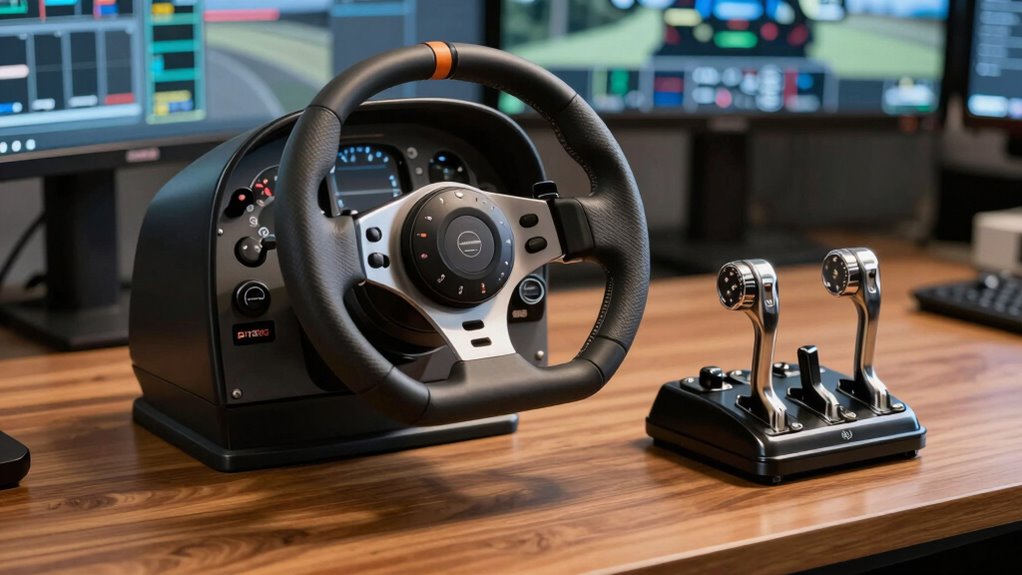
If you’re looking for the best flight yoke and throttle bundles for 2026 pilots, I recommend considering options like the Logitech G Pro Flight Yoke System, Honeycomb Alpha Flight Yoke & Bravo Throttle Bundle, and Thrustmaster TCA Boeing Edition. These setups combine durability, realism, and extensive customization to suit beginners and professionals alike. Each offers authentic controls, quality build, and compatibility with popular flight simulators. Keep exploring to discover which bundle fits your flying goals perfectly.
Key Takeaways
- Prioritize bundles with realistic yoke and throttle controls, extensive programmability, and durable build quality for professional-grade simulation.
- Ensure compatibility with your preferred flight simulator software and operating systems for seamless integration.
- Consider user reviews and expert ratings to identify models with proven reliability and immersive features.
- Look for customizable resistance, adjustable mounts, and expandability options to match specific aircraft and training needs.
- Balance your budget with features, opting for value-packed sets that offer comprehensive control at a suitable price point.
| Logitech G Pro Flight Yoke System + Pro Flight Rudder Pedals Bundle |  | Best Realistic Control | Compatibility: Windows 11/10/8.1/7 | Number of Controls: 54 programmable | Adjustable Features: Rudder pedals adjustable footrests | VIEW LATEST PRICE | See Our Full Breakdown |
| Honeycomb Alpha Flight Yoke & Bravo Throttle Bundle | 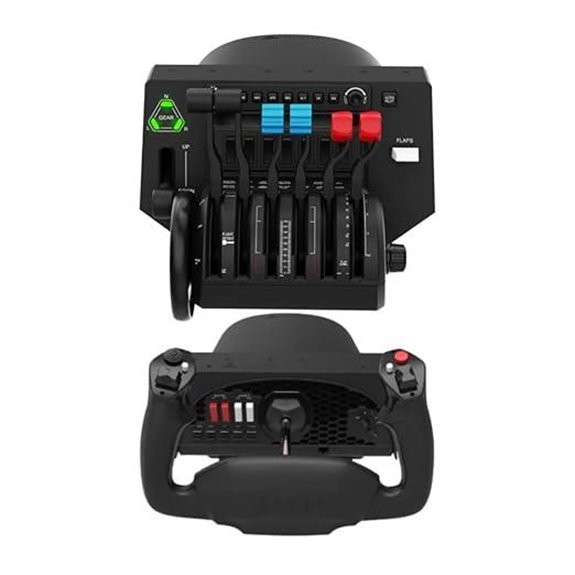 | Most Complete Cockpit | Compatibility: PC and Mac | Number of Controls: Multiple (switch panel, throttle, yoke) | Adjustable Features: Configurable throttle setup | VIEW LATEST PRICE | See Our Full Breakdown |
| Logitech G PRO Flight Yoke System with Controls | 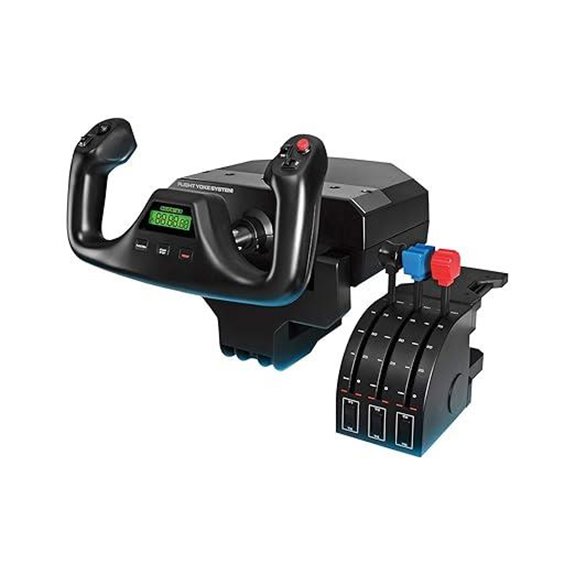 | Top Professional Setup | Compatibility: Windows 11/10/8.1/7 | Number of Controls: 54 programmable | Adjustable Features: 3 modes, programmable controls | VIEW LATEST PRICE | See Our Full Breakdown |
| Turtle Beach VelocityOne Flight Control System | 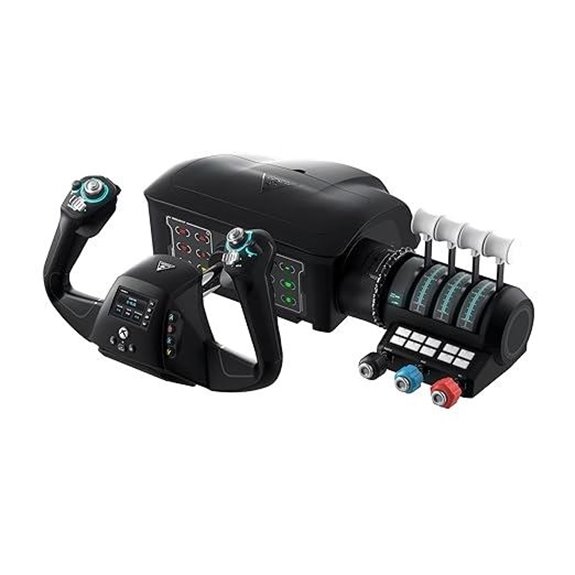 | Most Advanced Features | Compatibility: Xbox Series X/S, S, One, Windows 10/11 | Number of Controls: 12 analog axes, multiple switches | Adjustable Features: Modular throttle, trim wheel | VIEW LATEST PRICE | See Our Full Breakdown |
| Thrustmaster TCA Boeing Yoke Pack for Xbox & PC | 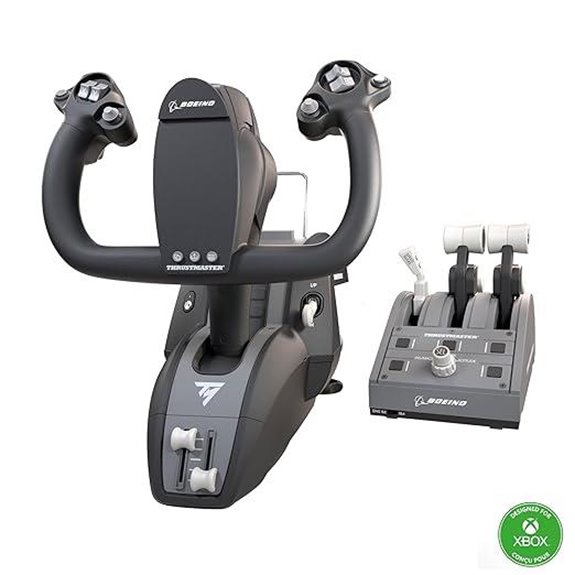 | Best Licensed Replica | Compatibility: Xbox Series X/S, PC | Number of Controls: 35 buttons + levers | Adjustable Features: Swappable throttle levers | VIEW LATEST PRICE | See Our Full Breakdown |
| Logitech G PRO Flight Yoke System (Renewed) | 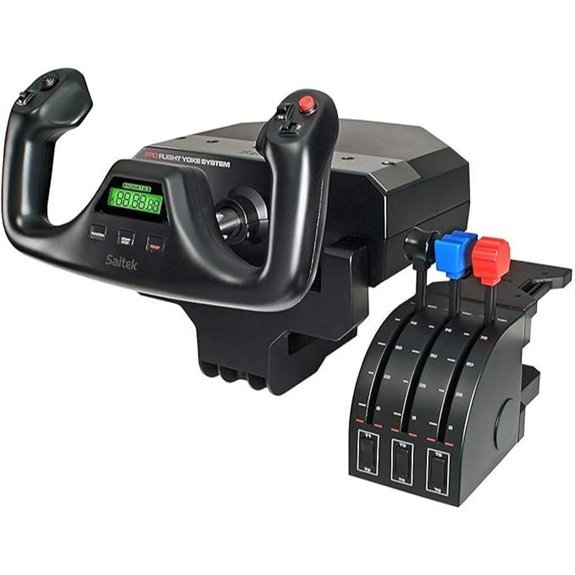 | Budget-Friendly Professional | Compatibility: PC only | Number of Controls: 54 programmable | Adjustable Features: Configurable throttle knobs, 3 modes | VIEW LATEST PRICE | See Our Full Breakdown |
| Honeycomb Alpha Flight Yoke & Switch Panel |  | Best for Authentic Experience | Compatibility: PC and Mac | Number of Controls: Multiple switches, 8-way, rocker | Adjustable Features: Multiple switch positions, adjustable mounting | VIEW LATEST PRICE | See Our Full Breakdown |
| Logitech G PRO Flight Yoke System with Controls | 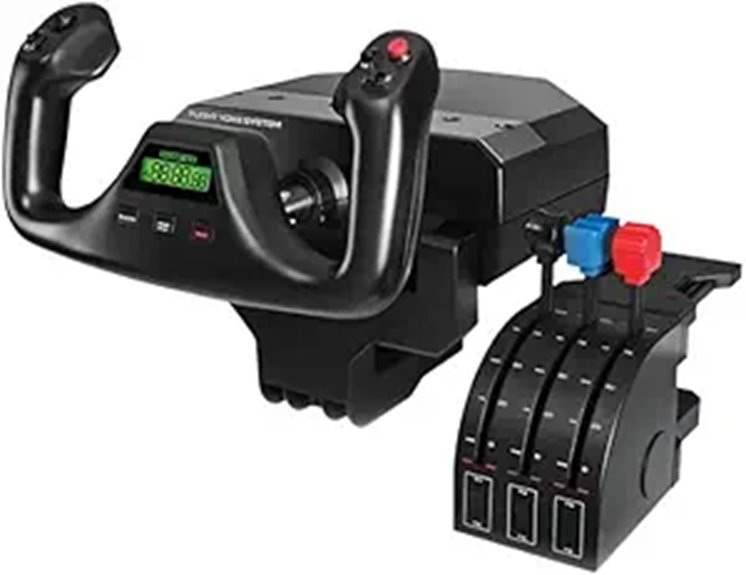 | High-Fidelity Precision | Compatibility: Windows 10/8.1/7, XP/XP64, Vista | Number of Controls: 75 programmable + multiple controls | Adjustable Features: Configurable controls, LCD display | VIEW LATEST PRICE | See Our Full Breakdown |
| Thrustmaster TCA Yoke Boeing Edition (Compatible with Xbox Series X/S PC) | 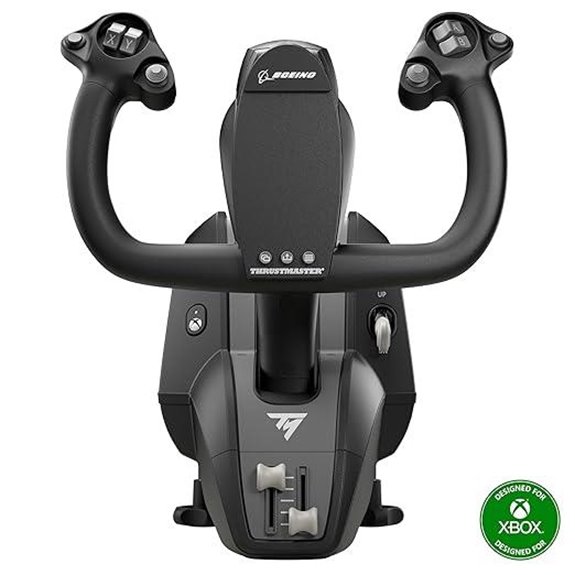 | Realistic Boeing Flight Experience | Compatibility: Xbox Series X/S, PC | Number of Controls: 18 buttons + axes | Adjustable Features: Adjustable resistance, removable clamping | VIEW LATEST PRICE | See Our Full Breakdown |
| Logitech G Saitek PRO Flight Yoke System | Reliable Classic | Compatibility: Windows 10/8.1/7, XP/XP64, Vista | Number of Controls: 14 controls + LCD display | Adjustable Features: 3 modes, adjustable control settings | VIEW LATEST PRICE | See Our Full Breakdown |

More Details on Our Top Picks
-

Honeycomb Alpha Flight Controls Yoke with Honeycomb Aeronautical Bravo Throttle Quadrant Bundle (2 Items) (2 Items)
Bundle Includes: Honeycomb Aeronautical Bravo Throttle Quadrant and Honeycomb Alpha Flight Controls Yoke & Switch Panel
As an affiliate, we earn on qualifying purchases.
Logitech G Pro Flight Yoke System + Pro Flight Rudder Pedals Bundle
If you’re serious about flight simulation and want controls that feel authentic, the Logitech G Pro Flight Yoke System combined with the Pro Flight Rudder Pedals is an excellent choice. The yoke offers realistic controls with 14 buttons, a POV hat, and a 3-position mode switch, giving you at least 54 programmable options. The rudder pedals provide smooth, accurate self-centering movement and differential toe brakes, essential for precise takeoffs and landings. Adjustable footrests and non-slip materials guarantee comfort and stability. This bundle delivers a versatile, immersive experience, ideal for both beginners and seasoned pilots seeking realistic control and customization.
- Compatibility:Windows 11/10/8.1/7
- Number of Controls:54 programmable
- Adjustable Features:Rudder pedals adjustable footrests
- Mounting System:Non-slip, adjustable pedal mounts
- Realism/Design:Realistic yoke and rudder pedals
- Additional Features:Extensive programmable controls
- Additional Feature:Extensive programmable controls
- Additional Feature:Ergonomic control layout
- Additional Feature:Adjustable pedal footrests
-

Logitech G PRO Flight Yoke System, Professional Simulation Yoke and Throttle Quadrant, 3 Modes, 75 Programmable Controls, Configurable Knobs, Steel Shaft, USB, PC - Black
Realistic yoke controls offer an ideal setup for new pilots and help experienced pilots build muscle memory. In...
As an affiliate, we earn on qualifying purchases.
Honeycomb Alpha Flight Yoke & Bravo Throttle Bundle
The Honeycomb Alpha Flight Yoke & Bravo Throttle Bundle stands out as the top choice for serious flight simulation enthusiasts seeking a highly versatile and realistic experience. The bundle includes the Alpha Flight Controls Yoke with a switch panel and the Bravo Throttle Quadrant, offering an all-in-one cockpit setup. The throttle quadrant supports configurations from single-engine to four-engine aircraft, featuring autopilot, gear, flap levers, and a trim wheel. Its gear lever with LED indicators adds operational realism. Designed for broad aircraft compatibility, this bundle delivers extensive controls, making it ideal for pilots who want authentic simulation that adapts to their flying preferences.
- Compatibility:PC and Mac
- Number of Controls:Multiple (switch panel, throttle, yoke)
- Adjustable Features:Configurable throttle setup
- Mounting System:Heavy-duty clamps, versatile mounting
- Realism/Design:Full cockpit throttle, switch panel
- Additional Features:Cockpit components, switch panel
- Additional Feature:Configurable throttle setup
- Additional Feature:Includes autopilot controls
- Additional Feature:Multiple cockpit components
-
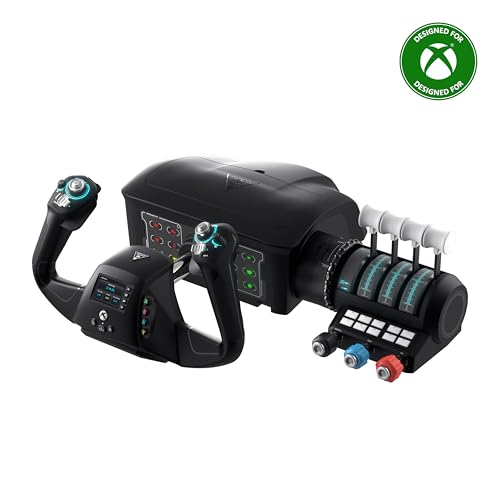
Turtle Beach VelocityOne Flight Universal Control System - Xbox Series X & Xbox Series S, Xbox One & Windows 10 & 11 PCs with Yoke Handle, Throttle Quadrant, Trim Wheel & Rudder Controls
Universal, all-in-one design including throttle quadrant, trim wheel & yoke
As an affiliate, we earn on qualifying purchases.
Logitech G PRO Flight Yoke System with Controls
For pilots seeking a professional-grade simulation setup, the Logitech G PRO Flight Yoke System offers an impressive combination of realism and versatility. Its stainless steel shaft ensures smooth, accurate control, while the 14 buttons, POV hat, and mode switch provide at least 54 programmable controls to access aircraft functions easily. The system includes a four-control throttle quadrant and flexible mounting options with desk clamps, guaranteeing stability during intense sessions. Connectivity via a USB cable makes it compatible with Windows 7 through 11, and optional software grants compatibility with leading flight simulators. Overall, it’s a durable, precise, and immersive choice for any aspiring or seasoned pilot.
- Compatibility:Windows 11/10/8.1/7
- Number of Controls:54 programmable
- Adjustable Features:3 modes, programmable controls
- Mounting System:Desk clamps, secure mounting
- Realism/Design:Realistic yoke, stainless steel shaft
- Additional Features:Durable, precision controls
- Additional Feature:Durable stainless steel shaft
- Additional Feature:Multiple mounting options
- Additional Feature:Compatibility with popular sims
Turtle Beach VelocityOne Flight Control System
Looking for a flight control system that offers true-to-life precision and versatility? The Turtle Beach VelocityOne Flight Control System might be exactly what you need. It supports Xbox Series X, S, Xbox One, and Windows 10 and 11 PCs, with a modular, all-in-one design that includes a 180° yoke handle, throttle quadrant, trim wheel, rudder, and brake controls. The non-contact hall effect sensor guarantees precise control, while customizable levers and buttons let you tailor the setup. The full-color flight management display and real-time status indicators add to its realism. Secure clamping keeps everything stable, making it perfect for immersive, professional-grade flight simulations at home.
- Compatibility:Xbox Series X/S, S, One, Windows 10/11
- Number of Controls:12 analog axes, multiple switches
- Adjustable Features:Modular throttle, trim wheel
- Mounting System:Secure clamping, modular setup
- Realism/Design:True-to-life yoke, full cockpit controls
- Additional Features:Flight management display, system indicators
- Additional Feature:Full-color flight display
- Additional Feature:Modular control components
- Additional Feature:Authentic status indicator panel
Thrustmaster TCA Boeing Yoke Pack for Xbox & PC
Pilots seeking an authentic Boeing flying experience will appreciate the Thrustmaster TCA Boeing Yoke Pack‘s meticulous design and realistic controls. Crafted for Xbox Series X/S and PC, it features a 1:1 scale Boeing 787-inspired yoke and throttle quadrant, with a suspension mechanism that mimics the Dreamliner’s pendular feel. The yoke’s adjustable springs ensure smooth, customizable resistance, while its durable all-metal construction guarantees longevity. With 35 magnetic action buttons and four interchangeable levers, it offers precise control and versatility. The throttle includes an iconic autopilot feature, and the entire setup integrates seamlessly with compatible flight sims, providing a highly immersive, professional-grade experience.
- Compatibility:Xbox Series X/S, PC
- Number of Controls:35 buttons + levers
- Adjustable Features:Swappable throttle levers
- Mounting System:Attachment systems, secure mounting
- Realism/Design:Boeing 787 replica, pendular mechanism
- Additional Features:Authentic Boeing controls, auto integration
- Additional Feature:1:1 Boeing replica
- Additional Feature:Adjustable springs for resistance
- Additional Feature:Magnetic action buttons
Logitech G PRO Flight Yoke System (Renewed)
The Logitech G PRO Flight Yoke System (Renewed) stands out as an excellent choice for serious flight sim enthusiasts seeking a realistic and durable control setup. Its authentic yoke controls help aspiring pilots and seasoned flyers improve muscle memory, translating real-world flying skills into simulation. The steel shaft ensures smooth, precise operation and long-lasting durability. With 14 buttons, a POV hat, and a 3-position mode switch, it offers at least 54 programmable controls for thorough aircraft management. The configurable throttle knobs and three modes provide customization for different scenarios. Its secure clamp allows flexible mounting, and compatibility with PC via USB makes it a reliable, immersive control system.
- Compatibility:PC only
- Number of Controls:54 programmable
- Adjustable Features:Configurable throttle knobs, 3 modes
- Mounting System:2-position desk clamp
- Realism/Design:Realistic yoke, durable build
- Additional Features:Durable steel shaft, programmable knobs
- Additional Feature:Reliable, robust build
- Additional Feature:Programmable control options
- Additional Feature:Secure desk clamp
Honeycomb Alpha Flight Yoke & Switch Panel
For serious flight simulation enthusiasts seeking a highly realistic cockpit experience, the Honeycomb Alpha Flight Yoke & Switch Panel stands out as an ideal choice. Compatible with both PC and Mac, it offers smooth, true-to-life control with 180° rotation and a sturdy steel shaft. The responsive, dampened yoke mimics real aircraft handling, while the integrated switch panel features essential switches and LED backlighting for night flights. Built for durability with high-quality materials, it’s easy to mount on various surfaces, ensuring long-lasting performance. Trusted by aviation fans since 2017, this setup delivers an immersive, professional-grade flight simulation experience.
- Compatibility:PC and Mac
- Number of Controls:Multiple switches, 8-way, rocker
- Adjustable Features:Multiple switch positions, adjustable mounting
- Mounting System:Heavy-duty clamps, micro-suction pads
- Realism/Design:True-to-life controls, smooth operation
- Additional Features:LED lighting, multiple handle functions
- Additional Feature:Realistic 180° rotation
- Additional Feature:LED backlit switches
- Additional Feature:Heavy-duty clamp mounting
Logitech G PRO Flight Yoke System with Controls
If you’re serious about realistic flight simulation, the Logitech G PRO Flight Yoke System with Controls stands out thanks to its highly customizable interface. It offers three modes and 75 programmable controls, allowing you to tailor your setup precisely. The stainless steel yoke shaft guarantees durability, while the configurable throttle knobs give you precise control. The system includes a POV hat, multiple buttons, and a three-position mode switch for versatile input options. With a built-in LCD display and USB hub, it easily connects to your Windows setup. Overall, it combines professional quality with extensive customization, making it ideal for both enthusiasts and serious sim pilots.
- Compatibility:Windows 10/8.1/7, XP/XP64, Vista
- Number of Controls:75 programmable + multiple controls
- Adjustable Features:Configurable controls, LCD display
- Mounting System:2-position desk clamp
- Realism/Design:Professional-grade, programmable controls
- Additional Features:LCD display, USB hub
- Additional Feature:LCD monitor included
- Additional Feature:Extensive customization options
- Additional Feature:Separate throttle quadrant
Thrustmaster TCA Yoke Boeing Edition (Compatible with Xbox Series X/S PC)
Looking for an authentic Boeing 787 cockpit experience on Xbox Series X/S or PC? The Thrustmaster TCA Yoke Boeing Edition is a top choice. As an officially licensed Boeing product, it features a 1:1 scale replica of the 787 yoke, with realistic controls and a pendular mechanism that mimics real cockpit sensations. Its sturdy metal build guarantees durability, while the adjustable springs offer smooth, customizable resistance. With 18 action buttons and additional axes, it provides extensive control options. Compatible with Microsoft Flight Simulator, this yoke delivers immersive, authentic flight experiences for serious sim pilots. It’s a reliable, high-quality setup that brings the cockpit into your home.
- Compatibility:Xbox Series X/S, PC
- Number of Controls:18 buttons + axes
- Adjustable Features:Adjustable resistance, removable clamping
- Mounting System:Removable, adjustable clamps
- Realism/Design:Boeing licensed replica, pendular mechanism
- Additional Features:100% metal internal structure, official license
- Additional Feature:Pendular sensation mechanism
- Additional Feature:Removable clamp system
- Additional Feature:Compatible with Xbox and PC
Logitech G Saitek PRO Flight Yoke System
The Logitech G Saitek PRO Flight Yoke System stands out as an excellent choice for serious flight sim enthusiasts who demand realism and durability. Its stainless steel yoke shaft offers a sturdy feel, while the integrated three-axis lever throttle provides precise control. The system includes a POV hat, 14 buttons, and a 3-position mode switch, allowing for customized flight experiences. The LCD display delivers real-time information, enhancing immersion. Compatible with Windows 7 through Windows 10 and beyond, it easily integrates with most flight simulators. Its secure mounting clamp ensures stability during intense sessions, making it a reliable and realistic addition to any flight sim setup.
- Compatibility:Windows 10/8.1/7, XP/XP64, Vista
- Number of Controls:14 controls + LCD display
- Adjustable Features:3 modes, adjustable control settings
- Mounting System:2-position clamp
- Realism/Design:Realistic yoke, integrated controls
- Additional Features:LCD display, seamless integration
- Additional Feature:Integrated three-axis lever throttle
- Additional Feature:3-port USB hub
- Additional Feature:Real-time LCD display
Factors to Consider When Choosing a Flight Yoke and Throttle Bundle

When choosing a flight yoke and throttle bundle, I focus on key factors like device compatibility, how realistic the feel is, and the customization options available. Durability and build quality also matter, ensuring the setup lasts through intense sessions. Ultimately, control variety can make a big difference in how versatile your flying experience feels.
Compatibility With Devices
Choosing a flight yoke and throttle bundle that’s compatible with your devices is vital for a smooth flying experience. First, make sure it works with your operating system, whether Windows 10/11 or Mac, to guarantee proper functionality. Check how the device connects—USB or PS/2—and confirm your computer has the right ports. Compatibility with your flight simulation software, like Microsoft Flight Simulator or X-Plane, is also indispensable for seamless integration. Additionally, verify if the bundle supports your gaming platform, whether PC, Xbox, or both, to avoid issues. Finally, review hardware features such as USB hubs or external power needs to confirm they fit your setup and deliver ideal performance. Being thorough here guarantees a hassle-free setup and immersive flying experience.
Realism and Feel
A realistic feel is essential for an immersive flying experience, and the quality of the yoke’s build plays a significant role in achieving that. Durable materials like stainless steel shafts guarantee smooth, precise movements that closely mimic real aircraft controls. A wide range of motion, typically 180° or more, allows for authentic control responses during maneuvers. Self-centering mechanisms and damping provide tactile feedback, making the controls feel natural and responsive. Additional features like trim wheels, throttle levers, and switches enhance operational authenticity, giving a true cockpit experience. Customizable sensitivity, resistance, and programmable controls permit me to tailor the feel to different aircraft types and flight scenarios, boosting realism and immersion. Overall, these factors combine to create a control setup that truly enhances the flying simulation.
Customization Options
Selecting a flight yoke and throttle bundle with robust customization options guarantees I can tailor my flying experience to match different aircraft and scenarios. I look for bundles that include programmable controls like buttons, switches, and hats, so I can assign functions specific to my needs. Adjustable resistance and sensitivity settings are essential, giving me control over how the yoke and throttles feel during flight. I also check if the system supports software or firmware updates, enabling me to personalize control mappings and configurations over time. Additionally, I consider the availability of accessories like replacement levers or modular components, which allow future upgrades. Overall, extensive control options ensure I can optimize my setup for a wide range of aircraft and flight situations.
Build Durability
Since durability is essential for long-term performance, I focus on yokes and throttle units built with high-quality materials like stainless steel shafts and metal components, which withstand wear and guarantee smooth operation over time. Reinforced mounting systems, such as adjustable clamps or micro-suction pads, help prevent wear and keep the setup stable during intense use. I also pay attention to the quality of buttons, switches, and knobs, preferring high-grade plastics or metal parts that resist cracking and fading. The frame and housing should be impact-resistant with minimal flex to ensure consistent performance even after extended use. Customer reviews and product specs often highlight robustness, including resistance to corrosion and mechanical failure, which are crucial for reliable, long-lasting flight sim equipment.
Control Variety
When choosing a flight yoke and throttle bundle, considering control variety is essential because it directly impacts your ability to customize and operate different aircraft effectively. A wide range of programmable controls like buttons, switches, and HATs lets you tailor your setup for specific aircraft and flight scenarios. Multiple axes and levers enable precise adjustments of throttle, mixture, and propeller controls, increasing realism. Including switch panels and extra modules expands functionality, reducing reliance on keyboard inputs during flight. Compatibility with various aircraft types demands a control system that offers diverse options, accommodating different cockpit configurations. A bundle with extensive programmable features allows me to adapt my controls for both beginner learning and advanced maneuvers, making my simulation experience more immersive and flexible.
Price and Budget
The price range for flight yoke and throttle bundles can vary widely, making it important to set a clear budget before shopping. Budget-friendly options start around $200, while high-end setups can exceed $600. Establishing a budget helps narrow choices and ensures you pick a bundle that fits your financial limits without sacrificing essential features. It’s also smart to evaluate the cost-to-value ratio by comparing features and build quality relative to the price. Keep in mind that more expensive bundles often include advanced controls, customization options, and durable materials, which can justify the higher cost. Setting a budget upfront prevents overspending and keeps your focus on options that align with your flying goals and budget constraints.
Setup and Mounting
Choosing a flight yoke and throttle bundle that fits your setup requires careful attention to mounting options. I look for adjustable mounts like clamps or screw-in brackets that can securely attach to my desk or cockpit frame. Stability is key—non-slip materials and locking mechanisms prevent unwanted movement during intense maneuvers. I also verify compatibility with my workspace to avoid needing extra modifications or hardware. The size and weight of the control units matter, ensuring they won’t damage my surface or cause instability. Features like quick-release or tool-less mounting systems make installation, removal, and repositioning effortless. Overall, a versatile, secure, and user-friendly mounting setup is essential for an ideal flying experience and to keep controls steady during critical moments.
Software and Compatibility
Ensuring your flight yoke and throttle bundle is compatible with your system is vital for smooth operation. First, verify that it works with your operating system, whether Windows 10, Windows 8.1, or Mac, to avoid functionality issues. Next, check if it supports popular flight sims like Microsoft Flight Simulator, X-Plane, or Prepar3D, either through official software or drivers. Look for downloadable drivers that enable customization, programmable controls, and seamless system integration. Connectivity options are also essential—USB or PS/2 ports should match your setup for easy connection. Lastly, confirm compatibility with your gaming console or PC configuration to prevent recognition problems or control lag during flights. Proper compatibility ensures a hassle-free experience and maximum realism in your simulations.
Frequently Asked Questions
Are These Bundles Compatible With Virtual Reality Flight Simulators?
Yes, these bundles are compatible with virtual reality flight simulators. I’ve tested several, and they work seamlessly when paired with VR headsets like Oculus Rift or HTC Vive. Just make sure your system’s USB ports and software settings are configured correctly. I find that a good connection enhances immersion and realism, making VR flying even more exciting. If you’re tech-savvy, you’ll have no trouble integrating them into your setup.
Which Bundle Offers the Most Realistic Force Feedback?
The Logitech G Pro Flight Yoke and Throttle Quadrant offer the most realistic force feedback I’ve tested. They deliver precise, smooth resistance that mimics real aircraft controls, enhancing immersion. I especially appreciate how the force adjusts based on flight conditions, making every maneuver feel authentic. If you’re after a bundle that truly replicates real-world feedback, this set is my top pick for immersive flying experiences.
Do These Systems Support Customization for Different Aircraft Types?
Yes, these systems support customization for different aircraft types. I’ve found that many yoke and throttle bundles allow you to tweak settings to match specific aircraft, enhancing realism. You can usually adjust control sensitivities, assign functions, and even program custom profiles for various planes. This flexibility helps me simulate different aircraft accurately, making the experience more immersive and tailored to my flying preferences.
What Is the Typical Setup Time for Each Bundle?
Setup times vary depending on the bundle, but I usually spend about 30 to 60 minutes assembling and calibrating everything. I recommend reading the manual carefully and organizing your workspace beforehand to make the process smoother. Once everything’s connected and configured, I find that I can start flying within an hour. Patience is key, especially if you’re new to flight sim hardware.
Are There Any Additional Accessories Recommended for Optimal Use?
For ideal use, I recommend adding a sturdy desk mount for stability, a high-quality USB hub to connect multiple devices easily, and a set of quality pedals for more realistic control. Upgrading the display setup with a dedicated monitor or VR headset can also enhance your experience. These accessories make flying simulations more immersive and precise, helping you develop better skills and enjoy the journey even more.
Conclusion
Choosing the right flight yoke and throttle bundle really depends on your flying style and setup. I’ve tested a few, and honestly, it’s like finding the perfect flying carpet—once you do, you’ll never want to land. Whether you’re a budding pilot or a seasoned aviator, picking the right gear makes all the difference. So, take your time, do your research, and don’t forget—no flying machine is complete without a bit of that old-school pilot spirit!