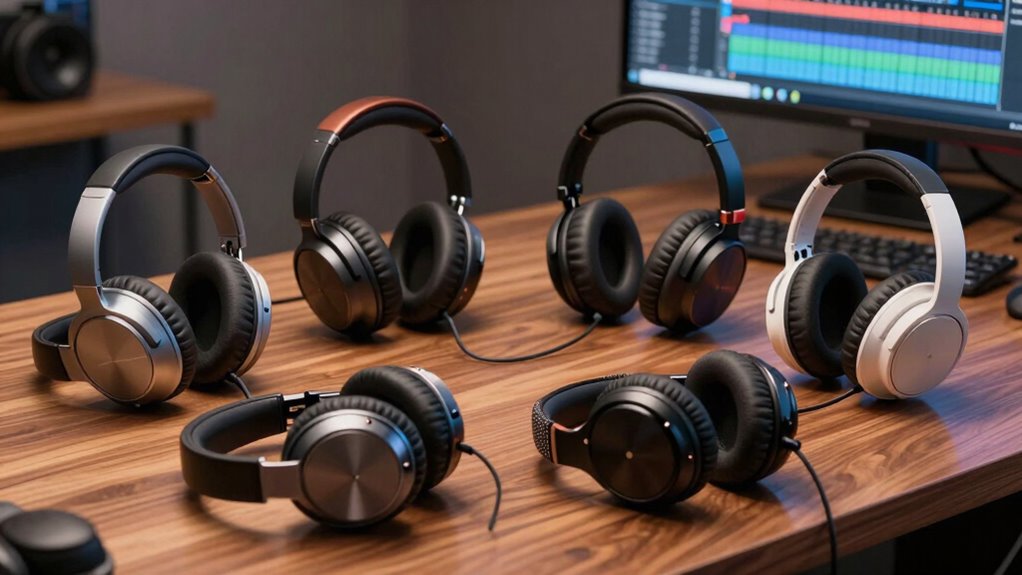

If you’re looking for the top headphones for video editing in 2026, I recommend models like the Sennheiser HD 280 Pro, OneOdio Studio DJ, Audio-Technica ATH-M20x, Sony MDR7506, and ATH-M50X. These offer accurate sound, good noise isolation, and durability essential for precise editing work. Plus, wireless options like the Sennheiser Momentum 4 add convenience. Want to discover which features make these the best picks? Keep exploring to find the perfect fit for your workflow.
Key Takeaways
- Prioritize headphones with flat frequency response and high-quality drivers for accurate audio monitoring.
- Choose models with excellent noise isolation and comfort for extended editing sessions.
- Ensure compatibility with professional audio interfaces and devices through wired connections and suitable adapters.
- Opt for durable, well-built headphones designed for intensive use and long-term reliability.
- Consider professional-grade options like Sennheiser HD 280 Pro, Audio-Technica ATH-M50X, and Sony MDR7506.
| Sennheiser HD 280 Pro Headphone Black | 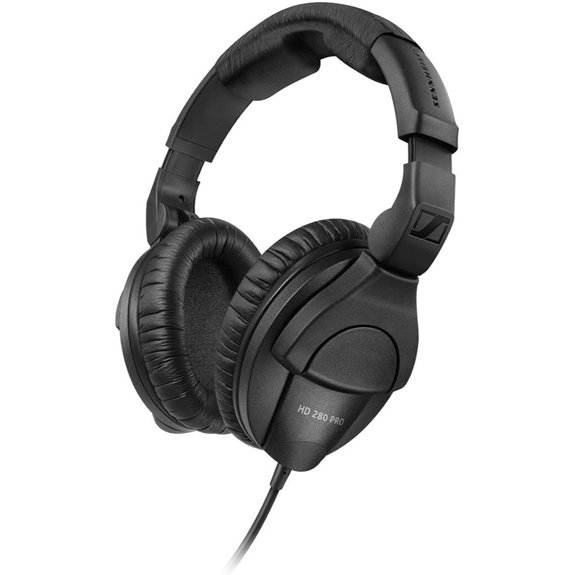 | Professional Monitoring | Connectivity: Wired (3.5mm jack, no Bluetooth) | Noise Cancellation: High ambient noise attenuation (passive) | Driver Size: Not specified | VIEW LATEST PRICE | See Our Full Breakdown |
| OneOdio Wired Over-Ear Studio DJ Headphones | 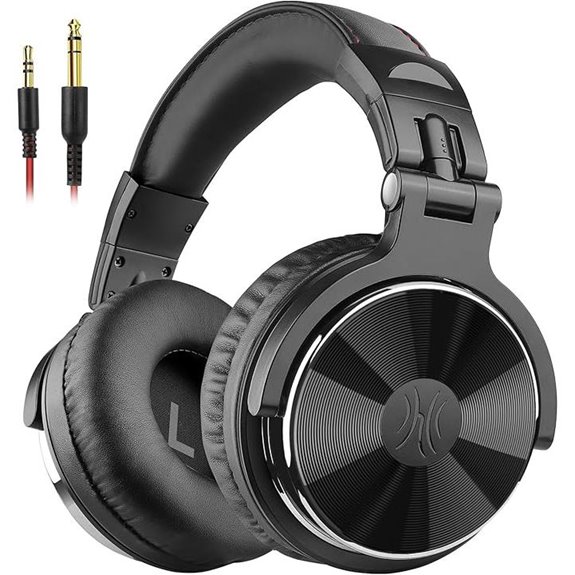 | Versatile DJ-Grade | Connectivity: Wired (3.5mm and 6.35mm jacks) | Noise Cancellation: Noise isolation (passive) | Driver Size: 50mm drivers | VIEW LATEST PRICE | See Our Full Breakdown |
| Audio-Technica ATH-M20x Professional Studio Monitor Headphones Black |  | Entry-Level Studio | Connectivity: Wired (single side cable) | Noise Cancellation: Sound isolation (passive) | Driver Size: 40mm drivers | VIEW LATEST PRICE | See Our Full Breakdown |
| Sony MDR7506 Professional Large Diaphragm Headphone | 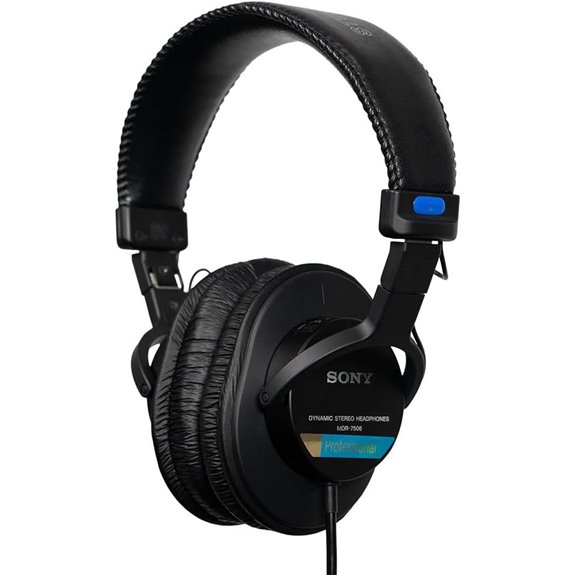 | Industry Standard | Connectivity: Wired (with adapters, no Bluetooth) | Noise Cancellation: External noise reduction (passive) | Driver Size: 40mm drivers | VIEW LATEST PRICE | See Our Full Breakdown |
| Audio-Technica ATH-M50X Studio Monitor Headphones | 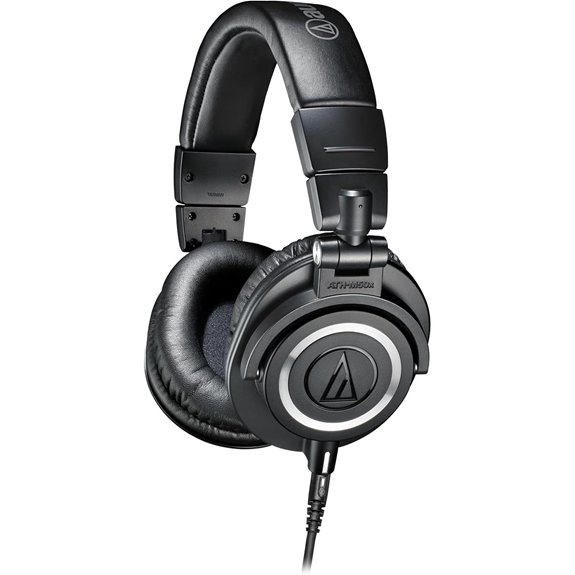 | Critical Listening | Connectivity: Wired (3.5mm jack, detachable cable) | Noise Cancellation: Sound isolation (passive) | Driver Size: Proprietary 45mm drivers | VIEW LATEST PRICE | See Our Full Breakdown |
| Sennheiser Momentum 4 Wireless Noise Cancelling Headphones | 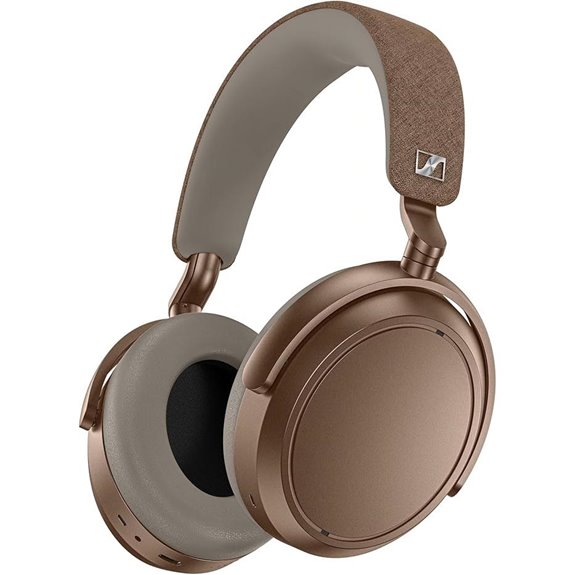 | Premium Wireless | Connectivity: Bluetooth (Wireless with Bluetooth 5) | Noise Cancellation: Active noise cancellation (adaptive) | Driver Size: 42mm transducers | VIEW LATEST PRICE | See Our Full Breakdown |

More Details on Our Top Picks
-

OneOdio Wired Over Ear Headphones Hi-Res Studio Monitor & Mixing DJ Stereo Headsets with 50mm Drivers and 1/4 to 3.5mm Jack for AMP Computer Recording Podcast Keyboard Guitar Laptop - Black
Bass Sound: Enjoy clear sound and superior comfort with the OneOdio Studio Monitor Headphones. Equipped with large 50mm...
As an affiliate, we earn on qualifying purchases.
Sennheiser HD 280 Pro Headphone Black
If you’re looking for reliable headphones for critical monitoring during video editing, the Sennheiser HD 280 Pro is a top choice. These closed-back, dynamic stereo headphones deliver accurate, linear sound with excellent noise isolation. The collapsible, rotating ear cups make storage easy and guarantee comfort during long editing sessions. With synthetic leatherette ear pads, they feel soft and comfortable. The tough, single-sided cable reduces tangling, and their universal impedance suits various devices. Supporting a frequency response up to 25,000 Hz, they provide high-quality sound reproduction. Whether for professional studio work or home editing, the HD 280 Pro offers consistent performance and durability.
- Connectivity:Wired (3.5mm jack, no Bluetooth)
- Noise Cancellation:High ambient noise attenuation (passive)
- Driver Size:Not specified
- Microphone:Not specified
- Adjustable Fit:Collapsible, rotating ear cups
- Use Case Suitability:Critical monitoring, studio, DJ
- Additional Feature:Collapsible, space-saving design
- Additional Feature:Synthetic leatherette ear pads
- Additional Feature:High ambient noise attenuation
-

Audio-Technica ATH-M20x Professional Studio Monitor Headphones, Black
Advanced build quality and engineering; Designed for studio tracking and mixing
As an affiliate, we earn on qualifying purchases.
OneOdio Wired Over-Ear Studio DJ Headphones
The OneOdio Wired Over-Ear Studio DJ Headphones stand out for their exceptional sound quality, making them a top choice for video editors who need accurate audio monitoring. With 50mm drivers and neodymium magnets, they deliver deep bass, clear vocals, and crisp highs, ensuring balanced stereo sound. Designed for comfort, they feature soft ear cushions and an adjustable headband for long sessions. The swiveling ear cups allow for single-side monitoring, perfect for mixing and DJing. Their wired connection is compatible with various devices, and the share port lets you easily connect another headphone. Overall, these headphones offer professional-grade sound and comfort at an accessible price point.
- Connectivity:Wired (3.5mm and 6.35mm jacks)
- Noise Cancellation:Noise isolation (passive)
- Driver Size:50mm drivers
- Microphone:Yes (digital beamforming microphones)
- Adjustable Fit:Adjustable, stretchable headband
- Use Case Suitability:Studio monitoring, DJing, recording
- Additional Feature:Share audio port feature
- Additional Feature:Swiveling 90° ear cups
- Additional Feature:Soft, padded ear cushions
-

Sony MDR7506 Professional Large Diaphragm Headphone
Neodymium magnets and 40 millimeter drivers for powerful, detailed sound.Specific uses for product : Professional audio system,Home audio...
As an affiliate, we earn on qualifying purchases.
Audio-Technica ATH-M20x Professional Studio Monitor Headphones Black
For video editors seeking accurate sound reproduction, the Audio-Technica ATH-M20x headphones stand out thanks to their advanced build quality and sound isolation. Their circumaural design contours around your ears, providing excellent sound isolation vital for detailed editing. The single side cable exit adds convenience, reducing tangles during long sessions. Equipped with 40 mm drivers featuring rare earth magnets and copper-clad aluminum voice coils, they deliver enhanced low-frequency performance. Designed for studio tracking and mixing, these headphones ensure you hear every nuance, making them a reliable choice for professional editing workflows. Plus, their sleek black finish keeps them stylish and functional.
- Connectivity:Wired (single side cable)
- Noise Cancellation:Sound isolation (passive)
- Driver Size:40mm drivers
- Microphone:Not specified
- Adjustable Fit:Circumaural, single side cable exit
- Use Case Suitability:Studio tracking, mixing
- Additional Feature:Circumaural ear design
- Additional Feature:Single side cable exit
- Additional Feature:Enhanced low frequency tuning
Sony MDR7506 Professional Large Diaphragm Headphone
When precision matters most in video editing, the Sony MDR7506 stands out thanks to its accurate sound reproduction and wide frequency response. I appreciate its rugged build and foldable design, making it easy to transport and store. The closed-ear design provides excellent comfort and noise isolation, so I stay focused on my edits. With a 40mm driver and neodymium magnets, the sound is detailed, with clear highs, mids, and deep lows. Its reliable 9.8-foot coiled cord and gold-plated connectors assure consistent signal quality. Overall, the MDR7506 offers professional-grade monitoring, making it a top choice for serious editors.
- Connectivity:Wired (with adapters, no Bluetooth)
- Noise Cancellation:External noise reduction (passive)
- Driver Size:40mm drivers
- Microphone:Not specified
- Adjustable Fit:Adjustable headband, foldable design
- Use Case Suitability:Professional monitoring, broadcasting
- Additional Feature:Foldable, portable design
- Additional Feature:Gold-plated connectors
- Additional Feature:Rugged construction
Audio-Technica ATH-M50X Studio Monitor Headphones
If you’re seeking reliable studio headphones that deliver accurate sound reproduction, the Audio-Technica ATH-M50X stands out as an excellent choice for video editors. Its circumaural design provides excellent sound isolation, perfect for working in noisy environments. The 90-degree swiveling earcups allow for easy one-ear monitoring, boosting flexibility. Equipped with 45mm large drivers, they produce deep bass and crisp highs across a broad frequency range up to 28,000 Hz. Built with durable, professional-grade materials, these headphones are comfortable for long sessions. With a detachable cable and a weight of just 10.2 ounces, they balance durability and comfort perfectly, making them ideal for professional and casual use.
- Connectivity:Wired (3.5mm jack, detachable cable)
- Noise Cancellation:Sound isolation (passive)
- Driver Size:Proprietary 45mm drivers
- Microphone:Not specified
- Adjustable Fit:Swiveling earcups
- Use Case Suitability:Studio, mixing, recording
- Additional Feature:Detachable, professional-grade cable
- Additional Feature:90° swiveling earcups
- Additional Feature:Extended 28kHz frequency
Sennheiser Momentum 4 Wireless Noise Cancelling Headphones
The Sennheiser Momentum 4 Wireless headphones stand out with their exceptional noise cancellation and long battery life, making them an ideal choice for video editors who need focused, high-quality sound during long editing sessions. They feature a lightweight, foldable design with plush leather and fabric ear pads, ensuring comfort for extended wear. With up to 60 hours of battery life and fast charging, they’re built for long workdays. The 42mm transducers deliver crystal-clear, immersive audio, while adaptive noise cancellation blocks distractions. The headphones support Bluetooth 5 and app customization, including equalizer controls and transparency mode, giving me versatile, reliable performance for professional editing.
- Connectivity:Bluetooth (Wireless with Bluetooth 5)
- Noise Cancellation:Active noise cancellation (adaptive)
- Driver Size:42mm transducers
- Microphone:Yes (digital microphones)
- Adjustable Fit:Cushioned, foldable headband
- Use Case Suitability:Travel, professional, casual listening
- Additional Feature:Customizable sound via app
- Additional Feature:Adaptive noise cancellation
- Additional Feature:Fast 2-hour charging
Factors to Consider When Choosing Headphones for Video Editing
When selecting headphones for video editing, I focus on sound accuracy and clarity to guarantee my edits are precise. Comfort and noise isolation matter too, since long sessions can be taxing and distracting. Additionally, I consider connectivity options and build quality to keep my gear reliable during intensive work.
Sound Accuracy and Clarity
Achieving accurate sound reproduction is essential for effective video editing, and this starts with choosing headphones that deliver true-to-life audio. I look for headphones with a flat frequency response to avoid exaggerated bass or treble, ensuring I hear every detail. High-quality drivers, like 40mm or 45mm units, help produce clear, detailed sound across all ranges, which is indispensable when editing complex audio tracks. Minimal distortion at high volumes is also fundamental, as it allows me to make precise adjustments without misinterpreting the audio. Additionally, accurate stereo imaging and channel separation help me identify spatial positioning within a mix, ensuring my edits are balanced and realistic. Professional-grade tuning and calibration give me consistent, reliable audio fidelity I can trust during critical listening sessions.
Noise Isolation Capabilities
Sound accuracy is vital, but without effective noise isolation, external distractions can still interfere with my editing process. Good noise isolation minimizes outside sounds, helping me focus and ensuring my audio work remains precise. Closed-back, over-ear designs usually offer better isolation than open-back models, blocking more ambient noise. High-quality noise isolation also prevents sound leakage, keeping my audio private and undisturbed. Passive isolation, which relies on physical barriers like ear cups and padding, is effective when properly fitted. Active noise cancellation adds another layer by electronically reducing ambient noise, further enhancing my concentration. For ideal results, a snug fit and comfortable padding are essential; gaps or discomfort can compromise noise blocking. When choosing headphones, prioritize those with solid noise isolation features for a more accurate and distraction-free editing experience.
Comfort for Long Sessions
Long editing sessions can become uncomfortable if your headphones aren’t designed with comfort in mind, so it’s vital to take into account various factors that contribute to prolonged wearability. Plush, padded ear cushions are essential—they prevent soreness and pressure on your ears. Over-ear designs that distribute pressure evenly help reduce fatigue over hours of editing. An adjustable headband ensures a snug yet comfortable fit, avoiding pinching or tightness. Lightweight headphones reduce strain on your neck and head, making long sessions more manageable. Additionally, breathable materials in the ear pads prevent heat buildup, keeping your ears cooler and more comfortable. Prioritizing these comfort features allows you to focus on your editing without distraction or discomfort, ultimately improving your workflow and productivity during those extended editing marathons.
Connectivity Options
When selecting headphones for video editing, it’s crucial to take into account the connectivity options to guarantee seamless and accurate workflow. Wired headphones with 3.5mm or 6.35mm jacks are popular because they offer reliable, low-latency connections essential for precise audio work. Wireless options like Bluetooth can introduce latency that disrupts audio-video synchronization, so they’re less ideal for editing but may be suitable for casual listening. Some headphones come with adapters, such as 1/4-inch to 3.5mm, ensuring compatibility with different equipment. It’s important to match the connection type to your device’s output ports—whether an audio interface, laptop, or monitor—to maintain a stable and interference-free connection. A secure connection is essential to prevent audio dropouts that could hinder editing accuracy.
Durability and Build
Choosing the right headphones for video editing means paying close attention to their durability and build quality. I look for models with sturdy construction using reinforced plastics, metal accents, or high-quality plastics that can handle daily use. Reinforced hinges, robust earpads, and a solid headband are essential to prevent breakage over time. I also prefer headphones with replaceable parts like ear cushions and cables, which extend their lifespan. Heavy-duty stitching and high-quality finishes ensure they can endure travel and frequent handling without damage. Additionally, a lightweight yet rugged design helps prevent fatigue during long editing sessions while maintaining structural integrity. Prioritizing durability and build means my headphones will last longer, resist everyday wear and tear, and stay reliable through intensive editing tasks.
Frequency Response Range
Have you ever wondered how well headphones can reproduce the full range of audio frequencies used in video editing? A wider frequency response, like 20Hz to 20kHz or higher, guarantees you hear all the details in your audio tracks. Headphones with extended low-frequency response below 50Hz help you accurately monitor bass and sub-bass elements. It’s also important that the response is flat and linear across the spectrum, avoiding any colorization or boosting of specific frequencies, so you get a true sound representation. Professional headphones often reach up to 25kHz, providing clear high-frequency detail for high-resolution audio. Keep in mind, though, that frequency response alone isn’t enough; sound accuracy and neutrality are just as vital for precise editing.
Compatibility With Devices
Selecting headphones that seamlessly connect to your devices is essential for efficient video editing. Make sure they’re compatible with your device’s audio output, whether that’s a 3.5mm jack, 6.35mm, or USB-C port. If you prefer a cable-free setup, check if they support Bluetooth or other wireless options. It’s also important to verify that your headphones work with your editing workstation and software, especially regarding necessary adapters. Pay attention to driver impedance to match your device’s output capacity, preventing distortion or low volume. Finally, decide if you want wired or wireless headphones based on your workflow preferences. Ensuring compatibility across your devices and setup will help you focus on editing without interruptions or technical issues.
Frequently Asked Questions
How Do Wireless Headphones Impact Audio Latency During Editing?
Wireless headphones can introduce some audio latency during editing, which might affect your precision. I’ve noticed that high-quality models with low-latency Bluetooth or dedicated wireless technology markedly reduce delays, making them suitable for editing. However, cheaper options often have noticeable lag, so I recommend investing in headphones with aptX Low Latency or similar features. This way, you get a more synchronized audio-visual experience, improving your editing accuracy.
What Is the Importance of Frequency Response Range in Headphones?
Back in the day, knowing the frequency response range was like having a secret weapon. It’s essential because it tells me how accurately headphones reproduce sound across lows, mids, and highs. A wider range means I hear more details, making my editing precise. Without it, I might miss subtle audio cues. So, I always look for headphones with a broad frequency response to make sure my audio stays true to the source.
Are Noise-Canceling Features Beneficial for Detailed Editing Work?
Yes, noise-canceling features are incredibly beneficial for detailed editing work. They help me focus by blocking out distractions and ambient noise, ensuring I hear every nuance in the audio. This clarity allows me to make precise adjustments without interference. I find that noise-canceling headphones improve my accuracy and overall efficiency, making them an essential tool in my editing process.
How Does Headphone Comfort Affect Long Editing Sessions?
Comfort is everything during long editing sessions—if my headphones aren’t comfortable, I feel like I’m battling a rock band on my head. Poor fit or pressure ruins focus, causes fatigue, and distracts me from the details I need to perfect. When I choose headphones with plush padding and an ergonomic design, I can work for hours without discomfort, making editing smoother and more enjoyable.
What Connectivity Options Are Best for Professional Video Editing Workflows?
I find that wired connections offer the most reliable audio quality and zero latency, which is essential for precise editing. However, Bluetooth headphones provide convenience and freedom of movement, especially with latest high-quality codecs. For professional workflows, I recommend headphones with both wired and wireless options, ensuring flexibility without compromising sound accuracy. Ultimately, choose connectivity that fits your environment, balancing convenience and technical performance for seamless editing.
Conclusion
So, after exploring these top headphones, it’s clear that choosing the perfect pair is a breeze—until you realize you still need a PhD in audio engineering! Whether you go wired or wireless, high-end or budget-friendly, the right headphones make your edits more precise. Just remember, no headphone can replace your ears—or your judgment. So, pick wisely, because in the world of video editing, even the best sound gear can’t save a bad idea.