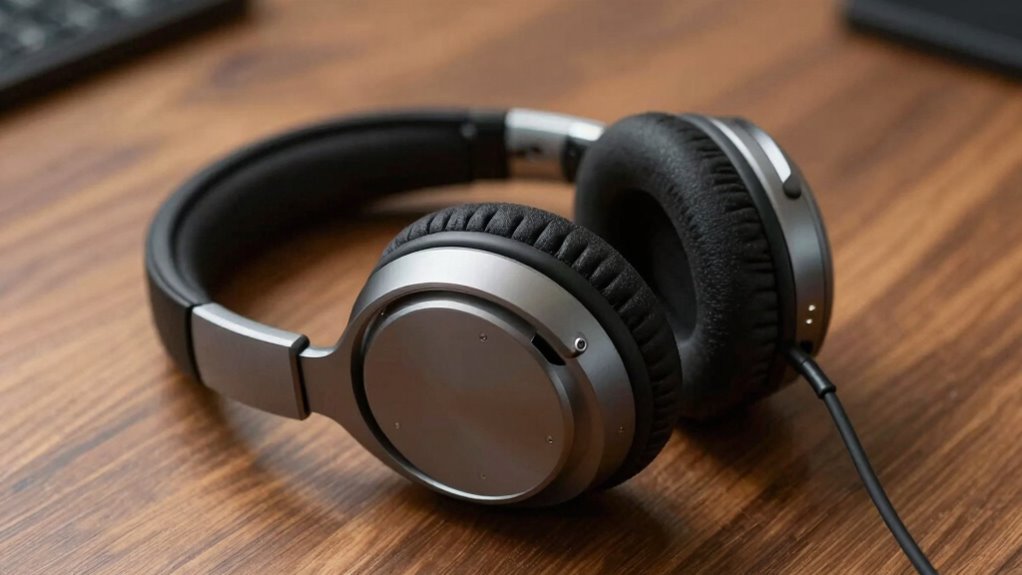
The Jabra Evolve 20 (2025 Edition) is my best overall pick for calls, pairing a straightforward wired USB connection with a microphone built for voice communication. The Logitech Zone 301 suits callers who want wireless freedom, while the Logitech H391 is a practical choice for a simple USB-C setup. The main tradeoffs are wired reliability versus wireless movement, headset comfort over long sessions, and whether your computer has the right port. Microphone controls and connection compatibility can matter more to everyday call quality than extra features. Read on for the full breakdown of all 15 options and guidance on choosing for your work setup.

Get audio and creator gear delivered free with Prime
- Fast, free delivery on millions of items
- Prime Video, Amazon Music and more included
- Member-only deals all year
Complete the kit


Key Takeaways
- Jabra Evolve 20 (2025 Edition) earns the top spot because its wired USB format keeps calls simple, while the Jabra Evolve 10 offers a similar work-focused approach for buyers comparing basic wired options.
- The Logitech H391 USB-C stands apart from the USB-A H390 models and the 3.5 mm H111: check your device ports before choosing, since these connection types are not interchangeable without an adapter.
- Wireless models in this lineup serve different needs: the Logitech Zone 301 is a recognizable computer-call option, while dongle-equipped picks such as the Sarevile M99+ may suit setups where a dedicated receiver is useful.
- The list includes both full on-ear headsets and a compact single-ear earpiece. The HEIBAS Bluetooth Headset prioritizes one-ear use, but it is a different fit from stereo models intended for wearing through longer work sessions.
- Long battery claims and noise-cancelling labels do not answer every call-quality question. For a noisy shared space, compare microphone design, mute controls, and connection reliability rather than relying on a feature name alone.
| Logitech H391 Wired Headset PC/Laptop Stereo Headphones, USB-C, Graphite |  | Best for USB-C Laptops | Brand: Logitech | Model: H391 (981-001574) | Connection: USB-C wired | VIEW ON AMAZON | See Our Full Breakdown |
| Logitech H111 Stereo Headset with 3.5 mm Audio Jack, Black |  | Best for Broad Device Compatibility | Brand: Logitech | Model: 981-000612 | Connection: Wired 3.5 mm audio jack | VIEW ON AMAZON | See Our Full Breakdown |
| NUBWO HW02 Wired On-Ear Headset with Microphone and USB Controls |  | Best Lightweight Multiconnection Pick | Brand: NUBWO | Model: HW02 | Connection: USB and 3.5 mm | VIEW ON AMAZON | See Our Full Breakdown |
| Lenovo USB-A Wired Stereo Headset Gen 2 |  | Best for Managed Meeting Setups | Brand: Lenovo | Model: 4XD1P83425 | Connection: USB-A wired | VIEW ON AMAZON | See Our Full Breakdown |
| Wireless Headset with Mic for Work, Bluetooth Noise Cancelling |  | Best for Wireless Call Mobility | Brand: Soothielec | Model: KH53 | Connectivity: Bluetooth 5.3 and USB-A dongle | VIEW ON AMAZON | See Our Full Breakdown |
| Jabra Evolve 10 Wired USB Headset with Noise-Cancelling Microphone, Black |  | Best for Simple, Lightweight Desk Calls | Connectivity: Wired USB-A | Microphone: Noise-cancelling, adjustable 270-degree boom arm | Cable length: 1.9 m | VIEW ON AMAZON | See Our Full Breakdown |
| Sarevile M99+ Bluetooth Headset with USB Dongle |  | Best for Long Wireless Call Shifts | Connectivity: Bluetooth 5.2 and USB dongle | Talk time: Up to 50 hours | Standby time: Up to 200 hours | VIEW ON AMAZON | See Our Full Breakdown |
| Jabra Evolve 20 (2025 Edition) Wired USB Headset with Microphone, Black |  | Best Wired Pick for USB-A and USB-C | Connection: Wired USB-A and USB-C | Wearing style: On-ear | Microphone: Noise-canceling | VIEW ON AMAZON | See Our Full Breakdown |
| OTYHVV Wireless Bluetooth Headset with Microphone for Work and PC |  | Best Lightweight Wireless Option | Connectivity: Bluetooth and USB dongle | Microphone: 270-degree rotatable, noise-canceling | Design: Single-ear | VIEW ON AMAZON | See Our Full Breakdown |
| Logitech H390 Wired Headset for PC/Laptop, Stereo, USB-A, Rose |  | Best for Stereo Calls and Listening | Connectivity: USB-A | Audio: Stereo | Microphone: Rotating noise-canceling boom mic | VIEW ON AMAZON | See Our Full Breakdown |
| TECKNET Wireless Headset with Noise Cancelling Microphone – Rechargeable Bluetooth V5.2 On-Ear Headphones, 50h Playtime, Mic Mute |  | Best for Long Battery Life | Model: TK-HS012 | Bluetooth: Version 5.2 | Playback time: Up to 50 hours | VIEW ON AMAZON | See Our Full Breakdown |
| Logitech Zone 301 Wireless Bluetooth Headset – Graphite |  | Best Lightweight Wireless Pick | Model: 981-001468 | Weight: 122 grams (4.3 ounces) | Listening time: Up to 20 hours | VIEW ON AMAZON | See Our Full Breakdown |
| HEIBAS Bluetooth Headset, Wireless Earpiece with Mic for Work |  | Best Single-Ear Option | Model: G7 | Bluetooth: Version 5.3 | Talk time: 18–23 hours per earbud | VIEW ON AMAZON | See Our Full Breakdown |
| Logitech H390 Wired Headset PC/Laptop Stereo Headphones, USB-A, Black |  | Best Plug-and-Play Wired Pick | Model: 981-000014 | Connection: USB-A, plug-and-play | Cable length: 6.23 feet (1.9 meters) | VIEW ON AMAZON | See Our Full Breakdown |
| Upgrade ANC & ENC Wireless Headset with Mic for Work (Flip-to-Mute & Dongle) |  | Best for Noisy Workspaces | Brand and model: Angteela M112 | Connectivity: Qualcomm USB-A dongle; Bluetooth 5.4 with dual-device connection | Noise cancellation: Hybrid ANC with 3 modes; ENC microphone | VIEW ON AMAZON | See Our Full Breakdown |
| headsets for call | Microphone | Warranty | Model | Weight |
|---|---|---|---|---|
| Logitech H391 Wired Headset PC | Rotating noise-canceling microphone | 2-year limited | H391 (981-001574) | — |
| Logitech H111 Stereo Headset w | Rotating noise-canceling boom | 2 years | 981-000612 | — |
| NUBWO HW02 Wired On-Ear Headse | Adjustable boom | — | HW02 | 60 g |
| Lenovo USB-A Wired Stereo Head | Double-sided boom mic | — | 4XD1P83425 | 140 g |
| Wireless Headset with Mic for | — | 1 year | KH53 | — |
| Jabra Evolve 10 Wired USB Head | Noise-cancelling, adjustable 270-degree boom arm | 2 years | — | 141.5 g |
| Sarevile M99+ Bluetooth Headse | ENC noise cancelling, 270-degree rotatable boom | 1 year | — | 0.25 kg |
| Jabra Evolve 20 | Noise-canceling | — | — | 132 g |
| OTYHVV Wireless Bluetooth Head | 270-degree rotatable, noise-canceling | — | — | 102 g |
| Logitech H390 Wired Headset fo | Rotating noise-canceling boom mic | 1-year limited | — | 6.88 ounces |
| TECKNET Wireless Headset with | 270° rotatable; 96% environmental noise reduction; mute button | 36 months | TK-HS012 | — |
| Logitech Zone 301 Wireless Blu | — | — | 981-001468 | 122 grams (4.3 ounces) |
| HEIBAS Bluetooth Headset | — | 12 months | G7 | 5.28 ounces |
| Logitech H390 Wired Headset PC | Rotating noise-canceling boom mic | 2-year limited | 981-000014 | — |
| Upgrade ANC & ENC Wireless Hea | 270° rotatable boom with flip-to-mute | 1 year | — | — |
More Details on Our Top Picks
Logitech H391 Wired Headset PC/Laptop Stereo Headphones, USB-C, Graphite
The Logitech H391 is a straightforward pick for callers whose computer has USB-C and who prefer a dependable wired connection over charging another device. Its rotating noise-canceling microphone helps keep speech the focus, while inline volume and mute controls make routine call adjustments easy without reaching for software. Compared with the Logitech H111, the H391 offers USB-C plug-and-play connection and listed inline controls, but it gives up the H111’s broad 3.5 mm compatibility. Its 1.9 m cable allows some movement at a desk, though neither model suits buyers who need wireless freedom. The leatherette cushions and adjustable headband support longer work sessions; still, this headset has no active noise cancellation for listening, so it will not block surrounding sound from your ears.
Pros:- USB-C plug-and-play connection requires no drivers
- Rotating noise-canceling microphone is designed to keep call speech clearer
- Inline controls provide quick access to volume and mute
- Adjustable headband, leatherette cushions, and recycled materials
Cons:- Wired-only design restricts movement away from the computer
- USB-C connection is less versatile than the H111’s 3.5 mm jack
- No active noise cancellation for listening
Best for: People who take frequent calls on a USB-C laptop and want wired audio with easy-to-reach mute and volume controls.
Not ideal for: People who need Bluetooth freedom, a 3.5 mm connection, or active noise cancellation to reduce the sound they hear around them.
- Brand:Logitech
- Model:H391 (981-001574)
- Connection:USB-C wired
- Cable length:1.9 m (6.23 ft)
- Impedance:32 ohm
- Microphone:Rotating noise-canceling microphone
- Recycled content:53% post-consumer recycled plastic
- Warranty:2-year limited
Our verdict“Choose the H391 for convenient wired calls on a USB-C laptop, but pick the H111 if you need a 3.5 mm jack.”
Logitech H111 Stereo Headset with 3.5 mm Audio Jack, Black
The Logitech H111 suits callers who want one simple headset to move between devices with a standard 3.5 mm audio connection. Its rotating noise-canceling boom mic can sit on either side, and the adjustable headband gives buyers a basic way to tailor the fit. Unlike the USB-C Logitech H391, the H111 can connect to many computers, phones, and tablets with a compatible jack; that flexibility comes at the cost of a dedicated USB connection and listed inline call controls. The wired design also keeps it tethered, so it is less suitable for moving around during meetings than the Soothielec KH53 wireless headset. Stereo audio covers calls and everyday media, but the H111 is a no-frills choice: buyers should not expect wireless operation or convenient on-cable mute and volume controls.
Pros:- 3.5 mm jack works with a wide range of compatible computers and mobile devices
- Rotating microphone supports left- or right-side placement
- Adjustable headband allows a customized fit
- Stereo sound handles calls as well as music and video
Cons:- Wired connection limits movement during calls
- No controls are listed for quick mute or volume adjustment
- Requires a compatible 3.5 mm jack or microphone input
Best for: People who switch between older computers and mobile devices with 3.5 mm audio jacks and want a simple wired call headset.
Not ideal for: Remote workers who need inline mute and volume controls, wireless mobility, or a USB connection for a computer without an audio jack.
- Brand:Logitech
- Model:981-000612
- Connection:Wired 3.5 mm audio jack
- Audio impedance:32 ohm
- Frequency response:20,000 hertz
- Microphone:Rotating noise-canceling boom
- Headband:Adjustable
- Warranty:2 years
Our verdict“Pick the H111 when 3.5 mm compatibility matters more than the H391’s USB-C connection and inline controls.”
NUBWO HW02 Wired On-Ear Headset with Microphone and USB Controls
At 60 g, the NUBWO HW02 is the lightest-feeling choice on this list by its supplied weight, making it a fit for callers who dislike heavier headsets during long sessions. Its USB and 3.5 mm connections offer more flexibility than the USB-A-only Lenovo Gen 2, while the inline USB control unit adds quick volume and mute access. The adjustable boom mic supports calls, and the retractable cable helps keep the headset tidier between uses. There are tradeoffs: its on-ear fit may press on ears over extended wear, and the wired connection still keeps the user close to the device. Unlike the Soothielec KH53, it has no wireless option or stated long-range mobility. Choose it for a lightweight, adaptable wired setup, not for water resistance or a more immersive over-ear fit.
Pros:- Listed weight of 60 g makes it notably lightweight
- USB and 3.5 mm connections support varied devices
- USB control unit provides volume and mute functions
- Adjustable boom microphone can be positioned for calls
Cons:- Wired connection limits movement during meetings
- On-ear fit may become uncomfortable for some people during extended wear
- Not water resistant
Best for: Students and desk-based callers who want a lightweight wired headset that can connect through USB or 3.5 mm.
Not ideal for: People who need wireless mobility, water resistance, or cushioned over-ear coverage for long calls.
- Brand:NUBWO
- Model:HW02
- Connection:USB and 3.5 mm
- Fit:On-ear
- Weight:60 g
- Microphone:Adjustable boom
- Driver:27 mm dynamic
- Cable:Retractable
Our verdict“Choose the HW02 for a lightweight wired headset with two connection options, and choose the KH53 if wireless movement matters more.”
Lenovo USB-A Wired Stereo Headset Gen 2
The Lenovo USB-A Wired Stereo Headset Gen 2 is aimed at workstations where a USB-A port and established meeting apps are part of the daily routine. Its inline call, volume, and mute controls give callers direct access to common adjustments, while replaceable earcups offer a practical way to refresh a frequently used headset. Compared with the Logitech H391, this Lenovo relies on USB-A rather than USB-C and weighs 140 g, but it names compatibility with services including Teams, Zoom, Google Meet, and Webex. Its microphone’s noise-cancellation enhancement depends on Lenovo Accessories and Device Manager software, so the call benefit may be less straightforward on unmanaged or non-Lenovo setups. The wired connection also limits movement, and the listed AAAA battery requirement is an extra detail buyers should check against their setup.
Pros:- Inline controls cover calls, volume, and mute
- Replaceable earcups can extend the headset’s useful life
- Compatibility is listed for major meeting and communication apps
- 140 g design is relatively light for a work headset
Cons:- Requires a USB-A port, unlike the USB-C Logitech H391
- Microphone noise-cancellation enhancement depends on Lenovo software
- Wired connection restricts movement away from the workstation
Best for: Office teams using USB-A computers and supported meeting apps who value inline call controls and replaceable earcups.
Not ideal for: People using USB-C-only computers, avoiding companion software, or seeking wireless movement between calls.
- Brand:Lenovo
- Model:4XD1P83425
- Connection:USB-A wired
- Microphone:Double-sided boom mic
- Noise cancellation:Enhanced through Lenovo Accessories and Device Manager software
- Weight:140 g
- Controls:Inline call, volume, and mute
- Earcups:Replaceable
- Listed battery requirement:1 AAAA battery
Our verdict“Choose the Lenovo Gen 2 for a USB-A office setup that benefits from app compatibility and replaceable earcups.”
Wireless Headset with Mic for Work, Bluetooth Noise Cancelling
The Soothielec KH53 stands apart from the wired Logitech and Lenovo picks by letting callers move up to a listed 33 ft Bluetooth range from their device. Its 40-hour talk time and two-hour rapid charge suit workweeks with frequent calls, while dual pairing can keep two devices connected without repeatedly reconnecting. The included USB-A dongle also gives computers without Bluetooth another connection route. For noisy surroundings, the headset uses environmental noise cancelling for calls and has a one-touch mute button, though the mute function works only during an active call. Compared with the lightweight NUBWO HW02, the KH53 offers wireless freedom and memory-foam ear cushions, but adds battery charging and compatibility limits: its dongle does not support desk phones or landlines, and the multifunction button controls smartphone features only.
Pros:- Bluetooth 5.3 plus USB-A dongle provides two connection methods
- Dual pairing supports connection to two devices
- Listed 40-hour talk time and two-hour rapid charging
- Environmental noise cancelling, flexible boom mic, and memory-foam cushions support call use
Cons:- Mute function works only during active calls
- USB-A dongle is not compatible with desk phones or landlines
- Multifunction button controls smartphone features only
Best for: Remote workers who move around during calls, pair with two devices, and want long talk time between charges.
Not ideal for: Desk-phone users, people who prefer a no-charge wired headset, or callers who need mute access outside active calls.
- Brand:Soothielec
- Model:KH53
- Connectivity:Bluetooth 5.3 and USB-A dongle
- Battery talk time:40 hours
- Charging time:2 hours
- Bluetooth range:33 ft
- Call noise reduction:Environmental Noise Cancelling (ENC)
- Warranty:1 year
Our verdict“Choose the KH53 for wireless mobility and extended talk time, but opt for the Lenovo Gen 2 if you prefer a wired office headset.”
Jabra Evolve 10 Wired USB Headset with Noise-Cancelling Microphone, Black
The Jabra Evolve 10 is a straightforward choice for people who want a comfortable headset they can plug into a computer and use for calls without relying on a battery. Its 141.5 g frame, cushioned earcups, and inline call and volume controls keep the essentials easy to manage during a workday. The noise-cancelling microphone sits on a boom that rotates 270 degrees, so it can be positioned on either side. Compared with the Jabra Evolve 20 (2025 Edition), the Evolve 10 has a slightly heavier listed weight and USB-A connectivity rather than USB-A and USB-C, so it is less flexible for newer port setups. Its strengths are simplicity and comfort, not mobility: the fixed 1.9 m cable keeps it tethered to a PC or laptop. I’d skip it if you need wireless movement or a headset for phone use away from your desk.
Pros:- Plug-and-play USB-A connection keeps setup simple
- Lightweight build and cushioned earcups suit extended calls
- Noise-cancelling microphone has a 270-degree adjustable boom
- Inline call and volume controls are easy to reach
Cons:- Wired connection limits movement away from the computer
- USB-A connection offers less port flexibility than the Evolve 20’s USB-A/USB-C setup
- Designed for PC and laptop use rather than broader mobile use
Best for: PC and laptop users who want a lightweight, wired headset with simple inline controls for regular work calls.
Not ideal for: People who move between rooms during calls or need a headset for mobile-phone use, since it is wired USB-A and designed for computer use.
- Connectivity:Wired USB-A
- Microphone:Noise-cancelling, adjustable 270-degree boom arm
- Cable length:1.9 m
- Weight:141.5 g
- Controls:Inline call and volume controls
- Certification:TCO certified
- Recycled content:More than 50%
- Warranty:2 years
Our verdict“Choose the Evolve 10 for comfortable, uncomplicated calls at a USB-A-equipped desk, but pick a wireless model if you need freedom to move.”
Sarevile M99+ Bluetooth Headset with USB Dongle
The Sarevile M99+ suits call-heavy days when staying connected matters more than having stereo sound. Its up to 50 hours of talk time reduces the need for frequent charging, while Bluetooth and a USB dongle give it two ways to connect. The single-ear design leaves the other ear open to nearby conversations, unlike the two-ear Logitech H390, which is better for blocking out some surrounding distraction. The M99+ also has a rotatable boom, mute button, and adjustable headband with a memory foam ear cushion. There is a setup wrinkle: when using the dongle, you need to select M99+ as both the computer’s audio input and output, and the dongle connection can be affected by signal interference. I’d choose it for long wireless shifts, but skip it if you want effortless setup or stereo listening.
Pros:- Up to 50 hours of talk time
- Bluetooth and USB dongle connectivity support different computer setups
- Single-ear fit keeps one ear open to the room
- Mute button and 270-degree rotatable microphone aid call control
Cons:- Dongle use requires selecting M99+ for both computer audio input and output
- USB dongle connection may be affected by signal interference
- Single-ear design does not provide stereo listening
Best for: Remote support agents and other call-focused workers who want a single-ear wireless headset with long stated talk time and dongle connectivity.
Not ideal for: Buyers who want stereo sound, a completely hands-off computer setup, or a connection that is not susceptible to dongle signal interference.
- Connectivity:Bluetooth 5.2 and USB dongle
- Talk time:Up to 50 hours
- Standby time:Up to 200 hours
- Microphone:ENC noise cancelling, 270-degree rotatable boom
- Design:Single-ear, on-ear
- Battery capacity:400 mAh
- Weight:0.25 kg
- Warranty:1 year
Our verdict“Pick the M99+ for long wireless call shifts and an open-ear fit, provided you are comfortable setting up its dongle correctly.”
Jabra Evolve 20 (2025 Edition) Wired USB Headset with Microphone, Black
The Jabra Evolve 20 (2025 Edition) makes the most sense for call setups where computer ports vary. Its USB-A and USB-C connectivity avoids the adapter question that can come with the USB-A-only Jabra Evolve 10, while the 132 g on-ear design keeps the headset light. A noise-canceling microphone and inline call and volume controls cover the basics for online meetings, and the model is certified for Avaya and Cisco. The tradeoff is the wearing style: on-ear cushions may become uncomfortable for some people during long sessions, and the cable still restricts movement compared with the wireless Sarevile M99+. Its passive noise cancellation is not the same as active noise cancellation, so it should not be chosen for strong environmental sound blocking. I’d favor it for a flexible wired workstation, not for all-day comfort-sensitive wear.
Pros:- USB-A and USB-C connections suit a wider range of computer ports
- 132 g on-ear design is lightweight
- Noise-canceling microphone supports clearer call pickup
- Inline call and volume controls plus Avaya and Cisco certification
Cons:- Wired connection limits movement during calls
- On-ear fit may not suit everyone for extended wear
- Passive noise cancellation does not provide active noise cancellation
Best for: Office and remote workers who use different computers or docks and want a lightweight wired headset with both USB-A and USB-C connections.
Not ideal for: People who need wireless freedom, active noise cancellation, or an over-ear fit for long stretches of wear.
- Connection:Wired USB-A and USB-C
- Wearing style:On-ear
- Microphone:Noise-canceling
- Driver size:28 mm
- Weight:132 g
- Noise control:Passive noise cancellation
- Compatibility:Leading online meeting platforms; certified for Avaya and Cisco
- Audio impedance:32 ohm
Our verdict“Choose the Evolve 20 if you want a light wired call headset that can connect to either USB-A or USB-C, and avoid it if on-ear pressure or cables bother you.”
OTYHVV Wireless Bluetooth Headset with Microphone for Work and PC
At a listed 102 g, the OTYHVV is the lightest option in this batch and is aimed at callers who want a wireless, single-ear headset without carrying much weight. Its USB dongle offers a computer connection, while Bluetooth adds another option; the 270-degree microphone and dedicated mute button keep call handling close at hand. Stated talk time reaches up to 40 hours, shorter than the Sarevile M99+’s up to 50 hours, but still suited to extended use between charges. The OTYHVV also supports PC mute through the dongle, a useful distinction from using computer Bluetooth, where that feature is unavailable. Compared with the two-ear Logitech H390, it leaves one ear free but gives up stereo audio. I’d pick it for lightweight wireless calls, not for callers who need both ears covered.
Pros:- Listed weight of 102 g makes it especially light
- Bluetooth and USB dongle connectivity
- Up to 40 hours of talk time
- Dedicated microphone mute button and PC mute support through the dongle
Cons:- Single-ear design provides audio in only one ear
- PC mute support is unavailable when connected through computer Bluetooth
- Stated talk time is shorter than the Sarevile M99+
Best for: People who take computer calls while moving around and prefer a very light single-ear fit with a USB dongle and dedicated mute control.
Not ideal for: Listeners who want stereo sound or need PC mute support while connecting through the computer’s Bluetooth.
- Connectivity:Bluetooth and USB dongle
- Microphone:270-degree rotatable, noise-canceling
- Design:Single-ear
- Weight:102 g
- Talk time:Up to 40 hours
- Earpad:Memory foam
- Mute controls:Dedicated microphone button; PC mute support via USB dongle
Our verdict“Choose the OTYHVV for a light, single-ear wireless call setup with dongle-based PC mute, but not for stereo listening or Bluetooth PC mute.”
Logitech H390 Wired Headset for PC/Laptop, Stereo, USB-A, Rose
The Logitech H390 is the two-ear wired pick here for people who want call audio and everyday computer listening through the same headset. Its stereo design, padded leatherette ear cushions, and adjustable headband distinguish it from the single-ear Sarevile M99+ and OTYHVV, which keep one ear open but cannot provide stereo sound. A rotating noise-canceling boom microphone and inline volume and mute controls cover the main call tasks, while the 1.9 m cable gives some room to shift at a desk. Compared with the Jabra Evolve 20 (2025 Edition), the H390 is USB-A only, so it is less convenient for computers with USB-C ports and no adapter. It also lacks wireless connectivity and has limited on-head controls. I’d choose it for a simple stereo desk setup, not for a mixed-port or mobile workspace.
Pros:- Stereo audio works for calls and general computer listening
- Rotating noise-canceling microphone can be moved out of the way
- Padded leatherette cushions and adjustable headband support extended wear
- Plug-and-play USB-A connection with a 1.9 m cable
Cons:- No Bluetooth or wireless option
- USB-A-only connection is less flexible than the Jabra Evolve 20’s USB-A/USB-C setup
- On-head controls are limited to inline volume and mute
Best for: PC, laptop, and Chromebook users who want a plug-and-play USB-A headset for stereo calls and listening at a desk.
Not ideal for: People who need wireless movement, USB-C connectivity without an adapter, or controls beyond inline volume and mute.
- Connectivity:USB-A
- Audio:Stereo
- Microphone:Rotating noise-canceling boom mic
- Cable length:1.9 m (6.23 ft)
- Weight:6.88 ounces
- Compatibility:PC, laptop, Chromebook
- Controls:Inline volume and mute
- Warranty:1-year limited
Our verdict“Choose the H390 for a comfortable, plug-and-play stereo headset at a USB-A desk, but look elsewhere if you need wireless or USB-C connectivity.”
TECKNET Wireless Headset with Noise Cancelling Microphone – Rechargeable Bluetooth V5.2 On-Ear Headphones, 50h Playtime, Mic Mute
The TECKNET suits call-heavy days when frequent charging is a nuisance: its stated 50 hours of music playback and dedicated mute button make it a practical wireless work companion. Its microphone is designed to reduce background sound, while the 270° rotating boom lets you reposition it or move it aside between calls. Compared with the Logitech Zone 301, it emphasizes endurance over a lighter build and longer stated wireless range; the Zone 301 also lists dual beamforming microphones and quick charging. The TECKNET’s Bluetooth 5.2 can connect to two devices, which helps if you switch between a phone and computer. Its main limits are clear: there is no audio ANC, and there is no wired backup if Bluetooth is unavailable. Choose it for battery resilience, not isolation from surrounding noise.
Pros:- Up to 50 hours of stated music playback between charges
- Microphone noise reduction and a dedicated mute button support clearer, more private calls
- Bluetooth multipoint allows connection to two devices
- Adjustable on-ear fit with soft cushions
Cons:- No active noise cancellation for incoming audio
- No wired connection option if Bluetooth is unavailable
- The stated 15-meter range is shorter than the Logitech Zone 301’s listed 30-meter range
Best for: Remote workers who take frequent calls across a long workday and want to avoid charging between shifts.
Not ideal for: People working in noisy shared spaces who need active noise cancellation for what they hear, or anyone who needs a wired fallback.
- Model:TK-HS012
- Bluetooth:Version 5.2
- Playback time:Up to 50 hours
- Standby time:Up to 720 hours
- Charging time:2 hours
- Microphone:270° rotatable; 96% environmental noise reduction; mute button
- Connection range:15 meters (49 feet)
- Ear type:On-ear
- Warranty:36 months
Our verdict“Choose the TECKNET if long battery life and easy call muting matter more than audio isolation or wired flexibility.”
Logitech Zone 301 Wireless Bluetooth Headset – Graphite
At 122 grams, the Logitech Zone 301 is the lightest-feeling choice on this list by specification, making it a strong fit for people who wear a headset through meetings and still need to move around. Its dual beamforming microphones target voice pickup, and the listed 30-meter range gives more room to step away from a desk than the TECKNET’s 15 meters. The tradeoff is endurance: the Zone 301 lists 16 hours of talk time, well below the TECKNET’s 50 hours of music playback, so its quick charge is useful rather than incidental. A five-minute charge is stated to add one hour of talk time. It also supports a broad range of operating systems and has replaceable earpads, though replacement pads are sold separately. Pick this over the USB-wired Logitech H390 if wireless freedom matters more than a direct plug-in connection.
Pros:- Lightweight 122-gram design
- Dual beamforming microphones designed for clearer voice pickup
- Five-minute quick charge adds a stated hour of talk time
- 30-meter wireless range and broad operating-system compatibility
Cons:- Listed talk time is 16 hours, less than the TECKNET’s stated music playback duration
- Replacement earpads must be purchased separately
- One-year limited warranty
Best for: People who wear a headset for extended workdays, switch between supported devices, and value a lightweight wireless design.
Not ideal for: Callers who need multi-day battery life without recharging or prefer a wired USB connection that needs no battery.
- Model:981-001468
- Weight:122 grams (4.3 ounces)
- Listening time:Up to 20 hours
- Talk time:Up to 16 hours
- Quick charge:5 minutes adds 1 hour of talk time
- Wireless range:30 meters (98 feet)
- Microphones:Dual beamforming noise-canceling microphones
- Drivers:30 mm dynamic
- Compatibility:Windows, Mac, Chrome OS, Linux, iOS, iPadOS, Android
Our verdict“Choose the Zone 301 if a lightweight fit and wireless range are more useful to you than the longest battery life.”
HEIBAS Bluetooth Headset, Wireless Earpiece with Mic for Work
The HEIBAS takes a different approach to calls: its single-ear earpiece leaves one ear free, which can help people who need to hear nearby coworkers or their surroundings while speaking. Its dedicated mute button and stated 18–23 hours of talk time make it more call-focused than a headset whose headline battery figure is music playback. The 500 mAh case brings stated total playtime to 72 hours, though that combined figure includes the case rather than representing one continuous charge. Compared with the two-ear Logitech Zone 301, HEIBAS is better suited to keeping one ear open, but it gives up stereo listening and an over-ear or on-ear fit. Bluetooth 5.3 and broad device compatibility add flexibility; the mute function is limited to phone calls, so check how it works with your calling setup before relying on it.
Pros:- Single-ear design leaves the other ear available for surrounding sounds
- Stated 18–23 hours of talk time from the earpiece
- Charging case raises stated combined playtime to 72 hours
- Dedicated mute button and Bluetooth 5.3
Cons:- Mute function works only during phone calls
- Single-ear audio is not suited to callers who want stereo playback
- No AC power adapter is included for the charging case
Best for: Drivers, mobile workers, and office callers who want a compact single-ear design and need to keep one ear open.
Not ideal for: People who want stereo audio, a two-ear fit, or a mute control that works consistently across different call applications.
- Model:G7
- Bluetooth:Version 5.3
- Talk time:18–23 hours per earbud
- Total playtime:Up to 72 hours with charging case
- Charging case capacity:500 mAh
- Weight:5.28 ounces
- Case dimensions:4.28 × 2.21 × 0.96 inches
- Compatibility:iOS, Android, PC, and Bluetooth-enabled devices
- Warranty:12 months
Our verdict“Choose HEIBAS if you need a long-running single-ear call earpiece and can accept call-only muting.”
Logitech H390 Wired Headset PC/Laptop Stereo Headphones, USB-A, Black
The Logitech H390 is the straightforward choice for callers who want to connect by USB and start working without managing Bluetooth pairing or battery life. Its rotating noise-canceling boom microphone and in-line mute and volume controls keep common call adjustments within reach. The 6.23-foot cable allows some movement at a desk, but it cannot match the wireless freedom of the Logitech Zone 301 or the TECKNET. It also avoids the HEIBAS’s call-only mute limitation by placing controls on the cable, though the supplied information does not specify behavior across every calling app. The USB-A connection is simple for compatible PCs, laptops, and Chromebooks, but it rules out devices that lack that port unless an adapter is used. Choose the H390 for predictable desktop calls, not portability or a cable-free workspace.
Pros:- Plug-and-play USB-A connection requires no software
- Rotating noise-canceling boom microphone
- In-line mute and volume controls
- 6.23-foot cable provides room to move around a desk
Cons:- Wired connection offers no Bluetooth or wireless mobility
- USB-A limits direct connection to devices with a compatible port
- Microphone boom is fixed to the left side
Best for: PC, laptop, and Chromebook users who want a simple USB-A headset for desk calls and do not need wireless mobility.
Not ideal for: People who take calls while moving around, use devices without USB-A, or want a cable-free setup.
- Model:981-000014
- Connection:USB-A, plug-and-play
- Cable length:6.23 feet (1.9 meters)
- Microphone:Rotating noise-canceling boom mic
- Controls:In-line volume and mute
- Compatibility:PC, laptop, Chromebook
- Warranty:2-year limited
Our verdict“Choose the H390 for dependable USB-A desk calls if you prefer a wired setup over the Zone 301’s wireless convenience.”
Upgrade ANC & ENC Wireless Headset with Mic for Work (Flip-to-Mute & Dongle)
This Angteela headset is the most feature-rich fit here for callers balancing a noisy environment with a need for stable PC connectivity. Its hybrid ANC has three modes for reducing what you hear, while ENC microphone processing targets background sound picked up during calls. The included Qualcomm USB-A dongle offers a plug-and-play PC connection for computers without Bluetooth, unlike the Bluetooth-only TECKNET and Zone 301. It also supports two Bluetooth connections and lists up to 35 hours of talk time. The tradeoff is more reliance on its specific controls: mute is handled by flipping the boom, with no software mute option, and the product is not compatible with landlines, desk phones, or VoIP phone systems. Compared with the wired Logitech H390, this gives you wireless movement and listening-side ANC, but costs you the H390’s simple direct USB headset connection.
Pros:- Hybrid ANC offers three listening modes, with ENC aimed at clearer call pickup
- Qualcomm USB-A dongle supports PC connection without Bluetooth
- Flip-to-mute boom provides a direct physical privacy control
- Up to 35 hours of stated talk time and 50 hours of music playback
Cons:- Not compatible with landlines, desk phones, or VoIP phone systems
- Microphone mute relies on flipping the boom; no software mute option is listed
- One-year warranty
Best for: Remote and hybrid workers taking computer-based calls in noisy spaces who want both listening-side ANC and a USB-A dongle.
Not ideal for: Landline or desk-phone users, people who need software-controlled muting, or callers seeking a wired headset with no battery to manage.
- Brand and model:Angteela M112
- Connectivity:Qualcomm USB-A dongle; Bluetooth 5.4 with dual-device connection
- Noise cancellation:Hybrid ANC with 3 modes; ENC microphone
- Talk time:Up to 35 hours
- Music playback:Up to 50 hours
- Charging time:2 hours
- Operating range:33 feet
- Microphone:270° rotatable boom with flip-to-mute
- Warranty:1 year
Our verdict“Choose this Angteela model for computer calls in noisy surroundings if ANC, a USB dongle, and physical flip-to-mute control fit your workflow.”
How We Picked
I ranked these headsets for calls around the needs that affect day-to-day conversations: microphone suitability, clear and dependable connection options, accessible call controls, and comfort for repeated meetings. I also considered whether a model’s connection type—USB-A, USB-C, 3.5 mm, Bluetooth, or a USB dongle—fits common work devices, and whether its design is a full headset or a single-ear earpiece. Features such as noise-cancelling microphone claims and battery life matter only when they help a buyer’s actual environment and routine.
The ranking favors straightforward call use and predictable setup over features that sound appealing but may not address a caller’s main need. Wired USB options rank highly for buyers who value a direct computer connection and do not need to move around. Wireless models earn their place for mobility, while compact and entry-level choices rank lower when their form factor or connection may suit fewer work setups. Product names and feature descriptions alone do not establish identical microphone performance, comfort, or compatibility, so I recommend checking the exact device requirements before buying.
Factors to Consider When Choosing Headsets For Calls
Before choosing a headset, match it to your calls, workspace, and devices rather than treating all microphone headsets as equivalent. These broader checks can help you avoid common compatibility and comfort surprises.
Match the connection to your work devices
Start by checking which ports your computer or phone actually has, including whether its USB-C port supports audio. USB-A and USB-C headsets can be convenient on computers, but a connector mismatch may call for an adapter or a different model. A 3.5 mm headset can work across a wider mix of devices, though some laptops and phones lack that jack or combine audio and microphone support in ways worth checking. Bluetooth offers mobility, while a USB dongle can provide a dedicated wireless connection for devices that support it. Do not assume that any Bluetooth headset will pair equally well with every computer, phone, or call platform. Choose the connection you can use reliably on the device where most of your calls happen.
Choose wired or wireless around how you move
Wired headsets suit a fixed desk, remove battery management, and avoid the need to recharge between calls. Their cord can snag or limit movement, so a caller who frequently steps away from a desk may find a wireless model easier to live with. Wireless headsets trade that freedom for charging, pairing, and occasional connection checks. A dongle can be useful when you want a receiver dedicated to a computer, but it also occupies a port and can be misplaced. Think about how often you leave your chair, not just whether wireless sounds more convenient. A stable wired connection may be the better daily choice for a desk-bound caller.
Judge microphone features by your room
Microphone noise reduction can help limit background sounds, but the label alone does not tell you how voices will come through in a real workspace. A quiet home office has different demands from a shared room with nearby conversations or keyboard noise. If you take calls in busy surroundings, look for clear information about the microphone and easy access to mute; test the headset with your actual meeting software when possible. Flip-to-mute controls can reduce fumbling, though buyers should confirm how the control works and whether its status is obvious. Noise cancellation for listening and noise reduction on a microphone are separate functions. Prioritize the microphone behavior you need instead of assuming a noise-cancelling claim covers both.
Plan for comfort over a full call schedule
A headset that feels fine for one short meeting may become tiring across a day of calls. On-ear designs sit against the ears, while a single-ear earpiece leaves the other ear uncovered; these shapes suit different preferences and work habits. If you wear glasses, have sensitive ears, or need to hear people nearby, fit and pressure deserve more attention than extra controls. Product descriptions may not capture how a headset will feel on your head, so check return terms and fit details before committing. For long sessions, favor a design you can wear comfortably rather than one chosen only for its microphone feature list. This is a personal-fit decision, not a spec that can be settled by connection type.
Treat battery life as a routine, not a headline
For wireless callers, battery life matters most when it fits the length and timing of the workday. A long stated playback figure does not automatically describe talk time, performance at different volume levels, or how the headset behaves after repeated charging. If you take back-to-back meetings, consider when you can recharge and whether a wired backup would be useful. A headset that needs frequent charging may be inconvenient even if it offers more movement than a wired model. For occasional calls, a simpler wireless option may be enough; for daily use, predictable charging habits matter more. Compare battery details with your actual call schedule rather than treating one headline number as a guarantee.
Spend on the limitation you need to solve
Paying more makes sense when a particular improvement affects many of your calls, such as wireless movement, a more suitable connection setup, or controls you use repeatedly. It is harder to justify added features if you work at one desk and need only a microphone and reliable audio. Beginners may benefit from a plug-in wired model that avoids pairing steps, while frequent travelers may value a compact wireless form more. Check whether a model’s features match your call platform and device before paying for them. Avoid buying on a broad label like “noise cancelling” without confirming whether it refers to incoming sound or microphone pickup. The best value is the headset that solves your biggest daily annoyance without adding features you will not use.
Frequently Asked Questions
Should I choose USB-A, USB-C, or a 3.5 mm headset for computer calls?
Choose the connector your main call device supports, then check whether it carries microphone audio as well as sound. USB-A is a common fit for desktop computers and many laptops, while USB-C can suit newer devices with that port. A 3.5 mm connection can be handy across compatible computers and phones, but not every device has a headphone jack. An adapter may solve a port mismatch, though it adds another part to your setup. If you switch between work devices, confirm compatibility on each one before choosing.
Is a wired headset better than a wireless headset for work calls?
Neither connection is best for every caller. A wired USB headset avoids charging and pairing, which makes it appealing for a fixed desk and regular computer meetings. Wireless makes it easier to move around, but it brings battery upkeep and possible pairing or connection issues. A dongle-based model can be convenient for a computer, though it uses a port and may not fit every device. Base the choice on whether freedom to move or a simple, always-ready desk setup matters more in your routine.
Will a headset advertised with noise cancelling stop people hearing my background noise?
Not necessarily: noise cancellation may refer to what you hear through the earcups, while microphone noise reduction is intended to limit sounds sent to other callers. Product wording does not always make that distinction clear. If you work near conversation, traffic, or office equipment, look for specific microphone details and easy mute access. A quiet room can still produce better call audio than relying on a headset feature alone. When possible, check performance with your call software and typical background noise before depending on it for important meetings.
Do I need a stereo headset for calls, or is a single-ear earpiece enough?
A stereo headset can make calls feel more immersive and may be preferable when you want audio in both ears. A single-ear earpiece keeps one ear free for people or sounds around you, and its smaller form may appeal to callers who dislike on-ear headphones. The tradeoff is that it feels and sounds different from a full headset, so it may not suit long meetings or callers who prefer balanced stereo audio. Think about whether you need to stay aware of your surroundings and how long you wear the device. Choose by fit and listening preference, not by assuming one format is universally better.
What should I prioritize if I take calls all day?
For frequent calls, focus on comfort, a microphone that suits your environment, and controls you can operate without breaking conversation. Connection reliability matters too: a wired model avoids battery interruptions, while a wireless option should fit your charging routine. If you wear glasses or have ear sensitivity, pay close attention to fit and return terms. A mute control can be more useful than a feature you rarely activate, especially during meetings with background noise. Choose the headset around the length and setting of your calls rather than a single specification.
Conclusion
For the broadest mix of desk-call simplicity and work-focused design, my best overall pick is the Jabra Evolve 20 (2025 Edition). The best value for a no-fuss USB-C setup is the Logitech H391 USB-C, while the Logitech H111 is a straightforward alternative if your device has a compatible 3.5 mm jack. For wireless callers, the Logitech Zone 301 is my standout pick; the Sarevile M99+ may appeal if you specifically want a USB dongle. Beginners who want to avoid pairing should start with a wired USB headset and verify the port before ordering. For a single-ear format, consider the HEIBAS, but choose a full on-ear headset if you prefer stereo sound or plan to wear it for long sessions. I would treat “best premium” as a feature-fit decision here: select the wireless or control features you will use rather than paying for a label alone.