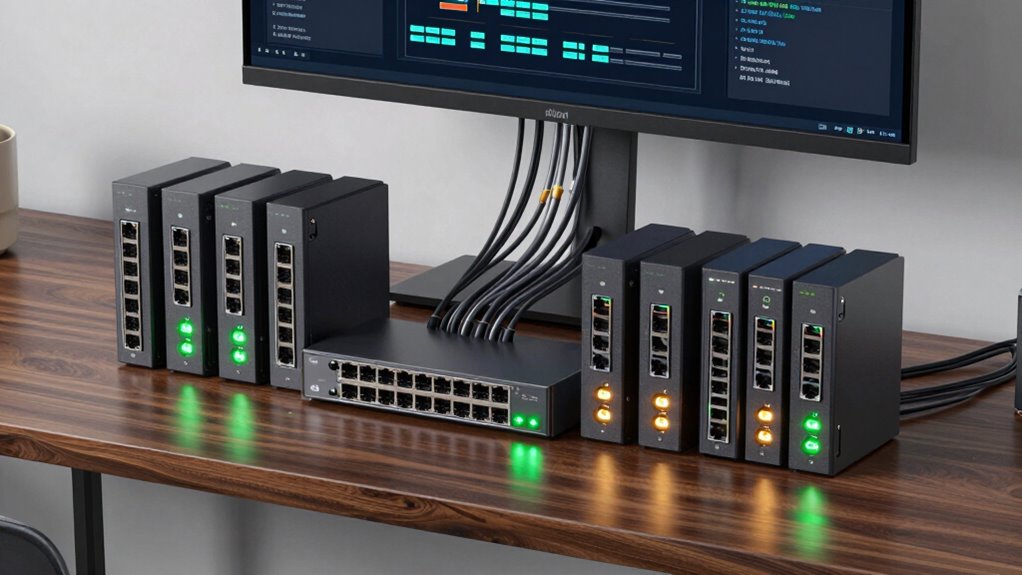
Finding the right managed switch for a home network involves balancing performance, ease of use, and budget. The best overall pick, the TP-Link TL-SG1016DE, offers reliable gigabit connectivity with straightforward management features suited for most home setups. For those needing Power over Ethernet (PoE), the TP-Link TL-SG1428PE provides advanced features but at a higher cost. Meanwhile, the NETGEAR GS108E stands out for its simplicity and value, ideal for users new to managed switches. Each option involves tradeoffs, such as feature set versus price or complexity versus ease of setup. Keep reading for a detailed breakdown of these and other top picks to help you make the best choice for your home network.

Get audio and creator gear delivered free with Prime
- Fast, free delivery on millions of items
- Prime Video, Amazon Music and more included
- Member-only deals all year
Complete the kit



Key Takeaways
- Managed switches with PoE capabilities, like the TP-Link TL-SG1428PE, are best for users needing to power IP cameras or VoIP phones at home.
- Ease of setup and management varies significantly; models like NETGEAR GS108E excel in plug-and-play simplicity, ideal for beginners.
- Higher port counts (24+ ports) are more suited to larger home networks or advanced setups, while smaller switches focus on essential features.
- Build quality and design matter—metal casings and mounting options enhance durability and flexibility in home environments.
- Price correlates with features; more advanced switches include VLANs, QoS, and PoE, but may overwhelm casual users.
| TP-Link 16 Port Gigabit Switch – Managed, Plug & Play, Desktop/Wall-Mount, Metal Casing |  | Best Overall Managed Switch for Home Networks | Number of Ports: 16 | Port Speed: Gigabit (10/100/1000Mbps) | Management: Managed via web interface | VIEW ON AMAZON | See Our Full Breakdown |
| TP-Link TL-SG1428PE 24-Port Gigabit Easy Smart Managed PoE+ Switch |  | Best for Power-Driven, Larger Home or Small Business Networks | Number of Ports: 24 PoE+ ports, 2 non-PoE ports, 2 SFP slots | PoE Power Budget: 250W | Data Transfer Rate: 1 Gbps | VIEW ON AMAZON | See Our Full Breakdown |
| NETGEAR 8-Port Gigabit Ethernet Easy Smart Managed Network Switch (GS108E) |  | Best Compact, Quiet Switch for Small Spaces | Number of Ports: 8 | Compatible Devices: Desktop | Interface: RJ45 | VIEW ON AMAZON | See Our Full Breakdown |
| NETGEAR 5-Port Gigabit Ethernet Easy Smart Managed Network Switch (GS305E) |  | Best Small, Energy-Efficient Switch for Basic Home Networking | Number of Ports: 5 | Port Speed: 1.0Gbps | Management: Smart Managed | VIEW ON AMAZON | See Our Full Breakdown |
| TP-Link 8 Port Gigabit Switch – Easy Smart Managed, Plug & Play, Desktop/Wall-Mount, Metal with Shielded Ports |  | Best Versatile Managed Switch for Small to Medium Networks | Number of Ports: 8 | Port Type: Gigabit Ethernet | Management: Smart Managed | VIEW ON AMAZON | See Our Full Breakdown |
| NETGEAR 8 Port PoE Gigabit Ethernet Easy Smart Managed Switch (GS308EP) |  | Best for Small Business with PoE Needs | Number of Ports: 8 | Compatible Devices: Computers, IP cameras, VoIP phones | Voltage: 2 volts | VIEW ON AMAZON | See Our Full Breakdown |
| Omada ES206X-M2 5-Port 2.5G Managed Switch |  | Best for High-Speed Desktop Applications | Ports: 5× 2.5 Gbps RJ45 | SFP+ Slot: 1× 10 Gbps | Management: Cloud via web/app | VIEW ON AMAZON | See Our Full Breakdown |
| NETGEAR 8-Port Gigabit Ethernet Easy Smart Managed Network Switch (GS308E) |  | Best for Easy Home or Small Business Setup | Ports: 8 x 1Gbps | Management: Web GUI | VLAN Support: Up to 64 VLANs | VIEW ON AMAZON | See Our Full Breakdown |
| TP-Link TL-SG1016DE 16-Port Gigabit Easy Smart Managed Switch |  | Best for Larger Home Networks and Advanced Management | Number of Ports: 16 | Port Speed: Gigabit Ethernet | Management: Smart Managed | VIEW ON AMAZON | See Our Full Breakdown |
| managed switch for home network | Number of Ports | Management |
|---|---|---|
| TP-Link 16 Port Gigabit Switch | 16 | Managed via web interface |
| TP-Link TL-SG1428PE 24-Port Gi | 24 PoE+ ports, 2 non-PoE ports, 2 SFP slots | — |
| NETGEAR 8-Port Gigabit Etherne | 8 | — |
| NETGEAR 5-Port Gigabit Etherne | 5 | Smart Managed |
| TP-Link 8 Port Gigabit Switch | 8 | Smart Managed |
| NETGEAR 8 Port PoE Gigabit Eth | 8 | — |
| Omada ES206X-M2 5-Port 2.5G Ma | — | Cloud via web/app |
| NETGEAR 8-Port Gigabit Etherne | — | Web GUI |
| TP-Link TL-SG1016DE 16-Port Gi | 16 | Smart Managed |
More Details on Our Top Picks
TP-Link 16 Port Gigabit Switch – Managed, Plug & Play, Desktop/Wall-Mount, Metal Casing
This TP-Link 16 Port Gigabit Switch stands out for its effortless setup, making it ideal for users who want reliable network expansion without complicated configuration. Compared to the NETGEAR GS108E, it offers more ports, catering to larger home setups or small offices. However, it lacks advanced features like PoE support, which might matter for some users. Its durable metal casing and green technology make it suitable for continuous use while reducing power costs. While this switch doesn’t require extensive network knowledge, its advanced management options like VLAN and QoS provide flexibility for more experienced users. Tradeoffs include limited port count for those needing even more expansion and no PoE support for powering devices directly.
Pros:- Plug-and-play setup with no configuration needed
- Durable, professional-grade metal casing
- Supports advanced features like QoS and VLAN
- Eco-friendly with power-saving technology
Cons:- Limited to 16 ports, not suitable for very large networks
- No PoE support for powering devices
Best for: Home users seeking an easy-to-manage, high-port-count switch for expanding their wired network with minimal fuss.
Not ideal for: Power users needing PoE for IP cameras or VoIP phones, or those with larger, complex networks requiring more advanced features.
- Number of Ports:16
- Port Speed:Gigabit (10/100/1000Mbps)
- Management:Managed via web interface
- Casing:Metal
- Mounting Options:Desktop/Wall-Mount
- Features:QoS, VLAN, IGMP, LAG, Shielded Ports
Our verdict“Ideal for home users who want a straightforward, reliable managed switch with plenty of ports and simple management features.”
TP-Link TL-SG1428PE 24-Port Gigabit Easy Smart Managed PoE+ Switch
This TP-Link TL-SG1428PE is designed for users who need PoE+ capabilities, providing up to 30W per port and a substantial 250W power budget. Compared to the NETGEAR GS108E, it offers more ports and PoE support, making it a strong choice for powering IP cameras or VoIP phones directly. Its web management interface simplifies setup, with features like VLAN, QoS, and auto PoE recovery for efficient traffic management. Tradeoffs involve the need for configuration for PoE auto recovery and a higher power requirement, which might limit placement options in some homes.
Pros:- Supports up to 24 PoE+ ports with high power output
- Easy web-based management interface
- Includes VLAN, QoS, and IGMP features
- Robust metal case with 3-year warranty
Cons:- Requires configuration for PoE auto recovery
- No built-in wireless capabilities
- Limited to 240V power supply
Best for: Home or small business users needing PoE for multiple devices, especially surveillance cameras or VoIP phones.
Not ideal for: Users with very limited space or budget, since this model is more complex and slightly bulkier than basic switches.
- Number of Ports:24 PoE+ ports, 2 non-PoE ports, 2 SFP slots
- PoE Power Budget:250W
- Data Transfer Rate:1 Gbps
- Voltage:240 volts
- Maximum Power:250W
- Item Dimensions:17.3″L x 8.7″W x 1.73″H
Our verdict“Best suited for users who want a managed switch with PoE for multiple devices in a network-ready package.”
NETGEAR 8-Port Gigabit Ethernet Easy Smart Managed Network Switch (GS108E)
The NETGEAR GS108E offers a compact, fanless design that makes it an excellent choice for small homes or offices where noise and space are concerns. Compared to the larger TP-Link 16 Port, it provides fewer ports but excels in silent operation and energy efficiency. Its straightforward management of VLANs, QoS, and security makes it suitable for users who want basic control without complexity. Tradeoffs include the limited port count and lack of PoE support, making it less ideal for powering devices or larger networks.
Pros:- Silent, fanless operation
- Easy to configure with intuitive interface
- Versatile desktop or wall mounting options
- Energy-efficient design
Cons:- Limited to 8 ports, not scalable for bigger setups
- No PoE support
Best for: Small households or home offices requiring a silent, space-saving managed switch with basic features.
Not ideal for: Larger networks needing more ports or PoE functionality, or advanced management features beyond basic VLAN and QoS.
- Number of Ports:8
- Compatible Devices:Desktop
- Interface:RJ45
- Data Transfer Rate:1 gigabit/second
- Switch Type:managed
- Color:Gray
Our verdict“Perfect for small, quiet spaces where minimal noise and simple management are priorities.”
NETGEAR 5-Port Gigabit Ethernet Easy Smart Managed Network Switch (GS305E)
The NETGEAR GS305E offers a simple, compact solution with five ports, ideal for small home networks that need basic management like VLAN and QoS. Compared to the larger TP-Link 8 Port, it is more space-saving and energy-efficient, thanks to IEEE 802.3az. Its fanless, metal design ensures quiet operation, but its limited port count restricts expansion. It’s straightforward enough for users with some networking knowledge but may fall short for those seeking advanced features. Tradeoffs include limited ports and basic management features, which might not suit more complex or growing networks.
Pros:- Easy to manage via web interface
- Supports VLAN, QoS, and IGMP Snooping
- Sturdy metal build with fanless design
- Energy-efficient with IEEE 802.3az
Cons:- Limited to 5 ports, restricting expansion
- No PoE support
Best for: Small households or offices looking for an energy-efficient, easy-to-manage switch for light network traffic.
Not ideal for: Environments that require PoE, more ports, or advanced network configurations.
- Number of Ports:5
- Port Speed:1.0Gbps
- Management:Smart Managed
- Design:Fanless, Metal
- Energy Efficiency:IEEE 802.3az
- Warranty:3 years
Our verdict“A solid choice for small setups needing simple, energy-efficient management without PoE.”
TP-Link 8 Port Gigabit Switch – Easy Smart Managed, Plug & Play, Desktop/Wall-Mount, Metal with Shielded Ports
The TP-Link TL-SG108E combines ease of use with advanced features like VLAN, QoS, IGMP Snooping, and Link Aggregation, making it suitable for small to medium home networks. Compared to the NETGEAR GS108E, it offers similar port count but emphasizes security and performance enhancements. Its sturdy metal construction and flexible mounting options make it adaptable for various environments. However, it requires some network knowledge to fully leverage its features, and its port number might be limiting for larger setups. The tradeoff is that the advanced features are not as simple for complete beginners, and it doesn’t support PoE.
Pros:- Supports VLAN, QoS, IGMP, and Link Aggregation
- Easy management via web interface and software
- Sturdy metal build with versatile mounting options
- Three-year warranty for peace of mind
Cons:- Limited to 8 ports, not suitable for larger networks
- No PoE support
Best for: Home or small business users who want a managed switch with security features and expandability in a compact form.
Not ideal for: Users seeking PoE support or those with larger networks requiring more than 8 ports.
- Number of Ports:8
- Port Type:Gigabit Ethernet
- Management:Smart Managed
- Mounting Options:Desktop/Wall-Mount
- Warranty:3 years
Our verdict“Recommended for users who want a compact, secure, and manageable switch for small to medium networks.”
NETGEAR 8 Port PoE Gigabit Ethernet Easy Smart Managed Switch (GS308EP)
The NETGEAR GS308EP stands out for its PoE+ support, making it ideal for small networks deploying IP cameras, VoIP phones, or wireless access points. Compared to the NETGEAR GS308E, it offers PoE but lacks the VLAN and QoS features that might be necessary for more complex setups. Its fanless design guarantees silent operation, a big plus in quiet environments, but the limited port count restricts expansion. The 62W power budget is suitable for small device deployments, though it might fall short for larger PoE setups. Easy to mount and configure, this switch blends simplicity with essential PoE features for small business or home use. However, it’s less suited to networks that demand advanced Layer 3 features or higher port capacity.Pros:- Supports PoE+ for powering network devices
- Fanless, silent operation
- Easy to install with flexible mounting options
- Intuitive management features
Cons:- Limited to small networks due to port count
- No Layer 3 advanced features
- Voltage specification may confuse some users
Best for: Small business owners or home users needing PoE for IP cameras and phones
Not ideal for: Larger networks requiring more than 8 ports or advanced routing features
- Number of Ports:8
- Compatible Devices:Computers, IP cameras, VoIP phones
- Voltage:2 volts
- Maximum Power:62 watts
- Upper Temperature Rating:123 °F
- Interface:RJ45
Our verdict“This switch makes sense for small networks where PoE power delivery and silent operation are priorities.”
Omada ES206X-M2 5-Port 2.5G Managed Switch
The Omada ES206X-M2 offers 5 ports with 2.5Gbps speeds and a 10Gbps SFP+ slot, making it ideal for users needing faster local connections and simplified cloud management. Unlike the NETGEAR GS308E, which is more straightforward for basic home use, the ES206X-M2 is designed for those who want higher throughput and remote control capabilities. Its fanless design ensures silent operation, perfect for desktop setups, but its small port count limits expansion. While it lacks PoE support, its advanced features like VLAN and IGMP snooping cater to more sophisticated network configurations. This makes it a solid choice for tech-savvy users or small offices upgrading to faster wired connections, but unsuitable for larger networks or those needing PoE.Pros:- Supports 2.5Gbps speeds on all ports
- Cloud management for remote setup and control
- Fanless, silent operation
- Compact, durable metal casing
Cons:- Limited to 5 ports, restricting scalability
- No PoE support
- Requires some network expertise for advanced features
Best for: Home users or small offices needing multi-gig speeds and centralized management
Not ideal for: Home users seeking PoE support or larger port capacity
- Ports:5× 2.5 Gbps RJ45
- SFP+ Slot:1× 10 Gbps
- Management:Cloud via web/app
- Design:Fanless metal
Our verdict“Ideal for users seeking fast, managed connections with minimal noise, but not for those needing PoE or many ports.”
NETGEAR 8-Port Gigabit Ethernet Easy Smart Managed Network Switch (GS308E)
The NETGEAR GS308E combines ease of use with fundamental management features, making it suitable for users who want a simple, reliable switch. Its web GUI supports VLAN, QoS, and IGMP snooping, providing basic traffic management without the complexity of advanced Layer 3 options. Unlike the NETGEAR GS308EP, which adds PoE, this model focuses on standard gigabit connectivity, making it more accessible for typical home or small business networks. Its rugged, fanless metal housing guarantees durability and silent operation, but it doesn’t support PoE, limiting device powering capabilities. This pick is perfect for those who want straightforward management with room to grow within small networks, but it’s not suitable for PoE-dependent setups.Pros:- Easy setup via web GUI
- Supports VLANs and QoS for traffic prioritization
- Fanless metal housing for durability and silence
- Built-in network protection features
Cons:- No PoE support
- Limited to small network environments
- Basic management features lacking advanced options
Best for: Home users or small businesses seeking simple, managed gigabit connectivity
Not ideal for: Networks requiring PoE or higher port density
- Ports:8 x 1Gbps
- Management:Web GUI
- VLAN Support:Up to 64 VLANs
- Housing:Fanless metal
Our verdict“This switch is a solid choice for those needing reliable, managed gigabit connections in small-scale environments.”
TP-Link TL-SG1016DE 16-Port Gigabit Easy Smart Managed Switch
The TP-Link TL-SG1016DE is tailored for users needing a larger port footprint with manageable features, making it perfect for expanding home networks or small offices. Its 16 ports support extensive file sharing and device connection, with VLAN, QoS, and network monitoring features that surpass basic switches like the NETGEAR GS308E. While it doesn’t support PoE, its smart management capabilities make it a versatile choice for users who want control without complexity. The 3-year warranty and tech support add peace of mind, yet its limited management scope compared to fully managed switches may restrict some advanced configurations. It’s a good middle ground for those wanting more ports with manageable complexity.Pros:- Supports 16 gigabit ports for extensive device connections
- Includes VLAN and QoS for traffic management
- 3-year warranty with support
- Easy to set up with smart management
Cons:- No PoE support
- Limited to smart management, not fully managed
- Potentially overkill for very small networks
Best for: Home users or small businesses needing larger port capacity with manageable features
Not ideal for: Networks requiring PoE or full Layer 3 management
- Number of Ports:16
- Port Speed:Gigabit Ethernet
- Management:Smart Managed
- Warranty:3 years
Our verdict“This switch suits larger home setups or small offices seeking straightforward management with ample port capacity.”

How We Picked
These products were selected based on a combination of performance, usability, build quality, and value. Priority was given to switches that balance advanced features with user-friendly interfaces, making them suitable for home environments. We also considered port variety, PoE support, management complexity, and overall reliability. The ranking reflects how well each model meets the typical needs of home users—from simple network expansion to more complex configurations—while avoiding overly enterprise-focused options that are unnecessary for most homes.| managed switch for home network | Management |
|---|---|
| TP-Link 16 Port Gigabit Switch | Managed via web interface |
| TP-Link TL-SG1428PE 24-Port Gi | — |
| NETGEAR 8-Port Gigabit Etherne | — |
| NETGEAR 5-Port Gigabit Etherne | Smart Managed |
| TP-Link 8 Port Gigabit Switch | Smart Managed |
| NETGEAR 8 Port PoE Gigabit Eth | — |
| Omada ES206X-M2 5-Port 2.5G Ma | Cloud via web/app |
| NETGEAR 8-Port Gigabit Etherne | Web GUI |
| TP-Link TL-SG1016DE 16-Port Gi | Smart Managed |
Factors to Consider When Choosing Managed Switch For Home Network
Choosing a managed switch for a home network involves several key considerations. Understanding these factors helps ensure you pick a device that fits your current needs and future expansion plans. While features are important, balancing ease of use, build quality, and price will yield the best long-term value. Here are the main factors to keep in mind:Port Count and Network Size
Consider the number of devices you need to connect now and in the future. Smaller switches with 5 to 8 ports are suitable for basic setups, while 16 or 24 ports support larger networks or multiple VLANs. Avoid overspending on ports you won’t use, but also plan for growth to prevent needing an upgrade soon.
Power over Ethernet (PoE) Support
If you plan to run IP cameras, VoIP phones, or wireless access points, PoE support becomes essential. Managed switches with PoE simplify wiring and reduce clutter. However, PoE switches typically come at a higher cost and may consume more power, so evaluate your actual needs carefully.
Management Features & Ease of Use
Managed switches often include features like VLANs, QoS, and link aggregation. For home use, a simple web interface or app can make configuration straightforward. If you’re less experienced, prioritize models that offer auto-configuration and minimal setup complexity to avoid frustration.
Build Quality & Design
Durability matters, especially if you plan to mount or place the switch in a visible or accessible location. Metal casings and flexible mounting options extend device lifespan. Cheaper plastic models might save money upfront but could be less resilient over time.
Price and Value
While budget options are tempting, investing in a switch with the right features can save money and hassle in the long run. Focus on models that strike a good balance between price and necessary features—overpaying for unnecessary capabilities often isn’t worthwhile for typical home networks.
Frequently Asked Questions
Do I really need a managed switch for my home network?
For most standard home setups, unmanaged switches suffice, offering plug-and-play simplicity. However, if you want to segment your network, prioritize security, or connect multiple advanced devices like IP cameras or smart hubs, a managed switch provides greater control and flexibility. The decision depends on your current needs and whether you’re planning future upgrades or smarter home integration.
Is PoE necessary for a home network?
PoE is useful if you plan to connect devices like security cameras or VoIP phones that can be powered through Ethernet cables. It simplifies wiring and reduces the need for separate power adapters. However, if your setup involves only standard laptops, computers, or access points with their own power sources, PoE might be an unnecessary expense.
How difficult is it to configure a managed switch for a home network?
Many modern managed switches feature user-friendly interfaces and auto-configuration options, making setup manageable even for those with limited networking experience. Basic features like VLANs and QoS can often be configured with guided wizards or simplified web pages. For more advanced features, some learning curve exists, but most brands offer helpful documentation or apps to streamline the process.
Can I upgrade my switch later if my network grows?
Absolutely. Choosing a switch with extra ports or higher performance capabilities now allows flexibility for future expansion. Managed switches often support features like VLANs and link aggregation, which can be scaled up as your network needs evolve. Planning ahead minimizes replacement costs and disruptions down the line.
What are the main differences between basic and smart managed switches?
Basic managed switches offer essential features like port management and VLANs but are often simpler and more affordable. Smart managed switches add advanced functions like QoS, link aggregation, and SNMP monitoring, providing more control for complex setups. For home use, a smart managed switch strikes a good balance, offering useful features without overwhelming complexity.
Conclusion
For most home users, the TP-Link TL-SG1016DE stands out as the best overall choice thanks to its balanced features, ease of use, and reliability. Those needing a budget-friendly option with essential management capabilities will find the NETGEAR GS108E to be a smart pick. If you require PoE support for smart home devices, the TP-Link TL-SG1428PE offers advanced features at a higher price point. Beginners benefit from plug-and-play models, while larger or more complex setups should consider switches with more ports and management features. Your ideal choice depends on your specific network size, device needs, and technical comfort level.
Evergreen bestsellers Picks

Shark Rotator Lift-Away Upright Vacuum, White/Red (NV501)

Dyson W1 PencilWash Cordless Wet and Dry Floor Cleaner with Dock

Hisense 85 U7 Mini-LED ULED 4K UHD Smart Google TV (85U7SG, 2026)
As an affiliate, we earn on qualifying purchases.