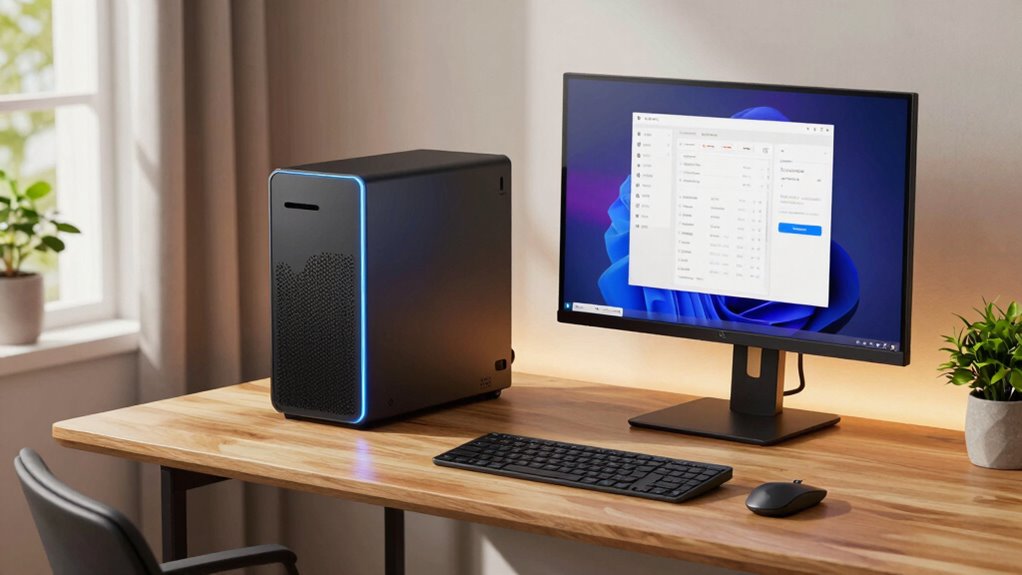

For a mini PC for home office use, my best overall pick is the HP EliteDesk 800 G4: its six-core i5, 16GB RAM, and NVMe storage make it the strongest balanced option here. The Lenovo M720Q is a compelling alternative for buyers who want a 500GB NVMe drive, while the KAMRUI Pinova P1 stands out for its newer Ryzen PRO platform. The main tradeoffs are processor age, memory and storage capacity, port selection, and the condition of renewed machines. Older business PCs can offer capable hardware, but may leave less room for future upgrades or have shorter remaining support lifespans. Read on for a ranked comparison and guidance on choosing the right fit for your desk and workload.

Get audio and creator gear delivered free with Prime
- Fast, free delivery on millions of items
- Prime Video, Amazon Music and more included
- Member-only deals all year
Complete the kit


Key Takeaways
The HP EliteDesk 800 G4 leads for balanced office work: its six-core i5-8500T and 16GB RAM give it a stronger starting point than the older i3 and Celeron systems in this lineup.
The Lenovo M720Q is a storage-focused alternative: its 500GB NVMe drive offers more room than the 256GB configurations common across these picks.
Newer Ryzen models change the value equation: the KAMRUI Pinova P1 and BOSGAME E5 11 Pro bring more recent AMD platforms, though listed memory and storage still matter for multitasking.
Renewed business PCs bring practical connectivity: the HP and Lenovo options offer familiar business-oriented designs, but buyers should check the exact ports, included accessories, and renewal terms.
Entry-level chips suit lighter work only: the Celeron N5095 KAMRUI AK1PLUS and older Core i3 models are better matched to browsing and documents than demanding multitasking.
| Dell OptiPlex 3040 Micro PC Mini Desktop, Intel Core i3, 8GB RAM, 256GB SSD, Windows 11 Pro (Renewed) |  | Best for a Basic Home Office | Processor: Intel Core i3-6100T, 3.2GHz | Memory: 8GB DDR4 | Storage: 256GB SSD | VIEW ON AMAZON | See Our Full Breakdown |
| BOSGAME E5 Plus Mini PC Ryzen 5400U, 8GB Upgradable RAM 256GB SATA SSD |  | Best for Multi-Monitor Flexibility | Processor: AMD Ryzen 3 5400U, 4 cores and 8 threads, up to 4.0GHz | Memory: 8GB DDR4, expandable to 64GB | Included storage: 256GB M.2 SATA SSD | VIEW ON AMAZON | See Our Full Breakdown |
| HP EliteDesk 800 G2 Desktop Mini Business PC, Intel Quad-Core i5-6500T up to 3.1G, 16GB DDR4, 240GB SSD, VGA, DP, Win 11 Pro 64 bit (Renewed) |  | Best Renewed Business Workhorse | Processor: Intel Core i5-6500T quad-core, up to 3.1GHz | Memory: 16GB DDR4, 2 slots, supports up to 32GB | Storage: 240GB SSD | VIEW ON AMAZON | See Our Full Breakdown |
| Lenovo M720Q ThinkCentre Mini PC with Windows 11 Pro, Intel i5-8400T, 16GB RAM, 500GB NVMe, WiFi & Bluetooth (Renewed) |  | Best Overall for a Home Office | Processor: Intel Core i5-8400T, 6 cores, 1.7GHz listed | Memory: 16GB DDR4 | Storage: 500GB NVMe SSD | VIEW ON AMAZON | See Our Full Breakdown |
| BOSGAME E5 Plus Mini PC, AMD Ryzen 5400U(4C/8T) 8GB DDR4 256GB SATA SSD |  | Best for Upgrade-Friendly Setups | Processor: AMD Ryzen 3 5400U, 4 cores and 8 threads, up to 4.0GHz | Memory: 8GB DDR4 listed; two slots, maximum 64GB stated | Storage: 256GB SATA SSD | VIEW ON AMAZON | See Our Full Breakdown |
| KAMRUI Pinova P1 Mini PC AMD Ryzen PRO 7330U |  | Best for Multi-Monitor Office Work | Processor: AMD Ryzen 3 PRO 7330U, 4 cores and 8 threads, up to 4.3GHz | Memory: 16GB DDR4, expandable to 64GB | Storage: 256GB M.2 SSD, with an additional M.2 slot listed for up to 4TB | VIEW ON AMAZON | See Our Full Breakdown |
| C3 Mini PC Intel Core i3-5005U, 8GB RAM, 512GB SSD |  | Best for Lightweight, Expandable Setups | Processor: Intel Core i3-5005U | Memory: 8GB DDR4, expandable to 32GB | Storage: 512GB SSD, expandable up to 4TB with additional slots | VIEW ON AMAZON | See Our Full Breakdown |
| Getorli Mini PC AMD Ryzen 5 3500U, 16GB RAM, 512GB NVMe SSD |  | Best for Everyday Multitasking and Modern Wireless | Processor: AMD Ryzen 5 3500U, 4 cores and 8 threads, 2.1GHz to 3.7GHz | Memory: 16GB DDR4 at 2400MHz, expandable to 32GB | Storage: 512GB NVMe SSD | VIEW ON AMAZON | See Our Full Breakdown |
| KAMRUI AK1PLUS Mini PC Computer with Intel Celeron N5095, 16GB RAM, 256GB SSD |  | Best for a Compact Basic Office Desk | Processor: Intel Celeron N5095, up to 2.9GHz | Memory: 16GB DDR4 SDRAM | Storage: 256GB SSD, expandable up to 4TB | VIEW ON AMAZON | See Our Full Breakdown |
| HP EliteDesk 800 G4 Mini Tiny Business PC, Intel Core i5-8500T, 16GB RAM, 256GB NVMe SSD (Renewed) |  | Best Renewed Business Desktop | Processor: Intel Core i5-8500T, 6 cores, 2.1GHz up to 3.5GHz | Memory: 16GB DDR4 | Storage: 256GB NVMe SSD | VIEW ON AMAZON | See Our Full Breakdown |
| BOSGAME E5 11 Pro Mini PC, AMD Ryzen 3 5300U, 8GB RAM, 256GB SSD, Dual 2.5GbE, 4K Output, Windows 11 Pro |  | Best for Multi-Monitor Office Setups | Processor: AMD Ryzen 3 5300U, 4 cores and 8 threads, up to 3.8GHz | Memory: 8GB DDR4, expandable up to 64GB | Storage: 256GB NVMe SSD, additional M.2 slot supports up to 2TB | VIEW ON AMAZON | See Our Full Breakdown |
| mini pc for home office | Processor | Memory | Storage | Operating system |
|---|---|---|---|---|
| Dell OptiPlex 3040 Micro PC Mi | Intel Core i3-6100T, 3.2GHz | 8GB DDR4 | 256GB SSD | Windows 11 Pro |
| BOSGAME E5 Plus Mini PC Ryzen | AMD Ryzen 3 5400U, 4 cores and 8 threads, up to 4.0GHz | 8GB DDR4, expandable to 64GB | — | Windows 11 Pro |
| HP EliteDesk 800 G2 Desktop Mi | Intel Core i5-6500T quad-core, up to 3.1GHz | 16GB DDR4, 2 slots, supports up to 32GB | 240GB SSD | Windows 11 Pro 64-bit |
| Lenovo M720Q ThinkCentre Mini | Intel Core i5-8400T, 6 cores, 1.7GHz listed | 16GB DDR4 | 500GB NVMe SSD | Windows 11 Pro |
| BOSGAME E5 Plus Mini PC | AMD Ryzen 3 5400U, 4 cores and 8 threads, up to 4.0GHz | 8GB DDR4 listed; two slots, maximum 64GB stated | 256GB SATA SSD | — |
| KAMRUI Pinova P1 Mini PC AMD R | AMD Ryzen 3 PRO 7330U, 4 cores and 8 threads, up to 4.3GHz | 16GB DDR4, expandable to 64GB | 256GB M.2 SSD, with an additional M.2 slot listed for up to 4TB | Windows 11 Pro |
| C3 Mini PC Intel Core i3-5005U | Intel Core i3-5005U | 8GB DDR4, expandable to 32GB | 512GB SSD, expandable up to 4TB with additional slots | — |
| Getorli Mini PC AMD Ryzen 5 35 | AMD Ryzen 5 3500U, 4 cores and 8 threads, 2.1GHz to 3.7GHz | 16GB DDR4 at 2400MHz, expandable to 32GB | 512GB NVMe SSD | OS / 11 Pro, as listed in product information |
| KAMRUI AK1PLUS Mini PC Compute | Intel Celeron N5095, up to 2.9GHz | 16GB DDR4 SDRAM | 256GB SSD, expandable up to 4TB | OS PRO, as listed |
| HP EliteDesk 800 G4 Mini Tiny | Intel Core i5-8500T, 6 cores, 2.1GHz up to 3.5GHz | 16GB DDR4 | 256GB NVMe SSD | Windows 11 Pro 64-bit |
| BOSGAME E5 11 Pro Mini PC | AMD Ryzen 3 5300U, 4 cores and 8 threads, up to 3.8GHz | 8GB DDR4, expandable up to 64GB | 256GB NVMe SSD, additional M.2 slot supports up to 2TB | Windows 11 Pro; supports Linux Ubuntu |
More Details on Our Top Picks
Dell OptiPlex 3040 Micro PC Mini Desktop, Intel Core i3, 8GB RAM, 256GB SSD, Windows 11 Pro (Renewed)
I’d pick the renewed Dell OptiPlex 3040 Micro for a home office centered on email, documents, browser tabs, and video calls, especially when a keyboard and mouse are needed in the box. Its 256GB SSD should make everyday startup and app loading feel more responsive than a hard-drive-based desktop, while HDMI and DisplayPort offer options for connecting a monitor. Compared with the newer Lenovo M720Q, though, this Dell has an older dual-core i3 and half the memory, so it is less suited to heavier multitasking or a long run of demanding applications. The compact chassis saves desk space, but the 90-day warranty and refurbished condition call for more caution than a new mini PC. It also lacks built-in speakers, so plan on external audio for calls.
Pros:- Compact micro form factor frees up desk space
- 256GB SSD provides responsive everyday storage
- HDMI and DisplayPort support common monitor setups
- Keyboard and mouse are included
Cons:- Older dual-core Intel Core i3 is less capable for heavy multitasking than the Lenovo M720Q’s six-core processor
- 8GB RAM can constrain busy browser and office workloads
- Renewed condition and 90-day warranty offer less coverage than a new system
Best for: Home-office beginners who mainly use web apps, email, and documents and want a renewed desktop with keyboard and mouse included.
Not ideal for: People who keep many demanding applications open, need a longer warranty, or want strong performance for sustained multitasking.
- Processor:Intel Core i3-6100T, 3.2GHz
- Memory:8GB DDR4
- Storage:256GB SSD
- Operating system:Windows 11 Pro
- Wireless:Wi-Fi and Bluetooth
- Video outputs:HDMI and DisplayPort
- USB ports:4 USB 3.0 and 2 USB 2.0
- Warranty:90 days
Our verdict“Choose this Dell for basic desk work and included peripherals, but opt for the Lenovo M720Q if you need more headroom for multitasking.”
BOSGAME E5 Plus Mini PC Ryzen 5400U, 8GB Upgradable RAM 256GB SATA SSD
The BOSGAME E5 Plus is the more flexible choice here for a home office built around multiple screens or wired network connections. Its HDMI, DisplayPort, and full-function USB-C outputs are listed for triple 4K displays, a more expansive setup than the renewed Dell OptiPlex 3040’s HDMI and DisplayPort pairing. Two 2.5GbE ports also suit a workspace that connects to fast wired networks or a local storage device. The Ryzen 3 5400U and upgradeable memory offer more room to grow than the Dell’s older i3 and fixed 8GB configuration, but this unit still starts with only 8GB RAM and a SATA SSD. I’d budget for a memory upgrade if video calls, spreadsheets, and many browser tabs regularly overlap. It’s a capable connectivity-first pick, not the strongest ready-to-go option for heavy multitasking.
Pros:- HDMI, DisplayPort, and USB-C support a triple-display setup
- Two 2.5GbE ports give wired-network flexibility
- Two SODIMM slots support memory expansion up to 64GB
- An additional M.2 NVMe slot allows storage expansion
Cons:- The included 8GB RAM is limiting for intensive multitasking
- Included 256GB drive is SATA rather than NVMe
- Listed warranty details are inconsistent, with one-year machine coverage and three-year parts coverage stated
Best for: Remote workers setting up three displays or needing dual wired network ports, who are comfortable upgrading memory as their workload grows.
Not ideal for: Buyers who want ample RAM and fast storage out of the box, or who prefer a well-established business desktop brand and a clearly stated warranty.
- Processor:AMD Ryzen 3 5400U, 4 cores and 8 threads, up to 4.0GHz
- Memory:8GB DDR4, expandable to 64GB
- Included storage:256GB M.2 SATA SSD
- Storage expansion:Additional M.2 2280 NVMe PCIe 3.0 x4 slot
- Video outputs:HDMI 2.0, DisplayPort, and USB-C; triple 4K at 60Hz listed
- Wired networking:2 x 2.5GbE LAN
- Wireless:Wi-Fi 5 and Bluetooth 5.0
- Operating system:Windows 11 Pro
Our verdict“Choose the E5 Plus if multi-screen and dual-LAN flexibility matter more than having generous memory and NVMe storage from day one.”
HP EliteDesk 800 G2 Desktop Mini Business PC, Intel Quad-Core i5-6500T up to 3.1G, 16GB DDR4, 240GB SSD, VGA, DP, Win 11 Pro 64 bit (Renewed)
The renewed HP EliteDesk 800 G2 offers a straightforward step up from the Dell OptiPlex 3040 for office users who routinely keep several work apps open. Its 16GB of DDR4 memory and quad-core Core i5 are better aligned with heavier everyday multitasking than the Dell’s 8GB and older dual-core i3. The included keyboard and mouse also make it easier to put into service without sourcing basic peripherals separately. Display connections are less flexible than on the BOSGAME E5 Plus: HP lists DisplayPort and VGA rather than USB-C or a triple-display combination. The 240GB SSD is also the smallest listed drive among these five options, so local files may fill it sooner. As a refurbished desktop with a minimum 90-day warranty, it’s a practical business-style pick, but not the one I’d choose for newer ports or maximum storage.
Pros:- 16GB DDR4 memory is better suited to simultaneous office apps than the Dell OptiPlex 3040’s 8GB
- Quad-core Core i5 processor supports everyday multitasking
- Keyboard and mouse are included
- DisplayPort and VGA accommodate a range of monitors
Cons:- 240GB SSD leaves less room for local files than the 500GB Lenovo M720Q
- No USB-C video output or listed Wi-Fi and Bluetooth
- Refurbished unit has a minimum 90-day warranty
Best for: Home-office users who want 16GB memory for office multitasking and are comfortable buying a refurbished business desktop.
Not ideal for: People who need USB-C video, a large local drive, or the reassurance of a new system with a longer stated warranty.
- Processor:Intel Core i5-6500T quad-core, up to 3.1GHz
- Memory:16GB DDR4, 2 slots, supports up to 32GB
- Storage:240GB SSD
- Operating system:Windows 11 Pro 64-bit
- Video outputs:DisplayPort and VGA
- Front ports:2 USB 3.0, USB Type-C, microphone, and headphone
- Rear ports:4 USB 3.0, VGA, DisplayPort, and RJ-45
- Warranty:Minimum 90 days
Our verdict“Pick the HP for memory-rich refurbished office basics, but choose the Lenovo M720Q for more storage and a newer processor.”
Lenovo M720Q ThinkCentre Mini PC with Windows 11 Pro, Intel i5-8400T, 16GB RAM, 500GB NVMe, WiFi & Bluetooth (Renewed)
The renewed Lenovo ThinkCentre M720Q is my strongest all-around fit in this group for a home office that needs more than basic browsing. Its six-core Core i5, 16GB of DDR4 memory, and 500GB NVMe SSD combine useful multitasking capacity with room for work files and quick access to applications. That makes it a more balanced ready-to-use choice than the HP EliteDesk 800 G2, whose 240GB SSD leaves less local storage, and it offers substantially more headroom than the Dell OptiPlex 3040. Wi-Fi and Bluetooth keep a desk setup tidy, while Windows 11 Pro suits users who want business-oriented software features. The tradeoff is that it’s still refurbished, and its integrated graphics are aimed at office work rather than demanding graphics tasks. The listed dimensions also seem unusually large for a mini PC, so I’d verify the physical unit size before buying.
Pros:- Six-core Core i5 and 16GB RAM suit everyday multitasking
- 500GB NVMe SSD offers more capacity than the HP EliteDesk 800 G2’s 240GB SSD
- Wi-Fi and Bluetooth reduce reliance on cables
- Windows 11 Pro is preinstalled
Cons:- Renewed condition may involve wear and limited warranty coverage
- Integrated graphics are not aimed at demanding gaming or graphics workloads
- Listed dimensions of 19 x 15 x 4 inches are unusually large for a mini PC and warrant verification
Best for: Home-office workers who want a balanced renewed desktop for multitasking, video calls, and local work files, with Wi-Fi and Bluetooth built in.
Not ideal for: Buyers seeking a new system, high-end graphics performance, or a compact unit whose dimensions are clearly verified.
- Processor:Intel Core i5-8400T, 6 cores, 1.7GHz listed
- Memory:16GB DDR4
- Storage:500GB NVMe SSD
- Operating system:Windows 11 Pro
- Graphics:Integrated graphics, shared 128MB graphics RAM listed
- Wireless:Wi-Fi 5 and Bluetooth
- Video outputs:DisplayPort and HDMI
- Weight:2.9 pounds
Our verdict“Choose the Lenovo for the most balanced mix of office multitasking, wireless connectivity, and storage, provided the renewed condition and dimensions meet your needs.”
BOSGAME E5 Plus Mini PC, AMD Ryzen 5400U(4C/8T) 8GB DDR4 256GB SATA SSD
This BOSGAME E5 Plus version makes the most sense for a home-office buyer who values a compact, upgradeable platform and expects to add memory or storage later. Like the other E5 Plus listing, it pairs a Ryzen 3 5400U with triple-display output, dual 2.5GbE LAN, and a USB-C port that supports video and data. That puts it ahead of the refurbished HP EliteDesk 800 G2 for modern display flexibility, while the Lenovo M720Q is the better ready-to-use choice if you want 16GB RAM and a larger, faster NVMe drive included. This model starts with just 8GB RAM and a 256GB SATA SSD, so the listed expandability matters more than the out-of-box configuration for busy workdays. The product data also has conflicting memory-capacity entries, so I’d confirm the supplied configuration before relying on it.
Pros:- Ryzen 3 5400U with 4 cores and 8 threads supports everyday office tasks
- Triple 4K display output via HDMI, DisplayPort, and USB-C
- Two 2.5GbE ports support fast wired networking
- Two SODIMM slots and an additional M.2 NVMe slot allow upgrades
Cons:- 8GB included RAM is a modest starting point for heavy multitasking
- 256GB SATA SSD is slower and smaller than the Lenovo M720Q’s 500GB NVMe drive
- Product data lists conflicting memory-capacity figures, so the delivered configuration should be checked
Best for: Technically comfortable home-office buyers who want triple-screen and dual-LAN options and plan to expand memory or storage themselves.
Not ideal for: People who need 16GB RAM and a large NVMe drive immediately, or who want unambiguous specifications before purchase.
- Processor:AMD Ryzen 3 5400U, 4 cores and 8 threads, up to 4.0GHz
- Memory:8GB DDR4 listed; two slots, maximum 64GB stated
- Storage:256GB SATA SSD
- Storage expansion:Additional M.2 NVMe PCIe 3.0 slot
- Video outputs:HDMI, DisplayPort, and USB-C; triple 4K at 60Hz listed
- Wired networking:Dual 2.5GbE LAN
- Wireless:Wi-Fi 5 and Bluetooth 5.0
- Operating system support:Windows and Linux listed
Our verdict“Choose this E5 Plus if you want to build toward a multi-display office setup, but favor the Lenovo M720Q for stronger ready-to-work memory and storage.”
KAMRUI Pinova P1 Mini PC AMD Ryzen PRO 7330U
The Pinova P1 is the strongest fit here for a desk built around several screens: its triple 4K output can support more workspace than the dual-display setups on the Getorli Ryzen 5 3500U and HP EliteDesk 800 G4. The Ryzen 3 PRO 7330U, 16GB of memory, and Windows 11 Pro make it a capable choice for office apps, many browser tabs, and light creative tasks. It also has room to grow, with memory expandable to 64GB and a second M.2 slot listed for additional storage. That flexibility and stated 24/7 suitability set it apart from the simpler KAMRUI AK1PLUS. The tradeoffs are a modest two USB 3.2 Type-A ports, older Wi-Fi 5 and Bluetooth 4.2, and integrated graphics that are not intended for demanding graphics workloads.
Pros:- Triple 4K display support suits a multi-monitor productivity desk.
- Ryzen 3 PRO 7330U and 16GB RAM are suited to everyday office multitasking.
- Memory can expand to 64GB, with an additional M.2 storage slot listed.
- Windows 11 Pro and stated 24/7 operation suit a work-focused setup.
Cons:- Only two USB 3.2 Gen2 Type-A ports are listed, so peripherals may call for a hub.
- Integrated Radeon graphics are intended for light graphics work, not demanding workloads.
- Wi-Fi 5 and Bluetooth 4.2 are older wireless standards than the Getorli’s Wi-Fi 6 and Bluetooth 5.3.
Best for: Home-office users who want three 4K displays, Windows 11 Pro, and room to expand memory or storage.
Not ideal for: People who need lots of fast USB-A connections, newer wireless standards, or graphics performance for demanding design and gaming.
- Processor:AMD Ryzen 3 PRO 7330U, 4 cores and 8 threads, up to 4.3GHz
- Memory:16GB DDR4, expandable to 64GB
- Storage:256GB M.2 SSD, with an additional M.2 slot listed for up to 4TB
- Graphics:AMD Radeon Graphics, 6 cores at 1800MHz
- Display support:Triple 4K
- Wireless:Wi-Fi 5 and Bluetooth 4.2
- Ports:2 HDMI, DisplayPort, 2 USB 3.2 Gen2 Type-A, Ethernet
- Operating system:Windows 11 Pro
- Dimensions and weight:5.05 x 5.05 x 2.01 inches; 0.61kg
Our verdict“Choose the Pinova P1 if triple-display support and upgrade options matter more than newer wireless or extensive USB connectivity.”
C3 Mini PC Intel Core i3-5005U, 8GB RAM, 512GB SSD
The C3 is a basic office-and-media machine whose strongest case is its 512GB SSD and advertised storage expansion, rather than processor speed. It can run a dual-monitor desk and offers more connection types than the KAMRUI AK1PLUS, including USB-C and Gigabit Ethernet. Its low 15W power figure and compact, under-1kg body also suit a fixed workstation that stays on for long periods. Compared with the newer Getorli Ryzen 5 3500U, though, the Core i3-5005U is a much older, modest processor, and the C3 starts with only 8GB of RAM. The product data lists Windows 10 and Linux options, not Windows 11 support. I would reserve it for browsing, documents, and media playback, not demanding multitasking or a long-term Windows 11 setup.
Pros:- 512GB SSD provides more listed starting storage than the 256GB drives in the KAMRUI Pinova P1 and AK1PLUS.
- Dual HDMI supports a two-screen office setup.
- USB-C, USB 3.2 Gen1, and Gigabit Ethernet offer varied connections.
- Listed 15W power consumption suits an energy-conscious always-on workstation.
Cons:- The older Core i3-5005U is less suited to intensive multitasking than the Ryzen-based Getorli or Pinova P1.
- Starts with 8GB RAM, below the 16GB configurations of several alternatives.
- Product data does not list Windows 11 support.
Best for: Buyers building a modest dual-monitor desk for documents, web browsing, and media playback who value expandable storage and Linux compatibility.
Not ideal for: Users who need Windows 11, frequent heavy multitasking, or substantial graphics performance.
- Processor:Intel Core i3-5005U
- Memory:8GB DDR4, expandable to 32GB
- Storage:512GB SSD, expandable up to 4TB with additional slots
- Graphics:Intel HD Graphics 5500
- Operating systems:Supports Windows 10, Ubuntu, VMware ESXi, and Proxmox VE
- Connectivity:Wi-Fi 5, Bluetooth 5.0, Gigabit Ethernet
- Display and ports:2 HDMI, USB 3.2 Gen1, USB-C, USB 2.0
- Power consumption:15W
- Size and weight:Approximately 5 inches; under 1kg
Our verdict“Pick the C3 for light office use with Linux or Windows 10 and expandable storage, but skip it if you need newer Windows support or stronger performance.”
Getorli Mini PC AMD Ryzen 5 3500U, 16GB RAM, 512GB NVMe SSD
The Getorli brings a practical combination for a busy home office: 16GB RAM, a 512GB NVMe SSD, and a broad selection of USB connections, including USB-C. That gives it a more ready-to-go multitasking setup than the C3, which starts with 8GB RAM, while providing twice the listed SSD capacity of the Pinova P1. Wi-Fi 6 and Bluetooth 5.3 are also newer wireless options than the Pinova P1’s Wi-Fi 5 and Bluetooth 4.2. Its Ryzen 5 3500U is a four-core, eight-thread processor suited to everyday work, browsing, and streaming, but this is still an older mobile chip rather than a workstation-class platform. The two HDMI outputs support up to two 4K screens, not the Pinova’s triple-display setup, and integrated graphics limit demanding creative work or gaming.
Pros:- 16GB RAM and a 512GB NVMe SSD suit everyday multitasking and file storage.
- Wi-Fi 6 and Bluetooth 5.3 are newer wireless standards than those listed for the Pinova P1.
- Two HDMI outputs support a dual-4K workspace.
- USB-A and USB-C ports offer connections for common office peripherals.
Cons:- Supports two displays, while the KAMRUI Pinova P1 lists triple 4K output.
- Ryzen 5 3500U integrated graphics are not suited to demanding graphics or gaming.
- The processor is a four-core mobile chip, so heavy workloads may call for a stronger system.
Best for: Home-office users who keep many browser tabs and office apps open, want 512GB of fast storage, and prefer newer Wi-Fi and Bluetooth.
Not ideal for: People who need three displays, high-end graphics, or a clearly specified business-focused platform like the Pinova P1’s Ryzen PRO configuration.
- Processor:AMD Ryzen 5 3500U, 4 cores and 8 threads, 2.1GHz to 3.7GHz
- Memory:16GB DDR4 at 2400MHz, expandable to 32GB
- Storage:512GB NVMe SSD
- Graphics:Integrated AMD Radeon Graphics
- Display support:Dual 4K via HDMI
- Wireless:Wi-Fi 6 and Bluetooth 5.3
- Ports:2 HDMI, 2 USB 2.0, 2 USB 3.0, USB-C 2.0, full-featured USB-C 3.2
- Operating system:OS / 11 Pro, as listed in product information
Our verdict“Choose the Getorli for a well-equipped everyday office setup with ample memory, storage, and modern wireless, rather than for triple displays or graphics-heavy work.”
KAMRUI AK1PLUS Mini PC Computer with Intel Celeron N5095, 16GB RAM, 256GB SSD
The AK1PLUS is a small, straightforward choice for email, documents, video calls, and a dual-screen workspace. Its 16GB RAM is a useful advantage over the C3’s 8GB starting configuration, while dual HDMI and DisplayPort give buyers more display connection options. The compact 5-inch-square chassis and 500g weight make it easy to place out of sight, and listed storage expansion up to 4TB gives the system room for files later. Compared with the Getorli Ryzen 5 3500U, though, the Celeron N5095 is better matched to basic work than sustained multitasking or heavier applications. Its 256GB SSD also starts smaller than the Getorli’s 512GB drive. This is a sensible fit for a tidy, light-duty desk, not for graphics-heavy work or users who want generous storage out of the box.
Pros:- Compact 5.04-inch-square body weighs 500g.
- 16GB RAM provides a stronger starting configuration than the C3’s 8GB.
- Dual HDMI and DisplayPort provide several display connection options.
- Storage is listed as expandable up to 4TB.
Cons:- Celeron N5095 is less suited to demanding workloads than the Ryzen 5 3500U in the Getorli.
- The 256GB SSD is smaller than the Getorli’s 512GB drive.
- Integrated Intel UHD Graphics are not intended for intensive graphics work.
Best for: People who want a tiny Windows-based computer for documents, email, web browsing, and two monitors, with storage expansion available.
Not ideal for: Remote workers running demanding applications or large local projects who need stronger processing performance and more included storage.
- Processor:Intel Celeron N5095, up to 2.9GHz
- Memory:16GB DDR4 SDRAM
- Storage:256GB SSD, expandable up to 4TB
- Graphics:Intel UHD Graphics
- Operating system:OS PRO, as listed
- Display output:Dual HDMI 2.0 and DisplayPort
- Wireless and networking:Wi-Fi 802.11ac, Bluetooth 5, Ethernet
- Expansion and security:2 expansion slots; TPM 2.0
- Dimensions and weight:5.04 x 5.04 x 2.05 inches; 500g
Our verdict“Choose the AK1PLUS for a compact, light-duty dual-display office PC, but favor the Getorli if you need more storage and stronger multitasking headroom.”
HP EliteDesk 800 G4 Mini Tiny Business PC, Intel Core i5-8500T, 16GB RAM, 256GB NVMe SSD (Renewed)
The renewed EliteDesk 800 G4 is the more established business-style pick in this group, with a six-core Core i5-8500T, 16GB RAM, and Windows 11 Pro listed as preinstalled. That processor gives it a stronger starting point for routine multitasking than the Celeron-based KAMRUI AK1PLUS, while its dual-monitor support covers the standard two-screen office desk. Its 7 x 7-inch footprint is larger than the tiny AK1PLUS and Getorli, but the low-profile 1.25-inch height may suit a shelf or monitor-side placement. The compromises are its renewed condition, which can include cosmetic wear, and a 256GB SSD that trails the Getorli’s 512GB. Integrated graphics also make it a business-work machine, not a graphics workstation; buyers should weigh the compact form against the uncertainty of renewed cosmetics.
Pros:- Six-core Core i5-8500T is a stronger office multitasking platform than the AK1PLUS’s Celeron N5095.
- 16GB DDR4 RAM suits everyday work across multiple applications.
- Windows 11 Pro is listed as preinstalled.
- Dual-monitor support and a low-profile case fit a conventional office setup.
Cons:- Renewed condition may include minor cosmetic wear.
- 256GB NVMe SSD offers less listed storage than the Getorli’s 512GB drive.
- Intel UHD Graphics 630 is integrated, not a dedicated graphics solution.
Best for: Office users who want a Windows 11 Pro business mini PC with a six-core processor for documents, meetings, and regular multitasking.
Not ideal for: Buyers who require new-condition hardware, large built-in storage, more than two displays, or graphics acceleration for demanding creative work.
- Processor:Intel Core i5-8500T, 6 cores, 2.1GHz up to 3.5GHz
- Memory:16GB DDR4
- Storage:256GB NVMe SSD
- Graphics:Intel UHD Graphics 630
- Operating system:Windows 11 Pro 64-bit
- Display support:Dual monitor
- Connectivity:Wi-Fi, Bluetooth, HDMI, DisplayPort, USB 3.0
- Dimensions and weight:7 x 7 x 1.25 inches; 2.9 pounds
- Condition:Renewed
Our verdict“Pick the EliteDesk if you want a renewed business PC with a six-core processor and Windows 11 Pro, and can accept cosmetic wear and modest storage.”
BOSGAME E5 11 Pro Mini PC, AMD Ryzen 3 5300U, 8GB RAM, 256GB SSD, Dual 2.5GbE, 4K Output, Windows 11 Pro
I’d choose the BOSGAME E5 11 Pro for a home office where several displays or fast wired connections matter more than generous out-of-box storage. Its Ryzen 3 5300U and support for up to three 4K displays suit spreadsheet-heavy work, video calls, and keeping reference material visible alongside a main screen. Compared with the Lenovo M720Q ThinkCentre, which arrives with 16GB of RAM and a larger SSD, this BOSGAME starts with less memory and storage, but offers dual 2.5GbE LAN and an additional M.2 slot for expansion. That makes it a distinctive fit for network-intensive desk setups. The tradeoff is that its 8GB RAM and 256GB SSD may call for upgrades as work demands grow, and integrated Radeon graphics are not a substitute for a dedicated GPU. I’d skip it for high-end gaming or graphics-heavy production.
Pros:- Ryzen 3 5300U with four cores and eight threads supports everyday multitasking and business applications.
- HDMI, DisplayPort, and USB-C outputs support up to three 4K displays.
- Dual 2.5GbE LAN ports suit fast wired networks and specialized office setups.
- Additional M.2 slot and RAM expansion provide room to upgrade.
Cons:- 8GB RAM may limit heavier multitasking until upgraded.
- The 256GB SSD leaves limited room for large local files without expansion.
- Integrated graphics are not suited to high-end gaming or intensive graphics work.
Best for: Home-office users who need to connect multiple 4K displays or use two high-speed wired network connections, and are comfortable upgrading memory or storage later.
Not ideal for: Buyers who want ample memory and storage ready out of the box, or who need dedicated graphics for demanding games and creative workloads.
- Processor:AMD Ryzen 3 5300U, 4 cores and 8 threads, up to 3.8GHz
- Memory:8GB DDR4, expandable up to 64GB
- Storage:256GB NVMe SSD, additional M.2 slot supports up to 2TB
- Graphics:AMD Radeon Graphics, 6 cores at 1500MHz
- Video outputs:HDMI 2.0, DisplayPort, and USB-C; supports up to three 4K displays
- Networking:Dual 2.5GbE LAN ports
- Operating system:Windows 11 Pro; supports Linux Ubuntu
- Power and mounting:25 watts; compact design with VESA mount compatibility
Our verdict“Choose this BOSGAME if multi-display productivity and dual high-speed Ethernet are priorities and you’re willing to expand its modest starting memory and storage.”

How We Picked
I ranked these mini PCs around the needs of a home office: smooth everyday productivity, dependable multitasking, useful monitor connections, reasonable storage, and a footprint that fits a crowded desk. I gave more weight to listed CPU generation and core count, memory capacity, and NVMe storage than to broad claims such as 4K support, since those details have a clearer effect on daily work. Port options and upgrade potential also matter for buyers adding monitors, peripherals, or storage later.
The order reflects the balance of those factors, not a claim that every unit has the same condition or configuration. The HP EliteDesk 800 G4 ranks first for its six-core processor and 16GB memory; the Lenovo M720Q follows with a capable business-class setup and larger NVMe drive. Newer Ryzen choices stand out for buyers seeking a more current platform, while older or lower-powered systems rank lower because their listed hardware is less suited to heavier multitasking. Since several models are renewed or have limited configuration details, buyers should verify seller-specific condition, ports, upgrade limits, and operating-system support before ordering.
| mini pc for home office | Operating system | Wireless | Video outputs |
|---|---|---|---|
| Dell OptiPlex 3040 Micro PC Mi | Windows 11 Pro | Wi-Fi and Bluetooth | HDMI and DisplayPort |
| BOSGAME E5 Plus Mini PC Ryzen | Windows 11 Pro | Wi-Fi 5 and Bluetooth 5.0 | HDMI 2.0, DisplayPort, and USB-C; triple 4K at 60Hz listed |
| HP EliteDesk 800 G2 Desktop Mi | Windows 11 Pro 64-bit | — | DisplayPort and VGA |
| Lenovo M720Q ThinkCentre Mini | Windows 11 Pro | Wi-Fi 5 and Bluetooth | DisplayPort and HDMI |
| BOSGAME E5 Plus Mini PC | — | Wi-Fi 5 and Bluetooth 5.0 | HDMI, DisplayPort, and USB-C; triple 4K at 60Hz listed |
| KAMRUI Pinova P1 Mini PC AMD R | Windows 11 Pro | Wi-Fi 5 and Bluetooth 4.2 | — |
| C3 Mini PC Intel Core i3-5005U | — | — | — |
| Getorli Mini PC AMD Ryzen 5 35 | OS / 11 Pro, as listed in product information | Wi-Fi 6 and Bluetooth 5.3 | — |
| KAMRUI AK1PLUS Mini PC Compute | OS PRO, as listed | — | — |
| HP EliteDesk 800 G4 Mini Tiny | Windows 11 Pro 64-bit | — | — |
| BOSGAME E5 11 Pro Mini PC | Windows 11 Pro; supports Linux Ubuntu | — | HDMI 2.0, DisplayPort, and USB-C; supports up to three 4K displays |
Factors to Consider When Choosing Mini Pc For Home Office
A mini PC can handle a home office well, but the right choice depends on the work you actually do and what you expect to connect. I would compare the full system configuration rather than choosing by processor name alone.
Match the Processor to Your Real Workload
Video calls, browser tabs, documents, and spreadsheets place different demands on a computer than photo editing or running several heavy applications at once. A newer processor is not automatically faster for every task, so check its generation, core count, and the rest of the configuration together. Buyers who keep many tabs and office apps open should favor a stronger CPU and enough memory rather than paying extra for features they will not use. For a single-user setup focused on email and documents, modest hardware may be adequate. Avoid treating a processor’s advertised maximum clock speed as a complete performance measure.
Choose Memory for Multitasking, Not Just Startup
Memory affects how comfortably a PC handles several active apps, large spreadsheets, and browser tabs at the same time. Eight gigabytes can serve basic work, but it leaves less breathing room when a video call runs alongside a large number of tabs and office software. Before buying, check whether the memory is upgradeable and whether the system has an open slot or uses fixed memory. An upgradeable machine can make a sensible starting configuration more adaptable later. Do not assume that a listed RAM amount can be expanded without checking the specific model and seller configuration.
Estimate Storage Needs Before Choosing a Drive
A 256GB drive can be enough when most files live in cloud storage, but local projects, downloads, and media can fill it sooner than expected. A larger drive reduces file-management chores, while NVMe storage generally makes everyday loading and file access feel more responsive than older SATA storage. Check whether the drive can be replaced or supplemented; compact cases do not all offer the same internal expansion. Cloud storage can help, but it does not replace local space for files you need offline. Leave room for the operating system, applications, and updates rather than counting every advertised gigabyte as available workspace.
Plan Monitor and Peripheral Connections
Make a list of what must connect directly: monitors, webcam, headset, keyboard, mouse, external drives, and perhaps a wired network cable. Count the ports and check their type and placement, since a system that supports multiple displays may still require adapters for your monitors. Display support claims do not tell you whether a particular resolution and refresh rate will work through the ports you plan to use. A USB hub can add connections, but it also takes desk space and may complicate cable management. If you rely on wired Ethernet or older display inputs, confirm those ports before choosing.
Treat Renewed Status as a Separate Buying Decision
Renewed business mini PCs can deliver capable components in a compact form, but condition and included items can vary between sellers. Check the warranty, return window, power adapter inclusion, and whether the listing specifies cosmetic wear or replacement parts. Older hardware may also have less remaining support life than a newer system, so confirm that the installed operating system and required applications will remain suitable for your plans. Ask whether Wi-Fi, Bluetooth, and all advertised ports are present on the exact unit. A low purchase cost is less appealing if you need to replace missing accessories or troubleshoot uncertain condition.
Budget for the Whole Desk Setup
The computer is only one part of a productive home office. You may also need a monitor, a VESA mount, a webcam, a USB hub, or an adapter to connect existing equipment. A compact PC can free space, but a noisy fan or awkward port placement can be more noticeable when the machine sits close to you. Check dimensions and mounting options before assuming it will fit behind a display or under a desk. When comparing configurations, include any upgrades you are likely to make soon, since a system that looks sufficient on paper may need extra memory or storage for your routine.
Frequently Asked Questions
Is 8GB of RAM enough for a home-office mini PC?
It can be enough for documents, email, and a modest number of browser tabs, but it offers limited headroom for busy multitasking. Video meetings, large spreadsheets, and numerous open apps can use memory quickly. In this lineup, several systems start with 8GB, while the HP EliteDesk and Lenovo options list 16GB. If you want to keep a machine for several years, check whether its RAM can be upgraded before choosing an 8GB configuration. The ability to expand memory can matter more than a small difference in processor speed for everyday office use.
Should I choose a renewed business PC or a newer Ryzen mini PC?
A renewed business PC can make sense if its ports, memory, and storage match your needs and you are comfortable checking its condition and support details. A newer Ryzen system may offer a more recent platform, but its specific configuration still matters; some listed options have only 8GB of RAM or SATA storage. Compare the complete specifications rather than assuming newer always means faster or that business-class means better value. For a purchase you expect to keep for years, weigh operating-system support and upgrade options alongside present-day speed. Verify the warranty and return terms for renewed units before deciding.
Can these mini PCs run two monitors for a home office?
Some listings explicitly mention dual-monitor support, but you should verify the actual video outputs and the resolution supported through each port. A claim such as 4K output does not by itself confirm that two 4K displays can run at your preferred refresh rate. Check whether your monitors use HDMI, DisplayPort, or another connection and whether adapters would be required. Also consider whether using both display outputs leaves enough USB ports for your other equipment. If two screens are essential, confirm the exact configuration with the seller rather than relying on a general model-family description.
How much storage should I choose if I use cloud services?
Cloud storage can reduce the need for a large internal drive, especially if most documents are small and you have reliable internet access. It does not remove the need for space for applications, cached files, updates, downloads, and documents you want available offline. A 256GB configuration may suit a cloud-first routine, while a larger drive offers more flexibility for local projects and media. Check whether the drive is replaceable or whether there is an additional slot before relying on a later upgrade. Keep a backup plan for important files regardless of drive size.
What should I verify before buying a renewed mini PC?
Read the listing for the exact processor, memory, drive type, ports, and included power adapter, since configurations can differ within a model family. Check the warranty and return period, and look for clear information about cosmetic condition and refurbishment. Confirm that Wi-Fi and Bluetooth are included if you need them; some older business systems may have different configurations. Verify operating-system activation and compatibility with the software you plan to run. If a detail is missing, ask the seller before purchase rather than assuming the advertised model name answers it.
Conclusion
For most home offices, I would choose the HP EliteDesk 800 G4 as the best overall because its six-core i5 and 16GB RAM provide the strongest balanced listed configuration. The Lenovo M720Q is my best value-style pick for buyers who want a capable business mini PC with a larger 500GB NVMe drive. For a newer AMD platform, the KAMRUI Pinova P1 is the premium-leaning choice, though buyers should confirm its exact memory and storage configuration. Beginners with simple browsing and document needs can look at the KAMRUI AK1PLUS, provided they accept its entry-level Celeron performance. For a more current Ryzen-based option with dual 2.5GbE and Windows 11 Pro, the BOSGAME E5 11 Pro suits specific networking needs; compare its 8GB RAM with the 16GB business-PC alternatives before choosing.