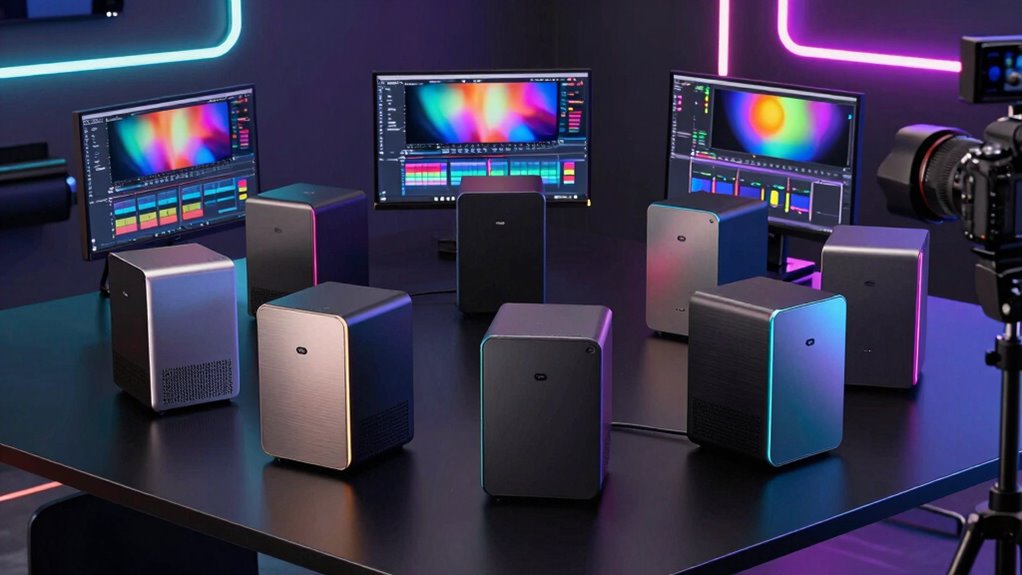
When selecting a mini PC for video editing, performance, size, and future-proofing are key. The GEEKOM A7 Mini PC stands out as the best overall thanks to its powerful Ryzen 9 processor and ample RAM. For those on a budget, the KAMRUI Pinova P2 offers decent editing capabilities with a compact design, but sacrifices raw power. Meanwhile, the Apple Mac mini M4 delivers excellent software integration and efficiency but comes at a higher price. The main tradeoffs include balancing processing power against size and budget constraints. Keep reading for a detailed breakdown of each option and what suits different editing needs.

Get audio and creator gear delivered free with Prime
- Fast, free delivery on millions of items
- Prime Video, Amazon Music and more included
- Member-only deals all year
Complete the kit



Key Takeaways
- High-end processors like Ryzen 9 and Ultra 9 are essential for smooth 4K editing and rendering.
- RAM capacity (16GB or more) significantly impacts multitasking and editing performance.
- Size often limits upgradeability—compact models may restrict future hardware improvements.
- Integrated graphics are sufficient for light editing, but dedicated GPU support enhances performance.
- Price correlates strongly with processing power and expandability; budget models may struggle with large projects.
| GEEKOM A7 Mini PC, Ryzen 9 7940HS, 32GB RAM, 2TB SSD, Radeon 780M |  | Best Overall for Power and Flexibility | Processor: Ryzen 9 7940HS | RAM: 32GB DDR5 | Storage: 2TB SSD | VIEW ON AMAZON | See Our Full Breakdown |
| GMKtec Mini PC Intel Core i7-1185G7, 16GB DDR4, 1TB SSD, 4K UHD, WiFi 6, Bluetooth 5.2 |  | Best for Compact 4K Editing on a Budget | Processor: Intel Core i7-1185G7, up to 4.8 GHz | RAM: 16GB DDR4 | Storage: 1TB NVMe SSD | VIEW ON AMAZON | See Our Full Breakdown |
| GEEKOM GT13 MAX Professional AI Mini PC, Intel Ultra9 185H, 16GB DDR5, 1TB SSD |  | Best for Power and AI-Enhanced Workflows | Processor: Intel Ultra 9 185H (16 cores, 22 threads) | RAM: 16GB DDR5 | Storage: 1TB SSD | VIEW ON AMAZON | See Our Full Breakdown |
| KAMRUI Pinova P2 Mini PC with AMD Ryzen 7330U, 16GB RAM, 256GB SSD, Triple 4K Display |  | Best Compact Multi-Display for Home and Business | Processor: AMD Ryzen 7330U (Zen 3, 4 Cores, 8 Threads) | Graphics: Integrated Radeon Vega 6 | RAM: 16GB LPDDR4X | VIEW ON AMAZON | See Our Full Breakdown |
| ACEMAGICIAN S3A Gaming Mini PC with Ryzen 7 H 255 and Radeon 780M Graphics |  | Best for Gaming and High-Performance Content Creation | Processor: Ryzen 7 H 255 (8 cores/16 threads) | Graphics: Radeon 780M | RAM: 16GB LPDDR5 | VIEW ON AMAZON | See Our Full Breakdown |
| GEEKOM IT15 AI Mini PC, Intel Ultra 9 285H, 32GB DDR5, 1TB SSD |  | Best for AI-Enhanced Video Editing and High-End Content Creation | Processor: Intel Ultra 9 285H | AI Performance: 99 TOPS | RAM: 32GB DDR5 (upgradable to 128GB) | VIEW ON AMAZON | See Our Full Breakdown |
| Getorli Mini PC AMD Ryzen 7 6800H, 32GB LPDDR5, 1TB NVMe SSD, Triple 4K Display, WiFi 6, Bluetooth 5.3, Dual LAN, Gaming & Office Desktop |  | Best for Versatile Power with Multiple 4K Displays and Gaming-Ready Performance | Processor: AMD Ryzen 7 6800H | Graphics: Radeon 680M | RAM: 32GB LPDDR5 | VIEW ON AMAZON | See Our Full Breakdown |
| GEEKOM A6 Mini PC, Ryzen 7 6800H, 16GB DDR5 Upgradable RAM, 1TB PCIe 4.0 SSD |  | Best for Demanding Creative Work with Upgradable Specs and Durability | Processor: Ryzen 7 6800H | Graphics: Radeon 680M | RAM: 16GB DDR5 (upgradable to 64GB) | VIEW ON AMAZON | See Our Full Breakdown |
| GEEKOM Mini PC IT13 MAX, Ultra 9 185H, 24GB RAM, 500GB SSD (Upgradeable) |  | Best for Multi-Display and AI-Enhanced Creative Tasks on a Compact Design | Processor: Core Ultra 9 185H | RAM: 24GB LPDDR5 | Storage: 500GB PCIe 4.0 SSD (expandable) | VIEW ON AMAZON | See Our Full Breakdown |
| mini pc for video editing | Processor | RAM | Storage | Graphics |
|---|---|---|---|---|
| GEEKOM A7 Mini PC | Ryzen 9 7940HS | 32GB DDR5 | 2TB SSD | Radeon 780M |
| GMKtec Mini PC Intel Core i7-1 | Intel Core i7-1185G7, up to 4.8 GHz | 16GB DDR4 | 1TB NVMe SSD | Intel Iris Xe Graphics G7 96EU |
| GEEKOM GT13 MAX Professional A | Intel Ultra 9 185H (16 cores, 22 threads) | 16GB DDR5 | 1TB SSD | Intel Arc with 8 Xe cores |
| KAMRUI Pinova P2 Mini PC with | AMD Ryzen 7330U (Zen 3, 4 Cores, 8 Threads) | 16GB LPDDR4X | 256GB M.2 SSD, expandable to 4TB | Integrated Radeon Vega 6 |
| ACEMAGICIAN S3A Gaming Mini PC | Ryzen 7 H 255 (8 cores/16 threads) | 16GB LPDDR5 | 512GB PCIe 4.0 SSD | Radeon 780M |
| GEEKOM IT15 AI Mini PC | Intel Ultra 9 285H | 32GB DDR5 (upgradable to 128GB) | 1TB NVMe Gen 4 SSD | Intel Arc 140T GPU |
| Getorli Mini PC AMD Ryzen 7 68 | AMD Ryzen 7 6800H | 32GB LPDDR5 | 1TB NVMe SSD | Radeon 680M |
| GEEKOM A6 Mini PC | Ryzen 7 6800H | 16GB DDR5 (upgradable to 64GB) | 1TB PCIe 4.0 SSD | Radeon 680M |
| GEEKOM Mini PC IT13 MAX | Core Ultra 9 185H | 24GB LPDDR5 | 500GB PCIe 4.0 SSD (expandable) | — |
More Details on Our Top Picks
GEEKOM A7 Mini PC, Ryzen 9 7940HS, 32GB RAM, 2TB SSD, Radeon 780M
The GEEKOM A7 stands out for its exceptional processing power with a Ryzen 9 7940HS, making it a top choice for demanding video editing workflows. Compared with the less potent GMKtec Mini PC, the A7’s larger RAM and more advanced GPU enable smoother handling of complex timelines and 8K exports. Its support for up to four displays and 8K output adds significant multitasking ability, ideal for professional editors who need multiple screens. The aluminum chassis and advanced cooling make it suitable for sustained workloads, but the high-performance components can generate substantial heat, requiring good ventilation. The potential for packaging discrepancies and the need for peripherals mean it’s best for users who want a ready-to-go, high-end editing station without compromise. Tradeoffs include higher cost and increased heat management needs.
Pros:- Exceptional Ryzen 9 7940HS processor with AI acceleration
- Large 32GB DDR5 RAM and 2TB NVMe SSD for fast workflows
- Supports multiple 8K displays for complex multitasking
- Premium aluminum chassis with efficient cooling
Cons:- Potential packaging label discrepancies regarding RAM and storage
- High-performance components may generate significant heat under load
- Requires additional peripherals for a complete setup
Best for: Power users and professionals who need a compact, high-performance editing machine with multi-display support.
Not ideal for: Beginners or casual editors who won’t utilize the full processing and display capabilities, as it may be overkill and costly.
- Processor:Ryzen 9 7940HS
- RAM:32GB DDR5
- Storage:2TB SSD
- Graphics:Radeon 780M
- Display Support:Up to 4 external displays, 8K output
- Connectivity:Wi-Fi 6E, Bluetooth 5.2, 2.5GbE LAN, USB4, HDMI
Our verdict“Ideal for professional editors needing maximum power, multitasking, and display flexibility in a compact form.”
GMKtec Mini PC Intel Core i7-1185G7, 16GB DDR4, 1TB SSD, 4K UHD, WiFi 6, Bluetooth 5.2
The GMKtec Mini PC offers a powerful 11th Gen Intel Core i7-1185G7 with high clock speeds, making it a strong choice for users who prioritize a small footprint without sacrificing performance. Compared with the GEEKOM A7, it provides less RAM and no dedicated GPU, but its support for multiple 4K displays and fast WiFi 6 makes it well-suited for editing 4K footage and multitasking in a compact form. Its lightweight and small dimensions make it perfect for editors who need portability or space-saving solutions. However, its internal expansion options are limited, and relying on integrated graphics may hinder performance with more demanding footage or effects. It’s best for those who need a versatile, compact editing station with decent GPU performance but don’t require the raw power of the Ryzen 9.
Pros:- High-speed 11th Gen Intel Core i7 with up to 4.8 GHz
- Supports multiple 4K displays for improved workflow
- Small, lightweight design ideal for limited spaces or portability
- Fast WiFi 6 and Bluetooth 5.2 for seamless connectivity
Cons:- Limited internal expansion options without additional hardware
- Relies on integrated GPU, limiting performance with intensive effects
- No dedicated GPU for high-end gaming or rendering
Best for: Video editors working with 4K content who need a small, portable editing setup with reliable connectivity.
Not ideal for: Heavy-duty professionals working with complex projects requiring high-end GPU acceleration or large internal storage.
- Processor:Intel Core i7-1185G7, up to 4.8 GHz
- RAM:16GB DDR4
- Storage:1TB NVMe SSD
- Graphics:Intel Iris Xe Graphics G7 96EU
- Display Output:2 x HDMI, 1 x USB Type-C, 4K @ 60Hz
- Connectivity:WiFi 6, Bluetooth 5.2, 2.5Gbps LAN
Our verdict“A solid choice for users needing a compact, 4K-capable editing machine with good connectivity and portability.”
GEEKOM GT13 MAX Professional AI Mini PC, Intel Ultra9 185H, 16GB DDR5, 1TB SSD
The GEEKOM GT13 MAX delivers multi-core power with an Intel Ultra 9 185H processor and advanced AI capabilities, making it ideal for professional video editing and AI-driven tasks. Compared with the GMKtec, its higher-end CPU and support for up to 96GB RAM and 6TB storage provide extensive headroom for large projects. Its support for multiple high-resolution displays, along with Wi-Fi 7 and Bluetooth 5.4, ensures fast, reliable connectivity. The robust cooling system and tested durability make it suitable for demanding environments. However, its higher price and over-specification for casual users mean it’s best suited for professionals who require maximum processing and upgrade flexibility rather than basic editing needs. It’s a good fit for those who want a future-proof, high-end mini PC for intensive workflows.
Pros:- Powerful multi-core Intel Ultra 9 185H processor
- Supports up to 96GB RAM and 6TB storage for large projects
- Supports multiple high-resolution displays with versatile output options
- Durable build with extensive testing and 3-year warranty
Cons:- Higher cost may be prohibitive for casual users
- Overkill for basic video editing tasks
- Limited included accessories and potential complexity for beginners
Best for: Professional editors and AI developers needing powerful multi-core processing and extensive upgrade options.
Not ideal for: Casual users or hobbyists who won’t utilize the advanced CPU, large RAM, or extensive storage capacity.
- Processor:Intel Ultra 9 185H (16 cores, 22 threads)
- RAM:16GB DDR5
- Storage:1TB SSD
- Graphics:Intel Arc with 8 Xe cores
- Display Outputs:Dual USB4, dual HDMI 2.0, Mini DP 1.4
- Connectivity:Wi-Fi 7, Bluetooth 5.4, dual 2.5G LAN
Our verdict“Designed for professionals requiring maximum processing power, display flexibility, and future upgrade potential.”
KAMRUI Pinova P2 Mini PC with AMD Ryzen 7330U, 16GB RAM, 256GB SSD, Triple 4K Display
The KAMRUI Pinova P2 combines a powerful AMD Ryzen 7330U processor with support for triple 4K displays, making it an excellent choice for space-constrained environments that still require high-resolution multitasking. Compared with the ACEMAGICIAN S3A, it offers slightly lower-end CPU performance but compensates with a highly space-efficient design and VESA mounting. Its 16GB RAM and expandable storage up to 4TB provide ample multitasking capabilities for editing and content consumption. However, the lack of dedicated GPU and the need for additional storage expansion could limit performance with complex effects or larger projects. This makes it well-suited for less intensive editing, streaming, or business use where space-saving and multi-display support are priorities.
Pros:- Powerful AMD Ryzen 7330U processor with good multi-core performance
- Supports three 4K displays for versatile visual setups
- Compact design with VESA mount option saves space
- Expandable storage up to 4TB for larger media libraries
Cons:- No dedicated GPU limits high-end graphics performance
- Requires additional storage for extensive projects
- Limited internal upgrade options beyond storage
Best for: Home users or small businesses needing a compact, multi-4K display capable machine for light editing or media tasks.
Not ideal for: Pro video editors or gamers who require dedicated GPU power and larger internal storage for intensive projects.
- Processor:AMD Ryzen 7330U (Zen 3, 4 Cores, 8 Threads)
- Graphics:Integrated Radeon Vega 6
- RAM:16GB LPDDR4X
- Storage:256GB M.2 SSD, expandable to 4TB
- Display Output:HDMI 2.0, DisplayPort 1.4, USB-C with DP Alt Mode
- Connectivity:Wi-Fi 2.4G/5G, Bluetooth, Gigabit LAN
Our verdict“Best suited for space-constrained environments needing reliable multi-4K display output with moderate editing tasks.”
ACEMAGICIAN S3A Gaming Mini PC with Ryzen 7 H 255 and Radeon 780M Graphics
The ACEMAGICIAN S3A combines a Ryzen 7 H 255 processor with Radeon 780M graphics, making it stand out for gaming, content creation, and multitasking. Compared to the other options, it offers a balance of high CPU and GPU power in a compact form, supporting up to three 4K displays. Its 16GB LPDDR5 RAM and 512GB PCIe 4.0 SSD deliver fast performance, while its dual-fan cooling system keeps thermals under control during intense workloads. The customizable performance modes add flexibility for various tasks. However, it lacks the extensive upgrade options of the GEEKOM GT13 MAX, and its performance might be overkill for simple editing tasks. This pick is ideal for users who want a mini PC capable of handling both gaming and professional content creation in a small footprint.
Pros:- High-performance Ryzen 7 H 255 CPU with 16 cores/16 threads
- Radeon 780M graphics for gaming and GPU-accelerated tasks
- Supports up to three 4K displays for multitasking
- Quiet operation with dual-fan cooling system
Cons:- Limited internal upgrade options beyond storage
- Performance may be overkill for simple editing needs
- No dedicated high-end GPU for demanding gaming
Best for: Gamers, streamers, and content creators who need a compact machine with strong CPU and GPU performance.
Not ideal for: Users primarily doing basic editing or office work, as the high-end specs may be more than necessary and costly.
- Processor:Ryzen 7 H 255 (8 cores/16 threads)
- Graphics:Radeon 780M
- RAM:16GB LPDDR5
- Storage:512GB PCIe 4.0 SSD
- Display Support:Up to three 4K displays
- Cooling:Dual-fan system
Our verdict“Best for users who want a compact, powerful machine capable of gaming and content creation in a small form factor.”
GEEKOM IT15 AI Mini PC, Intel Ultra 9 285H, 32GB DDR5, 1TB SSD
The GEEKOM IT15 AI Mini PC stands out for its exceptional AI processing power, thanks to the integrated NPU that accelerates machine learning tasks crucial for modern video workflows. Compared with the GEEKOM A6, it offers superior AI capabilities and higher connectivity, making it ideal for AI-driven editing or rendering. However, this power comes with a premium price and overkill for users who only need basic editing tools. Its support for up to four 8K and 4K displays makes it perfect for multi-monitor setups, and the quiet cooling system ensures it remains unobtrusive during long editing sessions. The build quality and extensive expandability make it suitable for professionals who demand reliability 24/7. Nevertheless, its high cost and limited upgrade options outside RAM and storage might deter casual users or hobbyists.
Pros:- Exceptional AI performance with integrated NPU acceleration
- Supports multiple high-resolution displays simultaneously
- Built for durability and continuous operation
- Fast connectivity with WiFi 7 and Bluetooth 5.4
Cons:- Premium price may be prohibitive for some users
- Limited upgrade options outside RAM and storage
- Potential overkill for simple editing tasks
Best for: Content creators and AI-driven video editors needing robust multitasking and multi-display support.
Not ideal for: Budget-conscious hobbyists or basic video editors who do not require AI acceleration or extensive connectivity.
- Processor:Intel Ultra 9 285H
- AI Performance:99 TOPS
- RAM:32GB DDR5 (upgradable to 128GB)
- Storage:1TB NVMe Gen 4 SSD
- Graphics:Intel Arc 140T GPU
- Display Support:Up to four displays (two 8K + two 4K)
Our verdict“This mini PC is best suited for professionals leveraging AI features and multi-display setups in demanding video projects.”
Getorli Mini PC AMD Ryzen 7 6800H, 32GB LPDDR5, 1TB NVMe SSD, Triple 4K Display, WiFi 6, Bluetooth 5.3, Dual LAN, Gaming & Office Desktop
The Getorli Mini PC offers a compelling mix of high performance and flexibility, thanks to the AMD Ryzen 7 6800H and Radeon 680M graphics. Its support for three 4K displays makes it excellent for multitasking, editing, and even light gaming, standing out against the GEEKOM A6 with its triple monitor support and modern WiFi 6. While it doesn’t specify dedicated GPU options, the integrated Radeon 680M handles most creative workloads smoothly. The inclusion of dual LAN ports and multiple USB ports enhances connectivity options for professional workflows. However, the lack of detailed info on peripherals and the higher price tag could be barriers for budget users. It’s better suited for those needing a powerful, flexible mini PC that can handle both productivity and light gaming without breaking the bank.
Pros:- Powerful Ryzen 7 6800H with integrated Radeon 680M graphics
- Supports triple 4K displays for extensive multitasking
- Fast 32GB LPDDR5 RAM and 1TB NVMe SSD for rapid workflows
- Dual LAN ports and WiFi 6 for reliable network connectivity
Cons:- Limited information on included peripherals
- No dedicated GPU options for heavy gaming or rendering
- Higher price point may deter budget-conscious buyers
Best for: Creative professionals who need multi-monitor support and high-performance multitasking for editing and gaming.
Not ideal for: Budget buyers or users seeking dedicated GPU options for heavy gaming or rendering.
- Processor:AMD Ryzen 7 6800H
- Graphics:Radeon 680M
- RAM:32GB LPDDR5
- Storage:1TB NVMe SSD
- Display Support:Triple 4K
- Networking:WiFi 6, Dual LAN
Our verdict“This mini PC is ideal for users who want a versatile machine capable of editing, multitasking, and light gaming on multiple 4K screens.”
GEEKOM A6 Mini PC, Ryzen 7 6800H, 16GB DDR5 Upgradable RAM, 1TB PCIe 4.0 SSD
The GEEKOM A6 delivers solid performance for demanding workloads with its Ryzen 7 6800H and Radeon 680M graphics, making it suitable for intensive video editing and multitasking. Its support for four 4K monitors surpasses many competitors, including the Getorli, and the aluminum chassis offers excellent cooling and durability. The upgradable RAM up to 64GB ensures future-proofing, though the high demand and current supply shortages could make it hard to purchase. Its reliance on integrated graphics limits gaming potential, and the higher price may be a concern for casual users. This pick makes the most sense for professionals who prioritize performance and expandability in a compact form factor.
Pros:- Strong Ryzen 7 6800H processor handles demanding tasks
- Supports up to four 4K monitors for enhanced productivity
- Upgradable RAM and fast PCIe 4.0 SSD future-proofing
- Premium aluminum chassis for cooling and durability
Cons:- Limited stock due to high demand and shortages
- No dedicated GPU, relying on integrated Radeon 680M
- Price may be high for budget buyers
Best for: Power users needing multi-monitor support and upgrade flexibility for intensive editing workflows.
Not ideal for: Casual users or those seeking an affordable, entry-level mini PC for light tasks.
- Processor:Ryzen 7 6800H
- Graphics:Radeon 680M
- RAM:16GB DDR5 (upgradable to 64GB)
- Storage:1TB PCIe 4.0 SSD
- Display Support:Quad 4K monitors
- Chassis Material:Aluminum alloy
Our verdict“This mini PC is best suited for professionals who need a durable, expandable machine capable of handling intensive editing and multi-monitor setups.”
GEEKOM Mini PC IT13 MAX, Ultra 9 185H, 24GB RAM, 500GB SSD (Upgradeable)
The GEEKOM IT13 MAX combines power and expandability, featuring the Ultra 9 185H processor and 24GB RAM, making it suited for multitasking and AI workflows essential in professional video editing. Its support for quad-display output and advanced cooling system set it apart from smaller models like the GEEKOM A6. The 500GB SSD is fast, and the ability to upgrade storage up to 4TB offers long-term flexibility. The inclusion of dual 2.5GbE LAN and multiple connectivity options makes it a robust choice. However, the reliance on Windows 11 alone may limit users preferring Linux or other OSes, and its weight at 1.4 pounds might be a concern for portability. This PC makes sense for users who need a versatile, expandable mini PC with AI capabilities for demanding editing projects.
Pros:- High-performance Ultra 9 185H processor with AI acceleration
- Supports four displays for multitasking
- Expandable storage and high-speed memory
- Advanced cooling ensures stable operation
Cons:- Limited to Windows 11, which may not suit all users
- Relatively heavy for a mini PC at 1.4 pounds
- No mention of included peripherals
Best for: Power users requiring multi-display support, AI acceleration, and upgradeability for intensive video editing.
Not ideal for: Casual users or those needing a lightweight, portable mini PC without extensive expansion needs.
- Processor:Core Ultra 9 185H
- RAM:24GB LPDDR5
- Storage:500GB PCIe 4.0 SSD (expandable)
- Display Support:Quad-display
- Networking:Dual 2.5GbE LAN
- Cooling System:IceBlast 3.0
Our verdict“This mini PC is best for demanding editing workflows that benefit from AI processing and multiple monitor support in a compact, expandable package.”

How We Picked
The products were selected based on a combination of performance, build quality, expandability, and value specifically for video editing tasks. We prioritized CPUs with high core counts and fast clock speeds, along with sufficient RAM and SSD storage for handling large video files. Size and noise levels were also considered, as many users prefer compact units that are easy to place in small spaces without overheating. The ranking reflects a balance between raw power and practical usability, ensuring each pick serves a specific segment of video editors—from beginners to professionals.| mini pc for video editing | Graphics | Display Support |
|---|---|---|
| GEEKOM A7 Mini PC | Radeon 780M | Up to 4 external displays, 8K output |
| GMKtec Mini PC Intel Core i7-1 | Intel Iris Xe Graphics G7 96EU | — |
| GEEKOM GT13 MAX Professional A | Intel Arc with 8 Xe cores | — |
| KAMRUI Pinova P2 Mini PC with | Integrated Radeon Vega 6 | — |
| ACEMAGICIAN S3A Gaming Mini PC | Radeon 780M | Up to three 4K displays |
| GEEKOM IT15 AI Mini PC | Intel Arc 140T GPU | Up to four displays (two 8K + two 4K) |
| Getorli Mini PC AMD Ryzen 7 68 | Radeon 680M | Triple 4K |
| GEEKOM A6 Mini PC | Radeon 680M | Quad 4K monitors |
| GEEKOM Mini PC IT13 MAX | — | Quad-display |
Factors to Consider When Choosing Mini Pc For Video Editing
Choosing the right mini PC for video editing involves evaluating several critical factors. The ideal system must balance processing power, graphics capabilities, and storage, all while fitting within a compact form factor. Beyond raw specs, consider how upgradeable the device is and whether it can handle your current and future project demands. Making the wrong choice can lead to bottlenecks, long rendering times, and frustration, especially when working with 4K or higher resolutions. Let’s explore the key considerations to help you choose wisely.Processor Power and Core Count
The CPU is the backbone of video editing performance. Look for mini PCs with high-performance processors such as AMD Ryzen 7/9 or Intel Core i7/i9. These CPUs handle multi-threaded tasks like rendering and exporting more efficiently. A higher core count generally means smoother editing, especially with complex timelines or 4K footage. However, more powerful chips often generate more heat and consume more power, so consider cooling solutions and power supply compatibility.
Graphics Capabilities
While integrated graphics can suffice for basic edits, dedicated GPUs or high-end integrated solutions like Radeon 780M are preferable for more demanding workflows. GPU acceleration speeds up rendering and effects processing, reducing waiting times. For heavy editing or 3D work, choose mini PCs with discrete graphics options or those that support external GPU (eGPU) setups, but beware of increased size and cost.
Memory and Storage
Video editing requires ample RAM to handle large files and multitasking. Aim for at least 16GB, with 32GB being ideal for 4K or higher resolutions. SSD storage is essential for fast read/write speeds, minimizing lag during editing. Consider models with upgrade options or larger SSDs if your projects grow in size. Be mindful that some compact mini PCs have limited upgrade paths, so plan according to your long-term needs.
Expandability and Upgradability
Many mini PCs are not designed for extensive hardware upgrades, which can be a drawback for growing editing setups. Check if the device allows RAM or storage expansion, as this can extend its useful life. Some models provide accessible slots for future upgrades, while others are sealed units. Balance your current needs with potential future demands to avoid early obsolescence or costly replacements.
Size, Noise, and Cooling
Size influences placement and airflow; smaller models are easier to fit in tight spaces but may have limited cooling options, risking thermal throttling during intensive tasks. Noise levels also matter, especially in quiet editing environments; look for models with efficient cooling solutions. Consider whether the mini PC has active or passive cooling, and whether it can sustain high loads without overheating or becoming too loud.
Frequently Asked Questions
Can a mini PC handle 4K video editing?
Yes, some mini PCs are capable of editing 4K footage, especially those equipped with high-performance CPUs like Ryzen 9 or Intel Ultra 9 processors, along with ample RAM and dedicated graphics options. However, the experience varies based on the specific hardware configuration. For smoother editing and rendering, choose models with SSD storage, at least 16GB of RAM, and a capable GPU. Keep in mind that very compact models might struggle with the thermal demands of 4K editing over long sessions.
Is it better to get a mini PC with upgrade options?
Having upgrade options can extend the lifespan of your mini PC, allowing you to increase RAM or storage as your project needs grow. However, many mini PCs are designed to be compact and may offer limited upgradeability or none at all. If you anticipate needing more power in the future, prioritize models with accessible RAM and SSD slots. Otherwise, investing in a more powerful out-of-the-box configuration might be more practical for immediate needs.
How important is GPU support in a mini PC for video editing?
GPU support is increasingly vital for efficient video editing, especially for 4K or higher resolutions, complex effects, and color grading. A dedicated GPU or integrated but powerful graphics like Radeon 780M can significantly reduce rendering times and improve playback smoothness. For professional workflows, a mini PC with a discrete GPU or the ability to connect an external GPU can make a noticeable difference. For light editing, integrated graphics may suffice but could limit performance in demanding projects.
What’s the best mini PC for editing on a tight budget?
For those with budget constraints, models like the GMKtec Mini PC or GEEKOM A6 offer decent editing capabilities at a lower price point. They typically feature capable CPUs and enough RAM for basic 4K editing but may lack extensive upgradeability or top-tier graphics. These options are suitable for hobbyists or light editing but might struggle with larger, more complex projects. Expect longer render times and potential thermal throttling with intensive workloads.
Should I prioritize size or performance?
Deciding between size and performance depends on your workspace and project demands. Smaller mini PCs are easier to fit into tight spaces and transport, but they often sacrifice thermal management and upgrade potential. If you handle large files or complex projects regularly, opting for a slightly larger model with better cooling and upgrade options can pay off. Balance your space constraints with the need for processing power to avoid bottlenecks during editing sessions.
Conclusion
If you’re a professional or serious enthusiast aiming for the best editing experience, the GEEKOM A7 Mini PC offers top-tier power in a compact form. For newcomers or casual editors, the GMKtec Mini PC provides solid performance at an accessible price. Budget-conscious buyers should consider models like the GEEKOM A6 or KAMRUI Pinova P2, which handle light editing tasks well. Creatives needing maximum future-proofing might lean toward the Apple Mac mini M4 for its seamless workflow and software ecosystem. Tailor your choice based on your project complexity, workspace, and upgrade needs.
As an affiliate, we earn on qualifying purchases.Halloween Picks

12-Foot Inflatable Pumpkin Halloween Archway with LED Lights

Fun Costumes Creepy Twin Boys Halloween Animatronic

JOYIN 5-Foot Halloween Animatronic Drinking Skeleton