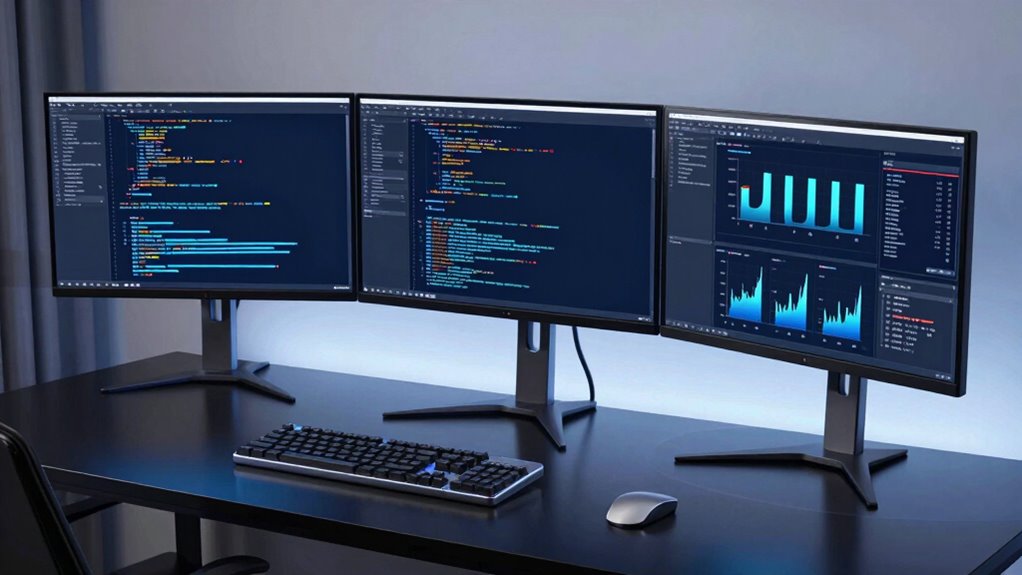

If you’re searching for a monitor for coding, your priorities likely include screen size, resolution, color accuracy, and eye comfort. The ViewSonic VS2725-2K stands out as the best overall for its balanced 27-inch size, QHD resolution, and smooth 100Hz refresh rate. The BenQ PD2706QN offers superb color calibration for design-heavy coding tasks, while the Samsung 49” Curved Ultrawide provides ample real estate for multitasking. These options illustrate the key tradeoffs: larger screens often cost more and can be overwhelming in small spaces, while higher resolutions demand more powerful hardware. Keep reading for a detailed breakdown to find the best fit for your setup.

Get audio and creator gear delivered free with Prime
- Fast, free delivery on millions of items
- Prime Video, Amazon Music and more included
- Member-only deals all year
Complete the kit



Key Takeaways
- Top monitors balance size, resolution, and refresh rate for smooth productivity.
- Color accuracy is critical for development involving design or media work.
- UltraWide screens excel at multitasking but can be too large for some desks.
- Higher resolutions (4K) improve clarity but require more powerful hardware.
- Adjustability and eye-care features reduce strain during long coding sessions.




| monitor for coding | Resolution | Refresh Rate | Response Time | HDR |
|---|---|---|---|---|
| ViewSonic VS2725-2K 27 Inch 14 | 2560 x 1440 (QHD) | 100Hz | — | — |
| Dell 27 Plus Monitor | 1920 x 1080 (FHD) | 144Hz | 1ms | — |
| Dell 27 Plus QHD Monitor | 2560 x 1440 (QHD) | 144Hz | 1ms MPRT | — |
| LG 32U631A-B 32-inch QHD IPS C | 2560 x 1440 (QHD) | 100Hz | 5ms (GTG) | HDR10 |
| Dell 34 Monitor S3425DW | WQHD | 120Hz | 0.03ms | Yes |
| BenQ PD2706QN 27” 2K QHD IPS M | 2560×1440 (QHD) | 100Hz | — | — |
| BenQ Programming Monitor RD280 | 4K+ | 120Hz | — | — |
| LG 27US500-W Ultrafine Monitor | 3840×2160 (4K UHD) | — | — | HDR10 |
| Samsung 34" ViewFinity S50GC S | 3440 x 1440 (WQHD) | 100Hz | 5ms | HDR10 |
| LG 34WR55QK-B 34-inch UltraWid | 3440 x 1440 (WQHD) | 100Hz | 5ms | HDR10 |
| Samsung 49” Business Curved Ul | Dual QHD | 120Hz | — | VESA DisplayHDR 400 |
| Alienware 34 Curved Gaming Mon | WQHD | 180Hz | 1ms gray to gray | VESA DisplayHDR 400 |
| BenQ RD320U 32” 4K Programming | 3840×2160 (4K) | — | — | — |
More Details on Our Top Picks
ViewSonic VS2725-2K 27 Inch 1440p Computer Monitor, QHD 100Hz Display
The ViewSonic VS2725-2K stands out for its crisp 1440p resolution and vibrant IPS panel, making it ideal for developers who spend long hours coding with eye comfort features like Flicker-Free and Blue Light Filter. Compared to the Dell S2725HSM, it offers better color fidelity and wider viewing angles, but its adaptive sync is limited to 75Hz, which may impact smoothness in fast-paced coding demos or multitasking. Its ultra-thin, frameless design enhances multi-monitor setups, yet it requires multiple cables for daisy chaining, adding complexity. This monitor is perfect for coders who value visual clarity and multitasking aesthetics, but those seeking integrated speakers or higher refresh rates might look elsewhere.
Pros:- High-quality 2K resolution with vibrant colors and wide viewing angles
- Sleek, frameless design enhances multi-monitor setups
- Eye care features reduce fatigue during long coding sessions
Cons:- Adaptive sync limited to 75Hz, less smooth for fast motion
- No built-in speakers, requiring external audio devices
- Requires multiple cables for multi-monitor configuration
Best for: Developers and multimedia creators who prioritize vibrant visuals and wide viewing angles
Not ideal for: Gamers needing higher refresh rates above 75Hz or users wanting built-in audio
- Size:27 inches
- Resolution:2560 x 1440 (QHD)
- Refresh Rate:100Hz
- Panel Type:IPS
- Design:Frameless, ultra-thin bezels
- Connectivity:HDMI, DisplayPort, DisplayPort-out
- Eye Care:Flicker-Free, Blue Light Filter
- Warranty:3 years
Our verdict“This monitor suits coders who want a visually appealing, ergonomic display with excellent color and wide angles, accepting some limitations in refresh rate and connectivity.”
Dell 27 Plus Monitor – S2725HSM – 27-inch FHD (1920×1080) 144Hz 1ms Display, HDMI, Speakers, Adjustable Stand, AMD FreeSync
The Dell S2725HSM offers a 27-inch Full HD display with a rapid 144Hz refresh rate and 1ms response time, making it a strong choice for those who want smooth scrolling and quick responsiveness during coding or casual gaming. Compared with the LG 32U631A-B, it’s smaller but more focused on high performance, especially in fast-moving visuals. Its adjustable stand provides ergonomic comfort, and built-in speakers add convenience. However, its Full HD resolution may feel limiting for detailed coding work or multi-window multitasking, and it lacks USB-C, which could be a downside for modern setups. This monitor is best for programmers who prioritize smoothness and affordability, but not for those needing higher resolution or extensive USB connectivity.
Pros:- High refresh rate and fast response time for smooth visuals
- Ergonomic, adjustable stand for comfort
- Built-in dual 3W speakers for convenience
Cons:- Limited to Full HD resolution, less screen space for multitasking
- No USB-C port, reducing compatibility with newer devices
- Brightness may be insufficient in bright rooms
Best for: Budget-conscious developers and gamers who need fast response and smooth visuals
Not ideal for: Professionals requiring high-resolution displays for detailed coding or media editing
- Screen Size:27 inches
- Resolution:1920 x 1080 (FHD)
- Refresh Rate:144Hz
- Response Time:1ms
- Contrast Ratio:1500:1
- Viewing Angle:178 degrees
- Display Technology:LCD
- Ports:2 x HDMI
Our verdict“Ideal for budget-focused users who want fast, responsive visuals without the need for 4K resolution or extensive ports.”
Dell 27 Plus QHD Monitor – S2725DSM
The Dell S2725DSM delivers a 27-inch QHD resolution with 144Hz refresh rate and 1ms response time, offering sharp visuals suitable for detailed coding and multitasking. Compared to the ViewSonic VS2725-2K, it provides a similar resolution with a focus on ergonomic adjustments and integrated speakers, but lacks the ultra-slim frameless design. It’s well-suited for users who want crisp visuals with smooth performance, yet it doesn’t specify USB hub features or higher brightness levels, which could limit use in very bright environments. This monitor makes the most sense for developers who prioritize clarity and responsiveness while maintaining a comfortable workspace.
Pros:- High refresh rate and fast response time for smooth visuals
- Adjustable stand for ergonomic comfort
- Built-in dual 3W speakers for multimedia
Cons:- Limited to 27 inches, may not fit all desks
- No mention of additional ports or USB hub
- Price point not specified, possibly higher for similar specs
Best for: Coders and multimedia users seeking sharp visuals and adjustable ergonomics
Not ideal for: Users needing a larger screen or extensive connectivity options like USB-C
- Display Size:27 inches
- Resolution:2560 x 1440 (QHD)
- Refresh Rate:144Hz
- Response Time:1ms MPRT
- Speakers:2 x 3W
- Connectivity:HDMI, DisplayPort 1.4
- Adjustability:Height, Tilt, Pivot, Swivel
- Blue Light Reduction:Yes
Our verdict“This monitor is a solid choice for those who want clear visuals with smooth performance in a compact form factor.”
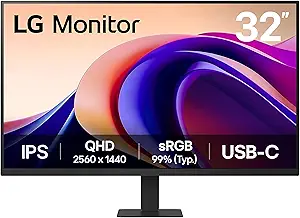
LG 32U631A-B 32-inch QHD IPS Computer Monitor, 100Hz, HDR10, USB Type-C, Black
The LG 32U631A-B offers a sizable 32-inch QHD IPS panel with HDR10 support, making it appealing for programmers who want immersive visuals and wide viewing angles. Its USB Type-C port with 15W power delivery simplifies workspace setup, similar to the Dell S3425DW but with a larger display. Compared to smaller monitors, it provides a more expansive workspace, but its response time of 5ms might be less ideal for fast-paced tasks or gaming. Lack of built-in speakers and the potential size limitations for compact desks should be considered. This model mainly benefits those who prioritize size, color accuracy, and single-cable connectivity for multi-device use.
Pros:- Vivid visuals with wide color coverage and HDR10 support
- USB-C with 15W power delivery for minimal cable clutter
- Large 32-inch screen ideal for multitasking
Cons:- Response time of 5ms may not suit fast gaming
- No built-in speakers mentioned, requiring external audio
- Size may be too large for small desks
Best for: Developers and content creators wanting a large, vivid display with simple connectivity
Not ideal for: Users with limited desk space or needing ultra-fast response times for gaming
- Display Size:32 inches
- Resolution:2560 x 1440 (QHD)
- Refresh Rate:100Hz
- Response Time:5ms (GTG)
- Color Gamut:up to 99% sRGB
- HDR:HDR10
- Connectivity:HDMI, USB Type-C with 15W PD
- Design:Borderless on three sides
Our verdict“This monitor suits those who need a larger, color-rich display with versatile connectivity, accepting moderate response times.”
Dell 34 Monitor S3425DW, WQHD VA, 120Hz, FreeSync Premium, Eye Comfort
The Dell S3425DW is tailored for users who need an expansive 34-inch ultra-wide display with vibrant colors, thanks to its WQHD VA panel and 99% sRGB coverage. Its 120Hz refresh rate and AMD FreeSync Premium support ensure smooth visuals, which is beneficial for multitasking across multiple code windows or watching media. Compared with the ViewSonic 27-inch models, it offers a broader workspace but sacrifices some pixel density in favor of size. Features like HDR readiness and blue light reduction make it suitable for long coding or multimedia sessions. However, the lack of integrated speakers and limited ergonomic adjustments might detract for some users. It’s ideal for those working on complex projects requiring space and color fidelity.
Pros:- Vivid, wide color coverage with HDR support
- Expansive 34-inch ultra-wide format for multitasking
- Smooth 120Hz refresh rate with FreeSync support
Cons:- Limited ergonomic adjustments for height or tilt
- No built-in speakers, requiring external audio setup
- Size may be cumbersome in tight spaces
Best for: Developers and content creators needing an ultra-wide, color-accurate workspace
Not ideal for: Desk spaces too small for 34-inch monitors or users requiring high responsiveness for gaming
- Screen Size:34 inches
- Resolution:WQHD
- Refresh Rate:120Hz
- Response Time:0.03ms
- Color Coverage:99% sRGB, 95% DCI-P3
- Contrast Ratio:3000:1
- HDR:Yes
- Connectivity:USB-C (up to 65W)
Our verdict“This monitor is perfect for users who want a large, immersive workspace with excellent color and smooth performance, accepting some ergonomic compromises.”
BenQ PD2706QN 27” 2K QHD IPS Monitor, Mac-Ready, Factory-Calibrated, 95% P3, 100% sRGB/Rec.709, Anti-Glare Nano Matte, Height Adjustable, 90W USB-C, 100Hz, Daisy Chain
The BenQ PD2706QN stands out for its precise factory calibration and extensive color coverage—95% P3 and 100% sRGB/Rec.709—making it ideal for professional coding where color accuracy matters, especially compared to the LG 27US500-W, which offers excellent visuals but lacks factory calibration. Its Nano Matte anti-glare panel reduces reflections, decreasing eye strain during long sessions, while the ergonomic adjustments ensure comfort. The USB-C with 90W power delivery simplifies desk setup, but the monitor’s weight at 29.3 pounds can be a drawback for repositioning. It doesn’t include multimedia features like speakers, which might matter for some users. Designed for developers and designers needing reliable color fidelity and adjustability, this monitor balances professional-grade performance with user comfort.
Pros:- Excellent factory-calibrated color accuracy with wide P3 and sRGB coverage
- Seamless USB-C connection with 90W power delivery and data transfer
- Multiple ergonomic adjustments for personalized comfort
- Nano Matte surface reduces glare and eye strain
Cons:- Heavy weight at nearly 30 pounds makes repositioning cumbersome
- Limited to 100Hz refresh rate, not suitable for high-end gaming
- Lacks built-in speakers or multimedia features
Best for: Creative professionals and developers who prioritize color accuracy and ergonomic flexibility
Not ideal for: Gamers or users requiring higher refresh rates for smooth gameplay, as this model is limited to 100Hz
- Display Size:27 inches
- Resolution:2560×1440 (QHD)
- Display Technology:IPS LCD
- Contrast Ratio:1000:1
- Refresh Rate:100Hz
- Color Coverage:95% P3, 100% sRGB/Rec.709
Our verdict“This monitor is best suited for professionals who need precise color and ergonomic comfort, rather than gaming or multimedia use.”
BenQ Programming Monitor RD280UG 28.2″ 4K+ 120Hz 3:2 Aspect Ratio Nano Matte Panel MoonHalo Backlight
The BenQ RD280UG excels as a coding monitor thanks to its 28.2-inch 4K+ resolution and 120Hz refresh rate, offering smoother cursor movement and sharper text compared to the LG 27US500-W, which is 4K but limited to 60Hz. Its 3:2 aspect ratio aligns well with coding workflows, providing more vertical space, while the Nano Matte panel minimizes reflections, unlike glossy screens that can cause glare. The MoonHalo backlight enhances eye comfort during extended coding sessions, but the monitor’s adjustable stand details are limited, which could impact ergonomic fine-tuning. Its high price reflects its advanced features, making it less suitable for budget-conscious users. Designed primarily for developers and programmers who need clarity and smooth navigation, it supports longer, more comfortable work sessions.
Pros:- High-resolution 4K+ display with sharp, detailed text and visuals
- 120Hz refresh rate offers smooth cursor and window movement
- 3:2 aspect ratio maximizes vertical space for coding
- Nano Matte panel reduces reflections and glare
Cons:- Limited ergonomic adjustment options may affect comfort
- High price point might be prohibitive for some buyers
- No built-in speakers or multimedia features
Best for: Programmers and developers seeking a high-resolution, smooth experience with reduced reflections
Not ideal for: Casual users or gamers looking for a more versatile or budget-friendly option, as its price and features focus on professional coding
- Size:28.2 inches
- Resolution:4K+
- Refresh Rate:120Hz
- Aspect Ratio:3:2
- Panel Type:Nano Matte
- Backlight:MoonHalo
Our verdict“Perfect for developers who prioritize high resolution, smooth navigation, and reduced reflections during long coding sessions.”
LG 27US500-W Ultrafine Monitor 27-Inch 4K UHD HDR10 IPS Borderless Design
The LG 27US500-W offers vibrant 4K UHD visuals with wide color support, making it a strong choice for creative professionals who need accurate colors and flexible positioning, especially compared to the BenQ PD2706QN which emphasizes calibration over aesthetics. Its HDR10 support enhances contrast and color depth, ideal for visual tasks, but it lacks detailed ergonomic adjustments or built-in speakers, which could reduce comfort during prolonged work. The borderless design provides an immersive viewing experience, yet the absence of advanced calibration features means it might not meet the needs of color-critical workflows. Best suited for designers and content creators prioritizing vivid visuals and sleek design over professional-grade calibration.
Pros:- Vivid 4K UHD resolution with HDR10 support for rich visuals
- Borderless, sleek design enhances immersive viewing
- Ergonomic stand for flexible positioning
- Wide viewing angles due to IPS panel
Cons:- Lacks professional calibration features needed for color-accurate work
- Limited connectivity options and no built-in speakers
- Price may be higher relative to features for casual users
Best for: Creative professionals who want vibrant visuals and a sleek, borderless design for editing and multimedia tasks
Not ideal for: Color-critical professionals or programmers needing precise factory calibration, as this monitor emphasizes visual appeal over color accuracy
- Screen Size:27 inches
- Resolution:3840×2160 (4K UHD)
- Contrast Ratio:1000:1
- Color Gamut:90% DCI-P3
- HDR:HDR10
- Panel Type:IPS
Our verdict“Ideal for multimedia creators and designers who value stunning visuals and a stylish appearance over factory calibration precision.”
Samsung 34″ ViewFinity S50GC Series Ultra-WQHD Monitor, 100Hz, HDR10, AMD FreeSync, Black
The Samsung S50GC offers an expansive 34-inch ultra-wide display with a 21:9 aspect ratio, making it excellent for multitasking and comparing code side by side, surpassing smaller, standard monitors like the BenQ PD2706QN in workspace. Its 100Hz refresh rate is sufficient for smooth visuals, though not for gaming, and HDR10 support provides richer colors. The monitor’s eye-care features, including flicker-free technology and blue light reduction, help reduce fatigue during long coding marathons. However, the curved design may not suit everyone’s taste, and the lack of built-in speakers limits all-in-one convenience. It’s best for users who want a broad visual canvas for productivity rather than detailed color-critical work.
Pros:- Large 34-inch ultra-wide screen enhances multitasking and side-by-side coding
- HDR10 support with vibrant colors
- Blue light reduction and flicker-free for comfort during extended sessions
- Multiple input options including HDMI and DisplayPort
Cons:- Curved design might not suit all preferences or workflows
- No built-in speakers, limiting all-in-one use
- Limited to 3440×1440 resolution, not 4K
Best for: Developers and multitaskers who need a wide, immersive workspace for coding, testing, and comparison tasks
Not ideal for: Users seeking a standard-sized, color-accurate monitor or those with limited desk space, as its ultra-wide form requires more room
- Size:34 inches
- Resolution:3440 x 1440 (WQHD)
- Refresh Rate:100Hz
- Response Time:5ms
- HDR:HDR10
- Color Support:Over 1 billion colors
Our verdict“Best for programmers and professionals needing extensive screen real estate for multitasking and code comparison.”
LG 34WR55QK-B 34-inch UltraWide WQHD Curved Monitor with Adjustable Stand
The LG 34WR55QK-B delivers a flexible, curved 34-inch monitor with a 3440×1440 resolution, ideal for multitasking, casual gaming, and professional use. Its adjustable stand with tilt and height modifications ensures comfort, similar to the BenQ PD2706QN’s ergonomic features but with a wider screen space. The 100Hz refresh rate and HDR10 support provide smooth visuals and vibrant images, yet it doesn’t include the professional calibration features found in the BenQ or the ultra-high resolution of the RD280UG. Its curved design appeals to many but might not suit users who prefer flat screens for precise work. It’s a well-rounded choice for those needing a large, adaptable display for varied tasks.
Pros:- Wide 34-inch curved display for immersive multitasking
- Adjustable stand for tilt and height customization
- HDR10 support enhances visual vibrancy
- Multiple connectivity options including USB-C, HDMI, and DisplayPort
Cons:- Curved design may not be ideal for all workflows or preferences
- Limited resolution compared to 4K monitors
- Requires software for advanced control features
Best for: Professionals and enthusiasts seeking a large, curved display with flexible ergonomics for diverse work and entertainment
Not ideal for: Color-critical tasks requiring exact calibration or users with limited desk space, as it emphasizes versatility over specific professional features
- Screen Size:34 inches
- Resolution:3440 x 1440 (WQHD)
- Refresh Rate:100Hz
- Response Time:5ms
- HDR:HDR10
- Design:Curved
Our verdict“Suitable for users wanting a large, flexible UltraWide display for multitasking, entertainment, and casual work.”
Samsung 49” Business Curved Ultrawide Dual QHD Computer Monitor, USB-C, DisplayPort, HDMI, 120Hz, VESA DisplayHDR 400, Built-in Speakers, Height Adjustable Stand, Eye Care, LS49C954UANXZA, 2024
This 49-inch curved ultrawide from Samsung stands out for its expansive real estate, making it ideal for multitasking and immersive workflows. Its dual QHD resolution provides sharp detail, rivaling the sharpness of smaller high-res monitors like the BenQ RD320U, but with the added benefit of a massive, single-screen experience. The 120Hz refresh rate and HDR support deliver smooth visuals, although the 120Hz isn’t available in Picture-by-Picture mode, which could limit multitasking fluidity. Connectivity options are versatile, including USB-C with 90W Power Delivery, reducing cable clutter, and built-in speakers simplify setup. However, brightness control is limited when ambient lighting exceeds 200 lux, and additional software is required for advanced multitasking features. This monitor is best suited for professionals who need extensive screen space with flexible connectivity.
Pros:- Massive 49-inch curved display enhances multitasking and immersion
- Versatile connectivity including USB-C with 90W charging reduces desk clutter
- High refresh rate and HDR support for smooth, vibrant visuals
- Built-in speakers save space and simplify setup
Cons:- 120Hz refresh rate unavailable in Picture-by-Picture mode, limiting multitasking performance
- Brightness adjustments are limited under certain ambient lighting conditions
- Requires additional software for advanced multitasking features
Best for: Productivity-focused professionals, creative teams, or multitaskers who require a large, immersive screen with flexible connectivity.
Not ideal for: Gamers seeking ultra-fast response times for competitive play, since the refresh rate is limited to 120Hz and certain modes are restricted.
- Display Size:49 inches
- Curvature:1000R
- Aspect Ratio:32:9
- Resolution:Dual QHD
- Refresh Rate:120Hz
- HDR:VESA DisplayHDR 400
- Connectivity:DisplayPort, HDMI, USB-C, USB
- Power Delivery:90W via USB-C
- Built-in Speakers:Yes
Our verdict“This monitor makes the most sense for professionals who prioritize workspace size and flexible connectivity over gaming speed or ultra-bright displays.”
Alienware 34 Curved Gaming Monitor – AW3425DWM
This 34-inch ultrawide from Alienware is designed for gamers who crave responsiveness and vibrant visuals. Its WQHD resolution paired with a 180Hz refresh rate and 1ms response time ensures smooth, lag-free gameplay, outperforming many standard gaming monitors like the Dell S2725HSM in speed and responsiveness. The 1500R curved display enhances immersion, while DCI-P3 95% coverage and VESA DisplayHDR 400 certification provide vibrant, cinematic colors. The monitor includes eye strain reduction features, making long gaming sessions more comfortable. A potential downside is its size, which might not fit smaller gaming setups, and it could be costly for budget-conscious buyers. Still, for those focused on competitive gaming or immersive experiences, this monitor offers remarkable performance.
Pros:- Ultra-wide 34-inch curved display for immersive gaming
- High 180Hz refresh rate and 1ms response time for responsiveness
- Vibrant colors with DCI-P3 95% coverage and HDR support
- Eye strain reduction features for extended play
Cons:- Large size may not suit all gaming environments or desks
- Premium price tag may be a barrier for budget buyers
- Limited ergonomic adjustments could affect long-term comfort
Best for: Competitive gamers or enthusiasts seeking high refresh rates, fast response times, and vibrant visuals for immersive gameplay.
Not ideal for: Casual users or those with limited space, as its large, curved design may not fit all setups or be necessary for non-gaming tasks.
- Size:34-inch
- Resolution:WQHD
- Refresh Rate:180Hz
- Response Time:1ms gray to gray
- Curve Radius:1500R
- Color Coverage:DCI-P3 95%
- HDR:VESA DisplayHDR 400
- Adaptive Sync:AMD FreeSync Premium, VESA Adaptive Sync
Our verdict“This monitor is ideal for serious gamers who prioritize speed, responsiveness, and immersive visuals above all else.”
BenQ RD320U 32” 4K Programming Monitor with Nano Matte Panel and Eye-Care Technology
This 32-inch 4K monitor from BenQ is tailored for programmers and multimedia users who need crisp visuals and reduced reflections. Its Nano Matte Panel minimizes glare, making it easier to work in varied lighting conditions, unlike glossy screens that can cause distractions. The coding modes with dark and light themes help reduce eye strain during extended coding sessions, which sets it apart from standard monitors like the LG 27US500-W. Its 2000:1 contrast ratio yields vivid visuals, and the adjustable backlight enhances focus. However, as a renewed product, it might have limited warranty or unknown longevity, and it’s less tailored for gaming or fast-paced tasks. This monitor makes sense for users emphasizing visual clarity and eye comfort during prolonged work.
Pros:- Nano Matte Panel reduces reflections for clearer visuals
- Coding modes with themes reduce eye strain during long sessions
- High contrast ratio and customizable backlight boost visual clarity
- Large 32-inch 4K display offers detailed workspace
Cons:- Potentially limited warranty or unknown durability as a renewed product
- Designed primarily for programming and office work, less suited for gaming
- Lack of detailed ergonomic adjustment options
Best for: Programmers, content creators, and professionals needing detailed, large-format 4K visuals with glare reduction.
Not ideal for: Fast-paced gamers or users seeking highly adjustable ergonomic features, since details on stand flexibility are limited.
- Display Size:32 inches
- Resolution:3840×2160 (4K)
- Contrast Ratio:2000:1
- Panel Type:Nano Matte
- Power:90W USB-C
- Features:Coding Modes, Night Hours Protection, Eye-Care
Our verdict“This monitor is best suited for professionals prioritizing visual clarity and eye comfort over fast response times or gaming features.”

How We Picked
The monitors in this roundup were selected based on a combination of performance, build quality, usability, and value. We prioritized displays with high resolution, accurate color reproduction, and ergonomic features that support long coding sessions. Refresh rate and response time were considered for those who also game or multitask intensely. Our ranking reflects how well each monitor balances these factors for coding workflows, with special attention to user comfort, size, and connectivity options. Products are ordered to highlight the best overall options first, followed by those excelling in specific categories or price points.Factors to Consider When Choosing Monitor For Coding
Choosing the right monitor for coding involves more than just picking the largest or highest-resolution screen. You’ll want to consider factors that enhance comfort and productivity, especially during long hours. Understanding the importance of screen size, resolution, and ergonomic features can prevent common pitfalls like eye strain or cramped workspaces. This guide explores key considerations to help you select a monitor that aligns with your workflow and space constraints.Size and Screen Real Estate
Size directly impacts your workspace and multitasking ability. Monitors between 27 and 34 inches strike a good balance for most desk setups, offering enough space to view multiple windows comfortably. UltraWide monitors further expand your workspace but require a larger desk and can be overwhelming if space is limited. Remember, a screen that’s too large for your desk can cause head and neck strain, so measure your space carefully before choosing a size.
Resolution and Clarity
Higher resolutions like 1440p (QHD) or 4K deliver sharper text and images, improving readability and reducing eye fatigue. However, 4K monitors demand more powerful graphics hardware, which could add to your total cost. For most coders, QHD strikes a good compromise, providing clear visuals without overwhelming your system. Keep in mind that scaling settings become important at higher resolutions to prevent tiny text and UI elements.
Ergonomics and Eye Care
Look for adjustable stands, height, tilt, and swivel features, which help position the monitor optimally for comfort. Eye-care technologies like flicker-free backlighting and blue light filters reduce fatigue during long coding sessions. Monitors with curved screens can also improve viewing angles, especially on larger displays. Prioritizing ergonomics helps prevent strain and boosts productivity over extended periods.
Color Accuracy and Panel Type
If your coding work involves UI/UX design or media, color accuracy becomes essential. IPS panels typically provide better color reproduction and wider viewing angles compared to VA or TN panels. For standard coding, the panel type is less critical, but a good-quality IPS monitor ensures consistent visuals. Beware of cheaper displays with poor contrast ratios, which can cause eye strain and hinder visual clarity.
Connectivity and Additional Features
Look for monitors with versatile ports like USB-C, HDMI, and DisplayPort to connect easily with your hardware. USB-C can simplify your workspace by providing power, data, and video through a single cable. Extra features like built-in speakers, KVM switches, and multiple USB hubs add convenience, especially if you work with multiple devices. Be mindful of the total cost, as extra features can sometimes inflate the price without adding much value for coding alone.
Frequently Asked Questions
Is a 4K monitor necessary for coding?
A 4K monitor offers sharper text and more workspace, which can be beneficial for detailed UI work or multitasking. However, it also demands a more powerful GPU and may require scaling adjustments for comfortable reading. For most programmers, a QHD display provides a good balance of clarity and performance, making 4K an optional feature rather than a necessity.
Should I prioritize an ultra-wide monitor for coding?
Ultra-wide monitors excel at multitasking, allowing you to view multiple windows simultaneously without switching. This setup can significantly boost productivity, especially for complex projects. However, they tend to be larger and more expensive, so consider your desk space and budget. If you often work with multiple apps or terminals, an ultra-wide could be a worthwhile investment.
What refresh rate is ideal for coding monitors?
While higher refresh rates like 100Hz or 120Hz are mainly beneficial for gaming, they also contribute to smoother scrolling and reduced flickering, which can lessen eye strain during long coding sessions. Standard monitors with 60Hz are sufficient for most programming tasks, but if you also game or do video editing, opting for a higher refresh rate adds extra comfort.
How important is color accuracy for coding?
Color accuracy is crucial if your work involves designing interfaces or working with media files. Monitors with IPS panels and high coverage of color spaces like sRGB or DCI-P3 deliver consistent, vibrant colors. For typical coding without visual design, good color accuracy is still a plus for reducing eye fatigue and ensuring clarity in text and code snippets.
Should I invest in ergonomic features or additional ports?
Ergonomic features such as adjustable height, tilt, and swivel are vital for maintaining comfort during long hours of coding. Likewise, extra ports like USB-C or multiple USB hubs streamline your workspace and connect peripherals easily. While these add to the cost, they offer significant convenience and help prevent discomfort, making them a wise investment for serious developers.
Conclusion
For general programming and everyday use, the ViewSonic VS2725-2K offers a balanced mix of size, resolution, and affordability, making it the best overall pick. If you prioritize color accuracy for UI or design work, the BenQ PD2706QN is ideal. Budget-conscious buyers should consider the Dell 27 Plus FHD for solid performance at a lower price. Those with limited space or multitasking needs might find the Samsung 34” Ultrawide or LG 34WR55QK best suited, while professionals seeking top-tier clarity and features should look at the BenQ RD320U or LG 27UK650-W for premium performance. Your choice depends on your specific workflow, workspace, and budget constraints.Halloween Picks
halloween
As an affiliate, we earn on qualifying purchases.