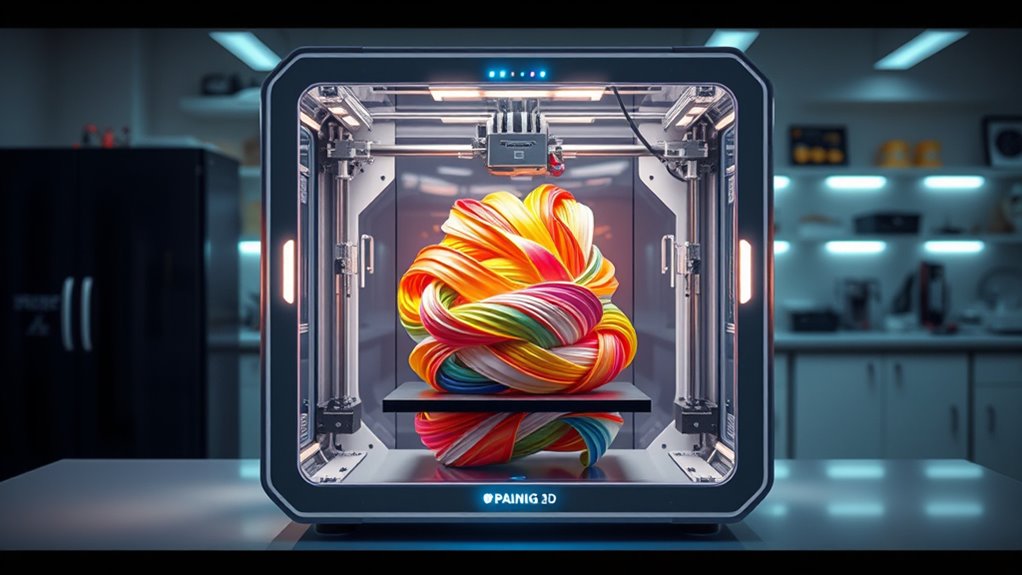

Multimaterial 3D printers can combine colors or materials in one print, but the way they switch filaments shapes the experience. I’d put the Snapmaker U1 first for its four-toolhead system and fast tool changes; the Bambu Lab P2S Combo stands out for an integrated printer-and-AMS setup, while the Anycubic Kobra S1 Combo adds active filament drying. The main tradeoff is between tool-changing flexibility and the convenience of a filament-feeding system, with setup, material handling, and waste also affecting the fit. Read on for how the six options differ and which one suits your work.

Get audio and creator gear delivered free with Prime
- Fast, free delivery on millions of items
- Prime Video, Amazon Music and more included
- Member-only deals all year
Complete the kit


Key Takeaways
- The Snapmaker U1’s four-toolhead design is the clearest fit for buyers who want to switch among multiple materials or colors without relying on a single nozzle to change filament.
- Bambu Lab’s P2S Combo and P1S Combo pair a printer with an AMS, making them natural picks for buyers who value an integrated multicolor workflow over a separate toolhead for every material.
- The Anycubic Kobra S1 Combo adds active filament drying, a useful distinction for moisture-sensitive filament, though its multicolor setup still depends on filament feeding.
- The FlashForge AD5X and Anycubic Kobra X offer four-color printing in different packages; compare their calibration and setup approach rather than treating color count as the whole story.
- Multicolor capability does not automatically mean efficient multimaterial printing: switching method, purge waste, filament compatibility, and the materials a project actually needs matter as much as the headline color count.
| Snapmaker U1 3D Printer, 4-Toolhead with 5-Second Tool Changer, Multi-Color Printing |  | Best for Fast Material Changes | Toolhead system: 4 independent toolheads with 5-second automatic tool changer | Build volume: 270 x 270 x 270 mm | Maximum printing speed: 500 mm/s | VIEW ON AMAZON | See Our Full Breakdown |
| Bambu Lab P2S Combo, P2S 3D Printer & AMS 2 Pro, Multi-Color 3D Printing |  | Best for Filament Care | Included system: P2S printer and AMS 2 Pro | Print speed: Up to 600 mm/s | Setup time: 15 minutes | VIEW ON AMAZON | See Our Full Breakdown |
| FlashForge AD5X Multi-Material 3D Printer with Multi-Color Printing and Auto-Calibration |  | Best Compact Four-Color Pick | Print speed: 600 mm/s | Acceleration: 20,000 mm/s² | Color printing: Four colors simultaneously | VIEW ON AMAZON | See Our Full Breakdown |
| Anycubic Kobra S1 Combo Multi-Color 3D Printer with Active Filament Drying, 600mm/s High Speed CoreXY, Fully Enclosed & Auto Leveling, 4-Color Printing, Smart App Control |  | Best Enclosed Multi-Color System | Printing technology: CoreXY | Maximum speed: 600 mm/s | Color capability: Four colors; up to eight with two ACE Pro units | VIEW ON AMAZON | See Our Full Breakdown |
| Bambu Lab P1S Combo 3D Printer with AMS, Multi-Color Printing |  | Best for Established AMS Workflows | Color capacity: Up to 16 colors | Print speed: 500 mm/s | Acceleration: 20,000 mm/s² | VIEW ON AMAZON | See Our Full Breakdown |
| Anycubic Kobra X Multicolor 3D Printer, Easy Setup, Native 4-Color |  | Best for Expandable Color Capacity | Print volume: 260 × 260 × 260 mm | Native color capacity: 4 colors | Expanded color capacity: Up to 19 colors with additional modules | VIEW ON AMAZON | See Our Full Breakdown |
| multimaterial 3d printer | Print speed |
|---|---|
| Snapmaker U1 3D Printer | — |
| Bambu Lab P2S Combo | Up to 600 mm/s |
| FlashForge AD5X Multi-Material | 600 mm/s |
| Anycubic Kobra S1 Combo Multi- | — |
| Bambu Lab P1S Combo 3D Printer | 500 mm/s |
| Anycubic Kobra X Multicolor 3D | — |
More Details on Our Top Picks
Snapmaker U1 3D Printer, 4-Toolhead with 5-Second Tool Changer, Multi-Color Printing
The Snapmaker U1 is a strong fit for buyers who want four independent toolheads for multi-material work without relying on a single nozzle to swap filaments repeatedly. Its five-second tool changer helps reduce changeover delays and purge waste, while automatic toolhead offset calibration addresses a common source of alignment trouble. Compared with the Bambu Lab P1S Combo, which uses an AMS system to feed multiple filaments, the U1’s separate toolheads make frequent material changes its defining advantage. Its 270 mm cube build volume and broad listed material support also give it room for larger, varied projects. The tradeoff is a more involved setup than the P1S Combo, and its footprint and learning curve may be excessive for occasional, simple prints.
Pros:- Four independent toolheads support multi-material and multi-color printing.
- Five-second automatic tool changes can reduce waiting and filament purge waste.
- Automatic toolhead offset calibration helps keep colors and materials aligned.
- 270 x 270 x 270 mm build volume and broad listed filament compatibility support varied projects.
Cons:- Four-toolhead setup may take more learning than the Bambu Lab P1S Combo’s AMS workflow.
- The 270 mm cube build volume requires substantial dedicated space.
- The listed material range does not specify printer temperature limits or material-specific operating guidance.
Best for: Makers who regularly combine materials or colors in larger prints and want independent toolheads to limit changeover waste.
Not ideal for: First-time buyers seeking the simplest setup, or hobbyists with limited workspace who mostly print single-material models.
- Toolhead system:4 independent toolheads with 5-second automatic tool changer
- Build volume:270 x 270 x 270 mm
- Maximum printing speed:500 mm/s
- Supported materials:PLA, PVA, TPU, PETG, PCTG, ABS, ASA, PA, PC
- Calibration:Automatic toolhead offset calibration
- Connectivity:Remote app control
- Warranty:1 year
Our verdict“Choose the Snapmaker U1 if frequent, lower-waste changes among several materials matter more than a simpler setup or a compact printer.”
Bambu Lab P2S Combo, P2S 3D Printer & AMS 2 Pro, Multi-Color 3D Printing
The P2S Combo stands out for pairing AMS 2 Pro multi-material feeding with built-in filament drying, a useful combination for buyers whose material choices include moisture-sensitive spools. The stated 65 °C drying temperature gives the drying feature a concrete role beyond color switching, while quick setup and automatic calibration help reduce initial tinkering. Compared with the Bambu Lab P1S Combo, the P2S Combo adds drying through its AMS 2 Pro and lists a higher maximum speed of 600 mm/s rather than 500 mm/s. That extra equipment also makes the system more dependent on the included AMS: the P2S printer by itself does not support multi-color printing. Buyers should check that they are choosing the Combo, and expect some learning around its more involved features.
Pros:- AMS 2 Pro enables multi-color and multi-material printing.
- Built-in filament drying reaches a stated 65 °C.
- Automatic calibration and stated 15-minute setup help shorten initial setup.
- Listed maximum speed of 600 mm/s is higher than the P1S Combo’s 500 mm/s.
Cons:- The P2S printer alone does not support multi-color printing; that requires the AMS 2 Pro.
- The multi-part setup and feature set may take time for beginners to learn.
- The supplied specifications do not state build volume or supported filament types.
Best for: Makers who print multi-color projects with moisture-sensitive filament and want drying integrated into the material-feeding setup.
Not ideal for: Buyers who want a multi-color-capable standalone printer, or beginners who prefer a simpler workflow with fewer connected features.
- Included system:P2S printer and AMS 2 Pro
- Print speed:Up to 600 mm/s
- Setup time:15 minutes
- Filament drying:Built into AMS 2 Pro
- Filament drying temperature:65 °C
- Chamber temperature:50 °C
- Multi-color support:Yes with AMS 2 Pro; P2S printer alone does not support multi-color printing
Our verdict“Choose the P2S Combo if you want AMS-based multi-material printing plus integrated filament drying, and are comfortable with a connected system.”
FlashForge AD5X Multi-Material 3D Printer with Multi-Color Printing and Auto-Calibration
The AD5X is the lineup’s space-conscious option for buyers who want four-color printing without the larger listed footprint of the Snapmaker U1. At 22 pounds and about 14.8 x 16.26 x 14.29 inches, it is easier to place in a crowded work area, while full auto-leveling and vibration compensation target first-layer consistency and print quality at speed. Its listed 600 mm/s maximum matches the Anycubic Kobra S1 Combo, but the AD5X’s stated material list is narrower and focuses on PLA, TPU, PETG, silk, and carbon-fiber-filled PLA or PETG. That makes it a more clearly bounded choice than the Snapmaker’s broader material list. The main uncertainty is practical: no build volume is provided, so buyers cannot readily judge project size before choosing it.
Pros:- Four-color printing supports multi-color projects in a compact listed footprint.
- Full auto-leveling sensor reduces manual bed setup.
- Vibration compensation is included to help maintain print quality at speed.
- Listed compatibility includes PLA, TPU, PETG, silk, PLA-CF, and PETG-CF.
Cons:- Build volume is not specified, making it difficult to confirm whether larger parts will fit.
- Its listed material range is narrower than the Snapmaker U1’s.
- Warranty and connectivity details are not provided.
Best for: Makers with limited bench space who want four-color printing for PLA, TPU, or PETG projects and value automated leveling.
Not ideal for: Buyers who need a confirmed build volume, a stated warranty, or broad support for engineering materials such as ABS, ASA, PA, or PC.
- Print speed:600 mm/s
- Acceleration:20,000 mm/s²
- Color printing:Four colors simultaneously
- Dimensions:14.8 x 16.26 x 14.29 inches
- Weight:22 pounds
- Material compatibility:PLA, TPU, PETG, silk, PLA-CF, PETG-CF
- Bed setup:Full auto-leveling sensor
Our verdict“Pick the AD5X for compact four-color printing with automated leveling, but verify its build capacity before planning larger multi-material parts.”
Anycubic Kobra S1 Combo Multi-Color 3D Printer with Active Filament Drying, 600mm/s High Speed CoreXY, Fully Enclosed & Auto Leveling, 4-Color Printing, Smart App Control
The Kobra S1 Combo combines four-color printing with a fully enclosed CoreXY design and built-in filament drying, making it a more all-in-one proposition than the compact FlashForge AD5X. Its listed 600 mm/s maximum speed, auto-leveling, and app or LAN control aim to reduce hands-on setup, while two ACE Pro units can expand the stated color capability to eight. That expansion matters for users creating more elaborate color-coded parts, but it also adds system complexity: the product notes that ACE Pro and ACE 2 Pro cannot operate simultaneously. Compared with the Bambu Lab P1S Combo, the Kobra S1 explicitly lists built-in drying and a fully enclosed design, though the supplied details do not name supported materials. Buyers should confirm filament compatibility and be ready to work through a more complex setup.
Pros:- Fully enclosed CoreXY design pairs with multi-color printing in one system.
- Built-in filament drying can help with moisture-sensitive spools.
- Two ACE Pro units can support up to eight colors.
- Auto-leveling, vibration compensation, and smart app or LAN control reduce some manual steps.
Cons:- ACE Pro and ACE 2 Pro cannot be used simultaneously, limiting equipment combinations.
- The setup may be challenging for absolute beginners.
- The supplied product data does not specify supported filament types or build volume.
Best for: Makers who want an enclosed printer with drying, app control, and the option to expand from four colors to as many as eight.
Not ideal for: Absolute beginners who want a straightforward setup, or buyers who need clearly stated material compatibility before choosing filaments.
- Printing technology:CoreXY
- Maximum speed:600 mm/s
- Color capability:Four colors; up to eight with two ACE Pro units
- Enclosure:Fully enclosed
- Filament drying:Built-in drying parameters
- Auto-leveling:Yes
- Control:Smart app and LAN
- Accessory compatibility:ACE Pro and ACE 2 Pro cannot be used simultaneously
Our verdict“Choose the Kobra S1 Combo if you want an enclosed, drying-equipped multi-color setup with an eight-color expansion path and can manage its system constraints.”
Bambu Lab P1S Combo 3D Printer with AMS, Multi-Color Printing
The P1S Combo is a straightforward choice for buyers who want AMS-based multi-color printing in an enclosed printer, with automatic bed leveling and a stated 15-minute setup. It supports up to 16 colors and lists a broad range of filaments, including PLA, PETG, TPU, PVA, PET, ABS, and ASA, with PA and PC listed as capable. That breadth gives it a different appeal from the FlashForge AD5X, whose stated materials focus on PLA, TPU, and PETG variants. The P1S is rated to 500 mm/s, below the 600 mm/s listed for the P2S Combo and Kobra S1 Combo, but its stated material guidance is more detailed. Multi-color printing depends on connecting the AMS, and carbon- or glass-fiber-reinforced polymers are not recommended, so it is not the pick for every demanding material job.
Pros:- AMS supports up to 16 colors for varied multi-color projects.
- Enclosed design and automatic bed leveling reduce routine setup steps.
- Listed filament support includes PLA, PETG, TPU, PVA, PET, ABS, and ASA.
- Stated 15-minute setup is shorter than a more involved toolhead system such as the Snapmaker U1.
Cons:- Multi-color printing requires connection to the AMS.
- Carbon- and glass-fiber-reinforced polymers are not recommended.
- Its listed 500 mm/s speed is below the 600 mm/s figures for the P2S Combo and Kobra S1 Combo.
Best for: Makers who want an enclosed, quick-to-set-up AMS printer for projects spanning multiple colors and common filaments such as PLA, PETG, and ABS.
Not ideal for: Users focused on carbon- or glass-fiber-reinforced filaments, or buyers who want multi-color printing without connecting an AMS.
- Color capacity:Up to 16 colors
- Print speed:500 mm/s
- Acceleration:20,000 mm/s²
- Design:Enclosed
- Setup time:15 minutes
- Supported filaments:PLA, PETG, TPU, PVA, PET, ABS, ASA; PA and PC listed as capable
- Reinforced filament guidance:Carbon- and glass-fiber-reinforced polymer not recommended
Our verdict“Choose the P1S Combo for an enclosed, AMS-based multi-color workflow with clearly listed everyday filament options, but skip it for reinforced-fiber materials.”
Anycubic Kobra X Multicolor 3D Printer, Easy Setup, Native 4-Color
The Kobra X earns its place for buyers who want multimaterial flexibility that can grow: it prints with four colors natively, with expansion to as many as 19 colors when paired with additional modules. That gives it a broader stated color ceiling than the four-color Snapmaker U1, though the U1’s four-toolhead setup and quick tool changes are a different approach to managing materials. The Kobra X also lists compatibility with flexible and rigid filaments, plus a 300°C nozzle, which opens up more material options than color count alone suggests. Its 600mm/s maximum speed and LeviQ 3.0 bed leveling are useful for faster workflows and simpler first-layer setup. The tradeoff is that reaching beyond the built-in four colors requires extra hardware, and the listing does not include filament spools. I’d choose it for expansion potential, not for a ready-to-go 19-color package.
Pros:- Native four-color printing, expandable to as many as 19 colors with additional modules
- Supports flexible and rigid filament types
- 300°C nozzle temperature supports a broader range of filament choices
- LeviQ 3.0 auto bed leveling helps simplify first-layer setup
Cons:- Expansion beyond four colors requires separately added modules
- Filament spools are not included
- The listed 600mm/s maximum speed does not by itself establish print quality at that rate
Best for: Makers and classroom buyers who want native four-color printing now, with the option to add modules for larger multicolor projects later.
Not ideal for: Buyers who want an enclosed printer or expanded color hardware included from the start; the Kobra X’s stated expansion depends on additional modules, and no enclosure is listed.
- Print volume:260 × 260 × 260 mm
- Native color capacity:4 colors
- Expanded color capacity:Up to 19 colors with additional modules
- Maximum speed:600 mm/s
- Maximum nozzle temperature:300°C
- Connectivity:Wi-Fi (2.4G/5G), LAN
- Dimensions:23 × 13 × 22 in
- Weight:20.9 lb
Our verdict“Choose the Kobra X if you want a fast, level-assisted four-color printer with a stated path to as many as 19 colors, and can budget for expansion modules separately.”

How We Picked
I ranked these printers by how well their disclosed features support repeatable multimaterial or multicolor work, not by color count alone. I gave weight to the switching approach, filament handling, enclosure and drying features, calibration or setup support, and how clearly the product is positioned for a buyer who wants more than single-material printing. A dedicated multi-toolhead system can reduce reliance on filament swaps, while an AMS-style system can make color changes more integrated; each approach brings different workflow tradeoffs.
The order reflects those differences and the range of buyer needs. The Snapmaker U1 leads for its four-toolhead design and stated five-second tool changer, while the Bambu Lab combos rank strongly for buyers seeking printer-and-filament-system bundles. I placed the remaining models by their specific strengths—such as active drying, auto-calibration, or native four-color capability—while accounting for setup demands and the fact that product listings do not establish identical material compatibility or waste performance. Buyers should check current manufacturer documentation for supported filaments and workflow requirements before choosing.
Factors to Consider When Choosing Multimaterial 3d Printers
Before choosing a machine, I’d match the switching system to the kind of prints you actually plan to make. A model that excels at color accents may not be the best fit for parts combining materials with different temperature or handling needs.
Choose the Switching Method for the Job
A printer can change color by feeding different filaments through one print path or by switching among separate toolheads. A filament system can keep a multicolor workflow consolidated, but frequent swaps may involve purging material and adding print time. Multiple toolheads can make dedicated materials easier to keep ready, though they add mechanical complexity and may call for more setup or upkeep. Don’t assume that “multicolor” means every material pairing is supported. Check how the printer handles nozzle temperatures, tool changes, and filament loading for the combinations you intend to use.
Separate Color Printing From True Material Mixing
Many buyers use “multimaterial” to mean printing several colors, but using distinct engineering materials in one part is a more demanding task. Filaments may need different nozzle temperatures, bed conditions, cooling, or enclosure temperatures. Some combinations also bond poorly, even when a printer can physically feed both materials. Start with the manufacturer’s supported-material guidance and look for evidence that the materials are compatible at their interface. If your aim is soluble supports, flexible hinges, or a rigid-and-soft part, prioritize those use cases over a broad color count.
Estimate Waste and Time Before Buying
Every material change can add actions to a print, and single-nozzle systems may need to purge old filament before laying down a new color. That can increase print time and consume material, especially on models with frequent color changes across many layers. A design with a few large color regions may be more practical than one with tiny alternating details. Tool-changing systems can reduce some of the burdens tied to filament swapping, but the real result depends on the printer’s workflow and the model. For recurring projects, check whether the slicer gives you useful control over purge settings and whether the estimated print time fits your schedule.
Treat Drying and Storage as Part of the Setup
Filament condition can affect print quality independently of the printer’s switching system. Moisture-sensitive materials may need drying and sealed storage, so an included drying feature can reduce extra equipment and handling. It does not remove the need to follow the filament maker’s drying guidance or to store spools properly after use. Buyers printing mostly with common, dry filament may get less value from active drying than those using materials that readily absorb moisture. Plan for spool storage, loading space, and the number of materials you want ready at once.
Budget Time for Calibration and Maintenance
Automation can make setup less demanding, but it does not make a multimaterial printer maintenance-free. Different toolheads or filament paths can add points to inspect, while calibration features may help reduce manual adjustments before a job. Think about how often you expect to swap materials and whether you are comfortable troubleshooting feed issues or tuning a slicer. A beginner may prefer a supported, integrated workflow even if it offers less hardware flexibility. An experienced maker may accept more setup work in exchange for a switching method that better matches specialized prints.
Compare the Complete Workflow, Not Just the Printer
Multimaterial printing depends on the printer, its feeder or toolheads, slicer, and available filament profiles working together. Before buying, check what comes in the bundle and whether the listed accessories are needed for the advertised multicolor function. Review supported spool sizes, the number of materials that can be prepared at once, and how the software assigns colors or materials to a model. A capable machine can still be a poor match if its workflow does not fit your existing design tools or preferred filament. When comparing bundles, focus on what is included and supported rather than assuming similar names mean equivalent systems.
Frequently Asked Questions
Is a four-toolhead printer better than an AMS-style system for multimaterial prints?
Neither approach is automatically better; the right choice depends on how often your prints switch materials and what those materials are. Separate toolheads can keep different filaments ready and avoid some single-nozzle swapping steps, while an AMS-style setup offers an integrated way to feed multiple filaments. The toolhead route can bring more mechanical complexity, and a feeder-based route may involve purging and longer color-change sequences. For parts using distinct material types, verify temperature and bonding compatibility before choosing either system. Compare the workflow for your actual models, not just the number of colors listed.
Can these printers combine flexible and rigid filament in one part?
That depends on the specific filament pair, printer configuration, and slicer workflow; a multicolor feature alone does not confirm flexible-and-rigid compatibility. Flexible filament can require different feed handling from rigid materials, and the two materials must bond well enough for the part’s intended use. Check the manufacturer’s supported materials and any limits on the feed system or toolheads. If the combination is not documented, treat it as an experiment rather than a guaranteed capability. For a functional part, test a small sample before committing to a long print.
Will multicolor printing use much more filament than a single-color print?
It can, especially when one nozzle switches repeatedly between colors and must clear the previous filament before printing the next one. Models with many small color regions can create more purge material than designs with broad, separate color areas. Tool-changing designs use a different switching approach, so their waste profile may differ, but buyers should not assume waste disappears. Preview the slicer’s material and time estimates before printing, then consider redesigning parts to reduce unnecessary changes. For frequent production, compare waste on representative models rather than relying on a general claim.
Should I choose a printer with active filament drying if I mostly print PLA?
If PLA is your main material and you store it carefully, active drying may be less important than an easy multicolor workflow or reliable calibration. Drying becomes more useful when you plan to use filaments that absorb moisture readily or keep spools loaded for extended periods. It also adds a feature whose benefit depends on following the material maker’s drying instructions and storing filament well afterward. The Anycubic Kobra S1 Combo is the standout in this group for its stated active drying, but that feature should not outweigh material compatibility or the switching method you need. Choose based on your regular filament mix, not a hypothetical future project.
What should a beginner check before buying a multimaterial 3D printer?
Look beyond the advertised color count and check whether the multicolor hardware, required accessories, and slicer workflow are included and clearly supported. Auto-calibration or an integrated printer-and-feeder bundle can reduce setup friction, but neither removes the need to learn filament loading and print preparation. Confirm which materials the manufacturer supports and whether your planned colors or materials require special settings. Also check how the system handles failed feeds and whether replacement parts or guidance are available. A beginner is usually better served by a straightforward documented workflow than by the most complex hardware arrangement.
Conclusion
Best overall: I’d choose the Snapmaker U1 for buyers whose priority is a dedicated multi-toolhead approach and fast tool changes. Best value-oriented fit: the FlashForge AD5X is worth considering if you want four-color capability with auto-calibration, while checking the exact bundle and supported workflow. Best premium-style integrated option: the Bambu Lab P2S Combo pairs its printer with an AMS 2 Pro for buyers who prefer a coordinated system. Best for beginners: the Bambu Lab P1S Combo offers a printer-and-AMS package for those seeking an integrated starting point. For moisture-sensitive filament, look at the Anycubic Kobra S1 Combo; for native four-color printing with easy setup as a stated focus, compare the Anycubic Kobra X. My final choice would hinge on whether your projects need dedicated toolheads, an AMS-style color workflow, or a particular filament-handling feature.
Halloween Picks
halloween
As an affiliate, we earn on qualifying purchases.