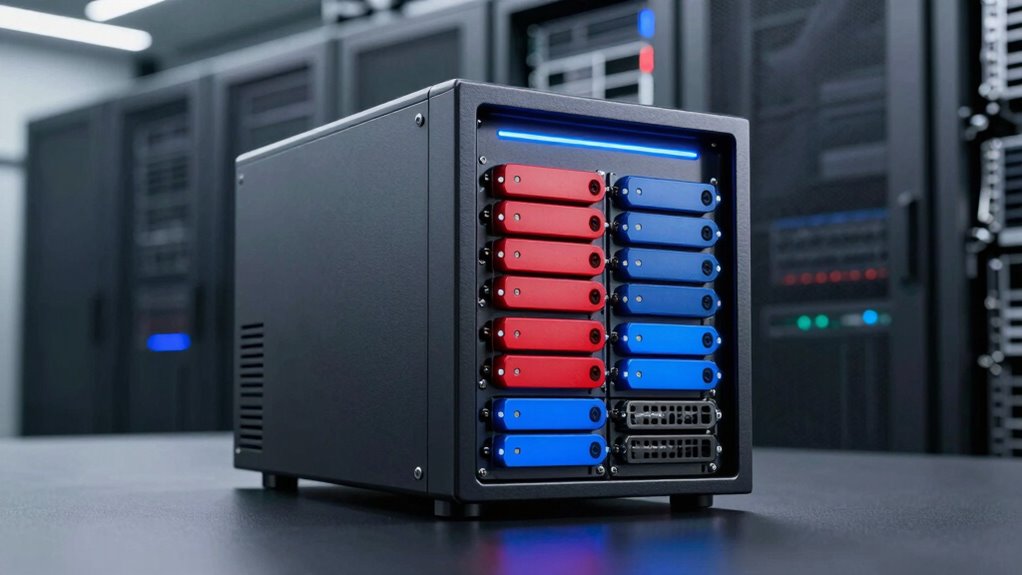

When searching for a nas rackmount solution, the key considerations often involve performance, expandability, and ease of management. The Synology 8-Bay RackStation RS1221RP+ stands out as the best overall choice thanks to its reliability and robust feature set. For those prioritizing speed, the QNAP TS-832PXU-4G offers high-speed networking with dual 10GbE ports, making it ideal for demanding applications. Meanwhile, the QNAP TS-435XeU provides a compact, short-depth option for space-constrained setups. Each of these options balances different tradeoffs—whether it’s cost, expandability, or form factor—so continue reading for a detailed breakdown to find your best fit.

Get audio and creator gear delivered free with Prime
- Fast, free delivery on millions of items
- Prime Video, Amazon Music and more included
- Member-only deals all year
Complete the kit


Key Takeaways
- The top-ranked models excel in expandability and performance, but often come with higher costs.
- Compact rackmount options like the QNAP TS-435XeU are perfect for space-limited environments, though they may sacrifice some expansion capabilities.
- Diskless models, such as the Synology RS1221RP+ and RS822+, offer flexibility but require additional drives and setup effort.
- High-speed networking features, like dual 10GbE ports, are increasingly standard among premium models for demanding workflows.
- Price often correlates with features—more advanced hardware and expandability come at a premium, but offer better future-proofing.
| Synology 8-Bay RackStation RS1221RP+ (Diskless) |  | Best Overall for High-Performance Multi-User Environments | Number of Bays: 8 | Performance: Up to 2,315 MB/s read, 1,147 MB/s write | Depth: 399 mm | VIEW ON AMAZON | See Our Full Breakdown |
| Synology 8 Bay RackStation RS1221+ (Diskless) |  | Best for Small Business Data Management with High Availability | Number of Bays: 8 | Performance: Up to 2,315 MB/s read, 1,147 MB/s write | Form Factor: 2U rackmount | VIEW ON AMAZON | See Our Full Breakdown |
| QNAP TS-464eU 4-Bay 1U Short Depth Rackmount NAS |  | Best for Compact Spaces and Multimedia Streaming | Processor: Intel Quad-core up to 2.9 GHz | RAM: 8GB | Number of Bays: 4 | VIEW ON AMAZON | See Our Full Breakdown |
| QNAP TS-832PXU-4G 8-Bay High-Speed SMB Rackmount NAS with Dual 10GbE and 2.5GbE Ports |  | Best for High-Speed SMB Networking and Expandability | Processor: ARM Cortex-A57 quad-core 1.7GHz | RAM: 4GB DDR4 (max 16GB) | Drive Bays: 8 x 3.5-inch SATA | VIEW ON AMAZON | See Our Full Breakdown |
| QNAP TS-435XeU 4-Bay Short Depth Rackmount NAS |  | Best for Future-Proof Performance and Expandability | Processor: ARM Cortex-A72 2.2 GHz | RAM: 4GB DDR4, expandable up to 32GB | Network Ports: Dual 10GbE, Dual 2.5GbE | VIEW ON AMAZON | See Our Full Breakdown |
| Synology 4-Bay Rackmount NAS RackStation RS422+ (Diskless), Black |  | Best for Small Offices Needing Space-Saving Performance | Brand: Synology | Model Number: RS422+ | Item Type: SAN/NAS Storage System | VIEW ON AMAZON | See Our Full Breakdown |
| QNAP TS-855eU 8-Bay 2U Rackmount NAS |  | Best for Power Users Needing Expandable Performance | Processor: Intel Atom C5125 8-core 2.8GHz | RAM: 8GB DDR4 (expandable to 64GB) | Network Ports: Dual 2.5GbE | VIEW ON AMAZON | See Our Full Breakdown |
| Synology 4-Bay RackStation RS822+ (Diskless) |  | Best for Growing Businesses Needing High Throughput and Expandability | Drive Bays: 4 | Maximum Drives: 8 | Network Ports: 4 x 1GbE | VIEW ON AMAZON | See Our Full Breakdown |
| nas rackmount | Form Factor | Network Ports | Number of Bays | Warranty |
|---|---|---|---|---|
| Synology 8-Bay RackStation RS1 | — | — | 8 | — |
| Synology 8 Bay RackStation RS1 | 2U rackmount | — | 8 | 3 years |
| QNAP TS-464eU 4-Bay 1U Short D | 1U Short Depth Rackmount | Dual 2.5GbE | 4 | — |
| QNAP TS-832PXU-4G 8-Bay High-S | Rackmount | 2 x 2.5GbE, 2 x 10GbE SFP+ | — | — |
| QNAP TS-435XeU 4-Bay Short Dep | Short Depth Rackmount | Dual 10GbE, Dual 2.5GbE | — | — |
| Synology 4-Bay Rackmount NAS R | Rackmount 1U | Dual 1GbE | 4 | 3 years |
| QNAP TS-855eU 8-Bay 2U Rackmou | Rackmount 2U | Dual 2.5GbE | — | Not specified |
| Synology 4-Bay RackStation RS8 | Rackmount | 4 x 1GbE | — | Not specified |
More Details on Our Top Picks
Synology 8-Bay RackStation RS1221RP+ (Diskless)
The Synology RS1221RP+ stands out for its exceptional data transfer speeds, reaching up to 2,315 MB/s read and 1,147 MB/s write, making it ideal for demanding multi-user setups. Its compact design with short depth allows flexible rack placement, and support for clustering enhances high availability, minimizing downtime. Compared to the QNAP TS-832PXU-4G, which offers high-speed networking but less throughput, the RS1221RP+ prioritizes raw performance and redundancy. However, this model is diskless, requiring users to purchase drives separately, and its setup can be complex for those without technical expertise. This NAS is perfect for enterprise environments or large teams needing fast, reliable storage with minimal downtime.
Pros:- High data transfer speeds suitable for demanding environments
- Compact design with short depth for flexible installation
- Supports clustering for high availability
Cons:- Requires additional disks to operate
- No included network card, needs compatible upgrade
- Setup complexity for non-technical users
Best for: IT professionals managing large multi-user environments with high performance demands
Not ideal for: Home users or small offices seeking an easy, all-in-one setup without additional drive costs
- Number of Bays:8
- Performance:Up to 2,315 MB/s read, 1,147 MB/s write
- Depth:399 mm
- Network Compatibility:PCIe SFP+ or RJ-45 network card
- Cluster Support:Yes
Our verdict“This model is best for organizations needing fast, reliable, and highly available storage infrastructure.”
Synology 8 Bay RackStation RS1221+ (Diskless)
The Synology RS1221+ offers a 2U rackmount form factor with 8 bays, delivering outstanding throughput of up to 2,315 MB/s read and 1,147 MB/s write, comparable to the RS1221RP+. Its support for high availability clustering makes it attractive for small businesses aiming for maximum uptime. The 298 mm depth makes it suitable for tight server racks, and flexible network options allow upgrades via PCIe slots. Compared with the QNAP TS-464eU, which emphasizes multimedia and compactness, the RS1221+ focuses on enterprise-grade reliability. The main drawback is that it’s diskless, so buyers must purchase drives separately, and the setup may be intimidating for less experienced users. This NAS fits well for small businesses prioritizing uptime and high performance with room for future expansion.
Pros:- High throughput matching demanding workloads
- Supports high availability clustering
- Compact 2U form factor ideal for limited space
Cons:- Requires additional drives to utilize full capacity
- Complex setup for users unfamiliar with NAS configurations
Best for: Small business owners needing high-availability storage solutions
Not ideal for: Home users or those seeking a simple, out-of-the-box NAS without additional drive investment
- Number of Bays:8
- Performance:Up to 2,315 MB/s read, 1,147 MB/s write
- Form Factor:2U rackmount
- Depth:298 mm
- Warranty:3 years
Our verdict“This NAS is suited for small businesses that require reliable, high-performance storage with minimal downtime.”
QNAP TS-464eU 4-Bay 1U Short Depth Rackmount NAS
The QNAP TS-464eU excels in environments where space is limited, thanks to its 1U short depth design, making it ideal for small offices or dedicated media setups. Its quad-core Intel CPU up to 2.9 GHz and 8GB RAM support multitasking and intensive applications. Dual 2.5GbE ports facilitate fast network transfer, and the inclusion of M.2 SSD slots for cache acceleration boosts performance further. Compared with the larger Synology RS1221+, which emphasizes high throughput, the TS-464eU prioritizes compactness and multimedia capabilities. Its limited RAM (8GB) may hinder heavy workloads unless upgraded, and HDMI output is limited to 4K at 30Hz. This makes it better suited for multimedia streaming and small-scale file sharing rather than continuous high-volume data processing.
Pros:- Compact 1U rackmount suitable for tight spaces
- Fast dual 2.5GbE network ports
- Supports 4K media playback and real-time transcoding
- M.2 SSD slots for cache acceleration
Cons:- Limited to 8GB RAM, may require upgrade for heavy tasks
- HDMI limited to 4K @30Hz, not ideal for high-demand media applications
Best for: Content creators or multimedia enthusiasts needing space-efficient storage with fast network and media features
Not ideal for: Heavy enterprise workloads or large-scale data backups that require extensive RAM and storage capacity
- Processor:Intel Quad-core up to 2.9 GHz
- RAM:8GB
- Number of Bays:4
- Form Factor:1U Short Depth Rackmount
- Network Ports:Dual 2.5GbE
- SSD Slots:2 M.2 PCIe Gen 3 x1
Our verdict“This NAS is perfect for media-focused users needing a compact, high-performance solution in tight spaces.”
QNAP TS-832PXU-4G 8-Bay High-Speed SMB Rackmount NAS with Dual 10GbE and 2.5GbE Ports
The QNAP TS-832PXU-4G offers significant networking power with dual 10GbE and 2.5GbE ports, ideal for small to medium businesses seeking fast data transfers. Its quad-core ARM Cortex-A57 processor, combined with up to 16GB RAM, provides reliable multitasking and storage management. Compared to the Synology RS1221+, which emphasizes high performance and clustering, the TS-832PXU-4G is tailored toward network speed and scalability, although it requires buyers to purchase drives separately, adding to initial costs. Its setup can be complex for beginners, especially configuring multiple network interfaces. Overall, this unit balances high-speed networking with ample storage capacity, making it suitable for environments with heavy data transfer needs.
Pros:- High-speed dual 10GbE and 2.5GbE connectivity
- Powerful quad-core ARM CPU for efficiency
- Expandable up to 16GB RAM for multitasking
- 8 drive bays for scalable storage
Cons:- Diskless configuration requires additional drives
- Setup can be complex for less experienced users
Best for: SMB IT teams needing versatile, high-speed network storage with expandability
Not ideal for: Home or casual users who do not require advanced networking features or large storage capacity
- Processor:ARM Cortex-A57 quad-core 1.7GHz
- RAM:4GB DDR4 (max 16GB)
- Drive Bays:8 x 3.5-inch SATA
- Network Ports:2 x 2.5GbE, 2 x 10GbE SFP+
- Form Factor:Rackmount
Our verdict“This NAS is ideal for SMBs that prioritize fast network speeds and scalable storage solutions.”
QNAP TS-435XeU 4-Bay Short Depth Rackmount NAS
The QNAP TS-435XeU combines a powerful ARM Cortex-A72 processor with high-speed networking options like dual 10GbE and dual 2.5GbE ports, making it highly suitable for file sharing, backups, and large transfers. Its expandable RAM up to 32GB allows for enhanced performance under heavy workloads. Its short depth design fits well in space-constrained environments, and M.2 NVMe SSD slots facilitate caching for improved speed. Compared with the Synology RS1221+, which emphasizes hardware reliability, the TS-435XeU focuses on raw processing power and future expandability. For beginners, setup might feel complex, especially when managing multiple network interfaces or expanding RAM. Nonetheless, this unit offers a robust platform for demanding business environments.
Pros:- Powerful ARM Cortex-A72 processor
- Dual 10GbE and dual 2.5GbE ports for high-speed networking
- Expandable RAM up to 32GB
- Supports M.2 NVMe SSD cache
Cons:- Setup complexity for less experienced users
- Price may be higher due to advanced features
Best for: IT professionals and advanced users needing high-speed, expandable storage in limited space
Not ideal for: Entry-level users or small offices with simple storage needs
- Processor:ARM Cortex-A72 2.2 GHz
- RAM:4GB DDR4, expandable up to 32GB
- Network Ports:Dual 10GbE, Dual 2.5GbE
- Drive Bays:4
- Form Factor:Short Depth Rackmount
Our verdict“This NAS is well-suited for businesses seeking future-proof performance and expandability in space-limited environments.”
Synology 4-Bay Rackmount NAS RackStation RS422+ (Diskless), Black
The Synology RS422+ stands out for its compact 1U design, making it ideal for small businesses or home labs with limited rack space. Compared to the larger Synology RS822+, it offers high-speed data transfer—over 600 MB/s—despite fewer bays—only four. Its dual 1GbE ports support network failover and load balancing, ensuring reliable connectivity. However, the tradeoff lies in its diskless setup and limited capacity, which requires buyers to purchase drives separately and accept a smaller total storage pool. This model is better suited for users who prioritize space efficiency and straightforward network performance over large-scale storage expansion. It’s less ideal for those needing extensive storage or pre-configured drives.
Pros:- High sequential read/write speeds supporting fast data transfers
- Compact 1U rackmount design saves valuable space
- Dual 1GbE ports enable failover and load balancing
- Easy to upgrade with plug-and-play network modules
Cons:- No included drives, increasing initial setup cost
- Limited to 4 bays, not suitable for large storage needs
- Requires familiarity with NAS setup and management
Best for: Small business owners or home lab enthusiasts needing high-speed, space-efficient NAS with reliable network connectivity
Not ideal for: Large enterprises or users requiring extensive storage capacity out of the box, as it supports only 4 bays and requires drive purchase
- Brand:Synology
- Model Number:RS422+
- Item Type:SAN/NAS Storage System
- Number of Bays:4
- Form Factor:Rackmount 1U
- Network Ports:Dual 1GbE
- Supported Transfer Speed:Over 601/516 MB/s sequential read/write
- Warranty:3 years
Our verdict“This NAS is perfect for small setups needing space-saving high performance, provided you’re comfortable managing drives separately.”
QNAP TS-855eU 8-Bay 2U Rackmount NAS
The QNAP TS-855eU is designed for demanding environments, offering an 8-bay configuration in a 2U chassis with a robust Intel Atom C5125 processor. Its support for up to 64GB RAM and dual 2.5GbE ports makes it a strong choice for high-performance data management. Compared with the Synology RS822+, it emphasizes raw processing power and expansion options, including PCIe slots for additional cards and NVMe SSD support for caching. The setup may be complex for beginners, and the absence of included drives means additional hardware costs. This model suits users who require substantial processing and expansion flexibility, but it’s less ideal for those seeking an out-of-the-box, simple solution.
Pros:- Powerful Intel Atom C5125 processor for demanding workloads
- Supports up to 64GB DDR4 RAM for heavy multitasking
- Dual 2.5GbE ports for fast network connectivity
- Supports NVMe SSD caching and PCIe expansion for customization
Cons:- Setup can be complex for those unfamiliar with enterprise NAS systems
- No included drives, increasing initial investment
- Higher power consumption and larger physical footprint compared to smaller units
Best for: IT professionals or advanced users needing high processing power with extensive expandability
Not ideal for: Small businesses or less experienced users who prefer straightforward, plug-and-play NAS solutions, due to setup complexity
- Processor:Intel Atom C5125 8-core 2.8GHz
- RAM:8GB DDR4 (expandable to 64GB)
- Network Ports:Dual 2.5GbE
- SSD Slots:2 M.2 PCIe NVMe
- Expansion Slots:2 PCIe Gen 3 x4
- Form Factor:Rackmount 2U
- Maximum Drives:8
- Warranty:Not specified
Our verdict“Ideal for tech-savvy users seeking a flexible, high-performance NAS with extensive upgrade options, but not suited for simple or budget-conscious setups.”
Synology 4-Bay RackStation RS822+ (Diskless)
The Synology RS822+ combines high throughput with flexible storage options in a 4-bay configuration, supporting up to 8 drives with an expansion unit. Its four 1GbE ports with failover and load balancing make it a reliable choice for businesses scaling up their data storage needs. Compared to the RS422+, it offers significantly higher throughput—over 2,100 MB/s—making it more suitable for high-demand environments. However, as a diskless model, it entails additional drive costs and doesn’t include SSD cache, which could boost performance. This NAS is best for growing organizations that need reliability and performance, but it might be overkill for small or home setups with modest requirements.
Pros:- Exceptional sequential read/write speeds supporting demanding applications
- Expandable from 4 to 8 drives with an expansion unit
- Multiple network ports with failover and load balancing
- High reliability for business-critical data
Cons:- Requires separate purchase of drives, increasing setup costs
- No included SSD cache, which could enhance performance
- Larger physical footprint and higher power usage compared to smaller units
Best for: Mid-sized businesses or expanding teams needing high throughput and future-proof storage capacity
Not ideal for: Small offices or home users who don’t require such high performance or plan to keep capacity modest, due to higher initial drive costs
- Drive Bays:4
- Maximum Drives:8
- Network Ports:4 x 1GbE
- Expansion Unit Support:Yes
- Throughput:Over 2,103/1,074 MB/s
- Features:Network failover, load balancing, optional SSD cache
- Form Factor:Rackmount
- Warranty:Not specified
Our verdict“This NAS provides robust performance and expandability for growing companies, but demands a larger budget for drives and setup.”

How We Picked
I evaluated these NAS rackmount options based on several critical factors: performance capabilities, expandability, build quality, ease of use, and value for money. I prioritized models that are suitable for professional or small business environments, where reliability and speed matter most. The ranking also considers user flexibility, such as drive configurations and network options, along with the manufacturer’s reputation for support and firmware updates. Products were selected to represent a range of budgets and needs, from entry-level to high-end enterprise solutions, to provide a comprehensive overview for different buyers.| nas rackmount | Processor |
|---|---|
| Synology 8-Bay RackStation RS1 | — |
| Synology 8 Bay RackStation RS1 | — |
| QNAP TS-464eU 4-Bay 1U Short D | Intel Quad-core up to 2.9 GHz |
| QNAP TS-832PXU-4G 8-Bay High-S | ARM Cortex-A57 quad-core 1.7GHz |
| QNAP TS-435XeU 4-Bay Short Dep | ARM Cortex-A72 2.2 GHz |
| Synology 4-Bay Rackmount NAS R | — |
| QNAP TS-855eU 8-Bay 2U Rackmou | Intel Atom C5125 8-core 2.8GHz |
| Synology 4-Bay RackStation RS8 | — |
Factors to Consider When Choosing Nas Rackmount
Choosing the right NAS rackmount involves balancing several key factors. Beyond raw hardware specs, consider your specific storage needs, future expansion plans, and network environment. Making a mistake like underestimating your storage growth can lead to costly upgrades down the line. Conversely, overspending on features you don’t need can waste budget. A thoughtful approach ensures you pick a model that offers the best mix of performance, scalability, and ease of management for your context.Performance and Processing Power
Look for models with sufficient CPU and RAM to handle your workload. Basic file sharing requires less power, but intensive tasks like media streaming, virtualization, or large backups demand higher specs. Overlooking this can cause slowdowns and bottlenecks. Consider future needs—buying a slightly more powerful model now can extend its usefulness and reduce the need for frequent upgrades.
Expandability and Drive Bays
The number of drive bays determines your storage capacity and flexibility. Many models allow for expansion via external enclosures or additional drives, but some are more limited. If you anticipate data growth or need redundancy, choose a model with more bays or support for expansion cards. Skipping this consideration might mean outgrowing your NAS sooner than expected, leading to additional costs and complexity.
Network Connectivity
Fast, reliable network connections are vital for NAS performance. Dual 10GbE ports are increasingly common among higher-end options, enabling link aggregation and faster data transfer. For smaller setups, a single Gigabit port may suffice, but it can create bottlenecks as data loads increase. Ensure your network infrastructure supports these speeds to maximize your NAS investment.
Ease of Use and Management
User-friendliness impacts setup and ongoing management. Models with intuitive interfaces, comprehensive apps, and strong manufacturer support save time and reduce frustration. Conversely, complex setups might require technical expertise, which could be a barrier for small teams or less experienced users. Balancing features with usability is key to a smooth experience.
Price and Value
Pricing varies widely based on capacity, features, and brand reputation. While cheaper models may seem attractive, they often lack advanced features or scalability. Conversely, premium options offer robust hardware but at a higher cost. Consider your budget against your current and future needs, aiming for a balanced investment that provides longevity and performance.
Frequently Asked Questions
How do I choose the right number of drive bays for my NAS?
The number of drive bays directly impacts your storage capacity and potential for expansion. For small setups or if you plan to use the NAS mainly for backups, 4 bays might suffice. Larger environments or those requiring extensive data storage should consider 8 or more bays, allowing for RAID configurations and future growth. Remember, more bays mean higher upfront costs but greater flexibility over time.
Is it worth investing in dual 10GbE ports for my NAS?
Dual 10GbE ports significantly boost transfer speeds, especially useful for users transferring large files, streaming high-definition media, or hosting virtual machines. If your network infrastructure supports these speeds, investing in a NAS with dual 10GbE can future-proof your setup. However, if your current network cannot leverage these ports, the added cost might not be justified immediately.
Should I buy a diskless NAS or one with drives pre-installed?
Diskless NAS units provide flexibility to select your own drives, which can be advantageous for custom setups or when upgrading existing drives. They also tend to be less expensive initially. However, they require additional effort to install drives and configure. Pre-installed drives simplify setup but limit your choice of drives and may come at a premium, so consider your technical comfort and future upgrade plans.
How important is brand reputation when choosing a NAS rackmount?
Brand reputation matters because it reflects the manufacturer’s track record for quality, support, and firmware updates. Trusted brands like Synology and QNAP are known for reliable hardware and active communities, which can be invaluable if issues arise. Lesser-known brands might offer cheaper options but could lack support or firmware longevity, potentially leading to higher maintenance costs over time.
Can I upgrade my NAS later if I need more storage or features?
Many NAS models support expansion through additional drives or external enclosures, but the extent varies. Check if the model allows for drive replacement or expansion cards, which can extend its lifespan. Keep in mind that some features, like network ports or processing power, are fixed and cannot be upgraded through hardware. Planning for future needs during your initial purchase helps avoid costly replacements later.
Conclusion
For buyers seeking the best overall performance and reliability, the Synology 8-Bay RackStation RS1221RP+ is the ideal choice, especially for small to medium-sized businesses. Those prioritizing speed and networking should consider the QNAP TS-832PXU-4G for its high-speed connectivity. Budget-conscious users or those new to NAS rackmounts may find the Synology RS822+ or the QNAP TS-435XeU better suited. Space-limited environments will appreciate the compact form factor of the short-depth models, while enterprise users requiring extensive scalability should look at the larger 8-bay solutions. Ultimately, your decision should align with your current needs and future growth plans.
As an affiliate, we earn on qualifying purchases.Halloween Picks
halloween