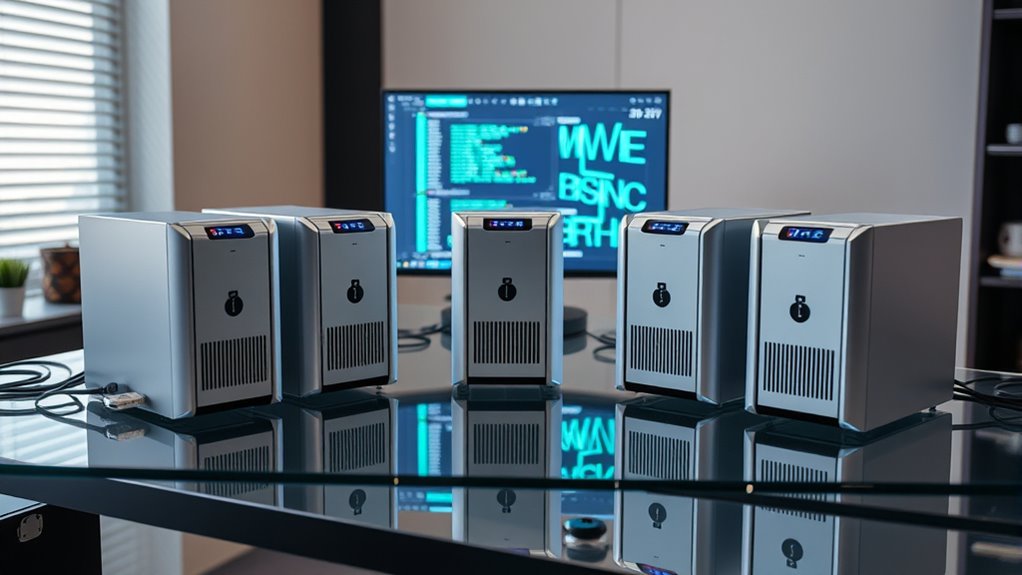

I’ve found the top five NAS storage devices of 2026 that guarantee seamless data management for home and business users. They include powerful options like the UGREEN 4-Bay NAS with 8GB RAM, the Buffalo LinkStation with 4TB pre-installed drives, the versatile UGREEN NASync DH2300, and flexible Synology models like the DS223j and BeeStation. These devices excel in speed, security, and expandability. Keep going to discover which one best suits your storage needs and how to set them up easily.
Key Takeaways
- Opt for high-performance NAS devices with fast transfer speeds (up to 125MB/s) and robust processors for seamless data handling.
- Prioritize models with scalable storage, expandable RAM, and multiple drive bays to future-proof your data management.
- Select NAS units with advanced security features like AES-256 encryption and multi-factor authentication to protect sensitive data.
- Ensure compatibility with various devices and operating systems, along with easy setup options like QR code scanning.
- Consider devices supporting high-speed network interfaces (10GbE, 2.5GbE) and SSD-based storage for optimal performance.
UGREEN 4-Bay NAS with 8GB RAM and SSD
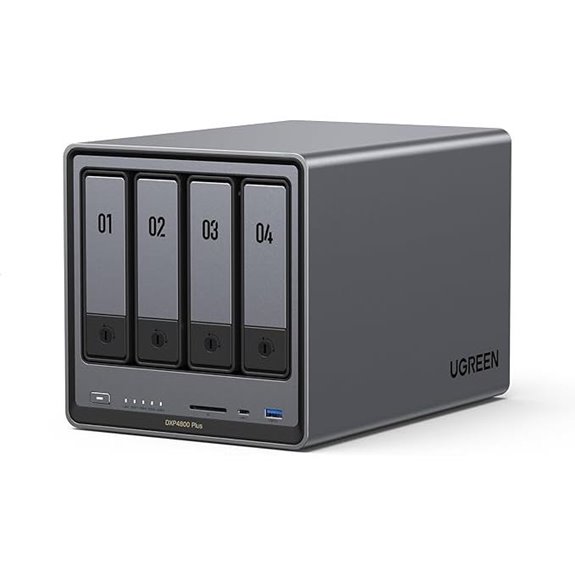
If you’re looking for a reliable and high-performance NAS device in 2026, the UGREEN 4-Bay NAS with 8GB RAM and SSD is an excellent choice. It features an Intel Pentium Gold 8505 5-core processor, 8GB DDR5 RAM, and a 128GB SSD for fast operations. With support for up to 136TB of storage, it handles large media libraries effortlessly. Its dual Ethernet ports—10GbE and 2.5GbE—ensure quick data transfers, while 4K HDMI output allows direct media playback. Plus, its compatibility with third-party drives and advanced security features make it perfect for both personal and professional use.
Best For: individuals and small businesses seeking a high-performance, versatile NAS device with fast data transfer, ample storage, and advanced security features.
Pros:
- Supports up to 136TB storage capacity, ideal for large media libraries and data backups
- Equipped with dual Ethernet ports (10GbE and 2.5GbE) for rapid data transfer speeds
- Features AI-powered photo organization and privacy-focused security options
Cons:
- Hard drives are sold separately, adding to initial setup cost
- Limited to 4 bays, which may restrict expansion for very large data needs
- Advanced features may require technical knowledge for optimal setup and use
Buffalo LinkStation 210 4TB NAS with Hard Drives

The Buffalo LinkStation 210 4TB NAS is an ideal choice for households seeking reliable, centralized storage that simplifies data management. It offers 4TB of storage in a single drive bay, making it easy to back up and share files across multiple devices. Compatible with Windows and macOS, it connects directly to your router for seamless network access. The device emphasizes security with SSL encryption and RAID options for redundancy. It includes management tools like NAS Navigator and PC backup software, ensuring effortless data organization. Built in Japan with a two-year warranty and 24/7 US support, it’s a dependable, user-friendly solution for everyday data needs.
Best For: households and small offices seeking reliable, centralized storage for easy data backup, sharing, and security across multiple devices.
Pros:
- Easy to set up and connect via router for seamless network access
- Supports both Windows and macOS with dedicated management tools
- Features SSL encryption and RAID options for enhanced data security and redundancy
Cons:
- Limited to a single drive bay, which may restrict expandability for growing storage needs
- Lacks advanced media server features found in higher-end models
- Requires a wired network connection; no mention of Wi-Fi capability
UGREEN NASync DH2300 2-Bay Desktop NAS
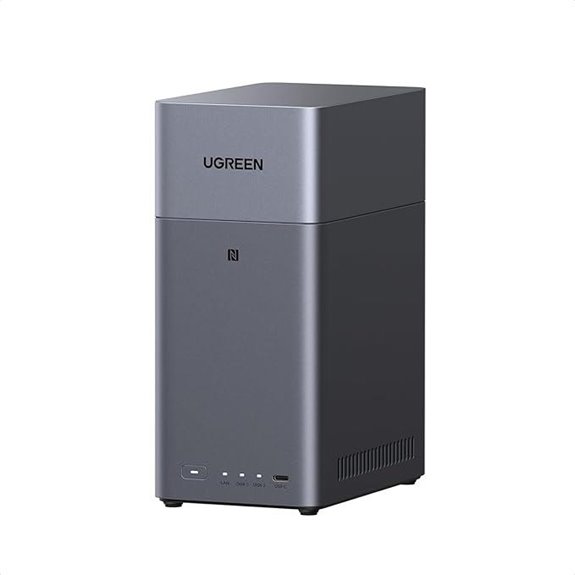
For home users seeking a cost-effective, high-capacity storage solution, the UGREEN NASync DH2300 2-Bay Desktop NAS stands out with support for up to 60TB of storage—perfect for safeguarding millions of photos, songs, or movies without ongoing cloud fees. It’s a long-term alternative to cloud services, with a one-time purchase of around $459.98, including a 12TB HDD, saving thousands over a decade. Powered by a high-performance processor, it offers fast file transfers up to 125MB/s, supports automatic backups across devices, and features AI-powered photo organization. Plus, it ensures data privacy with layered security and local storage, making it ideal for seamless data management at home.
Best For: home users seeking a cost-effective, high-capacity storage solution with easy management and security.
Pros:
- Supports up to 60TB of storage, ideal for large media libraries and documents
- One-time purchase saves money compared to ongoing cloud service fees over years
- Fast file transfer speeds up to 125MB/s and AI-powered organization enhance user experience
Cons:
- Requires initial hardware investment, which may be higher upfront than cloud subscriptions
- Limited to 2 bays, which may not suit users needing extensive expandability
- May require technical familiarity for setup and configuration for some users
Synology 2-Bay DiskStation DS223j (Diskless)
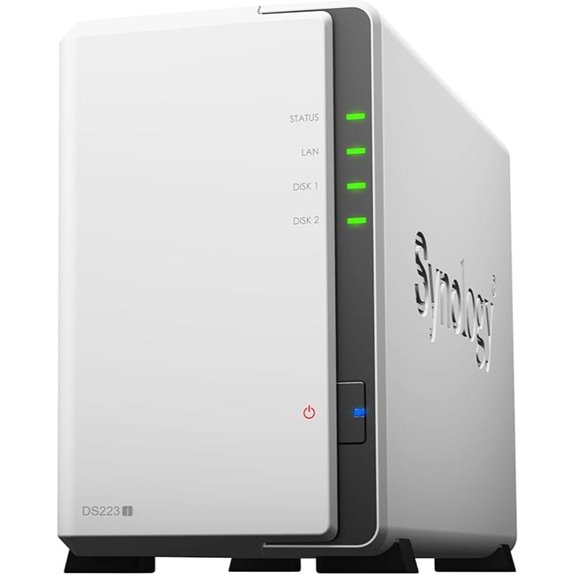
Designed for users who need secure private cloud storage, the Synology 2-Bay DiskStation DS223j (Diskless) delivers reliable data ownership and seamless multi-platform access, making it an ideal choice for small businesses and home users alike. With its diskless design, you can customize your setup with compatible drives, while its robust features enable easy file sharing and syncing across devices. It supports extensive data protection, backing up media libraries and documents to various destinations for safety and recovery. Plus, with a 2-year warranty and helpful support resources, this NAS offers a dependable, flexible solution for managing your data securely from anywhere.
Best For: small businesses and home users seeking a secure, customizable private cloud storage solution with reliable data protection and multi-platform access.
Pros:
- Customizable with compatible drives due to diskless design
- Supports easy file sharing and synchronization across multiple devices
- Includes a 2-year warranty and comprehensive support resources
Cons:
- Requires purchasing and installing compatible drives separately
- May have a learning curve for users unfamiliar with NAS setup
- Limited to two drive bays, which might restrict storage expansion
Synology BeeStation 4TB Personal Cloud Storage Device (BST150-4T) Black
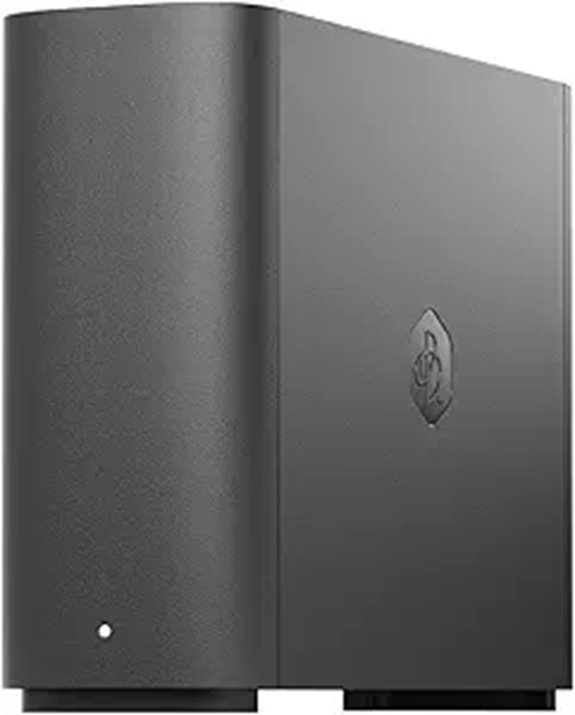
If you’re looking for a straightforward, user-friendly storage solution, the Synology BeeStation 4TB Personal Cloud Storage Device (BST150-4T) is an excellent choice, especially for non-technical users who want to set up their own cloud without hassle. It offers easy setup via a QR code, so no networking or storage expertise is needed. You can store, access, and share files securely across web, desktop, and mobile devices. Plus, it supports multi-user sharing, automatic synchronization, and centralized backups from cloud services like Google Drive and Dropbox. Its sleek black design makes it perfect for personal use, providing simple, flexible, and secure data management.
Best For: non-technical users seeking a simple, secure, and flexible personal cloud storage solution for easy file management and sharing.
Pros:
- Easy setup via QR code, requiring no technical expertise
- Supports multi-device access and automatic synchronization for seamless collaboration
- Centralized backup options from popular cloud services like Google Drive and Dropbox
Cons:
- Limited to 4TB capacity, which may not suffice for heavy data users
- Basic design may lack advanced features found in more complex NAS systems
- Primarily intended for personal use, potentially limiting scalability for larger groups
Factors to Consider When Choosing NAS Storage Devices

When selecting a NAS device, I focus on storage capacity to meet my needs now and in the future. I also consider performance and security features to guarantee smooth, safe operation. Finally, compatibility and ease of setup are key to making a hassle-free choice.
Storage Capacity Needs
Choosing the right NAS storage capacity begins with understanding your current data needs and planning for future growth. I recommend evaluating your existing data volume and projecting how much you’ll need over the next few years. Think about the types of files you’ll store—large video files or extensive databases require more space. Decide if you prefer a diskless NAS that offers flexible drive upgrades or an all-in-one solution with pre-installed drives. Remember, RAID configurations can reduce usable capacity but enhance redundancy, so factor that into your calculations. It’s also vital to match your capacity needs with the maximum supported storage of your chosen NAS device to guarantee scalability. Proper planning now will save you from costly upgrades later.
Performance and Speed
Performance and speed are crucial factors when selecting a NAS storage device, as they directly impact how quickly and efficiently your data is accessed and transferred. High-end models can support speeds up to 125MB/s or more, ensuring fast file transfers. The processor and RAM are essential; more powerful hardware enables the NAS to handle multiple streams and user requests smoothly. Connection interfaces like 10GbE, 2.5GbE, and USB 3.2 also considerably influence transfer speeds, making data movement quicker. SSD-based NAS systems generally outperform traditional HDD units in read/write speeds, reducing wait times during file access. Additionally, internal hardware components, such as support for high RPM hard drives and optimized network hardware, play crucial roles in delivering fast, reliable performance, ensuring your data management remains seamless and efficient.
Security Features
Security features are vital considerations that can especially impact the safety of your data on a NAS device. I look for models that support advanced encryption protocols like AES-256 to safeguard data during storage and transfer. Multi-factor authentication is a must, adding an extra layer of security for user access. I also verify that the device includes built-in firewalls and intrusion detection systems to prevent unauthorized access. Customizable permission and access controls are essential to restrict sensitive data to only authorized users. Additionally, I check for secure remote access options, such as VPN support or encrypted cloud connections, to protect data outside my local network. These features give me confidence that my data remains protected against evolving security threats.
Ease of Setup
When selecting a NAS device, how easy it is to set up can make a big difference in your overall experience. I look for models with intuitive setup methods, like QR code scanning or guided initial configurations, to avoid unnecessary technical hurdles. Clear, step-by-step instructions and user-friendly interfaces are essential, making installation and management straightforward. Plug-and-play connectivity is a huge plus, reducing complex network setup. Devices that support automatic drive detection and include setup wizards help streamline the process, saving time and frustration. Additionally, thorough support resources such as tutorials, FAQs, and responsive customer service are invaluable if I encounter issues. Overall, a simple, guided setup enhances confidence and ensures I can start managing my data quickly and efficiently.
Compatibility Options
Choosing a NAS device requires careful attention to compatibility options to guarantee it works seamlessly with your existing setup. I consider whether it supports my operating systems—Windows, macOS, Android, or iOS—to ensure smooth access across devices. File system support is also essential; some NAS units work best with specific formats like NTFS, HFS+, or exFAT, affecting data sharing. Connectivity options matter too—Ethernet ports such as 1GbE, 2.5GbE, or 10GbE determine network speed, while USB ports expand peripheral compatibility. I also check if the NAS supports third-party drives, considering size, interface, and firmware updates. Finally, compatibility with my network infrastructure, including Wi-Fi standards like Wi-Fi 5 or Wi-Fi 6, influences performance and integration ease.
Cost and Budget
Cost and budget are key factors to contemplate after narrowing down your compatibility needs. NAS devices can range from about $200 for basic models to over $1,000 for high-end options. Remember to consider the initial cost of the unit along with any extra drives or SSDs needed for storage expansion. Some models come with hard drives included, while others require separate purchases, which impacts your overall budget. It’s also important to account for long-term expenses like subscription fees for cloud backups or advanced software features. Striking a balance between features, performance, and affordability ensures you choose a NAS that fits your financial plan without sacrificing essential functionality. Planning carefully helps you avoid overspending while meeting your data management needs effectively.
Frequently Asked Questions
How Secure Are NAS Devices Against Cyber Threats?
NAS devices can be quite secure if you take proper precautions. I always guarantee my NAS uses strong, unique passwords and enable two-factor authentication. Keeping firmware updated is essential, as it patches vulnerabilities. I also set up firewalls and monitor access logs regularly. While no device is completely invulnerable, these steps greatly reduce the risk of cyber threats and keep my data safe and protected.
Can NAS Devices Support Multiple Users Simultaneously?
Think of a NAS device like a busy coffee shop—it’s built to serve multiple people at once. Yes, NAS devices support multiple users simultaneously, allowing everyone to access files without slowing down. I’ve seen modern models handle dozens of connections smoothly, making collaboration effortless. Whether you’re sharing documents or streaming media, these devices are designed to keep everyone connected and productive without hiccups.
What Is the Typical Lifespan of NAS Hardware?
The typical lifespan of NAS hardware is around 3 to 5 years, but it can last longer with proper maintenance. I’ve found that regular updates, cooling, and avoiding power surges help extend its life. Of course, newer models with advanced features tend to last longer, so I recommend keeping an eye on hardware condition and planning for upgrades every few years to guarantee smooth data management.
Are There Eco-Friendly or Energy-Efficient NAS Options Available?
Think of eco-friendly NAS options as the wise trees in a digital forest, quietly saving energy while supporting your data needs. Yes, there are energy-efficient models that use less power, reduce heat, and operate sustainably. I’ve found that selecting NAS devices with low power consumption and energy-saving features helps me stay eco-conscious without sacrificing performance. These green choices make managing data both smart and environmentally friendly.
How Easy Is It to Upgrade or Expand NAS Storage Capacity?
Upgrading or expanding NAS storage is usually straightforward, especially with models that support hot-swappable drives. I just open the drive bay, replace or add drives, and sometimes update the firmware. Many devices also support connecting expansion units via eSATA or Thunderbolt, making it easy to scale storage as needed. I recommend checking your specific NAS model’s compatibility to guarantee a smooth upgrade process.
Conclusion
If you want your data to flow faster than lightning and be safer than Fort Knox, these top NAS devices are your ultimate allies. They’ll turn your storage chaos into a perfectly organized, lightning-fast data empire. Trust me, once you go NAS, you’ll wonder how you ever survived without these powerhouse devices. Get ready to conquer your digital world with storage that’s unstoppable—because your data deserves nothing less than legendary.