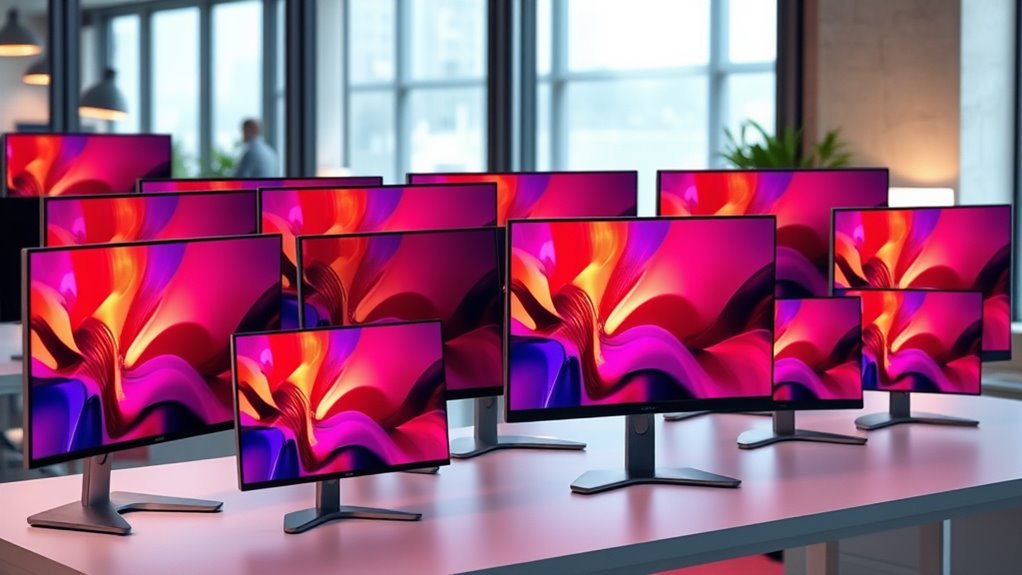

Portable 4K monitors give laptop users extra screen space with sharper detail, but size, brightness, and power needs vary widely. My best overall pick is the ViewSonic VX1655-4K-OLED, which stands out for pairing 4K resolution with OLED contrast. The UPERFECT 16-inch 1200-nit model suits bright environments, while the EVICIV touchscreen adds direct input for users who want more than a standard display. The key tradeoffs are portability versus workspace, and premium picture features versus simpler connectivity and power demands. Read on for the full breakdown and help matching a monitor to your setup.

Get audio and creator gear delivered free with Prime
- Fast, free delivery on millions of items
- Prime Video, Amazon Music and more included
- Member-only deals all year
Complete the kit


Key Takeaways
- The ViewSonic OLED is the standout for picture quality: its OLED panel separates it from the IPS-focused options, though buyers should weigh that distinction against their budget and workflow.
- Brightness is a meaningful differentiator: the two 1200-nit 16-inch listings are better suited to bright settings than models without a stated high-brightness claim.
- Screen size changes portability more than resolution does: the 13.4- and 14-inch options travel more easily, while the 18.5- and 23.8-inch models prioritize workspace.
- Special features narrow the field: EVICIV offers touch input, InnoView offers a dual-monitor foldable design, and the 23.8-inch InnoView adds a larger display with an adjustable stand.
- The MNN is the lineup’s FHD exception: it may suit buyers who need a portable second screen more than 4K detail, but it is not a match for a strict 4K requirement.


| portable 4k monitor | Resolution | Display size | Brightness | Weight |
|---|---|---|---|---|
| ViewSonic VX1655-4K-OLED 16 In | 3840 x 2160 (4K UHD) | 15.6 inches | 400 nits | 1.5 lbs |
| InnoView Portable Dual Monitor | 3840 x 2160 (4K UHD) | 15.6 inches | 300 cd/m² | 3.4 pounds |
| 16-inch 4K Portable Monitor wi | 3840 x 2400 | 16 inches | 1200 nits | — |
| UPERFECT Portable 4K 16-Inch M | 3840 x 2400 | 16 inches | 1200 cd/m² | 1.8 pounds |
| ForHelp True 4K Portable Monit | 3840 x 2160 | 15.6 inches | 400 nits | 1.8 lbs |
| 4K Portable Monitor | 3840 x 2160 | 13.4 inches | 400 nits | 0.99 lbs |
| InnoView 4K Portable Monitor 1 | 3840 x 2160 | 18.5 inches | 400 nits | — |
| InnoView 15.6 inch Portable 4K | 3840 x 2160 | 15.6 inches | — | 1.65 lbs |
| EVICIV Portable 4K Touchscreen | 3840 x 2160 | 15.6 inches | 450 nits | 1.8 pounds |
| 14-inch 4K Portable Monitor wi | 3840 x 2560 | 14 inches | 350 nits | 1.3 lbs |
| InnoView 15.6" Portable Monito | 3840 × 2160 (4K UHD) | 15.6 inches | 300 nits | 1.65 lb |
| Cocopar Portable Monitor 15.6 | 3840 × 2160 (4K UHD) | 15.6 inches | 380 cd/m² | 1.6 lb |
| InnoView 23.8” 4K Portable Mon | 3840 × 2160 | 23.8 inches | — | 2.2 kg |
| MNN 15.6-inch FHD Portable Mon | 1920 × 1080 (Full HD) | — | — | — |
More Details on Our Top Picks
ViewSonic VX1655-4K-OLED 16 Inch 4K UHD Portable Monitor for Laptop
The ViewSonic stands apart from the other 15.6-inch picks here because its OLED panel pairs 4K resolution with exceptionally deep stated contrast. That makes dark scenes and saturated colors more striking than on the IPS-based ForHelp, whose broader stated color coverage may appeal more to color-focused workflows. At 1.5 pounds, it is also the lightest monitor in this group with a supplied weight, and its kickstand supports portrait or landscape use. Two USB-C ports and mini HDMI give it useful flexibility, though the panel still needs a compatible video source and external power arrangements may affect a laptop’s battery. The tradeoff is a smaller 15.6-inch workspace than the 16-inch UPERFECT and no stated wide-gamut coverage. I’d choose it for contrast-rich viewing and a lighter travel kit, not for maximum screen area.
Pros:- OLED panel and very high stated contrast deliver deep-looking blacks and vivid imagery
- Light 1.5-pound listed weight suits frequent travel
- USB-C and mini HDMI provide more than one connection route
- Included kickstand supports portrait and landscape positioning
Cons:- The 15.6-inch display offers less workspace than the 16-inch models in this group
- The stated 24-watt power consumption can add to a laptop’s battery load
- The supplied specifications do not state color-gamut coverage
Best for: Traveling laptop users who prioritize OLED contrast and a light 4K screen for media, presentations, or visual review.
Not ideal for: Buyers needing a larger workspace, documented wide-gamut color coverage, or a monitor that avoids drawing power from a portable setup.
- Display size:15.6 inches
- Resolution:3840 x 2160 (4K UHD)
- Display technology:OLED
- Brightness:400 nits
- Refresh rate:60 Hz
- Weight:1.5 lbs
- Connectivity:2 USB-C ports, mini HDMI, 3.5mm audio
- Power consumption:24 watts
Our verdict“Choose the ViewSonic if OLED contrast and low carry weight matter more than a larger panel or stated wide-gamut coverage.”
InnoView Portable Dual Monitor 15.6″ 4K UHD with 100% sRGB, Foldable Design, Adjustable Stand, USB-C/HDMI/DP Compatibility
This InnoView is the connectivity-and-positioning pick rather than the lightest travel option. Its USB-C, HDMI, and DisplayPort inputs offer more hookup choices than the ViewSonic VX1655-4K-OLED, while the stand’s 0–180-degree adjustment helps adapt the screen to cramped desks or changing seating positions. The stated 100% sRGB coverage gives creative users a clearer color-spec reference than the ViewSonic’s supplied data, though the ForHelp lists broader Adobe RGB coverage. Its 15.6-inch 4K panel keeps the pixel density familiar for laptop-sized use, but the listed 3.4-pound weight is more than twice the ViewSonic’s. The 60 Hz refresh rate and need for external power also limit its appeal for fast gaming or truly minimal travel kits. I’d pick it when flexible connections and an adjustable viewing angle matter more than carry weight.
Pros:- USB-C, HDMI, and DisplayPort support a wide range of source devices
- Stand adjusts through a broad 0–180-degree tilt range
- Listed 100% sRGB coverage provides a useful color specification
- 178-degree viewing angle accommodates off-center viewing
Cons:- At 3.4 pounds, it is substantially heavier than the ViewSonic and ForHelp options
- 60 Hz refresh rate is not aimed at fast-paced gaming
- Requires an external power source for operation
Best for: Mobile professionals who connect different laptops or devices and want a highly adjustable 15.6-inch 4K screen for work sessions.
Not ideal for: Frequent flyers prioritizing a lightweight bag, or gamers seeking a high-refresh-rate display.
- Display size:15.6 inches
- Resolution:3840 x 2160 (4K UHD)
- Color gamut:100% sRGB
- Brightness:300 cd/m²
- Contrast ratio:1200:1
- Response time:3 ms
- Refresh rate:60 Hz
- Connectivity:DisplayPort, HDMI, USB-C
- Weight:3.4 pounds
Our verdict“Pick this InnoView for connection flexibility and adjustable positioning, provided its weight and external-power requirement fit your travel setup.”
16-inch 4K Portable Monitor with 1200 Nits Brightness, USB-C & HDMI, VESA Mount, Smart Case
The headline advantage here is its stated 1200-nit brightness, paired with a matte finish, which targets work in brighter surroundings more directly than the 400-nit ViewSonic VX1655-4K-OLED or ForHelp. The 16-inch, 3840 x 2400 panel also uses a taller 16:10-style resolution, giving documents and timelines more vertical room than those 15.6-inch 16:9 displays. An aluminum build and 75 x 75 mm VESA pattern broaden its use beyond a laptop stand, such as a fixed workstation or mounted travel setup. However, the product data does not state its weight, refresh rate, or color gamut, so buyers have fewer details for judging portability and creative work. High brightness may also demand more power. I’d favor this model for visibility and flexible mounting, while the UPERFECT provides more published color and portability details.
Pros:- Stated 1200-nit brightness is suited to brighter work settings
- Matte finish can help limit distracting reflections
- 16-inch 3840 x 2400 resolution offers a taller workspace than 16:9 options
- Aluminum construction and 75 x 75 mm VESA mounting support flexible setups
Cons:- Weight, refresh rate, and color-gamut coverage are not provided
- High brightness may increase power demands
- Only USB-C and mini HDMI are listed for connectivity
Best for: Field workers and presenters who need a bright matte 4K screen and may use a VESA mount at a temporary workstation.
Not ideal for: Color-critical buyers who need published gamut data, or travelers who require a confirmed low carry weight and power draw.
- Display size:16 inches
- Resolution:3840 x 2400
- Brightness:1200 nits
- Contrast ratio:2000:1
- Response time:1 ms
- Connectivity:USB-C, mini HDMI
- VESA mount:75 x 75 mm
- Build material:Aluminum
Our verdict“Choose this monitor for a bright matte screen and VESA flexibility, but look to the UPERFECT if documented gamut and weight matter more.”
UPERFECT Portable 4K 16-Inch Monitor with 1200 Nits Brightness and 145% sRGB
UPERFECT combines the bright-screen focus of the other 16-inch model with more detail for buyers comparing color and portability. Its 1200-nit IPS panel and stated 145% sRGB coverage make it a stronger documented fit for vivid work in bright locations than the ViewSonic OLED, whose supplied specs do not list gamut coverage. It also weighs 1.8 pounds, a practical advantage over the 3.4-pound InnoView, while adding a smart cover and VESA compatibility for different desk arrangements. The 16:10 resolution provides more vertical space than the ForHelp’s 16:9 screen. The compromises are a 60 Hz refresh rate, 30-watt power consumption, and a note that peak brightness needs a power connection. I’d choose it when screen visibility and a published color spec outweigh battery-conscious use.
Pros:- 1200-nit brightness targets bright environments
- Stated 145% sRGB coverage offers a clear color-gamut reference
- Listed 1.8-pound weight is low for a 16-inch 4K monitor
- Smart cover and 75 x 75 mm VESA compatibility support varied setups
Cons:- 60 Hz refresh rate is a limitation for fast-motion gaming
- 30-watt power consumption and peak-brightness power needs can complicate mobile use
- No built-in speakers are listed
Best for: Mobile designers and presenters who need a lightweight 16-inch 4K screen with high stated brightness and a defined color-gamut figure.
Not ideal for: Travelers who need the lowest possible power draw, or gamers seeking refresh rates above 60 Hz.
- Display size:16 inches
- Resolution:3840 x 2400
- Display technology:IPS LCD
- Brightness:1200 cd/m²
- Color gamut:145% sRGB
- Refresh rate:60 Hz
- Weight:1.8 pounds
- Power consumption:30 watts
- Mounting:VESA 75 x 75 mm, smart cover
Our verdict“Choose UPERFECT for a bright, relatively light 16-inch screen with stated wide color coverage, but not for low-power travel or high-refresh gaming.”
ForHelp True 4K Portable Monitor – 15.6 inch UHD 3840×2160 IPS Screen with Speakers for Laptop, MacBook, Switch, PS5/4, Xbox
The ForHelp’s clearest point of difference is its stated 100% sRGB and 100% Adobe RGB coverage, giving color-conscious buyers more gamut information than the ViewSonic VX1655-4K-OLED listing provides. Its 15.6-inch IPS panel, matte finish, and 400-nit brightness make it a sensible laptop companion for reviewing images or video, while USB-C and HDMI cover common computers and consoles. Compared with the 16-inch UPERFECT, it gives up screen area, a taller 16:10 layout, and the listed 1200-nit brightness, but its 1.8-pound weight remains manageable for travel. The 60 Hz refresh rate suits everyday work and entertainment rather than high-frame-rate gaming. It has speakers, though the supplied specs do not describe their performance, and some devices may need extra power. This is the better fit when color coverage is the priority over outdoor brightness.
Pros:- Stated 100% sRGB and 100% Adobe RGB coverage suits color-focused workflows
- Matte IPS screen combines 4K resolution with 400-nit brightness
- USB-C and HDMI support common laptops and gaming consoles
- Listed 1.8-pound weight and slim design favor portable use
Cons:- 15.6-inch 16:9 screen has less workspace than the 16-inch 16:10 UPERFECT
- 400-nit brightness falls well below the 1200-nit options for bright settings
- Some devices require additional power, and no built-in battery is listed
Best for: Photographers and content creators who want a portable 4K IPS screen with stated sRGB and Adobe RGB coverage.
Not ideal for: Users who often work in direct bright conditions, need a larger 16-inch canvas, or expect high-refresh gaming.
- Display size:15.6 inches
- Resolution:3840 x 2160
- Panel type:IPS
- Color gamut:100% sRGB, 100% Adobe RGB
- Brightness:400 nits
- Contrast ratio:1200:1
- Refresh rate:60 Hz
- Aspect ratio:16:9
- Weight:1.8 lbs
Our verdict“Choose the ForHelp for portable color-focused work, but choose the UPERFECT instead if brighter viewing and a taller screen matter more.”
4K Portable Monitor, 13.4-inch IPS Display for Laptop, HDR, USB-C & HDMI
At 13.4 inches and 0.99 pounds, this is the easiest pick here to tuck beside a laptop when bag space matters more than screen size. Its 4K IPS panel, 400-nit brightness, and stated 100% sRGB coverage suit detailed work and media viewing better than a basic travel display. Compared with the larger InnoView 15.6-inch 4K UHD Monitor, this model gives up workspace but is lighter and slimmer, making it a stronger fit for frequent trips. Two USB-C ports and HDMI broaden device options, while the adjustable stand and VESA mounting add flexibility at a desk. The tradeoffs are its 60 Hz refresh rate, lack of built-in speakers, and dependence on a compatible device and power setup; buyers who want a larger canvas should choose a 15.6-inch option instead.
Pros:- 13.4-inch 4K IPS display with stated 100% sRGB coverage
- Light 0.99-pound body and slim 0.4-inch profile
- USB-C and HDMI connections support a range of devices
- Adjustable stand and 75x75mm VESA mounting
Cons:- 60 Hz refresh rate is a limit for fast-paced gaming
- No built-in speakers
- Full functionality depends on compatible devices and power
Best for: Frequent travelers and laptop users who want a particularly light, compact 4K second screen for editing, documents, or media.
Not ideal for: Gamers seeking high refresh rates, buyers who need built-in audio, or anyone who prefers a larger screen for multitasking.
- Display size:13.4 inches
- Resolution:3840 x 2160
- Panel:IPS
- Brightness:400 nits
- Color gamut:100% sRGB
- Refresh rate:60 Hz
- Weight:0.99 lbs
- Ports:1 HDMI, 2 USB-C, 1 3.5mm headphone
- Stand and mounting:Adjustable 90° stand; 75x75mm VESA
Our verdict“Choose this compact 4K monitor when low carry weight matters more than the extra workspace of a 15.6-inch model.”
InnoView 4K Portable Monitor 18.5″ UHD USB-C HDMI for Laptop, Gaming, Travel
This 18.5-inch 4K screen is the workspace-first choice in this group: its larger canvas gives spreadsheets, timelines, and side-by-side windows more room than the 13.4-inch compact model or the 15.6-inch InnoView. The 400-nit IPS display, HDR support, and 100% sRGB specification make it a more versatile choice for mixed work and entertainment than a monitor focused solely on portability. Dual USB-C ports and HDMI help accommodate different setups, and the stand tilts through 180 degrees for flexible positioning. The catch is that its 30-watt power draw may call for a separate power source, and the product data does not specify weight, making bag suitability harder to judge. Its 5 ms response time and 60 Hz refresh rate also make it less suited to competitive gaming than casual play.
Pros:- 18.5-inch 4K UHD screen offers more workspace than the smaller options
- 400-nit brightness, HDR, and stated 100% sRGB coverage
- Two USB-C ports plus HDMI
- Stand supports 0–180° tilt
Cons:- 30-watt power consumption may require a dedicated power source
- Weight is not specified, so portability is difficult to compare
- 5 ms response time and 60 Hz refresh rate are not aimed at competitive gaming
Best for: Laptop-based professionals and travelers who want a roomy 4K second screen for documents, creative timelines, and casual gaming.
Not ideal for: Ultralight travelers prioritizing known low weight, or competitive gamers seeking a high-refresh display.
- Display size:18.5 inches
- Resolution:3840 x 2160
- Panel:IPS
- Brightness:400 nits
- Color gamut:100% sRGB
- HDR:Yes
- Response time:5 ms
- Ports:2 USB-C, 1 HDMI
- Power consumption:30 watts
Our verdict“Pick this model when a larger portable 4K workspace matters more than minimizing bag weight and power needs.”
InnoView 15.6 inch Portable 4K UHD Monitor with HDR, USB-C & HDMI
This 15.6-inch InnoView offers a practical middle ground between the tiny 13.4-inch compact monitor and the much larger 18.5-inch option. Its 4K resolution and 100% sRGB coverage give photo editors and design-focused travelers a detailed image on a familiar portable-screen size, while the included sleeve helps protect it in transit. At 1.65 pounds, it is not as light as the 13.4-inch model, but it remains a manageable choice for a laptop bag. Connectivity includes two USB-C ports, HDMI, and a headphone jack. The listed data does not specify brightness or refresh rate, so buyers comparing image conditions or gaming smoothness have less to go on than with the EVICIV touchscreen, which lists both. A further caveat: insufficient power from the connected device may cause flicker.
Pros:- 15.6-inch 4K UHD display with stated 100% sRGB coverage
- Included protective sleeve supports safer packing
- Two USB-C ports, HDMI, and a 3.5mm audio jack
- 178° viewing angle
Cons:- Insufficient power from the connected device may cause flickering
- At 1.65 pounds, it is heavier than the 13.4-inch compact option
- Brightness and refresh rate are not specified in the supplied product data
Best for: Traveling photographers and design users who want a standard-size 4K screen, stated sRGB coverage, and a protective sleeve.
Not ideal for: Buyers who need verified brightness and refresh-rate figures, a very light monitor, or guaranteed flicker-free operation from low-power connections.
- Display size:15.6 inches
- Resolution:3840 x 2160
- Color gamut:100% sRGB
- Contrast ratio:1200:1
- Viewing angle:178°
- Weight:1.65 lbs
- Thickness:0.25–0.6 inches
- Connectivity:2 USB-C, HDMI, 3.5mm audio jack
- Included accessory:Protective sleeve
Our verdict“Choose this InnoView for a sleeve-equipped 15.6-inch 4K travel screen, provided your setup can supply adequate power.”
EVICIV Portable 4K Touchscreen Monitor 15.6″ UHD 3840×2160, 125% sRGB, Lightweight
The EVICIV’s defining advantage is its 10-point capacitive touchscreen, which makes direct interaction with supported laptops and apps possible rather than limiting the screen to keyboard and mouse input. It also lists stronger image figures than the InnoView 15.6-inch model: 450-nit brightness, a 2000:1 contrast ratio, and 125% sRGB coverage. That wider gamut can produce punchier colors, though it is not the same as a guarantee of color accuracy for professional work. At 1.8 pounds, it is still portable, but it weighs more than the smaller 13.4-inch option and slightly more than the InnoView 15.6-inch screen. USB-C and HDMI connectivity, plus VESA compatibility, suit both travel and desk setups. The 60 Hz limit and lack of a built-in battery are real constraints, and touch features depend on device support.
Pros:- 10-point capacitive touchscreen for supported devices
- 450-nit brightness and 2000:1 contrast ratio
- 125% sRGB gamut for vivid color presentation
- 75x75mm VESA compatibility and 1.8-pound weight
Cons:- 60 Hz refresh rate is not suited to high-refresh gaming
- No built-in battery; external power is required
- Touch functionality depends on compatible devices
Best for: Laptop users who want touch control on a portable 4K display and value brighter, more saturated imagery for compatible work or media.
Not ideal for: Competitive gamers, buyers needing a self-powered screen, or color-critical editors who require a verified calibrated accuracy specification.
- Display size:15.6 inches
- Resolution:3840 x 2160
- Touch:10-point capacitive
- Color gamut:125% sRGB
- Brightness:450 nits
- Contrast ratio:2000:1
- Refresh rate:60 Hz
- Weight:1.8 pounds
- Ports and mounting:1 HDMI, 2 USB; 75x75mm VESA
Our verdict“Choose the EVICIV if touch input is a priority and you can accommodate its external power requirement and 60 Hz limit.”
14-inch 4K Portable Monitor with USB-C & HDMI for Laptop & Travel
Unlike the standard widescreen layout on the other monitors here, this 14-inch model uses a 3:2 aspect ratio and a listed resolution of 3840 x 2560. That taller workspace can show more of a document or webpage before scrolling, making it a strong fit for reading, writing, and coding on the go. At 1.3 pounds and 0.32 inches thick, it remains easier to carry than the 15.6-inch EVICIV, while offering more vertical room than the 13.4-inch compact pick. The LTPS LCD is rated at 350 nits, with HDR support and 100% sRGB coverage. It includes USB-C and HDMI cables, but USB-C video requires DP Alt Mode or Thunderbolt 3/4 support. Its 20-watt draw and 60 Hz refresh rate are less appealing for power-conscious travel and demanding gaming.
Pros:- 3:2 aspect ratio provides more vertical workspace for documents and webpages
- 1.3-pound weight and 0.32-inch listed thickness
- HDR support and stated 100% sRGB coverage
- Includes Mini-HDMI-to-HDMI and USB-C cables
Cons:- 20-watt power consumption may be a drawback for mobile setups
- USB-C video requires DP Alt Mode or Thunderbolt 3/4 support
- 60 Hz refresh rate is not intended for high-end gaming
Best for: Writers, coders, and document-heavy laptop users who want a lightweight 4K-class portable display with extra vertical workspace.
Not ideal for: Gamers seeking higher refresh rates, users whose USB-C devices lack video output support, or travelers minimizing power demand.
- Display size:14 inches
- Resolution:3840 x 2560
- Display technology:LTPS LCD
- Aspect ratio:3:2
- Brightness:350 nits
- Color gamut:100% sRGB
- Refresh rate:60 Hz
- Weight:1.3 lbs
- Connectivity:USB-C, HDMI
Our verdict“Pick this 14-inch model for document-focused work where a taller screen and low carry weight matter more than gaming speed.”
InnoView 15.6″ Portable Monitor 4K UHD HDR with USB-C & HDMI
At 1.65 pounds, this InnoView is a practical pick for buyers who want 4K detail without carrying a larger portable display. Its 15.6-inch UHD panel and stated 100% sRGB coverage suit document work, photo review, and streaming, while USB-C and HDMI give it more connection flexibility than a single-port travel screen. Compared with the larger InnoView 23.8-inch 4K, it is far easier to pack, though the smaller screen gives less room for side-by-side work. The tradeoff is 300-nit brightness and the need for a compatible device and, in some setups, separate power. HDR is listed, but detailed speaker specifications are not, so I would not choose it for a self-contained audio setup.
Pros:- 4K UHD resolution on a portable 15.6-inch screen
- 1.65-pound weight and included protective sleeve suit travel
- USB-C and HDMI support a range of device connections
- 100% sRGB coverage is useful for color-conscious everyday work
Cons:- 300-nit brightness may be limiting in bright environments
- Some devices may require a separate power source
- Built-in speaker presence and audio quality are not specified
Best for: Laptop travelers and hybrid workers who want a light 15.6-inch 4K second screen for work, media, or occasional editing.
Not ideal for: Buyers who need high brightness outdoors, dependable built-in audio, or a plug-and-play 4K setup without checking device video output and power support.
- Display size:15.6 inches
- Resolution:3840 × 2160 (4K UHD)
- Color gamut:100% sRGB
- Brightness:300 nits
- Contrast ratio:1200:1
- Ports:2 USB-C 3.1, HDMI, 3.5 mm headphone jack
- Weight:1.65 lb
- Included:Protective sleeve and adapter
Our verdict“Choose this InnoView if low carry weight and 4K resolution matter more than extra screen area, brighter output, or confirmed built-in audio.”
Cocopar Portable Monitor 15.6 Inch 4K UHD 60Hz with Speakers, VESA Mountable, Travel-Friendly
The Cocopar makes a stronger case than a bare travel screen for buyers who move between a laptop bag and a fixed workspace. Its 15.6-inch 4K display is rated at 380 cd/m², and a matte finish can help reduce reflections compared with glossy screens. The VESA mounting option adds a useful way to position it at a desk, while built-in speakers and included cables reduce the accessories needed for basic setups. Against the lighter InnoView 15.6-inch 4K, Cocopar adds mounting flexibility and specified speakers, but its broader color-gamut claim is not directly comparable to a measured sRGB figure. The 60Hz refresh rate is fine for routine work and video, not a high-refresh gaming substitute. USB-C video also depends on the connected device supporting DisplayPort Alt Mode or Thunderbolt.
Pros:- 4K UHD resolution with a matte display finish
- VESA mounting supports a more permanent desk position
- Built-in speakers and included HDMI, USB-C, and power accessories
- 380 cd/m² brightness rating and 1500:1 contrast ratio
Cons:- 60Hz refresh rate limits appeal for high-speed gaming
- USB-C video requires compatible DisplayPort Alt Mode or Thunderbolt support
- The stated 145% color gamut does not identify a color-space standard
Best for: People who want one 15.6-inch 4K screen for laptop travel and a VESA-mounted desk setup, with speakers available for casual use.
Not ideal for: Competitive gamers seeking a high-refresh display, or creators who need a clearly specified color standard and verified color accuracy.
- Display size:15.6 inches
- Resolution:3840 × 2160 (4K UHD)
- Refresh rate:60Hz
- Brightness:380 cd/m²
- Contrast ratio:1500:1
- Display finish:Matte
- Connectivity:HDMI and USB-C
- Weight:1.6 lb
- Mounting and audio:VESA mountable; built-in speakers
Our verdict“Pick the Cocopar if you want a portable 4K screen that can also mount at a desk, rather than the simplest or most gaming-focused travel monitor.”
InnoView 23.8” 4K Portable Monitor with UHD Resolution, IPS Display, Speakers, USB-C & HDMI Connectivity, 180° Adjustable Stand
This InnoView trades easy packing for a much roomier canvas: at 23.8 inches, it is better suited to a temporary workstation than a screen used in tight airplane or café spaces. The 4K IPS panel and 100% sRGB coverage offer a clear step up in workspace and stated color coverage from the 15.6-inch Cocopar, while the 180° adjustable kickstand helps adapt the viewing angle on varied surfaces. Its listed 2 ms response time may appeal to casual gaming, but the 60Hz limit remains the main constraint for fast-play use. At 2.2 kg, it is substantially heavier than the smaller portable models, and it has no built-in battery, so power must be available. I would treat “portable” here as movable between work locations, not especially bag-friendly.
Pros:- 23.8-inch 4K IPS panel provides substantially more workspace than 15.6-inch options
- 100% sRGB color coverage is specified
- 180° adjustable kickstand supports flexible viewing angles
- HDMI and USB-C connectivity broaden device compatibility
Cons:- At 2.2 kg, it is much heavier than the 15.6-inch monitors in this roundup
- No built-in battery; a power connection is required
- 60Hz refresh rate is not suited to high-refresh gaming
Best for: Remote professionals and creators who travel by car or work from temporary desks and want a large 4K second screen with an adjustable stand.
Not ideal for: Frequent flyers, commuters, or anyone needing a compact, battery-powered monitor; its 2.2 kg weight and power requirement reduce grab-and-go convenience.
- Display size:23.8 inches
- Resolution:3840 × 2160
- Display technology:IPS
- Refresh rate:60Hz
- Color coverage:100% sRGB
- Response time:2 ms
- Ports:1 HDMI and 1 USB-C
- Weight:2.2 kg
- Stand:180° adjustable kickstand
Our verdict“Choose this model when a large 4K workspace matters more than low weight and compact packing.”
MNN 15.6-inch FHD Portable Monitor with HDR, USB-C & HDMI, IPS Display, Smart Cover & Speakers
The MNN is not a 4K monitor, but it earns a place as a sensible alternative for buyers who value portability and compatibility more than pixel density. Its 15.6-inch Full HD IPS screen asks less of a laptop’s graphics hardware and can make text and interface elements easier to read without scaling than 4K on the same-sized panel. That makes it a more straightforward companion for everyday office work than the InnoView 15.6-inch 4K, but it cannot match that model’s fine detail for high-resolution images or editing. The smart cover doubles as a stand and helps protect the screen in transit. HDR is listed, though this product data gives no brightness figure, and the 60Hz refresh rate is standard rather than aimed at high-speed gaming. USB-C video needs compatible DP Alt Mode support.
Pros:- IPS display with wide viewing angles for shared viewing
- USB-C and HDMI connections support a range of devices
- Smart cover provides screen protection and a stand
- Full HD resolution places less demand on the connected device than 4K
Cons:- 1920 × 1080 resolution falls short of the 4K models in this roundup
- USB-C video requires compatible DP Alt Mode support
- 60Hz refresh rate is not intended for high-refresh gaming
Best for: Students and mobile office users who want a lightweight 15.6-inch second screen for documents, calls, and casual media, and do not need 4K detail.
Not ideal for: Buyers specifically seeking a 4K portable monitor for detailed photo work, sharp UHD playback, or high-resolution content review.
- Screen size:15.6 inches
- Resolution:1920 × 1080 (Full HD)
- Display type:IPS
- Refresh rate:60Hz
- HDR:Supported
- Connectivity:USB-C and HDMI
- Included accessory:Smart cover with stand
Our verdict“Choose the MNN if everyday portability and Full HD are enough; skip it if 4K resolution is the reason you are shopping.”

How We Picked
I ranked these options around the practical demands of a portable 4K monitor: verified resolution claims in the listing descriptions, screen size, stated brightness and color coverage, connection choices, and stand or case design. I also weighed whether a distinctive feature—such as OLED, touch input, a foldable dual-screen layout, or a larger panel—solves a real use case rather than simply adding complexity. Because portability depends on more than the display itself, the rankings account for how size and mounting options may affect a laptop-bag or desk setup.
The order favors models with a clear advantage for a defined buyer, then separates them by tradeoffs. The ViewSonic leads for its OLED display; high-brightness 16-inch options rank well for difficult lighting, and smaller or specialized models follow when their particular format matters more than all-around flexibility. Where product names provide limited detail, I avoid assuming unlisted performance, battery, weight, or bundled accessories. The MNN is included as a useful comparison but ranks outside strict 4K recommendations because its listed resolution is FHD.
Factors to Consider When Choosing Portable 4k Monitors
Choosing a portable display is less about chasing the biggest spec and more about matching the screen to where and how you work. I’d start with your daily lighting, laptop ports, bag space, and whether you need a standard second screen or a more specialized tool.
Check What “4K” Means for Your Use
A 4K panel packs fine detail into a small area, which can help with image review, dense spreadsheets, and text-heavy workflows. On a 13- to 16-inch screen, though, the difference may matter less than scaling, viewing distance, and your eyesight. Check that the listing specifies a 3840 × 2160 resolution rather than relying on a title that only says UHD or 4K. Also confirm your computer can output that resolution at the monitor’s intended refresh rate over the port you plan to use. A common mistake is buying a 4K display for a device or cable path that cannot drive it as expected. If you mainly need chat, documents, or a reference window, a lower-resolution screen may be a more sensible second display.
Balance Screen Size Against Real Portability
Portable monitor labels can make very different devices sound interchangeable, but a 13.4-inch panel and a 23.8-inch panel serve different routines. Smaller models are easier to fit alongside a laptop and are more convenient for occasional work away from a desk. Larger panels provide more usable space for side-by-side windows but need more room, sturdier support, and a more deliberate packing plan. Check the complete footprint, including any stand or cover, rather than judging only by diagonal size. Consider how often you will carry the monitor, not just whether it can be carried. If it will mostly stay at a second workspace, a larger model may be worth the extra bulk; for frequent travel, compact dimensions usually matter more.
Match Brightness to the Places You Work
Brightness matters most when you cannot control the light around you, such as near a window or in a shared workspace. A stated 1200-nit rating sets the two highlighted 16-inch models apart on paper, but buyers should still check whether that figure describes typical or peak output. A bright panel can also draw more power, which may affect a laptop’s battery when the monitor is powered over USB-C. For indoor use with controlled lighting, color, glare handling, and viewing angle may matter more than maximum brightness. Avoid treating HDR branding as proof of strong HDR performance; panel brightness and contrast shape the visible effect. Choose a brightness level for your usual environment rather than the most demanding place you might visit once.
Plan the Cable and Power Setup Before Buying
USB-C can simplify a portable monitor setup, but not every USB-C port carries video, and one-cable operation depends on both the computer and the monitor. Check whether your laptop’s port supports DisplayPort Alt Mode or another compatible video output, and confirm how the monitor receives power. HDMI can provide a reliable video connection, though it may require a separate power cable. Buyers who switch between a laptop, console, and other devices should check input types and placement rather than assuming every listed connection works in the same way. A cable that supports charging but not video can create a frustrating mismatch. If you travel, account for the power adapter and cable bundle as part of the monitor’s portability.
Decide Whether You Need OLED, Touch, or a Specialized Format
Distinctive panel and layout features make sense when they support a specific task. OLED can offer deep blacks and strong contrast, which may appeal to visual work and video, while a touchscreen can help with direct interaction when the connected device supports touch input. A foldable dual-monitor design can expand workspace, but it takes more space and may add setup complexity compared with a single screen. Very large portable models can function more like movable desktop displays than everyday travel accessories. Before paying for a specialized format, check whether your operating system, apps, and workflow can take advantage of it. If you mostly need a dependable second screen for ordinary work, a simpler single-panel design may be easier to carry and connect.
Treat Color Claims and Accessories as Checks, Not Guarantees
Color-gamut figures such as sRGB coverage help compare listings, but they do not tell the whole story about accuracy or consistency. If your work depends on color, look for clear information about calibration, supported color modes, and panel behavior at your preferred brightness. A smart case or adjustable stand can make a bigger day-to-day difference than a small spec advantage, since viewing angle affects comfort during long sessions. Check whether the stand is built in, supplied separately, or only shown in product images. Speakers may be convenient for calls or casual playback, but they rarely replace dedicated audio. Review the included accessories and mounting options so you do not mistake compatibility for a stand or cable being included.
Frequently Asked Questions
Will any USB-C cable connect a portable 4K monitor to my laptop?
No. The laptop’s USB-C port must support video output, and the cable must carry video at the resolution and refresh rate you need. Some USB-C cables are designed mainly for charging or data and may not send a display signal. Check the computer’s port specifications and the monitor’s connection requirements before buying. If there is any uncertainty, HDMI may be an alternative, but it can require separate monitor power.
Is a 4K portable monitor worth choosing over an FHD model?
It depends on what you put on the screen and how close you sit. 4K can make fine text and detailed images appear sharper, which can help with creative work or dense documents. For a small screen used mostly for messaging, video calls, or a reference window, FHD may be sufficient and can place less demand on the computer. This roundup includes the MNN FHD option as a lower-resolution alternative, but it does not meet a strict 4K requirement. If resolution is your main reason for buying, verify the model’s stated native resolution before ordering.
Can a laptop power a portable 4K monitor through USB-C alone?
Sometimes, but it depends on the monitor’s power draw and the laptop’s USB-C power output. Running a bright 4K display may drain the laptop faster than using a lower-power second screen. Some setups need an external power adapter even when video travels over USB-C. Check the monitor’s power requirements and whether the listing describes single-cable operation for your type of host device. For travel, plan for an outlet or suitable power source if your workday is long.
Should I choose a smaller 4K monitor or a larger one for travel?
Choose based on how often you carry it and the space you need once it is set up. The 13.4- and 14-inch choices are better aligned with compact packing, while the 18.5- and 23.8-inch models offer more room for windows but are less convenient to move around. Remember that a case, stand, and power accessories add to the packed footprint. If the display will live mostly at a temporary desk, a larger screen can be practical; for daily commuting, smaller usually makes more sense. Measure your bag and check the full product dimensions before deciding.
Is a touchscreen portable monitor useful if my laptop is not a touchscreen?
It can be useful, but touch support depends on the connection and operating system as well as the monitor itself. Some touch displays need a separate USB data connection in addition to the video cable. Touch input may suit drawing, direct navigation, or supported devices, but it adds little for buyers who mainly use a keyboard and mouse. Confirm that your laptop can send touch data to an external display and check how the monitor handles touch through its listed ports. If you do not have a specific touch-based task, a standard monitor may be simpler.
Conclusion
For the broadest mix of portable 4K picture quality and a clearly distinctive panel, I’d start with the ViewSonic VX1655-4K-OLED as the best overall pick. The best value direction is a straightforward 15.6-inch IPS model such as the ForHelp or Cocopar, provided its stated connections and accessories suit your setup; neither should be treated as a premium-panel alternative. For buyers seeking a higher-end display experience, the ViewSonic is also the best premium choice in this lineup, while the UPERFECT 1200-nit model is the more targeted pick for bright workspaces. Beginners who want a familiar, single-screen format can start with a standard 15.6-inch InnoView or ForHelp option, after checking resolution and port compatibility. Choose EVICIV for touch input, InnoView’s foldable dual-monitor design for expanded workspace, or a 13.4- or 14-inch model when compact travel takes priority; skip the MNN if true 4K is non-negotiable.
Fall Picks
fall essentials
As an affiliate, we earn on qualifying purchases.