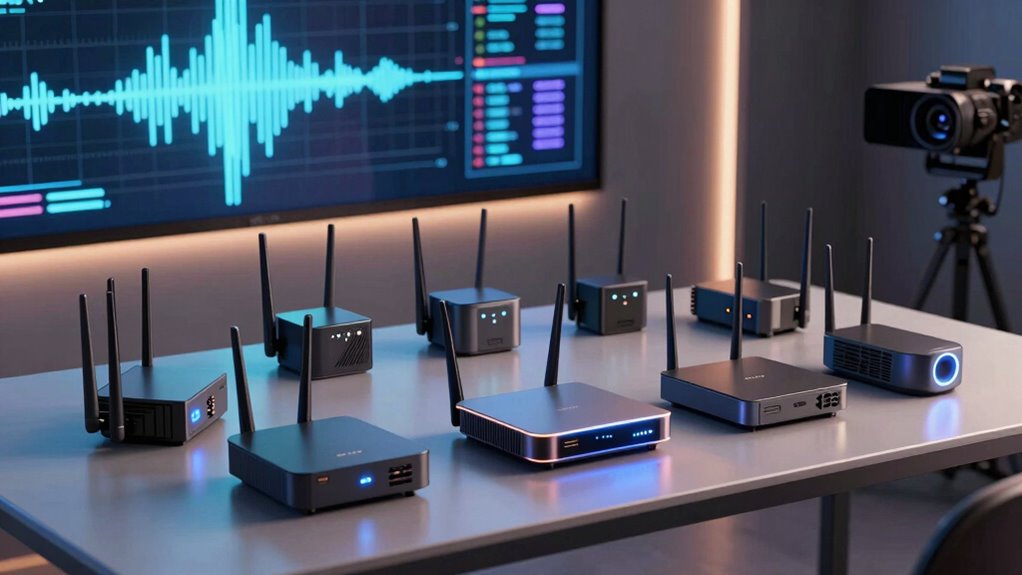

Choosing a router for VR 4K streaming requires balancing speed, stability, and coverage. The NETGEAR Nighthawk WiFi 6E Router (RAXE500) stands out as the best overall due to its tri-band setup and high throughput, ideal for demanding VR and 4K streams. The PC-VR Streaming Air Link WiFi 6 VR Router offers optimized performance for VR headsets with minimal lag, while the TP-Link AXE5400 Archer AXE75 provides excellent coverage with WiFi 6E technology. These options showcase different strengths—whether it’s raw speed, ease of setup, or coverage—highlighting the main tradeoffs in this category. Keep reading for a detailed breakdown to help you find the perfect fit for your VR streaming needs.

Get audio and creator gear delivered free with Prime
- Fast, free delivery on millions of items
- Prime Video, Amazon Music and more included
- Member-only deals all year
Complete the kit



Key Takeaways
- Tri-band WiFi 6E routers deliver the best performance for VR 4K streaming by reducing congestion and improving stability.
- Coverage area varies significantly; choosing a router with enough range prevents dead zones during immersive VR sessions.
- High throughput alone isn’t enough—low latency and reliable connections are crucial for smooth VR experiences.
- Some routers optimize for gaming or streaming specifically, which can benefit VR users seeking minimal lag.
- Price often correlates with features like WiFi 6E and mesh capabilities, but budget options can still perform well if coverage needs are modest.
| NETGEAR Nighthawk WiFi 6E Router (RAXE500) – Tri-Band, 12-Stream Gigabit, Up to 10.8Gbps, Coverage up to 3,500 sq. ft, Supports 60 Devices |  | Best Overall for High-End VR 4K Streaming | WiFi Bands: Tri-band (6GHz, 5GHz, 2.4GHz) | Max Speed: 10.8Gbps | Coverage: Up to 3,500 sq. ft | VIEW ON AMAZON | See Our Full Breakdown |
| NETGEAR Nighthawk WiFi 6 Router R6700AX, Up to 1,500 sq ft, 1.8 Gbps |  | Best for Compact Homes and Moderate VR 4K Streaming | WiFi Standard: WiFi 6 | Max Speed: 1.8 Gbps | Coverage: Up to 1,500 sq ft | VIEW ON AMAZON | See Our Full Breakdown |
| GL.iNet GL-BE6500 Flint 3e Wi-Fi 7 Router with VPN for Home and Gaming |  | Best for Gaming and VPN-Enabled VR Streaming | Wi-Fi Standard: Wi-Fi 7 | Max Speed: 6.5 Gbps | Coverage: Up to 2,500 sq ft | VIEW ON AMAZON | See Our Full Breakdown |
| TP-Link AXE5400 Tri-Band WiFi 6E Router (Archer AXE75) |  | Best Premium Choice for VR 4K Streaming with Future-Proof Tech | WiFi Speed: Up to 5400 Mbps | Bands: Tri-band (6 GHz, 5 GHz, 2.4 GHz) | Processor: 1.0 GHz dual-core CPU | VIEW ON AMAZON | See Our Full Breakdown |
| NETGEAR Nighthawk WiFi 7 Router RS90, Up to 2,000 sq ft, 3.6 Gbps |  | Best Overall for Future-Proof VR 4K Streaming | Speed: Up to 3.6 Gbps | Coverage: Up to 2,000 sq ft | Device Capacity: Up to 50 devices | VIEW ON AMAZON | See Our Full Breakdown |
| TP-Link AX5400 WiFi 6 Router (Archer AX73) |  | Best Value for High-Speed VR 4K Streaming | WiFi Speed: 5400 Mbps | Coverage: 2000 sq. ft. | Antennas: 6 | VIEW ON AMAZON | See Our Full Breakdown |
| NETGEAR Nighthawk R7350 AC2400 WiFi Router |  | Best for Mid-Range VR 4K Streaming and Gaming | WiFi Speed: 2400 Mbps | Coverage: 2500 sq ft | Ethernet Ports: 4 Gigabit LAN + 1 WAN | VIEW ON AMAZON | See Our Full Breakdown |
| NETGEAR Nighthawk X10 R8900 (Renewed) |  | Best for Ultra-High-Speed VR 4K Streaming and VR Gaming | Speed (60GHz): 4600 Mbps | Speed (5GHz): 1733 Mbps | Processor: 1.7GHz Quad-Core | VIEW ON AMAZON | See Our Full Breakdown |
| Tenda AX3000 WiFi 6 Router, Dual-Band Gigabit Wireless Internet Router with Mesh & AP Mode, Built-in VPN, NFC Tap-to-Connect, OFDMA MU-MIMO, Secure IoT Network for Home Gaming & 4K Streaming |  | Best for High-Speed, Secure Home 4K Streaming and Gaming | WiFi Speed: 2402 Mbps (5GHz) + 574 Mbps (2.4GHz) | Frequency Band: Dual-Band | Standards: Wi-Fi 6 (802.11ax) | VIEW ON AMAZON | See Our Full Breakdown |
| router for vr 4k streaming | Coverage | Ethernet Ports | Processor |
|---|---|---|---|
| NETGEAR Nighthawk WiFi 6E Rout | Up to 3,500 sq. ft | 4 x 1G and 1 x 2.5G | 1.8GHz quad-core |
| NETGEAR Nighthawk WiFi 6 Route | Up to 1,500 sq ft | 4 Gigabit LAN | — |
| GL.iNet GL-BE6500 Flint 3e Wi- | Up to 2,500 sq ft | — | DDR4 1GB |
| TP-Link AXE5400 Tri-Band WiFi | — | — | 1.0 GHz dual-core CPU |
| NETGEAR Nighthawk WiFi 7 Route | Up to 2,000 sq ft | 4 x 1 Gig | — |
| TP-Link AX5400 WiFi 6 Router | 2000 sq. ft. | — | — |
| NETGEAR Nighthawk R7350 AC2400 | 2500 sq ft | 4 Gigabit LAN + 1 WAN | Dual-core |
| NETGEAR Nighthawk X10 R8900 | — | 6 Gigabit | 1.7GHz Quad-Core |
| Tenda AX3000 WiFi 6 Router | Whole Home | — | — |
More Details on Our Top Picks
NETGEAR Nighthawk WiFi 6E Router (RAXE500) – Tri-Band, 12-Stream Gigabit, Up to 10.8Gbps, Coverage up to 3,500 sq. ft, Supports 60 Devices
The NETGEAR Nighthawk RAXE500 stands out for its tri-band WiFi 6E capability, offering speeds up to 10.8Gbps and coverage that can support large homes with many devices simultaneously. Compared to the TP-Link AXE5400 Archer AXE75, it delivers higher maximum speeds and broader coverage, making it ideal for demanding VR 4K streaming setups that require stable, high-bandwidth connections. However, it comes with a premium price and a complex array of features, which might be overwhelming for casual users or those with simpler setups. The advanced security and multiple Ethernet ports add value for power users, but the need for a separate modem increases the overall cost. This router will best serve tech-savvy households with extensive device needs and large living spaces.
Pros:- Exceptional tri-band WiFi 6E with speeds up to 10.8Gbps
- Extensive coverage up to 3,500 sq. ft for large homes
- Supports up to 60 devices with advanced security features
Cons:- Premium price point may be prohibitive for some buyers
- Requires a separate modem for internet connectivity
- Features could be overly complex for typical users
Best for: Large households or tech enthusiasts who need maximum performance and coverage for VR 4K streaming and multiple devices
Not ideal for: Casual users or small apartments where high speeds and coverage are less critical, due to its high cost and complexity
- WiFi Bands:Tri-band (6GHz, 5GHz, 2.4GHz)
- Max Speed:10.8Gbps
- Coverage:Up to 3,500 sq. ft
- Number of Devices:Supports up to 60
- Ethernet Ports:4 x 1G and 1 x 2.5G
- Processor:1.8GHz quad-core
Our verdict“This high-end router is best suited for large, tech-savvy homes demanding maximum speed and coverage for VR 4K streaming.”
NETGEAR Nighthawk WiFi 6 Router R6700AX, Up to 1,500 sq ft, 1.8 Gbps
The NETGEAR Nighthawk R6700AX offers reliable WiFi 6 speeds up to 1.8Gbps, making it a solid choice for small to medium-sized homes or apartments where extensive coverage isn’t needed. Unlike the RAXE500, it focuses on affordability and straightforward setup, supporting up to 20 devices comfortably. Its four Gigabit Ethernet ports provide stable wired options for VR headsets and streaming devices, yet its coverage is limited to around 1,500 sq. ft, which could be insufficient for larger spaces. While security features like WPA3 are included, it requires a separate modem or gateway. This router makes the most sense for users who prioritize simplicity and affordability over the highest speeds or large-scale coverage.
Pros:- Reliable WiFi 6 speeds up to 1.8Gbps
- Easy setup through mobile app or web interface
- Supports WPA3 security for safer connections
Cons:- Limited coverage, ideal for small spaces only
- Requires a separate modem for internet access
- Supports fewer devices than higher-end models like RAXE500
Best for: Small households or apartments seeking dependable WiFi 6 speeds for VR 4K streaming without extensive coverage needs
Not ideal for: Large homes or users with many devices, since coverage and speed may fall short for intensive VR streaming setups
- WiFi Standard:WiFi 6
- Max Speed:1.8 Gbps
- Coverage:Up to 1,500 sq ft
- Number of Devices:Supports up to 20
- Ethernet Ports:4 Gigabit LAN
- Encryption:WPA3
Our verdict“This router offers dependable WiFi 6 performance for smaller spaces and moderate VR streaming needs, with straightforward setup and security.”
GL.iNet GL-BE6500 Flint 3e Wi-Fi 7 Router with VPN for Home and Gaming
The GL.iNet GL-BE6500 Flint 3e leverages Wi-Fi 7 technology, supporting speeds up to 6.5Gbps and covering up to 2,500 sq ft, making it suitable for high-performance VR streaming and gaming. It excels over older Wi-Fi 6 models like the NETGEAR R6700AX in terms of speed and device capacity, supporting over 100 devices simultaneously. Its built-in VPN capabilities and parental controls add security and flexibility, though actual VPN speeds may vary depending on external factors. Setup can be straightforward for technically inclined users but may be daunting for less experienced ones. This router is ideal for gamers or streamers who want cutting-edge connectivity with integrated security features.
Pros:- Supports Wi-Fi 7 speeds up to 6.5Gbps for seamless VR streaming
- Handles over 100 devices simultaneously
- Includes VPN, parental controls, and ad blocking features
Cons:- VPN speeds depend on external factors and may be limited
- Setup might be complex for non-technical users
- Limited detailed technical documentation in the description
Best for: Gaming enthusiasts or users requiring VPN support for secure VR streaming and multiple device connections
Not ideal for: Average users seeking plug-and-play simplicity, as setup may involve some technical steps
- Wi-Fi Standard:Wi-Fi 7
- Max Speed:6.5 Gbps
- Coverage:Up to 2,500 sq ft
- Device Capacity:Over 100 devices
- VPN Speed:Up to 1100 Mbps
- Processor:DDR4 1GB
Our verdict“This router delivers high-speed Wi-Fi 7 connectivity with robust support for gaming, VPN, and multiple devices, ideal for power users and tech-savvy gamers.”
TP-Link AXE5400 Tri-Band WiFi 6E Router (Archer AXE75)
The TP-Link Archer AXE75 offers speeds up to 5400Mbps across tri-bands, including the new 6GHz band for ultra-low latency VR 4K streaming. It surpasses many WiFi 6 models in speed and supports mesh networking through EasyMesh, ensuring seamless coverage in multi-room setups. The dual-core CPU and high-speed memory help maintain stable, high-performance connections, but the complex feature set could be daunting for casual users. Security features like TP-Link HomeShield add value, though the router typically requires a modem, increasing setup complexity. This model is ideal for users who want cutting-edge WiFi 6E technology paired with robust security and network management features.
Pros:- Speed up to 5400 Mbps with WiFi 6E and 6 GHz band
- Supports mesh for whole-home seamless coverage
- Advanced security with TP-Link HomeShield
Cons:- Requires a modem for most ISPs, adding to setup complexity
- Features may be too advanced for casual users
- Price is higher compared to simpler routers
Best for: Tech-savvy users seeking a future-proof, high-speed router for intensive VR 4K streaming in large or multi-room homes
Not ideal for: Casual or less experienced users who prefer simple plug-and-play devices or have budget constraints, due to complexity and price considerations
- WiFi Speed:Up to 5400 Mbps
- Bands:Tri-band (6 GHz, 5 GHz, 2.4 GHz)
- Processor:1.0 GHz dual-core CPU
- Memory:512 MB high-speed memory
- Supports Mesh:Yes (EasyMesh-compatible)
- Security:TP-Link HomeShield
Our verdict“This premium WiFi 6E router is best suited for tech enthusiasts wanting cutting-edge speeds and future-proof features for VR 4K streaming.”
NETGEAR Nighthawk WiFi 7 Router RS90, Up to 2,000 sq ft, 3.6 Gbps
The NETGEAR Nighthawk RS90 stands out for its support of WiFi 7, offering speeds up to 3.6 Gbps that can handle multiple 4K streams and VR data with ease. Compared to WiFi 6 options like the TP-Link AX5400, it provides higher bandwidth and better future-proofing, though it requires a separate modem and might involve additional subscription costs for security features. Its broad coverage of up to 2,000 sq ft and capacity for 50 devices make it ideal for large households with demanding bandwidth needs. The advanced security features add peace of mind, especially for those streaming in high resolution or using VR devices that demand stable, fast connections. The main tradeoff is the higher cost and complexity, which might not appeal to casual users or those with smaller spaces. This pick is best for tech-savvy users wanting a high-speed, reliable, and scalable setup for VR 4K streaming.
Pros:- Supports WiFi 7 speeds up to 3.6 Gbps for seamless 4K and VR streaming
- Large coverage area up to 2,000 sq ft suitable for big homes
- Supports up to 50 devices simultaneously with MU-MIMO and OFDMA
- Advanced security with NETGEAR Armor (trial)
Cons:- Requires a separate modem or gateway for internet connection
- Some premium features may need additional subscriptions
Best for: Households with multiple VR headsets and 4K streaming devices seeking a future-proof setup.
Not ideal for: Users with small apartments or limited budgets who prefer simpler, plug-and-play routers without WiFi 7 benefits.
- Speed:Up to 3.6 Gbps
- Coverage:Up to 2,000 sq ft
- Device Capacity:Up to 50 devices
- WAN Port:2.5 Gig
- Ethernet Ports:4 x 1 Gig
- WiFi Standards:WiFi 7, backward compatible with WiFi 6
Our verdict“Ideal for tech enthusiasts who want a high-speed, scalable router capable of handling multiple VR 4K streams in large homes.”
TP-Link AX5400 WiFi 6 Router (Archer AX73)
The TP-Link AX5400 Archer AX73 offers a compelling mix of speed and affordability, reaching up to 5400 Mbps, which comfortably supports 4K streaming and VR applications. Compared to the NETGEAR RS90’s WiFi 7, it doesn’t match the maximum throughput but still delivers enough bandwidth for most high-demand VR setups. Its coverage of 2,000 sq ft and six antennas with beamforming ensure reliable signals across larger spaces, making it suitable for medium to large homes. The inclusion of USB sharing adds versatility for media access, though it lacks the advanced security features of premium routers and might require a separate modem. Its affordability makes it attractive for users who want high performance without the premium price. The main tradeoff is the absence of WiFi 6E or WiFi 7, which limits future scalability. This router is best for budget-conscious users who want fast, reliable VR 4K streaming without breaking the bank.
Pros:- High-speed WiFi up to 5400 Mbps supports 4K and VR streaming
- Extensive coverage up to 2,000 sq ft with multiple antennas
- Beamforming enhances signal stability across large spaces
- Supports USB sharing for media and cloud storage
Cons:- Lacks WiFi 6E or WiFi 7 support for future scalability
- Requires a separate modem for most ISPs
Best for: Home users needing strong, stable WiFi 6 performance for VR and 4K streaming on a budget.
Not ideal for: Enthusiasts seeking the latest WiFi 7 technology or ultra-high speeds for multiple VR devices simultaneously.
- WiFi Speed:5400 Mbps
- Coverage:2000 sq. ft.
- Antennas:6
- USB Ports:1x USB 3.0
- Security:Basic, parental controls
- WiFi Standards:WiFi 6 (802.11ax)
Our verdict“Best suited for users seeking a cost-effective, high-speed WiFi 6 router for VR 4K streaming in larger homes.”
NETGEAR Nighthawk R7350 AC2400 WiFi Router
The NETGEAR Nighthawk R7350 offers solid dual-band WiFi speeds up to 2400 Mbps, making it a dependable choice for 4K streaming and VR gaming on a budget. Its three external antennas and beamforming support provide stable signals across roughly 2,500 sq ft, comparable to higher-end models like the TP-Link AX5400, but with less overall bandwidth. Its dual-core processor and multiple Gigabit ports help handle multiple devices smoothly, though it lacks advanced QoS or security features found in premium routers. This makes it a sensible pick for users who want reliable performance in large areas without the highest speeds. The main limitation is its maximum speed of 2400 Mbps, which may fall short in highly demanding VR setups or future 8K streaming. This router suits users needing dependable, mid-range WiFi for VR and 4K content without premium costs.
Pros:- Reliable dual-band WiFi up to 2400 Mbps for streaming and gaming
- Good coverage up to 2,500 sq ft with external antennas
- Multiple Gigabit ports for wired connections
- Ease of setup with the Nighthawk app
Cons:- Limited maximum speed may hinder future VR or 8K streaming needs
- No advanced security or parental controls
Best for: Gamers and streamers in large homes who need reliable, mid-tier WiFi performance for VR and 4K content.
Not ideal for: Tech-savvy users seeking cutting-edge WiFi 6E or WiFi 7 capabilities for future-proofing or ultra-high-speed VR experiences.
- WiFi Speed:2400 Mbps
- Coverage:2500 sq ft
- Ethernet Ports:4 Gigabit LAN + 1 WAN
- Antennas:3 external
- Processor:Dual-core
- WiFi Standards:802.11ac
Our verdict“Suitable for users seeking a dependable, mid-range router for VR 4K streaming and gaming in larger spaces.”
NETGEAR Nighthawk X10 R8900 (Renewed)
The NETGEAR Nighthawk X10 R8900 excels with its extraordinary speeds up to 4600 Mbps on the 60GHz band and 1733 Mbps on 5GHz, making it ideal for demanding VR and 4K streaming applications. Its quad-core 1.7GHz processor and six Gigabit Ethernet ports support multiple high-bandwidth devices simultaneously, with built-in Plex media server capabilities for direct media access. Compared to newer WiFi 6 or WiFi 7 routers like the RS90, it offers unparalleled raw speed for VR setups that require ultra-low latency and high throughput. However, as a renewed product, it may have limited warranty or support, and setup can be complex for less technical users. This router is best suited for enthusiasts who prioritize maximum speed and media server features for VR, but less for those seeking the latest WiFi standards. This model is perfect for power users with demanding VR and 4K streaming needs who can handle the setup complexity.
Pros:- Ultra-fast speeds up to 4600 Mbps on 60GHz band
- Supports multiple high-bandwidth devices with six Gigabit ports
- Built-in Plex media server for direct streaming
- Excellent for VR applications demanding low latency
Cons:- Renewed product may have limited warranty and support
- Setup complexity for non-technical users
- Older WiFi standards compared to WiFi 6/7 alternatives
Best for: VR gamers and streamers demanding the highest speeds and media server capabilities in a large or dedicated setup.
Not ideal for: Casual users or those seeking WiFi 6 or WiFi 7 features, as the X10’s technology is older and more complex to configure.
- Speed (60GHz):4600 Mbps
- Speed (5GHz):1733 Mbps
- Processor:1.7GHz Quad-Core
- Ethernet Ports:6 Gigabit
- Media Server:Plex built-in
- WiFi Technology:802.11ad, 802.11ac
Our verdict“Best for tech-savvy enthusiasts prioritizing maximum throughput and media server features for VR and 4K streaming.”
Tenda AX3000 WiFi 6 Router, Dual-Band Gigabit Wireless Internet Router with Mesh & AP Mode, Built-in VPN, NFC Tap-to-Connect, OFDMA MU-MIMO, Secure IoT Network for Home Gaming & 4K Streaming
The Tenda AX3000 stands out for delivering reliable dual-band WiFi 6 speeds, with up to 2402 Mbps on 5GHz, making it a strong choice for smooth 4K streaming and online gaming. Compared with the NETGEAR Nighthawk RAXE500, which offers tri-band support and higher overall throughput, the Tenda is more affordable and easier to set up for most users. However, its setup process can prove complex for those unfamiliar with network configurations, and it’s limited to 4 Ethernet ports, which might be a constraint for users with multiple wired devices. Its high-gain antennas and mesh support help cover large homes effectively, and built-in VPN options add privacy for security-conscious streamers. This router makes the most sense for users seeking a balance of speed, coverage, and security without the complexity or cost of higher-end models.
Pros:- Fast dual-band WiFi 6 speeds up to 2402 Mbps on 5GHz, ideal for 4K streaming and gaming
- Whole-home coverage with high-gain antennas and mesh mode support
- Built-in VPN and secure IoT network features enhance privacy
Cons:- Setup may be complicated for non-technical users unfamiliar with network configurations
- Limited to 4 Ethernet ports, which could restrict wired device connections
Best for: Home users who prioritize stable 4K streaming and gaming with strong security features but prefer a straightforward, affordable setup.
Not ideal for: Power users with extensive wired setups or requiring multi-band configurations for very high device density, as it offers only dual-band and limited Ethernet ports.
- WiFi Speed:2402 Mbps (5GHz) + 574 Mbps (2.4GHz)
- Frequency Band:Dual-Band
- Standards:Wi-Fi 6 (802.11ax)
- Antenna:7 dBi high-gain antennas
- Coverage:Whole Home
- Ports:4× Gigabit Ethernet ports
- Security:OpenVPN, WireGuard, PPTP/L2TP, advanced firewall
- Features:Mesh & AP mode, NFC tap-to-connect, OFDMA, MU-MIMO, IoT network
Our verdict“This router suits tech-savvy home users seeking reliable 4K streaming and gaming with strong security at an accessible price point.”

How We Picked
The routers in this roundup were evaluated based on their ability to handle demanding VR and 4K streaming traffic. Key criteria included maximum throughput, latency, coverage area, support for multiple devices, and ease of setup. We also considered build quality, future-proof features like WiFi 6E, and whether the router offers specific optimizations for gaming or streaming. The ranking reflects a balance between raw performance, value for money, and suitability for different types of users, from casual to enthusiast. Products with proven stability and advanced features earned higher positions, while tradeoffs like price or complexity impacted lower rankings.Factors to Consider When Choosing Router For Vr 4k Streaming
When selecting a router for VR 4K streaming, understanding the core factors that influence performance can save you from costly mistakes. The right router should deliver high speeds, low latency, and consistent coverage to support immersive experiences. Beyond specs, consider how your home layout, device density, and future needs might impact your choice. Making an informed decision involves weighing these broader factors to find a router that aligns with your VR setup and overall internet use.Speed and Throughput
VR 4K streaming demands high data transfer rates, often exceeding 1 Gbps for smooth playback. Routers supporting WiFi 6 or WiFi 6E provide faster speeds and better handling of multiple devices simultaneously. However, a high maximum speed doesn’t guarantee real-world performance—look for routers with proven low latency and stable throughput during heavy usage. Investing in a router with faster capabilities ensures your VR content streams seamlessly without buffering or lag, especially as your network load increases.
Coverage Area
Coverage is crucial in larger homes or spaces with obstacles. A router with a strong signal and optional mesh compatibility can eliminate dead zones where VR performance might suffer. Consider your living space size and layout—multi-story homes may require multiple access points or a mesh system to maintain consistent connection. Failing to account for coverage can lead to frustrating interruptions during immersive VR sessions, even with a high-speed router.
Latency and Stability
Low latency is vital for VR, where even minor delays can cause motion sickness or disorientation. Routers with Quality of Service (QoS) features can prioritize VR traffic, reducing lag. Stability over extended periods also matters—frequent disconnects or fluctuations in speed can ruin the experience. Look for routers with advanced firmware and support for MU-MIMO and OFDMA, which improve network stability when multiple devices are active.
Device Compatibility and Future-Proofing
Ensure your chosen router supports the latest standards like WiFi 6 or WiFi 6E, which future-proof your setup and enhance performance. Compatibility with your VR hardware and other connected devices is equally important. Investing in a router with multiple Ethernet ports also benefits wired connections for PC VR setups, offering the most stable experience. Overlooking compatibility or future features can result in needing an upgrade sooner than expected.
Ease of Setup and Management
Simplicity matters, especially if you’re not a tech expert. Routers with user-friendly apps and clear setup instructions save time and frustration. Advanced features like mesh integration or traffic prioritization are helpful but can complicate setup for beginners. Consider your comfort level and whether you prefer a plug-and-play device or one with extensive customization options. A well-designed interface helps you optimize your network for VR streaming without hassle.
Frequently Asked Questions
Is WiFi 6E necessary for VR 4K streaming?
WiFi 6E offers additional spectrum in the 6 GHz band, which can significantly reduce congestion and improve speeds, especially in crowded environments with many devices. For VR 4K streaming, this translates into lower latency and more stable connections, resulting in smoother experiences. However, to benefit fully, your VR headset and devices also need to support WiFi 6E. If your devices are limited to WiFi 5 or WiFi 6, a WiFi 6 router will still provide substantial improvements without the extra spectrum.
How important is coverage area versus raw speed for VR streaming?
Coverage area and raw speed both influence VR performance but serve different needs. High speeds ensure data can be transferred quickly, reducing buffering, while broad coverage prevents signal drops in larger or multi-room setups. For VR, low latency and consistent connection are often more critical than maximum theoretical speeds, especially if your space is large or has obstacles. Balancing both factors by choosing a router with ample coverage and high throughput creates a more reliable VR experience across your entire home.
Should I prioritize a dedicated gaming or streaming router?
Dedicated gaming or streaming routers often include features like traffic prioritization, low-latency modes, and optimized algorithms that can benefit VR streaming. These routers are designed to handle multiple high-bandwidth activities simultaneously with minimal lag. If you frequently use VR for gaming or streaming high-resolution content, investing in such a device can improve stability and responsiveness. However, for casual users, a high-quality WiFi 6 or WiFi 6E router from reputable brands may offer sufficient performance at a lower cost.
Is wired Ethernet necessary for the best VR experience?
Wired Ethernet connections provide the most stable and low-latency links, especially for PC VR setups or high-end headsets. While WiFi can deliver excellent performance, it remains vulnerable to interference and signal fluctuations. For the most immersive and lag-free VR experience, connecting your headset or PC directly to the router via Ethernet is advisable. If wiring isn’t feasible, choosing a router with strong WiFi 6E support and good coverage can still deliver excellent results, but wired connections remain the gold standard for performance.
How often should I upgrade my router for VR 4K streaming?
Typically, upgrading every 3-5 years is advisable to keep pace with evolving technology standards like WiFi 6E and higher speeds. Modern routers with advanced features tend to remain relevant longer, especially if they support firmware updates and security patches. If you’re experiencing persistent lag, coverage issues, or device incompatibility, it might be time for an upgrade sooner. Staying current ensures you benefit from the latest performance improvements, which directly impact the quality of your VR 4K streaming experience.
Conclusion
For most users, the NETGEAR Nighthawk WiFi 6E Router (RAXE500) offers the best overall performance, especially for demanding VR setups that need high speeds and coverage. Budget-conscious buyers can consider the TP-Link AX1800 WiFi 6 Router (Archer AX21 V5), which provides solid performance at a lower price point. Tech enthusiasts or those with large homes should look at mesh-capable options like the TP-Link AX5400 Archer AXE75 or NETGEAR Nighthawk WiFi 7 RS90 for future-proofing. Beginners or casual users might prefer simpler, user-friendly models with straightforward setup. Ultimately, your choice depends on your specific space, device needs, and performance expectations—aim for a balanced approach that matches your VR streaming ambitions.
Halloween Picks
halloween
As an affiliate, we earn on qualifying purchases.