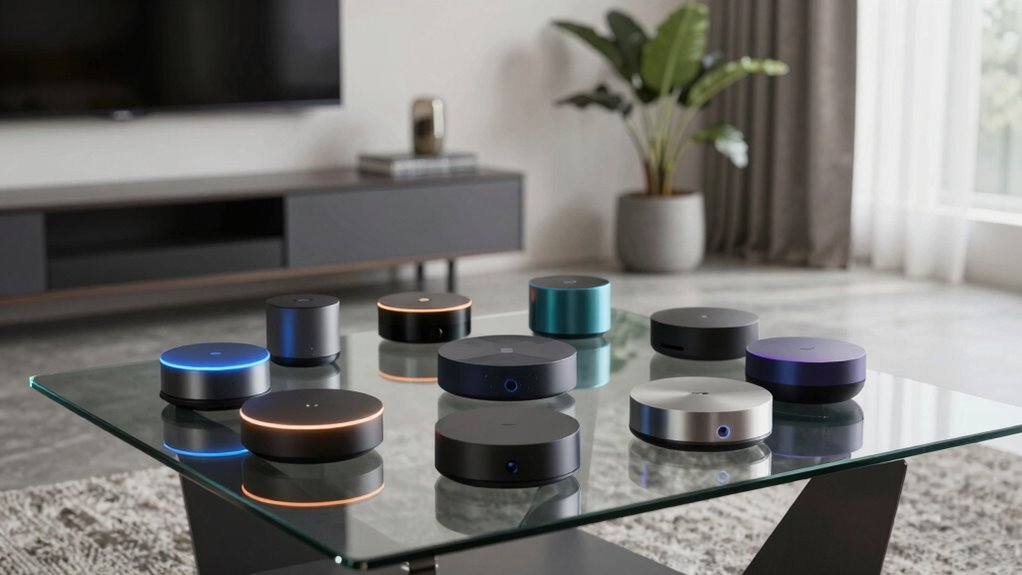

A smart home hub acts as the central command for your connected devices, simplifying automation and control. The Amazon Echo Hub is the best overall pick thanks to its robust Alexa integration and broad compatibility. The Hubitat Elevation C-8 Pro stands out for local control and advanced automation features, ideal for tech-savvy users. Meanwhile, the Aeotec Smart Home Hub offers versatile Z-Wave, Zigbee, and Matter support, making it a flexible choice for multi-protocol setups. Readers face tradeoffs between ease of use, device compatibility, and automation complexity. Continue reading for a detailed breakdown of each option to find your perfect fit.

Get audio and creator gear delivered free — and shop member deals
- Fast, free delivery on millions of items
- Access to Prime Big Deal Days deals on October 6–7
- Prime Video, Amazon Music and more included
Complete the kit


Key Takeaways
- The top-ranked options excel in device compatibility, with hubs supporting multiple protocols like Z-Wave, Zigbee, and Matter.
- Ease of use varies significantly; some hubs prioritize simple setup with broad voice assistant support, while others focus on advanced automation.
- Local control is a key differentiator for security-conscious users who want to minimize reliance on cloud services.
- Premium hubs tend to offer more customization and automation complexity but come at a higher price point.
- Choosing a hub depends heavily on your existing smart devices and how much automation you want to set up.
| Amazon Echo Hub, 8” Smart Home Control Panel with Alexa, Compatible with Thousands of Devices |  | Best Overall Smart Home Control Panel | Display: 8-inch touch screen with 1280 x 800 resolution | Power Requirements: Compatible with USB-C PD power accessories; supports PoE with converter | Connectivity: WiFi 802.11a/b/g/n/ac, Bluetooth A2DP, AVRCP | VIEW ON AMAZON | See Our Full Breakdown |
| Hubitat Elevation C-8 Pro Smart Home Hub, Local Control and Automations |  | Best for Advanced Local Automation | Processor: 2.0 GHz | RAM: 2 GB | Connectivity: Wi-Fi, Ethernet | VIEW ON AMAZON | See Our Full Breakdown |
| Aeotec Smart Home Hub, Z-Wave, Zigbee, Matter Gateway, Compatible with Alexa and Google Assistant |  | Best for Broad Protocol Support | Connectivity: Wi-Fi, Ethernet | Protocols: Z-Wave, Zigbee, Matter | Compatibility: Alexa, Google Assistant | VIEW ON AMAZON | See Our Full Breakdown |
| Amazon Echo Hub (Newest Model), 8″ Smart Home Control Panel with Alexa+ |  | Best for Visual Control & Customization | Display: 8-inch touchscreen, 1280 x 800 | Power requirements: Compatible with USB-C PD power accessories supporting 5V/2.4A and 9V/3A; supports PoE with converter | Connectivity: Dual-band WiFi 802.11a/b/g/n/ac, Bluetooth, Zigbee, Thread, Matter | VIEW ON AMAZON | See Our Full Breakdown |
| Home Assistant Green – Smart Home Hub with Advanced Automation |  | Best for Privacy and Custom Automation | Processor: Quad-core | Storage: 32GB | RAM: 4GB | VIEW ON AMAZON | See Our Full Breakdown |
| Aeotec Smart Home Hub 2 – V4, Zigbee & Matter Gateway, Compatible with Alexa & Google Assistant |  | Best for Reliable Local Automations | Compatibility: Zigbee, Matter | Supported Ecosystem: SmartThings, Alexa, Google Assistant | Connectivity: Wi-Fi, Ethernet | VIEW ON AMAZON | See Our Full Breakdown |
| smart home hub | Connectivity | Compatibility |
|---|---|---|
| Amazon Echo Hub | WiFi 802.11a/b/g/n/ac, Bluetooth A2DP, AVRCP | — |
| Hubitat Elevation C-8 Pro Smar | Wi-Fi, Ethernet | Alexa, Google Home, Apple HomeKit, Ring |
| Aeotec Smart Home Hub | Wi-Fi, Ethernet | Alexa, Google Assistant |
| Amazon Echo Hub | Dual-band WiFi 802.11a/b/g/n/ac, Bluetooth, Zigbee, Thread, Matter | — |
| Home Assistant Green | USB expandability for Z-Wave, Zigbee, Thread | — |
| Aeotec Smart Home Hub 2 | Wi-Fi, Ethernet | Zigbee, Matter |
More Details on Our Top Picks
Amazon Echo Hub, 8” Smart Home Control Panel with Alexa, Compatible with Thousands of Devices
This Amazon Echo Hub stands out for its user-friendly 8-inch touchscreen combined with Alexa voice control, making it a versatile centerpiece for managing a wide array of smart devices. Unlike the Hubitat Elevation C-8 Pro, it emphasizes ease of use over local processing, relying heavily on internet connectivity. Its support for protocols like Zigbee, Thread, and Matter ensures broad compatibility, though it requires additional accessories for wall mounting and power over Ethernet, which can be an inconvenience. The built-in privacy features, including a mic off button, add peace of mind. Overall, this hub offers an intuitive experience suited to those looking for a simple, integrated voice and touch control, but it’s less ideal for users prioritizing local automation or custom integrations.
Pros:- Intuitive 8-inch touchscreen for easy device management
- Supports a broad range of protocols including Zigbee, Thread, and Matter
- Flexible placement options with wall-mount or stand compatibility
- Built-in privacy controls such as mic off button
Cons:- Requires internet connection for setup and operation
- Power over Ethernet and mounting accessories sold separately
- Not designed for portable or handheld use
Best for: Smart home owners seeking a straightforward, Alexa-compatible control panel with a large touchscreen
Not ideal for: Tech-savvy users who prefer local automation, custom scripting, or minimal reliance on internet connectivity
- Display:8-inch touch screen with 1280 x 800 resolution
- Power Requirements:Compatible with USB-C PD power accessories; supports PoE with converter
- Connectivity:WiFi 802.11a/b/g/n/ac, Bluetooth A2DP, AVRCP
- Smart Home Compatibility:Zigbee, Thread, Matter, WiFi, Bluetooth Low Energy Mesh
- Sensors:Passive infrared (PIR), ambient light sensor (ALS)
- Materials:Made from 27% recycled materials
Our verdict“Ideal for those wanting a simple, Alexa-enabled control panel with a large display, but less suited for advanced automation enthusiasts.”
Hubitat Elevation C-8 Pro Smart Home Hub, Local Control and Automations
The Hubitat Elevation C-8 Pro shines for its commitment to local processing, offering quick response times and enhanced privacy for automations that don’t rely on cloud services. Compared to the Amazon Echo Hub, this model prioritizes automation speed and privacy over a touchscreen interface, which it lacks. Its support for multiple protocols, including Z-Wave 800 Series, Zigbee 3.0, and Matter, means it can integrate with a broad range of devices, making it highly flexible. However, its setup may intimidate less technical users, and some features require additional configuration. This pick makes the most sense for homeowners who value automation speed, privacy, and extensive control over their smart devices, but it’s less suitable for anyone seeking a plug-and-play experience.
Pros:- Processes automations locally for fast response and privacy
- Supports multiple protocols including Z-Wave, Zigbee, and Matter
- Continuous free updates expand device compatibility
- No subscription fees required
Cons:- Setup may be complex for non-technical users
- Requires network knowledge for optimal configuration
- Some integrations may need additional setup
Best for: Tech-savvy users who want robust local automation and privacy controls
Not ideal for: Beginners or users preferring a touch-based interface with minimal setup
- Processor:2.0 GHz
- RAM:2 GB
- Connectivity:Wi-Fi, Ethernet
- Protocols:Z-Wave 800 Series, Zigbee 3.0, Matter 1.5, Bluetooth
- External Antennas:Yes
- Compatibility:Alexa, Google Home, Apple HomeKit, Ring
Our verdict“Best suited for experienced users prioritizing local automation, speed, and privacy over ease of use.”
Aeotec Smart Home Hub, Z-Wave, Zigbee, Matter Gateway, Compatible with Alexa and Google Assistant
The Aeotec Smart Home Hub offers a solid solution for users needing wide protocol support, including Z-Wave, Zigbee, and Matter, with easy setup via Wi-Fi or Ethernet. It’s comparable to the Hubitat Elevation C-8 Pro but emphasizes simplicity of connection more than advanced automation features. Its compatibility with Alexa and Google Assistant makes voice control straightforward. The main limitation is regional support — it’s primarily designed for North America, which could pose challenges elsewhere. Also, managing and configuring the device depends on a smartphone app, which might be less appealing for users who prefer physical controls or more integrated dashboards. This device makes the most sense for users looking for reliable device compatibility without complex setup, but it’s less ideal for those who want advanced local control or customization options.
Pros:- Supports multiple protocols including Z-Wave, Zigbee, and Matter
- Easy setup through Wi-Fi or Ethernet
- Reliable integrations with voice assistants like Alexa and Google
- Compatible with a wide range of smart devices
Cons:- Primarily designed for North American regions
- Requires a smartphone app for management
- Limited advanced automation features
Best for: Homeowners seeking broad device compatibility with straightforward setup
Not ideal for: Power users who need extensive local automation or advanced scripting
- Connectivity:Wi-Fi, Ethernet
- Protocols:Z-Wave, Zigbee, Matter
- Compatibility:Alexa, Google Assistant
- Supported Regions:North America
Our verdict“Ideal for users who want broad protocol support with simple setup, but less suited for complex automation needs.”
Amazon Echo Hub (Newest Model), 8″ Smart Home Control Panel with Alexa+
This latest Amazon Echo Hub enhances user interaction with its sharp 8-inch touchscreen, making it easier to view camera feeds, create routines, and manage devices visually. Unlike the Hubitat or Home Assistant Green, it offers a more approachable interface and supports a wide range of protocols including Zigbee and Thread, providing flexibility. Its customizable dashboard allows users to tailor device controls to their preferences, though it requires additional accessories for mounting and power over Ethernet, which may be inconvenient. The inclusion of stereo speakers and Bluetooth audio streaming adds multimedia capabilities, making it more versatile. It’s a strong choice for households that want a visually oriented control station, but less so for those who need extensive local automation or minimal setup complexity.
Pros:- Large, high-resolution touchscreen for easy viewing and control
- Supports multiple protocols including Zigbee, Thread, and Matter
- Customizable dashboards for personalized control
- Built-in stereo speakers and Bluetooth streaming
Cons:- Requires additional purchase for mounting options
- Power over Ethernet setup needs extra accessories
- Device dimensions and weight not specified
Best for: Families or casual users who prefer visual device management and multimedia features
Not ideal for: Power users seeking advanced automation, local control, or minimal device footprint
- Display:8-inch touchscreen, 1280 x 800
- Power requirements:Compatible with USB-C PD power accessories supporting 5V/2.4A and 9V/3A; supports PoE with converter
- Connectivity:Dual-band WiFi 802.11a/b/g/n/ac, Bluetooth, Zigbee, Thread, Matter
- Sensors:Passive infrared (PIR), ambient light sensor (ALS)
- Materials:Made from 27% recycled materials
- Included in box:Echo Hub, power adapter, stand, mounting hardware
Our verdict“Best suited for households that want a visually engaging, customizable control hub with multimedia features.”
Home Assistant Green – Smart Home Hub with Advanced Automation
The Home Assistant Green stands out for its focus on local control and privacy, with a fanless design that operates silently while offering powerful automation capabilities. Its support for Z-Wave, Zigbee, and Thread through USB expandability makes it highly adaptable, especially compared to the more consumer-oriented options like the Amazon Echo Hub. Unlike the Hubitat Elevation, it relies on pre-installed Home Assistant software, which requires some setup but offers extensive customization. Its limited storage (32GB) could become a bottleneck if you plan to integrate many devices, and initial Ethernet setup might challenge less technical users. This hub appeals to DIY enthusiasts and privacy-conscious households, but it’s less convenient for those seeking plug-and-play solutions.
Pros:- Fanless, silent operation for discreet placement
- Supports multiple protocols via USB expandability
- Keeps all data local for enhanced privacy
- Pre-installed with Home Assistant for extensive customization
Cons:- Requires Ethernet for initial setup
- Limited internal storage for large device networks
- Setup complexity may deter beginners
Best for: Homeowners comfortable with technical setup who prioritize privacy and deep automation
Not ideal for: Users seeking a simple, out-of-the-box experience without much configuration
- Processor:Quad-core
- Storage:32GB
- RAM:4GB
- Power Consumption:A few watts
- Connectivity:USB expandability for Z-Wave, Zigbee, Thread
Our verdict“Perfect for technically inclined users who want privacy-focused, deeply customizable automation in a silent hub.”
Aeotec Smart Home Hub 2 – V4, Zigbee & Matter Gateway, Compatible with Alexa & Google Assistant
The Aeotec Smart Home Hub 2 V4 stands out for its support of the newest Matter standard and Zigbee, making it a versatile choice for homes with a variety of smart devices. Unlike the Hubitat Elevation C-8 Pro, which emphasizes local control and advanced automations, this model balances ease of setup with broad compatibility. Its support for local processing means automations can run even during internet outages, a key advantage over some cloud-dependent hubs. However, the lack of Z-Wave support limits compatibility with certain device ecosystems, which could be a drawback for users with Z-Wave-heavy setups. The reliance on the SmartThings app for full functionality might also be a hurdle for those seeking a more integrated experience. Overall, this hub is perfect for users wanting a future-proof, reliable smart home backbone, but less ideal for those with extensive Z-Wave devices or seeking a completely app-free setup.
Pros:- Supports the latest Matter standard for broad device compatibility
- Enables local automations for reliable operation during internet outages
- Easy setup via Wi-Fi or Ethernet, reducing complexity
- Compatible with popular ecosystems like SmartThings, Alexa, and Google Assistant
Cons:- Does not support Z-Wave devices, limiting some ecosystem integrations
- Requires the SmartThings app for full functionality, which adds an extra layer of complexity
- Limited to devices within supported ecosystems, potentially restricting flexibility
Best for: Homeowners with Zigbee and Matter-compatible devices who prioritize local control and future-proof standards.
Not ideal for: Users heavily invested in Z-Wave devices or seeking a fully integrated, app-free smart home setup.
- Compatibility:Zigbee, Matter
- Supported Ecosystem:SmartThings, Alexa, Google Assistant
- Connectivity:Wi-Fi, Ethernet
- Z-Wave Support:No
- Local Processing:Yes
- Setup Method:Wi-Fi or Ethernet
Our verdict“This hub suits users seeking a future-ready, reliable foundation for their smart home but who don’t rely heavily on Z-Wave devices.”

How We Picked
Our evaluation focused on performance, ease of setup, device compatibility, automation capabilities, and build quality. We prioritized hubs that support multiple protocols and integrate with popular voice assistants like Alexa and Google Assistant. Price was also a factor, but we favored products that offer clear value through features and longevity. The ranking reflects a balance between user-friendliness for beginners and advanced features for power users. We also considered customer reviews and expert opinions to gauge reliability and ongoing support.| smart home hub | Connectivity | Compatibility |
|---|---|---|
| Amazon Echo Hub | WiFi 802.11a/b/g/n/ac, Bluetooth A2DP, AVRCP | — |
| Hubitat Elevation C-8 Pro Smar | Wi-Fi, Ethernet | Alexa, Google Home, Apple HomeKit, Ring |
| Aeotec Smart Home Hub | Wi-Fi, Ethernet | Alexa, Google Assistant |
| Amazon Echo Hub | Dual-band WiFi 802.11a/b/g/n/ac, Bluetooth, Zigbee, Thread, Matter | — |
| Home Assistant Green | USB expandability for Z-Wave, Zigbee, Thread | — |
| Aeotec Smart Home Hub 2 | Wi-Fi, Ethernet | Zigbee, Matter |
Factors to Consider When Choosing Smart Home Hub
Selecting the right smart home hub involves understanding your existing devices, automation needs, and technical comfort level. A well-chosen hub can streamline your setup, enhance security, and expand your smart home capabilities. However, many buyers overlook compatibility issues or overpay for features they don’t need. By considering key factors, you can avoid common pitfalls and pick a hub that grows with your smart home ecosystem.Device Compatibility and Protocol Support
Ensure the hub supports the protocols your devices use, such as Z-Wave, Zigbee, or Matter. Some hubs excel in multi-protocol support, offering greater flexibility, while others focus on a single ecosystem, which might limit future expansion. Compatibility issues are a common reason for failure or frustration, so double-check device lists before purchase to avoid buying a hub that won’t work with your existing gadgets.
Ease of Use and Setup
Consider how user-friendly the hub is during setup and daily operation. Some hubs provide guided app setups and integrations with voice assistants for effortless control, making them suitable for beginners. Others may require more technical knowledge to configure advanced automations. Think about your comfort level and whether you prefer a plug-and-play experience or are willing to invest time in customization.
Automation Capabilities
The strength of a hub often lies in its automation features. Some offer simple scene creation, while others support complex routines triggered by multiple conditions. If you want intricate automations, look for hubs with advanced scripting options or integrations with platforms like Home Assistant. Basic automations suffice for simple routines but may fall short for tech enthusiasts seeking full customization.
Local Control vs. Cloud Dependence
Local control enhances privacy and responsiveness, especially during internet outages. Hubs with robust local automation capabilities are preferable for security-conscious users. Conversely, cloud-dependent hubs might offer easier updates and remote access but introduce latency and potential privacy concerns. Decide which matters more based on your priorities and existing security setup.
Price and Long-Term Value
While budget options might seem attractive, they often lack features needed for more complex setups or future expansion. Premium hubs come with higher costs but typically provide better support, reliability, and advanced automation options. Consider how much you’re willing to invest upfront versus the long-term benefits and potential savings from a more capable hub that can handle your evolving smart home ecosystem.
Frequently Asked Questions
Can I use multiple smart home hubs in one house?
Yes, using multiple hubs is possible and sometimes advantageous, particularly if you have diverse protocols or specific automation needs. However, managing multiple hubs can become complex, and there’s a risk of device duplication or conflicts. It’s generally better to choose a hub with broad protocol support to cover most devices, but in large or specialized setups, multiple hubs can improve coverage and reliability.
Will my existing smart devices work with a new hub?
Compatibility depends on the protocols and standards your devices use. Always verify that the hub supports these protocols—Z-Wave, Zigbee, or Matter—before purchasing. Some devices are limited to specific ecosystems, so a hub that supports multiple standards offers greater flexibility. Checking device compatibility lists or manufacturer recommendations can prevent costly mismatches.
Is a more expensive hub worth it for a beginner?
Generally, a more expensive hub offers better ease of setup, integration, and future-proofing, which can be beneficial even for beginners. However, it’s important to balance cost with your actual needs—if you only plan to control a few devices, a budget-friendly option may suffice. Investing in a slightly higher-quality hub can reduce frustration and provide room to grow your smart home system over time.
How important is local control in a smart home hub?
Local control is vital for privacy, security, and responsiveness. Hubs with local automation capabilities operate without relying on cloud servers, reducing latency and minimizing data exposure. For users concerned about privacy or who want reliable operation during internet outages, choosing a hub with strong local control features is a wise decision. Cloud-only hubs may be easier to set up but can introduce delays and privacy risks.
Do I need a hub if I already use smart speakers?
Smart speakers like Amazon Echo or Google Nest devices often have built-in hubs or support for device control without a separate hub. However, dedicated hubs typically provide more extensive automation, protocol support, and device management features. If your setup is simple, a smart speaker might suffice, but for complex or multi-protocol ecosystems, a dedicated hub offers greater flexibility and control.
Conclusion
For most users, the Amazon Echo Hub offers the best overall experience, balancing ease of use with broad compatibility. Tech enthusiasts or those with advanced automation needs might prefer the Hubitat Elevation C-8 Pro for local control and customization. Budget-conscious buyers should consider the Aeotec Smart Home Hub for versatile protocol support without paying a premium. Beginners or casual users will benefit from hubs with simple setup and voice assistant integration, while those with complex setups should prioritize multi-protocol support and automation depth. Carefully matching these factors to your needs will ensure a smarter, more reliable connected home.
As an affiliate, we earn on qualifying purchases.Fall Picks
fall essentials