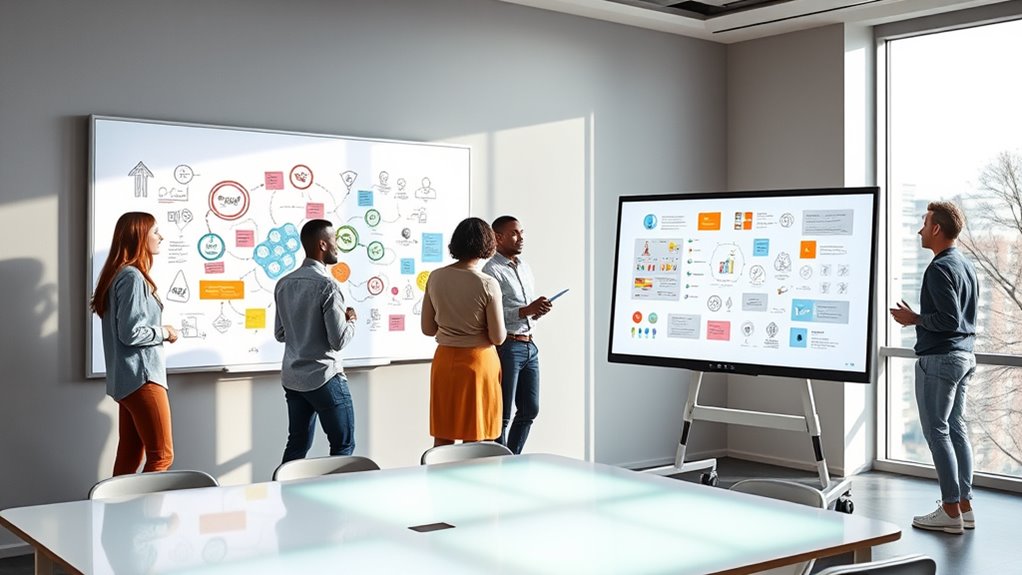

Portable smart whiteboards can mean very different things: some turn a projector image into a touch surface, while others add wireless annotation to a flat surface. I rank the IPEVO IW2 first for its flexible, Wi-Fi-free setup, the Portable Interactive Whiteboard with Auto Calibration as my pick for a larger Windows-based projection setup, and the Interactive Whiteboard System with Electronic Pen for buyers who want a straightforward, auto-calibrating option. The main tradeoff is convenience versus system requirements: none of these is a self-contained touchscreen display, and the two Windows systems need a computer and projector to deliver their full interactive experience.

Get audio and creator gear delivered free with Prime
- Fast, free delivery on millions of items
- Prime Video, Amazon Music and more included
- Member-only deals all year
For choosing between them, I focus on what portability actually means here: how much equipment you must carry, what surfaces you can use, how much setup or calibration is involved, and whether the system fits your computer and teaching or meeting routine. IPEVO is the most flexible on connectivity, while the other two explicitly target Windows and large projected screens. I also flag limits in the supplied product details, so you can distinguish a useful feature from a specification the listing does not clarify.
Complete the kit


Key Takeaways
- IPEVO IW2 is the most adaptable pick for shared rooms because it works on a flat surface without Wi-Fi and includes a sensor camera, receiver, and interactive pen.
- The 90-inch Windows systems need a projector and computer; their portability comes from the interactive hardware being transportable, not from an all-in-one display.
- Choose the first system for connection flexibility: its listed USB, HDMI, and VGA connections suit varied setups, though the full feature set depends on a connected computer or projector.
- The third system prioritizes quick setup and surface choice, with automatic calibration and support for walls and projector screens, but its Windows compatibility is listed only through Windows 10.
- None is the strongest fit for a standalone touch display: the supplied details do not establish built-in screens, battery-powered operation, or independent whiteboard software.
| IPEVO IW2 Wireless Interactive Whiteboard System |  | Best Overall for Flexible, Wi-Fi-Free Setups | Model: 5-876-1-01-00 | Surface: Flat surfaces | Network requirement: Does not require Wi-Fi | VIEW ON AMAZON | See Our Full Breakdown |
| Portable Interactive Whiteboard with Auto Calibration and Long Focus Screen |  | Best for Large Projected Windows Setups | Connectivity: USB, HDMI, and VGA | Native resolution: 1920 x 1080 | Supported display size: Up to 90 inches | VIEW ON AMAZON | See Our Full Breakdown |
| Interactive Whiteboard System with Electronic Pen for Windows |  | Best for Simple Setup Across Projected Surfaces | Compatible surfaces: Walls, projector screens, and more | Maximum distance: 2.2 meters | Supported screen size: Up to 90 inches | VIEW ON AMAZON | See Our Full Breakdown |
| smart whiteboards portable | Compatibility | Calibration |
|---|---|---|
| IPEVO IW2 Wireless Interactive | — | — |
| Portable Interactive Whiteboar | Multiple Windows operating systems | Automatic calibration; adjustable angles |
| Interactive Whiteboard System | Windows XP, Windows 7, Windows 8, Windows 10 | Automatic, 360-degree adjustable |
More Details on Our Top Picks
IPEVO IW2 Wireless Interactive Whiteboard System
The IPEVO IW2 takes the first spot because it offers the clearest change of pace from a conventional projected board: it can make a flat surface interactive without Wi-Fi. That can be useful in classrooms, meeting rooms, and homes where the network is unreliable, restricted, or simply not part of the presentation setup. Its included sensor camera, wireless receiver, and interactive pen give buyers a more complete set of interaction hardware than the product briefs provide for the other two systems.
Its portability also has a practical angle. The listing calls it lightweight and includes a tabletop mount, ceiling mount, and tripod mount, so the buyer has several ways to position the system. Compared with the first Windows model, which explicitly advertises USB, HDMI, and VGA and a screen size up to 90 inches, IPEVO’s advantage is less about display specifications and more about being able to adapt the interactive setup to a room. It can suit a wider variety of activities, from teaching to family use, provided a suitable flat surface is available.
The tradeoff is that this is not a complete, stand-alone whiteboard experience. The description says additional software is needed for annotation, and its functions are described as basic. Buyers looking for a built-in display, more advanced collaboration tools, or a clearly stated large-screen limit may prefer the first Windows system, whose published details are more specific about resolution, connection types, and projection size. I would also check software compatibility and the setup method before relying on IW2 for a particular laptop or conference workflow; the product information does not specify the supported operating systems.
As a portable option, the IW2 makes the most sense when network independence and reuse across rooms matter more than detailed display specifications. It is the strongest general-purpose pick in this comparison, but it does not outrank the Windows systems for buyers who already have a projector-based setup and want listed automatic calibration or clearer screen-size information.
Pros:- Works on a flat surface without requiring Wi-Fi.
- Includes an interactive pen, sensor camera, receiver, and mounting accessories.
- Described as lightweight and portable for moving between rooms.
- Supports multiple voltage standards for use with compatible power arrangements.
Cons:- Annotation features require additional software.
- The supplied description limits its functionality to basic whiteboard use.
- The product details do not specify supported operating systems or a maximum screen size.
Best for: Teachers, families, and presenters who want a transportable interactive system that can work on a flat surface without Wi-Fi.
Not ideal for: Buyers who need a self-contained touchscreen, advanced built-in annotation tools, a published screen-size limit, or confirmed compatibility with a specific computer platform.
- Model:5-876-1-01-00
- Surface:Flat surfaces
- Network requirement:Does not require Wi-Fi
- Included interaction hardware:Interactive pen, sensor camera, wireless receiver
- Mounting options:Tabletop, ceiling, and tripod mounts included
- Power compatibility:100–240V
- Batteries:Two AAA batteries included
- Recommended uses:Home, teaching, family activities, and online conferencing
Our verdict“I recommend the IPEVO IW2 for buyers who value a flexible, Wi-Fi-free setup more than advanced software or detailed screen specifications.”
Portable Interactive Whiteboard with Auto Calibration and Long Focus Screen
This system is my pick for buyers who already use a projector and want clearer connection and screen-size specifications than the other options provide. It lists USB, HDMI, and VGA, so it may be easier to fit into a room with older presentation equipment as well as a newer laptop connection. Its stated 1920 x 1080 native resolution and support for projected screens up to 90 inches give a buyer more concrete information for planning a classroom or conference-room setup than the IPEVO listing supplies.
Auto calibration and adjustable angles are especially relevant for portable use. Moving an interactive system can mean changing where the sensor or projector sits, and calibration helps align the pen input with the projected image. The listing also includes a high-precision smart pen and describes installation and transport as easy. Compared with the third system, it offers a broader set of listed video connections; compared with IPEVO, it has more explicit large-screen and resolution details.
Those specifications do not make it an all-in-one whiteboard. The product requires a connection to a computer or projector for full functionality, and the listing says it is limited to Windows operating systems. I would skip it if I needed a screen that works independently or if the room relies on a non-Windows device without a suitable Windows computer. The product information also leaves its power source and battery life unclear, a meaningful gap for anyone planning to teach or present away from reliable power.
The first product ranks second rather than first because its setup is more dependent on a particular computer platform and projection equipment, while the IPEVO stands out for Wi-Fi-free use on varied flat surfaces. Still, for a Windows-based room where the buyer already owns a projector, this is the best-documented choice for screen scale and wired connections. It makes less sense for someone expecting a portable board to operate as a single device they can open and use anywhere.
Pros:- Lists USB, HDMI, and VGA connections for varied presentation setups.
- Supports a projected screen size up to 90 inches and lists 1920 x 1080 native resolution.
- Combines a high-precision pen with automatic calibration and adjustable angles.
- Includes an electronic pen, USB flash drive, and hook-and-loop fastener.
Cons:- Requires a computer or projector for full functionality.
- Compatibility is limited to Windows operating systems.
- Battery life and power-source details are not provided.
Best for: Windows users with an existing projector who want a portable interactive system with listed HDMI, VGA, and USB connections and support for a projected image up to 90 inches.
Not ideal for: Buyers who need a self-contained display, use only non-Windows computers, or need confirmed battery-powered operation for rooms without reliable power.
- Connectivity:USB, HDMI, and VGA
- Native resolution:1920 x 1080
- Supported display size:Up to 90 inches
- Maximum throw distance:10 feet
- Compatibility:Multiple Windows operating systems
- Calibration:Automatic calibration; adjustable angles
- Control:App control and touchpad control type
- Included accessories:Electronic pen, USB flash drive, hook-and-loop fastener
- Form factor:Portable
Our verdict“I would choose this model for a Windows-and-projector setup that needs broad wired connections and a clearly stated large-screen limit.”
Interactive Whiteboard System with Electronic Pen for Windows
This is the most straightforward choice for a buyer who wants an automatic-calibration system for walls or projector screens and does not need a long list of connection options. It supports screens up to 90 inches, works at a maximum distance of 2.2 meters, and includes an e-pen, receiver, and USB cable. The listed setup time of a few minutes makes it appealing for someone who expects to move the system between a home office, classroom, or meeting space.
Its surface flexibility separates it from the first Windows product, whose supplied description focuses on a portable projection setup and a long-focus screen. The third product explicitly names walls and projector screens, so it is a reasonable match for rooms without a dedicated interactive panel. It also describes its calibration as 360-degree adjustable, a potentially helpful detail when equipment positioning changes. Unlike IPEVO, however, it is expressly tied to Windows and needs a computer and projector that are not included.
The listed platform support runs through Windows 10, including Windows XP, Windows 7, and Windows 8. That specificity is helpful for buyers with older machines, but it leaves newer operating-system compatibility unclear in the supplied details. I would verify compatibility before buying for a current computer. Compared with the first Windows system, this model offers a stated maximum distance and quick setup, but the other product lists USB, HDMI, and VGA as well as 1920 x 1080 resolution. The third therefore suits buyers who value surface choice and calibration more than connection documentation.
The product brief gives little information about power, software, or more advanced collaboration features. That matters for portability: the included receiver and cable can be carried, but the full setup still depends on projection equipment and a computer. I rank it third because the IPEVO has a distinct no-Wi-Fi advantage and the first Windows model provides more detailed connection specifications. For someone seeking a basic, transportable Windows projection system, its simple setup and multi-surface use remain persuasive.
Pros:- Works with walls, projector screens, and other compatible surfaces.
- Lists automatic 360-degree adjustable calibration.
- Supports projected screens up to 90 inches and specifies a 2.2-meter maximum distance.
- Includes an electronic pen, receiver, and USB cable, with setup described as taking a few minutes.
Cons:- Requires a computer and projector, neither of which is included.
- The listed Windows compatibility ends at Windows 10, leaving newer versions unclear.
- The supplied specifications do not detail video connections, power, or annotation software.
Best for: Windows users who want a quick-to-set-up interactive pen system for a wall or projector screen and already have a computer and projector.
Not ideal for: Buyers who need confirmed support for newer Windows versions, an included projector, a standalone touchscreen, or multiple listed video connections.
- Compatible surfaces:Walls, projector screens, and more
- Maximum distance:2.2 meters
- Supported screen size:Up to 90 inches
- Compatibility:Windows XP, Windows 7, Windows 8, Windows 10
- Calibration:Automatic, 360-degree adjustable
- Setup time:A few minutes
- Included components:Electronic pen, receiver, USB cable
- Computer and projector:Required; not included
Our verdict“I recommend this system for buyers who want a simple, auto-calibrating Windows option for a wall or projected image and can verify computer compatibility.”
How We Picked
I ranked these options around the specific needs behind a search for a portable smart whiteboard, rather than treating every interactive system as interchangeable. Portability matters only if a product can be moved and set up in the buyer’s real environment. I therefore compared the listed setup approach, supported surfaces, computer and projector requirements, connectivity, calibration, and the accessories described in each product brief.
How portable is the whole setup? A compact pen-and-sensor system may travel more easily than a complete projection arrangement. The IPEVO IW2 has a broad included-component list and is described as lightweight, but its usefulness still depends on having a suitable flat surface and compatible software. The other two products also describe themselves as portable, yet both rely on projection hardware or a connected computer for the interactive experience. I give more weight to clear setup details than to a portability claim by itself.
How readily can a buyer start writing? Automatic calibration is a practical benefit when a system is moved between rooms, since it can reduce the work needed to align digital input with the projected image. The first product and the third both list automatic calibration; the third also specifies 360-degree adjustment and a setup time of a few minutes. I treat those as useful differentiators, not proof that every room or projector will require no adjustment.
What will the buyer have to connect? The first product lists USB, HDMI, and VGA, a 1920 x 1080 native resolution, and support for displays up to 90 inches. Those details make it the clearest fit for buyers comparing connection options and screen scale. The IPEVO description highlights operation without Wi-Fi, which helps in rooms with restricted networks, but it does not provide a comparable resolution or screen-size figure. The third system provides a maximum distance and screen size, but it does not list the same range of video connections.
Who gets the top place? I put the IPEVO first because its surface-based approach and no-Wi-Fi operation give it a distinctive use case for teaching, family activities, and mobile collaboration. It is not a winner for every buyer: annotation depends on additional software, and the supplied description characterizes its whiteboard functions as basic. The first Windows system ranks next for buyers with a projector setup who need broad connection choices and a stated large-screen limit. The third comes after it as a simple auto-calibrating Windows option, with less detail about connectivity and a specified compatibility ceiling of Windows 10.
I do not use customer ratings or rank products by claims that cannot be checked in the supplied specifications. I also do not assume that “smart” means a built-in screen, wireless internet, or a self-powered device. All three are projection-oriented interactive systems, and buyers should confirm their existing computer, projector, software, and room setup before choosing.
| smart whiteboards portable | Compatibility | Calibration |
|---|---|---|
| IPEVO IW2 Wireless Interactive | — | — |
| Portable Interactive Whiteboar | Multiple Windows operating systems | Automatic calibration; adjustable angles |
| Interactive Whiteboard System | Windows XP, Windows 7, Windows 8, Windows 10 | Automatic, 360-degree adjustable |
Factors to Consider When Choosing Smart Whiteboards Portable
When I compare portable interactive whiteboards, I separate the interactive sensor or pen system from the display equipment that may still be needed. These three products do not have listed built-in screens. Your computer, projector, room, and software can shape the experience just as much as the whiteboard hardware does.
Start with your projector and computer
Before comparing pens or calibration, check what equipment you already own. The first and third systems explicitly require a computer and projector for their intended use. The IPEVO is also a surface-based interactive system rather than a self-contained display, and its supplied description does not establish that a projector or computer is unnecessary for every use. If you already have a Windows laptop and projector, the first product’s USB, HDMI, and VGA connections offer useful flexibility. If you do not own projection equipment, the cost and effort of completing the setup may outweigh the appeal of a portable sensor system.
Compatibility deserves special attention. The first model specifies Windows support, while the third lists Windows XP through Windows 10 but does not confirm newer releases. IPEVO’s supplied details do not name supported operating systems, so I would check its software requirements before purchase. Do not assume that USB connection alone means your computer will support annotation or pen control.
Choose a system based on where you will write
Think about the surfaces and rooms you plan to use. IPEVO is presented as working with a flat surface and does not require Wi-Fi, which makes it attractive for shared rooms where network access is not dependable. The third product specifically names walls and projector screens, while the first is aimed at larger projected screens and lists support up to 90 inches. These differences matter if you need to set up in multiple spaces rather than leave a system permanently installed.
Surface flexibility does not remove the need for a suitable image and placement. Projector position, surface shape, lighting, and the available distance can affect whether a projected writing area works well. The first product lists a maximum throw distance of 10 feet, and the third lists a maximum distance of 2.2 meters. I would compare those limits with the room layout before deciding that either will fit.
Treat calibration as a setup aid, not a shortcut around room planning
Automatic calibration is one of the strongest practical features on the first and third products. It can help align pen input with the image after you move or reposition equipment. The third system also specifies 360-degree adjustment and a setup time of a few minutes; the first lists auto calibration with adjustable angles. Those details make both more appealing for a mobile teaching or meeting setup than a system with no stated calibration method.
Calibration does not tell you how well a setup will perform in every room, and the product descriptions do not provide a detailed account of how calibration works. Plan for a suitable mounting or placement position and be ready to check alignment after moving the projector or receiver. If the system will be relocated often, included mounts and a repeatable setup routine may matter as much as the calibration feature itself.
Compare portability as a complete kit
Portability is not just the weight of the interactive sensor. Consider the pen, receiver, cables, mounts, power adapter, projector, and computer you must carry. The IPEVO listing has a substantial accessory set, including a sensor camera, wireless receiver, power adapter, and several mounting options. The first system includes a pen, USB flash drive, and hook-and-loop fastener, while the third lists an e-pen, receiver, and USB cable. None of those lists includes a projector, and the first and third product descriptions say one is required.
For a fixed classroom, a less compact setup may be acceptable if it offers the connection types and screen scale you need. For a presenter moving between offices, fewer required components and a simple room setup may matter more than a 90-inch screen claim. Ask where you will store the parts and whether you can reliably access power in each location. The first product does not provide battery-life or power-source details, so it is not the safest choice for buyers who need confirmed battery operation.
Check software and annotation needs
Interactive input is useful only if the software supports the tasks you need. IPEVO specifically says additional software is required for annotation and describes its functions as basic. The two Windows products identify pen input and calibration, but their supplied descriptions do not explain which annotation apps are included or whether licenses are needed. If your work depends on saving annotated slides, sharing a live session, or using advanced collaboration tools, verify the software before choosing.
For simple teaching notes or drawing over a projected image, a basic system may be enough. For teams that expect advanced collaboration, recording, or cross-platform workflows, these product details do not provide enough information to promise those features. I would treat those as questions to resolve with the seller or manufacturer rather than assume “smart whiteboard” guarantees them.
Match the purchase to your operating-system and network limits
The biggest split in this group is between IPEVO’s stated ability to work without Wi-Fi and the two explicitly Windows-based projection systems. No Wi-Fi can be a real advantage in a school or meeting room with restricted network access, but it does not mean every function is wireless or independent of software. Likewise, a Windows label is not a guarantee of support for every Windows release. The third lists compatibility only through Windows 10, and the first does not name specific versions in the supplied details.
If you plan to share the system among several users, confirm the computer requirements and software installation process before choosing. A portable board that is easy to carry may still be inconvenient if it depends on a particular laptop or a permission-controlled app install. For the least ambiguity, pick the option whose published connections and platform details match equipment you already use, then confirm any missing details before relying on it for a class or presentation.
Frequently Asked Questions
Are these portable smart whiteboards standalone displays?
No standalone built-in display is listed for any of the three. The first product requires a computer or projector for full functionality, and the third explicitly requires a computer and projector. IPEVO transforms a flat surface into an interactive whiteboard, but the supplied details do not describe it as a self-contained touchscreen. I would plan around the projection or computer equipment your intended setup requires rather than expect a single portable screen.
Which option can work without Wi-Fi?
The IPEVO IW2 is specifically described as working without Wi-Fi, making it the clearest choice when network access is unavailable or restricted. That does not mean every function works without software: its annotation features require additional software. The other two product descriptions do not make an equivalent no-Wi-Fi claim, so I would not assume their full workflows are network-independent without checking their software requirements.
Which model is best for a large projected image?
The first and third Windows systems both list support for screens up to 90 inches. The first provides more display detail, including a 1920 x 1080 native resolution and a maximum throw distance of 10 feet. The third also lists a 2.2-meter maximum distance. I would compare those distance limits with the projector position in your room, since the stated screen size alone does not confirm that your existing equipment will produce a suitable image.
Do these products work with Mac computers?
The supplied details do not confirm Mac compatibility for any of these products. The first and third systems are described as Windows-compatible, and the third lists Windows versions through Windows 10. IPEVO does not name supported operating systems in the product information provided here. If you use a Mac, verify system requirements and the available annotation software before buying rather than inferring support from a USB cable or wireless receiver.
What should I check before buying a portable interactive whiteboard?
I would confirm the computer operating system, projector requirement, screen size and throw distance, connection types, software needs, and power arrangement. Then check what accessories are included and whether the system can mount or sit where you need it. For these three options, I would pay particular attention to the first product’s unspecified power details, IPEVO’s additional software requirement, and the third system’s listed Windows compatibility through Windows 10.
Conclusion
My overall pick is the IPEVO IW2 for buyers who want a flexible, Wi-Fi-free interactive system for teaching, family activities, or shared spaces. Choose the Portable Interactive Whiteboard with Auto Calibration if you already have a Windows computer and projector and value listed HDMI, VGA, and USB connections, along with a stated 90-inch screen limit. The Interactive Whiteboard System with Electronic Pen suits buyers who want automatic calibration and wall-or-screen use, provided their computer matches its stated Windows support.
I would skip all three if your priority is a stand-alone touchscreen with its own display and independent operation; none is presented that way. For a portable setup, the right choice is the one that fits your existing equipment and rooms with the least extra hardware or software friction. Check compatibility and projection distance before purchase, then weigh IPEVO’s network independence against the more detailed display and connection specifications of the Windows models.