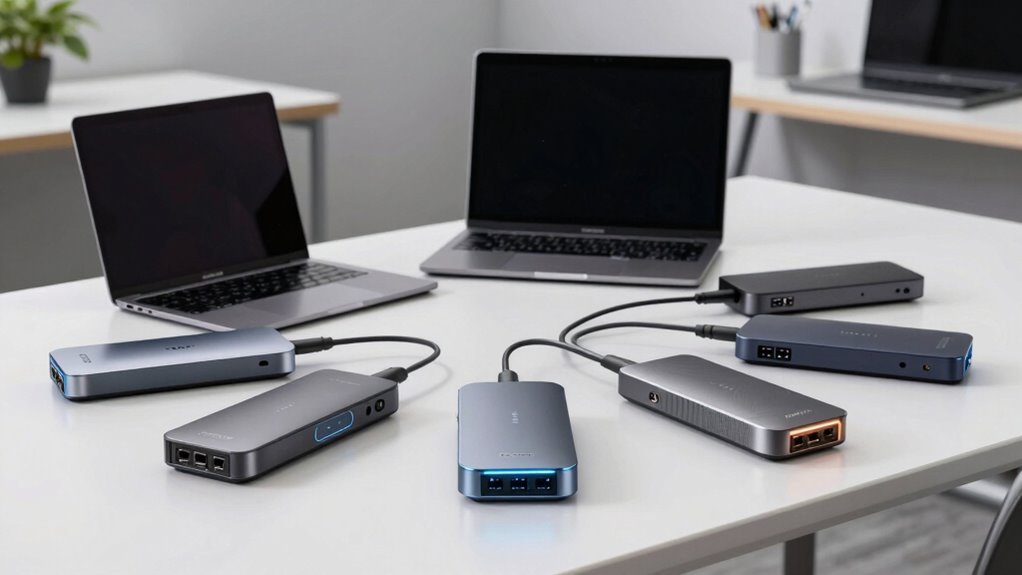

When searching for a Thunderbolt 4 dock, the goal is to find a versatile, high-performance hub that seamlessly connects multiple devices while charging your laptop efficiently. The Lenovo ThinkPad Universal Thunderbolt 4 Dock stands out as the best overall choice, offering robust support for 8K and 4K displays with 100W charging. For those prioritizing power and expandability, the CalDigit TS4 delivers an impressive 18 ports and 98W charging, but at a higher price. Meanwhile, the UGREEN 8-in-1 Thunderbolt 4 Dock offers excellent value with dual 4K support at a more affordable price. The main tradeoffs in this category revolve around port selection, power delivery, and build quality—balancing these factors is key. Keep reading for a detailed breakdown of each option to find the best fit for your setup.

Get audio and creator gear delivered free with Prime
- Fast, free delivery on millions of items
- Prime Video, Amazon Music and more included
- Member-only deals all year
Complete the kit



Key Takeaways
- The top-performing docks support 8K displays and multiple 4K outputs, catering to high-resolution workflows.
- Power delivery varies significantly, with some docks offering up to 130W, crucial for charging larger laptops under load.
- Port selection, especially the number and types of Thunderbolt 4, HDMI, and USB ports, is a key differentiator.
- Build quality and cable length influence durability and ease of setup, with premium options offering certified cables.
- Price ranges reflect differences in port count, power delivery, and build features, so balancing budget and needs is essential.
| Lenovo ThinkPad Universal Thunderbolt 4 Dock | Supports 8K & 4K Displays, 100W Charging |  | Best Overall Thunderbolt 4 Dock for Versatile Connectivity | Interface: Thunderbolt 3, Thunderbolt 4, USB Type C | Video Ports: 2 x DisplayPort 1.4, 1 x HDMI 2.1, 1 x Thunderbolt 4 Downstream Port | USB Ports: 4 x USB 3.1 Gen 2 (1 always-on), 1 x USB-C | VIEW ON AMAZON | See Our Full Breakdown |
| Dell Thunderbolt WD22TB4 4 Dock 130W |  | Best Modular Thunderbolt 4 Dock with High Power Delivery | Ports: 2 x Thunderbolt 4, 1 x USB-C 3.2 Gen 2, 1 x USB-A 3.2 Gen 1 with PowerShare, 2 x DisplayPort 1.4, 1 x HDMI 2.0, 1 x USB-C Multifunction DisplayPort, 2 x USB-A 3.2 Gen 1, 1 x Gigabit Ethernet | Power Adapter: 180W | Input Voltage: 120/230 V AC | VIEW ON AMAZON | See Our Full Breakdown |
| UGREEN 8-in-1 Thunderbolt 4 Docking Station, Dual 4K@60Hz, 3xTBT4, 40Gbps |  | Best High-Performance Dual 4K Display Dock for Versatile Use | Hardware Interface: Thunderbolt 4 | Compatible Devices: Most Thunderbolt 4, 3, USB4, or USB-C computers | Total USB Ports: 3 | VIEW ON AMAZON | See Our Full Breakdown |
| Plugable Thunderbolt 4 Dock for M4/M5 MacBook Air & Pro, 100W Charging |  | Best Mac-Focused Thunderbolt 4 Dock for Dual 4K Displays | Ports: Dual 4K HDMI, 1 x USB-C, 4 x USB-A, SD/microSD, Ethernet, 3.5mm audio | Charging Power: 100W | Display Support: Dual 4K 60Hz HDMI | VIEW ON AMAZON | See Our Full Breakdown |
| CalDigit TS4 18 Port Thunderbolt 4 Dock, 98W Charging, Space Gray, 0.8m Certified Cable |  | Best for Heavy-Duty Multi-Device Setups with High-Resolution Support | Ports: 3 x Thunderbolt 4, USB-C, USB-A, Ethernet, SD card reader | Display Support: 8K@30Hz or dual 6K@60Hz | Charging Power: 98W | VIEW ON AMAZON | See Our Full Breakdown |
| Plugable Thunderbolt 4 Dock with 100W Charging, Dual 4K HDMI |  | Best Overall Thunderbolt 4 Dock for Versatile Connectivity | Hardware Interface: Thunderbolt | Compatible Devices: Windows 11 Thunderbolt 4 hosts and Thunderbolt 4 Macs with macOS 11+ including M5 / M4 MacBook Pro and MacBook Air, M1 Pro/Max, M2 Pro/Max, M3 Pro/Max, or base M3 (clamshell mode required), HP, Dell, Lenovo, Microsoft Surface, Acer, ASUS | Total Usb Ports: 13 | VIEW ON AMAZON | See Our Full Breakdown |
| Dell Pro Thunderbolt 4 Smart Dock SD25TB4 – USB-C Station 130W, 4 Displays 4K, 2X DP 1.4, HDMI 2.1, 2X Thunderbolt 4, 2.5GbE, Wi-Fi, Sustainable Design |  | Best for Creatives and Professionals Needing Multi-Display Capacity | Power Output: 130W | Display Support: Up to 4 4K monitors | Video Ports: 2x DisplayPort 1.4, HDMI 2.1 | VIEW ON AMAZON | See Our Full Breakdown |
More Details on Our Top Picks
Lenovo ThinkPad Universal Thunderbolt 4 Dock | Supports 8K & 4K Displays, 100W Charging
The Lenovo ThinkPad Universal Thunderbolt 4 Dock stands out for its broad compatibility and high-resolution support, making it a solid choice for those who need to connect multiple high-quality displays and peripherals with a single cable. Unlike the CalDigit TS4, which offers more ports and supports even higher resolutions, this dock emphasizes simplicity and remote management features, perfect for enterprise environments. The tradeoff is that it’s limited to Thunderbolt 3 and 4 systems, and its port selection isn’t as extensive as some competitors like the CalDigit, making it less ideal for users with a large array of peripherals. It excels for professionals using compatible ThinkPads or laptops that support 8K displays, but less so for those on older or non-compatible systems.
Pros:- Supports multiple high-resolution displays including 8K and 4K
- Single cable connection simplifies workspace setup
- Offers up to 100W power delivery for compatible laptops
- Remote management capabilities enhance IT control
Cons:- Limited to Thunderbolt 3 and 4 compatible systems
- Requires compatible hardware for full functionality
Best for: Business users and remote workers needing a reliable, high-resolution docking solution compatible with ThinkPad and Thunderbolt 4 systems.
Not ideal for: Users with a broad range of legacy peripherals or non-Thunderbolt 3/4 laptops, as this dock lacks legacy ports and broader compatibility.
- Interface:Thunderbolt 3, Thunderbolt 4, USB Type C
- Video Ports:2 x DisplayPort 1.4, 1 x HDMI 2.1, 1 x Thunderbolt 4 Downstream Port
- USB Ports:4 x USB 3.1 Gen 2 (1 always-on), 1 x USB-C
- Audio:3.5 mm Combo Audio Jack
- Networking:RJ45 Gigabit Ethernet
- Power:Up to 100W Dynamic Power Charging
Our verdict“This dock is best suited for enterprise users and professionals with compatible Lenovo or Thunderbolt 4 laptops seeking a streamlined, high-res setup.”
Dell Thunderbolt WD22TB4 4 Dock 130W
The Dell WD22TB4 4 Dock makes a compelling choice for users who prioritize upgradeability and high power delivery, supporting up to 130W for fast charging and multiple port options. Compared with the Plugable Thunderbolt 4 Dock, which is more Mac-centric and straightforward, the WD22TB4 emphasizes modular design and security features, ideal for demanding enterprise setups. The tradeoff is that its setup can be complex for non-technical users, and it’s limited to Windows environments, excluding Mac users. This dock is best for Dell or Windows users who need flexibility, extensive port options, and robust power management, but it may be too overwhelming for casual or home-office users.
Pros:- Supports fast charging up to 130W with ExpressCharge
- Modular design allows easy upgrades and replacements
- Multiple high-speed ports for versatile connectivity
- Wide compatibility with Dell and other Thunderbolt-enabled Windows laptops
Cons:- Setup can be complex for less technical users
- Limited to Windows 10 and 11, no macOS support
Best for: IT managers and power users deploying extensive Thunderbolt 4 setups within Windows environments seeking modular, upgradeable docks.
Not ideal for: Mac users or those seeking a simple, plug-and-play solution, as this dock is primarily designed for Windows and enterprise deployment.
- Ports:2 x Thunderbolt 4, 1 x USB-C 3.2 Gen 2, 1 x USB-A 3.2 Gen 1 with PowerShare, 2 x DisplayPort 1.4, 1 x HDMI 2.0, 1 x USB-C Multifunction DisplayPort, 2 x USB-A 3.2 Gen 1, 1 x Gigabit Ethernet
- Power Adapter:180W
- Input Voltage:120/230 V AC
- Compatibility:Windows 10, 11
Our verdict“Ideal for enterprise environments and power users who need a flexible, high-capacity dock with extensive port options and robust charging, primarily in Windows settings.”
UGREEN 8-in-1 Thunderbolt 4 Docking Station, Dual 4K@60Hz, 3xTBT4, 40Gbps
The UGREEN 8-in-1 Thunderbolt 4 Dock provides impressive data speeds and dual 4K display support, making it an excellent choice for creators and professionals needing high-resolution visuals and fast transfers. Its support for dual 4K@60Hz displays rivals more expensive options like the CalDigit TS4, but its size and requirement for power connection may limit portability. Compared with the Plugable dock, which is tailored for MacBooks, UGREEN offers broader compatibility across Windows and Mac systems. The main tradeoff involves its size and dependency on external power to unlock full charging capabilities, which could be inconvenient for mobile workflows. This dock suits users who want high performance without sacrificing multiple high-res displays.
Pros:- Supports dual 4K@60Hz displays for high-quality visuals
- Fast data transfer speeds up to 40Gbps
- Provides up to 85W charging with included power adapter
- Versatile connectivity for multiple devices
Cons:- Requires connection to power to enable charging
- Large size may limit portability
Best for: Creative professionals and power users needing dual 4K displays and fast data throughput in a versatile, wired setup.
Not ideal for: Travelers or mobile users who prioritize compactness and portability, as its size and power needs are less convenient for on-the-go use.
- Hardware Interface:Thunderbolt 4
- Compatible Devices:Most Thunderbolt 4, 3, USB4, or USB-C computers
- Total USB Ports:3
- Wattage:85W
- Size:9.5″L x 9.5″W x 2.5″H
- Supported Resolutions:Dual 4K@60Hz or 8K@60Hz
Our verdict“Best suited for creative professionals and stationary setups requiring high-res dual displays and rapid data transfer without portability concerns.”
Plugable Thunderbolt 4 Dock for M4/M5 MacBook Air & Pro, 100W Charging
The Plugable Thunderbolt 4 Dock is designed with MacBook Air and Pro users in mind, offering dual 4K display support and 100W charging in a driverless, plug-and-play package. Compared to the CalDigit TS4, which offers more ports and higher resolutions, Plugable emphasizes simplicity and compatibility with Apple’s M-series Macs. However, its support for only one external display on M1 and M2 MacBooks limits multi-monitor setups for some users. This dock excels for Mac users who need reliable dual 4K output without fuss, but those working with Windows or requiring more extensive port options might find it restrictive.
Pros:- Supports dual 4K@60Hz displays for MacBook users
- High 100W power delivery for fast charging
- Driverless, plug-and-play operation
- Simple, reliable connection for Mac workflows
Cons:- Limited to single external display support on M1/M2 Macs
- Primarily designed for Mac, less flexible for Windows users
Best for: MacBook Air and Pro users seeking a straightforward, dual 4K display dock with high wattage charging and easy setup.
Not ideal for: Windows users or those with complex peripheral needs, as its focus is primarily on Mac compatibility and dual displays.
- Ports:Dual 4K HDMI, 1 x USB-C, 4 x USB-A, SD/microSD, Ethernet, 3.5mm audio
- Charging Power:100W
- Display Support:Dual 4K 60Hz HDMI
- Compatibility:M1/M2 MacBook Air & Pro
- Cable:No driver needed
Our verdict“This dock is an excellent choice for Mac users who want a straightforward dual 4K setup and reliable charging without extra complexity.”
CalDigit TS4 18 Port Thunderbolt 4 Dock, 98W Charging, Space Gray, 0.8m Certified Cable
The CalDigit TS4 is designed for users with demanding workflows, offering an extensive array of 18 ports, including multiple Thunderbolt 4, USB-A, USB-C, Ethernet, and SD card readers. Its ability to support an 8K display or dual 6K monitors makes it ideal for creative professionals and data-heavy environments. Compared to the UGREEN dock, which offers high-speed data and dual 4K support, the TS4 provides even higher resolution support and more ports, but it comes with a larger footprint and a more complex setup. Its 98W charging supports most laptops, but some Mac users may find its single display support on certain models limiting. This is best for power users needing maximum connectivity and high-resolution display support, willing to handle a larger device.
Pros:- Supports 8K@30Hz or dual 6K@60Hz displays
- Extensive port selection with 18 total ports
- High-speed data transfer with multiple Thunderbolt 4 ports
- Supports up to 98W charging for laptops
Cons:- Large and less portable due to size
- Setup complexity may be daunting for some users
Best for: Creative professionals and tech enthusiasts managing multiple devices and high-resolution displays on Windows or Mac systems.
Not ideal for: Travelers or users with limited desk space who need a more compact or simplified dock, as its extensive port array adds bulk.
- Ports:3 x Thunderbolt 4, USB-C, USB-A, Ethernet, SD card reader
- Display Support:8K@30Hz or dual 6K@60Hz
- Charging Power:98W
- Cable Length:0.8m
- Compatibility:Mac, Windows
Our verdict“Best suited for high-end creative workflows and multi-device setups requiring maximum port variety and high-resolution support, despite its larger size.”
Plugable Thunderbolt 4 Dock with 100W Charging, Dual 4K HDMI
This model stands out for its combination of high-speed performance and extensive port selection, making it ideal for users who need a comprehensive workstation. Compared with the Dell Pro Thunderbolt 4 Smart Dock, the Plugable dock offers a slightly more straightforward setup for multiple peripherals, but it may fall short on support for the latest dual 4K displays on some Macs. Its 13 ports—including dual HDMI, USB, Ethernet, and SD card reader—deliver broad compatibility. The 100W power delivery ensures efficient charging, though the larger footprint might be a concern for smaller desks. While it supports dual 4K displays at 60Hz, some Mac models might have display limitations, and its size isn’t ideal for compact setups.
Pros:- High-speed 40Gbps Thunderbolt 4 performance
- Supports dual 4K 60Hz HDMI displays
- Comprehensive 13-port connectivity including USB, SD, Ethernet, and audio
- Power delivery of 100W for fast device charging
Cons:- Dual display support can be limited on some Mac models
- Relatively large size may not suit small desks
Best for: Professionals needing a high-performance dock with extensive peripheral support for home or office setups.
Not ideal for: Users with very limited space or those seeking a lightweight, minimalist dock for casual use.
- Hardware Interface:Thunderbolt
- Compatible Devices:Windows 11 Thunderbolt 4 hosts and Thunderbolt 4 Macs with macOS 11+ including M5 / M4 MacBook Pro and MacBook Air, M1 Pro/Max, M2 Pro/Max, M3 Pro/Max, or base M3 (clamshell mode required), HP, Dell, Lenovo, Microsoft Surface, Acer, ASUS
- Total Usb Ports:13
- Number of HDMI Ports:2
- Wattage:134 watts
- Item Dimensions:8.9″L x 3.3″W x 0.9″H
Our verdict“This dock suits those who need a versatile, high-capacity Thunderbolt 4 hub for demanding multitasking environments.”
Dell Pro Thunderbolt 4 Smart Dock SD25TB4 – USB-C Station 130W, 4 Displays 4K, 2X DP 1.4, HDMI 2.1, 2X Thunderbolt 4, 2.5GbE, Wi-Fi, Sustainable Design
The Dell Pro Thunderbolt 4 Smart Dock makes an excellent choice for users who require up to four 4K displays and reliable, fast charging, especially in a professional environment. Unlike the Plugable dock, it supports up to four displays, providing superior multitasking capacity for video editing, design, or data analysis. Its 130W charging capacity surpasses the Plugable’s 100W, making it better suited for power-hungry laptops. The inclusion of multiple video outputs—2x DisplayPort 1.4 and HDMI 2.1—enables flexible multi-monitor setups. However, setup might be complex for those unfamiliar with enterprise-grade devices, and its bulkier size could be an issue for tight spaces. Compatibility is optimized for Dell and similar devices, which could limit its utility for other brands.
Pros:- Supports up to four 4K displays for extensive multitasking
- 130W USB-C charging powers demanding laptops efficiently
- Multiple high-speed video ports including DisplayPort 1.4 and HDMI 2.1
- Wireless management and security features for enterprise environments
Cons:- Setup can be complex for non-technical users
- Designed primarily for Dell and compatible devices, limiting universal compatibility
- Bulkier and heavier, less suited for small desks
Best for: Creative professionals and power users needing multiple 4K displays with fast, reliable charging.
Not ideal for: Casual users or those with limited desk space who prefer a simple, plug-and-play solution.
- Power Output:130W
- Display Support:Up to 4 4K monitors
- Video Ports:2x DisplayPort 1.4, HDMI 2.1
- Thunderbolt Ports:2x Thunderbolt 4
- Ethernet:2.5GbE
- Wireless:Wi-Fi
Our verdict“This dock is best suited for professionals who need robust multi-monitor support and high power delivery in a large, feature-rich device.”

How We Picked
Our evaluation focused on a combination of performance, versatility, build quality, and user experience. We prioritized docks that support multiple 4K or 8K displays, ensuring they can handle demanding visual tasks. Power delivery was a critical factor, especially for users with high-powered laptops that need fast charging. We also assessed port variety, including Thunderbolt 4, HDMI, USB-C, and Ethernet, to match diverse connectivity needs. Reliability and build quality, including cable certification and design durability, played a role in ranking these options. Docks offering a balance of features at different price points were included to suit a range of budgets.
Products were ordered based on the combination of performance scores, feature set, and value for money, with the best overall pick excelling across all categories. The goal was to identify docks that won’t just perform well in benchmarks but also meet real-world needs for professionals, creators, and power users.
Factors to Consider When Choosing Thunderbolt 4 Dock
Choosing the right Thunderbolt 4 dock involves considering several key factors beyond just port count or brand reputation. The right dock can streamline your workflow, eliminate clutter, and extend your device’s capabilities, but making the wrong choice can lead to bottlenecks or compatibility issues. Here are some elements to keep in mind to ensure you select a dock that truly matches your needs.Port Selection and Compatibility
Assess your current and future device needs by checking the types and number of ports required. Consider whether you need dual 4K or 8K output support, multiple USB-A or USB-C ports, Ethernet, and audio jacks. Not all docks support the same combinations, so choosing one with the right mix can prevent the need for additional hubs or adapters. Compatibility with your laptop’s hardware and operating system is also critical to avoid connectivity issues.
Power Delivery (PD)
Power delivery determines how quickly and effectively your laptop charges while connected. High wattage (typically 100W or more) is essential for larger laptops and power-hungry devices. However, higher PD often comes with increased cost and size. Be wary of docks that offer limited charging capacity, as they may slow down your workflow or require separate charging solutions, adding clutter and complexity.
Build Quality and Certification
Durability matters, especially if you frequently move your setup. Look for docks with solid construction, reliable cable certification, and a reputation for longevity. Certified cables and components reduce the risk of failure or compatibility issues over time. An elegant, compact design can also save desk space and improve portability, which is ideal for on-the-go professionals.
Expandability and Future-Proofing
Consider whether the dock can support future upgrades or additional peripherals. A dock with multiple Thunderbolt 4 ports or a combination of Thunderbolt and USB-C can adapt to evolving needs. Also, check if the dock supports daisy chaining, which allows multiple devices to connect through a single port, and whether it offers features like Ethernet or SD card readers that might be essential later.
Price and Value
Premium models often provide better build quality, more ports, and higher wattage, but they come at a higher cost. Mid-range options may strike a good balance for most users, offering essential features without overpaying. Avoid overspending on features you don’t need, but also beware of cheaper docks that cut corners on build quality or power delivery, which could lead to long-term issues or additional costs.
Frequently Asked Questions
Will a Thunderbolt 4 dock work with any laptop?
Most Thunderbolt 4 docks are compatible with any device that supports Thunderbolt 4 or USB4 standards, which includes many modern laptops. However, some docks are optimized for specific brands or require certain firmware updates. Always check the manufacturer’s compatibility list and ensure your device supports Thunderbolt 4 to avoid connectivity issues. For older laptops, a USB-C dock may be a fallback, but it won’t deliver the full Thunderbolt experience.
Is 100W charging enough for a high-performance laptop?
In many cases, 100W is sufficient for most high-performance laptops, including many MacBooks and ultrabooks. However, some larger or gaming laptops may require 130W or more for optimal charging under heavy workloads. Check your device’s power specifications before choosing a dock, as insufficient power delivery can lead to slower charging or even battery drain during intensive tasks.
Should I prioritize port quantity or quality?
Both matter, but prioritizing quality and the right types of ports usually yields better results. A dock with fewer, well-implemented ports that match your needs will often serve you better than one with many ports that you rarely use. Focus on ports that match your peripherals—like dual 4K HDMI outputs or Thunderbolt 4—rather than just counting the total number of ports.
Can I daisy chain multiple docks or devices?
Yes, many Thunderbolt 4 docks support daisy chaining, allowing you to connect multiple docks or devices through a single port. This feature is useful for expanding connectivity without cluttering your desk. However, ensure that your device and the dock support daisy chaining, and be aware that performance may degrade if multiple devices are heavily used simultaneously.
Is it worth investing in a premium Thunderbolt 4 dock?
Investing in a premium dock can be worthwhile if you need extensive expandability, higher power delivery, and superior build quality for daily professional use. Premium models often include additional features like more ports, certified cables, and better thermal management. However, for light use or basic connectivity, mid-range options generally provide excellent value without the added cost.
Conclusion
For most users seeking a reliable, all-around solution, the Lenovo ThinkPad Universal Thunderbolt 4 Dock offers a balanced mix of performance and value. Professionals with demanding workflows or multiple high-resolution displays should consider the CalDigit TS4 for its extensive port array and power. Beginners or casual users might find the UGREEN 8-in-1 Thunderbolt 4 Dock sufficient, providing essential features at an affordable price. Power users who need maximum expandability and durability should look at premium options like the Dell Pro Thunderbolt 4 Smart Dock. Ultimately, your choice depends on your specific device needs, budget, and future plans.
Fall Picks
fall essentials
As an affiliate, we earn on qualifying purchases.