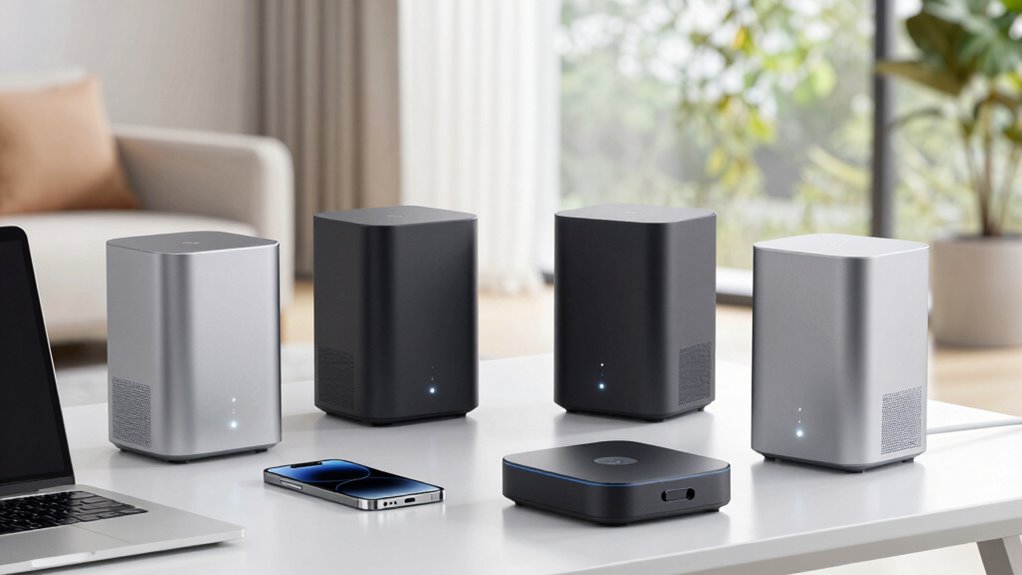

Choosing a tri band mesh Wi-Fi system in 2026 means balancing speed, coverage, and ease of use. The Netgear Orbi 770 Series stands out for its WiFi 7 support and extensive coverage, making it ideal for large households with demanding connectivity needs. The Deco 7 Pro offers a future-proof 10 Gbps link and support for over 200 devices, perfect for tech-heavy environments. Meanwhile, the TP-Link Deco XE75 with WiFi 6E and the latest 6 GHz band provides robust performance at a slightly more affordable price point. Each system has tradeoffs: some require a separate modem, others are pricier for larger coverage, and setup complexity varies depending on features.

Get audio and creator gear delivered free with Prime
- Fast, free delivery on millions of items
- Prime Video, Amazon Music and more included
- Member-only deals all year
Complete the kit


Key Takeaways
- WiFi 7 systems like the Netgear Orbi 770 and Deco 7 Pro offer the fastest speeds and largest coverage, suited for large or tech-heavy homes.
- WiFi 6E options like the Deco XE75 provide excellent performance with the latest 6 GHz band, but might be slightly less future-proof than WiFi 7 systems.
- Price and setup complexity vary, with higher-end models often requiring a separate modem and more advanced configuration.
- Device support ranges from 100 to over 200, making these systems adaptable to growing smart homes or gaming setups.
- Security features and additional ports differ, impacting overall value and network management for different users.
| NETGEAR Orbi 770 Series WiFi 7 Mesh System, 3 Pack |  | Best Overall for Large Homes | Coverage: 8,000 sq ft | Number of Units: 3 Pack | WiFi Technology: WiFi 7 | VIEW ON AMAZON | See Our Full Breakdown |
| Deco 7 Pro Tri-Band WiFi 7 BE10000 Whole Home Mesh System 6-Stream 10 Gbps |  | Best for Future-Proofing and High Device Support | Coverage: 7,600 sq ft | Number of Devices Supported: 200+ | WiFi Speed: up to 5,188 Mbps | VIEW ON AMAZON | See Our Full Breakdown |
| TP-Link Deco XE75 AXE5400 Tri-Band WiFi 6E Mesh System – 2 Pack |  | Best for WiFi 6E Enthusiasts | Coverage: 5500 sq ft | WiFi Bands: Tri-band (6 GHz, 5 GHz, 2.4 GHz) | Total Speed: 5400 Mbps | VIEW ON AMAZON | See Our Full Breakdown |
| TP-Link Deco XE75 AXE5400 Tri-Band WiFi 6E Mesh System (3-Pack) |  | Best for Larger Coverage and Latest WiFi 6E | WiFi Standard: WiFi 6E | Bands: Tri-band (2.4 GHz, 5 GHz, 6 GHz) | Coverage: 7,200 sq ft | VIEW ON AMAZON | See Our Full Breakdown |
| TP-Link Deco 7 Pro BE17000 Tri-Band Wi-Fi 7 Whole Home Mesh System (3-Pack) |  | Best for High-Speed and Max Device Support | Speed: 17 Gbps | WiFi Bands: Tri-band WiFi 7 | Coverage: 8,500 sq ft | VIEW ON AMAZON | See Our Full Breakdown |
| tri band mesh wi fi system | Coverage | Number of Units | WiFi Bands | Security |
|---|---|---|---|---|
| NETGEAR Orbi 770 Series WiFi 7 | 8,000 sq ft | 3 Pack | — | — |
| Deco 7 Pro Tri-Band WiFi 7 BE1 | 7,600 sq ft | — | Tri-band WiFi 7 | — |
| TP-Link Deco XE75 AXE5400 Tri- | 5500 sq ft | 2 | Tri-band (6 GHz, 5 GHz, 2.4 GHz) | TP-Link HomeShield |
| TP-Link Deco XE75 AXE5400 Tri- | 7,200 sq ft | 3 | — | TP-Link HomeShield |
| TP-Link Deco 7 Pro BE17000 Tri | 8,500 sq ft | — | Tri-band WiFi 7 | HomeShield, Secure-by-Design |
More Details on Our Top Picks
NETGEAR Orbi 770 Series WiFi 7 Mesh System, 3 Pack
The NETGEAR Orbi 770 Series provides extensive coverage up to 8,000 sq ft, making it one of the best choices for large households. It leverages WiFi 7 technology to deliver up to 11 Gbps speeds and supports up to 100 devices simultaneously, ensuring fast, reliable connections across multiple users. Compared to other options, its ease of expansion and compatibility with any internet provider make it versatile. However, it requires a subscription for Armor security features, and its price may be higher for some budgets. This pick is ideal for those wanting flagship performance in a large home without sacrificing simplicity.
Pros:- Provides coverage up to 8,000 sq ft with no dead zones
- Supports WiFi 7 for ultra-fast speeds
- Easy to expand for larger areas
- Includes security features and optional Armor subscription
Cons:- Requires a subscription for Armor security
- Price not specified, potentially high for some
- Coverage may vary based on home layout
Best for: Large households needing maximum coverage and performance
Not ideal for: Budget-conscious users or those who dislike subscription fees
- Coverage:8,000 sq ft
- Number of Units:3 Pack
- WiFi Technology:WiFi 7
- Speed:Up to 11 Gbps
- Device Capacity:Up to 100 devices
- Expandable Coverage:Additional 2,750 sq ft per satellite
Our verdict“A top-tier choice for large homes that demand fast, reliable WiFi with future-proof features.”
Deco 7 Pro Tri-Band WiFi 7 BE10000 Whole Home Mesh System 6-Stream 10 Gbps
The Deco 7 Pro delivers extensive coverage up to 7,600 sq ft and supports more than 200 devices. Its 10 Gbps ports and AI-driven roaming make it well-suited for busy smart homes, gaming, or streaming setups that demand high throughput. Compared with WiFi 6E options, it offers a more robust future-proof platform with advanced security features and multi-gig ports. On the downside, it requires a separate modem, and its setup can be complex for non-technical users. This system makes the most sense for those who prioritize high device support and high-speed connectivity for demanding environments.
Pros:- Supports over 200 devices with high-speed WiFi 7
- Includes 10G WAN/LAN port for future-proofing
- AI-driven roaming for stable connections
- Robust security features
Cons:- Requires a separate modem
- Setup complexity for non-experts
- Performance depends on environment
Best for: Tech-heavy homes with many connected devices
Not ideal for: Users seeking easy setup or on a tight budget
- Coverage:7,600 sq ft
- Number of Devices Supported:200+
- WiFi Speed:up to 5,188 Mbps
- WiFi Bands:Tri-band WiFi 7
- Ports:Four 2.5G WAN/LAN, USB 3.0
- Technology:AI-Roaming, Mesh WiFi
Our verdict“An excellent choice for large, device-dense homes needing future-ready connectivity.”
TP-Link Deco XE75 AXE5400 Tri-Band WiFi 6E Mesh System – 2 Pack
The Deco XE75 offers reliable coverage up to 5,500 sq ft, with the latest WiFi 6E technology supporting the new 6 GHz band for less interference. Its AI-driven mesh and easy app setup make it user-friendly, and security is protected with TP-Link HomeShield. Compared to WiFi 7 systems, it provides excellent performance at a more accessible price, though it may not match the raw speed or future-proofing of WiFi 7. It’s an ideal pick for those who want a high-performance WiFi 6E network without the premium cost of WiFi 7 systems.
Pros:- Supports WiFi 6E with 6 GHz band
- Coverage up to 5,500 sq ft
- Easy setup via app
- Advanced security features
Cons:- Requires a modem
- Performance depends on environment
- Price not specified in the description
Best for: Mid-sized homes seeking latest WiFi 6E tech
Not ideal for: Homes requiring the highest possible speeds or large coverage
- Coverage:5500 sq ft
- WiFi Bands:Tri-band (6 GHz, 5 GHz, 2.4 GHz)
- Total Speed:5400 Mbps
- Number of Units:2
- Security:TP-Link HomeShield
- Compatibility:All major ISPs
Our verdict“A solid WiFi 6E system for mid-sized homes wanting the latest tech without WiFi 7’s higher cost.”
TP-Link Deco XE75 AXE5400 Tri-Band WiFi 6E Mesh System (3-Pack)
The Deco XE75 3-Pack extends coverage up to 7,200 sq ft, utilizing WiFi 6E to deliver fast, interference-free connections across many devices. Its AI-driven mesh network, combined with easy app setup, makes it suitable for large homes and busy networks. While it requires a modem for most ISPs, it offers a good balance of coverage and performance at a slightly higher price for the 3-pack. Compared to WiFi 7 options, it’s a more affordable way to achieve high-speed, broad coverage, though it may lack some of the latest features.
Pros:- Coverage up to 7,200 sq ft
- Supports WiFi 6E with 6 GHz band
- Easy setup with app
- Good for many devices
Cons:- Requires a modem
- Higher price for 3 units
- Performance varies with environment
Best for: Large homes wanting WiFi 6E with broad coverage
Not ideal for: Users needing WiFi 7 speeds or advanced future-proofing
- WiFi Standard:WiFi 6E
- Bands:Tri-band (2.4 GHz, 5 GHz, 6 GHz)
- Coverage:7,200 sq ft
- Total Speed:up to 5,400 Mbps
- Number of Units:3
- Security:TP-Link HomeShield
Our verdict“A versatile WiFi 6E mesh system for large homes that prioritizes coverage and compatibility.”
TP-Link Deco 7 Pro BE17000 Tri-Band Wi-Fi 7 Whole Home Mesh System (3-Pack)
The Deco 7 Pro BE17000 offers up to 8,500 sq ft. of coverage and supports over 200 devices, making it suitable for demanding environments. Its WiFi 7 support delivers speeds up to 17 Gbps, with multi-gig ports for wired connections. The system’s easy setup via the Deco app and security features like HomeShield add to its appeal. Compared to other WiFi 7 systems, it combines wide coverage with high device capacity but comes with a higher price tag and the need for a separate modem. This makes it ideal for power users or large homes with many gadgets.
Pros:- Supports over 200 devices with WiFi 7 speeds
- Coverage up to 8,500 sq ft
- Multi-gig ports for wired connectivity
- Easy setup and management
Cons:- Requires a modem
- Higher price point
- Performance varies with environment
Best for: Performance-focused users and large, device-heavy homes
Not ideal for: Casual users or smaller homes
- Speed:17 Gbps
- WiFi Bands:Tri-band WiFi 7
- Coverage:8,500 sq ft
- Number of Devices Supported:200+
- Ports:10G RJ45, 2.5G LAN, SFP+
- Security:HomeShield, Secure-by-Design
Our verdict“A premium, high-speed mesh system suitable for demanding smart homes or users with intensive connectivity needs.”

How We Picked
Our selection process focused on tri band mesh Wi-Fi systems that support WiFi 6E and WiFi 7 standards, emphasizing coverage, speed, device capacity, and ease of setup. We compared specifications like coverage area, maximum throughput, security features, and ports, prioritizing systems that balance performance with user-friendly management. Price was considered, highlighting options suitable for both casual and performance-focused users. We also looked at compatibility with various ISPs and future-proof features such as multi-gig ports and AI-driven management.
| tri band mesh wi fi system | WiFi Bands | Security |
|---|---|---|
| NETGEAR Orbi 770 Series WiFi 7 | — | — |
| Deco 7 Pro Tri-Band WiFi 7 BE1 | Tri-band WiFi 7 | — |
| TP-Link Deco XE75 AXE5400 Tri- | Tri-band (6 GHz, 5 GHz, 2.4 GHz) | TP-Link HomeShield |
| TP-Link Deco XE75 AXE5400 Tri- | — | TP-Link HomeShield |
| TP-Link Deco 7 Pro BE17000 Tri | Tri-band WiFi 7 | HomeShield, Secure-by-Design |
Factors to Consider When Choosing Tri Band Mesh Wi Fi System
When selecting a tri band mesh Wi-Fi system, consider your home’s size, the number of devices, and your speed requirements. WiFi 7 systems like the NETGEAR Orbi 770 and Deco 7 Pro deliver maximum performance and coverage, making them ideal for large, demanding environments. WiFi 6E options such as the Deco XE75 balance advanced tech with affordability, suitable for mid-sized homes. Keep in mind setup complexity and whether you need multi-gig wired ports or enhanced security features. The right choice hinges on matching these features to your household’s specific needs.
Coverage and Size of Your Home
For larger homes exceeding 7,000 sq ft, systems like the NETGEAR Orbi 770 and Deco 7 Pro provide the necessary coverage with few dead zones. Smaller or medium-sized homes might find WiFi 6E options like the Deco XE75 sufficient, especially if budget is a concern. Always consider the number of rooms and potential obstacles that could impact WiFi signals when choosing a system.
Device Capacity and Speed Needs
If your household includes many smart devices, gaming consoles, or 4K streaming, prioritizing high device support and speed is key. WiFi 7 systems excel here, supporting over 200 devices at ultra-fast speeds. For lighter use, WiFi 6E offers ample capacity with excellent performance. Your choice should align with your current and anticipated device load.
Ease of Setup and Future-Proofing
Systems with AI-driven management and straightforward apps like the Deco X75 make setup easier. For those wanting the latest tech, WiFi 7 systems provide future-proofing with multi-gig ports and faster protocols. However, they often require more advanced configuration. Balance your comfort with setup complexity against your desire for a network ready for future demands.
Additional Features and Security
Look for security options like TP-Link HomeShield or Armor subscription, especially if you have many connected devices or sensitive data. Ports for wired connections and compatibility with your ISP are also important. Consider these extras to maximize value and security in your home network.
Frequently Asked Questions
What is the main advantage of tri band Wi-Fi systems?
Tri band Wi-Fi systems split the network load across three frequency bands, typically one 2.4 GHz and two 5/6 GHz bands. This setup reduces congestion, improves speeds, and enhances overall stability, especially in homes with many connected devices.
Why should I consider WiFi 7 over WiFi 6E?
WiFi 7 offers higher maximum speeds, improved latency, and better handling of multiple devices simultaneously, making it more future-proof. However, WiFi 6E still provides excellent performance with the added benefit of the 6 GHz band, often at a lower cost and with wider compatibility.
Are mesh Wi-Fi systems easy to set up?
Most modern mesh systems, including those reviewed here, feature simplified setup via dedicated apps, guiding users step-by-step. While some systems with advanced features may require more technical knowledge, generally, setup is straightforward and designed for non-technical users.
Do I need a modem for these mesh systems?
Yes, most mesh Wi-Fi systems, including all those reviewed, require a separate modem to connect to your internet service provider. The mesh units connect to your modem to distribute Wi-Fi throughout your home.
Is security included in these systems?
All the systems reviewed include built-in security features like TP-Link HomeShield or Armor subscriptions, offering protection against threats. Higher-end systems often include advanced security options and parental controls, which are worthwhile considerations for families or sensitive environments.
Conclusion
For large households or users prioritizing maximum performance and coverage, the NETGEAR Orbi 770 Series and Deco 7 Pro are excellent choices, especially if future-proofing and high device support are important. Those with medium-sized homes and a focus on the latest WiFi 6E tech can consider the Deco XE75. Power users or extensive smart home owners with demanding needs should lean toward the TP-Link Deco 7 Pro BE17000. Budget-conscious buyers can find value in WiFi 6E options, while tech enthusiasts seeking the best speeds and future readiness should look at WiFi 7 models.
Halloween Picks
halloween
As an affiliate, we earn on qualifying purchases.