For most wireless VR setups, I’d start with the TP-Link Archer BE550 Pro: its Wi-Fi 7 platform makes it a strong all-around choice for a dedicated, low-congestion headset connection. The GL.iNet Flint 3 is a standout for buyers who want more networking control, while the Deco XE75 2-Pack makes more sense when headset coverage across a larger home matters more than a single-router setup. The main tradeoffs are dedicated 6 GHz capacity versus range, one powerful router versus mesh coverage, and newer Wi-Fi 7 features versus the cost and complexity of upgrading. A tri-band label alone does not guarantee smooth VR; placement, interference, headset support, and PC connection all matter. Read on for the full breakdown of 14 routers and systems and how I’d match them to different VR rooms and budgets.

Get audio and creator gear delivered free with Prime
- Fast, free delivery on millions of items
- Prime Video, Amazon Music and more included
- Member-only deals all year
Complete the kit


Key Takeaways
- A single-router Wi-Fi 7 setup is the clearest fit for a dedicated VR room: the Archer BE550 Pro and Archer BE600 are the most direct choices in this lineup for buyers prioritizing a modern standalone router.
- Mesh is a coverage decision, not an automatic latency upgrade: the Deco XE75 and Deco BE63 options can address weak-room coverage, but wireless links between nodes add another variable; wired backhaul can help.
- Wi-Fi 6E remains relevant when the headset supports 6 GHz: the Archer AXE75 and AXE7800, MSI Radix AXE6600, and Deco XE75 family offer a 6 GHz band without requiring Wi-Fi 7 clients.
- The lineup’s most unusual pick serves a different job: the GL.iNet MUDI 7 is a portable 5G travel router with eSIM, not a straightforward replacement for a home VR router.
- More streams and a higher combined wireless class do not promise better VR by themselves: room layout, nearby interference, client capability, and the PC-to-router connection can matter more than headline throughput.
| TP-Link Archer AXE7800 Tri-Band Wi-Fi 6E Router – Black (Renewed) |  | Best for a Single-Room VR Setup | Wi-Fi generation: Wi-Fi 6E | Bands: Tri-band, including 6 GHz | Maximum listed speed: 7.8 Gbps | VIEW ON AMAZON | See Our Full Breakdown |
| TP-Link Deco XE75 AXE5400 Tri-Band WiFi 6E Mesh System, 2-Pack |  | Best for Whole-Home VR Coverage | Wi-Fi standard: Wi-Fi 6E | Bands: Tri-band | Listed total speed: 5,400 Mbps | VIEW ON AMAZON | See Our Full Breakdown |
| TP-Link Tri-Band WiFi 7 Router, Archer BE550 Pro |  | Best for a High-End Wired VR Setup | Wi-Fi generation: Wi-Fi 7 | Bands: Tri-band: 2.4 GHz, 5 GHz, 6 GHz | Maximum listed speed: Up to 9.7 Gbps | VIEW ON AMAZON | See Our Full Breakdown |
| TP-Link Tri-Band WiFi 7 Router (Archer BE600) |  | Best for Larger Homes Without a Mesh Kit | Wi-Fi technology: Wi-Fi 7 | Bands: Tri-band: 2.4 GHz, 5 GHz, 6 GHz | Total bandwidth: 9.7 Gbps | VIEW ON AMAZON | See Our Full Breakdown |
| GL.iNet GL-E5800 NA MUDI 7 5G Tri-Band Wi-Fi 7 Travel Router with eSIM |  | Best Portable Option for VR on the Road | Wi-Fi generation: Wi-Fi 7 | Bands: Tri-band: 2.4 GHz, 5 GHz, 6 GHz | Maximum listed data rate: 5,765 Mbps | VIEW ON AMAZON | See Our Full Breakdown |
| TP-Link Deco 7 Pro BE63 Tri-Band WiFi 7 Whole Home Mesh Router |  | Best Compact-Coverage Mesh Pick | Wi-Fi generation: Wi-Fi 7 | Bands: Tri-band | Maximum speed: Up to 10 Gbps | VIEW ON AMAZON | See Our Full Breakdown |
| Deco 7 Pro Tri-Band WiFi 7 BE10000 Whole Home Mesh System 6-Stream 10 Gbps |  | Best for Large Homes | Wi-Fi generation: Wi-Fi 7 (802.11be) | Bands: Tri-band | Maximum speed: Up to 10 Gbps | VIEW ON AMAZON | See Our Full Breakdown |
| MSI Radix AXE6600 WiFi 6E Tri-Band Gaming Router with RGB and AI QoS |  | Best Gaming-Traffic Prioritization | Wi-Fi standard: Wi-Fi 6E (802.11ax) | Bands: 2.4 GHz, 5 GHz, and 6 GHz | Maximum speed: Up to 6.6 Gbps | VIEW ON AMAZON | See Our Full Breakdown |
| GL.iNet GL-BE9300 Flint 3 Tri-Band Wi-Fi 7 Router |  | Best Wi-Fi 7 Standalone Router | Wi-Fi generation: Wi-Fi 7 | Bands: Tri-band | Maximum speed: Up to 9 Gbps | VIEW ON AMAZON | See Our Full Breakdown |
| TP-Link AXE5400 Tri-Band WiFi 6E Router (Archer AXE75) |  | Best Wi-Fi 6E Value Alternative | Wi-Fi standard: Wi-Fi 6E (802.11ax) | Bands: Tri-band: 2.4 GHz, 5 GHz, and 6 GHz | Maximum speed: Up to 5,400 Mbps | VIEW ON AMAZON | See Our Full Breakdown |
| TP-Link Deco XE75 AXE5400 Tri-Band WiFi 6E Mesh System, 1-Pack | 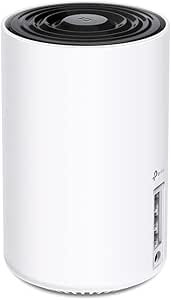 | Best Single-Node WiFi 6E Mesh Pick | WiFi standard: WiFi 6E | Bands: Tri-band: 6 GHz, 5 GHz, 2.4 GHz | Maximum combined speed: 5,400 Mbps | VIEW ON AMAZON | See Our Full Breakdown |
| TP-Link Deco 7 Pro BE63 Tri-Band WiFi 7 Whole Home Mesh System |  | Best for Large Homes and WiFi 7 Headroom | WiFi generation: WiFi 7 | Bands: Tri-band | Maximum Wi-Fi speed: Up to 10 Gbps | VIEW ON AMAZON | See Our Full Breakdown |
| TP-Link Deco XE75 AXE5400 Tri-Band WiFi 6E Mesh System, 3-Pack |  | Best WiFi 6E Mesh Coverage | WiFi standard: WiFi 6E | Bands: Tri-band | Maximum speed: 5,400 Mbps | VIEW ON AMAZON | See Our Full Breakdown |
| Cudy BE6500 Tri-Band Wi-Fi 7 Router, WR6500 |  | Best Standalone WiFi 7 Router | WiFi generation: WiFi 7 | Frequency bands: Described as tri-band; network type also listed as dual-band | Maximum data rate: 6,500 Mbps | VIEW ON AMAZON | See Our Full Breakdown |
| tri band router for vr streaming | Bands | Ports |
|---|---|---|
| TP-Link Archer AXE7800 Tri-Ban | Tri-band, including 6 GHz | — |
| TP-Link Deco XE75 AXE5400 Tri- | Tri-band | 6 |
| TP-Link Tri-Band WiFi 7 Router | Tri-band: 2.4 GHz, 5 GHz, 6 GHz | — |
| TP-Link Tri-Band WiFi 7 Router | Tri-band: 2.4 GHz, 5 GHz, 6 GHz | — |
| GL.iNet GL-E5800 NA MUDI 7 5G | Tri-band: 2.4 GHz, 5 GHz, 6 GHz | 3, including 2.5 Gbps Ethernet and USB-C |
| TP-Link Deco 7 Pro BE63 Tri-Ba | Tri-band | 4; 2.5G WAN/LAN and USB 3.0 |
| Deco 7 Pro Tri-Band WiFi 7 BE1 | Tri-band | Four 2.5 Gbps WAN/LAN ports and USB 3.0 |
| MSI Radix AXE6600 WiFi 6E Tri- | 2.4 GHz, 5 GHz, and 6 GHz | 1 Ethernet and 1 USB |
| GL.iNet GL-BE9300 Flint 3 Tri- | Tri-band | 5 |
| TP-Link AXE5400 Tri-Band WiFi | Tri-band: 2.4 GHz, 5 GHz, and 6 GHz | 5, including a 2.5 Gbps WAN port |
| TP-Link Deco XE75 AXE5400 Tri- | Tri-band: 6 GHz, 5 GHz, 2.4 GHz | — |
| TP-Link Deco 7 Pro BE63 Tri-Ba | Tri-band | Four 2.5G WAN/LAN ports; USB 3.0 port |
| TP-Link Deco XE75 AXE5400 Tri- | Tri-band | — |
| Cudy BE6500 Tri-Band Wi-Fi 7 R | — | 5 |
More Details on Our Top Picks
TP-Link Archer AXE7800 Tri-Band Wi-Fi 6E Router – Black (Renewed)
The Archer AXE7800 suits a VR setup where a headset can use the 6 GHz band without a mesh system or a newer Wi-Fi 7 router. Its listed 7.8 Gbps is combined wireless capacity, not a promise of that speed to one headset; the practical draw is a less-crowded band for compatible devices. Compared with the Archer BE550 Pro, it lacks Wi-Fi 7 features and multi-gig LAN ports, but its 2.5 Gbps WAN/LAN port and several gigabit ports may be sufficient for a home with a wired gaming PC. The main caveat is its renewed condition: warranty coverage may be more limited, and buyers should check what support applies. Its single-router design also offers less flexibility for dead zones than the Deco XE75 mesh pair.
Pros:- Tri-band Wi-Fi 6E includes a 6 GHz band for compatible headsets in a less-congested spectrum.
- 2.5 Gbps WAN/LAN port supports a faster-than-gigabit wired link.
- Three Gigabit LAN ports and two USB ports provide flexible connections for home devices.
- Eight antennas, beamforming, and mesh support offer options for extending coverage.
Cons:- Renewed condition may come with more limited warranty coverage than a new router.
- Wi-Fi 6E lacks the Wi-Fi 7 features offered by the Archer BE550 Pro and Archer BE600.
- One 2.5 Gbps port and three Gigabit LAN ports offer fewer multi-gig wired options than newer Wi-Fi 7 models.
Best for: VR players with a compatible 6 GHz headset in the same room as the router, plus a wired PC or console.
Not ideal for: Buyers with a large or hard-to-cover home, or anyone who wants Wi-Fi 7, multiple multi-gig LAN ports, or the reassurance of a new-product warranty.
- Wi-Fi generation:Wi-Fi 6E
- Bands:Tri-band, including 6 GHz
- Maximum listed speed:7.8 Gbps
- Ethernet ports:1 × 2.5 Gbps WAN/LAN, 1 × 1 Gbps WAN/LAN, 3 × Gigabit LAN
- USB ports:2
- Antennas:8
- Processor:1.7 GHz quad-core
- Security:WPA2-PSK, WPA3
Our verdict“Choose this renewed router for a compatible 6 GHz VR headset in a nearby room, but favor the Deco XE75 for broad coverage or a Wi-Fi 7 model for newer features.”
TP-Link Deco XE75 AXE5400 Tri-Band WiFi 6E Mesh System, 2-Pack
The Deco XE75 two-pack is the coverage-first pick here: its mesh design and listed reach of up to 5,500 square feet suit homes where the VR play area is far from the modem. The 6 GHz band can give a compatible headset a less-congested connection, while the second unit helps address weak spots that a single router such as the Archer AXE7800 may leave. That advantage depends on placement and the connection between mesh units; a wireless backhaul still uses radio capacity. Its 5.4 Gbps listed total is below the Wi-Fi 7 Archer BE550 Pro’s 9.7 Gbps, and it does not offer the same collection of multi-gig ports. App-based setup is approachable for basic home coverage, though advanced network controls may feel limiting to power users.
Pros:- Two-unit mesh system is designed to extend coverage beyond a single router.
- Tri-band Wi-Fi 6E includes 6 GHz for compatible headsets.
- Listed coverage reaches up to 5,500 square feet.
- Deco app provides a straightforward way to set up and manage the mesh.
Cons:- Listed total speed of 5,400 Mbps is below the 9.7 Gbps Wi-Fi 7 Archer BE550 Pro.
- The product data does not list multi-gig Ethernet ports, limiting wired upgrade options.
- Advanced configuration may be less flexible than a standalone router aimed at power users.
Best for: Households with a compatible 6 GHz VR headset and a play area in a different part of a large home.
Not ideal for: VR enthusiasts seeking Wi-Fi 7, extensive multi-gig wired connections, or detailed manual network controls.
- Wi-Fi standard:Wi-Fi 6E
- Bands:Tri-band
- Listed total speed:5,400 Mbps
- Listed coverage:Up to 5,500 sq. ft.
- System configuration:2-pack mesh system
- Ports:6
- Security protocols:WPA3, WPA2, WPA
- Control:Deco app
Our verdict“Pick the Deco XE75 two-pack when getting a stable signal across a large home matters more than Wi-Fi 7 speed or advanced wired connectivity.”
TP-Link Tri-Band WiFi 7 Router, Archer BE550 Pro
For a VR room built around a gaming PC and fast wired internet, the Archer BE550 Pro has the strongest port mix in this group: four 2.5 Gbps LAN ports plus a 10 Gbps WAN port. That makes it more accommodating than the Archer AXE7800 if the PC, NAS, or other wired devices need multi-gig connections. Wi-Fi 7, including Multi-Link Operation, offers newer connectivity features, but a headset must support the relevant features to benefit; the 9.7 Gbps figure is combined capacity, not headset throughput. Its listed coverage of up to 2,000 square feet is also more modest than the Deco XE75 two-pack’s reach, so it is a stronger fit for a focused play area than a sprawling home. Setup may take more effort for users who want to tune advanced options.
Pros:- Wi-Fi 7 tri-band connectivity includes 6 GHz and Multi-Link Operation.
- Four 2.5 Gbps LAN ports suit a wired gaming setup with several fast devices.
- 10 Gbps WAN port supports a high-speed incoming connection.
- OFDMA and MU-MIMO are designed to manage connections from multiple devices.
Cons:- Wi-Fi 7 gains depend on compatible client devices.
- Listed coverage of up to 2,000 square feet is less suited to broad whole-home coverage than the Deco XE75 mesh pair.
- Advanced features may make setup and tuning harder for less technical users.
Best for: VR players with a Wi-Fi 7-capable headset, a multi-gig wired PC, and a play space within the router’s coverage.
Not ideal for: Buyers with older Wi-Fi-only gear, a large home needing mesh coverage, or no use for multi-gig wired ports.
- Wi-Fi generation:Wi-Fi 7
- Bands:Tri-band: 2.4 GHz, 5 GHz, 6 GHz
- Maximum listed speed:Up to 9.7 Gbps
- WAN port:1 × 10 Gbps
- LAN ports:4 × 2.5 Gbps
- USB port:1 × USB 3.0
- Listed coverage:Up to 2,000 sq. ft.
- Wireless features:Multi-Link Operation, OFDMA, MU-MIMO
Our verdict“Choose the Archer BE550 Pro for a compact VR play area that can use Wi-Fi 7 and multi-gig wired ports, not as the default solution for a large home.”
TP-Link Tri-Band WiFi 7 Router (Archer BE600)
The Archer BE600 pairs Wi-Fi 7 with listed coverage up to 2,600 square feet, making it a single-router alternative for a home that needs more reach than the Archer BE550 Pro lists. Its mix of 10 Gbps and 2.5 Gbps ports can also serve a wired gaming PC and other fast network devices, while leaving several multi-gig LAN connections available. For VR streaming, those ports help the rest of the network, but the headset still relies on wireless coverage and client compatibility. Compared with the Deco XE75 two-pack, the BE600 avoids managing separate mesh units but may not solve distant dead zones as effectively. Its 11-inch-plus dimensions call for a dedicated spot, and the product data does not specify a separate wireless speed for individual clients.
Pros:- Tri-band Wi-Fi 7 includes the 6 GHz band.
- 10 Gbps WAN/LAN and multiple 2.5 Gbps ports support fast wired devices.
- Listed coverage of up to 2,600 square feet exceeds the Archer BE550 Pro’s stated coverage.
- Tether app management provides a phone-based setup and control option.
Cons:- A single router may not cover dead zones as well as the two-unit Deco XE75 mesh system.
- Its 11.29-inch width requires more placement space than a compact network device.
- Wi-Fi 7 benefits depend on compatible client devices.
Best for: VR households seeking a Wi-Fi 7 single-router setup with multi-gig wired connections and moderate whole-home reach.
Not ideal for: People who need mesh nodes for distant rooms, have limited space for a full-size router, or use a headset that cannot take advantage of Wi-Fi 7.
- Wi-Fi technology:Wi-Fi 7
- Bands:Tri-band: 2.4 GHz, 5 GHz, 6 GHz
- Total bandwidth:9.7 Gbps
- Listed coverage:Up to 2,600 sq. ft.
- WAN/LAN ports:1 × 10 Gbps WAN/LAN, 1 × 2.5 Gbps WAN/LAN
- LAN ports:3 × 2.5 Gbps
- USB port:1 × USB 3.0
- Processor:Quad-core CPU
Our verdict“Choose the Archer BE600 if you want Wi-Fi 7 and several multi-gig ports from one router, but choose the Deco XE75 pair when coverage across separated rooms is the priority.”
GL.iNet GL-E5800 NA MUDI 7 5G Tri-Band Wi-Fi 7 Travel Router with eSIM
The MUDI 7 is the outlier in this roundup: a battery-powered travel router with 5G, eSIM, and Wi-Fi 7, rather than a fixed home router built to cover a VR room. Its portability and multiple connectivity paths suit travel or temporary setups where hotel Wi-Fi is unreliable or a wired connection is unavailable. The listed battery life of up to 13.5 hours gives it a role the Archer BE550 Pro and Archer BE600 cannot fill, but its 5,765 Mbps maximum is below their listed 9.7 Gbps, and mobile network performance depends on local service and plan conditions. The touchscreen helps with on-device management, while OpenWrt offers flexibility at the cost of a steeper learning curve. For a permanent home play area, the Deco XE75’s mesh coverage is a better match.
Pros:- Portable battery-powered design supports temporary VR network setups away from home.
- 5G, eSIM, dual SIM options, and wired connectivity provide multiple ways to get online.
- Tri-band Wi-Fi 7 includes 6 GHz.
- Touchscreen, app, and OpenWrt controls provide flexible management options.
Cons:- Listed maximum data rate of 5,765 Mbps is below the Archer BE550 Pro and Archer BE600 figures.
- Coverage and connection quality depend on location, mobile service, and travel network conditions.
- OpenWrt and the range of connectivity settings may be difficult for users seeking simple setup.
Best for: Frequent travelers or event users who need a portable network for a compatible VR headset and can access suitable 5G or SIM service.
Not ideal for: Buyers setting up a permanent home VR room who need broad coverage, simple configuration, or a conventional mesh system.
- Wi-Fi generation:Wi-Fi 7
- Bands:Tri-band: 2.4 GHz, 5 GHz, 6 GHz
- Maximum listed data rate:5,765 Mbps
- Mobile connectivity:5G, eSIM, dual nano-SIM slots
- Ports:3, including 2.5 Gbps Ethernet and USB-C
- Battery:5,150 mAh; up to 13.5 hours
- Operating system:OpenWrt 23.05.4
- Security protocols:WPA-PSK, WPA2-PSK, WPA3
Our verdict“Pick the MUDI 7 for portable VR networking on trips, but use a home router or mesh system for a permanent play space.”
TP-Link Deco 7 Pro BE63 Tri-Band WiFi 7 Whole Home Mesh Router
For VR streaming in a home where the headset’s play area sits within a broader household network, this Deco combines Wi-Fi 7 tri-band with mesh flexibility and stated coverage of up to 3,000 sq. ft. Its four 2.5G WAN/LAN ports give a PC or mesh node a wired option, which can help keep wireless airtime free for the headset. Compared with the larger-coverage Deco 7 Pro BE10000 7,600 sq. ft. system, this model is aimed at a smaller footprint, not sprawling homes. The tradeoff is that mesh benefits depend on unit placement and backhaul; a single router may not reach every room reliably. I’d choose it when app-managed coverage and wired flexibility matter more than a standalone gaming router’s controls.
Pros:- Tri-band Wi-Fi 7 with stated speeds up to 10 Gbps
- Coverage specified up to 3,000 sq. ft. and support for over 200 devices
- Four 2.5G WAN/LAN ports provide flexible wired connections
- Deco app offers straightforward setup and network management
Cons:- Mesh performance depends on node placement and backhaul quality
- Coverage can fall with walls and other obstacles
- A gaming-focused router may offer more directly tailored traffic controls
Best for: VR households in a medium-sized home that want app-managed mesh coverage, Wi-Fi 7, and several high-speed wired connections.
Not ideal for: Buyers covering a very large or multi-level home with one unit, or VR players seeking detailed gaming traffic controls from a dedicated gaming router.
- Wi-Fi generation:Wi-Fi 7
- Bands:Tri-band
- Maximum speed:Up to 10 Gbps
- Coverage:Up to 3,000 sq. ft.
- Supported devices:Over 200
- Ports:4; 2.5G WAN/LAN and USB 3.0
- Backhaul:Wired or wireless
Our verdict“Choose this Deco for Wi-Fi 7 mesh coverage in a medium-sized VR home; skip it if you need greater stated coverage or gaming-specific controls.”
Deco 7 Pro Tri-Band WiFi 7 BE10000 Whole Home Mesh System 6-Stream 10 Gbps
When a VR room is far from the internet connection—or other household devices compete for coverage—the standout here is the stated reach: up to 7,600 sq. ft. This tri-band Wi-Fi 7 mesh system also lists six streams, speeds up to 10 Gbps, and support for more than 200 devices. Its four 2.5 Gbps WAN/LAN ports let you wire compatible equipment or use a wired mesh backhaul. Compared with the 3,000-sq.-ft. Deco 7 Pro BE63, this system is the more suitable fit for a larger footprint, though neither coverage figure guarantees a particular signal in a home with thick walls or awkward node placement. It also requires a separate modem. I’d favor it for broad household coverage, not for someone who only needs a strong signal in one VR space.
Pros:- Stated mesh coverage reaches up to 7,600 sq. ft.
- Tri-band Wi-Fi 7 with speeds up to 10 Gbps
- Four 2.5 Gbps WAN/LAN ports support wired devices and backhaul
- Designed to support over 200 connected devices
Cons:- A separate modem is required for internet access
- Actual coverage depends on walls, placement, and home layout
- Its broad-coverage mesh design may be unnecessary for a small VR setup
Best for: VR players in large homes who need mesh coverage across distant rooms and want multiple 2.5 Gbps wired connections.
Not ideal for: Apartment residents or buyers focused on a single play room who would not use the larger mesh coverage, or anyone expecting a modem to be included.
- Wi-Fi generation:Wi-Fi 7 (802.11be)
- Bands:Tri-band
- Maximum speed:Up to 10 Gbps
- Coverage:Up to 7,600 sq. ft.
- Streams:6
- Device support:Over 200 devices
- Ports:Four 2.5 Gbps WAN/LAN ports and USB 3.0
Our verdict“Pick this system when your VR network needs to span a large home; choose the smaller Deco 7 Pro BE63 if its 3,000-sq.-ft. coverage is a closer fit.”
MSI Radix AXE6600 WiFi 6E Tri-Band Gaming Router with RGB and AI QoS
The Radix AXE6600 takes a gaming-router approach to VR streaming: its AI QoS is designed to prioritize selected traffic, while the 6 GHz band offers a less crowded wireless option for compatible devices. With eight streams and a 1.8 GHz quad-core processor, it has a spec profile geared toward handling several demanding connections. That makes it a different proposition from the mesh-oriented Deco 7 Pro BE63, which focuses more on extending coverage around the home. The MSI is Wi-Fi 6E rather than Wi-Fi 7, and its listed wired connectivity is limited to one Ethernet port, so it is less flexible for multiple wired devices or mesh expansion. Setup may also take more effort for beginners. I’d pick it for a gaming-focused room, not for whole-home coverage needs.
Pros:- Tri-band Wi-Fi 6E includes 2.4, 5, and 6 GHz bands
- AI QoS is designed to prioritize gaming and streaming traffic
- Eight streams and a 1.8 GHz quad-core processor
- Six antennas and customizable RGB lighting suit a dedicated gaming setup
Cons:- Wi-Fi 6E rather than Wi-Fi 7
- Only one Ethernet port is listed, limiting wired-device options
- Setup and configuration may be less approachable for non-technical users
Best for: VR gamers with a compatible 6 GHz headset or PC who want a standalone gaming router with traffic prioritization.
Not ideal for: Households needing several wired connections, mesh-style whole-home coverage, or a simple setup without gaming-network configuration.
- Wi-Fi standard:Wi-Fi 6E (802.11ax)
- Bands:2.4 GHz, 5 GHz, and 6 GHz
- Maximum speed:Up to 6.6 Gbps
- Streams:8
- Processor:1.8 GHz quad-core
- Antennas:6
- Ports:1 Ethernet and 1 USB
Our verdict“Choose the MSI for a gaming-room setup where traffic prioritization matters more than Wi-Fi 7 or mesh coverage.”
GL.iNet GL-BE9300 Flint 3 Tri-Band Wi-Fi 7 Router
The Flint 3 is the standalone Wi-Fi 7 pick for buyers who want high stated throughput without committing to a mesh system. Its tri-band design and listed maximum speed of 9 Gbps suit a VR setup sharing the network with streaming and other connected devices, while five ports give it more connection flexibility than the MSI Radix AXE6600’s single listed Ethernet port. Coverage is specified at up to 2,000 sq. ft., so it is less suited to a large home than the 7,600-sq.-ft. Deco 7 Pro mesh system. The Flint 3 also lists 1 GB of RAM and security features including WPA3, but setup may require more technical attention than managing a Deco through its app. I’d choose it for a focused, feature-rich router setup rather than plug-and-play whole-home coverage.
Pros:- Tri-band Wi-Fi 7 with maximum speed listed up to 9 Gbps
- Coverage specified up to 2,000 sq. ft.
- Five ports provide more connection options than the MSI Radix AXE6600
- 1 GB RAM and WPA3 support are listed
Cons:- Coverage is below the larger Deco 7 Pro mesh system’s stated reach
- Setup may require following detailed instructions
- Advanced networking features may be unnecessary for basic VR streaming
Best for: Technically confident VR streamers who want a standalone Wi-Fi 7 router, several ports, and coverage for a moderate-sized home.
Not ideal for: Buyers needing mesh coverage across a large or obstructed home, or beginners who want the simplest possible setup.
- Wi-Fi generation:Wi-Fi 7
- Bands:Tri-band
- Maximum speed:Up to 9 Gbps
- Coverage:Up to 2,000 sq. ft.
- Ports:5
- RAM:1 GB
- Antennas:4
Our verdict“Choose the Flint 3 for standalone Wi-Fi 7 performance and multiple ports in a moderate-sized home, but look to mesh for broader coverage.”
TP-Link AXE5400 Tri-Band WiFi 6E Router (Archer AXE75)
The Archer AXE75 is a practical entry point for VR streaming on a compatible 6 GHz device: its tri-band Wi-Fi 6E design adds that band without requiring a Wi-Fi 7 router. The listed 5,400 Mbps speed and mesh-extension compatibility make it a flexible choice for a household that may add coverage later. Compared with the GL.iNet Flint 3, it is a Wi-Fi 6E model with a lower listed maximum speed, while the Flint 3 moves to Wi-Fi 7 and lists 9 Gbps. The Archer’s five ports include a 2.5 Gbps WAN port, but the data does not specify multiple 2.5 Gbps LAN ports. It also requires a modem for most internet providers, and its advanced features may take some setup. I’d favor it when 6 GHz is the goal and Wi-Fi 7 is not a requirement.
Pros:- Tri-band Wi-Fi 6E includes a dedicated 6 GHz band
- Listed Wi-Fi speed reaches 5,400 Mbps
- Mesh-extension compatibility can support a later coverage upgrade
- Five ports include a 2.5 Gbps WAN port
Cons:- Wi-Fi 6E rather than Wi-Fi 7, unlike the Flint 3 and Deco 7 Pro models
- Requires a modem for most internet service providers
- Coverage is listed as whole-home Wi-Fi without a specific area figure
Best for: VR users with a Wi-Fi 6E-capable headset or PC who want a tri-band router with mesh-extension options.
Not ideal for: Buyers seeking Wi-Fi 7, a stated coverage figure, or several high-speed wired LAN connections.
- Wi-Fi standard:Wi-Fi 6E (802.11ax)
- Bands:Tri-band: 2.4 GHz, 5 GHz, and 6 GHz
- Maximum speed:Up to 5,400 Mbps
- Processor:1.0 GHz dual-core
- RAM:512 MB
- Antennas:8
- Ports:5, including a 2.5 Gbps WAN port
- Security:WPA2 and WPA3
Our verdict“Choose the Archer AXE75 if you want 6 GHz VR connectivity and mesh flexibility without needing Wi-Fi 7.”
TP-Link Deco XE75 AXE5400 Tri-Band WiFi 6E Mesh System, 1-Pack
The Deco XE75 1-Pack suits a VR room that needs a dedicated 6 GHz connection but does not call for whole-home mesh coverage. That band can reduce congestion from older devices, which may help keep wireless VR traffic steadier when the headset and router are in the same area. It offers up to 5,400 Mbps combined speed and supports up to 200 devices, though those figures describe total network capacity, not a guaranteed headset speed. Compared with the Deco XE75 3-Pack, this one costs you coverage flexibility: one unit cannot extend service across distant rooms by itself. It is easier to place and manage than a multi-node system, but it still needs a modem for most internet connections, and the supplied data does not specify wired port details. Choose it for a focused VR zone, not as a fix for a large home with weak signal between rooms.
Pros:- 6 GHz band offers another option for reducing wireless congestion near the VR play area.
- Up to 5,400 Mbps combined speed provides substantial total network capacity.
- Deco app supports straightforward setup and management.
- HomeShield adds network security features.
Cons:- One unit provides less coverage flexibility than the Deco XE75 3-Pack.
- A modem is required for most internet service providers.
- The supplied product data does not specify wired port configuration or coverage area.
Best for: VR players who want WiFi 6E in one main gaming room and prefer app-managed setup over a larger mesh bundle.
Not ideal for: People trying to cover a large or multi-floor home with one unit, or buyers who need documented high-speed wired ports for a PC or access point.
- WiFi standard:WiFi 6E
- Bands:Tri-band: 6 GHz, 5 GHz, 2.4 GHz
- Maximum combined speed:5,400 Mbps
- Supported devices:Up to 200
- Security:TP-Link HomeShield
- Setup:Deco app
- Compatibility:All major internet service providers
Our verdict“Pick this single-node XE75 for a nearby VR setup that needs WiFi 6E, but choose the 3-Pack if signal must reach more rooms.”
TP-Link Deco 7 Pro BE63 Tri-Band WiFi 7 Whole Home Mesh System
For a VR setup spread across a large home, the Deco 7 Pro BE63 stands apart through its stated coverage of up to 5,800 sq. ft. and WiFi 7 support. The extra network capacity and mesh roaming are useful when other household devices compete with VR traffic, while four 2.5G WAN/LAN ports give wired equipment more room than the XE75 options’ supplied specs document. Its advertised speed reaches 10 Gbps, but that is a combined ceiling, not a promise of a particular headset experience; placement, walls, and client support still matter. Compared with the Deco XE75 3-Pack, this model offers a newer WiFi generation and faster listed ports, but the XE75 makes the 6 GHz benefit explicit and may be enough for a more modest network. This is the more capable whole-home choice, with modem requirements and possible HomeShield subscription costs to factor in.
Pros:- Stated coverage reaches up to 5,800 sq. ft. for broad mesh deployment.
- WiFi 7 and up to 10 Gbps provide more network headroom than the WiFi 6E Deco XE75.
- Four 2.5G WAN/LAN ports support faster wired connections.
- Deco app setup and roaming features suit a multi-node home network.
Cons:- Requires a separate modem for internet service.
- Real coverage and performance can change with node placement and obstacles.
- Some HomeShield features may require a subscription.
Best for: Households with a large floor plan, multiple active devices, and WiFi 7-compatible equipment alongside a VR headset.
Not ideal for: VR players who need only one room covered, have no WiFi 7 clients, or want to avoid a separate modem and possible HomeShield subscription costs.
- WiFi generation:WiFi 7
- Bands:Tri-band
- Maximum Wi-Fi speed:Up to 10 Gbps
- Coverage:Up to 5,800 sq. ft.
- Device capacity:Over 200 devices
- Ports:Four 2.5G WAN/LAN ports; USB 3.0 port
- Security:TP-Link HomeShield
- Setup:Deco app
- Compatibility:All WiFi generations; most internet service providers
Our verdict“Choose the BE63 when a large home and WiFi 7 clients justify its broader mesh and faster ports; skip it for a single-room VR network.”
TP-Link Deco XE75 AXE5400 Tri-Band WiFi 6E Mesh System, 3-Pack
The Deco XE75 3-Pack is the better XE75 choice when the VR room sits far from the internet connection or a single router leaves dead zones. Its stated coverage reaches 7,200 sq. ft., and the 6 GHz band gives compatible devices a less crowded path than older bands may offer. That can help a headset maintain a more consistent local wireless link, though mesh placement and walls still affect results. Compared with the Deco XE75 1-Pack, this bundle brings the nodes needed to spread coverage across multiple areas; compared with the WiFi 7 Deco 7 Pro BE63, it gives up the newer standard and faster listed ports. For a WiFi 6E home, that trade can make sense if coverage matters more than next-generation capacity. You will still need a modem for most providers, and some HomeShield features may carry subscription requirements.
Pros:- Up to 7,200 sq. ft. stated coverage supports a broad mesh layout.
- 6 GHz band offers a less congested option for compatible VR devices.
- Three nodes provide more placement flexibility than the Deco XE75 1-Pack.
- Deco app and AI-driven mesh features simplify network management.
Cons:- WiFi 6E is an older generation than the WiFi 7 Deco 7 Pro BE63.
- A modem is required for most internet providers.
- HomeShield subscription requirements may apply to premium features.
Best for: WiFi 6E households where the VR play area is distant from the modem or signal needs to reach several rooms or floors.
Not ideal for: Buyers with a compact home or WiFi 7 equipment who would benefit more from the BE63’s newer standard and 2.5G ports.
- WiFi standard:WiFi 6E
- Bands:Tri-band
- Maximum speed:5,400 Mbps
- Coverage:Up to 7,200 sq. ft.
- Number of ports:9
- Security protocols:WPA3, WPA2, WPA-Personal
- RAM:512 MB
- Maximum upstream data rate:2,700 Mbps
- Control method:Deco app
Our verdict“Choose the XE75 3-Pack when WiFi 6E coverage across a large home matters more than WiFi 7 features or faster wired ports.”
Cudy BE6500 Tri-Band Wi-Fi 7 Router, WR6500
The Cudy BE6500 WR6500 is the standalone pick for a VR player who wants WiFi 7 without moving to a Deco mesh system. Its listed capacity reaches 6,500 Mbps, and the product data gives a more modest 1,500 sq. ft. coverage figure than the Deco XE75 3-Pack or Deco 7 Pro BE63. That makes it a more plausible fit for a central router serving a compact home than for a distant headset room across multiple floors. Six fixed antennas, beamforming, and WPA3 are useful network features, while five gigabit Ethernet ports provide wired connections; note that the supplied description’s port count differs from its claim about the number of gigabit ports. Compared with the BE63, Cudy trades mesh coverage and 2.5G ports for a single-router approach. Its product data also lists the network type as dual-band despite describing it as tri-band, so confirm band details before buying for a specific VR setup.
Pros:- WiFi 7 support and a listed maximum data rate of 6,500 Mbps.
- Six fixed antennas with beamforming support signal directionality.
- Five listed Ethernet ports provide wired connection options.
- WPA3 security and VPN support are noted in the product information.
Cons:- Listed coverage is 1,500 sq. ft., well below the Deco mesh systems’ stated coverage.
- Product data conflicts on whether the router is tri-band or dual-band.
- Setup may be challenging for buyers without networking experience.
Best for: Technically comfortable buyers seeking a standalone WiFi 7 router for a compact home, with Ethernet connections for nearby devices.
Not ideal for: People needing mesh coverage across a large or multi-floor home, or buyers who want unambiguous band and port specifications.
- WiFi generation:WiFi 7
- Frequency bands:Described as tri-band; network type also listed as dual-band
- Maximum data rate:6,500 Mbps
- Coverage:1,500 sq. ft.
- Ports:5
- Antennas:6 fixed antennas
- Security:WPA3
- Processor:2 GHz quad-core CPU
- RAM:512 MB
Our verdict“Pick the Cudy for a compact VR network that needs a standalone WiFi 7 router, but verify its band and port details before purchase.”
How We Picked
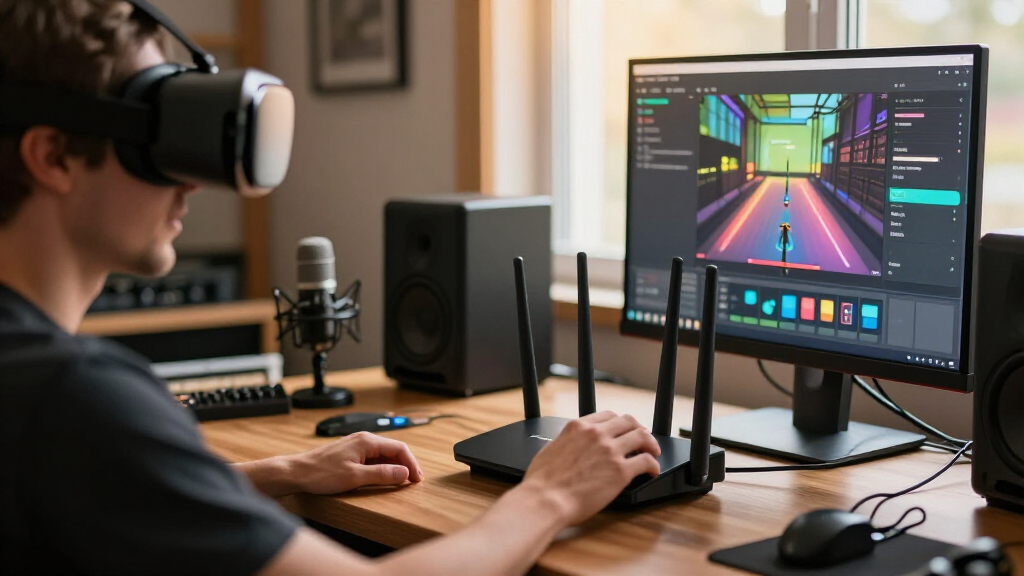
I ranked these products by how well their design fits a typical wireless VR streaming setup: a headset needs a dependable, low-congestion connection to a PC or local network, and the router must be placed close enough to deliver it. I gave weight to tri-band operation, access to 6 GHz where applicable, Wi-Fi generation, wired Ethernet options, and whether a model is a standalone router, mesh system, or travel device. I also considered the practical implications of setup and placement, since a strong spec sheet cannot compensate for a router hidden behind furniture or a weak link between mesh nodes.
The ranking favors straightforward home routers suited to a dedicated VR play area, then options that solve particular needs such as wider coverage, mesh expansion, or network customization. Wi-Fi 7 models are not automatically placed above Wi-Fi 6E models: headset support and room conditions affect whether the newer standard helps. Mesh bundles and different Deco pack sizes appear separately because the coverage and hardware quantity change the buying decision. I treated the MUDI 7 as a specialist pick rather than a primary home recommendation, since portability and cellular connectivity solve a different problem from stable in-home PC-to-headset streaming.
Factors to Consider When Choosing Tri Band Router For Vr Streaming
Choosing a tri-band router for VR is less about chasing the largest wireless number and more about matching the router to the headset, PC, and room. I’d settle the connection layout and coverage needs before comparing Wi-Fi generations, then check which features the devices can actually use.
Match the Wi-Fi Band to Your Headset
Check the headset’s supported Wi-Fi standards and bands before paying extra for Wi-Fi 7 or 6 GHz. A headset limited to Wi-Fi 6 cannot make use of Wi-Fi 7 client features, though a newer router may still help with network capacity or future devices. The 6 GHz band can offer a cleaner local channel where supported, but its shorter reach and weaker ability to pass through walls make placement more demanding. Do not assume that every tri-band router has the same band combination; some use 2.4, 5, and 6 GHz, while others allocate bands differently. If the headset sits in the same room as the router, 6 GHz may be attractive; across several walls, a strong 5 GHz signal can be the more dependable choice.
Plan the PC-to-Router Connection
For wireless PC VR, the headset communicates over Wi-Fi while the PC usually benefits from a wired Ethernet connection to the router. That wired leg avoids adding another wireless hop and helps keep local streaming traffic predictable. If the PC must connect wirelessly, check where it sits relative to the router and whether it shares airtime with other busy devices. A fast internet plan does not fix a weak local link between the PC and headset, since VR streaming can stay inside the home network. Before upgrading hardware, test whether you can move the router closer to the play space or run Ethernet to the PC; either change may matter more than a higher advertised wireless class.
Choose Mesh for Coverage, Not as a Default
Mesh systems can extend coverage to a room that a single router cannot reach well, but each wireless node needs a healthy connection back to the main unit. Placing a satellite in the VR room where the signal is already poor may simply repeat a poor connection. A wired backhaul gives mesh nodes a separate Ethernet path and can reduce the burden on wireless airtime. For a single room near the router, a standalone model is usually simpler to position and manage. For a larger home, compare the number of nodes and their placement options against the cost and effort of adding wired access points.
Treat 6 GHz Range as a Room-Planning Issue
Higher-frequency bands can be useful for a nearby headset but are less forgiving of distance and obstacles than lower-frequency Wi-Fi. Keep the router in the open, at a useful height, and close to the play area rather than inside a cabinet or at the far end of the house. Dense walls, metal shelving, mirrors, and neighboring networks can change results from one room to another. If you cannot place the router near the headset, choose based on reliable coverage rather than assuming the newest band will reach. A quick check of signal quality in the actual play area is more informative than the router’s combined speed label.
Separate Local Streaming From Internet Speed
Cloud gaming and online multiplayer depend on the internet connection, but PC-to-headset streaming is primarily a local-network task. A faster broadband plan will not repair interference, poor router placement, or an overloaded wireless channel inside the home. If multiple people stream video or download files while you play, traffic management and network capacity may help, though settings labeled gaming or AI QoS are not a substitute for a clean signal. Prioritize a stable connection between the headset and PC first, then consider internet bandwidth for services that leave your home network. This distinction can prevent spending on an internet upgrade when the real issue is Wi-Fi coverage.
Pay for Features You Can Use
Wi-Fi 7, extra Ethernet ports, mesh expansion, cellular connectivity, and advanced network controls solve different problems. Pay for Wi-Fi 7 when your headset or other devices can use it, or when you value a newer platform for future equipment; do not assume the label alone lowers VR latency. More Ethernet ports help when the PC, storage, and wired mesh nodes all need connections, while a travel router’s eSIM is useful away from home but does not make it the best fixed-room VR choice. Mesh pack size should reflect the floor plan and backhaul options, not a desire to buy the largest bundle. A simpler router can be the better purchase if it covers the play area and has the ports and band support your devices need.
Frequently Asked Questions
Do I need Wi-Fi 7 for wireless PC VR streaming?
No. Wi-Fi 7 is not a requirement if your headset and PC already maintain a stable local connection on Wi-Fi 6 or 6E. A Wi-Fi 7 router can be a sensible choice for supported devices or future upgrades, but an unsupported headset cannot use its newest client features. Router location, a clear channel, and Ethernet from the PC to the router often matter more than the Wi-Fi generation. I’d upgrade to Wi-Fi 7 for a specific compatibility or capacity reason, not just because the number is newer.
Should I use the 6 GHz band for my VR headset?
Use 6 GHz when the headset supports it and the router can be placed close to the play area. It can provide a less crowded connection, which is helpful in homes with busy 5 GHz networks. Its range through walls is more limited, so a distant room may get a weaker connection than it would on 5 GHz. Test both bands in the actual play space if your equipment allows it. The better choice is the band that stays stable where you play, not the one with the newest label.
Is a mesh router better than a single router for VR?
Mesh is useful when a single router cannot cover the VR room reliably, especially in a larger or multi-floor home. It does not automatically improve latency: a wireless satellite still depends on its connection to the main node, and a weak backhaul can become the bottleneck. Wired Ethernet backhaul is a strong option when you can run a cable between nodes. If your play area is close to the main router, a standalone router may be easier to set up and keep consistent. Choose mesh to solve a real coverage gap rather than as a general VR upgrade.
Will faster home internet make PC-to-headset VR streaming smoother?
Not usually, because local PC-to-headset streaming traffic may never leave your home network. Faster internet helps with cloud gaming, downloads, and online services, but it cannot resolve a weak Wi-Fi signal between the router and headset. Check whether the PC is wired to the router and whether the headset has a strong connection in the play area. If other household devices use the network heavily, managing local traffic may help more than changing broadband plans. Identify whether the problem is local streaming or an online service before spending on an upgrade.
What should I upgrade first if VR streaming stutters?
Start by checking the connection path rather than replacing the router immediately. Put the router in the open near the play area, connect the PC by Ethernet if possible, and reduce competing traffic or interference during a test. Confirm that the headset is using a band and standard it supports, and check whether a mesh satellite has a strong backhaul. If those changes do not help, use the symptoms to identify the weak point: poor coverage may call for better placement or another access point, while congestion may justify a different band or router. A newer model is useful only when it addresses the actual bottleneck.
Conclusion
For most buyers setting up a dedicated wireless VR room, I’d choose the TP-Link Archer BE550 Pro as best overall, with the Archer BE600 as another direct Wi-Fi 7 standalone option. For best value, the Archer AXE75 is a sensible Wi-Fi 6E route when you do not need Wi-Fi 7 features. The Deco XE75 2-Pack is best for beginners who need a guided mesh setup to improve coverage, while the Deco XE75 3-Pack or Deco BE63 systems suit homes with broader coverage needs and room for careful node placement. For a premium, control-focused pick, I’d look at the GL.iNet Flint 3; for travel and cellular connectivity, the GL.iNet MUDI 7 serves a specialist role rather than a fixed home setup. Match the router to your headset and play-space layout first, then choose the newest standard or largest mesh bundle only if it solves a clear need.
Halloween Picks
halloween
As an affiliate, we earn on qualifying purchases.