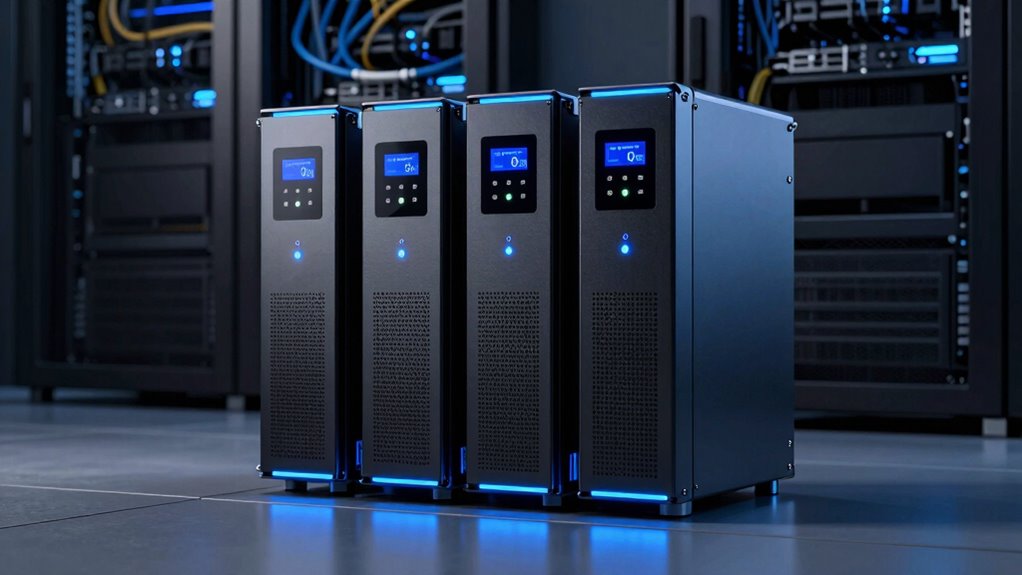

Choosing a UPS for a server rack means matching battery-backed capacity and output waveform to your equipment, then checking that the chassis fits your rack. My strongest all-around pick is the CyberPower CP1500PFCRM2U: it combines 1,000W capacity, pure sine-wave output, and a shallow 2U body. For a higher-power rack on a compatible 20A circuit, the CyberPower CP2000PFCRM2U raises the ceiling to 1,200W. The Eaton Tripp Lite SMART1500LCD is a more flexible fit if you want 2U rack mounting or tower use and a user-replaceable battery.

Get audio and creator gear delivered free with Prime
- Fast, free delivery on millions of items
- Prime Video, Amazon Music and more included
- Member-only deals all year
The main tradeoffs are clear: 1U units conserve rack space but offer less capacity and simulated sine-wave output; the larger 2U models provide more headroom and sine-wave compatibility, but take more rack height. I rank these options by server suitability, usable wattage, mounting fit, monitoring, and the limitations that could make a model a poor match. None should be chosen by VA rating alone: check the connected load in watts and the equipment maker’s power-supply requirements.
Complete the kit


Key Takeaways
- The CP1500PFCRM2U is my best all-around choice here for a short-depth rack needing up to 1,000W and sine-wave battery output.
- The CP2000PFCRM2U offers the highest listed output at 1,200W, but its NEMA 5-20P input calls for a compatible 20A receptacle and circuit.
- The Eaton SMART1500LCD combines 900W capacity with a replaceable internal battery and tower mounting, but its battery-mode output is modified sine wave.
- The OR700LCDRM1U is the 1U middle ground at 400W; its simulated sine-wave output may not suit servers with active PFC power supplies.
- The OR500LCDRM1U saves rack space but is limited to 300W and has only four battery-backed outlets, so it is for a small, carefully measured load.
| CyberPower CP1500PFCRM2U PFC Sinewave UPS Battery Backup |  | Best Overall — shallow 2U sine-wave capacity for mixed rack loads | Capacity: 1500VA / 1000W | Rack format: 2U rackmount | Depth: 10.5 inches | VIEW ON AMAZON | See Our Full Breakdown |
| CyberPower CP2000PFCRM2U PFC Sinewave UPS Battery Backup |  | Best for Higher Loads — 1,200W sine-wave output in a shallow 2U chassis | Capacity: 2000VA / 1200W | Rack format: 2U rackmount | Depth: 10.8 inches | VIEW ON AMAZON | See Our Full Breakdown |
| Eaton Tripp Lite SMART1500LCD 1500VA 2U Rack Mount UPS 900W Battery Backup | 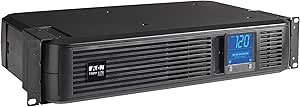 | Best for Replaceable Batteries and Flexible Placement | Capacity: 1500VA / 900W | Rack format: 2U rackmount or tower | Dimensions: 10.5 x 17.25 x 3.5 inches | VIEW ON AMAZON | See Our Full Breakdown |
| CyberPower OR700LCDRM1U 700VA/400W Rackmount UPS |  | Best 1U Middle Ground — more output than the compact OR500 | Capacity: 700VA / 400W | Rack format: 1U rackmount | Output waveform: Simulated sine wave | VIEW ON AMAZON | See Our Full Breakdown |
| CyberPower OR500LCDRM1U Smart App LCD UPS Battery Backup |  | Best Compact Entry Pick — 1U protection for the smallest loads | Capacity: 500VA / 300W | Rack format: 1U rackmount | Output waveform: Simulated sine wave | VIEW ON AMAZON | See Our Full Breakdown |
| ups for server rack | Capacity | Rack format | Outlets | Runtime listed |
|---|---|---|---|---|
| CyberPower CP1500PFCRM2U PFC S | 1500VA / 1000W | 2U rackmount | 8 NEMA 5-15R | 3 minutes |
| CyberPower CP2000PFCRM2U PFC S | 2000VA / 1200W | 2U rackmount | 8 NEMA 5-20R | 2 minutes |
| Eaton Tripp Lite SMART1500LCD | 1500VA / 900W | 2U rackmount or tower | 8 NEMA 5-15R | 4 minutes |
| CyberPower OR700LCDRM1U 700VA/ | 700VA / 400W | 1U rackmount | 6 NEMA 5-15R; 4 battery-backed | 3 minutes |
| CyberPower OR500LCDRM1U Smart | 500VA / 300W | 1U rackmount | 6 NEMA 5-15R; 4 battery-backed | 3 minutes |
More Details on Our Top Picks
CyberPower CP1500PFCRM2U PFC Sinewave UPS Battery Backup
The CP1500PFCRM2U is my best overall choice because its 1,000W limit, 2U rack format, and pure sine-wave output form a balanced package for a short-depth server or network rack. Sine-wave battery power is a useful distinction for servers with active PFC supplies: compared with the OR700LCDRM1U and OR500LCDRM1U, this model is the more suitable starting point when equipment documentation calls for a sine-wave source. Its 10.5-inch depth also helps in compact cabinets where a conventional deeper UPS can obstruct rear clearance.
Eight battery-backed outlets let one unit protect a small set of servers and network devices, while AVR corrects some voltage fluctuations without drawing on the battery. The color LCD makes local status checks more informative than a basic indicator panel. It has less output capacity than the CP2000PFCRM2U, but it uses a NEMA 5-15P input rather than that model’s 5-20P connection, which can make it easier to match with a standard compatible outlet. I would still check the rack’s electrical circuit and the UPS input requirements rather than assume any receptacle is suitable.
The drawback is limited outage endurance: the listed runtime is three minutes, and a heavy load will reduce available time. Remote network monitoring also needs an optional card. For a larger server stack, the CP2000 provides more wattage; for a user-replaceable battery and tower use, Eaton has an advantage. But for a compact rack that needs sine-wave output without stepping up to the 2,000VA model, this is the clearest all-round fit.
Pros:- Pure sine-wave output supports equipment that calls for sine-wave battery power.
- Short 10.5-inch chassis fits many space-constrained rack installations.
- 1,000W rating and eight battery-backed outlets suit a modest server and network load.
- Color LCD and AVR provide useful local status and voltage correction.
Cons:- Listed runtime is only three minutes, so it is mainly a shutdown bridge.
- Remote network monitoring requires an optional management card.
- The 2U chassis uses more rack height than either 1U CyberPower option.
Best for: Owners of a short-depth rack with active-PFC servers or network gear whose combined load stays below 1,000W.
Not ideal for: Buyers needing extended runtime, remote management included in the box, or more than 1,000W of output.
- Capacity:1500VA / 1000W
- Rack format:2U rackmount
- Depth:10.5 inches
- Output waveform:Sine wave
- Outlets:8 NEMA 5-15R
- Input:NEMA 5-15P, 120V
- Runtime listed:3 minutes
- Battery:Lead acid; listed average life 3 years
Our verdict“I would choose the CP1500PFCRM2U for a compact server rack that needs sine-wave compatibility and does not require more than 1,000W.”
CyberPower CP2000PFCRM2U PFC Sinewave UPS Battery Backup
When the server load is too close to the CP1500’s 1,000W ceiling, the CP2000PFCRM2U provides the highest stated output in this group: 1,200W. It keeps the features that make the CP1500 compelling for rack servers—sine-wave output, AVR, a color LCD, and a short-depth 2U enclosure—while adding more wattage headroom. That extra capacity can make a difference when a rack has several servers or network appliances, though the buyer should still leave headroom rather than sizing the UPS right at its maximum.
This model is not simply a larger version that can be plugged into any outlet. Its NEMA 5-20P input requires a compatible 20A connection, so the site’s receptacle and branch circuit need checking before it is selected. The eight NEMA 5-20R outlets also differ from the NEMA 5-15R outlets on the CP1500, Eaton, and 1U models; confirm that the connected equipment’s plugs and cabling match. Its 10.8-inch depth remains compact relative to many rack UPS units, but it is slightly deeper than the CP1500.
The listed runtime is two minutes, a reminder that the increased watt capacity does not equal prolonged backup. Like the CP1500, it requires an optional card for remote management. I rank it below the CP1500 as a general recommendation because its input requirement and outlet type can complicate installation, not because it lacks output capability. For a verified 20A rack circuit and a load that genuinely needs 1,200W, it is the stronger choice; for a lighter load, the CP1500 is the simpler match.
Pros:- Highest listed output in this group at 1,200W.
- Sine-wave battery output is suited to equipment that requires that waveform.
- Shallow 10.8-inch 2U case fits short-depth racks.
- Color LCD and AVR support status monitoring and voltage correction.
Cons:- NEMA 5-20P input requires a compatible 20A receptacle and circuit.
- NEMA 5-20R outlets may not match every rack device’s power cord.
- Listed runtime is two minutes, and remote monitoring needs an optional card.
Best for: Rack owners with a compatible 20A input circuit, equipment using matching outlets, and a measured load that needs up to 1,200W.
Not ideal for: Installations limited to a standard 15A receptacle, buyers with NEMA 5-15 plug requirements, or anyone seeking long runtime.
- Capacity:2000VA / 1200W
- Rack format:2U rackmount
- Depth:10.8 inches
- Output waveform:PFC sine wave
- Outlets:8 NEMA 5-20R
- Input:NEMA 5-20P, 120V
- Maximum output:1200W
- Runtime listed:2 minutes
Our verdict“I recommend the CP2000PFCRM2U when a rack has the correct 20A connection and needs more output than the CP1500 can provide.”
Eaton Tripp Lite SMART1500LCD 1500VA 2U Rack Mount UPS 900W Battery Backup
The Eaton Tripp Lite SMART1500LCD is my pick for buyers who value serviceability and the option to use the UPS as a tower. Its internal battery is user-replaceable, and the included mounting options support either a 2U rack installation or vertical tower setup. That flexibility sets it apart from the two shallow CyberPower sine-wave models, which are more specialized for short-depth rack placement. At 900W, Eaton sits between the CP1500’s 1,000W and the 1U OR700’s 400W in stated capacity.
AVR can correct input voltage between the listed 75V and 147V range without switching to battery, while the large rotatable LCD displays load, voltage, runtime, battery condition, and mode. USB and RS-232 connections support automatic shutdown through compatible PowerAlert software, and an Ethernet data-line protection port is included. These are practical management features for a small server or network setup, although the supplied description does not position its battery-mode waveform as pure sine wave: it is modified sine wave in battery mode. I would check the server power-supply guidance before using it with active-PFC equipment.
Its four-minute listed runtime is a little longer than the stated runtime for the CP1500 and CP2000, but the figure is not a promise at every load. The Eaton is also much heavier than the smaller 1U CyberPower units, and its 480-joule surge rating is lower than the CP1500’s listed rating. I rank it behind the sine-wave CyberPower picks for modern server compatibility, but ahead of the low-capacity 1U options for buyers who want a replaceable battery and broader placement choices.
Pros:- Internal battery is user-replaceable.
- Mounts in a 2U rack or stands vertically as a tower.
- AVR, rotatable LCD, USB, and RS-232 support useful monitoring and shutdown functions.
- Eight outlets and a 900W rating suit a modest server and peripheral load.
Cons:- Modified sine-wave output in battery mode may not suit active-PFC server supplies.
- At 29 pounds, it is heavier than the 1U CyberPower units.
- Listed surge protection is 480 joules, below the CP1500’s stated 1,500 joules.
Best for: Small offices or homelabs that want 2U rack or tower mounting, a replaceable internal battery, and up to 900W capacity.
Not ideal for: Servers whose power supplies require pure sine-wave battery output, or racks with tight weight or depth limits.
- Capacity:1500VA / 900W
- Rack format:2U rackmount or tower
- Dimensions:10.5 x 17.25 x 3.5 inches
- Weight:29 pounds
- Battery-mode output:Modified sine wave
- Outlets:8 NEMA 5-15R
- Battery:User-replaceable internal battery
- Runtime listed:4 minutes
Our verdict“I would choose the SMART1500LCD for a serviceable small rack or tower setup only after confirming that its battery-mode waveform suits the connected equipment.”
CyberPower OR700LCDRM1U 700VA/400W Rackmount UPS
The OR700LCDRM1U is the stronger of the two 1U CyberPower options for a rack that cannot spare a second unit of height. Its 400W rating is a meaningful step above the OR500’s 300W, and it provides four battery-backed outlets plus two surge-only outlets. That outlet split suits a small rack where the server and network gateway need battery support, while less critical peripherals only need surge protection. The 10-foot input cord also gives more placement flexibility than the six-foot cords listed for the 2U models.
Its limits matter for server selection. The OR700 uses simulated sine-wave output and is described for equipment without active PFC power supplies, unlike the CP1500 and CP2000, which supply sine-wave output. A server’s power supply may tolerate simulated sine wave, but I would not assume compatibility: check the manufacturer’s guidance and test the intended configuration before relying on it. The 400W ceiling is also well below the 900W Eaton and 1,000W CP1500, so this is a small-load solution rather than a way to back up a loaded server rack.
AVR and an LCD showing runtime, battery status, and power conditions are useful at this size. The three-year warranty includes the battery, but remote management requires an optional RMCARD205, and the listed runtime is three minutes. Compared with the OR500, the OR700 buys some extra capacity without using more rack height; compared with the CP1500, it gives up sine-wave output and substantial wattage to save one rack unit. I place it above the OR500 for buyers who need that extra margin, but not for active-PFC servers unless compatibility is confirmed.
Pros:- 1U format preserves rack space.
- 400W capacity exceeds the OR500 while retaining a compact form.
- Four battery-backed and two surge-only outlets allow basic load prioritization.
- LCD, AVR, and a three-year battery-inclusive warranty are useful at this capacity.
Cons:- Simulated sine-wave output is not the safer match for active-PFC supplies.
- Listed runtime is three minutes.
- Remote management requires an optional card.
Best for: A compact 1U network or telecom rack with a verified load below 400W and equipment compatible with simulated sine-wave output.
Not ideal for: Active-PFC server supplies that require sine-wave output, larger server loads, or users who need remote management without an added card.
- Capacity:700VA / 400W
- Rack format:1U rackmount
- Output waveform:Simulated sine wave
- Outlets:6 NEMA 5-15R; 4 battery-backed
- Input:NEMA 5-15P, 120V, 15A
- Power cord:10 feet
- Runtime listed:3 minutes
- Battery and warranty:Lead acid; 3-year warranty including batteries
Our verdict“I recommend the OR700 when one rack unit is the priority and the modest load is confirmed to work with simulated sine-wave battery output.”
CyberPower OR500LCDRM1U Smart App LCD UPS Battery Backup
The OR500LCDRM1U is the space-saving option for a very small rack load, not a general substitute for a full server UPS. At 300W, it has the lowest capacity in this group, and only four of its six NEMA 5-15R outlets provide battery backup. That can be enough for a low-power network appliance, small workstation, or telecom device when the actual watt draw is modest. Its 1U height is the main reason to choose it over the larger models: it preserves rack space for equipment instead of backup capacity.
Like the OR700, the OR500 uses simulated sine-wave output and is described for equipment without active PFC power supplies. This is a more consequential restriction than the small difference in outlet count or rack height. Compared with the OR700, it offers 100W less capacity but the same basic 1U format, AVR, LCD status display, and three-minute listed runtime. If the rack load approaches 300W, I would favor the OR700’s added headroom or move to a sine-wave 2U option where the rack and circuit allow.
The long 10-foot power cord and LCD are practical details in a compact installation, and its listed warranty includes the batteries. Still, there is no extra runtime advantage to offset the low watt ceiling, and remote management needs an optional card. I rank it last because it serves the narrowest slice of rack buyers: choose it for a measured, low-watt load and compatible supplies, not because its small form factor makes it appropriate for any server. For active-PFC servers, the CP1500 is a safer match if the rack has room.
Pros:- 1U form factor uses little rack space.
- Four battery-backed outlets plus two surge-only outlets separate critical and noncritical gear.
- LCD and AVR provide status information and basic voltage correction.
- 10-foot power cord can ease placement in a small rack.
Cons:- Lowest output in the group at 300W.
- Simulated sine-wave output may not suit active-PFC server power supplies.
- Only four of six outlets provide battery backup, and listed runtime is three minutes.
Best for: A shallow or crowded 1U rack protecting a low-watt network, telecom, or small workgroup device with compatible power supplies.
Not ideal for: A server rack load near or above 300W, active-PFC equipment requiring sine-wave output, or users wanting remote monitoring included.
- Capacity:500VA / 300W
- Rack format:1U rackmount
- Output waveform:Simulated sine wave
- Outlets:6 NEMA 5-15R; 4 battery-backed
- Input:NEMA 5-15P, 120V, 15A
- Power cord:10 feet
- Runtime listed:3 minutes
- Battery and warranty:Lead acid; 3-year warranty including batteries
Our verdict“I would select the OR500 only for a measured low-power load where 1U space matters more than wattage or sine-wave compatibility.”

How We Picked
I compared these five units as rack-mounted server backup, not as general-purpose desktop UPS systems. My ranking gives weight to rated watt capacity, battery-mode waveform, rack height and depth, outlet arrangement, and the practical details of input power and management. A higher VA figure does not automatically mean a better server UPS: the watt rating sets a direct ceiling for the connected equipment, while waveform compatibility affects whether a power supply can operate properly during an outage.
I also distinguish models suited to active PFC power supplies from those described for systems without active PFC. The two CyberPower PFC models have sine-wave output and shallow 2U cases, so they rank ahead for modern rack servers that need those traits. Eaton earns a strong place for its battery replacement and tower flexibility, though its modified sine-wave battery output is a compromise. The 1U CyberPower options make sense when rack height matters more than capacity, but their lower watt limits and simulated sine-wave output narrow their use.
Product details supplied for these models list short runtimes of around two to four minutes under the stated conditions. Actual runtime varies with load and battery condition, so I treat these units primarily as a bridge for orderly shutdown or a brief outage—not as long-duration power. I have not assumed that optional management cards are included, and I recommend verifying rack depth, rails, circuit type, and current product documentation before purchase.
| ups for server rack | Output waveform | Input |
|---|---|---|
| CyberPower CP1500PFCRM2U PFC S | Sine wave | NEMA 5-15P, 120V |
| CyberPower CP2000PFCRM2U PFC S | PFC sine wave | NEMA 5-20P, 120V |
| Eaton Tripp Lite SMART1500LCD | — | — |
| CyberPower OR700LCDRM1U 700VA/ | Simulated sine wave | NEMA 5-15P, 120V, 15A |
| CyberPower OR500LCDRM1U Smart | Simulated sine wave | NEMA 5-15P, 120V, 15A |
Factors to Consider When Choosing Ups For Server Rack
I would size a rack UPS from the equipment and installation outward: calculate the connected watts, verify the server power supply’s waveform needs, then match the UPS’s input plug and physical dimensions to the rack and circuit. These five models span 1U units for small loads through shallow 2U systems with sine-wave output.
Start with watts, not the VA number
Use the maximum or measured watt draw of everything that will receive battery backup, including network switches, storage, and any essential gateway. Compare that sum with the UPS’s watt rating, not only its VA capacity. The CP2000 tops this lineup at 1,200W, followed by the CP1500 at 1,000W and Eaton at 900W. The OR700 and OR500 are capped at 400W and 300W. I would leave operating headroom rather than sizing a unit at its limit, since a UPS near full output has less room for load changes.
Check the battery-mode waveform
The CP1500 and CP2000 provide sine-wave output, while the Eaton is listed as modified sine wave in battery mode and both 1U CyberPower models use simulated sine wave. This matters when a server has an active PFC power supply or the equipment maker specifies sine-wave backup. I would confirm the power-supply documentation before choosing a modified or simulated waveform. When compatibility is uncertain, the CP1500 is a more straightforward fit than the OR700 or OR500, provided its 1,000W limit is enough.
Match rack height, depth, and weight
A 1U unit such as the OR700 or OR500 saves a rack unit but limits output to a small load. The CP1500 and CP2000 occupy 2U and are only about 10.5 to 10.8 inches deep, making them candidates for short-depth racks. The Eaton also uses 2U, but its listed weight is 29 pounds. Check rack depth including cable clearance, mounting support, airflow, and safe lifting. A shallow UPS still needs enough space for its input and output cords.
Verify outlets and the input circuit
Count the devices that need battery backup rather than counting every outlet on the UPS: the OR models each have two surge-only outlets, while the listed 2U models provide eight battery-backed outlets. The CP2000 uses a NEMA 5-20P input and NEMA 5-20R outlets, so its circuit and connected plugs must match. The other listed models use NEMA 5-15P input connections. I would verify the receptacle, branch circuit, and local electrical requirements before installation, and avoid adapters that change the intended connection.
Treat runtime as shutdown time unless calculated otherwise
The supplied runtime figures range from two to four minutes, but a listed figure does not tell you how long the UPS will run at your actual load. Runtime falls as load rises, and battery age and condition matter. For these models, I would plan for automatic or prompt orderly shutdown rather than assume a long outage can be ridden through. USB, RS-232, or compatible management software can support shutdown on some configurations; the CyberPower rack models may need an optional management card for remote network monitoring.
Plan for battery replacement and ongoing checks
All five products use lead-acid batteries, which need periodic replacement. Eaton specifically lists a user-replaceable internal battery; check replacement procedures, parts availability, and warranty terms for the other models before buying. Review battery status and load on the LCD, and schedule periodic checks so a unit does not go unnoticed with a degraded battery. A warranty or connected-equipment guarantee is useful documentation, but it does not replace correct sizing, compatible loads, or planned maintenance.
Frequently Asked Questions
Which UPS in this group is best for a server rack?
For a short-depth rack with a load below 1,000W and equipment that benefits from sine-wave battery output, I would start with the CyberPower CP1500PFCRM2U. It balances capacity, rack depth, and waveform compatibility. If the load needs more output and the rack has a compatible 20A circuit, the CP2000PFCRM2U provides up to 1,200W. The right choice depends on measured load, input connection, and power-supply requirements rather than model rank alone.
Is simulated sine-wave output suitable for a server?
It depends on the server’s power supply and the manufacturer’s requirements. The OR700 and OR500 use simulated sine-wave output and are described for equipment without active PFC power supplies, so I would not assume they suit every server. Check the server documentation or power-supply specifications. If sine-wave battery output is called for, the CP1500 or CP2000 is the more appropriate match among these five, subject to its watt and circuit limits.
How much UPS capacity should I leave for a rack server?
First add the watt draw of every device that must stay powered, then compare the total with the UPS’s watt rating. Leave room for load changes instead of planning to run at the rating’s ceiling. For example, the OR500’s 300W maximum is intended for a much smaller load than the CP1500’s 1,000W maximum. Actual demand varies by server configuration and activity, so a measured draw or reliable manufacturer specification is more useful than estimating from a server’s nameplate alone.
Will these UPS units keep a server running for a long outage?
The listed runtime figures are short—between two and four minutes—and actual runtime depends on load and battery condition. I would treat these models as protection against brief interruptions and as time to shut equipment down cleanly, not as long-duration power sources. If a rack must remain online through extended outages, calculate runtime at the real load and plan for an appropriate external battery system or generator arrangement rather than relying on the headline capacity alone.
Do I need a 20A outlet for the CyberPower CP2000PFCRM2U?
The CP2000PFCRM2U is listed with a NEMA 5-20P input, so it requires a compatible 20A receptacle and circuit. Its NEMA 5-20R outputs also need to match the connected devices’ cords. Before selecting it, confirm the electrical installation and outlet requirements with qualified site personnel. If the rack only has a compatible 15A connection, the CP1500 or another correctly matched model may be more suitable, provided its watt capacity covers the load.
Conclusion
For most buyers with a short-depth rack and a moderate server load, I recommend the CyberPower CP1500PFCRM2U: its 1,000W ceiling and sine-wave output make it the most balanced fit here. Choose the CP2000PFCRM2U instead if your measured load needs up to 1,200W and your rack has the required 20A input. If replaceable batteries and tower placement matter more than pure sine-wave output, the Eaton SMART1500LCD is the flexible alternative, provided the connected equipment supports its battery-mode waveform.
For a one-unit-high rack with a modest, compatible load, I would pick the OR700LCDRM1U over the OR500 because its 400W rating provides more margin. The OR500LCDRM1U makes sense only for a genuinely small load where preserving 1U is the priority. Before ordering any of them, I would confirm the rack’s available depth and height, the circuit and plug type, the total watt draw, and the server power supply’s waveform requirements.
Halloween Picks
halloween
As an affiliate, we earn on qualifying purchases.