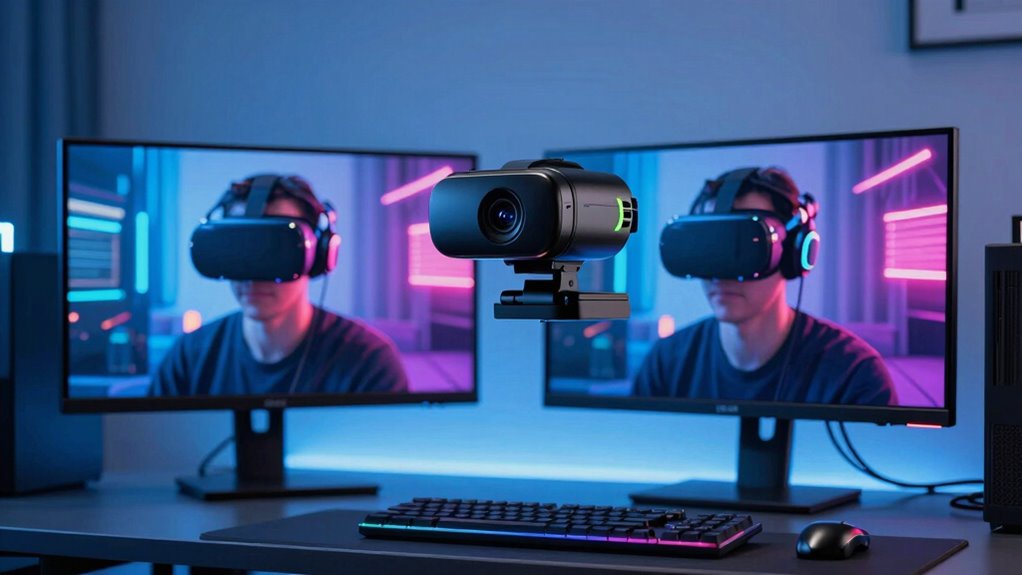

For VR streamers, a high-quality webcam is essential to deliver clear, immersive visuals that match the virtual environment. The Logitech MX Brio Ultra HD 4K Webcam stands out as the best overall choice, offering stunning resolution and reliable performance. The EMEET S600 4K Webcam impresses with its Sony sensor and autofocus, making it ideal for dynamic setups. However, tradeoffs exist: higher-end models tend to be pricier and require more setup, while budget options may compromise on resolution or features. Continue reading for a detailed breakdown of the best webcams for VR streaming in 2026, tailored to different needs and budgets.
Complete the kit



Key Takeaways
- High resolution (4K) significantly enhances VR streaming clarity but often comes with higher price tags.
- Dual-camera setups like the EMEET C60E offer wider fields of view, useful for immersive streaming but can be more complex to set up.
- Autofocus and low-light performance are critical for maintaining image quality during movement or varying lighting conditions.
- Build quality and microphone integration are often overlooked but impact overall streaming experience.
- Budget models like the Logitech Brio 101 can suffice for casual streaming but may fall short for professional-quality VR content.
| Logitech MX Brio Ultra HD 4K Webcam – Graphite |  | Best Overall for Professional VR Streaming | Resolution: 4K at 30fps, 1080p at 60fps | Sensor: Advanced larger pixels | Microphones: Dual beamforming noise-reducing microphones | VIEW ON AMAZON | See Our Full Breakdown |
| EMEET S600 4K Webcam for Streaming with Sony Sensor and PDAF Autofocus |  | Best for Versatile High-Quality Streaming | Sensor Type: CMOS with Sony sensor | Connectivity Technology: USB | Resolution: 4K@30FPS, 1080p@60FPS | VIEW ON AMAZON | See Our Full Breakdown |
| EMEET C60E Dual-Camera 4K Webcam for Streaming, Wide-Angle & Telephoto |  | Best for Dynamic Multi-View Streaming | Sensor Type: CMOS | Special Features: Dual cameras, RGB lighting, remote control | Viewing Angle: 73 degrees | VIEW ON AMAZON | See Our Full Breakdown |
| EMEET Piko 4K Webcam for Streaming, Dual-Camera AI-Powered |  | Best for Compact AI-Powered Dual-Camera Streaming | Video Capture Resolution: 4K | Focus Type: Autofocus | Connectivity: USB C-C & C-A | VIEW ON AMAZON | See Our Full Breakdown |
| AOC 4K Webcam for PC with Noise-Canceling Microphone |  | Best Budget 4K Webcam for VR Streaming | Resolution: 4K Ultra HD | Field of View: 80° | Tilt: 180° | VIEW ON AMAZON | See Our Full Breakdown |
| Logitech Brio 101 Full HD 1080p Webcam for Streaming and Meetings – Black |  | Best for Budget-Conscious Streamers and Virtual Meeting Users | Resolution: Full HD 1080p | Connection: USB A | Privacy Feature: Slide cover | VIEW ON AMAZON | See Our Full Breakdown |
| webcam for vr streaming | Resolution | Focus Type |
|---|---|---|
| Logitech MX Brio Ultra HD 4K W | 4K at 30fps, 1080p at 60fps | — |
| EMEET S600 4K Webcam for Strea | 4K@30FPS, 1080p@60FPS | Auto Focus |
| EMEET C60E Dual-Camera 4K Webc | UHD | PDAF Auto Focus |
| EMEET Piko 4K Webcam for Strea | — | Autofocus |
| AOC 4K Webcam for PC with Nois | 4K Ultra HD | — |
| Logitech Brio 101 Full HD 1080 | Full HD 1080p | — |
More Details on Our Top Picks
Logitech MX Brio Ultra HD 4K Webcam – Graphite
The Logitech MX Brio stands out for delivering crisp 4K resolution with AI-enhanced image quality, making it ideal for streamers seeking professional-grade visuals. Compared with the EMEET Piko, it offers more advanced noise reduction and customizable settings, though it comes at a higher price point and requires a USB-C port—an inconvenience for some users. Its dual microphones and privacy cover add security and audio clarity, crucial for immersive VR streaming. The adjustable lighting controls help optimize image quality in various environments, but the premium cost might be a barrier for casual streamers. This webcam is perfect for content creators or professionals prioritizing top-tier image fidelity and security features.
Pros:- Exceptional 4K resolution with AI image enhancement
- Excellent noise reduction and customizable image settings
- Built-in privacy cover and cross-platform compatibility
Cons:- High price may be prohibitive for casual users
- Requires USB-C port, not available on all devices
Best for: Professional VR streamers and content creators who need high fidelity and security features.
Not ideal for: Budget-conscious gamers or casual streamers who prefer simpler setups without requiring premium features.
- Resolution:4K at 30fps, 1080p at 60fps
- Sensor:Advanced larger pixels
- Microphones:Dual beamforming noise-reducing microphones
- Compatibility:Windows, macOS, Chrome OS, Linux
- Features:Auto white balance, auto exposure, noise reduction, autofocus, adjustable lighting controls, privacy cover
Our verdict“This webcam is best suited for professionals who demand superior image quality and security features for VR streaming.”
EMEET S600 4K Webcam for Streaming with Sony Sensor and PDAF Autofocus
The EMEET S600 offers a compelling mix of Sony sensor technology and PDAF autofocus, delivering sharp, detailed 4K images suitable for VR streaming. Unlike the Logitech MX Brio, it provides a more affordable option with competitive auto light adjustment, though it lacks internal memory and is incompatible with Chrome OS, limiting flexibility for some users. Its durable design and privacy cover enhance security, and the wide angle helps capture larger scenes. However, limited zoom capabilities and no internal storage mean it’s less suited for detailed close-up shots or portable setups. This webcam makes sense for streamers who value crisp image quality without the high price tag of a premium model.
Pros:- High-quality 4K resolution with Sony sensor
- Advanced PDAF autofocus and auto light adjustment
- Durable design with privacy cover
Cons:- Incompatible with Chrome OS
- Limited zoom capabilities and no internal memory
Best for: Content creators and streamers seeking high-quality 4K visuals with autofocus at an affordable price.
Not ideal for: Chrome OS users or those needing internal storage or extensive zoom features.
- Sensor Type:CMOS with Sony sensor
- Connectivity Technology:USB
- Resolution:4K@30FPS, 1080p@60FPS
- Focus Type:Auto Focus
- Viewing Angle:73 degrees
Our verdict“This webcam is suited for users who prioritize crisp 4K image quality and autofocus without the need for extensive zoom or storage options.”
EMEET C60E Dual-Camera 4K Webcam for Streaming, Wide-Angle & Telephoto
The EMEET C60E introduces a dual-camera setup that provides both wide-angle and telephoto views, making it ideal for immersive VR streaming that benefits from multiple perspectives. Compared to the single-lens options like the Logitech MX Brio, its dual-camera system offers more flexibility during live sessions, especially with the smart remote control for quick adjustments. The vibrant RGB lighting adds a visual flair, though it’s more about aesthetics than functionality. Its limited zoom in 4K modes and lack of water resistance might restrict outdoor or rugged use. Overall, this webcam suits streamers who want to diversify their shot composition effortlessly during VR sessions.
Pros:- Dual-camera setup offers wide-angle and telephoto views
- Smart remote control enables quick adjustments
- Vibrant RGB lighting adds aesthetic appeal
Cons:- Limited zoom functionality in 4K modes
- Not water resistant, unsuitable for outdoor use
Best for: Streamers and educators who need multiple camera angles and real-time adjustments for engaging VR content.
Not ideal for: Users seeking a simple, single-lens webcam or outdoor use due to limited durability and zoom capabilities.
- Sensor Type:CMOS
- Special Features:Dual cameras, RGB lighting, remote control
- Viewing Angle:73 degrees
- Resolution:UHD
- Focus Type:PDAF Auto Focus
Our verdict“This webcam is ideal for content creators wanting multiple perspectives and easy control during immersive VR streams.”
EMEET Piko 4K Webcam for Streaming, Dual-Camera AI-Powered
The EMEET Piko 4K makes a strong case for streamers who want high-quality visuals combined with AI-driven autofocus and face lighting. Its dual-camera AI system can rapidly focus and optimize lighting, outperforming single-lens models like the AOC in speed and precision. Although its sleek design and multiple microphone modes enhance overall usability, the absence of water resistance limits outdoor applications, and it relies on PC/Mac for recording. Its compatibility with Windows and MacOS makes it suitable for remote professionals and educators. The optional remote control adds convenience, but some users might find the lack of internal storage or water resistance a drawback for portability or outdoor use.
Pros:- High-quality 4K with dual-camera AI system
- Rapid autofocus and face lighting optimization
- Stylish, compact design with multiple microphone modes
Cons:- No water resistance, limiting outdoor use
- Dependent on PC/Mac for recording and storage
Best for: Content creators and remote professionals who prioritize AI-enhanced visuals and sleek design for indoor streaming.
Not ideal for: Outdoor streamers or those needing internal storage or rugged durability for mobile use.
- Video Capture Resolution:4K
- Focus Type:Autofocus
- Connectivity:USB C-C & C-A
- Microphones:3 microphones with noise-canceling
- Design:Sleek, compact
Our verdict“This webcam suits indoor streamers demanding AI-driven clarity and sleek aesthetics for high-quality VR content.”
AOC 4K Webcam for PC with Noise-Canceling Microphone
The AOC 4K Webcam offers a practical option for those seeking sharp 4K video with an 80° wide-angle lens at a more accessible price. Compared with the premium Logitech MX Brio, it provides a wider field of view and adjustable tilt, which is beneficial for framing VR streaming setups. However, it lacks autofocus and zoom, which can make close-up shots or dynamic framing less precise. Its compatibility with USB-C and USB-A devices makes it versatile, but older systems may face connection issues if they lack the necessary ports. This model makes the most sense for casual streamers or users on a tighter budget who still want decent 4K quality.
Pros:- Sharp 4K resolution suitable for professional-looking streams
- Wide 80° field of view with tilt and swivel adjustments
- Built-in noise-canceling microphone and privacy cover
Cons:- No autofocus or zoom features, limiting close-up framing
- Potential compatibility issues with older devices lacking USB-C
Best for: Budget-conscious streamers who need a 4K webcam with wide-angle coverage and adjustable positioning.
Not ideal for: Professional VR streamers requiring autofocus or zoom for detailed or close-up shots.
- Resolution:4K Ultra HD
- Field of View:80°
- Tilt:180°
- Swivel:360°
- Privacy Cover:Yes
Our verdict“This webcam is best for budget-savvy users who want decent 4K quality and flexible positioning for VR streaming.”
Logitech Brio 101 Full HD 1080p Webcam for Streaming and Meetings – Black
The Logitech Brio 101 stands out for delivering reliable 1080p video quality with auto-light balance, making it suitable for VR streaming where clarity is important but 4K isn’t a necessity. Compared to the Logitech MX Brio Ultra HD 4K Webcam, it offers a more affordable entry point, though it sacrifices resolution and some advanced features. Its built-in privacy cover adds a layer of security, essential for users concerned about exposure during live streams. The easy plug-and-play setup and customizable settings via the Logi Options+ app make it straightforward for beginners or those who want quick adjustments. However, being limited to a USB A connection could be restrictive in modern setups favoring USB-C, and it lacks higher-res options for future-proofing. This pick makes the most sense for streamers or remote workers on a budget who prioritize simplicity and security over ultra-high resolution.
Pros:- Reliable 1080p video with auto-light adjustment
- Built-in privacy slide for security
- Easy to set up with plug-and-play compatibility
Cons:- Limited to USB A connection, which may be incompatible with newer setups
- No 4K or higher resolution options for future-proofing
- Features require software installation, which could be an extra step for some users
Best for: Streamers and professionals who need dependable 1080p video without complex setup or high-cost equipment
Not ideal for: VR streamers seeking the highest possible resolution or advanced autofocus features, as it is limited to 1080p and lacks 4K support
- Resolution:Full HD 1080p
- Connection:USB A
- Privacy Feature:Slide cover
- Built-in Microphone:Yes
- Adjustable Settings:Zoom, framing, camera settings
- Made with:77% post-consumer recycled plastic
Our verdict“This webcam is best suited for VR streamers and remote workers prioritizing affordability, security, and straightforward use over ultra-high resolution capabilities.”

How We Picked
These products were selected based on their resolution, autofocus capabilities, build quality, ease of use, and compatibility with VR streaming setups. We prioritized models that deliver crisp, detailed images and reliable performance, especially in dynamic or low-light environments. Cost was a factor, but only when it aligned with substantial quality or feature improvements. Products are ranked to reflect a balance between premium features and accessible pricing, ensuring options suitable for different levels of VR streaming enthusiasts.| webcam for vr streaming | Focus Type |
|---|---|
| Logitech MX Brio Ultra HD 4K W | — |
| EMEET S600 4K Webcam for Strea | Auto Focus |
| EMEET C60E Dual-Camera 4K Webc | PDAF Auto Focus |
| EMEET Piko 4K Webcam for Strea | Autofocus |
| AOC 4K Webcam for PC with Nois | — |
| Logitech Brio 101 Full HD 1080 | — |
Factors to Consider When Choosing Webcam For Vr Streaming
Choosing the right webcam for VR streaming involves considering several factors that influence both image quality and usability. Beyond raw specs, it’s important to evaluate how well a webcam integrates into your existing VR setup, its ability to handle movement, and whether it supports features like autofocus and low-light performance. Making the right tradeoffs can help you avoid investing in features you don’t need or missing out on critical capabilities that improve your streaming experience.Resolution and Image Quality
Higher resolution webcams, such as 4K models, provide clearer, more detailed images that enhance the realism of VR streaming. However, they tend to be more expensive and require more processing power. For casual streamers or those on a budget, 1080p webcams may suffice, but they might not deliver the crispness needed for immersive VR content. Consider your computer’s capabilities and your streaming goals when choosing resolution.
Autofocus and Low-Light Performance
Autofocus ensures your face remains sharp even during movement, which is common in VR streaming. Low-light performance is equally important, especially if your streaming environment isn’t perfectly lit. Cameras with good autofocus and low-light capabilities reduce the need for additional lighting setups and help maintain professional-looking streams without extra effort.
Field of View and Dual-Camera Options
Wider fields of view or dual-camera setups can capture more of your environment, creating a more immersive experience for viewers. However, they can introduce complexity in setup and calibration. If you need to show more background or multiple angles, these options are worth considering, but for straightforward face cams, standard lenses are often sufficient.
Build Quality and Microphone Integration
A durable build and integrated microphone improve long-term reliability and reduce clutter. Make sure the microphone quality meets your communication needs, as poor audio can detract from a high-quality video stream. In many cases, using an external mic might still be necessary for the best audio clarity, but a good built-in mic can be sufficient for casual streaming.
Compatibility and Ease of Setup
Ensure the webcam is compatible with your VR and streaming software, and that it’s easy to connect and configure. Plug-and-play models save setup time, while more advanced options might offer additional features but require more technical know-how. Consider your comfort with tech setup when selecting a model, especially if you’re new to streaming.
Frequently Asked Questions
Will a 4K webcam improve my VR streaming experience?
Yes, a 4K webcam offers significantly sharper and more detailed images, which can make your VR streams more immersive and professional-looking. However, keep in mind that 4K streaming demands higher bandwidth and processing power, so ensure your system can handle it without lagging. If your setup is capable, a 4K webcam is a worthwhile upgrade for high-quality visuals.
Is autofocus necessary for VR streaming webcams?
Autofocus is highly beneficial in VR streaming because it keeps your face sharp during movement and when changing positions. It reduces the need for manual adjustments and ensures consistent image quality, especially if you tend to move around during streams. Cameras without autofocus may require frequent manual focus adjustments, which can be distracting.
Should I prioritize resolution or low-light performance?
Both are important, but the choice depends on your typical streaming environment. If you stream in a well-lit room, resolution might be the priority for sharper visuals. If your environment is darker or has variable lighting, good low-light performance becomes critical to maintain image clarity. Ideally, opt for a camera that balances both features well.
Can I use a regular webcam for VR streaming, or do I need special features?
Many regular webcams can work for VR streaming, especially if they offer at least 1080p resolution and autofocus. However, features like wide-angle lenses, dual-camera setups, or higher resolutions add value by enhancing immersion and image quality. Consider your streaming style and whether additional features justify an upgrade.
How important is microphone quality in a webcam for VR streaming?
Microphone quality directly affects your viewers’ experience, especially if you communicate during streams. Many webcams have decent built-in mics, but they often pick up background noise or lack clarity. Investing in an external microphone can significantly improve audio quality, making your streams more engaging and professional. Balance your need for good audio with your overall setup and budget.