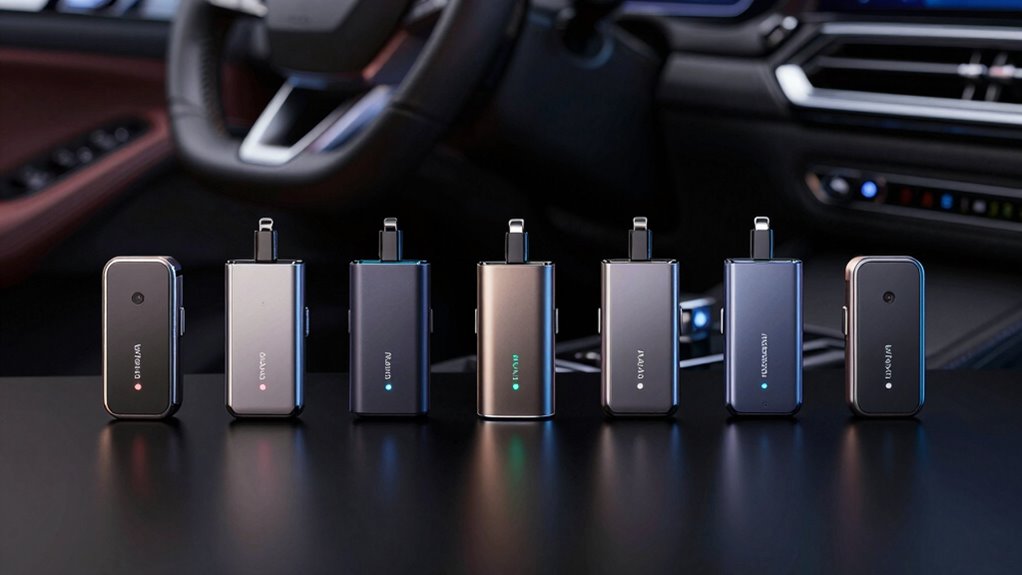

Many drivers seek a wireless Android Auto adapter to eliminate messy cables and enjoy a cleaner, more convenient connection to their vehicle’s infotainment system. The best adapters offer quick pairing, reliable connections, and broad compatibility with various car models. The Wireless CarPlay and Android Auto Adapter for Factory Wired Systems stands out as the overall best for its broad compatibility and stability, while the 2-in-1 Wireless CarPlay & Android Auto Adapter excels with its upgraded low-lag performance. Readers face tradeoffs between connection stability, latency, and ease of setup, making it important to choose based on their specific needs. Continue reading for an in-depth look at each option to find the right fit for your vehicle and driving style.

Get audio and creator gear delivered free — and shop member deals
- Fast, free delivery on millions of items
- Access to Prime Big Deal Days deals on October 6–7
- Prime Video, Amazon Music and more included
Complete the kit



Key Takeaways
- The top adapters prioritize quick pairing and stable connections to prevent dropouts during drives.
- Many models now offer dual compatibility with both Android Auto and CarPlay, but some excel at one over the other.
- Latency and lag vary significantly; premium models tend to offer near-zero latency, ideal for navigation and media.
- Ease of setup and user interface differ, with some adapters requiring more technical configuration than others.
- Price ranges reflect features, with more expensive options offering better stability, lower lag, and broader compatibility.
| Wireless CarPlay and Android Auto Adapter for Factory Wired Systems |  | Best Overall for Broad Compatibility and Seamless Integration | Compatibility: iOS 10+ and Android 11+ devices | WiFi Frequency: 5.8GHz | Bluetooth: 5.4 | VIEW ON AMAZON | See Our Full Breakdown |
| Mini Wireless CarPlay Adapter for iPhone & Android Auto – Wired to Wireless |  | Best for Compact Convenience and Simplicity | Compatible Devices: iOS 10+ and Android 11+ smartphones | Input Voltage: 5 volts | Current Rating: 0.2 A | VIEW ON AMAZON | See Our Full Breakdown |
| Teeran 2 in 1 Wireless CarPlay and Android Auto Adapter |  | Best for Versatile Vehicle Compatibility and Full Control | Compatibility: Supports over 1,000 vehicle models with wired CarPlay or Android Auto | Supported Devices: iPhone 6+ and Android 11+ | Connectivity: Bluetooth, 2.4GHz + 5GHz Wi-Fi | VIEW ON AMAZON | See Our Full Breakdown |
| 2-in-1 Wireless CarPlay & Android Auto Adapter, 2026 Upgraded Mini Zero-Lag Dongle |  | Best for Low-Latency, High-Performance Conversion | Compatibility: Vehicles with wired CarPlay or Android Auto | Supported Devices: iPhone 6+ with iOS 10+ and Android 12+ | Wi-Fi: Dual-band 2.4GHz and 5.8GHz | VIEW ON AMAZON | See Our Full Breakdown |
| Spedal 2026 2-in-1 Wireless CarPlay & Android Auto Adapter |  | Best for Fast, Stable Dual-System Connectivity | Compatibility: Factory Wired CarPlay or Android Auto (2016-2025) | WiFi: WiFi 6 | Bluetooth: 5.4 | VIEW ON AMAZON | See Our Full Breakdown |
| AAWireless Two – Wireless Android Auto Adapter – Convert Factory Wired Android Auto to Wireless |  | Best for Simplicity and Unlimited Device Support | Compatibility: Wired-only Android Auto systems, Android 11+ smartphones | Connectivity: Bluetooth & Wi-Fi | Features: Multifunction button, plug & play setup, free companion app | VIEW ON AMAZON | See Our Full Breakdown |
| wireless android auto adapter | Compatibility | Bluetooth | Connectivity |
|---|---|---|---|
| Wireless CarPlay and Android A | iOS 10+ and Android 11+ devices | 5.4 | Wireless, USB-A and USB-C cables included |
| Mini Wireless CarPlay Adapter | — | — | — |
| Teeran 2 in 1 Wireless CarPlay | Supports over 1,000 vehicle models with wired CarPlay or Android Auto | — | Bluetooth, 2.4GHz + 5GHz Wi-Fi |
| 2-in-1 Wireless CarPlay & Andr | Vehicles with wired CarPlay or Android Auto | 5.4 | — |
| Spedal 2026 2-in-1 Wireless Ca | Factory Wired CarPlay or Android Auto (2016-2025) | 5.4 | — |
| AAWireless Two | Wired-only Android Auto systems, Android 11+ smartphones | — | Bluetooth & Wi-Fi |
More Details on Our Top Picks
Wireless CarPlay and Android Auto Adapter for Factory Wired Systems
This adapter stands out for its ability to convert factory wired CarPlay and Android Auto into a reliable wireless connection, making it ideal for drivers who want a straightforward, plug-and-play upgrade. Compared with the Mini Wireless CarPlay Adapter, it offers broader vehicle compatibility and supports all factory controls, including voice commands. Its auto-reconnect feature provides stability during drives, but it requires initial setup and pairing, which could be a hurdle for some users. This pick is perfect for those with 2016-2025 factory wired systems who prioritize ease of use and comprehensive support.
Pros:- Seamless wireless connection for CarPlay and Android Auto
- Auto-reconnects and supports factory controls
- Broad vehicle compatibility with lifetime support
- Supports all factory voice commands
Cons:- Requires initial setup and pairing process
- Limited to vehicles with factory wired CarPlay (2016-2025)
Best for: Owners of factory wired CarPlay vehicles from 2016-2025 seeking a reliable, all-in-one wireless upgrade.
Not ideal for: Drivers with aftermarket or non-wired systems, as this adapter only works with factory wired setups and requires initial pairing.
- Compatibility:iOS 10+ and Android 11+ devices
- WiFi Frequency:5.8GHz
- Bluetooth:5.4
- Connectivity:Wireless, USB-A and USB-C cables included
- Vehicle Compatibility:2016-2025 factory wired CarPlay vehicles
Our verdict“This adapter makes the most sense for owners of compatible factory wired systems who want a dependable, universal wireless experience.”
Mini Wireless CarPlay Adapter for iPhone & Android Auto – Wired to Wireless
This tiny adapter excels in reducing dashboard clutter while offering wireless CarPlay and Android Auto for compatible vehicles, especially when space is limited. Unlike the Teeran 2-in-1 Adapter, which supports a wide range of vehicle models, this model is designed to be straightforward and easy to install with no apps or subscriptions needed. However, it’s not compatible with Tesla or BMW, which limits its appeal for owners of high-end or aftermarket systems. Its plug-and-play setup makes it perfect for users who want a simple, no-fuss upgrade.
Pros:- Easy plug-and-play setup
- Maintains original controls and display functions
- Compact design minimizes dashboard clutter
- Fast auto-reconnect with Bluetooth 5.4 and WiFi
Cons:- Limited vehicle compatibility (no Tesla or BMW support)
- May not support all aftermarket or non-standard systems
Best for: Drivers with 2016+ vehicles equipped with factory wired CarPlay or Android Auto who want a small, easy-to-install wireless solution.
Not ideal for: Owners of Tesla, BMW, or aftermarket systems, as compatibility is limited and it may not support all vehicle controls.
- Compatible Devices:iOS 10+ and Android 11+ smartphones
- Input Voltage:5 volts
- Current Rating:0.2 A
- Power:1 watt
- Connector Type:USB Type A, USB Type C
- Warranty:30-Day Return Guarantee
Our verdict“This adapter fits best for users prioritizing simplicity and space-saving design in compatible vehicles.”
Teeran 2 in 1 Wireless CarPlay and Android Auto Adapter
The Teeran adapter offers a compelling option for those with over 1,000 supported models, providing quick setup and seamless switching between iPhone and Android devices. Compared to the Spedal 2026 Adapter, it supports a broader range of vehicle models and maintains full vehicle control, including steering wheel buttons. Its dual-band Wi-Fi and auto-reconnection ensure stable performance, but it’s only compatible with vehicles supporting wired CarPlay or Android Auto, limiting its use in aftermarket or non-standard setups. This makes it ideal for users who want maximum device flexibility in supported vehicles.
Pros:- Supports over 1,000 vehicle models
- Allows easy switching between iPhone and Android
- Full vehicle control including steering wheel functions
- Seamless auto-reconnection with dual-band Wi-Fi
Cons:- Limited to vehicles with wired CarPlay or Android Auto
- Requires initial Bluetooth pairing and setup
Best for: Owners of wired CarPlay/Android Auto vehicles who need a versatile, full control wireless solution supporting multiple devices.
Not ideal for: Drivers with aftermarket or non-wired systems, as compatibility is limited to supported models with wired systems only.
- Compatibility:Supports over 1,000 vehicle models with wired CarPlay or Android Auto
- Supported Devices:iPhone 6+ and Android 11+
- Connectivity:Bluetooth, 2.4GHz + 5GHz Wi-Fi
- Material:Plastic
- Warranty:1 year
Our verdict“Best suited for drivers with supported wired systems seeking a flexible, full-featured wireless upgrade.”
2-in-1 Wireless CarPlay & Android Auto Adapter, 2026 Upgraded Mini Zero-Lag Dongle
This compact dongle emphasizes speed, with low-latency connection, making it ideal for drivers who prioritize real-time navigation and media playback. Compared with the Spedal 2026 Adapter, it offers similar fast, stable connections but with a focus on minimal lag, perfect for gamers or navigation enthusiasts. Its plug-and-play design simplifies installation, though it’s not compatible with vehicles lacking wired CarPlay or Android Auto, and it requires specific device support, including Android 12+ for Android Auto.
Pros:- Low-latency, stable wireless connection
- Easy setup with auto-reconnect
- Supports both CarPlay and Android Auto
- Mini size fits neatly into USB ports
Cons:- Requires Android 12+ for full Android Auto support
- Limited compatibility with vehicles without wired systems
Best for: Tech-savvy users who need a quick, lag-free wireless experience for navigation and media in vehicles with wired systems.
Not ideal for: Owners of aftermarket or non-wired systems or those with older Android devices below Android 11, as compatibility is limited.
- Compatibility:Vehicles with wired CarPlay or Android Auto
- Supported Devices:iPhone 6+ with iOS 10+ and Android 12+
- Wi-Fi:Dual-band 2.4GHz and 5.8GHz
- Bluetooth:5.4
- Size:Mini dongle
Our verdict“Ideal for users who demand fast, low-lag performance in supported wired vehicles, especially for navigation and media streaming.”
Spedal 2026 2-in-1 Wireless CarPlay & Android Auto Adapter
The Spedal 2026 stands out for its WiFi 6 and Bluetooth 5.4, providing exceptionally fast and stable connections for both iPhone and Android users. Its ultra-mini design makes it unobtrusive, similar to the Mini Wireless CarPlay Adapter, but with enhanced WiFi performance. It’s a versatile choice for those who want reliable, seamless switching between devices, making it well-suited for shared vehicles or families. However, it’s limited to factory wired systems and excludes compatibility with vehicles like BMW or Tesla. For users with supported setups, this adapter offers a smooth, wire-free experience with minimal lag.
Pros:- Supports seamless switching between iPhone and Android
- WiFi 6 and Bluetooth 5.4 ensure fast, reliable connections
- Compact, unobtrusive design
- Easy plug-and-play setup with auto-connect
Cons:- Limited to factory wired CarPlay or Android Auto systems
- Not compatible with certain premium vehicles like BMW or Tesla
Best for: Families or shared vehicle owners seeking quick, reliable switching between iPhone and Android devices with minimal dashboard clutter.
Not ideal for: Owners of aftermarket or high-end vehicles like BMW or Tesla, which are not compatible with this adapter.
- Compatibility:Factory Wired CarPlay or Android Auto (2016-2025)
- WiFi:WiFi 6
- Bluetooth:5.4
- Design:Ultra mini, plug-in stick
- Device Support:iPhone & Android smartphones
Our verdict“Best for users who need a fast, stable, dual-device connection in supported wired vehicle systems.”
AAWireless Two – Wireless Android Auto Adapter – Convert Factory Wired Android Auto to Wireless
The AAWireless Two stands out for its straightforward plug-and-play design, making it ideal for users who want a hassle-free upgrade to wireless Android Auto without technical fuss. Unlike the 2-in-1 Wireless CarPlay & Android Auto Adapter, which offers dual compatibility but with a more complex setup, this model focuses solely on Android Auto, streamlining the process. It supports unlimited phones, making it perfect for families or rideshare drivers who frequently switch devices. Its free companion app ensures easy updates and troubleshooting, but it’s limited to cars with wired Android Auto and Android 11+ smartphones. External interference and compatibility restrictions are tradeoffs to consider. This pick makes the most sense for drivers who prioritize simplicity and flexibility over broader compatibility.
Pros:- Simple plug-and-play setup that requires no technical skills
- Supports unlimited device connections for multi-user environments
- Includes a free app for updates, diagnostics, and customization
- Compatible with Android 11+ smartphones, ensuring wide user support
Cons:- Limited to cars with wired Android Auto—won’t work with wireless-only systems
- External interference can cause connection instability in some environments
- Requires Android 11 or higher, excluding older Android phones
Best for: Car owners with wired Android Auto systems seeking a straightforward, reliable wireless upgrade for multiple devices
Not ideal for: Users with older Android Auto systems or cars lacking wired Android Auto support, as it won’t work without wiring compatibility
- Compatibility:Wired-only Android Auto systems, Android 11+ smartphones
- Connectivity:Bluetooth & Wi-Fi
- Features:Multifunction button, plug & play setup, free companion app
- Made in:Europe
- User base:Trusted by 500K+ users
Our verdict“This adapter is best suited for drivers who want an easy, reliable way to make wired Android Auto wireless with minimal fuss and unlimited device support.”
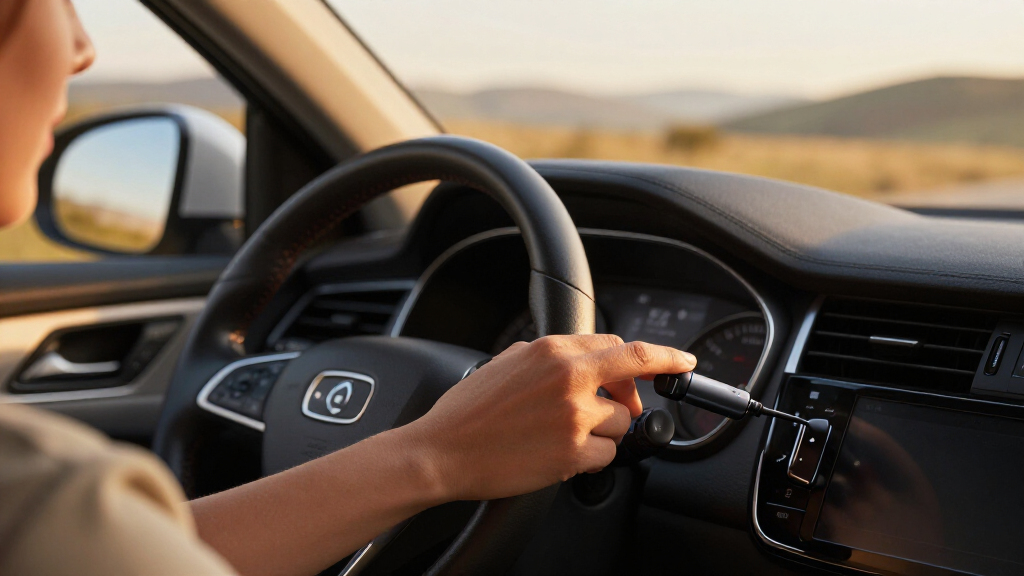
How We Picked
Products were evaluated based on connection stability, latency, compatibility with various vehicle makes and models, ease of installation, and overall build quality. We prioritized adapters that offered reliable, drop-free connections, especially during navigation and media streaming. Cost was also a factor, balancing affordability with feature set and performance. Our ranking reflects the best overall experience for most users, while highlighting specific options for different priorities like budget, simplicity, or advanced features.| wireless android auto adapter | Compatibility | Connectivity |
|---|---|---|
| Wireless CarPlay and Android A | iOS 10+ and Android 11+ devices | Wireless, USB-A and USB-C cables included |
| Mini Wireless CarPlay Adapter | — | — |
| Teeran 2 in 1 Wireless CarPlay | Supports over 1,000 vehicle models with wired CarPlay or Android Auto | Bluetooth, 2.4GHz + 5GHz Wi-Fi |
| 2-in-1 Wireless CarPlay & Andr | Vehicles with wired CarPlay or Android Auto | — |
| Spedal 2026 2-in-1 Wireless Ca | Factory Wired CarPlay or Android Auto (2016-2025) | — |
| AAWireless Two | Wired-only Android Auto systems, Android 11+ smartphones | Bluetooth & Wi-Fi |
Factors to Consider When Choosing Wireless Android Auto Adapter
Choosing the right wireless Android Auto adapter involves more than just features; it depends on how you plan to use it, your vehicle, and your budget. Consider these key factors to ensure you select an adapter that meets your needs and provides a seamless experience.Compatibility with Your Vehicle
Not all adapters work with every car model, especially older vehicles or those with proprietary infotainment systems. Check your vehicle’s manual and the adapter’s compatibility list before purchasing. Some adapters are designed specifically for certain brands or models, which can affect setup and performance. Investing in a compatible adapter prevents frustration and guarantees a smoother connection.
Connection Stability and Latency
Connection stability is vital for safe, distraction-free driving. Look for adapters that have positive reviews regarding drop-free operation and minimal lag. Premium models tend to deliver near-instant responses, making navigation and media control feel natural. Cheaper options might suffer from occasional disconnects or noticeable delays, which could disrupt your driving experience.
Ease of Installation and Use
Some adapters are plug-and-play, while others require firmware updates or app configurations. Consider your comfort with technology; simpler setups are preferable for most users. User interfaces, companion apps, and pairing processes differ, influencing how quickly you get up and running. Choosing an easy-to-install device reduces frustration and gets you on the road faster.
Price and Value
Higher-priced adapters often offer better stability, lower lag, and broader compatibility, justifying the investment if you prioritize performance. Budget models can be adequate for casual use but might compromise on connection quality or latency. Balance your budget with your driving needs—sometimes paying more results in a noticeably smoother experience.
Additional Features
Some adapters include features like faster pairing, dual compatibility, firmware updates, or enhanced security. Consider whether these extras are important for your usage. For instance, if you frequently switch between Android Auto and CarPlay, a dual-compatible adapter adds convenience. Evaluate these features against your priorities and budget to make a well-rounded choice.
Frequently Asked Questions
Will a wireless Android Auto adapter work with my specific car model?
Compatibility can vary significantly between models. Always check the manufacturer’s compatibility list before purchasing. Some adapters specify supported vehicle makes and years, while others are more universal. If in doubt, consult customer reviews or manufacturer support to confirm whether your vehicle is compatible. Properly matching the adapter to your car ensures reliable performance and reduces setup headaches.
How reliable is the connection during long drives or in areas with poor signal?
Most quality adapters are designed to maintain stable connections over extended periods, but performance can depend on your vehicle’s Bluetooth and Wi-Fi capabilities. Some models include features like auto-reconnect or stronger antennas to improve stability. Keep in mind that interference from other wireless devices or obstacles can affect signal quality, so choosing a well-reviewed, high-quality adapter reduces the risk of disconnects during long trips.
Is it worth paying extra for a dual Android Auto and CarPlay adapter?
Yes, if you regularly switch between Android and iPhone, a dual-compatible adapter offers significant convenience. These models eliminate the need for multiple devices and simplify your setup. However, they might come at a higher cost and sometimes have slightly more complex installation processes. For users who prioritize versatility, investing in a dual-function adapter is a smart choice.
Do I need to update firmware or software for these adapters?
Many adapters benefit from firmware updates that improve stability, add features, or fix bugs. Some require manual updates via companion apps, while others update automatically. Regular updates can enhance your experience, but they may involve a learning curve or temporary reconfiguration. Checking the manufacturer’s support resources beforehand helps ensure your device stays current and performs optimally.
What should I do if my adapter keeps disconnecting or lagging?
First, ensure your vehicle’s Bluetooth and Wi-Fi systems are functioning properly. Rebooting the adapter and re-pairing it can resolve temporary glitches. Make sure your firmware and app are up to date. If problems persist, consider switching to a higher-quality model or one with better reviews for stability. Sometimes, interference from other wireless devices or low battery levels can also cause issues, so maintaining good device health is recommended.
Conclusion
For most users seeking a reliable, all-around solution, the Wireless CarPlay and Android Auto Adapter for Factory Wired Systems offers excellent compatibility and stability, making it ideal as the best overall pick. Budget-conscious drivers will appreciate the Mini Wireless CarPlay Adapter for its affordability, while tech enthusiasts or those with specific needs might prefer the 2-in-1 Wireless CarPlay & Android Auto Adapter for its low-lag performance and dual compatibility. Beginners should prioritize models with straightforward setup, while those wanting premium features should consider higher-end options with enhanced stability and features. Your choice depends on how you balance performance, ease, and budget.
Halloween Picks
halloween
As an affiliate, we earn on qualifying purchases.