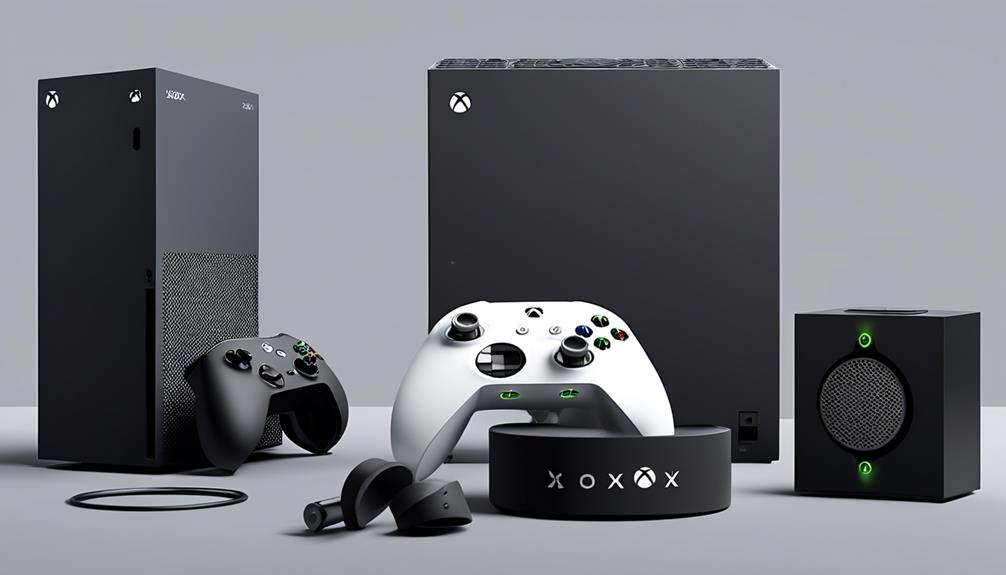
Finding the right accessories for your Xbox Series S can significantly improve your gaming experience. The best options often balance performance, build quality, and price, but tradeoffs are common—like choosing between extra cooling or added aesthetics. The McBazel Vertical Stand with Cooling Fan stands out for its reliable cooling and sturdy design, while the Xbox Wireless Controller Elite Series 2 offers premium performance for serious gamers. Budget-friendly options like the Deep Pink Controller provide style without breaking the bank. Continue reading to see a detailed breakdown of these accessories and how they compare.
Complete the kit


Key Takeaways
- Cooling stands with adjustable fan speeds help prevent overheating during extended gaming sessions.
- Combination units like charge stations with RGB lighting add both functionality and aesthetic appeal.
- Controller upgrades vary from budget-friendly options to premium models, with notable differences in build quality and features.
- Vertical stands can save space but may not provide significant cooling unless paired with effective fans.
- Price often correlates with build quality and added features; choose based on your specific needs and budget.
| Mcbazel Vertical Stand with Cooling Fan for Xbox Series S Console, White |  | Best Overall Cooling and Space-Saving Solution | Compatibility: Xbox Series S | Cooling Fans: 2 high-speed fans | Fan Speeds: 3200, 2800, 2300 RPM | VIEW ON AMAZON | See Our Full Breakdown |
| Cooling Stand & Charge Station for Xbox Series S with RGB Light Strip, White |  | Best for Enhanced Gaming Atmosphere and Controller Charging | Compatibility: Xbox Series S Console, Xbox Series X/S Controller | Cooling Fans: 2 adjustable-speed fans | Charging Ports: 2 Type C ports | VIEW ON AMAZON | See Our Full Breakdown |
| MENEEA Charger Stand Cooling Fan for Xbox Series S Console & Controller, White | 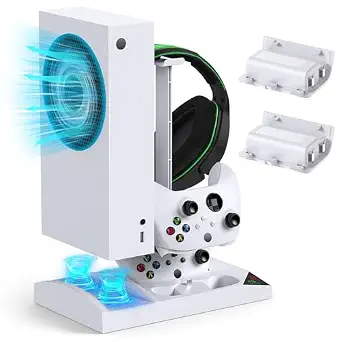 | Best for Organized Charging and Cooling in Compact Setups | Power Source: USB Type C | Features: Cooling fan, Dual charger, Stand for Xbox Series S | Wattage: 5 watts | VIEW ON AMAZON | See Our Full Breakdown |
| Mcbazel RGB Cooling Fan for Xbox Series S |  | Best RGB Cooling Fan with Adjustable Speeds | Compatibility: Xbox Series S | Fan Speed Levels: 3 | Lighting Modes: 7 | VIEW ON AMAZON | See Our Full Breakdown |
| G-STORY Cooling Fan for Xbox Series S, Auto 3 Speed Adjust Temp Display RGB |  | Best for Temperature Monitoring and Quiet Operation | Compatibility: Xbox Series S | Fan Speeds: 1500/1750/2000 RPM | Temperature Display: LED | VIEW ON AMAZON | See Our Full Breakdown |
| Cooling Fan for Xbox Series S, RGB High-Speed Cooler System with Adjustable Fan Speeds |  | Best Cooling Solution for Extended Gaming Sessions | Compatibility: Xbox Series S | Fan Blades: 9 large blades | Fan Speeds: 1500/1700/2000 RPM | VIEW ON AMAZON | See Our Full Breakdown |
| Xbox Wireless Gaming Controller Elite Series 2, Black |  | Best High-Performance Controller for Serious Gamers | Connectivity: Xbox Wireless, Bluetooth, USB-C | Battery Life: Up to 40 hours | Included Accessories: Charging dock, carrying case, thumbsticks, paddles, D-pad | VIEW ON AMAZON | See Our Full Breakdown |
| Xbox Wireless Gaming Controller Deep Pink |  | Best Stylish and Comfortable Controller for Casual Play | Connectivity: Wireless, Bluetooth, USB-C | Design: Modernized with textured grips | Compatibility: Consoles, PCs, TVs, mobile devices | VIEW ON AMAZON | See Our Full Breakdown |
| xbox series s accessorie | Compatibility | Power Source |
|---|---|---|
| Mcbazel Vertical Stand with Co | Xbox Series S | Powered via Type-C cable from console |
| Cooling Stand & Charge Station | Xbox Series S Console, Xbox Series X/S Controller | — |
| MENEEA Charger Stand Cooling F | — | USB Type C |
| Mcbazel RGB Cooling Fan for Xb | Xbox Series S | USB 5V |
| G-STORY Cooling Fan for Xbox S | Xbox Series S | Xbox console |
| Cooling Fan for Xbox Series S | Xbox Series S | — |
| Xbox Wireless Gaming Controlle | Xbox Series X|S, Xbox One, Windows PC, mobile devices | — |
| Xbox Wireless Gaming Controlle | Consoles, PCs, TVs, mobile devices | — |
More Details on Our Top Picks
Mcbazel Vertical Stand with Cooling Fan for Xbox Series S Console, White
This stand excels for players who prioritize both effective cooling and a sleek, vertical setup. Its dual high-speed fans with adjustable speeds outperform many basic cooling options, helping prevent overheating during long gaming sessions. Compared to the G-STORY Cooling Fan, it offers a more integrated design with USB ports, making it a versatile choice. However, its exclusive compatibility with the Xbox Series S means it won’t work with other models, and it requires connection to the console for power, which could limit placement options. Its space-saving vertical design makes it ideal for smaller setups needing reliable cooling without clutter.
Pros:- Effective cooling with adjustable fan speeds
- Space-saving vertical design
- Includes USB ports for peripherals
- Removable cooling module for versatility
Cons:- Limited to Xbox Series S only
- Requires connection to console for power
Best for: Gamers who want a dedicated, space-efficient cooling solution with added USB functionality for their Xbox Series S
Not ideal for: Players with multiple Xbox models or those seeking a universal stand that fits both Series S and X consoles
- Compatibility:Xbox Series S
- Cooling Fans:2 high-speed fans
- Fan Speeds:3200, 2800, 2300 RPM
- Power Source:Powered via Type-C cable from console
- USB Ports:2 (charging and data transfer)
- Removable Cooling System:Yes
Our verdict“This stand is perfect for Series S owners seeking reliable cooling combined with a tidy vertical setup.”
Cooling Stand & Charge Station for Xbox Series S with RGB Light Strip, White
This multi-functional stand stands out for gamers who want to combine cooling, charging, and aesthetic flair in one device. Its dual controller charging ports paired with console cooling make it a comprehensive desktop organizer, especially compared to simpler cooling fans like the Mcbazel RGB Cooling Fan. The customizable RGB lighting adds atmosphere, though its limited compatibility to Series S means it won’t suit owners of other Xbox models. The absence of detailed size info could be a concern for tight setups, but overall, it offers a stylish, space-efficient solution for dedicated gamers.
Pros:- Includes dual controller charging and console cooling
- Customizable RGB lighting enhances ambiance
- Adjustable cooling fan speeds
- Compact desktop organization
Cons:- Limited to Xbox Series S, not Xbox One S or X
- Charging dock supports specific battery packs only
- No detailed size or weight info
Best for: Series S owners who want to elevate their gaming space with RGB lighting and dual controller charging
Not ideal for: Players with Xbox One controllers or those looking for a universal stand, as it only supports Series S and Series X controllers
- Compatibility:Xbox Series S Console, Xbox Series X/S Controller
- Cooling Fans:2 adjustable-speed fans
- Charging Ports:2 Type C ports
- RGB Light Modes:15 modes (7 monochrome, 8 effects)
- Battery Packs Included:2 x 1400mAh
- Additional Features:Headphone hook, USB data transfer and charging ports
Our verdict“Ideal for Series S players who want a stylish, multifunctional stand that combines cooling and controller charging with vibrant lighting.”
MENEEA Charger Stand Cooling Fan for Xbox Series S Console & Controller, White
This stand appeals to gamers who want an all-in-one solution for cooling, charging, and organization. Its built-in cooling fans outperform basic models by actively preventing overheating, while the dual charger with rechargeable batteries simplifies controller management. Compared to the Mcbazel Vertical Stand, it offers a more comprehensive charging setup but lacks USB data ports beyond charging, limiting peripheral connectivity. Its stand design isn’t compatible with Xbox One controllers, which is a drawback for those with mixed setups. Still, it provides a tidy, functional setup for dedicated Series S players.
Pros:- Includes cooling fans to prevent overheating
- Dual charging station with rechargeable batteries
- Space-efficient vertical design
- Easy to organize controllers and accessories
Cons:- USB port does not support data transfer, only charging
- Stops working when the console is off; charges only in sleep mode
Best for: Series S owners who need a compact, organized solution for cooling and rechargeable controller charging
Not ideal for: Gamers using Xbox One controllers or seeking a stand with extensive data transfer options
- Power Source:USB Type C
- Features:Cooling fan, Dual charger, Stand for Xbox Series S
- Wattage:5 watts
- Voltage:5 volts
- Main Power Connector Type:USB Type C
- Warranty:Available
Our verdict“A smart pick for Series S gamers wanting a combined cooling and charging station with minimal clutter.”
Mcbazel RGB Cooling Fan for Xbox Series S
This fan is suited for gamers who want a customizable cooling solution with vibrant RGB effects. Its adjustable speed levels and 7 lighting modes make it more engaging than basic fans like the G-STORY RGB Cooling Fan. The dust-proof cover helps prolong the life of the console, a noteworthy feature for longevity. However, it’s only compatible with the Series S, and it relies on USB power from the console without an external power option, which could limit placement flexibility. Its effective cooling and colorful lighting make it attractive for aesthetic-focused setups.
Pros:- Effective cooling with adjustable speed levels
- Multiple RGB lighting modes for customization
- Includes extra USB ports for peripherals
- Dust-proof cover extends console lifespan
Cons:- Limited to Xbox Series S only
- Requires USB power from the console
Best for: Series S owners who want a visually striking cooling accessory with multiple lighting options
Not ideal for: Players seeking a universal cooling fan compatible with other Xbox models or a standalone external power source
- Compatibility:Xbox Series S
- Fan Speed Levels:3
- Lighting Modes:7
- Power Source:USB 5V
- USB Ports:2 (1 charging, 1 data & charging)
- Dustproof Cover:Yes
Our verdict“A colorful, adjustable cooling fan perfect for gamers who want to combine performance with aesthetic flair.”
G-STORY Cooling Fan for Xbox Series S, Auto 3 Speed Adjust Temp Display RGB
This fan earns its spot for users who value real-time temperature monitoring combined with adjustable cooling speeds. Its automatic speed adjustment based on temperature, along with a clear LED display, offers more precise control than fixed-speed models like the Mcbazel RGB Cooling Fan. Although it requires connection to the Xbox for power and is limited to Series S, its quiet operation and auto-adjusting feature make it suitable for players who want to prevent overheating without noise disruption. It’s a practical, low-maintenance choice for keeping the console cool during intense gaming.
Pros:- Effective temperature monitoring with LED display
- Automatic speed adjustment for optimal cooling
- Lightweight and easy to install
- Low noise operation
Cons:- Requires connection to Xbox for power
- Limited to Xbox Series S only
Best for: Series S players who prioritize temperature management and quiet operation in their cooling solution
Not ideal for: Gamers who want RGB lighting effects or need a cooling fan compatible with multiple Xbox models
- Compatibility:Xbox Series S
- Fan Speeds:1500/1750/2000 RPM
- Temperature Display:LED
- Modes:Automatic and Manual
- Power Source:Xbox console
Our verdict“Ideal for gamers seeking precise temperature control and quiet cooling during demanding sessions.”
Cooling Fan for Xbox Series S, RGB High-Speed Cooler System with Adjustable Fan Speeds
This cooling fan stands out for its dedicated design tailored specifically to the Xbox Series S, providing strong airflow with adjustable speeds (1500/1700/2000 RPM) to prevent overheating during marathon gaming. Compared with the G-STORY Cooling Fan, it offers more customizable fan speeds, though the G-STORY model includes a temperature display, making it easier to monitor thermal performance. Its RGB lighting with 7 modes adds flair but might be unnecessary for minimalists. The two USB ports serve dual purposes—charging controllers or data transfer—adding convenience. However, its focus on Xbox Series S compatibility means it can’t be used with other consoles, and at maximum speed, the noise level (up to 24 dB) could be audible in quiet environments. Overall, this pick makes sense for gamers who prioritize effective cooling and aesthetic enhancement without needing multi-console compatibility or ultra-quiet operation.
Pros:- Effective cooling with adjustable fan speeds
- RGB lighting with multiple modes enhances gaming atmosphere
- Includes USB ports for charging and data transfer
- Easy to install in horizontal or vertical orientation
Cons:- Limited to Xbox Series S only, reducing versatility
- RGB lighting may be unnecessary for some users
- Maximum noise level could be disruptive in silent environments
Best for: Xbox Series S owners who want reliable cooling with customizable lighting and easy installation.
Not ideal for: Players seeking a quiet, multi-device cooling solution or who prefer a less conspicuous accessory.
- Compatibility:Xbox Series S
- Fan Blades:9 large blades
- Fan Speeds:1500/1700/2000 RPM
- RGB Light Modes:7
- Noise Level:16-24 dB
- USB Ports:2 (USB 2.0 and USB 3.0)
Our verdict“This fan offers targeted cooling with customizable aesthetics, ideal for dedicated Xbox Series S players who value style and performance.”
Xbox Wireless Gaming Controller Elite Series 2, Black
The Xbox Elite Series 2 stands out for its extensive customization options, including adjustable-tension thumbsticks, interchangeable paddles, and profiles that suit different game styles. Compared with the Deep Pink controller, it offers a more premium feel and longer battery life (up to 40 hours), making it perfect for long gaming marathons. Its compatibility across Xbox Series X|S, One, Windows PCs, and mobile devices increases versatility. However, this premium controller comes with a high price tag, and the complex setup for its many features can be overwhelming for casual users. Its bulkier design might also be less comfortable for players with smaller hands. This controller is best suited for dedicated gamers who want precision, durability, and customization, willing to invest in a top-tier experience.
Pros:- Highly customizable with interchangeable components
- Long battery life supports extended gaming sessions
- Compatible with multiple devices including consoles and PCs
- Responsive controls with adjustable thumbsticks and trigger locks
Cons:- Premium price may be prohibitive for some users
- Setup process for customization features can be complex
- Bulkier design may be less comfortable for small hands
Best for: Hardcore gamers and enthusiasts seeking maximum control and customization across multiple platforms.
Not ideal for: Casual players or those on a budget who prefer simpler, more affordable controllers.
- Connectivity:Xbox Wireless, Bluetooth, USB-C
- Battery Life:Up to 40 hours
- Included Accessories:Charging dock, carrying case, thumbsticks, paddles, D-pad
- Compatibility:Xbox Series X|S, Xbox One, Windows PC, mobile devices
- Features:Adjustable-tension thumbsticks, short hair trigger locks, profile switching, customizable buttons
Our verdict“This controller delivers professional-grade performance and extensive customization for dedicated gamers willing to pay a premium.”
Xbox Wireless Gaming Controller Deep Pink
The Deep Pink Xbox Wireless Controller emphasizes comfort and style, featuring textured grips that improve handling during long gaming sessions. Compared with the Elite Series 2, it offers a more approachable price point and a vibrant, modern design, though it lacks the extensive customization options and advanced features of the higher-end model. Its compatibility spans Xbox consoles, PCs, TVs, and mobile devices through various connectivity options, making it versatile for casual gaming setups. The built-in 3.5mm audio jack supports immersive sound, but the controller relies on batteries or a rechargeable pack, with no specific charging method included. This makes it a practical choice for players who want a comfortable, stylish controller without the extra complexity or cost of premium features. It’s a good fit for casual gamers or those upgrading from older controllers.
Pros:- Textured grips for better handling
- Multiple connectivity options for versatility
- Built-in audio support for immersive sound
- Modern and vibrant design
Cons:- Requires batteries or rechargeable pack (not included)
- Limited customization options compared to premium controllers
- No built-in rechargeable battery or dedicated charging method
Best for: Players who want a comfortable, stylish controller for casual gaming on multiple devices.
Not ideal for: Serious gamers seeking advanced customization and high-performance features.
- Connectivity:Wireless, Bluetooth, USB-C
- Design:Modernized with textured grips
- Compatibility:Consoles, PCs, TVs, mobile devices
- Additional features:Share button, built-in audio, customizable controls
Our verdict“This controller offers comfort and style for casual gaming across a range of devices, without the complexity of high-end models.”

How We Picked
Products were evaluated based on their performance, build quality, ease of use, and value for the price. We prioritized accessories that genuinely improve the gaming experience—whether through better cooling, charging convenience, or enhanced control. Compatibility with the Xbox Series S was a must, along with user-friendly features like adjustable settings or aesthetic enhancements. The ranking reflects a balance between cost-effectiveness and premium features, ensuring options for different types of gamers. Accessories that combined durability with practical benefits earned higher positions in our list.| xbox series s accessorie | Compatibility | Power Source |
|---|---|---|
| Mcbazel Vertical Stand with Co | Xbox Series S | Powered via Type-C cable from console |
| Cooling Stand & Charge Station | Xbox Series S Console, Xbox Series X/S Controller | — |
| MENEEA Charger Stand Cooling F | — | USB Type C |
| Mcbazel RGB Cooling Fan for Xb | Xbox Series S | USB 5V |
| G-STORY Cooling Fan for Xbox S | Xbox Series S | Xbox console |
| Cooling Fan for Xbox Series S | Xbox Series S | — |
| Xbox Wireless Gaming Controlle | Xbox Series X|S, Xbox One, Windows PC, mobile devices | — |
| Xbox Wireless Gaming Controlle | Consoles, PCs, TVs, mobile devices | — |
Factors to Consider When Choosing Xbox Series S Accessories
When selecting accessories for your Xbox Series S, it’s important to consider how each item complements your gaming habits. Not all accessories are created equal—some focus on cooling, others on charging, and some on control. Understanding your priorities will help avoid unnecessary spending on features you don’t need. This guide highlights key factors to consider to ensure you pick accessories that add real value without creating clutter or inefficiency.Cooling Performance and Overheating Prevention
Extended gaming sessions can lead to overheating, which may throttle performance or shorten your console’s lifespan. Look for cooling accessories with adjustable fan speeds and temperature display features that help you monitor and control heat levels. However, be aware that some cooling stands offer minimal airflow, so check reviews for real-world effectiveness before investing.
Charging Convenience and Battery Life
Having a dedicated charging station can streamline your gaming setup, especially if it supports quick-charging and multiple controllers. Consider whether the accessory includes rechargeable batteries or requires separate purchase. Investing in a reliable charge station reduces the hassle of replacing batteries and ensures your controllers are always ready when you are.
Controller Compatibility and Upgrades
Not all controllers are equal—some offer advanced features like customizable buttons, adjustable triggers, or premium grips. When choosing a controller, consider your gaming style and whether a high-end model like the Elite Series 2 justifies the extra cost. Cheaper controllers may be fine for casual players but could lack durability or precision for competitive gaming.
Aesthetic and Space-Saving Design
Accessories like vertical stands with RGB lighting can enhance your gaming setup visually, but they may take up additional space or add unnecessary complexity. Think about your room layout and whether cosmetic features align with your style. Sometimes, a simpler stand or cooling fan provides better value without sacrificing appearance.
Budget and Long-Term Value
Price ranges vary widely, so weigh initial costs against long-term benefits. Higher-priced accessories often feature better durability and more advanced features, but budget options can suffice for casual or infrequent gaming. Be wary of very cheap accessories that might break easily or underperform, leading to repeated replacements and higher costs over time.
Frequently Asked Questions
Will a cooling stand really improve my Xbox Series S performance?
A cooling stand can help prevent overheating during extended gaming sessions, potentially maintaining better performance and prolonging the lifespan of your console. However, the actual impact varies based on the quality of the cooling system and how heavily you push your console. For casual gamers, a basic cooling stand might be sufficient, but serious players engaged in long sessions may benefit from more advanced cooling options with adjustable speeds and temperature displays.
Is it worth upgrading to a premium controller like the Elite Series 2?
Upgrading to a high-end controller like the Elite Series 2 offers enhanced features such as customizable paddles, adjustable tension triggers, and superior build quality. These improvements can provide a competitive edge and increased comfort for long gaming sessions. However, for casual players or those on a tight budget, a standard controller may be more than enough, and the premium features might not justify the price difference.
Are RGB lighting accessories necessary for a good gaming experience?
RGB lighting accessories primarily serve aesthetic purposes and can make your setup more personalized and visually appealing. They do not impact performance or cooling, so if your priority is functionality, you can skip these. However, if you enjoy customizing your gaming space or creating a vibrant environment, RGB features can add a fun visual element without affecting your gameplay.
Can I use third-party accessories with my Xbox Series S?
Most third-party accessories are compatible with the Xbox Series S, but compatibility is not guaranteed for all products. It’s important to check that they meet Xbox certification standards and are explicitly designed for your console. Poorly made third-party accessories may lack durability or could cause issues, so opting for reputable brands or verified products is advisable for peace of mind.
How do I choose between a simple stand and a cooling and charging combo?
A simple stand is ideal if you primarily want to organize your console and save space without extra features. On the other hand, a combo unit with cooling and charging capabilities offers added value, especially if overheating or controller battery life are ongoing concerns. Consider your gaming habits and setup size—if you tend to play long sessions or have multiple controllers, a combo unit can streamline your gaming station.
Conclusion
For casual players or those on a budget, a basic cooling stand or a standard controller provides excellent value without overspending. Serious gamers or those who prioritize aesthetics and advanced features should consider premium options like the Elite Series 2 controller or high-performance cooling systems. Beginners will benefit from simple, easy-to-use accessories that improve comfort and organization, while competitive players should focus on gear that enhances precision and durability. Ultimately, matching your specific needs and budget will lead to the most satisfying setup.