
Understanding color grading starts with knowing how cameras interpret colors through sensors and filters, which affects the final look. Proper white balance is key to capturing natural tones, making correction easier later. Avoid relying solely on automatic settings, and use tools like scopes to maintain consistency. Lighting impacts your colors greatly, shaping mood and vibrancy. To master these essentials and create impactful visuals, keep exploring the techniques that go beyond basics.
Key Takeaways
- Understanding how camera sensors capture and process color is essential for effective color grading.
- Proper white balance and color correction establish a natural baseline before creative grading.
- Using scopes and calibration tools ensures consistent, accurate colors across different devices and scenes.
- Applying color schemes, filters, and contrast creatively enhances mood and storytelling impact.
- Developing a standardized workflow with look-up tables (LUTs) improves efficiency and visual cohesion.
Understanding the Fundamentals of Color Theory
Understanding the fundamentals of color theory is essential for effective color grading because it helps you make informed decisions about how colors interact and influence mood. One key concept is color harmony, which ensures your visuals feel balanced and pleasing to the eye. Complementary schemes, which pair colors opposite each other on the color wheel, create striking contrasts that can evoke excitement or tension. Knowing how to leverage these schemes allows you to craft moods and direct viewers’ focus effectively. For example, using complementary colors can make subjects pop or set a specific emotional tone. Additionally, understanding the color wheel helps you visualize relationships between colors and choose harmonious palettes. By mastering color harmony principles, you can experiment confidently and develop a cohesive, impactful aesthetic that enhances your storytelling through color choices.
How Cameras Capture and Interpret Colors

Have you ever wondered how cameras translate the vibrant colors you see into digital images? It all comes down to how camera sensors interpret color perception. When you take a photo, the sensor captures light through millions of tiny pixels, each sensitive to specific wavelengths. Here’s how it works:
- Color Reproduction: Camera sensors use color filters (like Bayer filters) to separate incoming light into red, green, and blue channels, mimicking how our eyes perceive color.
- Signal Conversion: These filtered light signals are converted into electrical signals, translating real-world colors into digital data.
- Color Interpretation: Software then processes this data, assigning precise hues and brightness, ensuring your image accurately reflects the scene’s colors.
Understanding this process helps you grasp how cameras interpret and preserve the richness of color perception in your photos.
The Role of White Balance in Color Grading

Ever wondered how filmmakers make sure that colors look natural and consistent across different shots? That’s where white balance plays a vital role. White balance adjusts the camera’s interpretation of color temperature, ensuring whites appear truly white under varying lighting conditions. Without proper white balance, footage can look overly warm (orange/yellow) or cool (blue), disrupting the visual harmony. During color grading, understanding and correcting white balance helps you create a uniform look across scenes. It allows you to set a baseline where colors are accurate, making it easier to apply creative effects later. Whether shooting indoors or outdoors, paying attention to white balance ensures your footage maintains realistic and consistent colors, providing a solid foundation for effective color grading. Vetted
Differentiating Between Color Correction and Creative Grading

Understanding the difference between color correction and creative grading helps you achieve your visual goals. Color correction focuses on fixing technical issues to create a natural look, while creative grading emphasizes mood and style. Recognizing their purpose and intent guarantees you use each technique effectively. Incorporating mindful decision-making into your grading process can enhance your ability to craft visually compelling stories.
Purpose and Intent
What exactly differentiates color correction from creative grading? Color correction focuses on achieving natural, accurate colors that reflect true-to-life visuals. It guarantees your footage maintains branding consistency and clarity. Creative grading, on the other hand, shapes the mood and emotional storytelling by applying stylistic choices to evoke specific feelings. To clarify their purposes:
- Color correction is about neutrality and precision, setting a solid foundation.
- Creative grading emphasizes artistic expression, enhancing narrative impact.
- Both serve your project’s purpose—whether it’s to inform, persuade, or evoke emotion—by aligning visuals with your overall intent.
- Incorporating color management best practices ensures consistent and accurate color reproduction across different devices and media.
Understanding these distinctions helps you craft visuals that resonate emotionally while maintaining a cohesive look, essential for impactful storytelling and consistent branding.
Technical vs. Artistic
How do you distinguish between the technical and artistic aspects of color grading? Technical grading focuses on correcting issues like exposure, white balance, and guaranteeing consistent color across shots. It’s about achieving a neutral, accurate image, often guided by the technical requirements of your camera and project. Artistic grading, however, involves harnessing color psychology to craft an emotional tone that supports storytelling. Here, you experiment with hue, saturation, and contrast to evoke specific feelings or moods. While technical work ensures your footage looks natural and cohesive, artistic grading transforms that foundation into a visual language. Recognizing this difference helps you balance precise correction with creative expression, ultimately shaping the viewer’s emotional experience. Additionally, understanding the use of essential oils in health and wellness can inspire creative approaches to color grading by exploring moods and atmospheres associated with different scents and their psychological effects.
Essential Tools and Software for Color Grading
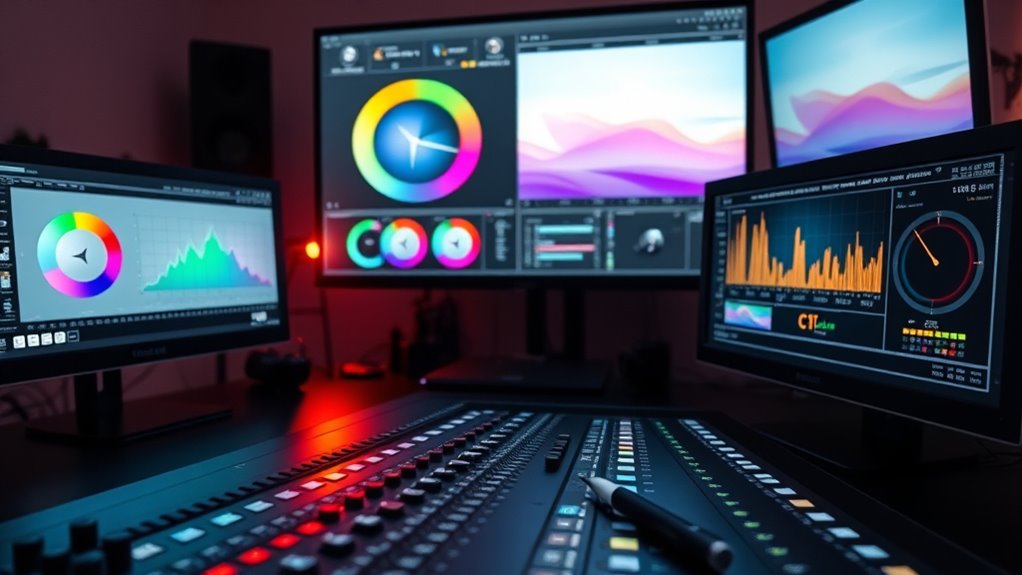
To achieve professional-quality color grading, you need the right tools and software that provide precise control and flexibility. High-quality color grading software is essential for manipulating color, contrast, and tone effectively. Monitoring tools are equally important, ensuring you view your footage accurately across different displays. Here are key tools to contemplate:
- Color grading software such as DaVinci Resolve, Adobe Premiere Pro, or Final Cut Pro, offering advanced color controls.
- Hardware calibration tools to keep your monitor color accurate and consistent.
- External monitoring devices or scopes, like waveform monitors and vectorscopes, to analyze color and exposure precisely.
Additionally, understanding the best oils for deep frying on a keto diet can help you prepare healthy, low-carb meals that complement your color grading projects with nutritious ingredients. These tools enable you to make meticulous adjustments, resulting in a professional and polished final product.
Basic Techniques for Enhancing Your Photos and Videos

After selecting the right tools, you can start applying fundamental techniques to improve your photos and videos quickly. Use color psychology to evoke specific emotions—warm tones create comfort, while cooler shades convey calmness. Mimic film stock by adjusting contrast and grain to add texture and mood. Enhancing your footage with simple adjustments like saturation and exposure can make a big difference. To help visualize, here’s a quick guide:
| Technique | Purpose |
|---|---|
| Adjusting contrast | Adds depth and highlights details |
| Applying color filters | Shapes mood and atmosphere |
| Fine-tuning saturation | Enhances or subdues colors for impact |
| Understanding color grading basics | Elevates your visual storytelling by mastering color nuances |
Common Mistakes to Avoid When Color Grading
Avoid overusing filters or presets, as they can make your footage look unnatural. Keep color consistency in mind to guarantee your scenes match seamlessly. Also, don’t rely solely on auto settings—they often don’t give you the control needed for a polished look. Additionally, understanding color accuracy can significantly improve the overall quality of your grading.
Overusing Filters or Presets
Overusing filters or presets can quickly lead to a flat, unnatural look that detracts from your footage’s authenticity. Relying too heavily on filter overuse or preset dependence can make your work appear cookie-cutter and lack originality. To avoid this, consider these points:
- Limit preset use to enhance your unique style rather than define it.
- Customize presets instead of applying them blindly to maintain consistency.
- Balance filter application with manual adjustments to preserve natural color progression.
- Incorporate herbal teas, which can help you relax and gain a fresh perspective, leading to more thoughtful editing choices.
Ignoring Color Consistency
Ignoring color consistency can undermine the entire look of your project, making scenes feel disconnected and jarring. When you overlook this, color inconsistency becomes obvious, disrupting the flow and confusing viewers. Achieving visual harmony is essential for a polished final product, so you need to match color tones across scenes and shots. Failing to do so can distract your audience and diminish the professional quality of your work. Always check your footage for color balance and ensure that skin tones, lighting conditions, and overall palettes align. Use scopes or reference frames to monitor consistency. By paying attention to these details, you maintain coherence and help your audience stay immersed in your story. Remember, consistent colors strengthen your project’s emotional impact and overall aesthetic. Additionally, understanding the importance of proper color grading techniques can significantly improve the seamlessness of your project.
Relying on Auto Settings
Many beginners rely on auto settings in their editing software to handle color correction and grading. While auto mode, especially with scene detection, can seem convenient, it often doesn’t produce ideal results. Relying solely on these features can lead to inconsistent colors and a lack of creative control. To improve your workflow, consider these tips:
- Don’t trust auto mode blindly; review the adjustments it makes.
- Use scene detection as a guide, but customize settings to match your vision.
- Balance auto features with manual tweaks to ensure accurate color representation.
Auto mode and scene detection are helpful starting points, but mastering manual adjustments gives you the power to craft polished, professional-looking videos.
Tips for Achieving a Consistent Look Across Projects

Achieving a consistent look across projects can be challenging, but establishing a clear workflow and sticking to it makes a significant difference. Start by developing a standard color matching process that you use for all projects. This guarantees your colors stay uniform, regardless of different scenes or lighting conditions. Focus on maintaining tone consistency by using similar contrast and exposure settings from project to project. Create a color grading preset or look-up table (LUT) that you can apply quickly to new footage, saving you time and ensuring visual coherence. Keep notes on your adjustments so you can refine your approach over time. Consistency comes from discipline and attention to detail, helping your work look professional and unified across various projects. Additionally, understanding color grading basics can greatly enhance your ability to produce a cohesive visual style.
The Impact of Lighting on Color Grading Results

Lighting plays a pivotal role in shaping how your color grading turns out, as it directly influences the mood, tone, and overall look of your footage. The lighting impact extends to how colors are perceived, affecting their saturation, contrast, and warmth. Poor lighting can create color inconsistencies that are difficult to correct later, while well-planned lighting enhances your grading process. To better understand this, consider:
- The color temperature of your lights, which impacts the warmth or coolness of your scene.
- The direction of light, influencing shadows and highlights that affect color perception.
- The quality and intensity of lighting, which determine the richness and clarity of colors in post-production.
- The use of lighting for water scenes, which can dramatically alter the mood and color dynamics in your footage.
Mastering lighting’s influence helps you achieve accurate, compelling color grading results.
Simple Tricks to Make Your Visuals Stand Out

To make your visuals pop, start by enhancing the natural colors you already have. Get creative with contrast to draw attention and add depth to your images. You can also experiment with color filters to set the mood and make your visuals truly stand out. Additionally, ensuring your camera or device’s sensor maintenance is up to date can significantly improve color accuracy and overall image quality.
Enhance Natural Colors
Ever wonder how to make the natural colors in your footage pop without overdoing it? To enhance color vibrancy while maintaining realism, focus on precise saturation control. Here are three simple tricks:
- Use subtle adjustments to saturation, avoiding extremes that can make colors look unnatural.
- Apply selective color grading to boost specific hues that need emphasis, like greens or blues.
- Incorporate a gentle increase in vibrancy to amplify overall color richness without oversaturating the scene.
- Understanding industry trends can help you stay current with effective color grading techniques.
These techniques help you preserve the authenticity of your footage while making colors stand out naturally. Remember, the goal is to enhance what’s already there, not to distort it. With careful saturation control, your visuals will look lively, vibrant, and true to life.
Use Contrast Creatively
While contrast might seem like a basic adjustment, using it creatively can dramatically elevate your visuals. Experiment with contrast storytelling by highlighting key subjects against darker backgrounds or adding subtle variations to guide viewers’ focus. High contrast can create a dramatic, intense mood, perfect for suspenseful scenes, while low contrast fosters a calm, dreamy atmosphere. Don’t be afraid to push boundaries—overexposing highlights or deepening shadows can add depth and intrigue. By tailoring contrast to your narrative, you shape the emotional tone and draw your audience into the story. Remember, contrast isn’t just about brightness levels; it’s a powerful tool to evoke emotion and enhance visual storytelling. Use it intentionally, and your visuals will stand out with greater impact.
Apply Color Filters
Applying color filters is one of the simplest yet most effective ways to make your visuals pop. Filter overlays and color tinting can dramatically change the mood and style of your footage or photos. To enhance your results, consider these techniques:
- Use subtle filter overlays to add a gentle hue that complements your scene’s mood.
- Experiment with color tinting to evoke specific emotions or atmospheres, like warm tones for cozy scenes or cool tones for a calm vibe.
- Combine multiple filters or overlays to create unique looks that set your visuals apart from others.
- Incorporate Volkswagen Tuning concepts such as engine performance enhancements into your editing style for a more dynamic and engaging visual presentation.
Frequently Asked Questions
How Does Color Grading Affect Storytelling and Emotional Impact?
Color grading profoundly influences your storytelling and emotional resonance by shaping the mood and tone of your visuals. When you adjust colors, you guide viewers’ feelings and focus, making scenes more compelling. Bright, vibrant tones can evoke joy or excitement, while muted, dark shades create tension or sadness. By intentionally grading your footage, you enhance visual storytelling, ensuring your audience connects emotionally and understands the story’s true essence.
Can Color Grading Be Effectively Done on Mobile Devices?
Yes, you can effectively do color grading on mobile devices, but keep in mind mobile editing app limitations. These apps often lack advanced tools, so your grading might be more basic and less precise. Still, with the right app and some practice, you can enhance your footage and evoke emotions. Just be patient and experiment within the app’s constraints to achieve the best results.
What Are the Best Practices for Matching Colors Between Different Shots?
Did you know that 85% of viewers notice inconsistent colors in videos? To achieve shot consistency, use color matching techniques like adjusting white balance, exposure, and contrast across clips. Start by analyzing your key shots and applying similar color tones. Use scopes or color wheels for precision, and always compare side-by-side to guarantee seamless shifts. These practices help you maintain uniformity and create a professional, polished look.
How Does Color Grading Influence Viewer Perception and Brand Identity?
Color grading shapes how viewers perceive your content by emphasizing color psychology, evoking emotions, and enhancing storytelling. It also strengthens brand consistency by maintaining a cohesive look across all visuals, making your brand instantly recognizable. When you strategically use color grading, you influence perceptions positively, reinforce your brand identity, and create a memorable experience that resonates with your audience long after they’ve watched your videos or viewed your photos.
What Are Emerging Trends in Color Grading Technology and Techniques?
Irony hits as AI-powered grading and immersive tools revolutionize color grading. You’ll find yourself blending automation with creative control, pushing boundaries effortlessly. Emerging trends include real-time AI adjustments, enhanced HDR workflows, and virtual reality integration. These innovations make it easier to craft stunning visuals, but also challenge your skills to stay ahead. Embrace these tech-savvy trends, and you’ll elevate your projects while questioning the very artistry behind the pixels.
Conclusion
Mastering color grading is like revealing a secret garden of visuals—you hold the key to transforming your footage into stunning works of art. By understanding the fundamentals, avoiding common pitfalls, and experimenting with tools, you’ll craft a consistent, eye-catching look that captures your creative vision. Keep learning and practicing, and soon your videos will shine brighter than a diamond in the rough. Your creative journey is just beginning—dive in and make magic happen!