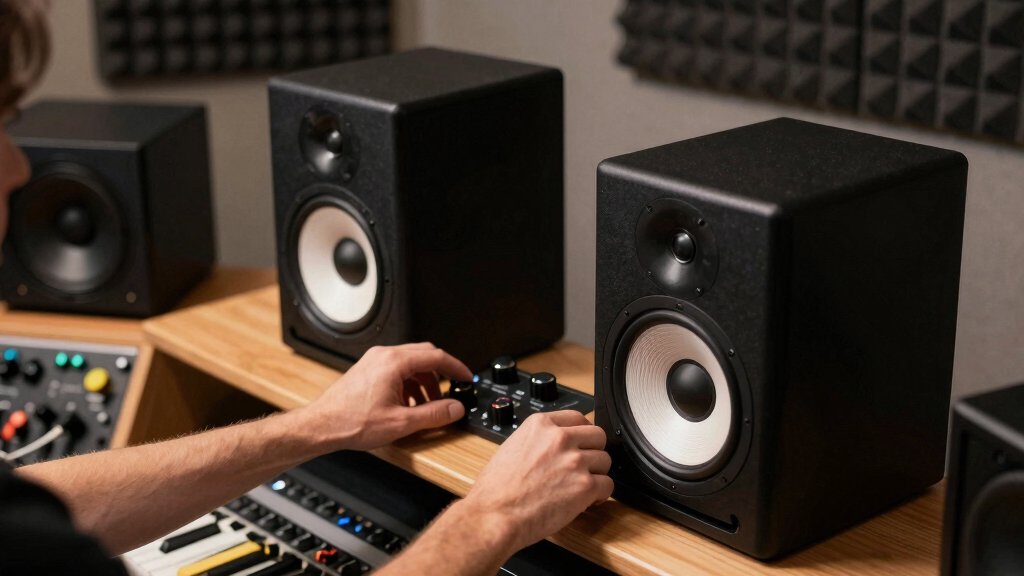

When I compare high-fidelity studio monitor speakers, I give the top spots to models that reveal mix problems instead of flattering them. JBL 306P MkII is my best overall pick because it offers the strongest blend of low-end reach, imaging, and room-friendly controls in this lineup. Yamaha HS5 stands out for buyers who want a stricter reference, while JBL 305P MkII makes more sense when space or budget is tighter. The main tradeoffs are speaker size, bass extension, connection type, and how much honesty you want from the midrange. Continue reading for the full breakdown of which model fits your room, workflow, and budget.

Get audio and creator gear delivered free with Prime
- Fast, free delivery on millions of items
- Prime Video, Amazon Music and more included
- Member-only deals all year
Key Takeaways
- JBL 306P MkII leads the ranking because it gives more low-end confidence than the 5-inch and 3.5-inch models without moving into oversized monitor territory.
- Yamaha HS5 is the stricter reference choice: I would pick it for midrange discipline, but I would skip it if the buyer wants generous bass or forgiving casual listening.
- JBL 305P MkII is the value break point, since it keeps the imaging and professional inputs of the larger JBL while costing and fitting closer to compact setups.
- Edifier MR4 and MR3 beat most desktop-first options on connectivity and tuning flexibility, though neither replaces the headroom of the JBL or Yamaha picks.
- The PreSonus, M-Audio, Ortizan, and Sanyun models are better entry or desktop picks; they make sense for small rooms, but the smaller drivers limit mix-bass decisions.
| PreSonus Eris 3.5BT Studio Monitors (Pair) – 3.5″ Powered Bookshelf Speakers |  | Best Wireless Desktop Pick | Speaker Type: Powered studio monitor pair | Woofer Size: 3.5-inch woven-composite woofers | Tweeter Size: 1-inch silk-dome tweeters | VIEW LATEST PRICE | See Our Full Breakdown |
| PreSonus Eris 3.5 Studio Monitors (White) – Pair |  | Best Compact Wired Monitors | Speaker Type: Powered studio monitor pair | Woofer Size: 3.5-inch woofers | Tweeter Size: 1-inch silk-dome tweeters | VIEW LATEST PRICE | See Our Full Breakdown |
| M-AUDIO BX3 3.5″ Wired Studio Monitors and PC Speakers |  | Best Budget Production Starter | Speaker Type: Wired studio monitors and PC speakers | Driver Size: 3.5-inch Kevlar woofers | Tweeters: Natural silk dome tweeters | VIEW LATEST PRICE | See Our Full Breakdown |
| Yamaha HS5 Powered Studio Monitor Pair |  | Best for Serious Mix Accuracy | Speaker Type: Powered studio monitor pair | Power Output: 70 Watts | Amplifier Design: Bi-amp system with 45W LF and 25W HF amplifiers | VIEW LATEST PRICE | See Our Full Breakdown |
| JBL 306P MkII 6.5″ Studio Monitors (Pair) |  | Best for Larger Sweet Spot | Speaker Type: Powered studio monitor pair | Model Number: 306P MkII | Speaker Size: 6.5 inches | VIEW LATEST PRICE | See Our Full Breakdown |
| Edifier MR4 42W Powered Monitor Speakers with Dual Mode, TRS/RCA/AUX Inputs – White |  | Best Budget Monitor Pick | Power Output: 42W | Tweeter: 1-inch silk dome | Woofer: 4-inch composite | VIEW LATEST PRICE | See Our Full Breakdown |
| PreSonus Eris 3.5 Studio Monitors, Pair |  | Best for First Home Studios | Amplification: 50W Class AB total | Power Per Side: 25W | Tweeter: 1-inch silk dome | VIEW LATEST PRICE | See Our Full Breakdown |
| JBL 305P MkII 5″ 2-Way Active Powered Studio Reference Monitors (Pair) |  | Best Overall | Package: Pair of monitors | Amplifier Power: Dual 41W Class-D amplifiers | Woofer: 5-inch | VIEW LATEST PRICE | See Our Full Breakdown |
| Sanyun SW208 3-inch Bluetooth 5.0 Bookshelf Speakers with Carbon Fiber Driver – White (Pair) | 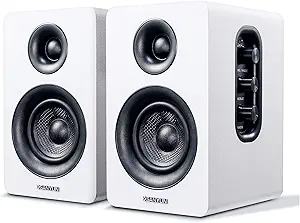 | Best Wireless Desktop Hybrid | Power Output: 60W | Driver Material: Carbon fiber | Bluetooth: Version 5.0 | VIEW LATEST PRICE | See Our Full Breakdown |
| Yamaha HS4 Powered Studio Monitor Pair (Black) |  | Best Compact Reference Monitor | Speaker Type: Powered studio monitor pair | Power Output: 26W per speaker | Frequency Response: 60 Hz-22 kHz (-10 dB) | VIEW LATEST PRICE | See Our Full Breakdown |
| Ortizan C7 Dual-Mode 2.0 Studio Monitors (Pair, Black) |  | Best Connectivity Pick | Speaker Type: Active studio monitor pair | Audio Output Mode: Surround | Bluetooth: Bluetooth 5.3 | VIEW LATEST PRICE | See Our Full Breakdown |
| Edifier MR3 Powered Studio Monitor Speakers |  | Best App-Tunable Compact Monitor | Speaker Type: Powered studio monitor speakers | Audio Output Mode: Stereo | Connectivity: Bluetooth, auxiliary, RCA | VIEW LATEST PRICE | See Our Full Breakdown |
More Details on Our Top Picks
PreSonus Eris 3.5BT Studio Monitors (Pair) – 3.5″ Powered Bookshelf Speakers
PreSonus Eris 3.5BT earns its place because it keeps the small-monitor format practical without giving up the basic studio-monitor job: clear midrange, controlled highs, and flexible hookups. Compared with the PreSonus Eris 3.5 White, the main reason to choose this version is Bluetooth 5.0, which makes it easier to switch between a production setup and casual reference listening. That wireless convenience does come with a tradeoff: buyers focused on strict low-latency tracking may still lean wired, where the M-AUDIO BX3 has the cleaner case. The 3.5-inch woofers are tidy rather than deep, so bass-heavy mixing will benefit from a subwoofer. I rank it highly for creators who want one compact pair to cover editing, reference playback, and everyday desktop audio.
Pros:- Bluetooth 5.0 adds convenient wireless playback without removing wired studio inputs
- Balanced 50W Class AB amplification suits close-range desktop monitoring
- TRS, RCA, and aux inputs support interfaces, turntables, laptops, and mobile devices
- Auto power-saving mode helps in shared desks or always-plugged-in setups
Cons:- Wireless use is less suitable for latency-sensitive recording than a fully wired monitor path
- Low bass extension is limited by the compact 3.5-inch woofer size
- Pricier than some entry-level desktop speaker pairs
Best for: Desktop producers, video editors, and hybrid workspaces that need compact reference monitors with both wired inputs and casual Bluetooth playback.
Not ideal for: Bass-focused beat makers who need full low-end judgment from the speakers alone, since the 3.5-inch drivers benefit from a separate subwoofer.
- Speaker Type:Powered studio monitor pair
- Woofer Size:3.5-inch woven-composite woofers
- Tweeter Size:1-inch silk-dome tweeters
- Wattage:50 Watts total, 25W per speaker
- Amplification:Class AB
- Bluetooth Version:5.0
- Inputs:1/4-inch TRS, RCA, 1/8-inch aux
- Power Saving Mode:Auto engages after 40 minutes idle
Bottom line: This is the most sensible pick for buyers who want compact studio-style monitoring with real wireless convenience.
PreSonus Eris 3.5 Studio Monitors (White) – Pair
The PreSonus Eris 3.5 White is the sharper choice when a buyer wants the Eris sound but does not need wireless playback. Against the Eris 3.5BT, it trades Bluetooth convenience for a more straightforward wired setup, which makes sense for interfaces, turntables, and desktop production rigs where signal consistency matters more than quick phone pairing. Its room-tuning controls help small rooms and desk placements behave better, a meaningful advantage over the M-AUDIO BX3 if placement is less than ideal. Still, this is not a large-room monitor. The compact woofers keep bass tight, but they cannot give the scale or low-end confidence of the JBL 306P MkII. I see it as a clean nearfield pick for buyers building a tidy, fixed listening station.
Pros:- Room-tuning controls help adapt the sound to desks and small rooms
- Compact cabinet size works well for close-range nearfield listening
- 50W Class AB amplification gives more headroom than typical basic computer speakers
- TRS, RCA, and aux inputs make it flexible for mixed desktop setups
Cons:- No Bluetooth, so casual wireless playback requires another device or adapter
- Small woofers limit sub-bass judgment for electronic music and film work
- Higher cost than very basic beginner speaker sets
Best for: Creators setting up a small wired desk studio who want compact monitors with room adjustment and multiple analog inputs.
Not ideal for: Buyers who stream music from phones often or want wireless convenience, since this version leaves Bluetooth to the Eris 3.5BT.
- Speaker Type:Powered studio monitor pair
- Woofer Size:3.5-inch woofers
- Tweeter Size:1-inch silk-dome tweeters
- Amplification:50W Class AB, 25W per side
- Inputs:1/4-inch TRS, RCA, 1/8-inch aux
- Room Controls:Room-tuning controls included
- Subwoofer Compatibility:Compatible with optional Eris Sub 8BT
- Power Saving Mode:Auto engages after 40 minutes idle
Bottom line: This is the Eris model I would pick for a clean wired desktop studio where placement control matters more than wireless playback.
M-AUDIO BX3 3.5″ Wired Studio Monitors and PC Speakers
M-AUDIO BX3 makes the list as the most beginner-friendly production bundle in this group. Its wired-only design is less flexible than the PreSonus Eris 3.5BT, but that same choice gives streamers, gamers, and entry-level recordists a simple zero-latency signal path. The included MPC Beats software and cables also reduce the extra shopping needed to start making music. Compared with the Yamaha HS5, the BX3 is less revealing and less suitable for serious mix decisions, yet it is easier to place on a desk and friendlier to a first setup. The Kevlar woofers and MDF cabinet aim for cleaner response than ordinary PC speakers, though the small 3.5-inch format still limits bass depth and room-filling scale.
Pros:- Wired connection avoids Bluetooth delay for recording, streaming, and gaming
- Kevlar woofers and silk dome tweeters are stronger choices than basic multimedia speaker drivers
- MDF cabinet helps reduce unwanted resonance at desktop volumes
- Includes MPC Beats software and cables for a faster first setup
Cons:- No wireless playback option for casual listening
- Less accurate and less revealing than higher-grade monitors like the Yamaha HS5
- Small drivers cannot deliver the bass scale of larger 5-inch or 6.5-inch models
Best for: New creators, streamers, and students who want wired desktop monitors plus starter production software in one affordable package.
Not ideal for: Mix engineers who need highly revealing translation across systems, because the Yamaha HS5 is more honest for serious balancing work.
- Speaker Type:Wired studio monitors and PC speakers
- Driver Size:3.5-inch Kevlar woofers
- Tweeters:Natural silk dome tweeters
- Cabinet Material:Acoustically inert MDF
- Power Output:120W
- Inputs:1/4-inch, 1/8-inch, RCA
- Connection Style:Wired, zero-latency signal path
- Included Software:MPC Beats
Bottom line: This is the practical starter pick for buyers who want low-latency wired monitoring and a simple path into recording.
Yamaha HS5 Powered Studio Monitor Pair
The Yamaha HS5 sits above the smaller desktop picks because its value is honesty, not convenience. Compared with the PreSonus Eris 3.5BT and M-AUDIO BX3, it is less casual, heavier, and more demanding about placement, but its 54 Hz to 30 kHz response and bi-amped design make mix problems easier to hear. That matters when high-fidelity means translation: vocals, guitars, and reverb balances should not be flattered into sounding finished too soon. The JBL 306P MkII offers a wider sweet spot and larger woofer, so it may feel more forgiving in shared listening positions. The HS5 is the stricter tool. Its bass is clearer than huge, and the pair is heavy, but buyers who want disciplined nearfield monitoring will see why it ranks so high.
Pros:- Flat, revealing character helps expose mix balance problems
- Bi-amp system separates low and high frequency power for cleaner control
- XLR and TRS inputs fit proper studio interfaces and balanced signal chains
- 5-inch woofer gives more mid-bass confidence than 3.5-inch desktop models
Cons:- Heavier and less desk-friendly than compact picks like the PreSonus Eris 3.5
- Bass extension still may not satisfy buyers working on sub-heavy music
- No Bluetooth or casual input set for quick consumer-device playback
Best for: Home-studio mixers and producers who need a more honest nearfield monitor for balance, vocal placement, and translation checks.
Not ideal for: Casual desktop listeners or users who move speakers often, since the pair is heavy and built for a fixed studio position.
- Speaker Type:Powered studio monitor pair
- Power Output:70 Watts
- Amplifier Design:Bi-amp system with 45W LF and 25W HF amplifiers
- Frequency Response:54 Hz – 30 kHz
- Woofer Diameter:5 inches
- Tweeter Diameter:1 inch
- Inputs:XLR and TRS phone jack
- Weight:16.25 pounds per unit, 32.5 pounds per pair
- Enclosure Materials:MDF, polypropylene, silk
Bottom line: This is the best pick here for buyers who care more about honest mix decisions than convenience features.
JBL 306P MkII 6.5″ Studio Monitors (Pair)
JBL 306P MkII is the pick I would point toward when the listening position is not perfectly locked to one chair. Its wide sweet spot makes it more forgiving than the Yamaha HS5, which is stricter and more focused, and the 6.5-inch size gives it more low-end body than the PreSonus Eris 3.5BT. The boundary EQ is especially useful for real rooms, where monitors often land near walls or on desks rather than on ideal stands. The tradeoff is space: this pair is less portable, can overpower a tiny untreated room, and may still need acoustic treatment to show its full accuracy. For buyers mixing at a desk but wanting broader imaging and fuller bass, it fills a useful gap between compact monitors and a more demanding studio setup.
Pros:- 6.5-inch speaker size provides more low-end weight than compact 3.5-inch monitors
- Wide sweet spot supports more accurate listening when seated slightly off-axis
- Boundary EQ helps manage bass buildup near walls or desktop surfaces
- Updated high- and low-frequency transducers are designed for lower distortion
Cons:- Larger powered design is less portable and needs more desk or stand space
- Small untreated rooms may need acoustic treatment to avoid bass buildup
- Less strict and midrange-focused than the Yamaha HS5 for some mix-checking workflows
Best for: Producers and editors in medium-size rooms who want fuller bass and a wider listening area than compact nearfield monitors provide.
Not ideal for: Very small bedrooms or untreated corners where a larger 6.5-inch powered monitor may overload the room.
- Speaker Type:Powered studio monitor pair
- Model Number:306P MkII
- Speaker Size:6.5 inches
- Transducers:Updated high-frequency and low-frequency transducers
- Low-Frequency Design:Deep bass with reduced distortion
- Placement Control:Boundary EQ for wall or surface placement
- Listening Area:Wide sweet spot for off-axis mixing
- Cabinet Style:Powered design with sleek monitor enclosure
Bottom line: This is the right choice for buyers who want larger, more forgiving studio monitors without leaving the high-fidelity nearfield category.
Edifier MR4 42W Powered Monitor Speakers with Dual Mode, TRS/RCA/AUX Inputs – White
I’d place the Edifier MR4 above more casual desktop speakers because it gives buyers a real monitor-style setup for less money: balanced TRS inputs, an MDF enclosure, and a voicing aimed closer to flat response. Compared with the Sanyun SW208, it is the more credible pick for editing, mixing practice, or hearing problems in a track rather than sweetening everything for fun playback. The tradeoff is bass depth; next to the JBL 305P MkII or Yamaha HS4, the MR4 sounds like a smaller monitor with less authority in the low end. Its monitor/music mode is useful, but it also means buyers may need to be careful about which mode they use for serious work.
Pros:- Balanced TRS inputs make it easier to connect audio interfaces cleanly
- Monitor and music modes give it more flexibility than stricter budget speakers
- MDF cabinet helps reduce cabinet coloration
- Near-flat tuning is more useful for editing than boosted consumer sound
Cons:- No Bluetooth or Wi-Fi for quick wireless playback
- Limited deep bass compared with 5-inch and 6.5-inch monitors
- Physical controls may need extra adjustment between casual listening and monitoring
Best for: Budget-minded bedroom producers, video editors, and students who want balanced analog inputs and a more honest desktop monitor setup.
Not ideal for: Bass-heavy music producers or buyers who need Bluetooth, since the MR4 is wired-only and does not reach as low as larger monitors.
- Power Output:42W
- Tweeter:1-inch silk dome
- Woofer:4-inch composite
- Inputs:1/4-inch TRS, RCA, AUX
- Listening Modes:Monitor and music
- Enclosure:MDF wooden cabinet
- Color:White
Bottom line: Choose the Edifier MR4 if you want a low-cost step into proper desktop monitoring and can live without wireless convenience.
PreSonus Eris 3.5 Studio Monitors, Pair
The PreSonus Eris 3.5 makes the most sense for buyers building a first serious desk setup because it balances compact size, 50W Class AB power, and useful acoustic controls. Compared with the Edifier MR4, the Eris 3.5 is a little more beginner-friendly for mixed use because the tuning controls help adapt it to a small desk or wall placement. Compared with the Yamaha HS4, though, it is less of a precision-first monitor and more of a practical starter pair. I would not choose it for sub-bass decisions or larger rooms, since the small woofer can only do so much without a subwoofer. Still, for podcasts, editing, beat sketches, and close-range production, it lands in a very useful middle lane.
Pros:- Compact footprint fits small desks without giving up balanced inputs
- Tuning controls help compensate for close-wall or desktop placement
- 50W Class AB amplification gives it more headroom than many tiny speakers
- Wide listening angle is helpful when sitting slightly off-center
Cons:- Low bass is limited without a companion subwoofer
- Costs more than some entry-level desktop alternatives
- Not as revealing as larger studio monitors for critical mix work
Best for: New home-studio owners who need compact monitors with room-shaping controls for a desk, dorm, or small production corner.
Not ideal for: Mix engineers making low-end decisions for bass music, since the 3.5-inch format has limited extension without a subwoofer.
- Amplification:50W Class AB total
- Power Per Side:25W
- Tweeter:1-inch silk dome
- Woofer:Woven-composite driver
- Inputs:1/4-inch TRS balanced, RCA unbalanced, 1/8-inch aux
- Tuning:Frequency adjustment controls
- Power Saving:Auto mode after 40 minutes idle
Bottom line: Pick the PreSonus Eris 3.5 if your first home studio needs honest sound, small size, and forgiving setup controls.
JBL 305P MkII 5″ 2-Way Active Powered Studio Reference Monitors (Pair)
I rank the JBL 305P MkII as the strongest all-around choice here because it gives buyers the clearest path to real monitoring decisions: 5-inch woofers, 108 dB peak SPL, XLR/TRS connectivity, and JBL’s Image Control Waveguide for more stable stereo placement. Compared with the Yamaha HS4, it has more scale and low-end reach; compared with the PreSonus Eris 3.5, it is better suited to serious mix translation rather than compact convenience. The catch is room behavior. A monitor this capable can expose desk reflections and untreated-wall problems, so buyers in small untreated spaces may need stands, placement work, or acoustic treatment. It also costs more, but the extra money buys more usable detail and headroom.
Pros:- Image Control Waveguide helps create a wider and more precise stereo image
- 5-inch woofer provides more usable bass than compact 3.5-inch and 4-inch monitors
- Boundary EQ and HF Trim help adapt the sound to different rooms
- High peak SPL gives more headroom for dynamic material
Cons:- Higher price than beginner-focused desktop monitor pairs
- Room placement matters more than with smaller, less powerful speakers
- No consumer-style RCA or aux input listed for quick casual hookups
Best for: Home producers, podcasters, and project-studio owners who want a more serious reference monitor with strong stereo imaging.
Not ideal for: Tiny untreated desk setups where larger monitors would sit too close to walls and exaggerate room issues.
- Package:Pair of monitors
- Amplifier Power:Dual 41W Class-D amplifiers
- Woofer:5-inch
- Tweeter:1-inch
- Inputs:XLR/TRS
- Peak SPL:108 dB
- Room Controls:Boundary EQ and HF Trim
- Dimensions:11.7 x 7.3 x 9.1 inches
- Enclosure:MDF
Bottom line: Choose the JBL 305P MkII if fidelity, imaging, and mix confidence matter more than desk-saving size.
Sanyun SW208 3-inch Bluetooth 5.0 Bookshelf Speakers with Carbon Fiber Driver – White (Pair)
The Sanyun SW208 earns a place only if wireless flexibility matters alongside high-fidelity playback. Its Bluetooth 5.0, 24-bit DAC, and adjustable tone controls make it easier to use with laptops, phones, and gaming setups than the wired Edifier MR4 or Yamaha HS4. For pure studio monitoring, though, I would rank it below those models because Bluetooth convenience and bass/treble shaping are less useful when the goal is accurate mix judgment. The carbon fiber driver and wood enclosure help it feel more serious than basic computer speakers, but its 3-inch format limits scale and bass authority. This is the pick for a desk that does many jobs, not the pick for a monitoring chain built around an audio interface.
Pros:- Bluetooth 5.0 makes it easier to switch between desktop and mobile sources
- 24-bit DAC support can reduce signal loss when using digital playback
- Treble and bass controls let casual listeners shape the sound
- Compact cabinet works well on crowded desks
Cons:- Less monitor-focused than the Edifier MR4, Yamaha HS4, or JBL 305P MkII
- 3-inch driver limits low-end weight and room scale
- Physical tone controls can make repeatable reference settings harder
Best for: Desktop users who split time between music playback, gaming, light editing, and wireless listening from a phone or laptop.
Not ideal for: Producers who need a strictly neutral wired reference monitor for mix decisions, since tone controls and Bluetooth shift it toward convenience.
- Power Output:60W
- Driver Material:Carbon fiber
- Bluetooth:Version 5.0
- DAC:24-bit
- Audio Modes:Stereo, surround
- Enclosure:Wood and carbon fiber
- Dimensions:5.35 x 4.64 x 7.48 inches
- Weight:5.2 lbs per pair
- Color:White
Bottom line: Buy the Sanyun SW208 if you want a flexible wireless desktop speaker that leans hi-fi, not a strict studio reference.
Yamaha HS4 Powered Studio Monitor Pair (Black)
The Yamaha HS4 is the compact pick I’d steer toward when accuracy matters more than features. Its 60 Hz-22 kHz response, room control, and high trim settings give buyers a more reference-minded tool than the Sanyun SW208, and its XLR/TRS inputs make it feel more studio-ready than many casual desktop speakers. Compared with the JBL 305P MkII, the HS4 is smaller and easier to place, but it gives up bass reach, SPL, and the broader image a 5-inch JBL can produce. The price may also feel steep for users who mainly want music playback. For editing, vocal work, and nearfield production in tight rooms, though, its disciplined sound is the point.
Pros:- Reference-focused tuning suits editing and production better than casual bookshelf speakers
- Room Control and High Trim help adapt it to small workspaces
- XLR/TRS, RCA, and stereo mini inputs cover studio and desktop sources
- Included cables and anti-slip pads make setup simpler
Cons:- Limited low-end extension compared with JBL 305P MkII or Yamaha HS5
- Higher price may be hard to justify for casual desktop listening
- 26W per speaker is not aimed at loud room-filling playback
Best for: Creators in small rooms who want a compact, reference-leaning monitor for editing, vocals, podcasts, and nearfield production.
Not ideal for: Buyers who want strong sub-bass or high playback levels, since the HS4 is smaller and less forceful than larger monitors.
- Speaker Type:Powered studio monitor pair
- Power Output:26W per speaker
- Frequency Response:60 Hz-22 kHz (-10 dB)
- Woofer:4.5-inch cone
- Tweeter:1-inch dome
- Inputs:XLR/TRS, RCA, stereo mini
- Adjustments:Room Control and High Trim
- Mounting:Tabletop
- Color:Black
Bottom line: Choose the Yamaha HS4 if you want Yamaha’s reference-style sound in a smaller monitor that fits close-range desks.
Ortizan C7 Dual-Mode 2.0 Studio Monitors (Pair, Black)
I would place the Ortizan C7 Dual-Mode 2.0 Studio Monitors here for buyers who want one compact pair to cover music work, desktop listening, gaming, and TV audio. Compared with the PreSonus Eris 3.5BT, the C7 leans harder into input flexibility with Bluetooth 5.3, RCA, AUX, USB, and TRS, so it fits mixed setups without extra adapters. The 3.5-inch carbon fiber woofer and silk dome tweeter aim for a flatter, more controlled presentation than casual bookshelf speakers like the Sanyun SW208. The tradeoff is that this is still a small, corded monitor pair, so low-end reach and room-filling scale will not match larger options like the JBL 306P MkII or Yamaha HS5.
Pros:- Wide input set covers Bluetooth, RCA, AUX, USB, and TRS sources
- Flat-response tuning is better suited to editing and production than typical multimedia speakers
- Compact 3.5-inch format fits crowded desks and nearfield setups
- 24-bit DAC support helps preserve detail from digital sources
Cons:- Small woofers limit deep bass and overall headroom
- Corded design needs a nearby outlet
- IPX0 rating means it should stay away from moisture-prone spaces
Best for: Desktop creators who switch between a PC, interface, phone, TV, or instrument and want compact monitors with broad input support.
Not ideal for: Producers mixing bass-heavy music in larger rooms, since the 3.5-inch woofer will not give the same low-frequency authority as larger studio monitors.
- Speaker Type:Active studio monitor pair
- Audio Output Mode:Surround
- Bluetooth:Bluetooth 5.3
- Inputs:RCA, 3.5mm AUX, USB, TRS
- Woofer:3.5-inch carbon fiber woofer
- Tweeter:0.75-inch silk dome tweeter
- Enclosure Material:ABS, metal, and wood
- Warranty:Limited warranty
Bottom line: Pick the Ortizan C7 if connection flexibility matters more to you than big-room volume or extended bass.
Edifier MR3 Powered Studio Monitor Speakers
The Edifier MR3 Powered Studio Monitor Speakers make the most sense for buyers who want compact monitors with more control than a basic volume-and-tone setup. Compared with the Ortizan C7, the MR3 gives up USB input but gains Hi-Res Audio certification, Bluetooth 5.4, a headphone output, and app-based EQ through EDIFIER ConneX. That EQ control makes it more adaptable than the PreSonus Eris 3.5 Studio Monitors when a desk, wall, or small room adds unwanted buildup. The wide 52Hz-40kHz frequency response is appealing on paper, though the 3.5-inch drivers still cannot replace the scale of the Edifier MR4, JBL 305P MkII, or Yamaha HS5. I would treat it as a refined nearfield choice, not a full studio main monitor.
Pros:- Hi-Res Audio certification supports detailed nearfield listening
- EDIFIER ConneX app gives buyers more EQ control than most compact rivals
- Balanced TRS, RCA, AUX, Bluetooth, and headphone output cover common desktop setups
- 18W per channel output is practical for close-range work
Cons:- No USB input listed, unlike the Ortizan C7
- 3.5-inch drivers limit bass weight and maximum scale
- MDF cabinet styling may not blend into every workspace
Best for: Bedroom producers, editors, and desktop listeners who want compact powered monitors with Bluetooth and adjustable EQ.
Not ideal for: Buyers who want a larger, more traditional studio monitor for louder sessions or deeper bass without a subwoofer.
- Speaker Type:Powered studio monitor speakers
- Audio Output Mode:Stereo
- Connectivity:Bluetooth, auxiliary, RCA
- Bluetooth:Bluetooth V5.4
- Drivers:3.5-inch mid-low drivers and 1-inch tweeters
- Power Output:18W x 2 RMS, 92.5dB peak SPL
- Frequency Response:52Hz-40kHz
- Color:Black
- Warranty:Limited warranty
Bottom line: Choose the Edifier MR3 if you want a compact monitor pair with useful tuning control and do not need large-monitor bass.
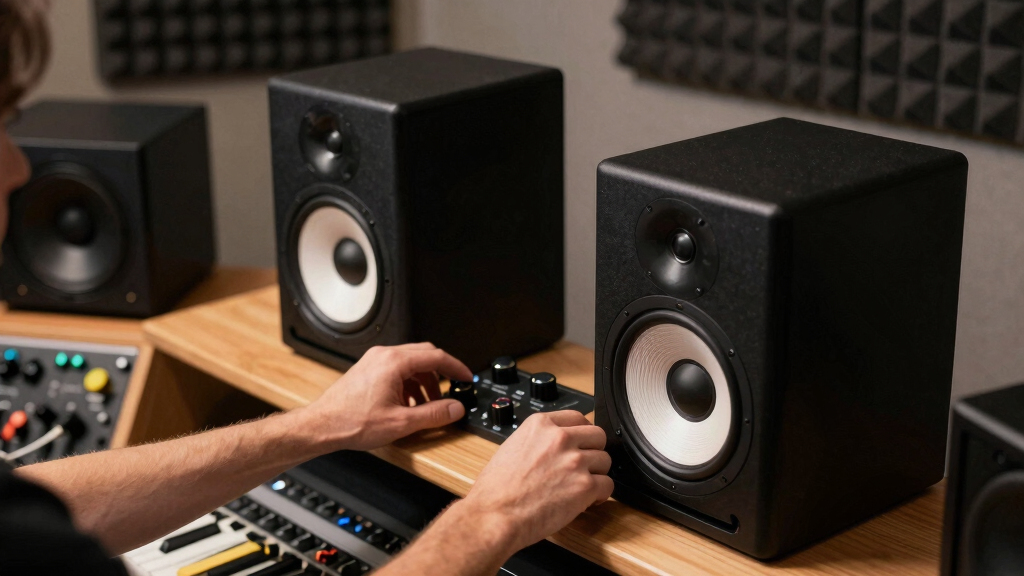
How We Picked
I ranked these 12 speakers by how well they serve the phrase high-fidelity studio monitor speakers, not by feature count alone. The highest scores went to models with credible tonal balance, usable bass extension for nearfield work, stable stereo imaging, balanced inputs, sensible room controls, and enough amplifier headroom to stay clear at normal desktop distances. I also weighed size against room fit: a 6.5-inch monitor can reveal more low-end information, but it can overpower a small untreated desk, while a 3.5-inch pair may be cleaner near a screen yet weaker for kick, bass guitar, and cinematic work. Published manufacturer specs from JBL, JBL 305P, Yamaha, Edifier MR4, and Edifier MR3 helped anchor the comparisons.
The ranking favors speakers that help a buyer make better audio decisions. JBL 306P MkII lands first because it balances extension, imaging, and adjustability better than the rest, while Yamaha HS5 ranks high for a more exacting reference character. I placed the compact and budget models lower when their smaller drivers, consumer-style voicing, Bluetooth focus, or limited headroom made them less dependable for serious mix translation. That does not make them bad buys; it means I see them as specific-use picks rather than the safest core monitor choice.
Factors to Consider When Choosing High-fidelity Studio Monitor Speakers
I would choose studio monitors by starting with the room and the work, then moving to sound character, inputs, and upgrade path. The best buy is rarely the speaker with the longest spec sheet; it is the one that reveals the problems you can actually fix in your space.
Match Speaker Size to Your Room
I would not buy the biggest monitor on the list just because it promises more bass. In a small bedroom or desk against a wall, a 6.5-inch speaker like the JBL 306P MkII can give useful low-end detail, but it may also excite room boom that hides the very problems you are trying to hear. A 5-inch monitor such as the JBL 305P MkII or Yamaha HS5 is often the cleaner middle ground for nearfield work. The 3-inch and 3.5-inch models make sense when the listening distance is short, the desk is shallow, or neighbors matter. Their weakness is bass judgment, so I would treat them as editing, podcasting, beat-sketching, and beginner mixing tools rather than final low-end references. If the room is untreated, placement and stands can matter as much as the model itself.
Pick Honesty Over Flattery
High-fidelity monitoring is not the same as a fun hi-fi sound. I give more weight to midrange honesty because vocals, guitars, synth leads, and dialogue all live where bad balances become obvious. The Yamaha HS5 leans into that stricter reference role more than the softer desktop-first options, which is useful for mix decisions but less relaxing for casual playlists. JBL’s 305P and 306P models are still revealing, yet their wider sweet spot makes them less fussy when you shift around the desk. Edifier’s MR4 and MR3 sit between these worlds with monitor modes and practical tuning, but they are still more entry-level than the Yamaha or JBL reference picks. If a speaker makes every track sound rich, I would be cautious about using it as the only guide for finishing mixes.
Check Inputs and Gain Before Buying
The right input matters because bad cabling can add noise before the speakers ever get a chance to be accurate. I prefer balanced TRS or XLR inputs when the monitors will connect to an audio interface, especially in a desk full of USB devices, chargers, and displays. The JBL and Yamaha picks are stronger here than many consumer-style speakers, while the Edifier MR4 and MR3 are helpful because they bring balanced TRS into a lower-cost format. Bluetooth is convenient on the PreSonus Eris 3.5BT, Sanyun SW208, Ortizan C7, and Edifier MR3, but I would not rely on it for timing-sensitive work. Wired playback keeps latency and compression out of the decision chain. Before buying, I would check whether the speaker accepts the same output level as the interface, since mismatched gain can make a good monitor seem noisy or underpowered.
Use Room Controls With Restraint
Room controls are useful, but they are not a fix for poor placement. A Boundary EQ, HF trim, or low-frequency knob can reduce the damage from a wall, corner, or reflective desk, yet it cannot remove deep room nulls. That is one reason the JBL models rank well: they give practical correction without turning setup into guesswork. Edifier’s MR3 also earns attention here because its app and rear controls give small-room buyers more ways to tame brightness or bass buildup. I would still start with monitor height, distance from the wall, and a symmetrical listening triangle before touching the controls. When the room is doing less harm, every speaker on the list becomes easier to judge.
Know When Paying More Helps
Paying more helps when the extra money buys better drivers, cleaner amplification, stronger cabinets, and more predictable off-axis sound. It helps less when the upgrade is mostly Bluetooth, lighting, or a finish color. That is why I rank the JBL 305P MkII, JBL 306P MkII, and Yamaha HS5 above the small lifestyle-leaning models for mix work. The PreSonus Eris 3.5 variants are sensible starter picks, but buying the white finish over the standard black pair should be a desk-design choice, not a fidelity upgrade. M-Audio BX3, Ortizan C7, and Sanyun SW208 can be fair low-cost speakers for creators, students, or casual editing, yet I would not pay a premium for them if a true 5-inch monitor is within reach. Spend more when it changes what you can hear, not when it only adds convenience.
Frequently Asked Questions
Are 3.5-Inch Studio Monitors Accurate Enough for Mixing?
I would call them useful, but limited. A good 3.5-inch pair such as the PreSonus Eris 3.5 or Edifier MR3 can help with editing, vocals, podcast work, arrangement choices, and basic balance checks at close range. The catch is low-end authority: kick drums, bass lines, and room-shaking effects can be hard to judge without bigger drivers or a subwoofer. Compared with the JBL 305P MkII or Yamaha HS5, small monitors ask the buyer to cross-check more often on headphones, cars, or larger playback systems. I would buy them for a tight desk, not as the final word for bass-heavy music.
Should I Choose the JBL 306P MkII or the Yamaha HS5?
I would choose JBL 306P MkII if the room can handle a larger cabinet and the buyer wants more bass reach, a wider listening area, and forgiving placement controls. I would choose Yamaha HS5 if the priority is a tighter, more disciplined midrange reference that exposes vocal and instrument balance issues. The JBL is the friendlier all-rounder for modern production desks, while the Yamaha feels more like a stern checking tool. The tradeoff is that the JBL can be too much speaker for very small rooms, and the Yamaha may feel lean without a sub or careful placement. For most buyers in this lineup, I put the JBL 306P MkII ahead because it answers more needs with fewer add-ons.
Is Bluetooth Worth Having on Studio Monitor Speakers?
Bluetooth is handy, but I treat it as a convenience feature rather than a studio feature. On models like the PreSonus Eris 3.5BT, Edifier MR3, Ortizan C7, and Sanyun SW208, it makes quick listening from a phone or laptop easier. For recording, editing to picture, or beat timing, I would use a wired connection because Bluetooth can add latency and codec compression. A Bluetooth monitor can still be the right pick for a hybrid desk where music listening and light production share the same speakers. I would not let Bluetooth outrank driver size, balanced inputs, or honest voicing when the goal is high-fidelity monitoring.
Why Are There Multiple PreSonus Eris 3.5 Models in the Roundup?
The PreSonus entries overlap because this lineup includes the Eris 3.5BT, the Eris 3.5 White, and the standard Eris 3.5 pair. I would separate them by workflow, not by assuming one small cabinet suddenly becomes a higher-grade reference. The Bluetooth version is the most flexible for mixed desktop use, the white version is mainly an aesthetic match, and the standard pair is the cleaner value if wired inputs are enough. Compared with the JBL and Yamaha options, all of the Eris 3.5 versions are more beginner and space driven. Their shared drawback is the same: the 3.5-inch format limits low-frequency confidence.
When Should I Add a Subwoofer Instead of Buying Bigger Monitors?
I would add a subwoofer only after the main monitors are placed well and the room is not wildly uneven in the bass. A sub can help small speakers like the PreSonus Eris 3.5, Edifier MR4, or Yamaha HS4 reveal the lowest octave, but it also adds crossover, phase, and placement problems. If the room is small and untreated, a larger monitor or sub can make bass less clear rather than more trustworthy. For electronic music, film work, or bass-heavy production, the JBL 306P MkII may be the cleaner first upgrade because it extends lower without adding another box. I would add a sub when accurate low-end translation is the missing piece, not just because the speakers feel small.
Conclusion
My final recommendation is straightforward: choose JBL 306P MkII as the best overall pick if the room has enough space and the work needs stronger bass detail. Choose JBL 305P MkII as the best value for serious home-studio mixing, or choose Yamaha HS5 as the best premium reference when midrange honesty matters more than warmth. For beginners, I would start with PreSonus Eris 3.5 if the budget is tight, or Edifier MR4 if balanced inputs and monitor/music modes matter more. For compact desks, Yamaha HS4 and Edifier MR3 are the most appealing specific-fit choices, while PreSonus Eris 3.5BT is the easy pick when Bluetooth must share space with studio work. I would reserve M-Audio BX3, Ortizan C7, and Sanyun SW208 for casual creation, PC audio, and low-cost learning rather than the main reference for demanding mixes.