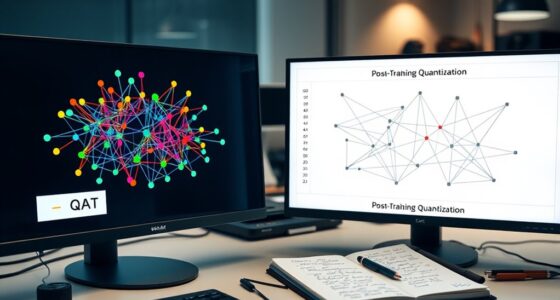
When selecting hardware for GenAI training and inference, consider your model size, workload, and environment. GPUs excel in flexibility, parallel processing, and scalability for diverse tasks. TPUs offer high energy efficiency and speed for large-scale training in cloud settings, while NPUs are ideal for energy-efficient inference on edge devices. Balancing these factors guarantees peak performance; exploring further will reveal how to choose the best hardware for your specific needs.
Key Takeaways
- GPUs offer flexible, scalable hardware suitable for both training and inference of diverse GenAI models.
- TPUs excel in energy-efficient, large-scale training, ideal for cloud-based GenAI development.
- NPUs are optimized for low-power, high-throughput inference, perfect for edge deployment of GenAI applications.
- Choice depends on model size, performance needs, and deployment environment—GPU for versatility, TPU for training, NPU for inference.
- Consider energy constraints and scalability to select the most cost-effective hardware for your GenAI workload.
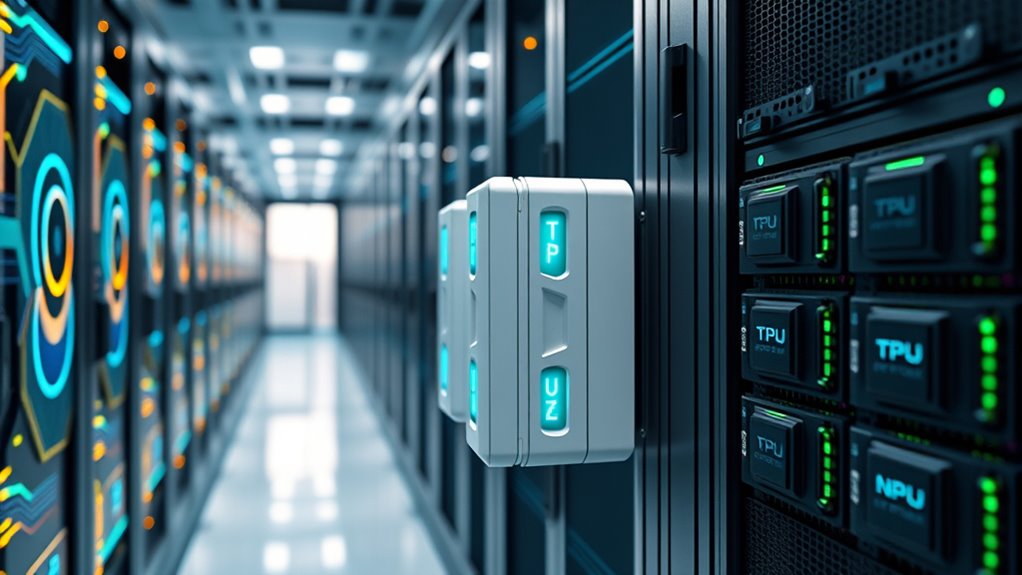
As generative AI models become more sophisticated, choosing the right hardware accelerators is essential for peak performance. Whether you’re training large models or running inference in real-time applications, understanding how GPUs, TPUs, and NPUs compare helps you optimize for both model scalability and energy efficiency. You need hardware that can handle increasing model complexity without skyrocketing costs or energy consumption.
GPUs have long been the go-to choice for AI workloads because of their flexibility and strong support for a wide range of frameworks. They excel in model scalability because their massive parallel processing power can handle complex computations efficiently. This allows you to scale models up as needed, accommodating larger datasets and more parameters without hitting insurmountable bottlenecks. Plus, recent advances have made GPUs more energy-efficient, allowing you to get high performance without excessive power draw. This balance between scalability and energy efficiency makes GPUs appealing for both training and inference, especially when working with diverse models or deploying in varied environments.
GPUs offer flexible, scalable AI processing with improved energy efficiency for diverse training and inference workloads.
TPUs, developed by Google, are tailored specifically for neural network workloads. They shine when it comes to energy efficiency because they use systolic arrays designed for matrix operations common in deep learning. This specialization means you can run large models more efficiently, reducing energy costs considerably. TPUs are optimized for training large-scale models and are often deployed in cloud environments where cost and energy savings are critical. Their architecture supports high model scalability, enabling you to train bigger models faster, although they may lack the flexibility of GPUs for non-AI tasks or custom operations. If your priority is maximizing throughput while minimizing energy consumption, TPUs are a compelling choice, especially in data centers where cost per training cycle matters.
NPUs, or neural processing units, are emerging as dedicated hardware designed specifically for AI inference. They tend to be very energy-efficient because they focus solely on neural network operations, often with lower power consumption than GPUs or TPUs. While they may not offer the same level of model scalability for training large models, NPUs excel in deploying trained models at scale, especially in edge devices where power is limited. They provide a lightweight, low-latency solution ideal for real-time inference in mobile or embedded applications. If your focus is on deploying models in resource-constrained environments, NPUs offer a cost-effective, energy-efficient way to achieve high throughput with minimal power.
Choosing between GPUs, TPUs, and NPUs hinges on your specific needs for model scalability, energy efficiency, and deployment environment. GPUs provide versatility and scalability, making them suitable for a wide range of tasks. TPUs offer high efficiency for training large models in data centers. NPUs are perfect for energy-efficient inference at the edge. Your decision should align with your model size, performance requirements, and energy constraints, ensuring you get optimal results without unnecessary expenditure.

AI Systems Performance Engineering: Optimizing Model Training and Inference Workloads with GPUs, CUDA, and PyTorch
As an affiliate, we earn on qualifying purchases.
As an affiliate, we earn on qualifying purchases.
Frequently Asked Questions
How Does Latency Differ Among GPUS, TPUS, and NPUS?
You’ll notice latency varies across hardware types, with NPUs often providing the lowest latency due to hardware optimization for specific tasks, followed by TPUs, then GPUs. This difference impacts performance benchmarking and your overall efficiency. When choosing, consider your workload’s demands and how each hardware handles latency. Lower latency hardware like NPUs can speed up inference times, but thorough testing helps identify the best option for your needs.
What Are the Cost Implications for Large-Scale Deployment?
You’ll find that scaling costs vary considerably depending on your hardware choice, with GPUs often incurring higher initial investment but lower maintenance expenses, while TPUs and NPUs may reduce operational costs but require specialized infrastructure. Large-scale deployment demands careful consideration of these factors, as maintenance expenses and hardware upgrades can add up over time. Balancing upfront costs against long-term savings helps optimize your overall expenditure and ensures efficient, scalable performance.
Which Hardware Offers Better Energy Efficiency for AI Tasks?
You’ll find that TPUs generally offer better energy efficiency for AI tasks compared to GPUs and NPUs, thanks to their specialized architecture. This reduces energy consumption and enhances sustainability impacts, making them ideal for large-scale deployments focused on eco-friendliness. While NPUs excel in specific inference tasks, TPUs balance performance and energy savings, helping you lower operational costs and support sustainable AI practices effectively.
How Do Compatibility and Software Support Vary Across Devices?
You might think all hardware supports the same software ecosystem, but driver compatibility varies considerably. GPUs often have broad support across popular frameworks like TensorFlow and PyTorch, making them versatile. TPUs and NPUs may require specific SDKs and limited driver support, which can hinder integration. Checking each device’s driver compatibility and software ecosystem ensures smooth development and deployment, preventing compatibility issues that could impede your AI projects.
What Security Considerations Are Unique to Each Hardware Type?
You need to consider hardware isolation and firmware security for each device. GPUs often have broader compatibility, so they may expose more attack vectors if not properly isolated. TPUs and NPUs, being more specialized, typically offer tighter hardware isolation, reducing attack surfaces. However, always ensure firmware security updates are current, as vulnerabilities can arise from outdated firmware across all hardware types, impacting your system’s overall security.

Google Coral USB Edge TPU ML Accelerator coprocessor for Raspberry Pi and Other Embedded Single Board Computers
Specifications: Arm 32-bit Cortex-M0+ microprocessor (MCU): up to 32 MHz max 16 KB flash memory with ECC 2…
As an affiliate, we earn on qualifying purchases.
As an affiliate, we earn on qualifying purchases.
Conclusion
Choosing between GPUs, TPUs, and NPUs is like selecting your own Excalibur in the world of GenAI—each has its unique power. Think of GPUs as versatile knights, TPUs as specialized wizards, and NPUs as efficient artisans. Your decision depends on your specific quest: training or inference. Remember, the right tool can turn your AI ambitions into legendary achievements—just as King Arthur’s sword transformed his destiny. Choose wisely, and forge your path to success.

NEURAL PROCESSING UNITS: THE COMPLETE GUIDE TO AI ACCELERATION HARDWARE: TOPS Performance, Model Optimization, INT8 Quantization, and Efficient AI Inference for Embedded and Mobile Systems
As an affiliate, we earn on qualifying purchases.
As an affiliate, we earn on qualifying purchases.

A Cowboy's Guide to Setting Up Your Own Garage AI Agent: Run Local AI Models on a Budget Using Apple Silicon, Ollama, MCP, RAG & More (THE COWBOY'S GUIDE SERIES)
As an affiliate, we earn on qualifying purchases.
As an affiliate, we earn on qualifying purchases.