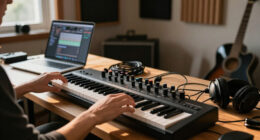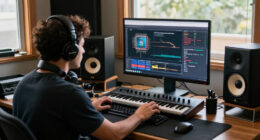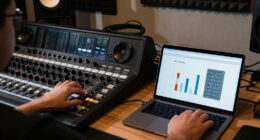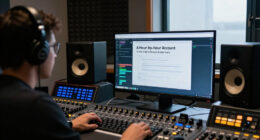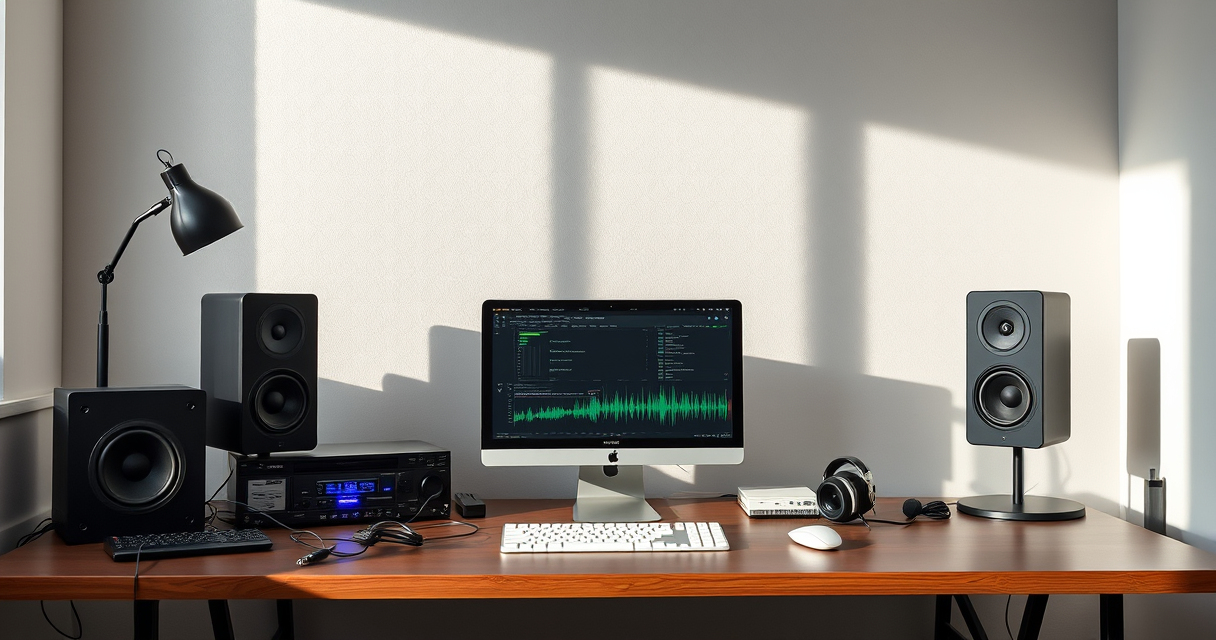

Music, audio, and creator technology now overlap in ways that make old category lines almost meaningless. A musician may also record podcasts, edit video, livestream performances, and publish short-form content. A gamer may need the same microphone, headphones, computer, and acoustic awareness as a home-studio producer. Even a simple listening setup can involve adapters, wireless networking, software, and careful device compatibility.

Get audio and creator gear delivered free with Prime
- Fast, free delivery on millions of items
- Prime Video, Amazon Music and more included
- Member-only deals all year
This hub is designed to help you navigate that connected world. Whether you are building a first recording setup, improving a creator workspace, choosing technology for a family, or solving an everyday technical bottleneck, the goal is the same: identify what matters before spending money. The sections below explain the key decisions and point to focused StrongMocha guides for deeper research.
Start With the Purpose of Your Setup
The best creator setup is not necessarily the one with the most equipment. It is the one that supports the work you actually intend to make. Before comparing microphones, laptops, interfaces, or accessories, define your main use case and the conditions in which you will work.
- Music recording may require low-latency monitoring, instrument connections, and a quiet environment.
- Podcasting prioritizes clear speech, reliable recording, and an uncomplicated editing workflow.
- Video creation adds storage, display, lighting, and rendering requirements.
- Livestreaming depends on stable networking, real-time performance, and dependable audio routing.
- Mobile creation favors compact equipment, compatible connectors, and minimal setup time.
- Gaming and family entertainment call for accessibility, safety settings, and age-appropriate experiences.
Write down your primary activity, your secondary activity, and the problem currently limiting you. This prevents a common mistake: buying an impressive device that does not address the weakest part of the workflow. If distracting room noise is ruining recordings, a more expensive computer may not help. If editing software runs poorly, replacing a functional microphone may accomplish little.
Products Worth Considering

Bose SoundLink Flex Bluetooth Speaker (2nd Gen) – Portable Outdoor Speaker with Hi‑Fi Audio, Waterproof and Dustproof, USB‑C, Up to 12 Hours

EcoFlow Delta 3 Portable Power Station – 1024 Wh, 1800 W

Anker SOLIX S2000 Solar Powered Generator, 2010 Wh, 1500 W
As an affiliate, we earn on qualifying purchases.
Microphones and Clearer Recorded Audio
A microphone is often the first major purchase for a new creator, but choosing one involves more than deciding how much to spend. Consider what you will record, how close the source will be, whether the room is controlled, and how the microphone connects to your device.
USB and Traditional Audio Connections
USB microphones are convenient because they can connect directly to a compatible computer and usually require fewer separate components. They make sense for streamlined voice recording, calls, streaming, and beginner production. Microphones designed for an audio interface can offer a more modular path, allowing creators to change microphones, add inputs, or integrate instruments as their needs develop.
Neither format is automatically right for everyone. A simple USB setup may be more useful than an expandable system that is difficult to operate. Conversely, someone planning to record several sources may benefit from choosing a flexible signal chain from the beginning. For approachable options across common creator needs, explore the guide to budget microphones for clear audio.
The Room Matters as Much as the Microphone
Microphones capture an environment, not just a voice or instrument. Hard surfaces can create reflections, while traffic, computer fans, appliances, and other people can introduce background noise. Placement is therefore one of the most effective tools available to a creator.
Move the microphone closer to the intended source when appropriate, reduce nearby noise, and experiment with its direction before purchasing more equipment. Soft furnishings may help reduce some reflections, although they are not substitutes for professional acoustic treatment. Consistent technique also matters: large changes in speaking distance can make editing harder even when the equipment itself is capable.
Headphones, Speakers, and Everyday Listening
Monitoring equipment helps you hear what you are recording or editing. Headphones are practical when isolation, portability, or quiet operation matters. Speakers provide a different perspective and can be useful for evaluating how audio occupies a room, but their usefulness depends heavily on placement and acoustics.
Creators should distinguish between enjoyable listening and analytical monitoring. A playback device that makes music sound exciting may not reveal balance problems in a mix. At the same time, a beginner does not need to delay creating until a perfect monitoring environment exists. Learning how familiar music sounds on your current equipment can provide a useful reference.
Connector Compatibility
Modern phones, tablets, and thin laptops do not always include a traditional headphone socket. This can complicate the use of wired headphones, microphones, car inputs, or auxiliary cables. An adapter may solve the physical connection, but device support and intended use still need attention.
Check the ports on the source device, the plug used by the audio accessory, and whether microphone input is required in addition to headphone output. Some scenarios need only playback, while headsets and certain recording accessories may need bidirectional audio support. The StrongMocha overview of USB-C to 3.5mm adapters for audio on the go offers a focused starting point for this easily overlooked part of a mobile setup.
Computers for Music and Creator Work
A creator computer has to balance processing power, memory, storage, ports, portability, and software compatibility. The ideal balance changes depending on whether you edit spoken-word audio, run complex music projects, render video, stream games, or move between locations.
Performance Priorities
Audio production can place sustained demands on a processor, especially when projects use many virtual instruments, effects, and tracks. Video editing can add substantial graphics, memory, and storage requirements. Livestreaming combines real-time capture, encoding, networking, and application performance, making system stability particularly important.
Storage deserves special attention because media libraries grow quickly. Project files, raw recordings, sample collections, video footage, and backups may consume far more space than ordinary documents. External storage can help, but the computer still needs appropriate ports and a practical file-management plan.
If cost is the main constraint, use the guide to affordable budget laptops as a comparison resource. Before choosing, verify that the machine supports your required software, peripherals, and operating-system workflow. A specification that looks good in isolation is less important than compatibility with the tools you depend on.
Ports, Power, and Expandability
Count the devices you expect to connect: microphone, audio interface, external drive, camera, display, controller, and charging cable. A laptop with limited ports may still be workable through a suitable hub, but that introduces another compatibility decision. Desktop systems can offer more expandability, while laptops are easier to carry between studios, events, classrooms, and collaborative sessions.
Power requirements also matter for mobile work. Recording away from an outlet may involve battery management for the computer and every connected device. A portable setup becomes much easier to use when cables, adapters, and power supplies are organized as a repeatable kit.
Networking for Streaming and Collaboration
Internet performance affects livestreaming, cloud backups, remote recording, software downloads, and the transfer of large media files. Advertised internet speed is only part of the picture. The connection between a device and the router can become the limiting factor, particularly in distant rooms or buildings with signal-blocking materials.
A wired connection is often worth considering for stationary streaming or large file transfers because it reduces dependence on local wireless conditions. When wiring is impractical, router placement and wireless coverage become more important. Avoid hiding networking equipment behind dense obstacles, and test performance where the creator equipment will actually be used.
For homes with weak-signal areas, consult the guide to WiFi extenders for improving home coverage. An extender is one possible approach rather than a universal fix, so assess the home layout, router location, device requirements, and available networking alternatives before deciding.
Ergonomics for Long Creative Sessions
Creator technology is usually discussed in terms of sound and speed, but physical comfort influences how consistently the equipment can be used. Editing, composing, gaming, and streaming can all involve long periods at a desk. Screen height, chair support, keyboard position, and frequently used controls should be arranged to reduce unnecessary reaching and awkward posture.
Build movement into the workflow. Short breaks, position changes, and a workspace that does not force the body into one rigid pose can be more valuable than treating a single accessory as a complete solution. If you are researching wearable support products, the guide to posture correctors and their practical features can help frame the available choices. Anyone experiencing persistent pain or other health concerns should seek advice from an appropriate healthcare professional.
Gaming, Families, and Shared Creator Spaces
Gaming systems increasingly function as entertainment, communication, capture, and creative platforms. For families, the decision extends beyond game availability. Consider parental controls, account management, communication features, physical durability, and whether the system will be shared.
A child-focused setup should match the child’s age, abilities, and household rules. Adults should review privacy and communication settings rather than assuming default settings reflect family preferences. Placement matters too: a shared room can make supervision easier, while headphones may reduce household noise but require sensible volume habits.
The guide to video game consoles for kids provides a dedicated route into these decisions. For aspiring young creators, also consider whether the platform supports the kinds of activities they enjoy, such as music, building, storytelling, video capture, or collaborative play.
Maintaining a Clean and Reliable Workspace
A functional studio or creator desk depends on ordinary maintenance. Dust, tangled cables, unlabeled storage, and misplaced adapters create friction that can be mistaken for a technology problem. Establish a simple reset routine after each session: save and back up files, return cables to known locations, cover or store sensitive equipment appropriately, and leave the next session ready to begin.
Textiles in workspaces can also absorb odors from long sessions, food, pets, or damp storage. Wash removable fabrics according to their care labels and keep liquids away from electronics. For broader household solutions, see the guide to laundry odor removal products. Never apply a general cleaning or deodorizing product directly to audio equipment unless its manufacturer explicitly indicates that use.
Online Content, Research, and Digital Wellbeing
Creators spend significant time researching references, trends, communities, and source material online. That access can be valuable, but not every corner of the internet is suitable for every person or project. Graphic material can be disturbing, exploitative, misleading, or unsafe to access, and exposure may have lasting effects.
StrongMocha’s guide to websites associated with graphic content concerns a particularly sensitive category. Approach such material cautiously, consider whether viewing it is genuinely necessary, respect applicable laws and platform rules, and avoid exposing minors or unwilling viewers. Creators handling difficult subjects should also think carefully about warnings, consent, privacy, and the ethical treatment of real people.
How to Build Your Setup in Sensible Stages
A staged approach keeps the system aligned with actual needs. Begin with equipment you already own, identify a specific limitation, and change one important variable at a time. This makes it easier to understand which upgrade improved the workflow.
- Define the type of content you want to create and where you will create it.
- Confirm that your computer or mobile device supports the required software.
- Choose a microphone and connection method suited to the recording environment.
- Add headphones, speakers, or adapters based on real monitoring needs.
- Organize storage, backups, cables, and power before projects become complex.
- Test network performance if streaming or cloud collaboration is central.
- Improve ergonomics and room organization for repeatable sessions.
- Reassess the weakest point only after using the setup on real projects.
A Practical Buying Checklist
Before purchasing any music, audio, or creator technology, verify the complete path from source to finished output. A microphone must connect to something; software must run on the chosen operating system; headphones must fit the available output; and files must have somewhere safe to go.
- What exact problem will this purchase solve?
- Is it compatible with every essential device and application?
- Does it require an additional cable, adapter, interface, account, or power supply?
- Will it fit the available desk, room, or travel bag?
- Can the workflow be tested using current equipment first?
- Is there a clear backup plan for important recordings and project files?
- Will the setup remain understandable and manageable for everyone who uses it?
The most effective creator system is coherent, not merely powerful. Start with the work you want to produce, make compatibility the foundation of every decision, and use focused guides when a particular category deserves closer comparison. With that approach, technology becomes part of the creative process instead of an obstacle between an idea and its finished form.