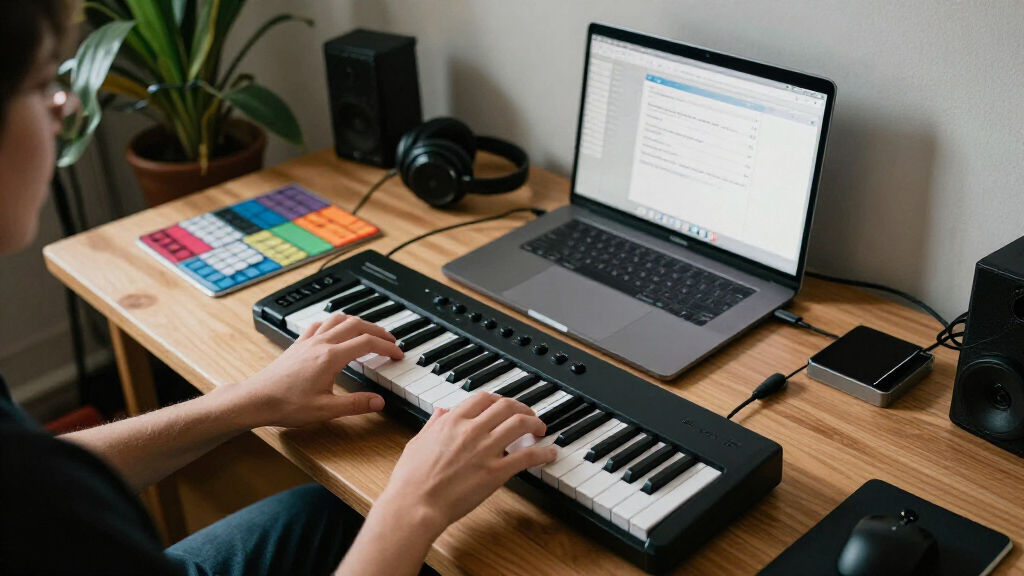

For most new producers, I’d start with the Arturia MiniLab 37: its 37 keys and hands-on controls offer more room to learn than a 25-key mini controller without taking up much desk space. The M-Audio Oxygen 61 MKV suits players who want a full-size range, while the Akai MPK Mini MK3 keeps a first setup compact and control-rich. The main choice is between key size and playing range, portability, and controls that may help with production but add complexity. I compare all 11 options by beginner usability, flexibility, and fit for different setups below.

Get audio and creator gear delivered free with Prime
- Fast, free delivery on millions of items
- Prime Video, Amazon Music and more included
- Member-only deals all year
Complete the kit


Key Takeaways
- 37 keys hit a useful middle ground: The Arturia MiniLab 37 and Akai MPK Mini Plus give beginners more room to play than 25-key models while remaining compact.
- 61 keys favor learning parts at the keyboard: The M-Audio Oxygen 61 MKV and Novation FLkey 2 61 offer more playing range, but take up more desk space.
- Extra controls are useful only when they match your workflow: FLkey 2 61 is aimed at FL Studio users, while pad-and-knob layouts on MPK models suit beat-making and parameter control.
- Simple keyboards can be a better first step: The M-Audio Keystation 49 MK3 focuses on playing, avoiding the added control surface of models such as the Oxygen 61 MKV.
- Small and wireless options involve compromises: The LPK25, Donner N-25, and DaierTek prioritize portability, while their compact keys or feature mix may be less comfortable for learning two-handed parts.
| M-Audio Oxygen 61 MKV USB MIDI Keyboard Controller |  | Best Full-Size Control Hub | Number of Keys: 61 | Key Type: Velocity-sensitive, full-size piano style | Drum Pads: 16 backlit, velocity-sensitive (2 banks of 8) | VIEW LATEST PRICE | See Our Full Breakdown |
| M-Audio Keystation 49 MK3 USB MIDI Controller |  | Best for Learning Piano Fundamentals | Keys: 49 full-size velocity-sensitive keys | Connectivity: USB-MIDI, class-compliant, USB powered | Compatibility: Mac, PC, iOS (via separately sold Camera Adapter) | VIEW LATEST PRICE | See Our Full Breakdown |
| Akai Professional LPK25 25-Key USB MIDI Keyboard Controller |  | Best Ultra-Minimal Pick | Number of Keys: 25 mini keys | Connectivity: USB, bus-powered | Arpeggiator: Yes, with built-in clock | VIEW LATEST PRICE | See Our Full Breakdown |
| Arturia MiniLab 37 MIDI Keyboard Controller |  | Best Balance of Compact and Capable | Keys: 37 slim keys | Pads: 8 pads (2×4 layout) | Display: Real-time mini display | VIEW LATEST PRICE | See Our Full Breakdown |
| Akai Professional MPK Mini IV 25-Key USB-C MIDI Keyboard Controller, Black |  | Best for Beat-Making Beginners | Keys: 25 mini velocity-sensitive keys | Pads: 8 velocity- and pressure-sensitive RGB MPC pads | Knobs: 8 assignable 360° knobs | VIEW LATEST PRICE | See Our Full Breakdown |
| Donner DMK 25 Pro USB-C MIDI Keyboard Controller, 25 Keys |  | Best for Learning as You Play | Keys: 25 | Drum Pads: 8 | Display: OLED | VIEW LATEST PRICE | See Our Full Breakdown |
| Novation FLkey 2 61 USB MIDI Controller Keyboard |  | Best for FL Studio Beginners | Keys: 61 semi-weighted | Pads: 16 velocity-sensitive with polyphonic aftertouch | Controls: 8 encoders, 9 faders, pitch/mod wheels | VIEW LATEST PRICE | See Our Full Breakdown |
| Donner N-25 Mini MIDI Keyboard, 25-Key USB MIDI Controller with Velocity-Sensitive Keys |  | Best Bare-Bones Starter Pick | Number of Keys: 25 velocity-sensitive mini keys | Connection: USB 2.0 | Features: Arpeggiator, sustain, octave, tap tempo, pitch-bend wheel, 4 programmable banks | VIEW LATEST PRICE | See Our Full Breakdown |
| Akai Professional MPK Mini Plus 37-Key USB MIDI Keyboard Controller |  | Best for Growing Beyond Beginner | Keys: 37 mini keys (3 octaves), Gen 2 dynamic keybed | Pads: 8 RGB MPC pads | Knobs: 8 assignable endless rotary knobs | VIEW LATEST PRICE | See Our Full Breakdown |
| DaierTek MIDI Keyboard Controller 25 Key Portable Mini Bluetooth & USB |  | Best Wireless Pick for Mobile Producers | Keys: 25 velocity-sensitive | Pads: 8 RGB backlit with velocity and aftertouch | Knobs: 8 assignable encoders | VIEW LATEST PRICE | See Our Full Breakdown |
| Akai Professional MPK Mini MK3 25-Key USB MIDI Keyboard Controller |  | Best Software Bundle for the Money | Keys: 25 velocity-sensitive mini keys (Gen 2 keybed) | Beat Pads: 8 backlit MPC-style pads with Note Repeat and Full Level | Knobs: 8 MIDI-assignable 360-degree knobs | VIEW LATEST PRICE | See Our Full Breakdown |
| MIDI keyboard controllers for beginner | Keys | Connectivity | Included Software |
|---|---|---|---|
| M-Audio Oxygen 61 MKV USB MIDI | — | USB (USB powered) | MPC Beats, Ableton Live Lite, AIR instruments, MPC expansions, Komplete 15 Select choice |
| M-Audio Keystation 49 MK3 USB | 49 full-size velocity-sensitive keys | USB-MIDI, class-compliant, USB powered | MPC Beats, Ableton Live Lite, Velvet, Xpand2, Mini Grand, Touch Loops |
| Akai Professional LPK25 25-Key | — | USB, bus-powered | — |
| Arturia MiniLab 37 MIDI Keyboa | 37 slim keys | — | — |
| Akai Professional MPK Mini IV | 25 mini velocity-sensitive keys | USB-C (USB 3.0), full-size MIDI Out | MPC 2, MPC Beats, Ableton Live Lite 12, Komplete Start (NKS), Melodics trial, Splice |
| Donner DMK 25 Pro USB-C MIDI K | 25 | — | 4 DAW titles, 40 teaching courses |
| Novation FLkey 2 61 USB MIDI C | 61 semi-weighted | — | 6 months FL Studio Producer Edition, Novation Play, partner instruments |
| Donner N-25 Mini MIDI Keyboard | — | — | — |
| Akai Professional MPK Mini Plu | 37 mini keys (3 octaves), Gen 2 dynamic keybed | USB, CV/Gate, MIDI I/O | MPC Beats, Komplete 15 Select (1 of 3), 2 months Splice Creator |
| DaierTek MIDI Keyboard Control | 25 velocity-sensitive | Bluetooth and USB | — |
| Akai Professional MPK Mini MK3 | 25 velocity-sensitive mini keys (Gen 2 keybed) | USB, bus-powered | MPC Beats, 3 virtual instruments, 2GB sound content, Komplete 15 Select choice, 60 days Splice Creator |
More Details on Our Top Picks
M-Audio Oxygen 61 MKV USB MIDI Keyboard Controller
This option stands out for buyers who want a single controller that replaces a mouse entirely. The 61 full-size keys give beginners room to grow into two-handed playing, while the 16 pads, 8 knobs, and 9 faders with DAW auto-mapping mean mixing and beat-making happen under your fingers from day one. Compared with the M-Audio Keystation 49 MK3, which keeps controls minimal, the Oxygen 61 is built for hands-on production rather than just playing notes. The NKS integration and Komplete 15 Select choice add real value for anyone drawn to Native Instruments plugins. The tradeoffs: it’s the largest and least portable pick here, the plastic build feels less premium, and its listed platform support covers Windows only, which Mac users should verify before buying.
Pros:- 61 full-size velocity-sensitive keys support proper two-handed technique as skills develop
- Comprehensive hands-on control with pads, knobs, and faders that auto-map to major DAWs
- NKS integration plus a choice of Komplete 15 Select bundle adds serious software value
- Smart Chord and Smart Scale modes help novices play musically correct parts early on
Cons:- Listed compatibility covers Windows 10 and 7 only, leaving Mac support unclear
- Plastic construction feels less durable than sturdier controllers in this class
- Large footprint makes it impractical for cramped desks or travel setups
Best for: Beginners setting up a permanent home studio who want piano-range keys and full DAW control on one device
Not ideal for: Anyone with limited desk space or a mobile workflow — at 61 keys with faders and pads, it dominates a small setup
- Number of Keys:61
- Key Type:Velocity-sensitive, full-size piano style
- Drum Pads:16 backlit, velocity-sensitive (2 banks of 8)
- Assignable Controls:8 knobs, 9 faders
- Connectivity:USB (USB powered)
- Extra Features:Arpeggiator, Note Repeat, Smart Chord, Smart Scale, sustain pedal input
- Included Software:MPC Beats, Ableton Live Lite, AIR instruments, MPC expansions, Komplete 15 Select choice
Our verdict“This is the pick for a beginner building a dedicated home studio who wants one keyboard that handles playing, beat-making, and mixing without touching a mouse.”
M-Audio Keystation 49 MK3 USB MIDI Controller
Where the Oxygen 61 MKV piles on production controls, the Keystation 49 MK3 strips everything back to what a new player actually needs: 49 full-size, velocity-sensitive keys, transport buttons, a volume fader, and pitch/mod wheels. That simplicity is the point. There’s no menu diving, no auto-mapping quirks to troubleshoot — plug it in and it works on Mac or PC with no drivers. The bundled Skoove and Melodics lessons are the real differentiator for beginners, giving structured piano and technique practice that other picks here don’t include. Compared with the LPK25, the full-size keybed makes learning proper finger positioning far easier. The compromises: no pads or drum controls, no display, and iOS use requires a separately sold adapter, while the sustain pedal is also an extra purchase.
Pros:- True plug-and-play class-compliant setup with no drivers or power supply
- Full-size velocity-sensitive keys encourage proper playing technique from the start
- Includes structured lessons from Skoove and 60+ Melodics tutorials
- Straightforward control set means nothing distracts from learning
Cons:- No drum pads, assignable knobs, or screen — production control is minimal
- Sustain pedal and iOS camera adapter both sold separately
- No aftertouch for more advanced expressive playing
Best for: Beginners whose priority is learning to actually play keyboard, especially those pairing practice with Skoove or Melodics lessons
Not ideal for: Beat-makers and producers who want pads, knobs, and faders — this is a pure playing keyboard with no hands-on production controls
- Keys:49 full-size velocity-sensitive keys
- Connectivity:USB-MIDI, class-compliant, USB powered
- Compatibility:Mac, PC, iOS (via separately sold Camera Adapter)
- Controls:Volume fader, transport and directional buttons, pitch and mod wheels, octave buttons
- Sustain Pedal Input:1/4-inch (6.3mm), pedal sold separately
- Included Software:MPC Beats, Ableton Live Lite, Velvet, Xpand2, Mini Grand, Touch Loops
- Lessons:Skoove online lessons and 60+ Melodics app lessons
Our verdict“If your goal is learning to play rather than producing beats, this keybed-plus-lessons package is the cleanest on-ramp in the lineup.”
Akai Professional LPK25 25-Key USB MIDI Keyboard Controller
The LPK25 occupies the opposite end of the spectrum from the Oxygen 61 MKV: no pads, no knobs, no faders — just 25 mini keys, an octave shift, and a genuinely useful built-in arpeggiator. This model is better suited to laptop producers who need a keyboard that tucks into a bag or slides next to a trackpad without ceremony. It’s bus-powered over USB and works with every major DAW out of the box, so the barrier to entry is close to zero. Compared with the MPK Mini IV, you give up pads, knobs, and the color screen, but you also spend less and carry less. The real limitation is the keybed itself: mini keys with only 25 of them make two-handed playing and fast melodic work frustrating, so it works best as a sketching tool rather than a main instrument.
Pros:- Extremely compact and lightweight — slips into a backpack alongside a laptop
- Plug-and-play USB with no external power and broad DAW compatibility
- Built-in arpeggiator with clock adds creative value despite the tiny footprint
- 8 programmable preset slots let you save custom setups
Cons:- Mini keys feel small and shallow compared with full-size keybeds like the Keystation 49
- Only 25 keys restricts range for two-handed playing
- No pads or assignable knobs for production control
Best for: Laptop-based beginners and songwriters who want a featherweight keyboard for sketching melodies anywhere
Not ideal for: Players learning piano technique — mini keys and a two-octave range make proper two-handed practice impractical
- Number of Keys:25 mini keys
- Connectivity:USB, bus-powered
- Arpeggiator:Yes, with built-in clock
- Programmable Presets:8 slots
- Controls:Octave up/down buttons, sustain button
- Compatibility:Mac, PC; GarageBand, Logic, Ableton Live, Pro Tools, FL Studio, Cubase, Studio One and more
Our verdict“A no-fuss melody-sketching keyboard for producers on the move, provided you accept mini keys and a two-octave limit.”
Arturia MiniLab 37 MIDI Keyboard Controller
The MiniLab 37 splits the difference between the stripped-down LPK25 and the production-heavy Oxygen 61 MKV. Its 37 slim keys are enough for genuine two-handed playing while still fitting a desktop, and the real-time mini display — rare at this size — shows what you’re editing so you’re not guessing blind. Chord mode and the built-in arpeggiator let a beginner produce musically coherent parts before their technique catches up, and custom DAW mappings keep the pads and faders genuinely useful rather than decorative. This pick makes the most sense for someone who wants creative features and playing range without committing desk space to a 49- or 61-key board. The tradeoffs: slim keys feel less substantial than the full-size keybed on the Keystation 49 MK3, and the shallow form factor limits deeper hands-on mixing control.
Pros:- 37 keys allow two-handed playing while staying desktop-friendly
- Real-time mini display provides feedback few compact controllers offer
- Chord mode and arpeggiator help beginners play polished musical parts
- Custom DAW mappings make the pads and faders immediately functional
Cons:- Slim mini keys feel less substantial than full-size keybeds
- Shallow form factor limits the number of physical controls for advanced mixing
Best for: Space-conscious beginners who want two-handed playing range plus creative tools on a compact desktop footprint
Not ideal for: Piano-focused learners — slim mini keys won’t build the same technique as a full-size weighted-feel keybed
- Keys:37 slim keys
- Pads:8 pads (2×4 layout)
- Display:Real-time mini display
- Features:Built-in arpeggiator, Chord mode, transposition, custom DAW mappings
- Form Factor:Compact, lightweight, desktop-friendly
Our verdict“The sweet-spot choice for a beginner who wants more than a mini keyboard but doesn’t have room for a full-size board.”
Akai Professional MPK Mini IV 25-Key USB-C MIDI Keyboard Controller, Black
Where the LPK25 is purely a melody tool, the MPK Mini IV packs a full production cockpit into a similar footprint: 8 pressure-sensitive RGB MPC pads, 8 assignable 360° knobs, a full-color screen with a push/turn encoder, and USB-C connectivity with a full-size MIDI Out for controlling hardware. The MPC-style arpeggiator with Pattern, Freeze, and Mutate functions, plus Chord and Scale modes, gives a new beat-maker immediate creative options, and the software bundle — MPC 2, Ableton Live Lite 12, Komplete Start — is genuinely a starter studio in a box. Compared with the MiniLab 37, you trade playing range for deeper beat-making control. The compromises are real: 25 mini keys cramp two-handed playing, and 8 pads is half of what the Oxygen 61 MKV offers for finger drumming.
Pros:- RGB MPC pads with velocity and pressure sensitivity are ideal for finger drumming
- Full-color screen with push/turn encoder makes editing faster than button-only rivals
- USB-C plus full-size MIDI Out supports both modern laptops and hardware synths
- Exceptional software bundle including MPC 2, Ableton Live Lite 12, and NKS-compatible Komplete Start
Cons:- Only 8 pads — half the count of larger controllers like the Oxygen 61 MKV
- 25 mini keys feel cramped for players used to full-size keys
- Deep feature set means a steeper learning curve than bare-bones options
Best for: Aspiring beat-makers and finger drummers who prioritize pads, knobs, and workflow over keyboard range
Not ideal for: Beginners focused on learning keyboard playing — 25 mini keys cap two-handed progress quickly
- Keys:25 mini velocity-sensitive keys
- Pads:8 velocity- and pressure-sensitive RGB MPC pads
- Knobs:8 assignable 360° knobs
- Connectivity:USB-C (USB 3.0), full-size MIDI Out
- Compatibility:Mac, PC, mobile
- Display:Full-color screen with push/turn encoder
- Production Tools:Arpeggiator with Pattern, Freeze, Mutate; Chord and Scale modes
- Included Software:MPC 2, MPC Beats, Ableton Live Lite 12, Komplete Start (NKS), Melodics trial, Splice
Our verdict“The best mini-format choice for a beginner whose creative center is drums and beats rather than piano lines.”
Donner DMK 25 Pro USB-C MIDI Keyboard Controller, 25 Keys
Where most budget mini controllers just send notes, the Donner DMK 25 Pro leans into teaching. The bundle of 40 structured keyboard courses plus four DAW titles gives a true beginner an on-ramp that the Akai LPK25 or MPK Mini MK3 simply don’t offer — those assume you already know what to practice. The OLED display and 16 smart scale tones mean you can play in key from day one, and the arpeggio, note repeat, and chord functions flatten the learning curve further. Compared with the Donner N-25 below, the DMK 25 Pro adds real pads and a screen for only modest extra desk space. The tradeoff: it produces no sound on its own, and hooking it to a phone or tablet usually means buying an adapter separately.
Pros:- 40 included teaching courses plus 4 DAW titles make it a genuine learning package
- Smart scales, chords, and arpeggio help novices play musically right away
- OLED display and 8 drum pads punch above its compact size
- Modern USB-C connection with broad DAW compatibility
Cons:- No standalone sound — unusable without a computer or mobile DAW
- Mobile connections typically require a separately purchased adapter
Best for: Complete beginners who want guided lessons and smart-scale training wheels alongside their first controller
Not ideal for: Mobile-first producers on iPhone or iPad who don’t want to buy extra connection adapters
- Keys:25
- Drum Pads:8
- Display:OLED
- Smart Scales:16
- Connection:USB-C
- Included Software:4 DAW titles, 40 teaching courses
- DAW Compatibility:Cubase LE, Live, Logic Pro, Pro Tools, Studio One
Our verdict“This pick makes the most sense for a total newcomer who wants lessons and creative shortcuts built into the hardware itself.”
Novation FLkey 2 61 USB MIDI Controller Keyboard
The FLkey 2 61 is the only keyboard in this lineup built around one DAW, and that focus pays off: patterns, channel-rack step sequencing, plugin control, and mixing all map straight onto the hardware with no manual assigning. For an FL Studio learner, that removes a whole layer of setup friction that a generalist board like the M-Audio Oxygen 61 MKV — which requires mapping controls yourself — imposes on day one. The 61 semi-weighted keys span five octaves, so two-handed playing is comfortable where 25-key boards force constant octave shifting. The catch is the flip side of that specialization: owners of Ableton, Logic, or Cubase will find much of the deep integration wasted, and a 61-key desk footprint is a real commitment for a bedroom setup.
Pros:- Deep native FL Studio integration for sequencing, patterns, and mixing
- 61 semi-weighted keys allow genuine two-handed playing
- 16 velocity-sensitive pads with polyphonic aftertouch, plus faders and encoders
- Six months of FL Studio Producer Edition and bundled instruments included
Cons:- DAW-specific design limits its value outside FL Studio
- Large footprint and heavier build demand dedicated desk space
Best for: FL Studio users who want hardware controls that mirror the software’s workflow from the first session
Not ideal for: Producers committed to Ableton, Logic, or another DAW — most of the FL-specific integration goes unused
- Keys:61 semi-weighted
- Pads:16 velocity-sensitive with polyphonic aftertouch
- Controls:8 encoders, 9 faders, pitch/mod wheels
- Display:OLED
- Connection:USB-C
- MIDI Output:5-pin MIDI out
- Included Software:6 months FL Studio Producer Edition, Novation Play, partner instruments
Our verdict“If FL Studio is your home, this is the beginner controller that teaches the software through the hardware — everyone else should look elsewhere.”
Donner N-25 Mini MIDI Keyboard, 25-Key USB MIDI Controller with Velocity-Sensitive Keys
For buyers who want the simplest possible entry point, the Donner N-25 strips a controller down to essentials: velocity-sensitive mini keys, a pitch-bend wheel, an arpeggiator, and plug-and-play USB that works across Mac, PC, iOS, and Android without drivers. Compared with the DMK 25 Pro, it gives up pads, the display, and smart scales — but it also shrinks the complexity a first-timer has to digest. Against the ultra-minimal Akai LPK25, it still offers more creative tools, including octave controls, tap tempo, and four programmable banks. The real limitation is physical: 25 mini keys feel cramped for adult hands and large-handed players will fight the key spacing during faster passages.
Pros:- True plug-and-play USB with no drivers across Mac, Windows, iOS, and Android
- 40 included teaching courses for beginners
- Arpeggiator, sustain, octave, and tap tempo give it more depth than bare-minimum rivals
- Small enough for a backpack setup anywhere
Cons:- Mini keys feel small and cramped for larger hands
- 25 keys limit advanced, two-handed arrangements
Best for: First-time producers and students who want a no-setup, no-frills keyboard for laptop music making
Not ideal for: Players with larger hands or anyone planning two-handed arrangements — the mini keybed will frustrate both
- Number of Keys:25 velocity-sensitive mini keys
- Connection:USB 2.0
- Features:Arpeggiator, sustain, octave, tap tempo, pitch-bend wheel, 4 programmable banks
- Platforms:Mac, Windows, iOS, Android
- Compatible Software:Ableton Live, Logic Pro, Cubase LE, Pro Tools, Studio One
- Included Courses:40 keyboard-teaching courses
Our verdict“The N-25 is the right choice when the goal is simply getting notes into a DAW cheaply and quickly, with lessons thrown in.”
Akai Professional MPK Mini Plus 37-Key USB MIDI Keyboard Controller
The MPK Mini Plus sits in a sweet spot this roundup otherwise misses: three full octaves of keys in a still-portable frame, so you can play melodies with the right hand and chords with the left without octave-jumping. Where the MPK Mini MK3 and MPK Mini IV are pure USB laptop companions, the Plus adds CV/Gate and MIDI I/O plus a built-in 64-step sequencer, meaning it can drive hardware synths and modular gear or sketch ideas with no computer at all. That headroom matters for a beginner who expects to outgrow entry-level gear within a year. The compromises are predictable: mini keys still feel cramped next to the Novation FLkey’s semi-weighted full-size keys, and the two-track sequencer is basic compared with any DAW.
Pros:- 37 keys (3 octaves) enable two-handed playing in a compact footprint
- CV/Gate and MIDI I/O connect directly to hardware synths and modular rigs
- Built-in 64-step sequencer allows computer-free composition
- Generous bundle: MPC Beats, Komplete 15 Select, and Splice access
Cons:- Mini keys feel cramped for players used to full-size keys
- Sequencer limited to two tracks, which caps standalone compositions
Best for: Beginners who plan to add hardware synths or modular gear and want room to grow into the controller
Not ideal for: Players with piano background who expect full-size key feel — the mini keybed will disappoint
- Keys:37 mini keys (3 octaves), Gen 2 dynamic keybed
- Pads:8 RGB MPC pads
- Knobs:8 assignable endless rotary knobs
- Sequencer:64-step, 2 tracks (1 drum, 1 melody/chord)
- Connectivity:USB, CV/Gate, MIDI I/O
- Included Software:MPC Beats, Komplete 15 Select (1 of 3), 2 months Splice Creator
Our verdict“This model is better suited to the beginner with hardware-synth ambitions who doesn’t want to replace their controller in six months.”
DaierTek MIDI Keyboard Controller 25 Key Portable Mini Bluetooth & USB
The DaierTek 25-key stands out for cutting the cable entirely: Bluetooth MIDI with a 2,000 mAh battery rated around 16 hours means you can produce from a phone or tablet on the couch or a train — something none of the wired options here, from the N-25 to the MPK Mini Plus, can do. Feature density is surprising for the class: 8 aftertouch pads, 8 encoders, a mini display, capacitive pitch/mod strips, plus smart chord and scale functions for novices. The tradeoffs are connectivity quirks — Android users must pair inside a music app rather than system settings, and Windows Bluetooth requires a MIDI driver. It’s also an unproven brand next to Akai or Novation, with a lighter support ecosystem behind it.
Pros:- True wireless operation with roughly 16 hours of battery life
- Feature-rich for its class: aftertouch pads, 8 encoders, display, touch strips
- Smart chord, smart scale, and arpeggio functions ease the beginner curve
- Dual Bluetooth and USB connection options across all major platforms
Cons:- Bluetooth setup is fiddly on Android and requires a driver on Windows
- Less established brand, so long-term support and resale value trail Akai or Novation
Best for: Mobile producers who want to sketch ideas wirelessly on iPad, Android tablet, or laptop away from a desk
Not ideal for: Windows users who want zero-setup plug-and-play — the Bluetooth driver requirement adds friction
- Keys:25 velocity-sensitive
- Pads:8 RGB backlit with velocity and aftertouch
- Knobs:8 assignable encoders
- Connectivity:Bluetooth and USB
- Battery:Built-in 2,000 mAh, approx. 16 hours
- Platforms:Windows, macOS, iOS, Android
- Warranty:1 year manufacturer
Our verdict“If cable-free mobile production is the priority, this option makes the most sense — just expect some pairing patience on non-Apple devices.”
Akai Professional MPK Mini MK3 25-Key USB MIDI Keyboard Controller
What makes the MPK Mini MK3 earn its place this late in the lineup is the sheer amount of capability packed into a desk-friendly footprint. Compared with the Akai LPK25, which is keys-only, this model adds 8 MPC-style pads, 8 assignable knobs, a thumbstick, and an arpeggiator — meaning a beginner can program drums, tweak synth parameters, and sketch melodic ideas without touching a mouse. It is also the smarter value play next to the newer MPK Mini IV: the IV refines the keybed and adds a screen, but the MK3 still delivers the core production workflow at a friendlier entry point. The bundled MPC Beats, Komplete 15 Select, and Splice trial genuinely cover a first year of music-making. The tradeoff is familiar for this class: mini keys feel cramped for trained pianists, and unlocking the software requires a registration process that takes patience.
Pros:- Complete production layout: pads, knobs, thumbstick, and arpeggiator in a travel-size frame
- One of the richest software bundles in its class, including MPC Beats and a Komplete 15 Select choice
- Bus-powered plug-and-play USB works immediately with every major DAW
- Backlit pads with Note Repeat and Full Level make beat programming genuinely easy for newcomers
Cons:- Mini keys lack the travel and spacing of full-size keys, limiting expressive playing
- Included software requires downloads and account registration before you can use it
- No faders or screen, so deeper editing means digging into the editor software
Best for: Beginner producers on a budget who want pads, knobs, and a full software starter kit in one portable box
Not ideal for: Piano-first players with larger hands — the mini keys feel cramped and can slow down two-handed playing
- Keys:25 velocity-sensitive mini keys (Gen 2 keybed)
- Beat Pads:8 backlit MPC-style pads with Note Repeat and Full Level
- Knobs:8 MIDI-assignable 360-degree knobs
- Pitch/Mod Control:4-way thumbstick
- Arpeggiator:Yes, with adjustable resolution, range, and modes
- Connectivity:USB, bus-powered
- Compatibility:NKS integration; all major DAWs
- Included Software:MPC Beats, 3 virtual instruments, 2GB sound content, Komplete 15 Select choice, 60 days Splice Creator
Our verdict“If you want the most capable starter package per dollar spent, this is the compact controller to buy before considering pricier upgrades.”
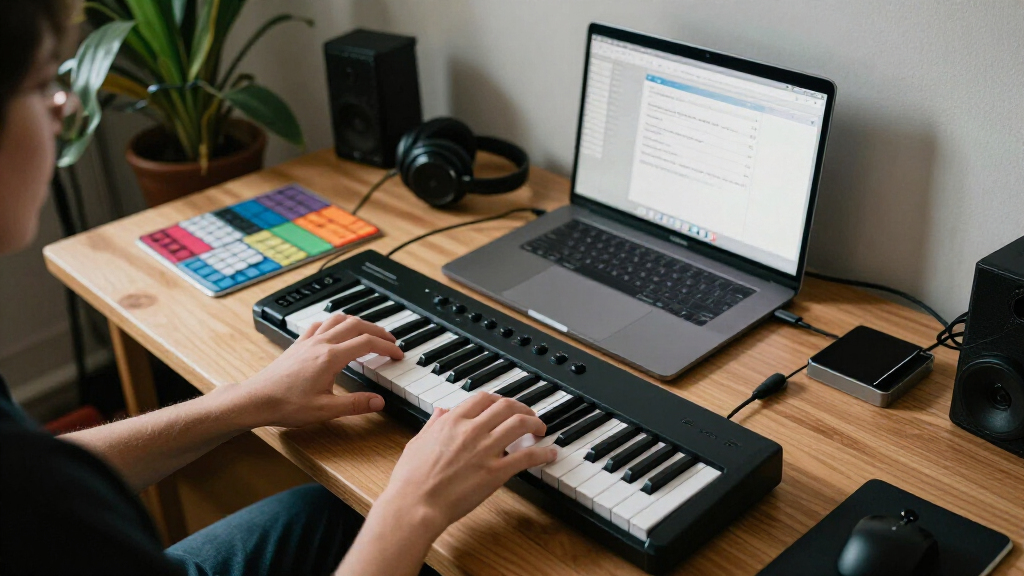
How We Picked
I ranked these controllers by how well their key layout, controls, and intended software fit a beginner’s likely first setup. Key count and key size matter because they shape what a new player can practice comfortably; pads, knobs, and transport controls matter when they support a clear production workflow. I also weighed setup simplicity, portability, and whether a controller’s specialized features make sense before a buyer has settled on a DAW or style.
The order favors flexible starting points over sheer feature count. The MiniLab 37 ranks first for its balance of playing space and production controls; the Oxygen 61 MKV comes next for learners who want a broader keyboard range. More specialized, compact, or software-focused models rank lower for general beginners, though they may be the better fit for a particular desk, workflow, or budget. Each option has a tradeoff, so the best choice depends on what the buyer wants to learn first.
| MIDI keyboard controllers for beginner | Connectivity |
|---|---|
| M-Audio Oxygen 61 MKV USB MIDI | USB (USB powered) |
| M-Audio Keystation 49 MK3 USB | USB-MIDI, class-compliant, USB powered |
| Akai Professional LPK25 25-Key | USB, bus-powered |
| Arturia MiniLab 37 MIDI Keyboa | — |
| Akai Professional MPK Mini IV | USB-C (USB 3.0), full-size MIDI Out |
| Donner DMK 25 Pro USB-C MIDI K | — |
| Novation FLkey 2 61 USB MIDI C | — |
| Donner N-25 Mini MIDI Keyboard | — |
| Akai Professional MPK Mini Plu | USB, CV/Gate, MIDI I/O |
| DaierTek MIDI Keyboard Control | Bluetooth and USB |
| Akai Professional MPK Mini MK3 | USB, bus-powered |
Factors to Consider When Choosing MIDI Keyboard Controllers For Beginners
Before choosing a controller, I’d decide what you want your first month of practice to look like. A keyboard for learning melodies has different priorities from a compact beat-making surface, and a large control layout can distract if you do not yet know which controls your software needs.
Choose Key Count for the Parts You Want to Play
A 25-key controller is easy to fit in a small workspace, but it can force frequent octave changes when a melody and bass line span a wider range. That is manageable for entering short phrases or drum patterns, though less comfortable for practicing two-handed parts. A 37- or 49-key model gives a beginner more room before those limitations appear. With 61 keys, a learner can explore broader parts without shifting octaves as often, at the cost of desk space. I’d choose based on the music you plan to play, rather than assuming more keys are always better. If portability matters most, a compact model may be the sensible first step; if piano practice matters, give key range more weight.
Check Key Size and Feel Before Buying
Mini keys make a controller easier to carry, but their smaller spacing can feel unfamiliar to someone learning piano technique. Full-size keys are a more natural fit for practicing hand position and playing parts written for a conventional keyboard. Key count alone does not tell you how comfortable a controller will be; pay attention to key size and whether the keys respond to playing dynamics. Velocity sensitivity lets notes respond differently when played softly or firmly, which helps make performances more expressive. Buyers focused on note entry may accept smaller keys, while learners who want regular keyboard practice should favor a layout they can use comfortably. If possible, compare the physical dimensions with a keyboard you already know.
Match Extra Controls to Your First Workflow
Pads, knobs, wheels, and transport controls can reduce trips to a mouse, but every additional control comes with a learning curve. A beginner who wants to make drum patterns may benefit from pads, while someone mainly recording piano parts may get more value from a straightforward keyboard. DAW-specific layouts can make common tasks easier in the supported software, but they may be less useful if you switch programs. I’d check which DAW you plan to use and whether the controller’s features map to it before paying attention to the number of controls. Avoid choosing by feature count alone: unused knobs add little, and specialized shortcuts can tie a first setup to one workflow. Start with the tasks you expect to repeat every session.
Plan for Your Workspace and How You Will Connect
Measure the space where the controller will sit, including room for your computer, mouse, and hands. A 61-key keyboard can offer a more open playing range but may dominate a compact desk, while a mini controller can be stored easily between sessions. Also check the connection type and what your computer or tablet supports; USB-C and USB connections may call for a cable or adapter depending on the device. Wireless features can reduce cable clutter, but they do not automatically make a controller easier to set up. Think about where you will practice and whether you need to pack the keyboard away after each use. A controller that stays connected and within reach may get used more often than one that is cumbersome to set up.
Treat Software Bundles as a Starting Point
Included music software can help a beginner start making sound, but it should not decide the purchase by itself. Bundles can differ in scope, and some features may depend on registration, a particular operating system, or a compatible DAW. Before buying, check what is included and whether it matches the computer and software you already have. A familiar, simple recording setup can be more useful than a large collection of tools you have to learn at once. If you are still choosing a DAW, favor a controller that works with common MIDI workflows and has a clear setup path. This keeps your early practice focused on playing and making music.
Frequently Asked Questions
Should I choose 25 keys or start with a larger keyboard?
I’d choose 25 keys if portability and entering short parts matter more than uninterrupted playing range. For piano practice, two-handed arrangements, or playing bass and melody without octave switching, 37 or 49 keys can be easier to live with. A 61-key controller makes sense when you have room and want to practice across a wider range. You do not need a large keyboard to begin producing, but a small one can feel limiting as your playing develops. Let the music you want to make guide the decision.
Do I need drum pads and knobs on my first MIDI controller?
No; they are helpful when they support a task you plan to do often. Pads can make beat entry more direct, and knobs can control software instruments or effects without reaching for a mouse. If your main goal is learning keys or recording simple parts, those controls may see little use. A keyboard-focused model can keep the layout and setup simpler. I’d choose a control-rich option when you already know you want to build beats or adjust sounds by hand.
Will a MIDI controller make sound on its own?
Most MIDI keyboard controllers send performance data to a computer, tablet, or compatible sound module rather than producing sound independently. You typically need music software or another sound source, plus a way to hear it. Check the controller’s connection and the software it supports before buying, especially if you plan to use a tablet. Bundled software may help you get started, but verify that it runs on your device. This distinction prevents confusion between a controller and a standalone digital piano.
Is a DAW-specific controller a good choice if I am new to music production?
It can be a good fit if you have already chosen that DAW and want its shortcuts and controls close at hand. Those integrations can reduce mouse work and make common tasks easier to find. If you have not settled on software, a more general MIDI controller gives you flexibility while you learn. Check which features work with your chosen program, since not every control behaves the same across DAWs. A beginner should prioritize a setup they can understand and use consistently.
Can a mini-key controller work for learning piano?
It can help you learn notes, melodies, and basic chords, especially when desk space is limited. Smaller keys may make familiar hand positions and wider stretches feel less natural than on a full-size keyboard. For regular piano technique or two-handed practice, I’d look at a model with full-size keys and a wider range. A compact controller remains useful for portable production even if you later add a larger keyboard. The right choice depends on whether your priority is music production, keyboard technique, or both.
Conclusion
For the best overall balance, I’d choose the Arturia MiniLab 37; for a wider playing range, the M-Audio Oxygen 61 MKV is the stronger fit. The best value for a simple playing setup is the M-Audio Keystation 49 MK3, while the Akai MPK Mini MK3 is a compact pick for beat-making controls. The best for beginners focused on learning keys is a 49- or 61-key layout that leaves room for comfortable practice, with the Keystation 49 MK3 as a straightforward starting point. For FL Studio users, the Novation FLkey 2 61 offers a more focused workflow; for a very small setup, consider the Akai LPK25 or Donner N-25 and accept the mini-key tradeoff. Match the controller to your software, practice space, and first musical goals, and the choice becomes much clearer.
Halloween Picks
halloween
As an affiliate, we earn on qualifying purchases.