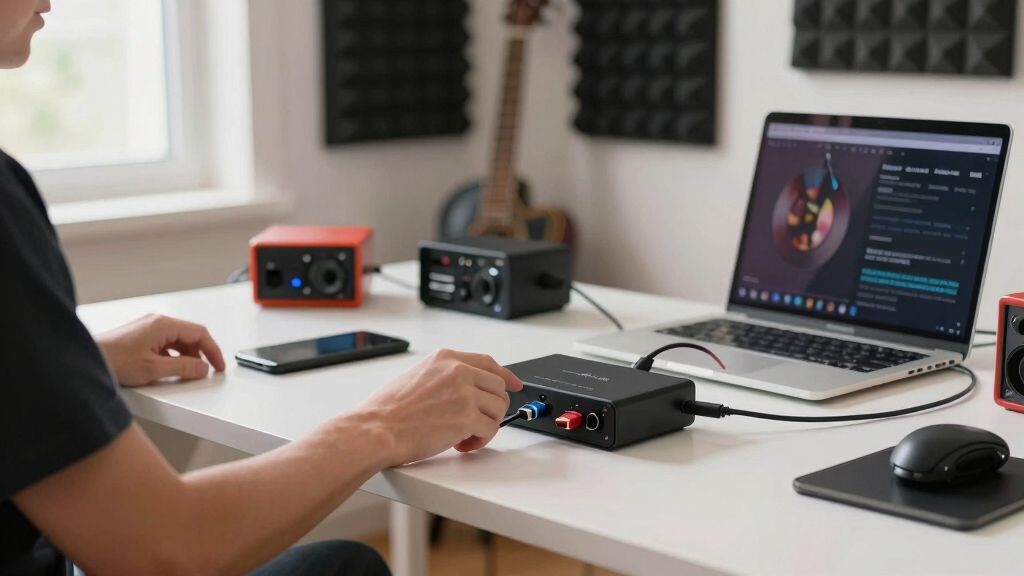

USB-C audio interfaces vary more by workflow than by headline sample rate, so I rank the MOTU M2 as the best overall pick because it balances clean two-input recording, strong metering, reliable desktop use, and room to grow without paying for extra channels. The Focusrite Scarlett Solo 4th Gen is the cleaner choice for beginners who want one mic or instrument input with modern gain help, while the MOTU M4 makes more sense for users who need extra outputs and more flexible routing. The main tradeoff is between simple single-person recording, budget 2-input boxes, mobile guitar adapters, and higher-grade studio units with better meters, drivers, and headroom. Cheaper models such as the Synido, CIXUN, and M-Audio options can cover basic podcasting or streaming, but they ask buyers to accept leaner controls, less proven software support, or fewer long-term upgrade paths. Read on for the full breakdown so you can match the interface to your mic, instrument, phone, computer, and upgrade plans.

Get audio and creator gear delivered free with Prime
- Fast, free delivery on millions of items
- Prime Video, Amazon Music and more included
- Member-only deals all year
Key Takeaways
- I rank the MOTU M2 first because it offers the strongest balance of desktop recording quality, front-panel metering, and long-term value.
- I see the Scarlett Solo 4th Gen beating the Solo 3rd Gen for new buyers because its beginner-friendly gain features and updated workflow matter more than the older model’s lower sale price.
- I treat the MOTU M4 as the premium step-up, not the default buy; its extra outputs and routing flexibility pay off only if you actually route more than one stereo feed.
- I found that budget 2-input models such as M-Audio M-Track Duo HD, CIXUN, and Synido compete on specs, but support, controls, and upgrade confidence separate them from the top three.
- I would treat the Shure MVX2U Gen 2, JOYO MOMIX CAB, and IK Multimedia iRig USB as specific-purpose tools rather than main studio hubs.
| MOTU M4 4×4 USB-C Audio Interface |  | Best Overall | Connectivity: USB-C | I/O: 4-in/4-out | Channels: 8 total channels listed | VIEW LATEST PRICE | See Our Full Breakdown |
| Focusrite Scarlett Solo 3rd Gen USB Audio Interface |  | Best for Singer-Songwriters | Connectivity: USB | Bit Depth: 24-bit | Maximum Sample Rate: Up to 192 kHz | VIEW LATEST PRICE | See Our Full Breakdown |
| CIXUN Audio Interface 2×2 USB-C Interface |  | Best Budget Two-Input Interface | Connectivity: USB-C | Channels: 2 | Bit Depth: 24-bit | VIEW LATEST PRICE | See Our Full Breakdown |
| Synido USB C Audio Interface |  | Best Portable Podcast Starter | Connectivity: USB-C to USB-A | Sampling Rate: 24-bit/48 kHz | Inputs: XLR, line in, instrument | VIEW LATEST PRICE | See Our Full Breakdown |
| Stereo 24Bit/192kHz USB C & iPhone Guitar Interface |  | Best for Mobile Guitar Recording | Connectivity: AUX | Supported Devices: Guitar, bass, phone, iPad, laptop, PC | Channels: 2 | VIEW LATEST PRICE | See Our Full Breakdown |
| Universal Audio Volt 2 USB Audio Interface |  | Best for Warm Stereo Recording | Connectivity: USB | Channels: 2-in/2-out | Maximum Sample Rate: 192 kHz | VIEW LATEST PRICE | See Our Full Breakdown |
| Universal Audio Volt 1 USB Audio Interface |  | Best Single-Input Vintage Pick | Resolution: 24-bit / 192 kHz | Inputs: Single recording input | Preamp: UA 610 preamp with Vintage mode | VIEW LATEST PRICE | See Our Full Breakdown |
| JOYO MOMIX CAB Guitar Audio Interface for Phone, USB-C & Lightning, Low-Latency Direct Monitoring, Portable |  | Best Mobile Guitar Interface | Connectivity: USB, with USB-C and Lightning support | Compatible Devices: Bass, guitar, monitor headphones, smartphone | Operating Systems: Android, iOS | VIEW LATEST PRICE | See Our Full Breakdown |
| M-AUDIO M-Track Duo HD Audio Interface 24-bit 192kHz for Recording, Streaming, Podcasting with USB-C, 2 XLR/TRS Inputs, Software Suite |  | Best Value 2-Input Pick | Connectivity: USB-C | Resolution: 24-bit/192 kHz | Inputs: 2 combo XLR/TRS inputs | VIEW LATEST PRICE | See Our Full Breakdown |
| MOTU M2 USB-C Audio Interface |  | Best Metering and Clarity Pick | Connectivity: USB-C | Channels: 2-in/2-out | Maximum Sample Rate: 192 kHz | VIEW LATEST PRICE | See Our Full Breakdown |
| IK Multimedia iRig USB Guitar Audio Interface |  | Best Guitar-First Portable Pick | Connectivity: USB-C | Compatibility: Mac, PC, iPad, iPhone 15 | Channels: 2 | VIEW LATEST PRICE | See Our Full Breakdown |
| Shure MVX2U Gen 2 XLR-to-USB-C Digital Audio Interface |  | Best XLR-to-USB-C Mic Adapter | Connectivity: XLR to USB-C | Power: 48V phantom power | Gain: +60 dB | VIEW LATEST PRICE | See Our Full Breakdown |
| Focusrite Scarlett Solo 4th Gen USB Audio Interface |  | Best Overall Solo Recording Interface | Connectivity Technology: USB | Compatible Devices: Microphone, Instrument, Personal Computer, Headphones, Studio Monitors | Number of Channels: 2 | VIEW LATEST PRICE | See Our Full Breakdown |
More Details on Our Top Picks
MOTU M4 4×4 USB-C Audio Interface
I rank the MOTU M4 highest here because it gives buyers more room to grow than the smaller two-input picks. Compared with the Focusrite Scarlett Solo 3rd Gen, it adds a 4-in/4-out layout, two mic preamps, and hardware monitoring, which matters if I want to record vocals, guitar, and external gear without immediately replacing the interface. Its 192 kHz ceiling keeps it competitive with the CIXUN and portable iPhone interface, but the MOTU feels better suited to a desk-based setup than a pocket rig. The tradeoff is price and simplicity: beginners who only need one mic may be paying for I/O they will not use. I also would not call it a full studio hub, since larger bands still need more preamps.
Pros:- 4-in/4-out layout gives more routing flexibility than most entry-level options
- Two built-in mic preamps suit vocal-and-instrument recording
- 192 kHz recording support keeps audio resolution competitive
- Works across Mac, PC, and iOS setups
Cons:- Costs more than simpler two-channel interfaces
- Still not enough mic preamps for full band tracking
- Less pocketable than tiny phone-focused interfaces
Best for: I’d point this to solo producers, podcasters, and small studio users who want USB-C connectivity with enough inputs and outputs to grow.
Not ideal for: I’d skip it for buyers who only record one vocal or guitar at a time and want the lowest-cost setup.
- Connectivity:USB-C
- I/O:4-in/4-out
- Channels:8 total channels listed
- Mic Preamps:2 built-in microphone preamps
- Maximum Sample Rate:192 kHz
- Hardware Monitoring:Supported
- Compatibility:Mac, PC, and iOS
- Dimensions:4.25 x 8.25 x 1.75 inches
- Weight:16 ounces
Bottom line: I’d choose the MOTU M4 if one interface needs to handle serious home recording without outgrowing the desk too quickly.
Focusrite Scarlett Solo 3rd Gen USB Audio Interface
The Focusrite Scarlett Solo 3rd Gen earns its place because it keeps the recording path simple: one mic, one instrument, clean metering, and a familiar software bundle. Compared with the MOTU M4, it is far less flexible, but that is also why I like it for guitarists and vocalists who do not want extra knobs or unused routing. The Air mode is the buyer-facing difference, adding a brighter vocal or acoustic guitar character without relying on plug-ins first. Against the Synido, Focusrite also brings a stronger software starter kit. The drawback is ceiling: two-person podcasts, stereo synths, or multi-mic sessions will hit the input limit fast. The bundled apps can also feel like a lot if I only want basic capture.
Pros:- Air mode gives vocals and acoustic instruments a brighter presentation
- Simple one-mic, one-instrument layout is easy to learn
- 24-bit audio with up to 192 kHz sample rate
- Includes recording software and sound content for starting a project
Cons:- Only one microphone input limits collaboration and stereo recording
- Software bundle may feel heavy for buyers who only need a clean input
- USB rather than clearly stated USB-C connection makes it less aligned with newer cable setups
Best for: I’d point this to singer-songwriters, voiceover creators, and guitarists recording one mic and one instrument at a time.
Not ideal for: I’d skip it for two-host podcasts, stereo instrument users, or anyone planning multi-mic sessions.
- Connectivity:USB
- Bit Depth:24-bit
- Maximum Sample Rate:Up to 192 kHz
- Inputs:1 microphone input, 1 instrument input
- Outputs:2 balanced outputs
- Preamp:Focusrite third-generation mic preamp with Air mode
- Metering:Gain Halo metering
- Software Included:Pro Tools Intro+, Ableton Live Lite, Cubase LE, Hitmaker Expansion
Bottom line: I’d choose the Scarlett Solo 3rd Gen when the priority is a clean, beginner-friendly vocal-and-guitar path over future expandability.
CIXUN Audio Interface 2×2 USB-C Interface
The CIXUN 2×2 USB-C interface makes sense when I want dual inputs and 192 kHz recording without moving up to the MOTU M4. Compared with the Synido, it offers a higher listed sample-rate ceiling and dual XLR/TS inputs, so it fits a vocalist-and-guitarist setup better on paper. It is also more studio-shaped than the tiny iPhone guitar interface, with front-panel controls and a metal housing that suit a small desk. The catch is ecosystem polish. It lacks the software package that makes the Focusrite Scarlett Solo feel easier to start with, and its Windows-focused spec listing may make Mac or mobile buyers pause. I would buy it for value, not for the most mature support story.
Pros:- Dual XLR/TS inputs support more flexible recording than single-input interfaces
- 24-bit/192 kHz spec gives headroom for high-resolution projects
- 48V phantom power supports condenser microphones
- Compact metal housing suits small desks and mobile kits
Cons:- No included software bundle for new producers
- Two-channel design will not cover multi-mic recording
- Compatibility details are less clear than established brands
Best for: I’d point this to budget-minded home recordists who need two physical inputs for vocals, guitar, or a small streaming setup.
Not ideal for: I’d skip it for buyers who want a polished software bundle, clear cross-platform guidance, or more than two inputs.
- Connectivity:USB-C
- Channels:2
- Bit Depth:24-bit
- Maximum Sample Rate:192 kHz
- Inputs:Dual TS/XLR inputs
- Phantom Power:+48V
- Operating System Listed:Windows
- Power:USB-C port for independent 5V power
Bottom line: I’d choose the CIXUN when two-input value matters more than brand ecosystem or bundled production tools.
Synido USB C Audio Interface
I see the Synido USB C Audio Interface as the most practical pick for creators who want a light, inexpensive-feeling podcast or streaming box with real mic support. Compared with the CIXUN, its 24-bit/48 kHz spec is lower, but that resolution is still enough for spoken word, livestreams, and many music demos. The advantage is usability: three monitoring modes and a 300 g body make it friendly for moving between a laptop bag and a desk. It also offers 48V phantom power, so condenser mics are not off the table. The downside is growth. The two-channel layout is restrictive, and the need for a third-party driver may frustrate buyers who expected instant plug-and-play operation like the Focusrite path.
Pros:- Very portable at 300 g
- Three monitoring modes help match recording, streaming, and playback needs
- 48V phantom power supports condenser microphones
- XLR, line, and instrument inputs cover basic creator workflows
Cons:- 24-bit/48 kHz ceiling is lower than several rivals in this lineup
- Third-party driver may be needed for best compatibility
- Two-channel limit narrows future recording options
Best for: I’d point this to new podcasters, streamers, and mobile creators who need XLR support in a small USB-C-friendly box.
Not ideal for: I’d skip it for musicians chasing high sample rates, multi-mic production, or the cleanest driver setup.
- Connectivity:USB-C to USB-A
- Sampling Rate:24-bit/48 kHz
- Inputs:XLR, line in, instrument
- Outputs:Headphone, line out
- Phantom Power:48V
- Channels:2-channel
- Monitoring:3 monitoring modes
- Dimensions:14 x 11.5 x 4.5 cm
- Weight:300 g
Bottom line: I’d choose the Synido for simple mobile podcasting or streaming when portability matters more than high-resolution music production.
Stereo 24Bit/192kHz USB C & iPhone Guitar Interface
This USB C and iPhone guitar interface is the pick I would separate from the desktop-style boxes. Compared with the MOTU M4 or CIXUN, it is not built around XLR mic recording or studio routing; it is built for getting guitar or bass into a phone, iPad, laptop, or PC quickly. The small 2.2-inch body, 0.35-pound weight, and charging-while-streaming support make it better for mobile livestreams than the Scarlett Solo. Its 24-bit/192 kHz rating looks strong, but the buyer tradeoff is input flexibility. With no built-in mic path and no extra input options, it is a focused tool rather than a full USB-C audio interface for podcasts, vocals, and instruments together.
Pros:- Tiny, lightweight design is easy to carry
- Works with phones, iPads, laptops, and PCs
- Supports charging while livestreaming
- 24-bit/192 kHz recording support is strong for a mobile interface
Cons:- No built-in microphone input or XLR support
- Depends on compatible recording software for the full workflow
- Limited input options make it less versatile than desktop interfaces
Best for: I’d point this to guitarists and bassists who record or stream through a phone, iPad, or laptop and need a tiny travel interface.
Not ideal for: I’d skip it for vocalists, podcasters with XLR microphones, or creators who need multiple input types in one box.
- Connectivity:AUX
- Supported Devices:Guitar, bass, phone, iPad, laptop, PC
- Channels:2
- Audio Resolution:24-bit/192 kHz
- Frequency Response:20 kHz
- Charging While Streaming:Supported
- Supported Software:GarageBand, Studio One, Logic Pro X, FL Studio, others
- Dimensions:2.2 x 2.2 x 0.6 inches
- Weight:0.35 pounds
Bottom line: I’d choose this interface only when mobile guitar or bass capture is the main job.
Universal Audio Volt 2 USB Audio Interface
Universal Audio Volt 2 earns its place because it brings two-input recording together with UA’s 610-style Vintage mode, which gives vocals, guitars, and keys a more colored feel than cleaner budget interfaces. Compared with the Universal Audio Volt 1, this is the better choice when I want to record two sources at once, such as voice and guitar, without stepping up to a larger box like the MOTU M4. Against the MOTU M2, the Volt 2 leans more toward character than metering and utility. The tradeoff is portability: iPhone and iPad use may need extra power and adapters, and the 2-in/2-out layout still feels tight for drums, live sessions, or multi-mic podcasting.
Pros:- Two inputs make it more flexible than the Volt 1 for voice-plus-instrument recording
- Vintage mode adds a warmer tone than many clean budget interfaces
- 24-bit/192 kHz recording suits serious home studio work
- Broad Mac, Windows, iPad, and iPhone compatibility
Cons:- iOS recording may require external power and extra adapters
- Only 2 inputs and 2 outputs, so growth room is limited
- Less appealing than MOTU M2 for buyers who want strong front-panel metering
Best for: Singer-songwriters and small creators who want two USB-connected inputs with a warmer recording character.
Not ideal for: Bands, drum recordists, or mobile iPhone creators who want more inputs or fewer adapter and power needs.
- Connectivity:USB
- Channels:2-in/2-out
- Maximum Sample Rate:192 kHz
- Resolution:24-bit
- Preamp Character:UA 610-style preamps with Vintage mode
- Supported Devices:Personal computer, macOS, Windows, iPad, iPhone
- Included Software:Ableton, Melodyne, Virtual Drummer, Marshall, Ampeg
- Power Notes:May require external power and adapters for iOS devices
Bottom line: This is the USB interface I would pick for compact two-source recording when tone matters more than maximum I/O.
Universal Audio Volt 1 USB Audio Interface
Universal Audio Volt 1 makes the most sense for solo creators who want UA-style color without paying for extra inputs they may never use. Compared with the Volt 2, it gives up the second channel, so recording vocal and guitar at the same time becomes less practical. Compared with the Focusrite Scarlett Solo 4th Gen, its pitch is less about modern gain range and more about the Vintage mode sound and Luna-friendly workflow. I would see it as a focused voice, guitar, or podcast interface rather than a room for growth. The main compromise is that its mobile promise depends on power and adapter planning, so it is not as grab-and-go as phone-first interfaces like the JOYO MOMIX CAB.
Pros:- Vintage mode gives solo recordings more character than many plain entry interfaces
- 24-bit/192 kHz resolution leaves room for polished home production
- Works across macOS, Windows, iPad, and iPhone setups
- Luna integration can suit creators already interested in UA workflows
Cons:- Single-input design is restrictive for collaborative recording
- No built-in battery or independent portable power option
- iOS use can require external power plus an Apple adapter
Best for: Solo vocalists, guitarists, and podcasters who want one input with a warmer production flavor.
Not ideal for: Duos, interview setups, or anyone who needs to capture two microphones or instruments at the same time.
- Resolution:24-bit / 192 kHz
- Inputs:Single recording input
- Preamp:UA 610 preamp with Vintage mode
- Compatibility:macOS, Windows, iPad, iPhone
- iOS Requirement:iOS 14+
- Adapter Requirement:Apple Lightning to USB Camera Adapter for some iOS setups
- Power Requirement:External power supply may be needed
- Workflow:Integrates with Luna Digital Audio Workstation
Bottom line: Choose this when one polished input is enough and the UA sound matters more than expansion.
JOYO MOMIX CAB Guitar Audio Interface for Phone, USB-C & Lightning, Low-Latency Direct Monitoring, Portable
JOYO MOMIX CAB is the outlier here, and that is its strength. Instead of competing directly with studio boxes like the MOTU M2 or M-AUDIO M-Track Duo HD, it targets phone-based guitar recording, quick practice, and livestream setups. The tiny body, USB-C and Lightning support, and low-latency direct monitoring make it easier to carry than a desktop 2-in/2-out interface. The tradeoff is control: it records a dry guitar signal, does not handle effects processing on its own, and the dry signal cannot be muted during recording. For a guitarist who wants a pocket interface, that may be fine. For vocals, podcasts, or higher-resolution studio capture, the Volt 2 or M-Track Duo HD is a more flexible buy.
Pros:- USB-C and Lightning support fits mobile guitar workflows
- Low-latency direct monitoring helps with real-time playing
- Very small 20-gram body is easy to keep in a gig bag
- Plug-and-play setup avoids driver management
Cons:- Cannot mute the dry signal during recording
- Limited to dry guitar signals without onboard effects processing
- Android compatibility may vary by phone model
Best for: Guitarists and bassists who record or practice through a phone and need a tiny USB-C or Lightning interface.
Not ideal for: Podcasters, vocalists, and producers who need XLR inputs, phantom power, or 24-bit/192 kHz capture.
- Connectivity:USB, with USB-C and Lightning support
- Compatible Devices:Bass, guitar, monitor headphones, smartphone
- Operating Systems:Android, iOS
- Channels:2
- Maximum Sample Rate:48 kHz
- Audio Input:USB
- Dimensions:1.14 in D x 2.52 in W x 0.79 in H
- Weight:20 grams
Bottom line: This is the pick for mobile guitar capture, not the pick for a full home studio interface.
M-AUDIO M-Track Duo HD Audio Interface 24-bit 192kHz for Recording, Streaming, Podcasting with USB-C, 2 XLR/TRS Inputs, Software Suite
M-AUDIO M-Track Duo HD is the value play because it gives creators USB-C, two combo XLR/TRS inputs, phantom power, 24-bit/192 kHz recording, and a software bundle in one compact unit. Compared with the Universal Audio Volt 2, it is less about vintage color and more about covering common recording, streaming, and podcasting needs at a practical level. Compared with the JOYO MOMIX CAB, it is far better for microphones and two-person setups, though much less pocketable. The drawbacks are mostly about ceiling: the 2-in/2-out format limits expansion, and some setups may still need external power. I would also choose the MOTU M2 first if front-panel feedback and build refinement are higher priorities than bundle value.
Pros:- Two combo XLR/TRS inputs support microphones, instruments, and line sources
- 24-bit/192 kHz resolution is strong for the price class
- Switchable 48V phantom power supports condenser microphones
- Included software bundle adds value for new recording setups
Cons:- 2-in/2-out design leaves little room for larger sessions
- May require external power in some setups
- Less character-focused than the Universal Audio Volt models
Best for: Budget-conscious podcasters, streamers, and home musicians who need two combo inputs over USB-C.
Not ideal for: Creators planning multi-mic sessions or buyers who want a more premium interface feel and metering.
- Connectivity:USB-C
- Resolution:24-bit/192 kHz
- Inputs:2 combo XLR/TRS inputs
- Outputs:2 TRS outputs
- Phantom Power:+48V switchable
- Preamp Gain:55 dB
- Monitoring:Zero-latency monitoring
- Supported Devices:Mac, PC, iOS, Android
Bottom line: Pick this when the priority is a capable two-input USB-C setup at a sensible price.
MOTU M2 USB-C Audio Interface
MOTU M2 stands out in this group for buyers who want a cleaner, more studio-minded 2-in/2-out USB-C interface with hardware monitoring and 24-bit/192 kHz recording. Compared with the Universal Audio Volt 2, it is less focused on vintage coloration and more suited to users who want a clear signal path and practical session control. Compared with the M-AUDIO M-Track Duo HD, it feels aimed at creators who are willing to pay more for a more polished core interface rather than chasing the lowest cost. The tradeoff is feature expansion: there are no built-in DSP effects, the I/O count stays modest, and it will not replace a larger interface like the MOTU M4 for extra routing.
Pros:- USB-C connection fits current laptop and tablet setups
- 24-bit/192 kHz recording supports high-resolution sessions
- Hardware monitoring helps reduce tracking delay
- Two preamps cover most solo and small-duo recording needs
Cons:- Only 2-in/2-out, so it is limited for larger rigs
- No built-in DSP effects or advanced processing
- Requires USB-C connectivity, which may require an adapter on older computers
Best for: Home studio creators who want a clean USB-C interface with hardware monitoring and a more polished workflow.
Not ideal for: Producers who need onboard effects, more than two inputs, or extra outputs for routing external gear.
- Connectivity:USB-C
- Channels:2-in/2-out
- Maximum Sample Rate:192 kHz
- Resolution:24-bit
- Preamps:2
- Monitoring:Hardware monitoring
- Supported Devices:macOS, Windows, iOS
- Dimensions:7.5 in D x 4.25 in W x 1.75 in H
- Weight:612 grams
Bottom line: This is the strongest fit when clean capture and monitoring matter more than color effects or extra channels.
IK Multimedia iRig USB Guitar Audio Interface
I rank the IK Multimedia iRig USB as the guitar-first choice because it is built around a 1/4-inch instrument input, direct monitoring, and an amp out with selectable FX instead of trying to be a small studio hub. Compared with the Focusrite Scarlett Solo 4th Gen, it is lighter and more focused for guitar practice, mobile tracking, and amp-sim workflows through AmpliTube and Tonex. The tradeoff is narrower flexibility: vocalists using XLR microphones will be better served by the Scarlett Solo or the Shure MVX2U Gen 2. I also see the USB-C-only design as a clean fit for newer devices, but a poor match for older Lightning iPhones without another adapter path.
Pros:- Very light 1.9-ounce build for travel rigs
- Direct monitoring helps reduce distracting recording delay
- Amp out with selectable FX suits practice and performance workflows
- Includes AmpliTube and Tonex software for guitar-focused recording
Cons:- USB-C-only connection leaves older Lightning devices out without another solution
- Instrument-focused design is less flexible than XLR-equipped interfaces
- 2-channel limit is restrictive for layered or multi-source sessions
Best for: I’d point mobile guitarists and amp-sim users toward this if they record mainly instrument tracks on a Mac, PC, iPad, or iPhone 15.
Not ideal for: I’d skip it for podcasters, vocalists, or multi-mic setups because it lacks an XLR mic input and stays limited to 2 channels.
- Connectivity:USB-C
- Compatibility:Mac, PC, iPad, iPhone 15
- Channels:2
- Audio Input:1/4 inch instrument jack
- Maximum Sample Rate:48 KHz
- Frequency Response:24,000 Hz
- Supported Software:AmpliTube & Tonex
- Item Weight:1.9 ounces
Bottom line: I’d choose this as the most focused USB-C interface here for guitarists who want a small amp-sim recording rig, not a general studio box.
Shure MVX2U Gen 2 XLR-to-USB-C Digital Audio Interface
The Shure MVX2U Gen 2 earns its place as the simplest way to bring an existing XLR microphone into a USB-C setup. I rank it differently from the Focusrite Scarlett Solo 4th Gen because it is not chasing a full desktop interface role; it is a compact XLR adapter with 48V phantom power, +60 dB gain, and onboard processing. Features like Auto Level Mode, the real-time denoiser, and Digital Popper Stopper matter for streamers and presenters who want fewer gain mistakes. Against the IK Multimedia iRig USB, it is far better for spoken voice, but it is the wrong pick for guitarists. Its big limit is clear: one XLR path, no instrument input, and less room to grow.
Pros:- 48V phantom power supports condenser microphones
- +60 dB gain gives dynamic mics more usable headroom
- Auto Level Mode helps keep speech levels more consistent
- MOTIV app support adds deeper sound control
Cons:- Limited to XLR microphones with no guitar or line input
- Less expandable than a 2-input desktop interface
- Requires a USB-C host device for the intended setup
Best for: I’d recommend it to streamers, remote presenters, and podcasters who already own an XLR microphone and want a small USB-C recording path.
Not ideal for: I’d skip it for guitarists, producers, or anyone needing instrument inputs because it only serves an XLR microphone connection.
- Connectivity:XLR to USB-C
- Power:48V phantom power
- Gain:+60 dB
- Audio Processing:Auto Level Mode
- Noise Control:Real-Time Denoiser
- Plosive Control:Digital Popper Stopper
- Compatibility:Apple MFi Certified
- App Support:MOTIV App
Bottom line: I’d choose this when the goal is making one XLR mic USB-C-ready with smart voice processing, not building a broader recording setup.
Focusrite Scarlett Solo 4th Gen USB Audio Interface
I put the Focusrite Scarlett Solo 4th Gen highest of these three for buyers who need one small interface to cover vocals, guitar, headphones, and monitors. Compared with the IK Multimedia iRig USB, it is less pocketable and less guitar-specialized, but its broader device support and 120 dB dynamic range make it the stronger central recording box. It also has more studio growth than the Shure MVX2U Gen 2, since it is not tied to only an XLR microphone. The improved Air mode is useful when singers or guitarists want a brighter, more forward capture without stacking plug-ins right away. The drawbacks are real: it still has only 2 channels, and beginners may need time to learn routing, levels, and software setup.
Pros:- 120 dB dynamic range gives cleaner headroom for serious home recording
- Works with microphones, instruments, headphones, studio monitors, and computers
- Air mode helps vocals and guitars sit forward in a mix
- Included software and plug-ins make it a stronger starter production bundle
Cons:- 2-channel limit is too tight for larger sessions
- Less compact than tiny adapter-style options like the Shure MVX2U Gen 2
- New users may face a learning curve with software and signal routing
Best for: I’d buy this for solo musicians, singer-guitarists, and home producers who want one USB interface for mic, instrument, headphones, and monitors.
Not ideal for: I’d skip it for drum recording, live band capture, or multi-person podcasts because the 2-channel design runs out quickly.
- Connectivity Technology:USB
- Compatible Devices:Microphone, Instrument, Personal Computer, Headphones, Studio Monitors
- Number of Channels:2
- Dynamic Range:120 dB
- Frequency Response:20 KHz
- Supported Software:All audio recording software
- Recording Feature:Enhanced Air mode
- Included Extras:Recording software and plug-ins
Bottom line: I’d pick this as the best all-around USB recording interface here for solo creators who need flexibility more than maximum portability.
How We Picked
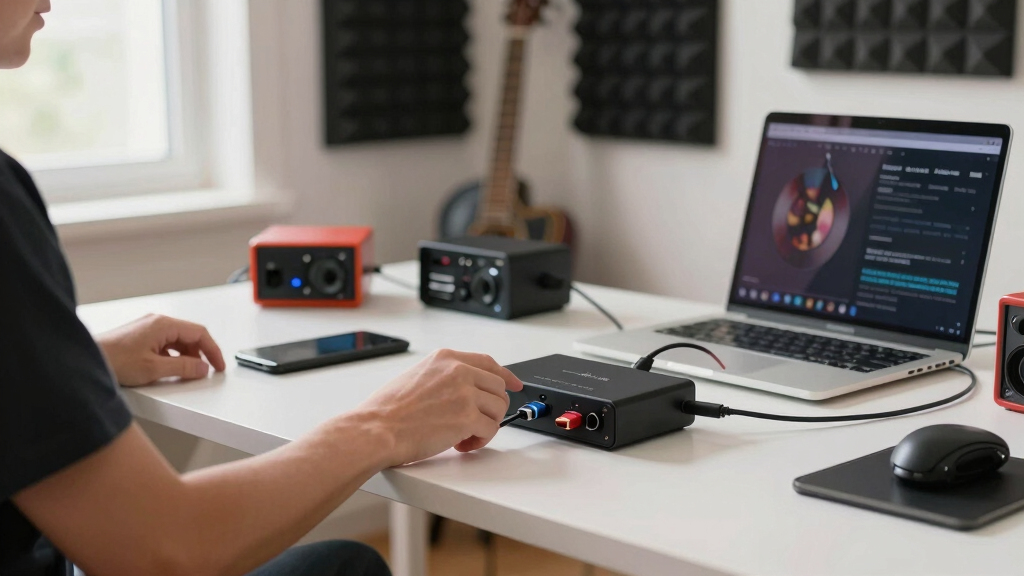
I evaluated these USB-C audio interfaces by asking what a buyer can actually do with each box on day one and what still works after the first upgrade. Input layout, gain range, direct monitoring, phantom power, headphone output strength, metering, supported computers or phones, and bundled software all affected placement. I gave more weight to stable desktop recording and clear monitoring than to maximum sample-rate claims because most buyers gain more from clean levels and predictable routing than from a bigger number on the listing. Products rose when they served several common workflows well, and they dropped when they felt narrow, confusing, or harder to grow with.
The order favors balanced interfaces first, then strong value picks, then compact or specialty adapters. That is why the MOTU M2 leads: it is more versatile than the Scarlett Solo models without becoming as expensive or I/O-heavy as the M4. The Scarlett Solo 4th Gen ranks high because it removes friction for single-mic creators, while the M-Audio M-Track Duo HD earns the value slot by giving two combo inputs at a lower cost. Mobile guitar tools and XLR-to-USB adapters rank lower because they solve narrower problems, even when they are the right buy for a specific setup.
Factors to Consider When Choosing USB-C Audio Interfaces
Choosing between USB-C audio interfaces is mostly about matching the box to the way you record, not chasing the biggest spec sheet. I would start with how many sources you need to record at once, then work outward to monitoring needs, mobile support, software, and upgrade room. The right pick should reduce friction in the recording chain: mic in, levels set, headphones clear, file captured without adapter drama.
Match Inputs To Real Sessions
I would choose input count from the session I plan to record, not from the largest number on the box. A singer-songwriter with one mic and one guitar can live happily with the Scarlett Solo 4th Gen or Universal Audio Volt 1, but two hosts or stereo instruments push the decision toward a true 2-input model such as the MOTU M2, Volt 2, M-Audio M-Track Duo HD, CIXUN, or Synido. Combo XLR/TRS inputs matter because they let one jack accept a mic, line source, or instrument depending on the session. A single-channel adapter can be cleaner and simpler, yet it becomes limiting the moment a guest, second instrument, or stereo source enters the plan. I would only buy four outputs, as on the MOTU M4, if separate monitor feeds, outboard gear, or DJ-style routing are likely.
Do Not Overpay For Sample Rate
Sample-rate claims can make budget interfaces look closer to premium models than they really are. 24-bit recording is useful because it gives more level safety while tracking, but 192kHz support is rarely the feature that makes a home recording sound better. Preamp noise, stable drivers, input headroom, and clear monitoring usually shape the result more. That is why I rank the MOTU and Focusrite options above some cheaper 24-bit/192kHz models even when the spec line looks similar. If the interface will mostly handle voice, guitar, podcasts, or streaming, I would treat driver reliability and gain control as higher priorities than the tallest sample-rate number.
Watch Monitoring And Metering
Monitoring is where many cheap USB-C audio interfaces start to feel different from better ones. A good direct-monitor path lets performers hear themselves without distracting computer delay, which matters for vocals, guitar, and spoken-word work. The MOTU M2 and MOTU M4 stand out because their visual meters make level-setting easier than tiny signal LEDs. The Scarlett Solo 4th Gen helps beginners in a different way, with features aimed at keeping levels usable without much setup knowledge. If the interface only gives a basic knob and minimal metering, I would still use it for simple streams, but I would expect more trial and error before each recording.
Decide Between Desktop And Mobile
USB-C does not automatically mean the interface is equally good for a laptop, iPad, iPhone, and phone-based guitar rig. Desktop-focused interfaces such as the MOTU M2, MOTU M4, Volt models, and Scarlett Solo are stronger choices when computer recording software is the center of the workflow. The JOYO MOMIX CAB, IK Multimedia iRig USB, and the stereo iPhone guitar interface make more sense when portability, quick guitar capture, and phone compatibility matter more than building a full studio setup. Mobile gear often trades larger controls, stronger headphone power, and multiple mic inputs for a smaller cable-friendly design. I would pick a mobile adapter only if the phone or tablet is the main recorder, not a rare backup.
Know When Paying More Makes Sense
Paying more makes sense when the interface removes a bottleneck that would otherwise slow every session. The MOTU M4 earns its premium role through extra outputs and broader routing, while the Universal Audio Volt 2 is appealing for creators who want a more characterful front end without adding separate hardware. For a solo podcaster, those upgrades may sit unused, so the Scarlett Solo 4th Gen or Shure MVX2U Gen 2 can be the smarter spend. The budget picks are most attractive when the goal is occasional recording, remote calls, or a first two-input setup under a tight price ceiling. I would pay extra for better metering, clearer monitoring, and a proven software path before paying extra for cosmetic finish or a spec that will stay unused.
Frequently Asked Questions
Should I Buy A One-Input Or Two-Input USB-C Audio Interface?
I would buy a one-input interface only if the setup is truly solo: one microphone, one guitar, or one XLR mic at a time. That points toward the Scarlett Solo 4th Gen, Universal Audio Volt 1, or Shure MVX2U Gen 2. A two-input model is the safer buy for interviews, stereo keyboards, two guitars, or a vocal-plus-instrument session. The MOTU M2, Volt 2, M-Audio M-Track Duo HD, CIXUN, and Synido all fit that broader recording pattern. The cost jump is often small, so I would not stay single-input unless simplicity and desk space matter more than flexibility.
Is The Focusrite Scarlett Solo 4th Gen Better Than The 3rd Gen?
For new buyers, I would choose the Scarlett Solo 4th Gen over the 3rd Gen because it is the more current beginner interface and has a more helpful recording workflow. The older Scarlett Solo 3rd Gen can still make sense if the price is much lower and the setup is basic. The decision is less about raw audio specs and more about how much help you want with levels, software setup, and long-term support. If this is a first interface, I would rather pay a bit more for the newer model. If it is a spare or travel unit, the 3rd Gen can still be a practical buy.
Is The MOTU M4 Worth It Over The MOTU M2?
The MOTU M4 is worth the upgrade if you need extra outputs, more routing choices, or a setup that connects to monitors, headphones, and additional gear at the same time. For most solo musicians, podcasters, and streamers, the MOTU M2 gives the better balance because it keeps the same core appeal in a simpler, less expensive box. I would not pay for the M4 just because it sits higher in the line. The extra I/O needs a real job in your setup. If you cannot name that job, the M2 is the cleaner pick.
Can I Use These USB-C Audio Interfaces With An iPhone Or iPad?
Some USB-C audio interfaces can work with iPhones and iPads, but the details depend on the device, power needs, and app support. Newer USB-C iPhones and iPads make the connection easier than older Lightning devices, yet many desktop interfaces still work best with a powered hub or computer-centered setup. The JOYO MOMIX CAB, IK Multimedia iRig USB, and stereo iPhone guitar interface are better fits when mobile recording is the main plan. Larger desktop units such as the MOTU, Focusrite, and Volt models are stronger when the laptop or desktop DAW is the hub. I would check the exact phone or tablet support before buying if mobile use is more than a backup plan.
Are Budget 24-Bit/192kHz USB-C Interfaces Good Enough For Podcasting Or Streaming?
Yes, a budget 24-bit/192kHz interface can be enough for podcasting or streaming if the setup is simple and expectations are realistic. The M-Audio M-Track Duo HD, CIXUN, and Synido offer the headline specs many beginners want at lower prices. The tradeoff is usually less polished control layout, weaker metering, thinner software extras, or less confidence around driver updates. For spoken voice, room treatment and microphone placement often matter more than a premium interface. I would move up to MOTU, Focusrite, or Universal Audio when recording becomes frequent enough that setup speed and monitoring quality affect the work every week.
Conclusion
My final recommendation is the MOTU M2 for most buyers because it sits in the best middle ground: serious enough for music, simple enough for podcasts, and better equipped than the entry-level boxes without adding unused I/O. For value, I would pick the M-Audio M-Track Duo HD if two combo inputs matter more than premium polish. For beginners, the Focusrite Scarlett Solo 4th Gen is the easiest recommendation when the setup is one mic or one instrument. For a premium small-studio setup, the MOTU M4 is the one I would buy when extra outputs and routing are part of the plan.
For a warmer creative front end, the Universal Audio Volt 2 is the better fit than a plain budget 2×2 box, while the Volt 1 makes more sense for solo creators who like that UA approach. For turning an existing XLR mic into a compact USB-C setup, I would choose the Shure MVX2U Gen 2. For mobile guitar recording, the JOYO MOMIX CAB and IK Multimedia iRig USB are more focused choices than the desktop interfaces, but they are not the best main hub for a growing studio. If the budget is tight, the Synido, CIXUN, and stereo iPhone guitar interface can work, but I would treat them as entry points rather than long-term anchors.
Fall Picks
fall essentials
As an affiliate, we earn on qualifying purchases.