Among the best mesh Wi-Fi systems, I rank the TP-Link Deco 7 Pro BE67 as the best overall for its Wi-Fi 7 features and tri-band design, while the TP-Link Deco X55 is a more practical pick for households that want Wi-Fi 6 coverage without newer-generation hardware. For a premium setup, the NETGEAR Orbi 970 offers a higher-end Wi-Fi 7 option, but its advanced capabilities may be more than many homes need. The main tradeoffs are coverage, wireless backhaul capacity, device compatibility, setup complexity, and whether your internet plan can use the extra speed. Read on for a ranked comparison of all 15 systems and guidance on choosing the right kit for your space.

Get audio and creator gear delivered free with Prime
- Fast, free delivery on millions of items
- Prime Video, Amazon Music and more included
- Member-only deals all year
Complete the kit


Key Takeaways
- Wi-Fi 7 does not automatically make a system the best fit: The Deco 7 Pro BE67 leads this roundup by pairing newer-generation capability with a more broadly useful tri-band design, while the Orbi 970 is aimed at buyers with premium networking needs.
- Wi-Fi 6 remains a sensible choice for many households: The Deco X55 and eero 6+ represent more approachable ways to build whole-home coverage when compatible Wi-Fi 7 devices or a very fast internet plan are not priorities.
- Tri-band matters most when mesh nodes communicate wirelessly: Models such as the Deco XE75 and eero Pro 6E give buyers an extra band that can help manage traffic between nodes, though home layout and node placement still matter.
- Brand familiarity can narrow the choice: eero emphasizes a simpler app-led experience, while Deco and Orbi offer alternatives for buyers who prioritize different feature sets and network controls.
- Three-unit kits are not automatically right for every home: A compact home may need fewer access points, while dense walls, multiple floors, or distant rooms can make placement and backhaul capability more important than the advertised coverage figure.
| NETGEAR Orbi 370 Series WiFi 7 Mesh System, 3-Pack, Up to 6,000 sq. ft. |  | Best for Large Homes | Wi-Fi generation: Wi-Fi 7 (802.11be) | System configuration: Router and two satellites | Frequency band: Dual-band | VIEW LATEST PRICE | See Our Full Breakdown |
| Amazon eero 7 Dual-Band Wi-Fi 7 Mesh Router, 3-Pack |  | Best for Smart-Home Households | Wi-Fi standard: Wi-Fi 7 (IEEE 802.11a/b/g/n/ac/ax/be) | Pack size: Three routers | Frequency bands: Dual-band, 2.4 GHz and 5 GHz | VIEW LATEST PRICE | See Our Full Breakdown |
| Google Wifi AC1200 Mesh Wi-Fi System, 3-Pack, Snow (Certified Refurbished) |  | Best Refurbished Pick | Wi-Fi generation: Wi-Fi 5 (802.11ac) | Number of items: 3 | Frequency band: Dual-band | VIEW LATEST PRICE | See Our Full Breakdown |
| Google WiFi AC1200 Mesh Router System (3-Pack) |  | Best for Simple App Management | Wi-Fi standard: Wi-Fi 5 (802.11ac) | Quantity: 3-pack | Frequency band: Dual-band | VIEW LATEST PRICE | See Our Full Breakdown |
| Tenda Nova MW6 AC1200 Whole-Home Mesh Wi-Fi System, 3-Pack |  | Best for Basic Roaming Coverage | Wi-Fi generation: Wi-Fi 5 (802.11ac) | Pack size: 3 mesh nodes | Frequency band: Dual-band | VIEW LATEST PRICE | See Our Full Breakdown |
| TP-Link Deco 7 Pro BE67 Wi-Fi 7 Mesh System (3-Pack) |  | Best for Multi-Gigabit Homes | Wi-Fi standard: Wi-Fi 7 | Bands: Tri-band: 2.4 GHz, 5 GHz, and 6 GHz | Maximum combined speed: 14 Gbps (BE14000) | VIEW LATEST PRICE | See Our Full Breakdown |
| TP-Link Deco XE75 AXE5400 Tri-Band Wi-Fi 6E Mesh System, 3-Pack |  | Best Wi-Fi 6E Upgrade | Wi-Fi standard: Wi-Fi 6E | Bands: Tri-band: 2.4 GHz, 5 GHz, and 6 GHz | Maximum combined speed: 5,400 Mbps | VIEW LATEST PRICE | See Our Full Breakdown |
| TP-Link Deco X55 AX3000 Wi-Fi 6 Mesh System, 3-Pack |  | Best Value for Wired Backhaul | Wi-Fi standard: Wi-Fi 6 (802.11ax) | Wireless speed: AX3000, up to 3,000 Mbps | Bands: Dual-band | VIEW LATEST PRICE | See Our Full Breakdown |
| NETGEAR Nighthawk MK6W Wi-Fi 6 Mesh System, 3-Pack |  | Best for Smaller Homes | Wi-Fi generation: Wi-Fi 6 (802.11ax) | Bands: Dual-band: 2.4 GHz and 5 GHz | Coverage: Up to 4,500 sq. ft. | VIEW LATEST PRICE | See Our Full Breakdown |
| NETGEAR Orbi 770 Series WiFi 7 Tri-Band Mesh System, 3-Pack |  | Best Premium Wi-Fi 7 Coverage | System configuration: 1 router and 2 satellites | Wi-Fi generation: Wi-Fi 7 | Bands: Tri-band | VIEW LATEST PRICE | See Our Full Breakdown |
| Amazon eero 6+ Wi-Fi 6 Mesh System, 3-Pack |  | Best for Smart-Home Beginners | Pack: 3 routers | Coverage: Up to 4,500 sq. ft. | Supported internet plans: Up to 1 Gbps | VIEW LATEST PRICE | See Our Full Breakdown |
| Amazon eero Pro 7 Tri-Band Wi-Fi 7 Mesh Router, 3-Pack |  | Best for Multi-Gig Eero Upgrades | Pack size: 3 routers | Wi-Fi standard and bands: Wi-Fi 7; tri-band 2.4 GHz, 5 GHz, and 6 GHz | Internet plan support: Up to 5 Gbps | VIEW LATEST PRICE | See Our Full Breakdown |
| NETGEAR Orbi 970 Series WiFi 7 Mesh System, 3-Pack | 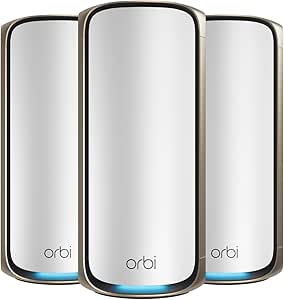 | Best for Maximum Coverage and Wired Backhaul | System configuration: 1 router and 2 satellites | Wi-Fi standard and bands: Wi-Fi 7, quad-band | Maximum speed: Up to 27 Gbps | VIEW LATEST PRICE | See Our Full Breakdown |
| TP-Link Deco 7 Pro BE10000 Tri-Band Wi-Fi 7 Mesh System, 3-Pack |  | Best for Flexible Multi-Gig Wired Connections | Pack size: 3 units | Wi-Fi standard and bands: Wi-Fi 7; tri-band 6 GHz, 5 GHz, and 2.4 GHz | Maximum combined speed: Up to 10 Gbps | VIEW LATEST PRICE | See Our Full Breakdown |
| Amazon eero Pro 6E Tri-Band Mesh Wi-Fi System, 3-Pack |  | Best for Adding 6 GHz Without Moving to Wi-Fi 7 | Pack size: 3 | Wi-Fi standard: Wi-Fi 6E | Maximum network speed: Up to 2.3 Gbps | VIEW LATEST PRICE | See Our Full Breakdown |
| mesh Wi-Fi system | Coverage |
|---|---|
| NETGEAR Orbi 370 Series WiFi 7 | Up to 6,000 sq. ft. |
| Amazon eero 7 Dual-Band Wi-Fi | Up to 6,000 sq. ft. |
| Google Wifi AC1200 Mesh Wi-Fi | Up to 4,500 sq. ft. |
| Google WiFi AC1200 Mesh Router | Up to 4,500 sq. ft. |
| Tenda Nova MW6 AC1200 Whole-Ho | Conflicting claims: up to 3,500 sq. ft. in description; 6,000 sq. ft. in product information |
| TP-Link Deco 7 Pro BE67 Wi-Fi | — |
| TP-Link Deco XE75 AXE5400 Tri- | — |
| TP-Link Deco X55 AX3000 Wi-Fi | — |
| NETGEAR Nighthawk MK6W Wi-Fi 6 | Up to 4,500 sq. ft. |
| NETGEAR Orbi 770 Series WiFi 7 | Up to 8,000 sq. ft. |
| Amazon eero 6+ Wi-Fi 6 Mesh Sy | Up to 4,500 sq. ft. |
| Amazon eero Pro 7 Tri-Band Wi- | Up to 6,000 sq. ft. |
| NETGEAR Orbi 970 Series WiFi 7 | Up to 10,000 sq. ft. |
| TP-Link Deco 7 Pro BE10000 Tri | Up to 7,600 sq. ft. |
| Amazon eero Pro 6E Tri-Band Me | Up to 6,000 sq. ft. |
More Details on Our Top Picks
NETGEAR Orbi 370 Series WiFi 7 Mesh System, 3-Pack, Up to 6,000 sq. ft.
The Orbi 370 three-pack is a strong fit when your main priority is carrying newer Wi-Fi 7 connectivity across a large home. Its router-and-two-satellite layout is rated for up to 6,000 sq. ft., and support for up to 70 devices gives busy households room for phones, computers, and smart-home gear. A 2.5 Gbps LAN port adds a useful wired option for fast internet service or a stationary device.
Compared with the Amazon eero 7 three-pack, Orbi is rated for faster wireless speeds, while eero supports more devices and offers smart-home controllers. Orbi remains dual-band, so it lacks the extra radio band found in some higher-tier mesh systems. Its Armor security trial also becomes a separate subscription after 30 days, and real coverage depends on the home’s layout and node placement.
Pros:- Router plus two satellites is rated to cover up to 6,000 sq. ft.
- Wi-Fi 7 support and speeds up to 5 Gbps.
- Supports up to 70 connected devices and works with Wi-Fi 6 and Wi-Fi 5 devices.
- Coverage can be expanded with additional Orbi 370 Series satellites.
Cons:- Dual-band design does not provide a third band for mesh traffic.
- NETGEAR Armor requires a separate subscription after the 30-day trial.
- Coverage varies with construction, layout, and satellite placement.
Best for: Households with a large floor plan, Wi-Fi 7 devices, and up to 70 connected devices that want router-and-satellite coverage.
Not ideal for: Smart-home households seeking built-in Thread, Zigbee, or Matter control, or buyers who want security features without a post-trial subscription.
- Wi-Fi generation:Wi-Fi 7 (802.11be)
- System configuration:Router and two satellites
- Frequency band:Dual-band
- Maximum data transfer rate:Up to 5 Gbps
- Coverage:Up to 6,000 sq. ft.
- Maximum connected devices:Up to 70
- LAN port bandwidth:2.5 Gbps
- Security protocols:WPA3 and WPA2-PSK
Our verdict“Choose Orbi 370 if you need Wi-Fi 7 coverage across a large home and value its satellite expansion over built-in smart-home controls.”
Amazon eero 7 Dual-Band Wi-Fi 7 Mesh Router, 3-Pack
The eero 7 three-pack pairs broad mesh coverage with a particularly useful mix of wired and smart-home features. It is rated for up to 6,000 sq. ft. and more than 120 devices, while each router has two auto-sensing 2.5 GbE ports for wired links or faster internet service. Thread, Zigbee, and Matter controller support can also reduce the need for separate smart-home hubs.
That device capacity and hub functionality distinguish it from the NETGEAR Orbi 370, which lists support for up to 70 devices and a higher maximum wireless speed. Eero’s dual-band design is a compromise for a mesh system, and its listed wireless speed is up to 1.8 Gbps. Setup requires a supported phone or tablet and an internet connection; advanced security and other eero Plus features require an optional subscription.
Pros:- Three routers are rated to cover up to 6,000 sq. ft. and support more than 120 devices.
- Two auto-sensing 2.5 GbE ports on each router support wired connections.
- Built-in Thread, Zigbee, and Matter controller support.
- Three-year limited warranty.
Cons:- Dual-band design rather than tri-band.
- Listed wireless speed is up to 1.8 Gbps, below the Orbi 370’s stated maximum.
- Setup needs a supported iOS or Android device, and advanced eero Plus features require a subscription.
Best for: Smart-home households with many connected devices that want Wi-Fi 7, multiple 2.5 GbE ports, and Thread, Zigbee, and Matter support.
Not ideal for: Buyers who prioritize the highest listed wireless speed or want a mesh system that can be set up without a supported mobile device and internet connection.
- Wi-Fi standard:Wi-Fi 7 (IEEE 802.11a/b/g/n/ac/ax/be)
- Pack size:Three routers
- Frequency bands:Dual-band, 2.4 GHz and 5 GHz
- Wireless speed:Up to 1.8 Gbps
- Coverage:Up to 6,000 sq. ft.
- Device capacity:120+ devices
- Ethernet:Two auto-sensing 2.5 Gigabit Ethernet ports per router
- Smart-home connectivity:Thread, Bluetooth Low Energy 5.0, Zigbee controller, and Matter controller
- Warranty:3-year limited warranty
Our verdict“Pick eero 7 if connected-device capacity and smart-home hub features matter more to you than tri-band operation or a higher stated wireless speed.”
Google Wifi AC1200 Mesh Wi-Fi System, 3-Pack, Snow (Certified Refurbished)
This refurbished Google Wifi AC1200 three-pack suits buyers who want straightforward mesh coverage and can accept older Wi-Fi 5 hardware. Three points are rated for up to 4,500 sq. ft., with app-based setup, parental controls, and guest mode covering the basics for a household network. The included original accessories and 90-day limited hardware warranty provide some recourse, though the shorter coverage period is part of the tradeoff.
Compared with the new Google Wifi AC1200 three-pack in this lineup, this model shares the same stated coverage and Wi-Fi generation, but its refurbished condition makes cosmetic wear possible. Neither Google option matches the Wi-Fi 7 capabilities of the Orbi 370 or eero 7. The listed data rate is up to 1 Gbps, and the product data lists one network port, so buyers who need several wired connections should look elsewhere.
Pros:- Three mesh points are rated to cover up to 4,500 sq. ft.
- App-based setup, parental controls, and guest mode are included.
- Original accessories are included.
- WPA3 security is listed.
Cons:- Certified refurbished condition may include limited cosmetic wear.
- Wi-Fi 5 and a maximum stated data rate of 1 Gbps are behind newer Wi-Fi 7 options such as eero 7.
- The listed one network port limits wired connection flexibility, and the warranty is 90 days.
Best for: Budget-conscious buyers who want three Google Wifi points for a moderate-size home and are comfortable purchasing certified refurbished equipment.
Not ideal for: People seeking Wi-Fi 6 or Wi-Fi 7 performance, multiple wired connections, or a longer hardware warranty.
- Wi-Fi generation:Wi-Fi 5 (802.11ac)
- Number of items:3
- Frequency band:Dual-band
- Coverage:Up to 4,500 sq. ft.
- Data transfer rate:Up to 1 Gbps
- LAN port bandwidth:Gigabit Ethernet
- Number of ports:1
- Security protocol:WPA3
- Warranty:90-day limited hardware warranty
Our verdict“Choose this refurbished Google Wifi pack if basic whole-home coverage and app controls matter more than newer Wi-Fi standards, wired flexibility, or a longer warranty.”
Google WiFi AC1200 Mesh Router System (3-Pack)
The Google WiFi AC1200 three-pack is the straightforward choice for buyers who want a familiar app-managed mesh system rather than a newer wireless standard. Its three units are rated for up to 4,500 sq. ft., and Google Home provides setup and management alongside parental controls and guest-network support. For everyday browsing and streaming on a Wi-Fi 5 household network, the appeal is simplicity rather than headline speed.
Unlike the certified-refurbished Google Wifi AC1200 in this roundup, this listing is not identified as refurbished, though the supplied data does not specify a warranty. Both share the same stated coverage and Wi-Fi generation. Compared with the Amazon eero 7, Google’s system lacks Wi-Fi 7 and the listed device capacity above 120; its three Ethernet ports across the bundle also limit wired setups.
Pros:- Three units are rated to cover up to 4,500 sq. ft.
- Google Home handles setup and network management.
- Parental controls and guest-network capabilities are included.
- WPA3 security is listed.
Cons:- Wi-Fi 5 AC1200 is older than the Wi-Fi 7 standard in the Amazon eero 7.
- Only three Ethernet ports are listed across the bundle.
- Initial setup and ongoing management require a smartphone app.
Best for: Households already comfortable with Google Home that need basic mesh coverage, guest networking, and parental controls for a moderate-size home.
Not ideal for: Buyers with Wi-Fi 6 or Wi-Fi 7 devices, demanding multi-gigabit service, or several wired devices to connect across the system.
- Wi-Fi standard:Wi-Fi 5 (802.11ac)
- Quantity:3-pack
- Frequency band:Dual-band
- Maximum data transfer rate:1,200 Mbps
- Coverage:Up to 4,500 sq. ft.
- Security protocol:WPA3
- Ports:3
- LAN port bandwidth:1,000 Mbps
- Management app:Google Home
Our verdict“Choose this Google Wifi system for app-managed Wi-Fi 5 coverage and basic family controls, but skip it if you need modern wireless capacity or extensive wired networking.”
Tenda Nova MW6 AC1200 Whole-Home Mesh Wi-Fi System, 3-Pack
The Tenda Nova MW6 three-pack is a basic Wi-Fi 5 mesh option for homes that need multiple nodes and simple roaming rather than the newer standards in the Orbi 370 or eero 7. It lists MU-MIMO, Beamforming, guest networking, and parental controls, while a single network name lets devices move between nodes without manually changing networks. The system also lists capacity for up to 90 devices, a useful figure for a home with many connected gadgets.
Its main limitation is uncertainty around range: the description states up to 3,500 sq. ft., while other product information lists 6,000 sq. ft. I would not choose it based on the larger figure without confirmation. Compared with the Google Wifi AC1200 packs, Tenda lists six gigabit Ethernet ports across its nodes, but it uses WPA2-PSK and remains limited to Wi-Fi 5.
Pros:- Three nodes create one network with seamless roaming.
- Lists support for up to 90 devices, MU-MIMO, and Beamforming.
- Six gigabit Ethernet ports are listed across the system.
- Guest networking and parental controls are included features.
Cons:- Coverage figures conflict: the description says up to 3,500 sq. ft., while other product information says 6,000 sq. ft.
- Wi-Fi 5 is older than the Wi-Fi 7 standard used by Orbi 370 and eero 7.
- Security is listed as WPA2-PSK rather than WPA3.
Best for: Households seeking a three-node Wi-Fi 5 network with roaming, basic parental controls, and listed gigabit Ethernet ports.
Not ideal for: Buyers who need a dependable published coverage estimate, WPA3 security, or Wi-Fi 6 and Wi-Fi 7 performance.
- Wi-Fi generation:Wi-Fi 5 (802.11ac)
- Pack size:3 mesh nodes
- Frequency band:Dual-band
- Speed:AC1200; up to 1,200 Mbps
- Coverage:Conflicting claims: up to 3,500 sq. ft. in description; 6,000 sq. ft. in product information
- Device capacity:Up to 90 devices
- Ports:6
- LAN port bandwidth:10/100/1000 Mbps
- Security:WPA2-PSK
Our verdict“Consider the Nova MW6 if you want basic three-node roaming and wired ports, but avoid relying on its larger coverage claim until the range discrepancy is clarified.”
TP-Link Deco 7 Pro BE67 Wi-Fi 7 Mesh System (3-Pack)
The Deco 7 Pro BE67 is the strongest fit here for homes that can make use of Wi-Fi 7 and multi-gigabit wired connections. Its 14 Gbps tri-band rating, 6 GHz band, and coverage claim of up to 8,100 square feet give it more headroom than the Wi-Fi 6E Deco XE75, while its 10 Gbps and 2.5 Gbps ports suit fast internet plans and wired equipment. The Deco app and HomeShield add simpler setup and built-in security features.
That capacity is more than many households need: compatible Wi-Fi 7 devices are required to take advantage of the newest wireless features, and a separate modem is needed for most providers. Compared with the NETGEAR Orbi 770, the Deco advertises higher combined speeds and supports more devices, but the Orbi also offers broad coverage with Wi-Fi 7. Choose this Deco for multi-gigabit flexibility, not just routine browsing.
Pros:- Tri-band Wi-Fi 7 with a stated combined speed of up to 14 Gbps.
- 10 Gbps and 2.5 Gbps WAN/LAN ports support multi-gigabit equipment and internet plans.
- Three-unit system is rated to cover up to 8,100 sq. ft. and support up to 200 devices.
- Deco app setup and TP-Link HomeShield security features are included.
Cons:- Most internet providers require a separate modem.
- Wi-Fi 7 gains depend on compatible client devices.
- Its high capacity may be unnecessary for smaller homes or modest internet plans.
Best for: Households with multi-gigabit internet, Wi-Fi 7 devices, and many connected devices spread across a large home.
Not ideal for: Buyers with a basic internet plan or mostly older Wi-Fi devices who would not benefit from its Wi-Fi 7 capacity and multi-gigabit ports.
- Wi-Fi standard:Wi-Fi 7
- Bands:Tri-band: 2.4 GHz, 5 GHz, and 6 GHz
- Maximum combined speed:14 Gbps (BE14000)
- Maximum coverage:Up to 8,100 sq. ft.
- Device capacity:Up to 200 devices
- Ports per unit:1x 10 Gbps WAN/LAN, 1x 2.5 Gbps WAN/LAN, 1x 1 Gbps WAN/LAN, 1x USB 3.0
- Pack size:3 Deco BE67 units
Our verdict“Choose the Deco 7 Pro BE67 if your large, device-heavy home can use Wi-Fi 7 and multi-gigabit connectivity.”
TP-Link Deco XE75 AXE5400 Tri-Band Wi-Fi 6E Mesh System, 3-Pack
The Deco XE75 brings a useful middle ground between older dual-band mesh and newer Wi-Fi 7 systems. Its 6 GHz band can carry compatible devices or serve as mesh backhaul, helping keep traffic moving between nodes without relying only on the same bands used by household devices. With up to 7,200 square feet of stated coverage and capacity for 200 devices, it suits a busy home that wants tri-band flexibility without stepping up to the Deco 7 Pro BE67.
The tradeoff is its gigabit-only LAN ports: unlike the BE67’s multi-gigabit connections, the XE75 is not aimed at homes with faster wired internet service. The NETGEAR Orbi 770 moves to Wi-Fi 7 and claims up to 11 Gbps, but the XE75 still makes sense for Wi-Fi 6E clients and a broad coverage target. Most providers also require a separate modem, and 6 GHz benefits depend on compatible devices or a suitable backhaul setup.
Pros:- Tri-band Wi-Fi 6E adds a 6 GHz band for compatible clients or mesh backhaul.
- Three-unit system is rated for up to 7,200 sq. ft. and 200 devices.
- Deco app supports setup and remote network management.
- HomeShield includes basic network security and parental controls.
Cons:- LAN ports are limited to 10/100/1000 Mbps.
- A separate modem is required for most internet providers.
- Devices need Wi-Fi 6E compatibility to connect directly to the 6 GHz band.
Best for: Families with Wi-Fi 6E phones or computers who need three-node coverage and want a dedicated 6 GHz band without buying a Wi-Fi 7 system.
Not ideal for: Households with multi-gigabit internet or wired devices that need faster-than-gigabit Ethernet ports.
- Wi-Fi standard:Wi-Fi 6E
- Bands:Tri-band: 2.4 GHz, 5 GHz, and 6 GHz
- Maximum combined speed:5,400 Mbps
- Maximum coverage:Up to 7,200 sq. ft.
- Maximum supported devices:Up to 200
- Band speeds:6 GHz: 2,402 Mbps; 5 GHz: 2,402 Mbps; 2.4 GHz: 574 Mbps
- Ports:9 total; 10/100/1000 Mbps LAN bandwidth
- Management:Deco app and Alexa voice control
Our verdict“Pick the Deco XE75 for tri-band Wi-Fi 6E coverage when you do not need the newer Wi-Fi 7 features or multi-gigabit ports of the Deco 7 Pro BE67.”
TP-Link Deco X55 AX3000 Wi-Fi 6 Mesh System, 3-Pack
The Deco X55 focuses on practical whole-home Wi-Fi 6 rather than a faster third band. Its three nodes are rated for up to 6,500 square feet, and each has three Gigabit Ethernet ports plus support for wired backhaul. If you can connect the nodes by Ethernet, that backhaul can reduce the wireless traffic each node must carry, making this a sensible fit for homes with existing cabling. The Deco app keeps setup and management straightforward.
Compared with the tri-band Deco XE75, the X55 lacks a 6 GHz band and has a lower AX3000 speed rating, so it is less suited to households seeking Wi-Fi 6E capacity. Its stated device limit is also lower than the XE75’s. In return, its port layout gives each unit useful wired flexibility, while the NETGEAR MK6W offers only three LAN ports across the system. Coverage and performance still depend on walls, placement, and layout, and most providers require a separate modem.
Pros:- Three Gigabit Ethernet ports on every unit provide wired connection options throughout the home.
- Supports Ethernet backhaul between mesh nodes.
- Three-unit coverage is rated for up to 6,500 sq. ft.
- Deco app handles network setup and management.
Cons:- Dual-band Wi-Fi 6 does not include a 6 GHz band or a dedicated wireless backhaul band.
- The stated device limit of 150 is lower than the Deco XE75’s 200-device limit.
- Most internet providers require a separate modem, and real coverage varies with the home.
Best for: Homeowners with Ethernet wiring who want a three-node Wi-Fi 6 system and multiple wired connections at each node.
Not ideal for: Buyers seeking a 6 GHz band, Wi-Fi 7, or the greater device capacity claimed by the Deco XE75.
- Wi-Fi standard:Wi-Fi 6 (802.11ax)
- Wireless speed:AX3000, up to 3,000 Mbps
- Bands:Dual-band
- Pack size:3 units
- Maximum coverage:Up to 6,500 sq. ft.
- Maximum connected devices:Up to 150
- Ethernet ports:3 Gigabit ports per unit
- Backhaul:Wired Ethernet supported
Our verdict“Choose the Deco X55 if you want broad Wi-Fi 6 coverage with wired backhaul and ports at every node, rather than tri-band speed.”
NETGEAR Nighthawk MK6W Wi-Fi 6 Mesh System, 3-Pack
The Nighthawk MK6W is the more restrained NETGEAR choice in this group: a router and two satellites rated for up to 4,500 square feet, with Wi-Fi 6 on the familiar 2.4 GHz and 5 GHz bands. That coverage target makes it a better match for a smaller or mid-size home than the Deco X55, whose three-unit system claims up to 6,500 square feet. Three LAN ports also give nearby wired devices a direct connection.
There is less room to grow than with the Deco XE75 or Deco 7 Pro BE67. The MK6W is dual-band, has no listed 6 GHz band or multi-gigabit ports, and its listed security protocol is WPA2. Buyers who need a newer security protocol or stronger coverage should compare those Deco options instead. This system makes most sense when the household needs straightforward mesh coverage, not advanced backhaul capacity or the broadest feature set.
Pros:- Router and two satellites provide a three-piece mesh setup.
- Coverage is rated for up to 4,500 sq. ft.
- Wi-Fi 6 supports connections on both 2.4 GHz and 5 GHz bands.
- Three LAN ports support wired devices.
Cons:- Dual-band design has no dedicated third band for mesh backhaul.
- WPA2 is the listed security protocol.
- Its 4,500-square-foot coverage target is lower than those of the Deco X55 and Deco XE75.
Best for: People in smaller homes who want a three-piece Wi-Fi 6 mesh kit with LAN ports for nearby wired devices.
Not ideal for: Large households seeking tri-band backhaul, 6 GHz access, multi-gigabit ports, or a listed WPA3 security option.
- Wi-Fi generation:Wi-Fi 6 (802.11ax)
- Bands:Dual-band: 2.4 GHz and 5 GHz
- Coverage:Up to 4,500 sq. ft.
- Included units:3: router and 2 satellites
- LAN ports:3
- Maximum LAN data rate:1,000 Mbps
- Maximum upstream data transfer rate:750 Mbps
- Listed security protocol:WPA2
Our verdict“Choose the Nighthawk MK6W for a smaller home that needs basic Wi-Fi 6 mesh coverage, but favor a Deco system for more coverage or band flexibility.”
NETGEAR Orbi 770 Series WiFi 7 Tri-Band Mesh System, 3-Pack
The Orbi 770 Series pairs Wi-Fi 7 with an expansive three-piece layout: one router and two satellites, rated for up to 8,000 square feet. Its tri-band design and 11 Gbps speed claim make it a strong option for homes that want newer wireless hardware across a large area, and it remains compatible with Wi-Fi 6 and Wi-Fi 5 devices. The Orbi app handles setup and management, while WPA3 is listed for network security.
Compared with the TP-Link Deco 7 Pro BE67, the Orbi claims slightly less coverage and speed and supports up to 100 devices rather than 200. It does, however, offer a 2.5 Gbps port bandwidth and a clear fit for cable or fiber plans up to 2.5 Gbps. NETGEAR Armor includes only a 30-day trial before a separate subscription is required, and the system is for US use only. It is a premium large-home pick, not a value-first choice.
Pros:- Wi-Fi 7 tri-band system is rated for speeds up to 11 Gbps.
- Router and two satellites are rated to cover up to 8,000 sq. ft.
- Works with Wi-Fi 6 and Wi-Fi 5 devices.
- 2.5 Gbps port bandwidth suits supported cable or fiber plans up to 2.5 Gbps.
Cons:- Supports up to 100 devices, fewer than the Deco 7 Pro BE67’s stated 200.
- NETGEAR Armor requires a separate subscription after its 30-day trial.
- Designed for use in the US only, and real coverage varies with placement and building materials.
Best for: US households with cable or fiber service up to 2.5 Gbps that want Wi-Fi 7 across a large home and have a mix of newer and older devices.
Not ideal for: Buyers outside the US, homes needing capacity beyond 100 devices, or anyone unwilling to pay separately for NETGEAR Armor after its trial.
- System configuration:1 router and 2 satellites
- Wi-Fi generation:Wi-Fi 7
- Bands:Tri-band
- Maximum data transfer rate:11 Gbps
- Coverage:Up to 8,000 sq. ft.
- Maximum connected devices:Up to 100
- LAN port bandwidth:2,500 Mbps
- Security protocol:WPA3
- Regional compatibility:For use in the US only
Our verdict“Pick the Orbi 770 for Wi-Fi 7 coverage across a large US home if its 100-device limit and subscription-based Armor fit your needs.”
Amazon eero 6+ Wi-Fi 6 Mesh System, 3-Pack
The eero 6+ three-pack is the straightforward pick for households that want mesh coverage and smart-home connectivity in one system. It covers up to 4,500 square feet and supports gigabit internet plans, while its built-in Zigbee and Thread hub can connect compatible devices without a separate hub. Compared with the eero Pro 6E, it lacks a 6 GHz band and has less listed coverage, but its compact routers and two gigabit ports per unit suit typical home networks. The tradeoff is that this is a dual-band Wi-Fi 6 system, not a choice for buyers seeking the newest wireless standard or multi-gig ports. Setup also depends on a supported phone and an internet connection, and some security and management features require a subscription.
Pros:- Three routers cover up to 4,500 square feet.
- Built-in Zigbee and Thread hub connects compatible smart-home devices.
- Two auto-sensing gigabit Ethernet ports on each router.
- TrueMesh routing is designed to help reduce dead spots and drop-offs.
Cons:- Dual-band Wi-Fi 6 lacks the 6 GHz band available on the eero Pro 6E.
- Some security and network management features require a separate subscription.
- Setup requires a supported iOS or Android device and internet service.
Best for: Households with compatible Zigbee or Thread devices that want simple whole-home coverage for a gigabit connection.
Not ideal for: Buyers with multi-gig internet, a need for 6 GHz Wi-Fi, or a preference for security and management features without an extra subscription.
- Pack:3 routers
- Coverage:Up to 4,500 sq. ft.
- Supported internet plans:Up to 1 Gbps
- Wi-Fi:Wi-Fi 6, dual-band, 2:2 (802.11ax), AX3000
- Ethernet:Two auto-sensing gigabit Ethernet ports per router
- Smart-home connectivity:Alexa, Zigbee, Thread, Bluetooth Low Energy 5.0
- Processor and memory:1 GHz dual-core; 512 MB RAM
- Warranty:1-year limited
Our verdict“Choose the eero 6+ if you want a compact, smart-home-friendly mesh system for a gigabit household rather than 6 GHz or multi-gig performance.”
Amazon eero Pro 7 Tri-Band Wi-Fi 7 Mesh Router, 3-Pack
For a home or small business built around a fast connection and a large device load, the eero Pro 7 brings Wi-Fi 7, tri-band connectivity, and two 5 GbE ports per router together in a three-unit system. Its listed support for internet plans up to 5 Gbps and coverage up to 6,000 square feet make it a more capable eero choice than the eero 6+, especially where multi-gig wired connections matter. It also supports Thread, Zigbee, and Matter, so smart-home gear can share the same network ecosystem. The compromise is that its stated maximum wireless speed is up to 3.9 Gbps, below the headline speeds of the NETGEAR Orbi 970. Buyers also need a supported phone and internet service for setup, and advanced eero services require a subscription.
Pros:- Tri-band Wi-Fi 7 with stated wireless speeds up to 3.9 Gbps.
- Supports internet plans up to 5 Gbps.
- Two auto-sensing 5 GbE ports on each router.
- Supports Thread, Zigbee, Alexa, and Matter.
Cons:- Advanced security and additional services require an optional subscription.
- Setup requires a supported iOS or Android device and internet service.
- The NETGEAR Orbi 970 lists a much higher maximum speed and broader coverage.
Best for: Multi-gig households or small businesses with many connected devices that want Wi-Fi 7, 5 GbE ports, and eero smart-home support.
Not ideal for: People with a standard gigabit plan who do not need Wi-Fi 7 or 5 GbE ports, or buyers who want advanced security without a subscription.
- Pack size:3 routers
- Wi-Fi standard and bands:Wi-Fi 7; tri-band 2.4 GHz, 5 GHz, and 6 GHz
- Internet plan support:Up to 5 Gbps
- Maximum wireless speed:Up to 3.9 Gbps
- Coverage:Up to 6,000 sq. ft.
- Device capacity:600+ devices
- Ethernet:Two auto-sensing 5 GbE ports per router
- Warranty:3-year limited
Our verdict“Pick the eero Pro 7 if you want a multi-gig Wi-Fi 7 eero system with smart-home support, and can make use of its 5 GbE ports.”
NETGEAR Orbi 970 Series WiFi 7 Mesh System, 3-Pack
The Orbi 970 is the coverage-focused choice here: its router and two satellites are rated for up to 10,000 square feet, and its quad-band design includes dedicated backhaul to carry traffic between units. That layout is a strong fit for large properties where satellite links need room to serve clients without sharing all their capacity. It also stands apart from the TP-Link Deco 7 Pro BE10000 with a 10 Gig internet port and support for plans up to 10 Gbps, though the Deco offers four 2.5 Gbps ports across its system. The Orbi’s listed 27 Gbps maximum is ambitious, but coverage and performance depend on building materials and satellite placement. It is US-only, and NETGEAR Armor moves to a separate subscription after its trial.
Pros:- Router and two satellites are rated to cover up to 10,000 square feet.
- Quad-band design includes dedicated backhaul for satellite traffic.
- 10 Gig internet port supports plans up to 10 Gbps.
- 10 Gig and 2.5 Gig LAN ports accommodate multi-gig wired devices.
Cons:- NETGEAR Armor requires a separate subscription after its 30-day trial.
- Actual coverage depends on layout, construction materials, and satellite placement.
- Designed for use in the US only.
Best for: Owners of large US homes with multi-gig cable or fiber who want broad coverage, dedicated wireless backhaul, and 10 Gig wired connectivity.
Not ideal for: Apartment dwellers, buyers outside the US, or households that cannot use its high-capacity ports and extensive coverage.
- System configuration:1 router and 2 satellites
- Wi-Fi standard and bands:Wi-Fi 7, quad-band
- Maximum speed:Up to 27 Gbps
- Coverage:Up to 10,000 sq. ft.
- Maximum connected devices:Up to 200
- Internet port and plan support:10 Gig port; internet plans up to 10 Gbps
- LAN ports:10 Gig and 2.5 Gig
- Regional use:US only
Our verdict“Choose the Orbi 970 for a large US property where dedicated backhaul and 10 Gig connectivity matter more than a smaller or simpler mesh setup.”
TP-Link Deco 7 Pro BE10000 Tri-Band Wi-Fi 7 Mesh System, 3-Pack
The Deco 7 Pro BE10000 combines tri-band Wi-Fi 7 with a useful wired-port layout: its system includes four 2.5 Gbps WAN/LAN ports and a USB 3.0 port. That gives it an advantage for homes connecting several multi-gig devices, while its coverage rating of up to 7,600 square feet sits between the eero Pro 7 and NETGEAR Orbi 970. It also supports wired and wireless backhaul, VPN client and server functions, and more than 200 devices, making it a flexible fit for a busy network. The tradeoff is that the Orbi 970 has a larger stated coverage area and a 10 Gig internet port. This Deco system also requires a separate modem, and its coverage figures do not guarantee the same results in every building.
Pros:- Tri-band Wi-Fi 7 with combined speeds up to 10 Gbps.
- Three units are rated to cover up to 7,600 square feet and support over 200 devices.
- Four 2.5 Gbps WAN/LAN ports and a USB 3.0 port.
- Supports wired and wireless backhaul plus VPN client and server functions.
Cons:- A separate modem is required.
- Backhaul requires at least two Deco units.
- The Orbi 970 offers a larger stated coverage area and a 10 Gig internet port.
Best for: Multi-gig households with several wired devices that want Wi-Fi 7, multiple 2.5 Gbps ports, and VPN options across a large home.
Not ideal for: Buyers who need a modem included, want 10 Gig WAN connectivity, or have a home small enough that a three-unit system is unnecessary.
- Pack size:3 units
- Wi-Fi standard and bands:Wi-Fi 7; tri-band 6 GHz, 5 GHz, and 2.4 GHz
- Maximum combined speed:Up to 10 Gbps
- Coverage:Up to 7,600 sq. ft.
- Device capacity:Over 200 devices
- Ethernet:Four 2.5 Gbps WAN/LAN ports
- USB:USB 3.0
- Modem:Separate modem required
Our verdict“Choose the Deco 7 Pro if multiple 2.5 Gbps wired connections and flexible network features matter more than a 10 Gig port or the widest coverage rating.”
Amazon eero Pro 6E Tri-Band Mesh Wi-Fi System, 3-Pack
The eero Pro 6E is a sensible middle step for homes that want 6 GHz access and broad mesh coverage without choosing a Wi-Fi 7 system. Its three units cover up to 6,000 square feet and support more than 100 devices, while TrueMesh routing is designed to direct traffic around weak links. Compared with the eero 6+, it adds the 6 GHz band and a 2.5 Gb Ethernet port; compared with the newer eero Pro 7, it has a lower stated maximum network speed and fewer advanced wired capabilities. That makes it better suited to a 6E upgrade than a network built for multi-gig plans. Setup still requires a supported phone and internet service, and some security and management features sit behind a subscription.
Pros:- Wi-Fi 6E adds access to the 6 GHz band.
- Three-unit system is rated to cover up to 6,000 square feet.
- Supports more than 100 connected devices.
- Each unit has a 2.5 Gb Ethernet port and a 1 Gb Ethernet port.
Cons:- The eero Pro 7 offers Wi-Fi 7 and two 5 GbE ports per router.
- Maximum network speed is listed at up to 2.3 Gbps.
- Setup requires a supported iOS or Android device and internet service; some features require a subscription.
Best for: Eero households that want 6 GHz Wi-Fi and 6,000-square-foot rated coverage, but do not need Wi-Fi 7 or 5 GbE ports.
Not ideal for: Buyers with a multi-gig plan seeking the latest Wi-Fi generation, or anyone who wants advanced network services without an additional subscription.
- Pack size:3
- Wi-Fi standard:Wi-Fi 6E
- Maximum network speed:Up to 2.3 Gbps
- Maximum wireless speed:Up to 1.6 Gbps
- Coverage:Up to 6,000 sq. ft.
- Connected devices:100+
- Ethernet ports per unit:One auto-sensing 2.5 Gb port and one auto-sensing 1 Gb port
- Smart-home connectivity:Alexa, Zigbee, Thread, Bluetooth Low Energy 5.0
Our verdict“Pick the eero Pro 6E if you want an eero mesh system with 6 GHz coverage but do not need the faster ports and Wi-Fi 7 of the Pro 7.”
How We Picked
I compared these systems by asking what each kit offers a real household: reliable coverage across rooms, enough capacity for its connected devices, a setup experience that matches the buyer, and features that justify choosing it over a simpler alternative. I gave particular weight to Wi-Fi generation and band configuration, since those affect compatibility and how mesh nodes share traffic, but treated them as part of the picture rather than a guarantee of faster service in every home.
The ranking favors systems with a useful balance of capability, flexibility, and likely relevance to a broad range of buyers. Higher-end Wi-Fi 7 kits rank well when their extra capacity addresses a clear need, but premium hardware does not outrank a practical system simply for having bigger specifications. I also considered drawbacks: older Wi-Fi 5 choices have less headroom for newer devices, while advanced or feature-rich kits can be harder to justify if the internet plan, home layout, or client devices cannot make use of them.
| mesh Wi-Fi system | Coverage |
|---|---|
| NETGEAR Orbi 370 Series WiFi 7 | Up to 6,000 sq. ft. |
| Amazon eero 7 Dual-Band Wi-Fi | Up to 6,000 sq. ft. |
| Google Wifi AC1200 Mesh Wi-Fi | Up to 4,500 sq. ft. |
| Google WiFi AC1200 Mesh Router | Up to 4,500 sq. ft. |
| Tenda Nova MW6 AC1200 Whole-Ho | Conflicting claims: up to 3,500 sq. ft. in description; 6,000 sq. ft. in product information |
| TP-Link Deco 7 Pro BE67 Wi-Fi | — |
| TP-Link Deco XE75 AXE5400 Tri- | — |
| TP-Link Deco X55 AX3000 Wi-Fi | — |
| NETGEAR Nighthawk MK6W Wi-Fi 6 | Up to 4,500 sq. ft. |
| NETGEAR Orbi 770 Series WiFi 7 | Up to 8,000 sq. ft. |
| Amazon eero 6+ Wi-Fi 6 Mesh Sy | Up to 4,500 sq. ft. |
| Amazon eero Pro 7 Tri-Band Wi- | Up to 6,000 sq. ft. |
| NETGEAR Orbi 970 Series WiFi 7 | Up to 10,000 sq. ft. |
| TP-Link Deco 7 Pro BE10000 Tri | Up to 7,600 sq. ft. |
| Amazon eero Pro 6E Tri-Band Me | Up to 6,000 sq. ft. |
Factors to Consider When Choosing Best Mesh Wi-Fi Systems
Choosing a mesh kit is less about buying the biggest number on the box and more about matching the network to your home, devices, and tolerance for setup and upkeep. I would use these factors to narrow the field before deciding which model fits.
Match Wi-Fi Generation to Your Devices and Internet Plan
Start with the devices that will use the network most: newer laptops, phones, and streaming hardware can benefit from Wi-Fi 6E or Wi-Fi 7, while older devices will connect using the standards they support. A newer mesh system can still serve an older home, but it may not deliver a noticeable improvement if the internet connection or client devices are the limiting factor. Think about expected upgrades over the next few years, not just the devices you own today. Wi-Fi 7 is most compelling when you have compatible clients, demanding local traffic, or a fast connection that can take advantage of added capacity. If none of those apply, a well-matched Wi-Fi 6 kit may leave more room in your budget for better placement or wired connections. Avoid treating the generation label as a promise of faster coverage in every room.
Choose Tri-Band or Dual-Band Based on Backhaul
Mesh nodes need a way to relay traffic to the main router, and that communication competes with devices for wireless capacity. A tri-band system can dedicate more radio capacity to handling traffic, which may help when nodes connect wirelessly across a busy or spread-out home. Dual-band models can be a sensible fit in smaller layouts or when nodes can connect through Ethernet. Do not assume that an extra band will solve a poor node location: a mesh point still needs a usable connection to the main unit. If you can run Ethernet between nodes, that wired backhaul may matter more than paying for a higher wireless specification. Map where the units can sit before choosing a kit based on its band count.
Plan Coverage Around Walls, Floors, and Placement
Coverage figures are estimates, not guarantees for every floor plan. Dense walls, metal features, neighboring networks, and long distances can weaken the connection between nodes even when a kit advertises a large area. A central, open location often serves a home better than placing a node in the farthest room where its connection is already weak. In a multi-story home, placing units near stairwells or open areas can help them communicate between floors. Before buying a three-pack, consider whether all three units can be placed where they have a useful link and can reach the rooms you care about. More nodes are not always better if they are crowded together or poorly positioned.
Check Ethernet Needs and Wired Devices
Count the devices you may want to connect directly, such as a desktop computer, game console, television, or network storage drive. Port availability varies by system, and adding an Ethernet switch can solve a shortage but adds another device and setup step. Wired connections can reduce wireless congestion and provide a steadier link for devices that stay in one place. They can also give mesh nodes a wired backhaul when the home has suitable cabling. If you rent or cannot run cable, prioritize a system whose wireless node links fit your layout. Check the ports on both the main router and satellite units rather than assuming every unit has the same connections.
Weigh App Simplicity Against Network Controls
Mesh systems vary in how much control they give you through their apps and settings. A guided setup and clear device list can be more useful to a household that wants the network running with little maintenance, while advanced users may want more visibility into connected devices, guest access, or network behavior. Check which features work without an ongoing service or account requirement before choosing a system. Also think about who will handle troubleshooting at home: a simple app can reduce friction, but limited controls may frustrate someone who likes to tune a network. Firmware support and a clear update process matter because a mesh network is a long-lived part of the home. Choose the interface you will actually use, not the one with the longest feature list.
Spend More Only for a Clear Capacity Need
Premium mesh systems make the most sense when the home has many active devices, a fast internet connection, demanding local network use, or a layout that benefits from stronger backhaul options. Paying for high-end Wi-Fi 7 hardware is harder to justify if most devices are older or usage is limited to browsing and streaming. A value-oriented kit can provide broad coverage without adding features that go unused. Consider the cost of expanding later as well: a system that can grow with compatible units may suit changing needs better than buying the largest kit upfront. Focus on the bottleneck you are trying to fix—dead zones, congestion, weak node links, or limited device compatibility. Spending on a feature that does not address that bottleneck may not improve the experience.
Frequently Asked Questions
Should I choose Wi-Fi 7 if most of my devices are Wi-Fi 6?
Not necessarily. Wi-Fi 7 systems can serve older devices, but those devices will not gain Wi-Fi 7-specific capabilities just by connecting to a newer router. A Wi-Fi 7 kit may still make sense if you expect to replace devices soon, have a very fast internet connection, or want extra capacity for demanding network use. If your current problem is limited coverage rather than device speed, better node placement or a suitable Wi-Fi 6 mesh system may address it more directly. Compare the specific features and backhaul design, not only the generation name.
Is a three-pack necessary for a small home or apartment?
Often, no. A three-pack may be useful in a long, multi-level, or obstruction-heavy space, but extra units placed too close together can add complexity without improving coverage. First identify where the signal drops and whether a centrally placed main unit can cover most of the home. If you do buy a multi-unit kit, check whether you can start with fewer nodes and add compatible units later. For apartments with nearby networks, placement and interference can matter more than the number of mesh points.
Will a mesh system improve the speed of my internet plan?
A mesh system can improve the connection between your devices and the home network, especially in rooms that currently have weak Wi-Fi, but it cannot raise the speed supplied by your internet provider. If the connection is slow even beside the main router, the bottleneck may be the plan, modem, or service rather than home coverage. Wireless links between mesh nodes can also reduce available throughput compared with a direct wired connection. Check performance near the modem and in problem rooms before replacing equipment. A mesh kit is best viewed as a way to spread a connection more effectively, not as a substitute for faster service.
Is wired backhaul worth setting up for mesh nodes?
It can be, especially in larger homes or when wireless node links pass through several walls or floors. Ethernet backhaul lets nodes communicate over cable instead of relying on a wireless link, which can free wireless capacity for phones, computers, and other clients. The benefit depends on whether the home has usable Ethernet cabling and whether the current mesh connection is a bottleneck. If wiring is impractical, a tri-band system may be a more convenient way to support wireless links between nodes. Do not run cable solely for its own sake; first identify whether node-to-node connectivity is limiting the network.
Can I mix mesh systems from different brands or generations?
In most cases, it is safest to plan around one compatible mesh family rather than assume different brands will work together as a unified system. Some systems support adding particular models from the same manufacturer, but compatibility can vary by generation and feature set. Mixing equipment may leave you with separate networks, inconsistent controls, or features that do not work across all nodes. Before buying an expansion unit, check the manufacturer’s compatibility information for the exact model numbers. If you are replacing an older system, compare the cost and simplicity of expanding it against moving all nodes to a new compatible kit.
Conclusion
For most households, I recommend the TP-Link Deco 7 Pro BE67 as the best overall balance of newer Wi-Fi 7 capability and tri-band flexibility. The TP-Link Deco X55 is my best value choice for buyers who want a straightforward Wi-Fi 6 mesh without prioritizing the newest standard, while the NETGEAR Orbi 970 is the best premium fit for homes that can make use of an advanced Wi-Fi 7 setup. Buyers who value an app-led setup should look at the Amazon eero 6+ as a beginner-friendly option. For a household focused on tri-band Wi-Fi 6E, the TP-Link Deco XE75 or Amazon eero Pro 6E better matches that specific need. Choose based on your home layout, devices, and node connections—not the highest specification alone.