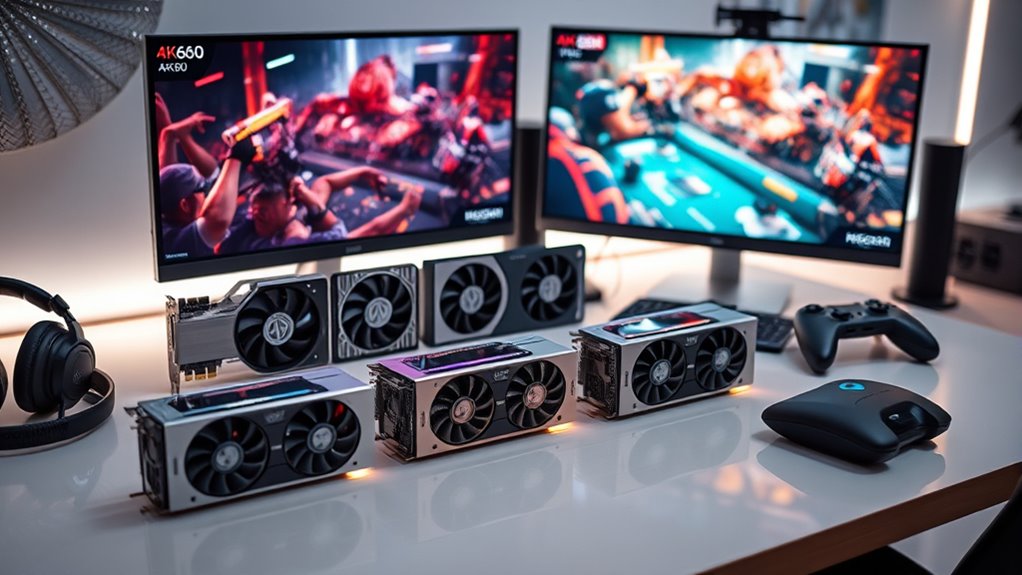

If you’re after the best 4K60 streaming capture cards that deliver smooth gameplay and professional-quality content, I’ve got some top picks for you. These cards support HDR passthrough, low latency, and high frame rates, making them perfect for gaming on consoles like PS5, Xbox, and Switch, as well as PC and Mac setups. Want to see which models stand out and how they can elevate your stream? Keep going to explore the best options in detail.
Key Takeaways
- Support for 4K60 HDR passthrough and capture ensures high-quality, crisp visuals for streaming and recording.
- Compatibility with multiple platforms (PC, Mac, consoles, cameras) enables versatile content creation setups.
- Ultra-low latency and high frame rates (up to 240 FPS) guarantee smooth, responsive gameplay and streaming experiences.
- Plug-and-play design simplifies setup without external power, ideal for both professionals and beginners.
- Advanced features like VRR, HDR, and 8K passthrough future-proof your streaming and gaming infrastructure.
AVerMedia Capture Card for Streaming, 4K60 HDR Passthrough, 1080p60 Video Recording
If you’re looking for a reliable capture card that delivers stunning 4K60 HDR passthrough and smooth 1080p60 recording, the AVerMedia Capture Card is an excellent choice. It supports 4K60 HDR passthrough, letting you enjoy crisp gameplay on consoles like Switch 2, Xbox, or PS5 while recording in high resolution. With ultra-low latency, it offers near-instant response, ensuring seamless gameplay and streaming. The plug-and-play setup requires no drivers, and it works effortlessly with Windows 11, Mac, and popular streaming platforms like Twitch and YouTube. Its versatile format support makes it perfect for streaming, editing, or quick sharing.
Best For: streamers, content creators, and gamers seeking high-quality 4K60 HDR passthrough and smooth 1080p60 recording for professional-level gameplay and live streaming.
Pros:
- Supports 4K60 HDR passthrough for crisp, high-resolution gameplay on consoles like Switch 2, Xbox, and PS5
- Ultra-low latency ensures near-instant response for seamless gaming and streaming experiences
- Plug & Play setup with no drivers needed, compatible with Windows 11, Mac, and popular streaming platforms
Cons:
- Limited to 1080p60 recording for gameplay, which may not satisfy users needing higher resolution recordings
- May require additional hardware or software for advanced editing or multi-platform streaming configurations
- Compatibility with some niche or older devices might be limited, requiring verification before purchase
Elgato 4K S External Capture Card for PS5, Xbox Series X/S, Switch 2, PC, Mac, iPad
The Elgato 4K S External Capture Card stands out as an excellent choice for gamers and streamers who want professional-quality 4K60 recording and smooth gameplay across multiple platforms. It supports 4K60 capture with vivid colors and crisp detail, along with high frame rate options like 1440p120 and 1080p240 for ultra-smooth recording. Compatibility spans PS5, Xbox Series X/S, Switch 2, PC, Mac, and iPad, thanks to its reliable USB-C connection. It offers 4K60 passthrough for seamless gameplay, near-zero latency for real-time streaming, and includes an analog audio input for capturing chat or commentary effortlessly.
Best For: gamers and streamers seeking professional-quality 4K60 recording, smooth high-frame-rate gameplay, and broad device compatibility across multiple platforms.
Pros:
- Supports 4K60 capture with vivid colors and crisp detail for cinematic quality
- High frame rate options like 1440p120 and 1080p240 enable ultra-smooth gameplay and recording
- Cross-platform compatibility with PS5, Xbox Series X/S, Switch 2, PC, Mac, and iPad
Cons:
- Requires a USB-C port, which may not be available on all devices
- Might be more expensive than basic capture cards for casual users
- Limited built-in features; relies on external software for advanced recording/editing
Elgato HD60 X Game Capture Card
Designed for serious streamers and gamers, the Elgato HD60 X delivers stunning 4K30 HDR10 and smooth 1080p60 HDR10 capture quality. It supports 4K60 HDR10, 1440p120, and VRR passthrough, making it versatile for various setups. Its driverless plug-and-play setup on Windows and Mac means you can start streaming or recording immediately without hassle. Compatible with PS5, Xbox Series X/S, Nintendo Switch 2, PC, and Mac, it works seamlessly with OBS, Streamlabs, and more. With ultra-low latency, it ensures real-time gameplay, while unlimited recording and streaming capabilities mean no watermarks or time limits. Perfect for professional content creators.
Best For: Serious gamers and professional streamers seeking high-quality, versatile capture and streaming capabilities with minimal latency.
Pros:
- Supports premium 4K30 HDR10 and 1080p60 HDR10 capture quality for stunning visuals.
- Driverless plug-and-play setup on Windows and Mac for quick installation and immediate use.
- Compatible with a wide range of devices and streaming platforms, offering flexible broadcasting options.
Cons:
- Requires compatible HDMI sources with HDR10 support to utilize full features.
- May be more expensive compared to entry-level capture cards.
- Limited to HDMI input, so users with other connection types might need adapters.
AVerMedia 4K60 Capture Card with HDMI 2.1
Gamers and streamers seeking high-quality, low-latency capture will find the AVerMedia 4K60 Capture Card with HDMI 2.1 to be an excellent choice. It supports 4K60 resolution from consoles like PS5, Xbox Series X/S, Nintendo Switch, and PCs or Macs, compatible with platforms like Twitch, YouTube, OBS, and Streamlabs. Its advanced pass-through features include 4K144 HDR/VRR, ensuring smooth gameplay with minimal latency. The card also offers live party chat support, 5.1 audio capture, and customizable RGB lighting. Its low latency and real-time passthrough make it perfect for immersive streaming and recording, delivering a seamless gaming experience.
Best For: gamers and streamers seeking high-quality, low-latency 4K60 capture and seamless streaming from multiple gaming consoles and PCs with advanced pass-through and party chat support.
Pros:
- Supports 4K60 resolution with 4K144 HDR/VRR pass-through for smooth, high-quality gameplay
- Low latency capture with real-time passthrough ensures synchronized audio and video
- Compatible with popular streaming platforms like Twitch, YouTube, OBS, and Streamlabs, plus customizable RGB lighting
Cons:
- May require a powerful PC or Mac to fully utilize 4K144Hz pass-through and high-quality streaming
- Setup can be complex for beginners unfamiliar with advanced capture configurations
- Additional software or drivers might be needed for optimal compatibility with certain systems
Elgato 4K Pro Internal Capture Card with 8K60 Passthrough
If you’re looking for a high-performance capture card that delivers stunning 4K60 gameplay with future-proof capabilities, the Elgato 4K Pro Internal Capture Card with 8K60 Passthrough is an excellent choice. It supports 8K60 passthrough and 4K60 HDR10, ensuring top-tier visuals. Compatible with PS5 Pro, Xbox Series S, Nintendo Switch 2, PC, and dual PC setups, it offers versatile streaming options. With HDMI 2.1 in/out, it captures high frame rates up to 240fps at 1080p. Features like Variable Refresh Rate passthrough minimize tearing, while ultra-low latency guarantees perfectly synchronized gameplay and streams for a professional-grade experience.
Best For: streamers and gamers seeking high-quality, future-proof capture and streaming capabilities compatible with multiple gaming consoles and PC setups.
Pros:
- Supports 8K60 passthrough and 4K60 HDR10 for stunning visuals.
- Ultra-low latency and VRR passthrough for smooth, tear-free gameplay.
- Compatible with popular streaming platforms and apps, offering versatile broadcasting options.
Cons:
- Requires an internal PCIe slot, which may not be available in all systems.
- Higher price point compared to standard capture cards.
- Advanced features may require setup and configuration expertise.
AVerMedia HDMI 2.1 PCIe Capture Card for 4K60 Streaming
The AVerMedia HDMI 2.1 PCIe Capture Card, model Live Gamer 4K 2.1 (GC575), stands out as one of the top choices for serious streamers seeking high-quality 4K60 recording and streaming. It supports HDMI 2.1 for high-speed data transfer, enabling smooth 4K60 capture with ultra-low latency, perfect for live gaming. Compatibility is broad, working seamlessly with PS5, Xbox Series X/S, Nintendo Switch, and more. Designed for gaming, streaming, and recording, it enhances your setup with high resolutions and rapid refresh rates. As a premier consumer-grade PCIe capture card, it delivers reliable, top-tier performance for modern gamers and content creators.
Best For: serious streamers and gamers looking for high-quality 4K60 recording and ultra-low latency streaming with broad device compatibility.
Pros:
- Supports HDMI 2.1 for fast data transfer and high-resolution capture
- Enables 4K60 recording and streaming with minimal latency
- Compatible with popular gaming consoles like PS5, Xbox Series X/S, and Nintendo Switch
Cons:
- Requires a PCIe slot, which may not be available in all PCs
- Higher cost compared to lower-resolution capture cards
- May need additional setup and drivers for optimal performance
AVerMedia GC573 Live Gamer 4K Internal Capture Card
For streamers and content creators demanding high-quality 4K60 HDR10 gameplay, the AVerMedia GC573 Live Gamer 4K internal capture card stands out as an excellent choice. It’s an internal PCIe card that supports ultra-low latency pass-through, ensuring smooth gameplay with vibrant visuals. Compatible with PS5, Xbox Series X/S, and PCs, it integrates seamlessly with popular streaming platforms like OBS, Streamlabs, Twitch, and YouTube. With support for 240 FPS at 1080p and 120 FPS at 1440p, it’s perfect for competitive gaming. Easy to install without external power or drivers, it delivers professional-grade performance in a compact, lightweight design.
Best For: streamers and content creators seeking high-quality 4K60 HDR10 gameplay with ultra-low latency pass-through for seamless streaming and recording across multiple platforms.
Pros:
- Supports 4K60 HDR10 pass-through and capture for stunning visuals
- Compatible with popular gaming consoles like PS5 and Xbox Series X/S as well as PCs
- Easy plug-and-play installation without external power or drivers
Cons:
- Requires a PCIe Gen 2 x4 slot, which may not be available on all systems
- Higher price point compared to simpler capture devices
- Limited to internal PC use, not suitable for portable or external setups
Capture Card for Nintendo Switch and Streaming Devices
Gamers and streamers seeking seamless gameplay and high-quality broadcasts will find these capture cards ideal, especially since many models support full HD 1080p at 60FPS with HDMI loop-out for uninterrupted gaming sessions. These capture cards are compatible with Nintendo Switch, PS4, Xbox One, and other HDMI devices, ensuring versatile use. They connect via USB 3.0 to Windows or Mac, offering low latency and plug-and-play simplicity without needing drivers or external power. With features like automatic input detection, live streaming support, and optional microphone input, they enhance both gameplay and commentary. Compact and easy to set up, these capture cards are perfect for smooth, high-quality streaming.
Best For: streamers and gamers who want high-quality, plug-and-play capture solutions for their Nintendo Switch, consoles, and HDMI devices with minimal setup.
Pros:
- Supports full HD 1080p at 60FPS for crisp and smooth video quality
- Plug-and-play design with automatic device recognition, no drivers needed
- Features HDMI loop-out and optional microphone input for versatile streaming and commentary
Cons:
- Limited to HDMI input/output, may not support older or non-HDMI devices
- No built-in hardware encoding; relies on the host computer’s processing power
- May have compatibility issues with some streaming software or operating systems depending on device drivers
AVerMedia 4K60 HDMI Capture Card for DSLR, Camcorder & Streaming
If you want to turn your DSLR or camcorder into a high-quality webcam with zero lag, the AVerMedia 4K60 HDMI Capture Card is an excellent choice. It supports 4K60fps capture with true-to-life colors and ultra-low latency, ensuring real-time streaming without delays. Compatibility is broad, working seamlessly with Windows, Mac, PCs, laptops, and even iPads. It’s plug-and-play, so no drivers are needed, making setup quick and simple. Whether you’re streaming on Twitch, recording videos, or participating in webinars, this capture card delivers smooth, high-fidelity audio and video, elevating your content quality effortlessly.
Best For: content creators, streamers, and professionals seeking high-quality, low-latency live streaming and recording with their DSLR, camcorder, or action camera.
Pros:
- Supports 4K60fps capture with true-to-life colors for professional-quality streams and recordings
- Plug-and-play setup with no drivers required, ensuring quick and easy installation
- Compatible with a wide range of devices and platforms including Windows, Mac, iPads, OBS, Streamlabs, Zoom, and Twitch
Cons:
- Only includes a 1-meter USB Type-C to Type-A cable, which may be short for some setups
- No built-in hardware controls or advanced features beyond basic capture and streaming
- Requires HDMI source with clean output; may not work optimally with devices that do not provide a clean HDMI signal
Elgato 4K X Capture Card for Streaming and Recording
The Elgato 4K X Capture Card stands out as an ideal choice for content creators who demand top-tier visual quality and versatility. It supports 4K resolution at up to 144 frames per second, delivering sharp, smooth visuals. HDMI 2.1 support allows recording at high frame rates up to 240fps at 1080p, enhancing streaming quality. It’s compatible with PS5, Xbox Series X|S, Switch 2, PC, Mac, and iPad, and integrates easily with apps like OBS and Twitch Studio. Features like VRR passthrough and ultra-low latency guarantee smooth gameplay and responsive streaming. Its compact design makes it perfect for professional setups on any platform.
Best For: content creators and streamers seeking high-quality 4K recording and versatile device compatibility for professional-level broadcasting.
Pros:
- Supports 4K resolution at up to 144fps for sharp, smooth visuals
- HDMI 2.1 support enables high frame rate recording up to 240fps at 1080p
- Compatible with a wide range of devices including PS5, Xbox Series X|S, Switch 2, PC, Mac, and iPad
Cons:
- May require high-bandwidth connections for optimal performance
- Could be more expensive compared to lower-resolution capture cards
- Setup might be complex for users unfamiliar with advanced streaming hardware
NearStream 4K HDMI Capture Card for Streaming and Recording
The NearStream 4K HDMI Capture Card stands out for its effortless setup and broad compatibility, making it an excellent choice for streamers and content creators seeking high-quality, low-latency video. It supports HDMI input/output up to 4K@60fps and is backward compatible, ensuring versatility across various devices like PS4, PS5, Switch, DSLR, cameras, PCs, and Macs. Its plug-and-play design means no driver installation is needed, and the built-in 3.5mm audio interface allows seamless voice recording. With support for popular streaming platforms and included accessories, it offers a straightforward, reliable solution for delivering professional-grade streams and recordings.
Best For: content creators and streamers seeking an easy-to-use, high-quality HDMI capture solution compatible with multiple devices and streaming platforms.
Pros:
- Supports 4K@60fps HDMI input/output with backward compatibility for versatile use
- Plug-and-play design requires no driver installation, simplifying setup
- Built-in 3.5mm audio interface for seamless microphone or headset connection
Cons:
- May require additional accessories for advanced audio or video configurations
- Limited to HDMI input/output; does not support other video interfaces
- Performance might vary depending on the system’s processing capabilities and USB port quality
AVerMedia HDMI Capture Card for Streaming and Gaming
Gamers and streamers seeking high-quality, reliable capture solutions will find the AVerMedia HDMI Capture Card for Streaming and Gaming to be an excellent choice, especially thanks to its support for HDMI 2.0 input sources with 4K60 pass-through. It offers 4K30 capture and 1080p120FPS high frame rates, ensuring smooth, detailed footage. The card supports VRR for tear-free gaming and maintains high image fidelity during gameplay. Its PCIe interface is compatible with various slots, and it’s a plug-and-play device, so setup is quick and straightforward. With ultra-low latency and broad hardware support, this card is designed to elevate your streaming and gaming experience seamlessly.
Best For: gamers and streamers seeking a high-quality, reliable capture card compatible with a wide range of gaming consoles and PC setups for immersive, smooth streaming and gameplay.
Pros:
- Supports HDMI 2.0 with 4K60 pass-through and 4K30 capture for versatile streaming options
- Ultra-low latency and plug-and-play design for seamless, real-time gameplay and streaming experiences
- Compatible with various PCIe slots and major gaming consoles including PS5, Xbox Series X/S, and Switch
Cons:
- Requires a PCIe slot, which may not be available on all computers
- No dedicated software provided, relying on third-party streaming tools
- Limited to HDMI input sources; cannot capture other video interfaces
Elgato Game Capture Neo – USB 4K60 HDR Capture Card
If you’re looking for a portable, high-quality capture card that delivers stunning 4K60 HDR passthrough without sacrificing performance, the Elgato Game Capture Neo is an excellent choice. Its compact size, no larger than a smartphone, makes it easy to set up and connect to consoles, computers, or iPads. It supports gameplay from PlayStation, Xbox, and Nintendo Switch, while capturing or streaming in Full HD at 1080p60 with ultra-low latency. With compatibility across various software like OBS, QuickTime, and Zoom, it offers flexibility for gaming and content creation. Plus, its sustainable design and absence of watermarks or subscriptions make it a reliable, eco-friendly option.
Best For: gamers and content creators seeking a portable, high-quality capture solution with 4K60 HDR passthrough and versatile compatibility.
Pros:
- Compact and lightweight design for easy portability and setup
- Supports 4K60 HDR passthrough with full HD 1080p60 capture for high-quality streaming and recording
- Compatible with multiple platforms and software including OBS, QuickTime, Discord, and Zoom
Cons:
- May require additional adapters or cables for certain devices
- Limited to Full HD recording and streaming, not 4K capture directly
- No onboard recording storage or advanced editing features
AVerMedia HDMI Capture Card 2.1 for Streaming and Gaming
For streamers and gamers seeking a reliable, high-quality capture solution, the AVerMedia HDMI Capture Card 2.1 stands out with its support for 4K60 resolution and low-latency pass-through. It offers seamless 4K144 HDR/VRR passthrough, ensuring smooth gameplay and sharp streaming. Compatible with PS5, Xbox Series X/S, Nintendo Switch 2, and computers running Windows or macOS, it’s easy to set up via USB 3.2 Gen 2 Type-C without extra drivers. Its plug-and-play design, combined with features like 5.1 audio capture and customizable RGB lighting, makes it a versatile choice for both gaming and content creation.
Best For: streamers and gamers who need a reliable, high-quality capture card supporting 4K60 gameplay and seamless streaming.
Pros:
- Supports 4K60 resolution with HDR/VRR pass-through for smooth, high-quality gameplay and streaming.
- Plug-and-play setup via USB 3.2 Gen 2 Type-C with no additional drivers needed.
- Compatible with multiple platforms including Windows, macOS, and popular gaming consoles like PS5, Xbox Series X/S, and Nintendo Switch 2.
Cons:
- Price and availability may vary depending on the retailer; may be higher than basic capture cards.
- Limited detailed customization options beyond RGB lighting and basic settings.
- Customer ratings are good but not perfect, indicating some users may experience compatibility or performance issues.
AVerMedia 4K HDMI Capture Card for Streaming and Recording
The AVerMedia 4K HDMI Capture Card stands out for its ability to deliver seamless 4K capture and streaming, making it an ideal choice for content creators who demand high-quality visuals. It supports 4K gameplay from devices like PS5, Xbox, Nintendo Switch, and PC, with options for 1080p or 4K streams. Designed for low latency, it ensures real-time performance with synchronized audio and video. Its plug-and-play setup works flawlessly with Windows, Mac, and iPadOS, without extra drivers. Featuring 4K60 HDR/VRR pass-through and ultra-wide resolution support, it guarantees smooth gameplay and stunning visuals, perfect for streaming and recording professional content.
Best For: content creators and gamers seeking high-quality 4K streaming and recording with minimal latency across multiple devices and platforms.
Pros:
- Supports seamless 4K capture and streaming from various gaming consoles and PCs
- Low latency design ensures real-time gameplay with synchronized audio and video
- Plug-and-play setup compatible with Windows, Mac, and iPadOS without additional drivers
Cons:
- May require high-end hardware for optimal 4K performance
- Limited to HDMI input sources, not suitable for other connection types
- Advanced features like HDR/VRR pass-through may need compatible devices for full benefit
Factors to Consider When Choosing 4K60 Streaming Capture Cards

When choosing a 4K60 streaming capture card, I consider factors like compatibility with my setup, the resolution and frame rate it supports, and how smoothly it performs with minimal latency. Ease of installation and useful extra features also matter to me for a hassle-free experience. Understanding these points helps me pick a card that matches my streaming needs perfectly.
Compatibility and Connectivity
Choosing the right 4K60 streaming capture card hinges on guaranteeing it connects seamlessly with your existing hardware and software setup. First, check that it supports the necessary input and output connections, like HDMI 2.1 or USB 3.0, compatible with your console or PC. Verify that the device works smoothly with your operating system—whether Windows, macOS, or iPadOS—to avoid setup issues. It’s also essential to confirm compatibility with your preferred streaming or recording software, such as OBS or Streamlabs, for easy integration. Additionally, look for passthrough features supporting 4K60 HDR or VRR, which ensure smooth visuals during gameplay. Finally, assess the connection type—PCIe, USB-C, or external USB—to match your hardware and guarantee reliable, low-latency data transfer.
Resolution and Frame Rate
To guarantee your streams look crisp and smooth, it’s vital that your capture card supports at least 4K resolution at 60 frames per second (4K60). This ensures your content is sharp and detailed, providing a professional quality experience for viewers. Additionally, if you’re into competitive gaming, look for support for high frame rates like 144Hz or even 240Hz, which help capture fast-paced gameplay seamlessly. HDR10 support is another key feature, as it preserves high dynamic range visuals, making your streams more vibrant. Compatibility with your gaming console or PC is essential to handle the desired resolution and frame rate without issues. Finally, check if the device supports passthrough at 4K60 or higher, so you can game in high resolution while streaming without compromise.
Latency and Performance
Low latency is essential for a smooth streaming experience, especially during fast-paced gameplay. When latency exceeds 100ms, delays can throw off timing and responsiveness, impacting both gameplay and viewer experience. A good capture card minimizes lag through hardware acceleration and efficient data transfer protocols, guaranteeing real-time video and audio feed. Compatibility with HDMI 2.1 and USB 3.2 interfaces allows for high-speed data transfer, reducing delays further. High frame rates, like 4K144Hz or 1080p240, also help improve responsiveness by lowering input lag. Optimized internal processing and pass-through technology keep audio and video in sync, even during intense gaming moments. Prioritizing these factors ensures your stream remains seamless, responsive, and professional-looking, making your content more engaging and enjoyable for viewers.
Ease of Setup
A straightforward setup process can make or break your streaming experience, especially if you’re new to capture cards. A good 4K60 device should be plug-and-play, needing no extra drivers or software. Connecting via standard interfaces like USB-C, USB 3.0, PCIe, or HDMI should be simple, with clear instructions included. An intuitive setup often includes companion software or streaming tools that make configuration quick and easy. Compatibility with common operating systems such as Windows, Mac, or iOS ensures you won’t face complex troubleshooting. Features like auto-detection of input signals and minimal configuration steps help create a hassle-free experience. Overall, a capture card with a simple setup process saves time and frustration, letting you focus on what matters—streaming and creating content seamlessly.
Additional Features
When choosing a 4K60 streaming capture card, considering its additional features can substantially enhance your overall experience. HDR support, for instance, improves color accuracy and visual quality, making streams look more vibrant. VRR passthrough ensures smooth gameplay by reducing lag and screen tearing during fast-paced scenes. Customizable RGB lighting adds a personal touch to your setup. Built-in audio inputs like 3.5mm jacks allow for easy integration of microphones or external commentary, broadening your content options. Multi-platform compatibility lets you stream across various services simultaneously, saving time. HDMI loop-out and high refresh rate passthrough enable seamless gameplay without input lag or interruptions. Some advanced models also offer hardware acceleration and support for multiple resolutions, optimizing performance for different streaming scenarios.
Frequently Asked Questions
How Do Capture Cards Handle Different Gaming Console Outputs?
Capture cards handle different gaming console outputs by connecting directly to the console’s HDMI port, then converting the signal into a format compatible with my PC or streaming setup. They support various resolutions and refresh rates, ensuring smooth gameplay and high-quality streams. I just make sure to choose a capture card that’s compatible with my console’s output and supports 4K60, so I get crisp visuals and seamless performance every time I game or stream.
What Is the Latency Impact of 4K60 Capture Cards on Gameplay?
Latency can be a real concern, but with modern 4K60 capture cards, it’s minimal enough that it doesn’t affect gameplay. I’ve noticed only slight delays, mainly during fast-paced action, but it’s barely noticeable. These cards are designed for low latency, so you can stream or record without feeling disconnected from your game. Overall, I’d say they offer a seamless experience, blending high-quality capture with almost no gameplay impact.
Are There Compatibility Issues With Specific Streaming Software?
Yes, some capture cards can have compatibility issues with certain streaming software. I’ve noticed that some models work best with specific platforms like OBS or Streamlabs, while others might require additional drivers or updates. To avoid problems, I always verify the manufacturer’s compatibility list and keep my software and firmware up to date. This way, I can ensure smooth streaming without hiccups or delays.
How Do Capture Cards Affect System Performance During Recording?
Capture cards can impact system performance during recording, especially if your setup isn’t powerful enough. They use CPU and GPU resources to process high-quality video, which may cause lag or frame drops if your system is struggling. I recommend choosing a capture card that’s optimized for your hardware and ensuring your PC has ample processing power, RAM, and a fast drive to handle the extra load smoothly.
What Are the Maintenance and Durability Considerations for High-End Capture Cards?
High-end capture cards require regular cleaning to prevent dust buildup that can cause overheating. I recommend keeping the ports and vents clear and avoiding static. Durability-wise, I choose models with solid build quality and good warranties. I also handle them gently, avoid unplugging suddenly, and keep firmware updated. Proper maintenance guarantees they run smoothly and last longer, saving you money and tech headaches in the long run.
Conclusion
Choosing the right 4K60 capture card is like finding the perfect brush for a masterpiece — it elevates your streaming and gaming to new heights. With so many great options, you can craft smooth, stunning content that dazzles your audience. Just remember, the best capture card is the one that fits your needs and sparks your creativity. Immerse yourself, experiment, and watch your gaming world come alive like a vivid painting.