If you’re looking for the best monitors for color grading in 2026, I recommend options like the ASUS ProArt 27” 5K HDR, LG’s 32-inch 6K Nano IPS, and ViewSonic’s 4K IPS models with professional calibration and high color accuracy. These displays offer wide color gamuts, factory calibration, HDR support, and flexible connectivity, ensuring precise and consistent results. Keep exploring, and you’ll find the perfect screen tailored to your professional needs.
Key Takeaways
- Monitors with high resolutions (4K, 5K, 6K) and wide aspect ratios provide sharp detail crucial for color grading precision.
- Devices supporting extensive color gamuts (Adobe RGB, DCI-P3, Rec. 709) and factory calibration ensure consistent, accurate colors.
- Professional certifications like Calman Verified and Pantone validation guarantee minimal color deviations (Delta E < 2).
- Connectivity options such as USB-C, Thunderbolt, and daisy chaining facilitate flexible, streamlined workflows.
- Features like HDR support, high brightness (600+ cd/m²), and ergonomic design improve tonal range and user comfort during long sessions.
| ASUS ProArt 27” 5K HDR Professional Monitor | 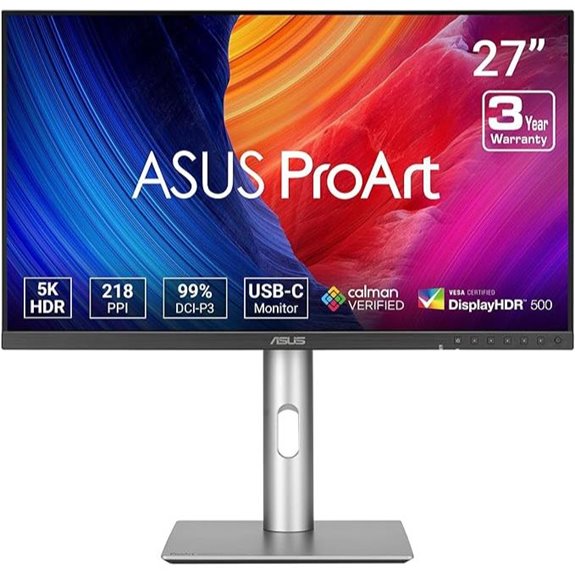 | Best Color Accuracy | Screen Size: 27 inches | Resolution: 5K (5120 x 2880) | Color Gamut Coverage: 99% DCI-P3, 100% sRGB | VIEW LATEST PRICE | See Our Full Breakdown |
| LG 32U990A-S 32-Inch 6K Nano IPS Monitor | 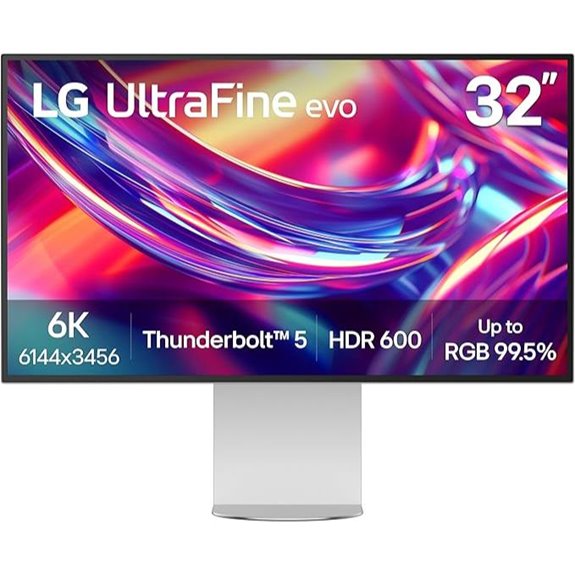 | Highest Resolution | Screen Size: 32 inches | Resolution: 6K (6144 x 3456) | Color Gamut Coverage: 99.5% Adobe RGB, 98% DCI-P3 | VIEW LATEST PRICE | See Our Full Breakdown |
| ViewSonic 27″ 4K IPS Monitor with Color Calibration |  | Best Calibration Features | Screen Size: 27 inches | Resolution: 4K UHD (3840 x 2160) | Color Gamut Coverage: 100% Adobe RGB, 98% DCI-P3 | VIEW LATEST PRICE | See Our Full Breakdown |
| ASUS ProArt 34” Ultrawide HDR Curved Monitor | 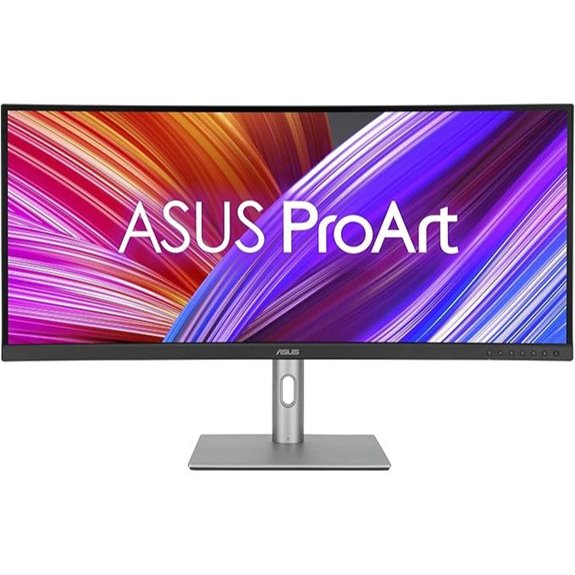 | Best Ultrawide Experience | Screen Size: 34.1 inches | Resolution: 3440 x 1440 (Ultrawide QHD) | Color Gamut Coverage: 100% sRGB, Rec. 709 | VIEW LATEST PRICE | See Our Full Breakdown |
| ASUS ProArt 32″ 4K UHD IPS Monitor | 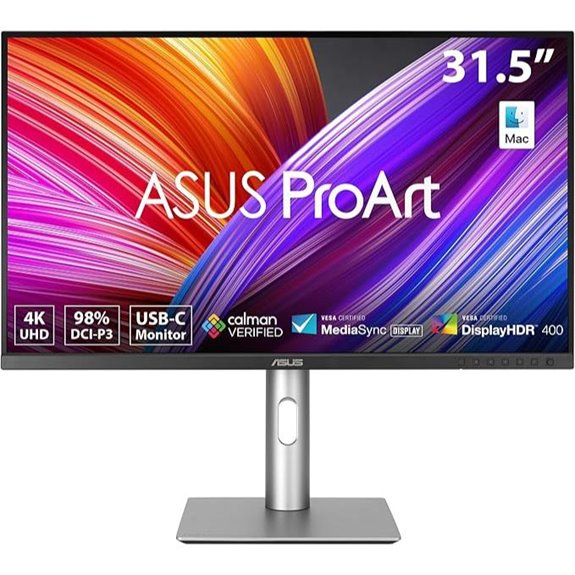 | Best Connectivity | Screen Size: 31.5 inches | Resolution: 4K UHD (3840 x 2160) | Color Gamut Coverage: 98% DCI-P3, 100% sRGB | VIEW LATEST PRICE | See Our Full Breakdown |
| ASUS ProArt 32” 4K HDR Monitor with USB-C | 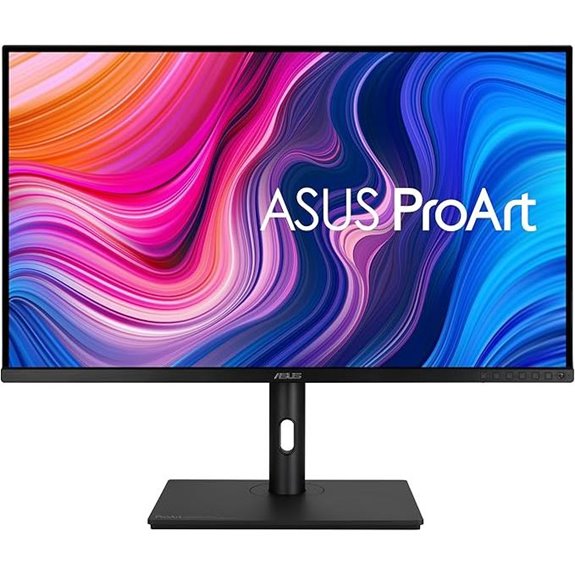 | Best Versatile Ports | Screen Size: 32 inches | Resolution: 4K UHD (3840 x 2160) | Color Gamut Coverage: 100% sRGB, Rec. 709 | VIEW LATEST PRICE | See Our Full Breakdown |
| ASUS ProArt 14″ Portable Touchscreen Monitor |  | Best Portability | Screen Size: 14 inches | Resolution: Full HD (1920 x 1080) | Color Gamut Coverage: 100% sRGB, Rec. 709 | VIEW LATEST PRICE | See Our Full Breakdown |
| BenQ 27″ 4K UHD Thunderbolt 3 Monitor with Calibration | 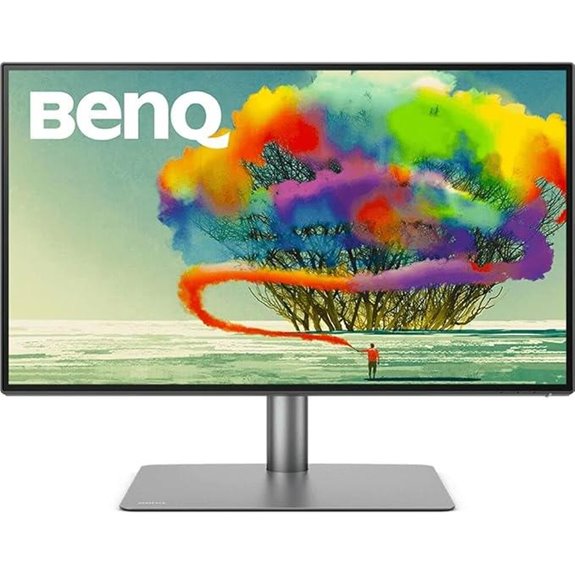 | Best Mac Compatibility | Screen Size: 27 inches | Resolution: 4K UHD (3840 x 2160) | Color Gamut Coverage: 95% P3, 100% sRGB | VIEW LATEST PRICE | See Our Full Breakdown |
| BenQ PD2705UA 27″ 4K UHD Monitor with USB-C |  | Best Ergonomics | Screen Size: 27 inches | Resolution: 4K UHD (3840 x 2160) | Color Gamut Coverage: 100% sRGB, Rec. 709 | VIEW LATEST PRICE | See Our Full Breakdown |
| ASUS ProArt 27” WQHD Monitor Calman Verified | 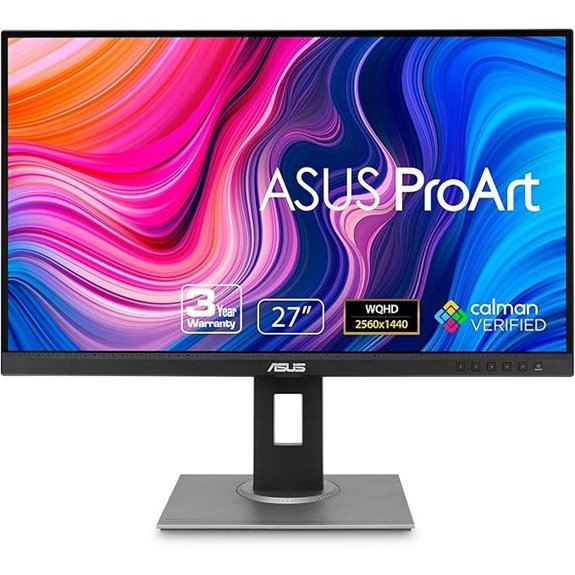 | Best Budget Choice | Screen Size: 27 inches | Resolution: WQHD (2560 x 1440) | Color Gamut Coverage: 100% sRGB, Rec. 709 | VIEW LATEST PRICE | See Our Full Breakdown |
| ASUS ProArt 27” 4K HDR Monitor with USB-C |  | Best Professional Display | Screen Size: 27 inches | Resolution: 4K UHD (3840 x 2160) | Color Gamut Coverage: 99% Rec. 709, sRGB | VIEW LATEST PRICE | See Our Full Breakdown |
| ViewSonic 24-Inch Dual IPS Monitor with USB-C | 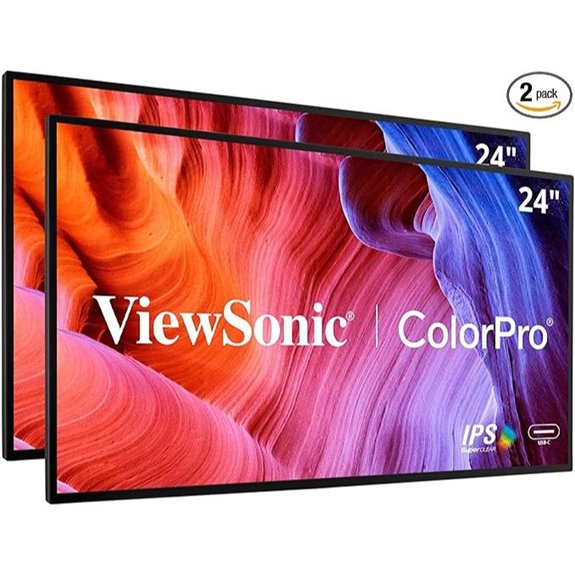 | Best Multi-Monitor Setup | Screen Size: 24 inches | Resolution: Full HD (1920 x 1080) | Color Gamut Coverage: 100% sRGB, Rec. 709 | VIEW LATEST PRICE | See Our Full Breakdown |
More Details on Our Top Picks
-
B0FR547FXH
Amazon Product B0FR547FXH
As an affiliate, we earn on qualifying purchases.
ASUS ProArt 27” 5K HDR Professional Monitor
If you’re a professional content creator or colorist demanding top-tier image quality, the ASUS ProArt 27” 5K HDR Professional Monitor is an excellent choice. Its 27-inch 5K resolution provides stunning detail, perfect for precise editing. The IPS panel offers 178° wide viewing angles, ensuring consistent color from any position. With HDR support and a wide color gamut—covering 99% DCI-P3 and 100% sRGB—it delivers vibrant, accurate imagery. Factory pre-calibrated with Calman verification and a Delta E < 2, you can trust its color precision. Plus, features like ambient light sensors and USB-C with Power Delivery make it a reliable, professional-grade tool for demanding workflows.
- Screen Size:27 inches
- Resolution:5K (5120 x 2880)
- Color Gamut Coverage:99% DCI-P3, 100% sRGB
- Calibration & Color Accuracy:Delta E < 2, Calman Verified
- Connectivity Options:USB-C with Power Delivery
- Special Features:HDR, Factory Calibration
- Additional Feature:Factory pre-calibrated with Calman
- Additional Feature:LuxPixel image enhancement technology
- Additional Feature:3-year warranty coverage
-

ViewSonic VP2786-4K 27 Inch Premium IPS 4K USB C Monitor with Integrated Color Wheel, 100% Adobe RGB, 98% DCI-P3, Pantone Validated, 90W Charging, HDMI, DisplayPort for Professional Home and Office
PREMIUM MONITOR: 27 Inch 4K UHD (3840x2160p) IPS monitor with thin bezels, HDR10 and 60Hz refresh rate
As an affiliate, we earn on qualifying purchases.
LG 32U990A-S 32-Inch 6K Nano IPS Monitor
The LG 32U990A-S 32-Inch 6K Nano IPS Monitor stands out as an ideal choice for creative professionals demanding top-tier color accuracy and stunning resolution. Its 6K resolution (6144×3456) and 224 PPI ensure crisp, detailed visuals, perfect for color grading and editing. Nano IPS Black technology delivers deeper blacks and richer shadows, while supports for 99.5% Adobe RGB, 98% DCI-P3, and Real 10-bit color guarantee professional-grade color fidelity. Thunderbolt 5 offers lightning-fast data transfer, daisy chaining, and versatile connectivity. With a sleek design, ergonomic adjustments, and HDR 600 support, this monitor combines performance and style for demanding creative workflows.
- Screen Size:32 inches
- Resolution:6K (6144 x 3456)
- Color Gamut Coverage:99.5% Adobe RGB, 98% DCI-P3
- Calibration & Color Accuracy:Delta E < 2, Calman Verified
- Connectivity Options:Thunderbolt 5, USB-C, HDMI, DisplayPort
- Special Features:Thunderbolt 5, 6K Daisy Chaining
- Additional Feature:Thunderbolt 5 connectivity
- Additional Feature:60Hz refresh rate
- Additional Feature:Built-in speakers included
-
B0CC85MCC6
Amazon Product B0CC85MCC6
As an affiliate, we earn on qualifying purchases.
ViewSonic 27″ 4K IPS Monitor with Color Calibration
For creative professionals seeking top-tier color accuracy, the ViewSonic 27″ 4K IPS Monitor with Color Calibration stands out as an excellent choice. Its 27-inch 4K UHD display offers stunning detail and wide color gamuts like 100% Adobe RGB and 98% DCI-P3, ensuring precise color representation. The monitor is Pantone Validated, certified to reproduce Pantone Matching System colors, and features Delta E<2 for minimal color deviation. The integrated ColorPro Wheel allows fine-tuned calibration, while HDR10 support enhances visual fidelity. With versatile connectivity options, including USB-C with 90W charging, it seamlessly integrates into professional workflows for photography, design, and video editing.
- Screen Size:27 inches
- Resolution:4K UHD (3840 x 2160)
- Color Gamut Coverage:100% Adobe RGB, 98% DCI-P3
- Calibration & Color Accuracy:Delta E < 2, Pantone Validated
- Connectivity Options:USB-C, HDMI, DisplayPort
- Special Features:Detachable Hood, Pantone Validated
- Additional Feature:Magnetic glare-reducing hood
- Additional Feature:Pantone Validated certification
- Additional Feature:Integrated ColorPro Wheel
ASUS ProArt 34” Ultrawide HDR Curved Monitor
Professional color graders who need a wide, immersive workspace will find the ASUS ProArt 34” Ultrawide HDR Curved Monitor to be an exceptional choice. Its 34.1-inch curved display with a 21:9 aspect ratio and 3440×1440 resolution delivers stunning detail and expansive viewing. With IPS technology, it offers wide angles and consistent color. Factory pre-calibrated and Calman Verified, it guarantees color accuracy with Delta E <2, perfect for critical work. The monitor’s extensive connectivity includes USB-C with 96W Power Delivery, HDMI, and a USB hub, making it versatile for professional setups. Its ergonomic adjustments and included Adobe subscription add further value for creative workflows.
- Screen Size:34.1 inches
- Resolution:3440 x 1440 (Ultrawide QHD)
- Color Gamut Coverage:100% sRGB, Rec. 709
- Calibration & Color Accuracy:Delta E < 2, Calman Verified
- Connectivity Options:USB-C with Power Delivery, HDMI, USB hub
- Special Features:Curved, Built-in Graphics
- Additional Feature:Ultra-wide 21:9 aspect ratio
- Additional Feature:3-month Adobe CC access
- Additional Feature:Curved 3800R display
ASUS ProArt 32″ 4K UHD IPS Monitor
Looking for a monitor that delivers exceptional color accuracy and stunning 4K detail? The ASUS ProArt 32″ 4K UHD IPS Monitor is perfect for professional color grading. Its 31.5-inch 4K HDR display covers 98% DCI-P3 and is Calman Verified, ensuring Delta E < 2 accuracy right out of the box. The wide 178° viewing angles and factory calibration make it ideal for critical work. Plus, its versatile connectivity—including USB-C with 96W Power Delivery, HDMI, DisplayPort, and USB hub—streamlines your workflow. Whether editing videos or fine-tuning images, this monitor offers precision, reliability, and vibrant visuals for demanding professional tasks.
- Screen Size:31.5 inches
- Resolution:4K UHD (3840 x 2160)
- Color Gamut Coverage:98% DCI-P3, 100% sRGB
- Calibration & Color Accuracy:Delta E < 2, Calman Verified
- Connectivity Options:USB-C with Power Delivery, DisplayPort, HDMI
- Special Features:HDR400, Factory Calibration
- Additional Feature:Extensive connectivity options
- Additional Feature:Factory calibrated Delta E<2
- Additional Feature:Supports VESA mounting
ASUS ProArt 32” 4K HDR Monitor with USB-C
The ASUS ProArt 32” 4K HDR Monitor with USB-C stands out as an ideal choice for creative professionals who demand top-tier color accuracy and versatile connectivity. Its 32-inch 4K UHD IPS panel offers wide 178° viewing angles and a brightness of 400 cd/㎡, ensuring vibrant, consistent images. It covers 100% sRGB and Rec. 709, with factory calibration and Delta E < 2 for precise colors. The USB-C port provides power delivery and easy connectivity, complemented by DisplayPort, HDMI, and a built-in USB hub. Designed for professional use, it combines high-quality display standards with flexible adjustment options, making it a reliable tool for color grading workflows.
- Screen Size:32 inches
- Resolution:4K UHD (3840 x 2160)
- Color Gamut Coverage:100% sRGB, Rec. 709
- Calibration & Color Accuracy:Delta E < 2, Calman Verified
- Connectivity Options:USB-C with Power Delivery, HDMI, DisplayPort
- Special Features:VESA Mount, Color Calibration
- Additional Feature:Brightness 400 cd/m²
- Additional Feature:Adjustable stand features
- Additional Feature:Ergonomic design
ASUS ProArt 14″ Portable Touchscreen Monitor
If you need a portable monitor that combines exceptional color accuracy with versatile connectivity, the ASUS ProArt 14″ Portable Touchscreen Monitor stands out as a top choice. It offers Full HD resolution with an IPS anti-glare panel, supporting 100% sRGB and Rec. 709 color gamuts, plus factory pre-calibrated color precision (Delta E < 2). Its 10-point multitouch and 178° wide viewing angles make it perfect for creative workflows on the go. With multiple I/O ports, including USB-C and Micro HDMI, and a lightweight, compact design, it’s ideal for creators who need reliable, high-quality visuals anywhere. Plus, technologies like Flicker-free and Low Blue Light ensure comfortable viewing.
- Screen Size:14 inches
- Resolution:Full HD (1920 x 1080)
- Color Gamut Coverage:100% sRGB, Rec. 709
- Calibration & Color Accuracy:Delta E < 2, Factory Calibrated
- Connectivity Options:USB-C, Micro HDMI, USB 3.0
- Special Features:Portable Touchscreen, Anti-Glare
- Additional Feature:10-point multitouch support
- Additional Feature:Compact portable design
- Additional Feature:TÜV Rheinland Flicker-free
BenQ 27″ 4K UHD Thunderbolt 3 Monitor with Calibration
For professional designers and Mac users seeking precise color accuracy, the BenQ 27″ 4K UHD Thunderbolt 3 Monitor with Calibration stands out as a top choice. It offers a sharp 3840×2160 resolution on an IPS panel, ensuring wide viewing angles and detailed visuals. With 95% P3 and 100% sRGB coverage, Delta E ≤ 3, Pantone validation, and Calman verification, color precision is guaranteed. The built-in M-Book mode guarantees Mac compatibility, while Thunderbolt 3 provides fast data transfer, power delivery, and daisy chaining. Four USB 3.0 ports add convenience. This monitor combines superb color fidelity with seamless connectivity, making it ideal for professional workflows.
- Screen Size:27 inches
- Resolution:4K UHD (3840 x 2160)
- Color Gamut Coverage:95% P3, 100% sRGB
- Calibration & Color Accuracy:Delta E ≤ 3, Calman Validated
- Connectivity Options:Thunderbolt 3, USB-C, HDMI, DisplayPort
- Special Features:Hardware Calibration, M-Book Mode
- Additional Feature:Mac-specific M-Book mode
- Additional Feature:4K daisy chaining
- Additional Feature:Calibrated with Delta E ≤3
BenQ PD2705UA 27″ 4K UHD Monitor with USB-C
Creative professionals seeking top-tier color accuracy will find the BenQ PD2705UA 27″ 4K UHD monitor an excellent choice. It features a 27-inch IPS panel with 3840×2160 resolution, DeltaE ≤3, and 99% sRGB and Rec. 709 coverage, ensuring precise color reproduction. The monitor includes a HotKey Puck for quick adjustments and ICC Sync for rapid calibration via BenQ Display Pilot. Connectivity options like USB-C with 65W power delivery, DisplayPort, and four USB 3.0 ports make it versatile. Its ergonomic ERGO ARM supports full adjustability, and the built-in KVM switch boosts efficiency. Ideal for creative work, it combines accuracy, convenience, and seamless integration.
- Screen Size:27 inches
- Resolution:4K UHD (3840 x 2160)
- Color Gamut Coverage:100% sRGB, Rec. 709
- Calibration & Color Accuracy:Delta E ≤ 3, ICC Calibration
- Connectivity Options:USB-C with Power Delivery, HDMI, DisplayPort
- Special Features:KVM Switch, ICC Sync
- Additional Feature:KVM switch included
- Additional Feature:USB-C with 90W Power
- Additional Feature:Integrated cable management
ASUS ProArt 27” WQHD Monitor Calman Verified
The ASUS ProArt 27” WQHD Monitor, Calman Verified stands out as an excellent choice for professionals demanding precise color accuracy. Its 27-inch IPS panel delivers sharp visuals at 2560×1440 resolution, covering 100% sRGB and Rec. 709 color gamuts. Factory calibrated and Calman Verified, it guarantees Delta E < 2 for true-to-life colors straight out of the box. The monitor offers extensive connectivity options, including HDMI, DisplayPort, Mini DisplayPort, and USB 3.0 ports, along with ergonomic adjustments for comfort. Its anti-glare screen minimizes eye fatigue during long editing sessions, making it a reliable, professional-grade tool for color grading.
- Screen Size:27 inches
- Resolution:WQHD (2560 x 1440)
- Color Gamut Coverage:100% sRGB, Rec. 709
- Calibration & Color Accuracy:Delta E < 2, Factory Calibrated
- Connectivity Options:USB-C with Power Delivery, HDMI, DisplayPort
- Special Features:Wide Color Gamut, Factory Calibration
- Additional Feature:Wide ergonomic adjustments
- Additional Feature:Anti-glare coating
- Additional Feature:Supports multiple color profiles
ASUS ProArt 27” 4K HDR Monitor with USB-C
If you’re seeking a reliable monitor for color grading, the ASUS ProArt 27” 4K HDR Monitor with USB-C stands out with its factory-calibrated IPS panel that delivers 100% sRGB and Rec. 709 color gamuts. It offers stunning 4K resolution (3840 x 2160) and extensive connectivity options, including USB-C with 65W Power Delivery, HDMI, DisplayPort, and USB 3.1. With Calman verification and a Delta E below 2, it guarantees highly accurate color reproduction. Its sleek black design weighs 19 pounds and measures around 20.6 x 24.2 inches, making it a solid choice for professional color grading workflows.
- Screen Size:27 inches
- Resolution:4K UHD (3840 x 2160)
- Color Gamut Coverage:99% Rec. 709, sRGB
- Calibration & Color Accuracy:Delta E ≤ 3, Calman Verified
- Connectivity Options:USB-C with Power Delivery, HDMI, DisplayPort
- Special Features:USB-C Power, KVM, Factory Calibrated
- Additional Feature:3-month Adobe CC
- Additional Feature:Multiple input options
- Additional Feature:Factory calibration
ViewSonic 24-Inch Dual IPS Monitor with USB-C
For professionals seeking precise color accuracy, the ViewSonic 24-Inch Dual IPS Monitor with USB-C stands out as an ideal choice. Its 24-inch Full HD IPS display delivers stunning, uniform colors thanks to 100% sRGB, REC 709, and other color spaces, with Delta E<2 for accuracy. Factory calibrated with a 14-bit 3D LUT, it produces over 4.39 trillion colors, ensuring vibrant, consistent visuals. The monitor features ergonomic adjustments for comfort, eye care technology to reduce fatigue, and versatile connectivity including USB-C that powers your device. Its sleek, frameless design supports dual setups and VESA mounting, making it perfect for professional color grading workflows.
- Screen Size:24 inches
- Resolution:Full HD (1920 x 1080)
- Color Gamut Coverage:100% sRGB, Rec. 709
- Calibration & Color Accuracy:Delta E < 2, Factory Calibration
- Connectivity Options:USB-C, HDMI, DisplayPort, USB
- Special Features:Dual Monitors, Factory Calibration
- Additional Feature:Dual monitor setup
- Additional Feature:Ultra-thin bezels
- Additional Feature:Environmentally friendly packaging
Factors to Consider When Choosing Monitors for Color Grading

When choosing a monitor for color grading, I look at several key factors to guarantee accurate results. Things like color gamut coverage, brightness, contrast, calibration capabilities, connectivity options, and screen size all play a role in my decision. Understanding these points helps me pick a monitor that meets my professional needs and delivers consistent, high-quality visuals.
Color Gamut Coverage
A monitor’s color gamut coverage is a crucial factor in selecting the right display for color grading, as it determines the range of colors the screen can reproduce. A wider gamut, like 99% Adobe RGB or DCI-P3, allows for more vibrant and accurate color representation, essential for high-fidelity work. Monitors supporting 100% sRGB and Rec. 709 ensure consistency with standard digital and HD video color spaces, which is indispensable for video editors. Coverage of professional color gamuts indicates a monitor’s ability to reproduce true-to-life colors, making precise adjustments more reliable. Higher color gamut coverage percentages serve as a key indicator of suitability for color-critical tasks, offering a more all-encompassing and accurate color palette to work with across different media and devices.
Brightness and Contrast
Brightness and contrast levels are essential factors that directly impact the accuracy and clarity of your color grading work. Higher brightness, such as 600 cd/m² or more, enhances visibility and reveals finer details, especially when working with HDR content. A high contrast ratio, like 1000:1 or greater, improves the differentiation between shadows and highlights, ensuring more precise tonal representation. Monitors with HDR support and standards like DisplayHDR 600 provide a broader dynamic range, critical for accurate color grading. Adjustable contrast controls let me fine-tune the display based on project needs and ambient light. Consistent brightness and contrast across the screen, achieved through factory calibration and uniformity features, guarantee reliable color accuracy throughout the grading process.
Calibration Capabilities
Calibration capabilities are essential for ensuring that your monitor displays accurate and consistent colors throughout your workflow. A monitor with strong calibration features helps maintain color fidelity, reducing discrepancies during grading. Factory calibration and certifications like Calman Verified or Pantone validation indicate that a monitor can reliably produce precise colors. Built-in calibration tools or ICC sync enable quick, accurate adjustments without external devices. Monitors with Delta E values below 2 are ideal, as they deliver high color accuracy with minimal deviation. Supporting professional color gamuts like Adobe RGB, DCI-P3, or Rec. 709 further refines calibration for specific creative needs. Overall, choosing a monitor with robust calibration capabilities guarantees your work remains consistent, precise, and true to your creative vision.
Connectivity Options
Choosing the right connectivity options is essential for seamless workflow integration in color grading. I look for monitors with multiple ports like USB-C, HDMI, and DisplayPort to connect various devices effortlessly. Thunderbolt or USB-C with Power Delivery is especially valuable, allowing me to transmit data, video, and power through a single cable, reducing clutter. Daisy chaining support is another feature I prioritize, as it lets me expand my workspace without adding extra cables or devices. Compatibility with industry-standard calibration tools via ports like USB-C and DisplayPort ensures I can maintain accurate color profiles over time. Monitors with built-in hardware calibration support or easy calibration device integration also make a significant difference in achieving consistent, precise color grading. Connectivity options directly impact my workflow efficiency and color accuracy.
Screen Size and Resolution
A larger screen size, such as 27 inches or more, greatly enhances my ability to see fine details during color grading. It provides more workspace, making it easier to evaluate subtle color differences and tonal shifts. Higher resolution displays like 4K or 5K substantially improve image sharpness, allowing me to assess color accuracy with greater precision. Ultra-high resolutions such as 6K or 8K take this further, delivering extraordinary detail essential for professional workflows. The resolution directly affects my capacity to distinguish fine gradations and subtle tonal variations. However, balancing screen size with resolution is key; a large monitor with low resolution can cause pixelation, while a high-resolution display on a smaller screen might be cramped. Finding the right combination ensures maximum visual fidelity and comfort for color-critical work.
Ergonomic Adjustments
Since I spend long hours fine-tuning color details, ergonomic adjustments become essential for maintaining comfort and accuracy. Features like tilt, swivel, height, and pivot allow me to customize my monitor’s position, reducing strain and ensuring I can work comfortably for hours. An adjustable stand helps me find the perfect viewing angle, which minimizes neck, shoulder, and eye fatigue—crucial during extended editing sessions. Proper ergonomic setup also promotes better posture, boosting focus and preventing discomfort that can compromise accuracy. Consistent positioning is indispensable for accurate color assessment, especially when working in different lighting environments. Ultimately, monitors with flexible ergonomic options help me stay comfortable, focused, and precise throughout demanding color grading workflows.
Panel Technology and Quality
When selecting a monitor for color grading, panel technology and overall quality directly impact the accuracy and consistency of my work. I prefer IPS panels because they offer wide viewing angles and maintain consistent color accuracy across the entire screen. Supporting higher bit-depths, like 10-bit or 14-bit color, guarantees smoother gradients and more precise color transitions. A high contrast ratio, especially with technologies like Nano IPS Black, enhances tonal depth and makes colors stand out more vividly. Factory calibration aligned with professional standards (such as Calman or Pantone) guarantees I start with accurate colors. Additionally, panel uniformity and low Delta E values (ideally below 2) are vital for consistent, reliable color reproduction across the display, making sure my work remains precise from edge to edge.
Frequently Asked Questions
How Do Calibration Options Differ Among These Monitors?
Calibration options vary quite a bit among these monitors. Some offer hardware calibration with built-in sensors, making it easy to achieve precise colors consistently. Others rely on software calibration, which might require external tools or manual adjustments. I find monitors with automatic calibration features or calibration presets more convenient because they save time and ensure accuracy. Ultimately, choosing one depends on how often and how precisely you need to calibrate your display.
What Is the Impact of Refresh Rate on Color Grading Accuracy?
Think of refresh rate as the heartbeat of your monitor—when it’s steady, your color grading feels smooth and precise. A higher refresh rate doesn’t directly boost accuracy but reduces motion blur, helping you see subtle color differences more clearly during quick edits. In color grading, a stable, consistent refresh rate guarantees your visual work is accurate and reliable, making it easier to make pixel-perfect adjustments without distraction or distortion.
Are There Specific GPU Requirements for Optimal Performance?
Yes, I recommend a GPU with at least 8GB of VRAM and support for high-resolution outputs like 4K or higher for ideal performance. A powerful GPU, such as an NVIDIA RTX 30 series or AMD Radeon RX 6000 series, guarantees smooth real-time color grading and accurate color reproduction. It’s essential because a strong GPU handles the demanding color processing and calibration tasks necessary for professional-grade work.
How Do Different Panel Types Affect Color Consistency?
Imagine a painter’s palette; different panel types paint with unique strokes. IPS panels offer vibrant, consistent colors from every angle, like a sunrise spreading across the sky. OLED panels deliver deep blacks and stunning contrast, like a moonlit night. TN panels are faster but less consistent, like a cloudy day. Your choice affects how accurately your monitor depicts every hue, essential for flawless color grading.
Can These Monitors Support Multi-Monitor Setups for Color Grading?
Yes, many of these monitors support multi-monitor setups perfect for color grading. I’ve found that models with thin bezels and flexible calibration options make it easy to create seamless, color-accurate workflows across multiple screens. Just make certain the monitors have consistent color profiles and matching calibration features. I always double-check the specifications to verify multi-monitor support before investing, as this setup streamlines my editing process and enhances accuracy.
Conclusion
Choosing the right monitor for color grading is like selecting a trusted compass for a journey through vibrant, uncharted waters. It guides your creativity, ensuring every hue and shade reflects your vision accurately. With the right screen, you’re not just editing; you’re steering a masterpiece. So, pick wisely, and let your monitor be the steady hand that turns your artistic dreams into vivid reality. Your perfect color voyage awaits.