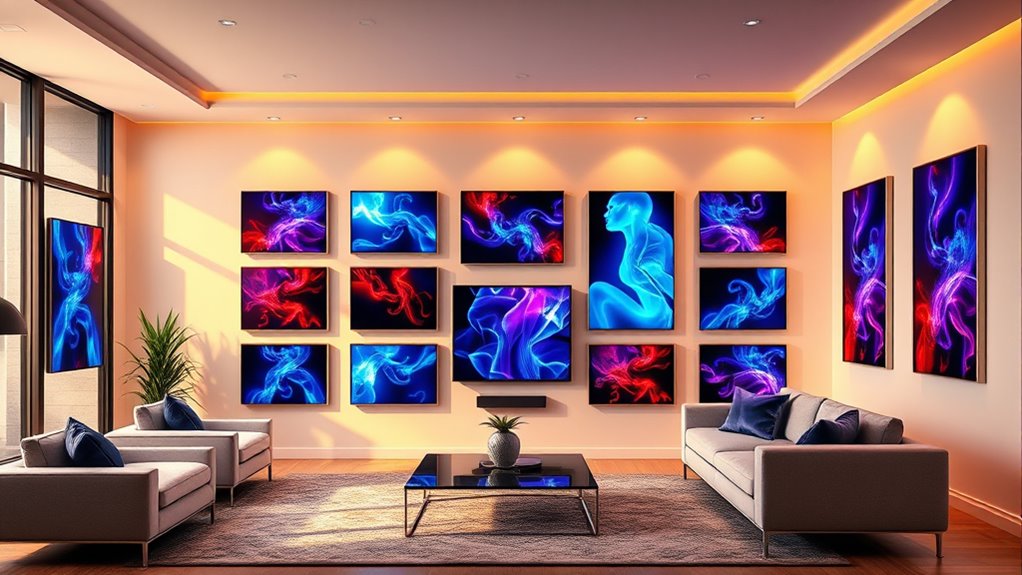

Choosing an NFT display frame is less about finding a screen that can show a digital image and more about matching the display to the art, room, and way you manage your collection. The Canvia 24-Inch Smart Digital Canvas with Wood Frame is my pick for a large, room-facing artwork display, while the Meural 15.6-Inch WiFi Digital Photo Frame is easier to place on a desk or smaller wall. The Canvia 24-Inch Smart Digital Canvas Display with Wood Frame offers a similar large-format experience in a white frame.

Get audio and creator gear delivered free with Prime
- Fast, free delivery on millions of items
- Prime Video, Amazon Music and more included
- Member-only deals all year
The main tradeoff is screen size versus placement flexibility: both Canvia models give NFTs more wall presence, but require corded power and Wi-Fi. Meural takes up less space and adds automatic photo-album syncing, though its screen is smaller and its video clips are limited to 15 seconds. I rank these options by how well their display, controls, mounting choices, and ongoing art-library limits suit NFT viewing—not by assuming that every buyer wants the largest screen.
Complete the kit


Key Takeaways
- The black-framed Canvia is my large-format pick for buyers who want a 24-inch matte screen, ambient-light adjustment, and vertical or horizontal placement.
- The white-framed Canvia shares the same 24-inch, 1080p format and core art features; choose it mainly for its finish and room fit rather than a different display class.
- Meural is the most compact choice here, with a 15.6-inch Full HD screen, included stand and wall mount, and linked album syncing.
- All three models support NFT display alongside other content, but the supplied details do not establish wallet, blockchain, or marketplace compatibility; check the app workflow for your NFTs.
- Both Canvia models need corded power and Wi-Fi, and their art-library access is limited to one year; Meural’s expanded artwork access requires a separate membership.
| Canvia 24-Inch Smart Digital Art Frame with 16 GB Storage |  | Best Overall for a Large NFT Wall Display | Display: 24 inches | Resolution: 1080p | Aspect ratio: 1.78:1 | VIEW ON AMAZON | See Our Full Breakdown |
| Meural WiFi Digital Photo Frame, 15.6-Inch Full HD Display, 24 GB, with Stand and Wall Mount |  | Best Compact Pick for Desks and Smaller Walls | Display: 15.6 inches | Resolution: 1920 × 1080 (Full HD) | Aspect ratio: 16:9 | VIEW ON AMAZON | See Our Full Breakdown |
| Canvia 24-Inch Smart Digital Canvas Display with Wood Frame |  | Best for a White-Frame Interior | Display: 24 inches | Resolution: 1080p Full HD | Aspect ratio: 1.78:1 | VIEW ON AMAZON | See Our Full Breakdown |
| nft display frame | Display | Resolution | Aspect ratio | Storage |
|---|---|---|---|---|
| Canvia 24-Inch Smart Digital A | 24 inches | 1080p | 1.78:1 | 16 GB |
| Meural WiFi Digital Photo Fram | 15.6 inches | 1920 × 1080 (Full HD) | 16:9 | 24 GB |
| Canvia 24-Inch Smart Digital C | 24 inches | 1080p Full HD | 1.78:1 | 16 GB |
More Details on Our Top Picks
Canvia 24-Inch Smart Digital Art Frame with 16 GB Storage
This is my lead recommendation for buyers who want a large, wall-oriented NFT display rather than a compact photo frame. Its 24-inch 1080p matte screen gives a digital artwork more area than Meural’s 15.6-inch display, while ArtSense adjusts the displayed image to ambient light. That room-aware feature makes this Canvia a stronger fit for a living space where brightness may change during the day, although it does not remove the need to choose suitable placement and viewing conditions.
Compared with the white-framed Canvia, this model is described with a black frame and maple hardwood, making it the better match when a darker border suits the room. The two Canvia options otherwise share much of the same proposition: a 24-inch full-HD matte screen, 16 GB storage, scheduled playlists, app and Alexa control, and vertical or horizontal placement. I rank this one first because the supplied description gives it a clear wood-frame identity while retaining the flexibility that makes the Canvia format more compelling for a dedicated art wall.
That extra screen area comes with practical costs. The frame uses corded power and Wi-Fi, so placement depends on outlet access and a reliable connection. The included art-library access lasts one year; buyers who want ongoing library access may face a subscription. Meural is easier to place on a desk and includes a stand, while this Canvia is the better choice for a more prominent display. Product information confirms NFT display, but does not specify wallet connection or token verification, so I would check the app’s supported import method before buying.
Pros:- 24-inch matte 1080p display provides more wall presence than Meural’s 15.6-inch screen.
- ArtSense adjusts displayed images to ambient light.
- Supports vertical and horizontal placement, scheduled playlists, and Alexa or app control.
- Displays NFTs as well as artwork, photos, and videos, with 16 GB storage.
Cons:- Requires corded power and Wi-Fi, limiting placement options.
- Art-library access is free for one year; continued access may require a subscription.
- Supplied details do not confirm specific wallet or blockchain workflows.
Best for: Buyers who want a 24-inch NFT and art display for a wall, need portrait or landscape placement, and prefer a black wood-frame look.
Not ideal for: Buyers short on wall space, without a nearby outlet or Wi-Fi, or seeking confirmed wallet-level NFT integration.
- Display:24 inches
- Resolution:1080p
- Aspect ratio:1.78:1
- Storage:16 GB
- Screen:Matte, anti-glare with ArtSense ambient-light adjustment
- Orientation:Vertical or horizontal
- Frame:Wood; described as maple hardwood, black
- Connectivity and controls:Wi-Fi; mobile app and Alexa
Our verdict“I recommend this Canvia for buyers who want a large, adaptable NFT canvas and can accommodate its power, Wi-Fi, and art-library requirements.”
Meural WiFi Digital Photo Frame, 15.6-Inch Full HD Display, 24 GB, with Stand and Wall Mount
Meural is the option I would choose when a 24-inch canvas would overwhelm the available space. Its 15.6-inch Full HD screen is smaller than either Canvia, but that makes it easier to position on a desk, shelf, or modest wall. A built-in collapsible stand and included wall mount give it two clear placement paths without requiring the buyer to source a separate stand. For a personal collection viewed nearby, the reduced scale can be an advantage rather than a compromise.
Its strongest practical distinction is automatic photo-album syncing. Buyers can link albums through the app, which suits a frame that will rotate between personal images and selected NFTs. It also supports video clips up to 15 seconds, while the Canvia descriptions list video playback without specifying a duration. Brightness and orientation adjust automatically, but Meural’s supplied specifications do not describe the same matte screen and ambient-light sensing combination found on the Canvia models.
Storage is listed at 24 GB, more than the 16 GB on either Canvia, though storage alone does not settle how convenient a frame is for displaying NFTs. Buyers should confirm the app’s content-import process for their chosen files. Meural is the most flexible choice for small-space placement and album updates, but the Canvia models make a stronger statement across a room. Its expanded artwork access also requires a separate membership, and short video limits make it less appealing for buyers whose digital pieces rely on longer motion.
Pros:- Smaller 15.6-inch size is easier to place than either 24-inch Canvia.
- Includes a collapsible stand and wall mount.
- Linked photo albums can sync automatically through the app.
- 24 GB storage and support for photos, NFTs, and video clips up to 15 seconds.
Cons:- Smaller viewing area gives artwork less presence than the Canvia displays.
- Video clips are limited to 15 seconds.
- Membership for expanded artwork access is sold separately.
Best for: Buyers seeking a smaller NFT-capable frame for a desk, shelf, or compact wall, especially those who also want linked photo-album syncing.
Not ideal for: Buyers who want a large, room-filling artwork display, longer video playback, or expanded artwork access without a separate membership.
- Display:15.6 inches
- Resolution:1920 × 1080 (Full HD)
- Aspect ratio:16:9
- Storage:24 GB
- Connectivity:Wi-Fi
- Frame material and color:Plastic, black
- Placement:Built-in collapsible stand and wall mount
- Content:Photos, NFTs, and video clips up to 15 seconds
Our verdict“I would pick Meural for a compact, flexible NFT frame with convenient album syncing, not for buyers who want the largest wall display.”
Canvia 24-Inch Smart Digital Canvas Display with Wood Frame
This white-framed Canvia makes the most sense when a buyer wants the same large-format approach as the black Canvia but needs a lighter frame to suit the room. Its 24-inch full-HD matte screen, ambient-light adjustment, 16 GB storage, playlist scheduling, and horizontal or vertical placement closely mirror the other Canvia listing. For NFT display, that means the main decision between the two is less about a different screen class and more about the frame finish and how the display will sit among existing furnishings.
Against Meural, this model offers a larger viewing area and room-aware image adjustment, but gives up some flexibility in where it can be placed. It needs corded power and Wi-Fi, while Meural comes with a stand and wall mount and can fit a smaller surface. Canvia supports Alexa and app controls, and its matte screen is designed to reduce reflections. Those features suit a fixed display area more than a frame that will be moved around often.
The one-year art-library inclusion should not be mistaken for permanent access to that library; continued access may require a subscription. The product can display NFTs, photos, artwork, and videos, but the provided information does not explain wallet pairing or how NFT ownership is authenticated. I would treat this as a finish-led alternative to the black Canvia, not a clear upgrade over it. Buyers should confirm the exact frame material and mount arrangement, since the listing describes a wood frame but does not specify the same maple detail given for the black model.
Pros:- 24-inch 1080p matte screen offers a large area for NFT artwork.
- Ambient-light sensing adjusts images to the room.
- Supports scheduled playlists, video playback, and personal content including NFTs.
- Can be placed vertically or horizontally and works with Alexa.
Cons:- Requires corded power and Wi-Fi.
- Art-library access is included for one year; continued access may require a subscription.
- Its core display features closely overlap with the black Canvia, so the main distinction is the listed finish.
Best for: Buyers who want a large Canvia display with a white wood-frame appearance and plan to keep it near a power outlet and Wi-Fi.
Not ideal for: Buyers who need a compact frame, portable placement, or clear evidence of a different display performance from the black-framed Canvia.
- Display:24 inches
- Resolution:1080p Full HD
- Aspect ratio:1.78:1
- Storage:16 GB
- Screen:Matte, anti-glare with ambient-light sensing
- Frame:Wood, white
- Orientation:Vertical or horizontal
- Power and connectivity:Corded electric; Wi-Fi
Our verdict“I recommend this version when the white frame suits the room; otherwise, compare it directly with the near-matching black Canvia before choosing.”

How We Picked
I compared these three products as NFT display frames, not as general-purpose televisions or ordinary photo frames. The deciding factors were screen area and resolution, glare handling, whether the frame can adapt to its room, placement options, and the supplied details about loading and scheduling content. Because NFTs are often chosen for visual presentation, I gave particular attention to features that affect how an image appears on a wall or shelf.
I also weighed the practical differences between a 15.6-inch frame and two 24-inch canvases. A larger display can give a single piece more presence, but it also needs more wall space and a nearby power connection. Meural’s smaller format is easier to place and includes both a stand and wall mount. The Canvia models emphasize matte screens, ambient-light sensing, playlists, and two orientations; those features make them more suited to a planned display area.
The two Canvia entries share many core specifications, so I do not present them as different levels of image performance. Their visible distinction is the stated frame finish and description: one is listed as white, while the other is described as black with a maple hardwood frame. Buyers should verify the exact finish and mounting details for the version they select. I also avoid claiming wallet or token-platform support beyond the product information provided. A frame’s ability to display an image does not, by itself, confirm how a buyer’s NFT is transferred or authenticated.
Finally, I considered ongoing access and limits. Both Canvia descriptions specify one year of art-library access, with continued access potentially requiring a subscription. Meural lists membership as a separate purchase for expanded artwork, and its video clips are limited to 15 seconds. These details do not prevent NFT display, but they matter if a buyer expects one frame to provide an unlimited stream of art or longer video playback.
| nft display frame | Screen | Frame |
|---|---|---|
| Canvia 24-Inch Smart Digital A | Matte, anti-glare with ArtSense ambient-light adjustment | Wood; described as maple hardwood, black |
| Meural WiFi Digital Photo Fram | — | — |
| Canvia 24-Inch Smart Digital C | Matte, anti-glare with ambient-light sensing | Wood, white |
Factors to Consider When Choosing Nft Display Frames
I would choose an NFT frame by starting with the room and the content workflow, then checking screen characteristics and ongoing service requirements. The three products here can all display NFTs, but they serve different display habits.Choose screen size for where you will view the art
The 24-inch Canvia models suit a wall or a room where the art should be visible from farther away. Their 1080p resolution is shared by both Canvia listings, so the larger panel is the main physical difference from Meural—not a higher pixel count. Meural’s 15.6-inch Full HD screen is more at home on a desk, shelf, or smaller wall. Before deciding, measure the available area and think about the typical viewing distance; a frame that dominates a narrow space may be less useful than a smaller display that fits naturally.
Check glare handling and room lighting
Both Canvia products specify a matte, anti-glare screen and ambient-light adjustment. Those features are useful in rooms where light changes or reflections could distract from the image. Meural lists an anti-glare display and automatic brightness adjustment, along with automatic orientation, but the supplied details do not describe the same ArtSense system. Lighting features can help a display adapt to its surroundings, yet they do not replace choosing a sensible location away from direct glare.
Separate NFT display from NFT ownership workflows
A product description that says it displays NFTs does not confirm wallet connection, blockchain support, or ownership verification. I would check the manufacturer app’s supported import methods and file formats for the exact NFT collection before purchase. If the frame only displays an image file, that may be enough for a decorative display, but it is different from connecting a wallet or showing a live token-linked asset. The supplied information here does not settle those platform details for any of the three choices.
Plan for power, network, and placement
Both Canvia models require corded power and Wi-Fi, which makes outlet location part of the installation plan. They can be positioned vertically or horizontally, and the black Canvia lists VESA support; check the listing and included hardware for the mount setup you intend to use. Meural includes a built-in collapsible stand and a wall mount, giving it a straightforward desk-or-wall choice. None of these details make one frame universally easier: the right fit depends on whether the display will live on furniture or in a fixed wall position.
Account for art-library access and content limits
Canvia includes access to its art library for one year, after which continued access may require a subscription. Meural’s expanded artwork access requires a separate membership. These services are separate from the basic question of displaying a buyer’s own content, so check which features remain available without ongoing access. If video matters, Meural specifies clips up to 15 seconds; the Canvia listings mention video playback but do not provide a duration in the supplied details. Avoid assuming all formats or playback lengths are supported.
Pick between the two Canvia finishes carefully
The black and white Canvia listings have closely matched screen and smart-display features. I would choose between them based on frame color, room styling, and verified listing details, rather than expecting a major difference in NFT performance. The black listing describes a maple hardwood frame, while the white listing specifies a wood frame. If material, mounting hardware, or exact dimensions will affect your installation, confirm those details on the specific product page before ordering.
Frequently Asked Questions
Can all three frames display NFTs?
Each product description says it supports NFT display, alongside other content such as photos or artwork. The descriptions do not specify which wallets, blockchains, marketplaces, or import methods are supported. I would check the manufacturer app’s current compatibility details for the specific NFT and file type you want to show, especially if you expect a live wallet connection rather than displaying an image.
Which frame is best for a large wall?
Either 24-inch Canvia is a more natural fit for a larger wall than Meural’s 15.6-inch display. Both Canvia models offer a matte 1080p screen, ambient-light adjustment, and portrait or landscape placement. Choose between their listed frame finishes and confirm the desired mounting method; Meural is the better fit when a smaller display or included stand matters more than wall presence.
Which option is easiest to place on a desk?
Meural is the clearest desk-oriented choice because it has a smaller screen and includes a built-in collapsible stand. Both Canvia products are larger, corded displays intended for a more planned position, and their descriptions emphasize wall or VESA-style placement rather than an included tabletop stand. Check the available surface and nearby outlet before choosing any of them.
Do the Canvia models have different display features?
The supplied descriptions show substantial overlap: both have 24-inch 1080p matte screens, 16 GB storage, ambient-light adjustment, Wi-Fi, and vertical or horizontal placement. Their stated distinction is chiefly the frame presentation: one is listed as white wood, while the other is described as black maple hardwood. I would verify the exact finish and included mounting hardware on the listing rather than paying more attention to the model names than the stated specifications.
Will I need a subscription to show my own NFTs?
The product information links subscriptions to access to expanded artwork libraries, not explicitly to displaying a buyer’s own NFTs. Canvia includes art-library access for one year, with later access potentially requiring a subscription; Meural sells expanded artwork membership separately. Since the descriptions do not fully explain app access or NFT import requirements without a membership, check those terms with the manufacturer before relying on a subscription-free workflow.
Conclusion
For a large, adaptable wall display, I would choose the black Canvia 24-inch model, provided its corded power, Wi-Fi, and library terms suit the installation. Choose the white Canvia instead when its finish better matches the room; its core screen features are closely aligned with the black version. For a desk, shelf, or smaller wall, Meural is the practical pick thanks to its compact size, stand, wall mount, and album syncing. Before committing to any of them, confirm how your NFT files reach the frame and whether the app supports the workflow you expect.