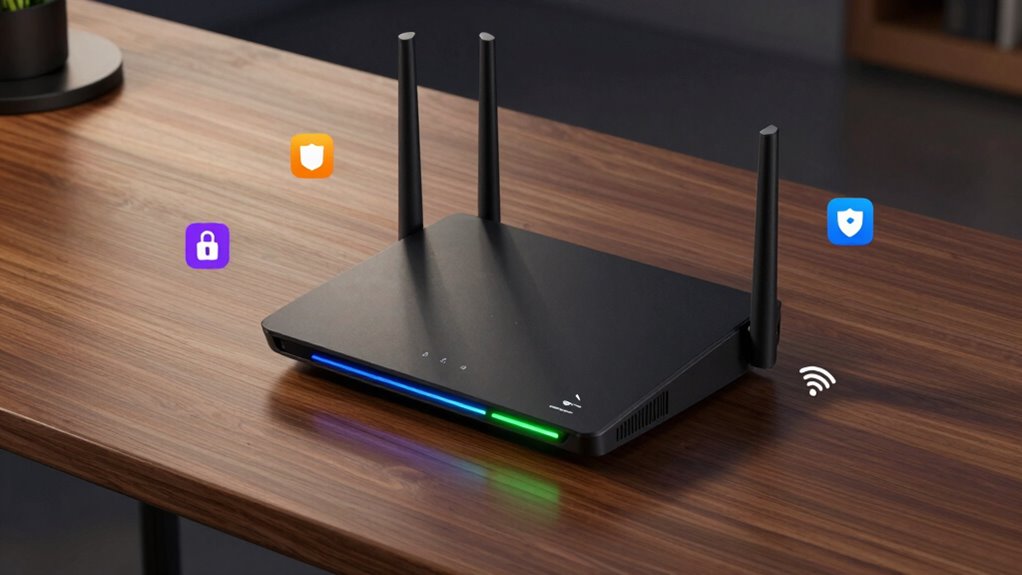

When searching for a router with parental controls, you want a device that combines reliable Wi-Fi performance with effective content filtering and usage management. The Synology RT2600ac stands out for its user-friendly interface and robust control features, making it ideal for tech-savvy families. The Gryphon Guardian Mesh WiFi Router excels in ease of setup and integrated security, perfect for those seeking simplicity. However, many options come with tradeoffs—higher-end models often add advanced features but at a higher price, while budget models may lack some customization. Continue reading for a detailed breakdown of the best options to meet your family’s online safety needs.

Get audio and creator gear delivered free with Prime
- Fast, free delivery on millions of items
- Prime Video, Amazon Music and more included
- Member-only deals all year
Complete the kit



Key Takeaways
- The top routers combine strong Wi-Fi performance with comprehensive parental controls in a single device.
- Mesh systems like Gryphon simplify setup and management, ideal for non-technical users.
- Higher-end models such as ASUS RT-AX88U PRO offer advanced features like WPA3 and adaptive QoS, but come at a premium price.
- Renewed or budget options can provide good control features but may lack longevity or some advanced capabilities.
- Ease of use and interface clarity are critical, especially for households managing multiple devices and users.
| Synology RT2600ac Dual-Band Wi-Fi Router |  | Best Overall for Advanced Home Networks | Processor: 1.7GHz Dual-core | Wi-Fi Standard: 802.11ac wave 2 | Antennas: 4×4 dual-band | VIEW ON AMAZON | See Our Full Breakdown |
| Gryphon Guardian Mesh WiFi Router with Parental Controls and Firewall (Renewed) |  | Best for Whole-Home Security and Parental Control | Compatible devices: Personal Computer | Connectivity technology: Wi-Fi | Frequency band: Dual-band | VIEW ON AMAZON | See Our Full Breakdown |
| ASUS RT-AX88U PRO AX6000 Dual Band WiFi 6 Router, WPA3, Parental Control, Adaptive QoS, Port Forwarding, WAN Aggregation, Lifetime Internet Security, AiMesh Support, Dual 2.5G Ports |  | Best for High-Speed, Power Users with Advanced Security | WiFi Standard: WiFi 6 (802.11ax) | Max Speed: 6000 Mbps | Ports: Dual 2.5G ports | VIEW ON AMAZON | See Our Full Breakdown |
| ASUS RT-AX5400 Dual Band WiFi 6 Router |  | Best for Gaming and Streaming with Parental Controls | UPC: 195553986632 | Weight: 2.700 lbs | VIEW ON AMAZON | See Our Full Breakdown | |
| ASUS RT-AX1800S Dual Band WiFi 6 Router (Renewed) |  | Best Budget Extendable WiFi 6 Router with Parental Controls | WiFi Standard: WiFi 6 | Bands: Dual Band | Features: Extendable, AiMesh, Built-in VPN, Parental Control | VIEW ON AMAZON | See Our Full Breakdown |
| ASUS RT-AX1800S Dual Band WiFi 6 Extendable Router |  | Best for Tech-Savvy Families Who Value Security and Future-Proofing | WiFi Standard: WiFi 6 (802.11ax) | Antenna: External x 4 | Processor: Dual-core | VIEW ON AMAZON | See Our Full Breakdown |
| router with parental control | Features | WiFi Standard |
|---|---|---|
| Synology RT2600ac Dual-Band Wi | MU-MIMO, Smart Connect, Layer 7 traffic control, Dual WAN, VPN support | — |
| Gryphon Guardian Mesh WiFi Rou | — | — |
| ASUS RT-AX88U PRO AX6000 Dual | Parental Control, Adaptive QoS, Port Forwarding, WAN Aggregation, AiMesh | WiFi 6 (802.11ax) |
| ASUS RT-AX5400 Dual Band WiFi | — | — |
| ASUS RT-AX1800S Dual Band WiFi | Extendable, AiMesh, Built-in VPN, Parental Control | WiFi 6 |
| ASUS RT-AX1800S Dual Band WiFi | — | WiFi 6 (802.11ax) |
More Details on Our Top Picks
Synology RT2600ac Dual-Band Wi-Fi Router
The Synology RT2600ac stands out for its combination of speed, security, and management features, making it ideal for tech-savvy users who need more control over their network. Its MU-MIMO technology delivers fast wireless connections up to 2.53Gbps, comparable to the ASUS RT-AX88U PRO, but with a simpler setup process. Unlike the Gryphon Guardian, which focuses more on security and mesh flexibility, the RT2600ac excels in bandwidth management and dual-WAN support for load balancing. The tradeoff is that setup can be more complex, especially for those unfamiliar with network configuration, and it lacks some of the plug-and-play simplicity of more consumer-oriented options. This router fits well for users needing a customizable, high-performance router with robust security options, especially in small offices or advanced homes.
Pros:- Fast wireless speeds with MU-MIMO technology
- Advanced security and traffic management features
- Supports dual WAN for load balancing and failover
- Expandable coverage with mesh Wi-Fi
Cons:- Setup may require technical knowledge
- No specific price information available
- Limited to US version features
Best for: Tech-savvy homeowners or small office users needing advanced traffic control and security.
Not ideal for: Beginners or users seeking a plug-and-play device with minimal setup effort.
- Processor:1.7GHz Dual-core
- Wi-Fi Standard:802.11ac wave 2
- Antennas:4×4 dual-band
- Maximum Speed:up to 2.53Gbps
- Features:MU-MIMO, Smart Connect, Layer 7 traffic control, Dual WAN, VPN support
Our verdict“Ideal for users who want a high-performance, customizable router with strong security features and don’t mind a more complex setup.”
Gryphon Guardian Mesh WiFi Router with Parental Controls and Firewall (Renewed)
The Gryphon Guardian excels in providing comprehensive security features, including a next-generation firewall and content filters, making it a top choice for families prioritizing safety. Its dual-band coverage offers up to 1.2 Gbps speeds across approximately 1800 sq. ft. per unit, similar to the ASUS RT-AX5400 but with a stronger emphasis on security and parental controls. While it doesn’t include advanced traffic management or WiFi 6 speeds like the ASUS RT-AX88U PRO, its focus on content filtering and network protection makes it suitable for households with children. The main drawback is its limited description and the fact that it’s a renewed product, which may affect durability and longevity. This router works best for families seeking a straightforward, secure Wi-Fi solution with easy parental controls.
Pros:- Strong security features including next-gen firewall and content filters
- Good coverage area per mesh unit
- Dual-band WiFi for better performance
- Includes WPS for easy device connection
Cons:- Limited description details
- Requires existing network for setup
- Refurbished condition may impact reliability
Best for: Parents and families wanting robust network security and content filtering.
Not ideal for: Power users seeking maximum speed and advanced traffic management features.
- Compatible devices:Personal Computer
- Connectivity technology:Wi-Fi
- Frequency band:Dual-band
- Speed:1.2 Gbps
- Coverage:1800 sq. ft. per mesh router
- Special feature:WPS
Our verdict“Best suited for families prioritizing security and parental controls over ultra-high speeds or advanced network management.”
ASUS RT-AX88U PRO AX6000 Dual Band WiFi 6 Router, WPA3, Parental Control, Adaptive QoS, Port Forwarding, WAN Aggregation, Lifetime Internet Security, AiMesh Support, Dual 2.5G Ports
The ASUS RT-AX88U PRO is designed for demanding households needing ultra-fast WiFi 6 speeds up to 6000 Mbps and extensive security. Compared to the Gryphon Guardian, which emphasizes family security, this router offers a broader feature set including dual 2.5G ports, AiMesh support, and lifetime internet security, making it suitable for tech enthusiasts and large households. Its complex setup might challenge non-technical users, but it delivers exceptional coverage and speed for multiple devices streaming, gaming, or working simultaneously. The premium price reflects its high-end hardware and advanced features, which might be overkill for simpler setups. This pick is ideal for those who want a future-proof, high-performance network with strong parental controls integrated into a comprehensive security suite.
Pros:- Fast WiFi speeds up to 6000 Mbps with WiFi 6
- Dual 2.5G ports for high-speed wired connections
- Enhanced coverage with RangeBoost Plus
- Robust security features including lifetime internet security
Cons:- Setup can be complex for non-technical users
- Premium price point
- Large size may require ample space
Best for: Power users needing high-speed connections and advanced security for multiple devices.
Not ideal for: Casual users or those with limited technical skills seeking simple setup and use.
- WiFi Standard:WiFi 6 (802.11ax)
- Max Speed:6000 Mbps
- Ports:Dual 2.5G ports
- CPU:2.0 GHz quad-core
- Security:AiProtection Pro, WPA3
- Features:Parental Control, Adaptive QoS, Port Forwarding, WAN Aggregation, AiMesh
Our verdict“Best for tech-savvy individuals or large households seeking a high-speed, secure WiFi 6 network with extensive features.”
ASUS RT-AX5400 Dual Band WiFi 6 Router
The ASUS RT-AX5400 targets gamers and streamers with WiFi 6 speeds and extendable coverage via AiMesh. Its emphasis on performance makes it suitable for demanding activities, but compared with the ASUS RT-AX88U PRO, it may lack some advanced security features and high-end ports. The lifetime internet security and parental controls are significant advantages for families, though the detailed specs are limited, which could make troubleshooting or future upgrades less straightforward. The router’s focus on extended coverage and gaming makes it less suited for users primarily wanting simple parental control features or maximum security. This model makes the most sense for those who want reliable, high-speed WiFi for entertainment, with the ability to expand coverage as needed.
Pros:- Supports WiFi 6 for faster speeds
- Includes lifetime internet security
- Compatible with AiMesh for extended coverage
- Advanced parental controls
Cons:- Limited detailed specifications
- No price or customer ratings available
- Potentially less feature-rich than premium models
Best for: Gamers or streamers seeking fast, reliable WiFi with parental controls and mesh expansion.
Not ideal for: Users needing high-end security features or a compact, straightforward setup.
- UPC:195553986632
- Weight:2.700 lbs
Our verdict“Ideal for entertainment-focused households wanting strong WiFi 6 performance with parental controls and mesh expandability.”
ASUS RT-AX1800S Dual Band WiFi 6 Router (Renewed)
The ASUS RT-AX1800S offers a budget-friendly way to extend WiFi 6 throughout the home with AiMesh compatibility, making it a practical choice for families who want to improve coverage without a large investment. While its specifications are less detailed than higher-end models like the RT-AX88U PRO, it provides essential parental controls and built-in VPN, making it suitable for basic security needs. The renewed status might raise concerns about warranty and longevity, but it remains a cost-effective option for those who prioritize coverage extension over raw speed or advanced features. Compared with the Gryphon Guardian, which emphasizes security, the RT-AX1800S focuses more on network expansion, making it suitable for families with coverage issues rather than security-centric households.
Pros:- Supports WiFi 6 for improved speeds and connectivity
- AiMesh compatibility for easy network expansion
- Built-in VPN and parental controls
- Subscription-free security
Cons:- Renewed product may have limited warranty
- Limited detailed specifications
- Performance depends heavily on network environment
Best for: Budget-conscious families seeking to extend WiFi coverage with parental controls.
Not ideal for: Power users or those wanting high-speed, security-focused routers with extensive features.
- WiFi Standard:WiFi 6
- Bands:Dual Band
- Features:Extendable, AiMesh, Built-in VPN, Parental Control
Our verdict“Suitable for families looking to extend WiFi coverage economically with basic parental controls and security.”
ASUS RT-AX1800S Dual Band WiFi 6 Extendable Router
The ASUS RT-AX1800S stands out for its support of WiFi 6, which is essential for households with multiple high-speed devices, especially when compared to older routers like the Synology RT2600ac. Its four external antennas and MU-MIMO technology help ensure stable connections across smart home gadgets, gaming consoles, and streaming devices. The built-in security with AiProtection and VPN support adds a layer of protection many basic routers lack, making it ideal for families concerned about online safety. However, its real-world performance depends heavily on environment and device compatibility, which could limit the full advantages of WiFi 6 if older devices are used. This router makes the most sense for users who want a future-ready setup with strong security features but are okay with some environmental variability.
Pros:- Supports WiFi 6 for faster wireless speeds and future-proofing
- Multiple gigabit ports for high-speed wired connections
- Built-in security features including AiProtection and VPN support
- Extendable with AiMesh compatibility for broader coverage
Cons:- Actual performance may vary depending on environmental factors and device compatibility
- Requires WiFi 6 compatible devices to maximize speed benefits
- Setup and management can be complex for less experienced users
Best for: Tech-savvy families needing a secure, extendable WiFi 6 network capable of handling multiple smart devices and high-bandwidth activities
Not ideal for: Home users with only basic internet needs or older devices that can’t leverage WiFi 6 speeds, as they won’t benefit fully from this router’s advanced features
- WiFi Standard:WiFi 6 (802.11ax)
- Antenna:External x 4
- Processor:Dual-core
- Power Supply:AC 110V~240V, DC 12V/1.5A
- Ports:1 Gigabit WAN, 4 Gigabit LAN
- Security:AiProtection Classic, VPN
Our verdict“This router is ideal for households seeking a secure, scalable WiFi 6 network with room to grow, provided they have compatible devices.”

How We Picked
In selecting these routers, I focused on devices that offer integrated parental controls with reliable Wi-Fi performance. Key criteria included user interface intuitiveness, customization options, security features, and overall value. I prioritized models that balance ease of setup with advanced control capabilities, ensuring they suit different user needs—from tech enthusiasts to beginners. Devices were ranked based on performance, ease of use, build quality, and how well their parental controls met typical family requirements. This approach ensures a curated list of options that provide real value and flexibility for controlling internet access at home.| router with parental control | Features | WiFi Standard |
|---|---|---|
| Synology RT2600ac Dual-Band Wi | MU-MIMO, Smart Connect, Layer 7 traffic control, Dual WAN, VPN support | — |
| Gryphon Guardian Mesh WiFi Rou | — | — |
| ASUS RT-AX88U PRO AX6000 Dual | Parental Control, Adaptive QoS, Port Forwarding, WAN Aggregation, AiMesh | WiFi 6 (802.11ax) |
| ASUS RT-AX5400 Dual Band WiFi | — | — |
| ASUS RT-AX1800S Dual Band WiFi | Extendable, AiMesh, Built-in VPN, Parental Control | WiFi 6 |
| ASUS RT-AX1800S Dual Band WiFi | — | WiFi 6 (802.11ax) |
Factors to Consider When Choosing Router With Parental Controls
Choosing the right router with parental controls involves balancing several factors beyond just the control features. It’s important to consider Wi-Fi performance to ensure your network remains fast and stable, especially for streaming or gaming. Security protocols like WPA3 can protect your network from external threats, while ease of setup and management can save you time. Additionally, think about the compatibility with your existing devices and future scalability, especially if your household adds more gadgets. Price versus features is always a key tradeoff—spend more if you need advanced controls or mesh capabilities, but budget options can still cover basic needs if chosen carefully.Performance and Coverage
Reliable internet speeds and consistent coverage are fundamental, especially in larger homes. A router with strong dual-band or Wi-Fi 6 support can handle multiple devices simultaneously without lag. Mesh systems extend coverage seamlessly, reducing dead zones, which is beneficial for busy households. However, higher performance often comes with higher costs, so consider your home size and device demand before investing in premium models. Avoid routers that promise high speeds but have poor range, as this undermines your entire network experience.
Parental Control Features
Effective parental controls should allow for customizable filters, time restrictions, and device-specific management. Look for features like content filtering, scheduling, and usage monitoring that are easy to configure and manage remotely. Some routers offer pre-set profiles for different age groups, simplifying setup for less tech-savvy users. Beware of models that advertise controls but have clunky interfaces or limited options, which can frustrate users and reduce the system’s effectiveness.
Security and Privacy
Security protocols such as WPA3 provide stronger encryption, safeguarding your network from hacking attempts. Some routers include built-in firewalls or VPN support, adding layers of protection for your family’s online activities. Privacy features like automatic firmware updates and minimal data collection are also worth considering. Opting for devices with comprehensive security reduces the risk of malware and unauthorized access, which is especially important in households with children online.
Ease of Use and Management
An intuitive app or web interface simplifies setup and ongoing management, making it easier to enforce rules and monitor usage. Look for features like user profiles, activity reports, and easy scheduling. Devices with clear, straightforward controls reduce the likelihood of misconfiguration, which can weaken parental controls or compromise security. Avoid overly complex systems if you prefer a set-it-and-forget-it approach, but be aware that simplified systems may lack some advanced options.
Price and Future Scalability
While budget routers can meet basic parental control needs, investing in higher-tier models offers more longevity and features. Consider whether your household might expand or require additional features like mesh networking, advanced QoS, or multi-gig ports down the line. Sometimes, paying slightly more upfront saves money later by avoiding the need to upgrade prematurely. Balance your current needs with potential future demands to select a device that offers the best value over time.
Frequently Asked Questions
Can I set different internet rules for each family member?
Yes, many routers with parental controls support user profiles, allowing you to assign specific rules, time limits, and content filters to individual users or devices. This feature helps tailor internet access based on age or usage needs, giving you more control over your household’s online activity. The effectiveness of this setup depends on the router’s interface clarity and the flexibility of its controls, so choosing a model with straightforward management options is advisable.
Do I need a mesh router with parental controls for a large home?
For larger homes, a mesh system with parental controls can significantly improve coverage and manageability. Mesh routers extend Wi-Fi coverage seamlessly across multiple floors or distant rooms, reducing dead zones. When combined with parental controls, they allow you to centrally enforce rules across the entire network, simplifying management. However, these systems tend to be more expensive, so consider your coverage needs and budget before opting for a mesh setup.
Are built-in parental controls sufficient without additional software?
Built-in parental controls can be quite effective for basic filtering and time management, but their capabilities vary between models. They often lack the depth of control or user-specific customization found in dedicated parental control apps or software. For comprehensive monitoring, app usage reports, and detailed filtering, supplementing your router’s features with third-party solutions or device-specific controls might be necessary, especially for larger or more tech-savvy households.
Is Wi-Fi 6 essential for parental control routers?
Wi-Fi 6 offers faster speeds and improved device handling, which benefits overall network performance, especially in homes with many connected devices. While it doesn’t directly impact parental controls, a Wi-Fi 6 router ensures your network remains responsive and capable of supporting multiple streaming, gaming, or smart home devices simultaneously. If your household has high bandwidth demands, opting for Wi-Fi 6 is a smart investment, but for basic control and coverage, Wi-Fi 5 models may suffice.
Should I choose a renewed or refurbished router with parental controls?
Renewed or refurbished routers can provide good value but may come with tradeoffs such as shorter warranties or unknown wear. They often include the same features as new models, making them suitable for budget-conscious buyers, but reliability can vary. If you choose a renewed device, ensure it comes from a reputable seller with a return policy and check for recent firmware updates. For critical safety features like parental controls, investing in a new device might provide more peace of mind and longer-term support.
Conclusion
If you want a well-rounded, user-friendly option for most families, the Synology RT2600ac makes a compelling choice with its balance of performance and control. For those prioritizing ease of setup and security, the Gryphon Guardian Mesh WiFi Router is ideal, especially for less tech-savvy households. If premium features and future-proofing are your focus, the ASUS RT-AX88U PRO offers advanced security and customization at a higher price point. Beginners or small households might prefer simple, affordable models, while larger homes with many connected devices should consider mesh systems. Ultimately, your choice depends on your specific needs for performance, ease, and control features.