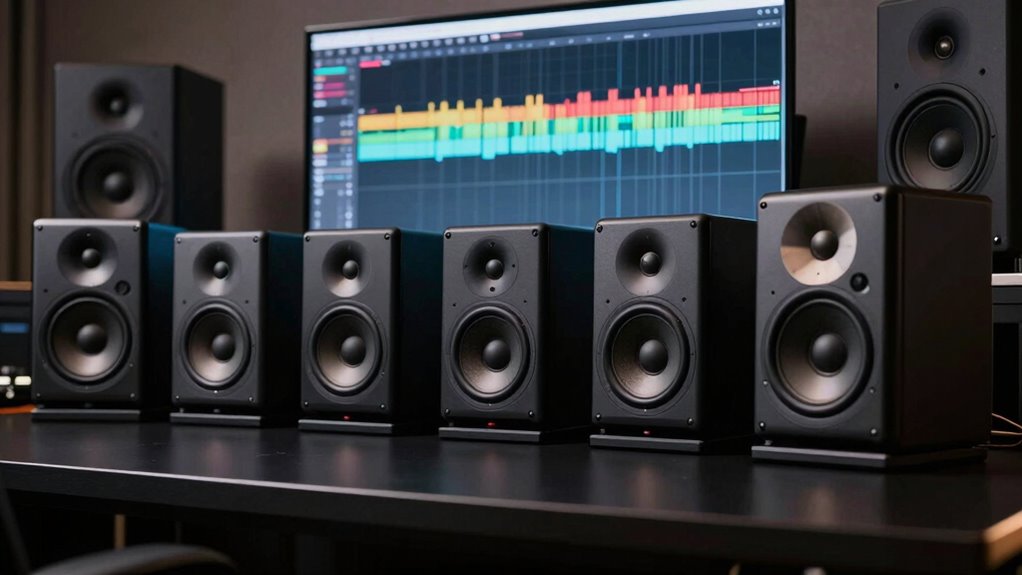

For an editing suite, I’d choose speakers that reveal dialogue, balance, and detail without taking over the desk or room. The JBL 305P MkII is my best overall pick for a more revealing reference setup, while the PreSonus Eris 3.5 stands out for compact workspaces and the Edifier MR3 for flexible connectivity. The main tradeoffs are accuracy versus convenience, cabinet size versus low-frequency reach, and studio-focused controls versus everyday listening features. Room acoustics and listening distance can matter as much as the speaker itself. Read on for how these six options compare and which one fits your editing suite.

Get audio and creator gear delivered free with Prime
- Fast, free delivery on millions of items
- Prime Video, Amazon Music and more included
- Member-only deals all year
Complete the kit


Key Takeaways
- The JBL 305P MkII is the reference-first pick: its larger monitor format suits editors who have room to position a pair and want a more revealing listening setup.
- Compact desks favor the smaller pairs: the PreSonus Eris 3.5 and M-AUDIO BX3 are easier to fit near a screen, though neither is a substitute for a subwoofer when deep bass checks matter.
- Connectivity separates the Edifier MR3 from studio-basic options: Bluetooth adds convenience, but wireless playback should not replace a wired reference path for critical editing.
- The Edifier MR4.5 and R1280T serve different priorities: the MR4.5 leans toward editing-focused use, while the R1280T favors convenient everyday playback.
- Room and placement shape the ranking: a larger monitor can offer a more expansive reference, but only when the desk, listening distance, and room allow sensible placement.
| Edifier MR3 Powered Studio Monitor Speaker Hi-Res Active Bluetooth |  | Best for Flexible Connectivity | Speaker type: Active monitor | Speaker size: 4 inches | Woofer diameter: 3.5 inches | VIEW ON AMAZON | See Our Full Breakdown |
| JBL 305P MkII 5-inch 2-Way Active Powered Studio Reference Monitor Speakers (Pair) |  | Best Overall for Critical Editing | Configuration: 2-way active monitor pair | Woofer: 5 inches | Tweeter: 25 mm | VIEW ON AMAZON | See Our Full Breakdown |
| PreSonus Eris 3.5 Powered Studio Monitors (Pair) |  | Best Compact Desk Pick | Power: 50 watts | Woofer: 3.5 inches | Tweeter: 1 inch | VIEW ON AMAZON | See Our Full Breakdown |
| Edifier MR4.5 Bi-Amped Studio Monitor Bookshelf Speakers – Black |  | Best for a Full-Featured Nearfield Setup | Power: 80W RMS | Drivers: 4.5-inch mid-bass, 1-inch silk dome tweeter | Frequency response: 50 Hz–40 kHz | VIEW ON AMAZON | See Our Full Breakdown |
| M-AUDIO BX3 3.5-inch Wired Studio Monitors Pair |  | Best for a Wired Multimedia Editing Desk | Speaker type: Monitor | Woofer: 3.5-inch Kevlar | Tweeter: 1-inch silk dome | VIEW ON AMAZON | See Our Full Breakdown |
| Edifier R1280T Powered Bookshelf Speakers 2.0 Near-Field Studio Monitor |  | Best for Simple Desktop Editing | Power output: 42 watts RMS | Channels: 2 | Impedance: 4 Ω | VIEW ON AMAZON | See Our Full Breakdown |
| speakers for editing suite | Dimensions | Woofer | Tweeter | Power output |
|---|---|---|---|---|
| Edifier MR3 Powered Studio Mon | 6.9 × 12.1 × 16.2 inches | — | — | 42 watts |
| JBL 305P MkII 5-inch 2-Way Act | 9.9 × 7.3 × 11.75 inches | 5 inches | 25 mm | — |
| PreSonus Eris 3.5 Powered Stud | 5.5 × 6 × 8.3 inches | 3.5 inches | 1 inch | — |
| Edifier MR4.5 Bi-Amped Studio | 8.19 × 5.51 × 9.61 inches | — | — | — |
| M-AUDIO BX3 3.5-inch Wired Stu | — | 3.5-inch Kevlar | 1-inch silk dome | 120W |
| Edifier R1280T Powered Bookshe | — | 4 inches | 13 mm silk dome | 42 watts RMS |
More Details on Our Top Picks
Edifier MR3 Powered Studio Monitor Speaker Hi-Res Active Bluetooth
I’d choose the Edifier MR3 when an editing desk needs monitor-style sound without giving up convenient wireless playback. Its Bluetooth, RCA, and AUX inputs make it easier to switch between a computer and other sources than with the JBL 305P MkII, which uses balanced wired inputs only. App-based sound modes also offer a way to adjust playback for everyday listening, though I’d keep the response as neutral as possible when making editing decisions.
The 3.5-inch woofer and stated 42-watt output suit nearfield desktop work, not a large room or bass-heavy checks at high volume. Compared with the compact PreSonus Eris 3.5, the MR3’s wireless option is a practical extra; the JBL is the stronger fit for room-tuning controls and a wider monitoring sweet spot. Choose this Edifier for a versatile desk setup, not as a substitute for a higher-output room system.
Pros:- Bluetooth, RCA, and AUX inputs support a mix of computer and personal audio sources.
- App-controlled sound modes allow playback preferences to be adjusted.
- Stereo monitor design is suited to a desktop editing position.
- Compact 3.5-inch woofer keeps the setup focused on nearfield listening.
Cons:- Limited output makes it a poor fit for large rooms or loud playback.
- Plastic enclosure may feel less robust than cabinets with more substantial construction.
- No water resistance for use in exposed or outdoor spaces.
Best for: Editors who want a compact stereo monitor setup for desktop audio work, with Bluetooth and wired inputs for switching between a computer and personal devices.
Not ideal for: Editors mixing in a large room or needing strong low-frequency playback at higher levels; its compact woofer and stated power are better suited to nearfield use.
- Speaker type:Active monitor
- Speaker size:4 inches
- Woofer diameter:3.5 inches
- Power output:42 watts
- Connectivity:Auxiliary, Bluetooth, RCA
- Channels:2
- Signal-to-noise ratio:85 dB
- Dimensions:6.9 × 12.1 × 16.2 inches
Our verdict“Pick the MR3 for a flexible nearfield editing setup with Bluetooth; choose the JBL 305P MkII instead for room tuning and more substantial monitoring output.”
JBL 305P MkII 5-inch 2-Way Active Powered Studio Reference Monitor Speakers (Pair)
For editing where stereo placement and repeatable decisions matter most, I’d put the JBL 305P MkII first. Its Image Control Waveguide is designed to provide clear imaging across a wider listening area, so small shifts in seating are less likely to change how panning and spatial details seem. Boundary EQ and HF Trim also give it an advantage over the M-AUDIO BX3 when speakers need adjustment to suit their position near walls or on a desk.
The tradeoff is a more studio-focused setup: it has balanced XLR and TRS inputs, but no Bluetooth or casual-use wireless connection. Its 5-inch woofer and dual amplifiers make it a more substantial monitor than the PreSonus Eris 3.5, though it takes more desk space and still won’t replace a subwoofer for deep bass checks. I’d choose it for editing accuracy over convenience features.
Pros:- Image Control Waveguide is designed for clear imaging across a wider sweet spot.
- Boundary EQ and HF Trim allow response adjustment for room and speaker placement.
- Balanced XLR and 1/4-inch TRS inputs suit studio and interface connections.
- 5-inch woofer and dual amplifiers provide more headroom than the smaller Eris 3.5.
Cons:- No Bluetooth or other wireless connectivity.
- Larger than compact desk options such as the PreSonus Eris 3.5.
- No water resistance.
Best for: Video and audio editors who prioritize stereo imaging and room-adjustable monitoring, and can connect through balanced XLR or TRS outputs.
Not ideal for: Desktop users who want Bluetooth, simple consumer-device connections, or a particularly small speaker footprint.
- Configuration:2-way active monitor pair
- Woofer:5 inches
- Tweeter:25 mm
- Maximum output power:112 watts
- Inputs:Balanced XLR and 1/4-inch TRS
- Dimensions:9.9 × 7.3 × 11.75 inches
- Weight:10.4 pounds
- Warranty:5 years
Our verdict“Choose the JBL 305P MkII for spatially reliable editing and room adjustments; skip it if wireless playback or minimal desk space matters more.”
PreSonus Eris 3.5 Powered Studio Monitors (Pair)
The PreSonus Eris 3.5 makes the most sense when an editing suite is a small desk, shared workspace, or laptop setup where speaker placement is tight. At 8.3 inches tall and 6.4 pounds, it is easier to accommodate than the JBL 305P MkII, while its TRS, RCA, and AUX connections cover common desktop sources. Adjustable frequency controls give editors some scope to account for placement, rather than accepting one fixed tonal balance.
Its small 3.5-inch woofer is the central compromise: the stated 80 Hz–20 kHz response gives a useful range for everyday edits, but it cannot provide the low-end authority of the larger JBL or the 4.5-inch Edifier MR4.5. I’d use it for dialogue, general timeline work, and compact nearfield listening, then check bass-heavy material on headphones or a larger system. It is a space-saving choice, not a full-range room monitor.
Pros:- Compact dimensions suit crowded desks and smaller editing rooms.
- TRS, RCA, and AUX inputs support a range of desktop devices.
- Adjustable frequency controls allow some tuning for speaker placement.
- Built-in headphone output supports private listening.
Cons:- Small woofer limits bass depth compared with the JBL 305P MkII and Edifier MR4.5.
- Requires an external power source.
- No water resistance.
Best for: Editors working at a small desk who need compact powered monitors with several wired input options and basic frequency adjustment.
Not ideal for: Editors who need confident low-frequency judgments for music, effects, or bass-heavy video mixes without checking on another system.
- Power:50 watts
- Woofer:3.5 inches
- Tweeter:1 inch
- Frequency response:80 Hz–20 kHz
- Inputs:TRS, RCA, AUX
- Dimensions:5.5 × 6 × 8.3 inches
- Weight:6.4 pounds
Our verdict“Choose the Eris 3.5 when desk space is scarce and most work is nearfield; choose a larger monitor if low-frequency checks are a priority.”
Edifier MR4.5 Bi-Amped Studio Monitor Bookshelf Speakers – Black
The Edifier MR4.5 is a strong match for an editing suite that needs more driver and connection flexibility than a basic compact desktop pair. Its 4.5-inch mid-bass driver and 80W RMS rating give it a larger-scale nearfield role than the PreSonus Eris 3.5, while XLR and TRS connections make it easier to integrate with studio interfaces. Bluetooth 6.0, RCA, and AUX add convenient playback options that the wired-only JBL 305P MkII lacks.
Room calibration and EQ customization can help tailor the sound to a desk or listening position, but they also mean setup deserves attention before relying on the speakers for edit decisions. The MR4.5 is still described as a nearfield monitor, not a solution for filling a large room, and its numerous modes may be unnecessary for editors who want a straightforward, fixed reference. I’d favor it for a connected, adjustable desk system over the simpler Eris.
Pros:- 4.5-inch mid-bass driver and 80W RMS rating offer a larger nearfield format than the Eris 3.5.
- XLR, TRS, RCA, AUX, and Bluetooth 6.0 provide flexible source connections.
- Room calibration and EQ customization allow adjustment for desk placement.
- Compact cabinet dimensions suit desktop or bookshelf placement.
Cons:- Room and EQ controls call for setup before using the speakers as an editing reference.
- Nearfield design is not intended to cover a large room.
- Bluetooth is convenient for playback but does not replace a wired studio signal path.
Best for: Editors who want a compact nearfield pair with studio-interface inputs, Bluetooth, and room or EQ adjustments in one setup.
Not ideal for: Editors who need monitors for a large room or prefer a simple wired reference with minimal setup and tuning.
- Power:80W RMS
- Drivers:4.5-inch mid-bass, 1-inch silk dome tweeter
- Frequency response:50 Hz–40 kHz
- Connectivity:XLR, TRS, RCA, AUX, Bluetooth 6.0
- Bluetooth range:10 meters
- Dimensions:8.19 × 5.51 × 9.61 inches
- Warranty:2 years
Our verdict“Pick the MR4.5 for a compact editing desk that benefits from both studio connections and adjustable, multi-source playback.”
M-AUDIO BX3 3.5-inch Wired Studio Monitors Pair
The M-AUDIO BX3 suits editors who want a small wired pair for a mixed-use desk: timeline work, streaming, gaming, and everyday playback. Its 3.5-inch Kevlar woofer and 1-inch silk dome tweeter give it a conventional two-driver monitor layout, while 1/4-inch, 1/8-inch, RCA, and AUX inputs offer more connection types than the JBL 305P MkII. Included music-production software is an extra for users building out a basic creative setup, though it matters less to someone who already has an established editing workflow.
Compared with the PreSonus Eris 3.5, the BX3 offers a similar compact desktop role but lists a wider mix of input formats. Its claimed 120W output does not change the limitation of a small woofer: bass-focused edits still merit a second reference. The BX3 is wired and needs external power, so the Bluetooth-equipped Edifier MR3 is more convenient for casual source switching.
Pros:- 3.5-inch Kevlar woofer and silk dome tweeter provide a two-driver desktop monitor layout.
- 1/4-inch, 1/8-inch, RCA, and AUX inputs accommodate varied wired sources.
- Compact design fits a desktop setup.
- Music-production software is included.
Cons:- Small woofer limits low-frequency monitoring for bass-heavy edits.
- Requires external power and does not offer Bluetooth.
- Not water resistant.
Best for: Editors who want compact wired speakers for a desktop that also handles streaming or gaming, with several analog input formats.
Not ideal for: Editors who need Bluetooth, a wireless setup, or dependable low-bass monitoring from the speakers alone.
- Speaker type:Monitor
- Woofer:3.5-inch Kevlar
- Tweeter:1-inch silk dome
- Power output:120W
- Inputs:1/4-inch, 1/8-inch, RCA, AUX
- Enclosure material:Engineered wood, Kevlar
- Water resistance:Not water resistant
- Warranty:Limited
Our verdict“Choose the BX3 for a compact, multi-input wired desk setup; choose the Edifier MR3 if wireless playback is a higher priority.”
Edifier R1280T Powered Bookshelf Speakers 2.0 Near-Field Studio Monitor
The Edifier R1280T suits an editing desk where straightforward wired connections and easy tone adjustments matter more than studio-specific controls. Its dual AUX inputs let me keep two sources connected, while the remote and side-panel knobs make quick volume or bass and treble changes convenient. Compared with the PreSonus Eris 3.5, this pair offers a larger 4-inch woofer and a wood-finish cabinet, but the stated 80 Hz frequency response gives less reason to expect deep low-end monitoring. Its 42-watt output and two-channel setup fit a small workstation; they are less compelling for a larger room or bass-heavy editing. I would choose the JBL 305P MkII over these when dedicated reference monitoring is the priority. The R1280T’s tradeoff is clear: accessible desktop listening and simple controls, without wireless audio or the stronger low-frequency reach sought for critical mix decisions.
Pros:- Dual AUX inputs support two connected audio sources.
- Remote and side-panel controls allow quick volume, bass, and treble adjustments.
- Four-inch woofer provides a larger driver than compact options such as the PreSonus Eris 3.5.
- Wood-effect MDF enclosure offers a traditional bookshelf-speaker look.
Cons:- No Bluetooth or other wireless streaming capability.
- Listed 80 Hz frequency response and modest woofer size limit confidence in deep-bass monitoring.
- Bookshelf-style design is less focused on reference monitoring than the JBL 305P MkII.
Best for: Desktop editors in small rooms who want powered speakers with two wired source connections and convenient remote volume control.
Not ideal for: Editors who need wireless streaming, strong bass extension, or reference monitors for critical mix and low-frequency decisions.
- Power output:42 watts RMS
- Channels:2
- Impedance:4 Ω
- Frequency response:80 Hz
- Woofer:4 inches
- Tweeter:13 mm silk dome
- Connectivity:2 × AUX input, RCA, PC audio inputs
- Controls:Remote control and side-panel knobs
- Enclosure finish:Wood-effect vinyl on MDF
Our verdict“Choose the R1280T for a small wired editing desk with handy controls, but pick a more reference-focused monitor for critical mix work.”

How We Picked
I ranked these speakers for editing-suite work, not general home audio. I weighed their suitability for judging dialogue and tonal balance, their footprint and likely fit on a desk, useful connections and controls, and how much setup flexibility they offer. I also considered the tradeoff between a dedicated monitor approach and convenience features such as Bluetooth or bookshelf-style use.
The JBL 305P MkII leads because it is the strongest fit for buyers prioritizing a reference-monitor setup and who can accommodate its size. Compact options rank well for smaller desks and entry-level workflows, while the Edifier choices split between editing utility and casual versatility. The order reflects those different use cases rather than treating every model as interchangeable; room treatment, source quality, and proper positioning can change what works best for an individual suite.
Factors to Consider When Choosing Speakers For Editing Suite
Before choosing a model, I’d match the speakers to the work area and listening habits rather than chasing the biggest cabinet or the longest feature list. These factors help avoid common setup mistakes and clarify when a more capable pair is worth the extra space.
Match the speaker size to your listening distance
A near-field pair is meant to be heard from relatively close, which can make sense at a desk where the speakers sit beside a display. Bigger speakers do not automatically produce better editing decisions if they are squeezed against a wall or placed too close to the listener. Measure the available width and check whether the speakers can sit at a similar distance from your ears. Leave room to angle them toward your listening position rather than pointing straight ahead. A compact pair can outperform a poorly placed larger one for practical desk work. Choose cabinet size around the geometry of your setup, not an assumption that larger always means more accurate.
Separate editing accuracy from enjoyable playback
Editing speakers should help you hear problems, not just make a soundtrack pleasant. A lively or bass-heavy presentation can make dialogue seem fuller than it will sound on a television, laptop, or phone. If you also want music playback, convenience features may matter, but treat them as a bonus rather than evidence of reference accuracy. Check edits on headphones or another familiar playback system before signing off, especially for dialogue levels and low-frequency effects. This cross-check is useful even with dedicated monitors because no single room and speaker combination tells the whole story. Decide which task dominates your work before paying for features aimed at casual listening.
Plan for bass limits and translation checks
Small speakers have physical limits in how much low-frequency information they can reproduce. That can make them practical for desktop editing while leaving you less certain about sub-bass, impacts, or room rumble. Do not compensate by turning up bass controls until the mix sounds impressive; that can disguise problems elsewhere. For work where low-end decisions are frequent, plan to cross-check on headphones or a suitably integrated subwoofer. A subwoofer also needs careful setup, since poor placement can exaggerate some bass notes and hide others. If your projects are mainly dialogue, compact monitors may be adequate; sound design and bass-heavy work call for more deliberate monitoring checks.
Treat connections as part of the workflow
Count the sources you need to connect before choosing a speaker pair. A computer, interface, console, or playback device may call for different inputs, and convenience connections can reduce cable swapping. For critical editing, use a wired signal path from your computer or audio interface whenever possible. Bluetooth can be useful for casual playback, but wireless transmission and device settings add variables that are best kept out of a reference check. Also verify whether your audio interface provides the output connections the speakers accept. A simple connection plan can prevent an otherwise suitable pair from becoming awkward to use every day.
Budget for placement and room treatment
Buying speakers is only one part of building a reliable editing space. A desk surface, nearby wall, or hard floor can alter what reaches your ears, so placement and basic acoustic control may improve decisions more than a small speaker upgrade. Start by arranging the pair symmetrically and keeping the listening position centered. Use familiar dialogue and music to identify obvious reflections or bass buildup before adding treatment. Avoid covering the room with foam without knowing what problem you are trying to solve; thin foam does little for low-frequency behavior. If the suite is shared or untreated, favor practical placement and repeatable listening checks over specifications alone.
Choose controls you will actually use
Room adjustments, input controls, and volume access can make everyday editing easier, but extra controls are only useful when they address your setup. A speaker placed close to a wall may benefit from a way to adapt its response, while a fixed desktop position might need fewer adjustments. Check whether the controls are accessible after installation rather than hidden behind a monitor or pushed against a wall. Avoid changing settings from project to project without recording what changed, since inconsistent playback makes comparisons unreliable. The best control set is the one that helps you keep a stable reference. Pay for flexibility when your room or source setup calls for it, not simply because a longer feature list sounds appealing.
Frequently Asked Questions
Should I choose the JBL 305P MkII or a smaller pair for a desk editing suite?
I’d favor the JBL 305P MkII if you have enough room to place the pair properly and want a more reference-oriented setup. A compact option such as the PreSonus Eris 3.5 may fit better when the speakers must sit close to a screen or on a crowded desk. Check speaker dimensions and listening distance before deciding, since poor placement can erase the benefit of a larger model. Also account for the room: a larger monitor is not automatically a better match for a small, reflective space. Choose based on usable placement, not only speaker size.
Can Bluetooth speakers be used for critical audio editing?
Bluetooth can be handy for checking casual playback, but I would use a wired connection for reference decisions. Wireless playback introduces another link in the audio chain, and device settings can affect what you hear. The Edifier MR3’s Bluetooth is a useful convenience feature, not a reason to skip a reliable wired workflow. Keep a wired connection from your computer or interface for dialogue balance and tonal judgments. You can still use Bluetooth to hear how a project plays through a less controlled listening path.
Do I need a subwoofer with compact studio speakers?
Not every editing suite needs one. If your work centers on dialogue, compact monitors can support many everyday decisions, especially when you cross-check on headphones or another playback system. For sound design, effects, or music with substantial sub-bass, small speakers may not reveal the full low end. A subwoofer can help, but it also needs careful placement and level matching to avoid misleading bass. I’d first identify a specific low-frequency gap in your workflow before adding one.
Are bookshelf speakers suitable for editing, or should I buy studio monitors?
Either can work, but they answer different priorities. Studio monitors are generally the more direct fit when you want speakers intended for near-field reference work, while bookshelf-style models may put more weight on convenient everyday listening. The Edifier R1280T is the more casual-use option in this group, whereas the JBL 305P MkII and Edifier MR4.5 are better aligned with an editing-focused setup. Whichever type you choose, check whether its sound presentation helps you make repeatable decisions. Cross-check important edits on another playback system rather than trusting one pair alone.
What should I upgrade first if my edits still sound different on other systems?
Before replacing speakers, check placement, listening level, and the room. Speakers positioned unevenly or close to reflective surfaces can make balance judgments inconsistent, even when the monitors themselves are capable. Compare a familiar reference track at a steady volume and listen on headphones or a second system. If problems persist, identify whether they are mainly in bass, dialogue clarity, or stereo balance, then choose an upgrade that addresses that weakness. A larger pair will not fix poor room setup by itself.
Conclusion
For the best overall reference setup, I’d choose the JBL 305P MkII if the room and desk can accommodate it. The best value for a compact editing desk is the PreSonus Eris 3.5, while the best beginner-friendly pick is the M-AUDIO BX3 for a straightforward small-pair setup. For a buyer wanting a more editing-oriented alternative with bookshelf-style proportions, the Edifier MR4.5 is the better fit; the Edifier MR3 makes more sense when Bluetooth flexibility matters. Choose the Edifier R1280T for specific everyday listening needs, rather than as the first choice for critical reference work. My final choice would depend on placement first, then the balance of accuracy, convenience, and connectivity your suite needs.