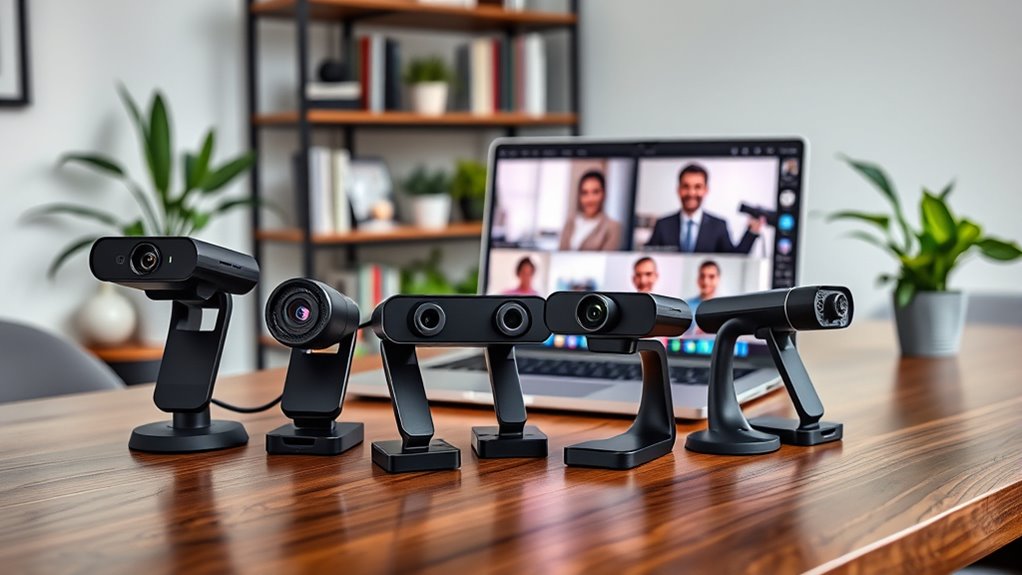

Choosing the right webcam for video conferencing can significantly improve your virtual meetings, whether for work, education, or social calls. The best models offer clear video, reliable microphones, and user-friendly features, but they also come with tradeoffs like price, ease of setup, and compatibility. The Logitech Brio stands out as the overall top pick for its 4K quality and versatility, while the NexiGo N60 offers great value for those on a budget. Premium options like the NexiGo N680E deliver high frame rates and advanced features, but they come at a higher cost. Continue reading for a detailed breakdown of these options and what matters most when selecting a webcam for your needs.

Get audio and creator gear delivered free — and shop member deals
- Fast, free delivery on millions of items
- Access to Prime Big Deal Days deals on October 6–7
- Prime Video, Amazon Music and more included
Complete the kit


Key Takeaways
- 4K resolution webcams like the NexiGo N680E provide superior image quality but often come with higher prices and require more powerful hardware.
- Built-in microphones vary significantly; models with dual noise-canceling mics improve audio clarity during calls.
- Features like privacy covers and auto light correction are increasingly common and enhance security and usability.
- Frame rate matters for smoother video—60fps models handle fast motion better, especially for dynamic presentations.
- Compatibility with various meeting platforms and easy setup are critical factors that influence overall user experience.
| Logitech Brio 101 Full HD 1080p Webcam for Streaming and Meetings – Black |  | Best Overall for Video Conferencing | Resolution: Full HD 1080p | Connectivity: USB A | Built-in Microphone: Yes | VIEW ON AMAZON | See Our Full Breakdown |
| NexiGo N60 1080P Webcam with Microphone, Privacy Cover, and Software Control |  | Best Value for Clear Audio and Easy Compatibility | Resolution: 1920 x 1080 at 30fps | Lens: 3.6mm glass lens | Microphone: Built-in noise-canceling | VIEW ON AMAZON | See Our Full Breakdown |
| EMEET C960 1080P Webcam with Microphone, 2 Mics, 90° FOV, Computer Camera |  | Best for Professional Group Calls with Wide Coverage | Resolution: 1920x1080p | FOV: 90° | Microphones: 2 omnidirectional | VIEW ON AMAZON | See Our Full Breakdown |
| Gohero Full HD 1080P Webcam with Wide-Angle Lens and Privacy Cover |  | Best Budget Wide-Angle Webcam for Video Calls | Resolution: 1080P Full HD | Frame Rate: 30 fps | Lens: Wide-Angle | VIEW ON AMAZON | See Our Full Breakdown |
| EMEET 1080P Webcam with Microphone, C960 Web Camera, 2 Mics, Streaming Webcam |  | Best for Streaming and Professional Calls | Resolution: 1920x1080p | Microphone: 2 noise reduction | Lens: 5-layer anti-glare | VIEW ON AMAZON | See Our Full Breakdown |
| Logitech C920x HD Pro PC Webcam Full 1080p/30fps Video – Black |  | Best Overall for Balanced Video and Audio | Resolution: 1080p/30fps | Autofocus: Yes | Lighting Adjustment: Yes | VIEW ON AMAZON | See Our Full Breakdown |
| Logitech BCC950 Desktop Video Conferencing Webcam & Speakerphone – Black |  | Best for Conference Rooms and Small Teams | Video Resolution: 1080p HD at 30 fps | Lens: Carl Zeiss | Microphone: Noise-cancelling, full duplex | VIEW ON AMAZON | See Our Full Breakdown |
| NexiGo N680E Pro 4K Webcam with Ring Light, PDAF Autofocus, 1080p 60FPS, Dual Noise-Canceling Mics, Privacy Shutter, USB Plug-and-Play |  | Best for Content Creators and High-Quality Streaming | Sensor Type: CMOS | Video Resolution: 4K, 1080p 60FPS | Focus Type: Auto, PDAF | VIEW ON AMAZON | See Our Full Breakdown |
| Logitech Brio Ultra 4K HD Webcam for Streaming and Meetings |  | Best for High-Resolution, Secure Video with Privacy Features | Resolution: 4K at 30 fps | Field of View: 65°, 78°, 90° | Zoom: 5x digital | VIEW ON AMAZON | See Our Full Breakdown |
| 1080P HD Webcam with Microphone, Privacy Cover, Wide-Angle Lens, Auto Light Correction, Plug & Play USB for Laptop, Desktop, PC, Mac, Streaming |  | Best Budget-Friendly Wide-Angle Webcam for Video Calls | Resolution: 1080p | Lens: Wide-angle | Light Correction: Automatic | VIEW ON AMAZON | See Our Full Breakdown |
| 4K AI-Powered Conference Webcam with Microphones, 120° FOV, Zoom Certified |  | Best for Small Conference Rooms and Professional Meetings | Resolution: 4K | Field of View: 120° | Microphones: Dual AI noise-canceling microphones | VIEW ON AMAZON | See Our Full Breakdown |
| Anker PowerConf C200 2K Webcam for PC, Laptop, Mac with Low-Light Correction |  | Best for Home Offices and Personal Productivity | Resolution: 2K Ultra-Clear | Microphone: Dual mics with AI Noise Cancellation | Low-Light Performance: Yes | VIEW ON AMAZON | See Our Full Breakdown |
| AOC 4K Webcam for PC with Noise-Canceling Microphone |  | Best for Sharp Detail and Versatile Framing | Resolution: 4K Ultra HD | Field of View: 80° | Tilt: 180° | VIEW ON AMAZON | See Our Full Breakdown |
| TRASI 1080P FHD Webcam with Noise-Canceling Mic, Auto Light Correction, Privacy Cover, Wide Angle Lens, Plug & Play USB for Laptop/Desktop/Mac | 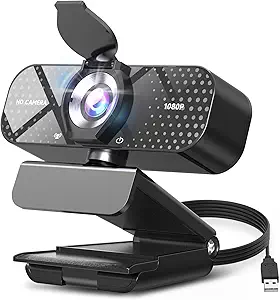 | Best for Basic HD Video Calls and Content Creation | Resolution: 1080p Full HD | Frame Rate: 30 fps | Lens: Wide-angle | VIEW ON AMAZON | See Our Full Breakdown |
| Logitech C920S HD Pro Webcam Full 1080p/30fps Video Calling |  | Best for Reliable, High-Quality Business Video Calls | Sensor Type: CMOS | Connectivity Technology: USB | Color: Black | VIEW ON AMAZON | See Our Full Breakdown |
| webcams for video conferencing | Resolution | Compatibility |
|---|---|---|
| Logitech Brio 101 Full HD 1080 | Full HD 1080p | Windows, Mac, Chrome OS |
| NexiGo N60 1080P Webcam with M | 1920 x 1080 at 30fps | USB 2.0/3.0, Windows, Mac, Linux |
| EMEET C960 1080P Webcam with M | 1920x1080p | Windows 10/11, macOS, Linux, Android TV |
| Gohero Full HD 1080P Webcam wi | 1080P Full HD | — |
| EMEET 1080P Webcam with Microp | 1920x1080p | Windows 10/11, MacOS, Linux, Android TV |
| Logitech C920x HD Pro PC Webca | 1080p/30fps | — |
| Logitech BCC950 Desktop Video | — | Microsoft Lync, Skype for Business, Cisco Jabber, WebEx |
| NexiGo N680E Pro 4K Webcam wit | — | — |
| Logitech Brio Ultra 4K HD Webc | 4K at 30 fps | Windows, Mac, ChromeOS |
| 1080P HD Webcam with Microphon | 1080p | — |
| 4K AI-Powered Conference Webca | 4K | Zoom, Teams, Webex |
| Anker PowerConf C200 2K Webcam | 2K Ultra-Clear | Windows 7+, macOS 10.11+ |
| AOC 4K Webcam for PC with Nois | 4K Ultra HD | USB-C & USB-A |
| TRASI 1080P FHD Webcam with No | 1080p Full HD | USB 2.0/3.0/3.1, OTG |
| Logitech C920S HD Pro Webcam F | — | — |
More Details on Our Top Picks
Logitech Brio 101 Full HD 1080p Webcam for Streaming and Meetings – Black
The Logitech Brio 101 stands out for delivering crisp 1080p video quality with intelligent shadow and brightness adjustments, making it ideal for professional conference calls and streaming. Compared with the EMEET C960, it offers slightly better image processing, especially in variable lighting conditions. Its privacy shutter adds a crucial layer of security, and compatibility with major platforms ensures seamless use. However, its reliance on USB A limits future-proofing, as many newer devices favor USB-C. The environmentally friendly recycled plastic makes it appealing for eco-conscious users, but the basic feature set may not satisfy those needing advanced controls like zoom or focus. This webcam makes the most sense for professionals prioritizing clarity and security in a straightforward setup.
Pros:- Sharp 1080p video with excellent color accuracy
- Privacy shutter for added security
- Compatibility with all major conferencing platforms
- Made from environmentally friendly recycled plastic
Cons:- Limited to USB A connection, lacking USB-C support
- Features are basic, no advanced controls like zoom or focus
Best for: Professionals and streamers seeking reliable, high-quality video for conference calls and streaming
Not ideal for: Users with newer devices that only support USB-C or those needing advanced zoom and focus controls
- Resolution:Full HD 1080p
- Connectivity:USB A
- Built-in Microphone:Yes
- Privacy Shutter:Yes
- Compatibility:Windows, Mac, Chrome OS
- Plastic Content:77% post-consumer plastic
Our verdict“This webcam offers a reliable, high-quality experience perfect for professionals who prioritize clarity and privacy in conferencing.”
NexiGo N60 1080P Webcam with Microphone, Privacy Cover, and Software Control
The NexiGo N60 offers solid 1080p video quality and a noise-canceling microphone, making it a strong choice for everyday conferencing. Its plug-and-play setup across a wide range of operating systems makes it more versatile than the EMEET C960, especially for users who need simple, reliable connectivity. The built-in privacy cover enhances security, but it lacks the advanced features like auto light correction or wide FOV found in higher-end models. Its fixed focus lens might not suit all distances, limiting flexibility. Compared with the Logitech Brio, it sacrifices some image processing but provides a more affordable option for those who need dependable audio and video without frills. This pick makes the most sense for budget-conscious users who prioritize straightforward functionality.
Pros:- 1080p video with good clarity
- Built-in noise-canceling microphone
- Privacy cover for security
- Plug-and-play with broad OS support
Cons:- Does not support gaming consoles like Xbox or PlayStation
- Fixed focus may not suit all distances
Best for: Small business users or remote workers wanting reliable video and audio at an affordable price
Not ideal for: Gamers or users needing adjustable focus or ultra-wide views for group setups
- Resolution:1920 x 1080 at 30fps
- Lens:3.6mm glass lens
- Microphone:Built-in noise-canceling
- Compatibility:USB 2.0/3.0, Windows, Mac, Linux
- Privacy Cover:Yes
- Focus:Fixed
Our verdict“This webcam delivers dependable video and audio quality at a budget-friendly price for everyday conference needs.”
EMEET C960 1080P Webcam with Microphone, 2 Mics, 90° FOV, Computer Camera
The EMEET C960 excels with a wide 90° field of view and automatic light correction, making it suitable for larger meetings or small conference rooms. It offers better coverage than the NexiGo N60, capturing more participants without the need for multiple cameras. Its dual omnidirectional microphones ensure clear audio, comparable to higher-tier models like the Logitech Brio in sound quality. However, it does not support Windows Hello, and its fixed focus limits flexibility for different distances. Its broad compatibility across operating systems and auto light adjustment make it a dependable choice for team meetings, although it falls short of features like zoom or manual focus. It’s ideal for users who need a wide-angle camera with straightforward setup and good audio.
Pros:- Wide 90° field of view for group calls
- Auto light correction for consistent image quality
- Dual omnidirectional microphones
- Plug-and-play compatibility across OS
Cons:- Does not support Windows Hello
- Fixed focus limits versatility
Best for: Small to medium teams needing wide-angle coverage and reliable audio for video calls
Not ideal for: Users requiring adjustable focus or high-end features like 4K resolution
- Resolution:1920x1080p
- FOV:90°
- Microphones:2 omnidirectional
- Auto Light Correction:Yes
- Compatibility:Windows 10/11, macOS, Linux, Android TV
- Focus:Fixed
Our verdict“This webcam is well-suited for team meetings where capturing multiple participants clearly is a priority.”
Gohero Full HD 1080P Webcam with Wide-Angle Lens and Privacy Cover
The Gohero Full HD 1080p webcam offers a wide-angle lens and automatic light correction, making it suitable for casual video calls and streaming. Compared to the EMEET C960, it provides a similarly wide field of view but lacks advanced features like auto light correction or multiple microphones. Its noise-reducing microphone ensures decent audio quality for most personal or small group meetings. The absence of adjustable focus or zoom means it’s less flexible for varied setups. Its simple plug-and-play USB connection makes it easy to use, but compatibility issues may arise with certain devices. This model makes the most sense for users who want a broad view and decent image quality at a lower price without complex features.
Pros:- 1080p video with wide-angle view
- Effective noise-reducing microphone
- Automatic light correction
- Privacy cover included
Cons:- No zoom or focus adjustment
- Limited compatibility with some devices
Best for: Home users or small teams seeking an affordable, wide-angle webcam for casual meetings
Not ideal for: Professional environments requiring adjustable focus or high-fidelity audio
- Resolution:1080P Full HD
- Frame Rate:30 fps
- Lens:Wide-Angle
- Microphone:Noise-Reducing
- Light Correction:Automatic
- Connectivity:USB 2.0/3.0/3.1, OTG
Our verdict“This webcam offers a wide-angle view and decent quality at an accessible price for casual or home use.”
EMEET 1080P Webcam with Microphone, C960 Web Camera, 2 Mics, Streaming Webcam
The EMEET C960 combines full HD 1080p video with dual noise reduction microphones and a 90° wide field of view, making it a versatile choice for streaming and professional meetings. Its automatic low-light correction improves image clarity in less ideal lighting, comparable to the Logitech Brio’s capabilities but at a lower price point. The fixed focus lens and lack of adjustable zoom limit customization, but for most conference scenarios, it delivers reliable clarity and audio. Its plug-and-play design across multiple platforms simplifies setup, though it doesn’t support Windows Hello or high-end features like 4K resolution. This webcam is suited for users who want a straightforward, effective tool for both streaming and professional conferencing.
Pros:- Clear 1080p video with auto low-light correction
- Dual noise reduction microphones
- Wide 90° view for group calls
- Plug-and-play with broad OS support
Cons:- No support for Windows Hello
- No adjustable focus or zoom
Best for: Content creators and remote workers needing reliable HD quality with good audio for streaming or meetings
Not ideal for: Power users needing adjustable focus or 4K video quality
- Resolution:1920x1080p
- Microphone:2 noise reduction
- Lens:5-layer anti-glare
- Focal Length:11.8-118.1 inches
- Field of View:90°
- Compatibility:Windows 10/11, MacOS, Linux, Android TV
Our verdict“This webcam provides dependable HD video and audio for streaming and professional use at an accessible price point.”
Logitech C920x HD Pro PC Webcam Full 1080p/30fps Video – Black
The Logitech C920x HD Pro stands out for delivering reliable 1080p video at 30fps with autofocus and automatic lighting adjustments, making it a solid choice for professional video calls and streaming. Compared to the Logitech Brio, it offers slightly lower resolution but at a more accessible price point, making it ideal for users who prioritize consistent quality over ultra-high resolutions. Its stereo microphones provide clear, natural sound, complementing its video capabilities. However, the absence of a privacy shutter and limited frame rate (30fps at 1080p) are notable downsides for privacy-conscious users and those seeking smoother motion. This webcam suits users who want a dependable, plug-and-play device for everyday conferencing without the need for the highest resolutions or advanced features.
Pros:- Reliable 1080p video at 30fps with autofocus and lighting adjustment
- Stereo microphones for clear audio
- Includes background editing software (XSplit VCam)
Cons:- No privacy shutter included
- Limited to 30fps at 1080p, which might affect motion smoothness
Best for: Small to medium business professionals seeking a reliable, easy-to-use webcam for daily video conferencing.
Not ideal for: Power users or streamers requiring ultra-high resolution or high frame rates for fast-paced content.
- Resolution:1080p/30fps
- Autofocus:Yes
- Lighting Adjustment:Yes
- Microphones:Stereo dual mics
- Includes:3-month XSplit VCam license
- Privacy Shutter:No
Our verdict“This webcam offers a balanced feature set for professionals who want dependable video and audio for everyday conferencing.”
Logitech BCC950 Desktop Video Conferencing Webcam & Speakerphone – Black
The Logitech BCC950 combines 1080p HD video with a built-in full duplex speakerphone and noise-cancelling microphone, making it well-suited for small meeting spaces. Unlike compact webcams like the NexiGo N680E Pro, this device integrates audio and video in one package, streamlining conference setups. Its remote control allows easy adjustments during meetings, but its size and wired connection limit portability, making it less ideal for remote workers or those needing mobile solutions. The Carl Zeiss lens ensures sharp video, and the full duplex microphone captures voices clearly, which enhances remote collaboration. This product is best for conference rooms where a dedicated, all-in-one video and audio device can improve meeting quality.
Pros:- 1080p HD video with Carl Zeiss lens for sharp images
- Integrated full duplex speakerphone with noise-canceling mic
- Remote control for easy adjustments
Cons:- Limited portability due to size and wired design
- Requires USB connection—no wireless options
Best for: Small offices or conference rooms requiring a dedicated system for consistent, high-quality meetings.
Not ideal for: Remote workers needing portable, multi-device solutions or those with limited desk space.
- Video Resolution:1080p HD at 30 fps
- Lens:Carl Zeiss
- Microphone:Noise-cancelling, full duplex
- Connectivity:USB
- Compatibility:Microsoft Lync, Skype for Business, Cisco Jabber, WebEx
- Range:Up to 8 feet
Our verdict“This all-in-one device excels in fixed conference room settings where high-quality audio and video are prioritized over mobility.”
NexiGo N680E Pro 4K Webcam with Ring Light, PDAF Autofocus, 1080p 60FPS, Dual Noise-Canceling Mics, Privacy Shutter, USB Plug-and-Play
The NexiGo N680E Pro offers stunning 4K resolution with a Sony sensor and fast PDAF autofocus, making it ideal for streaming, recording, and high-quality video conferencing. Its built-in tri-tone ring light with adjustable brightness and color temperature enhances image quality in various lighting conditions. Compared to the Logitech Brio, it provides a more affordable option with comparable 4K capabilities, but output resolution may depend on software settings and system compatibility. Its dual noise-canceling microphones ensure clear audio, but the need for USB-A ports and potential software complexity can be limitations. This webcam is perfect for users who want professional-level video quality combined with lighting control and microphone clarity.
Pros:- High-quality 4K video with Sony sensor
- Fast PDAF autofocus for sharp images
- Adjustable ring light for optimal lighting
- Dual noise-canceling microphones
Cons:- Output resolution can depend on software settings
- Requires USB-A port, may need adapters for some devices
Best for: Content creators or professionals requiring high-resolution streaming and flexible lighting.
Not ideal for: Basic users or those with limited hardware that cannot support 4K streaming or require simple plug-and-play setup.
- Sensor Type:CMOS
- Video Resolution:4K, 1080p 60FPS
- Focus Type:Auto, PDAF
- Built-in Ring Light:Yes, adjustable
- Microphones:Dual noise-canceling
- Connectivity:USB
Our verdict“This webcam suits users demanding professional 4K quality with built-in lighting and high-speed autofocus for streaming or conferencing.”
Logitech Brio Ultra 4K HD Webcam for Streaming and Meetings
The Logitech Brio delivers stunning 4K video with adjustable field of view options and digital zoom, making it ideal for professional streaming, secure meetings, and high-quality conferencing. Its dual omnidirectional microphones with noise cancellation provide clear audio, while Windows Hello integration enhances security with facial recognition. Compared to the more affordable Logitech C920x, it offers superior resolution and features like multiple FOV options and digital zoom but comes at a higher price. Its setup can be complex for some users, and it requires good lighting for the best results. This webcam is best suited for users who need premium resolution, enhanced privacy options, and security features in a professional environment.
Pros:- Excellent 4K video with adjustable FOVs
- Supports Windows Hello facial recognition
- Attachable privacy shutter for privacy control
- Clear, noise-canceling microphones
Cons:- Requires good lighting for optimal quality
- Setup can be complex for some users
- Higher price point compared to basic webcams
Best for: Executives, streamers, or remote workers needing high-end video quality with advanced security features.
Not ideal for: Budget-conscious users or those with limited lighting setups who only need basic 1080p video.
- Resolution:4K at 30 fps
- Field of View:65°, 78°, 90°
- Zoom:5x digital
- Microphones:Dual omnidirectional
- Compatibility:Windows, Mac, ChromeOS
- Privacy Shutter:Attachable
Our verdict“This webcam delivers premium 4K quality and security features for professionals who prioritize video clarity and privacy in their conferencing setup.”
1080P HD Webcam with Microphone, Privacy Cover, Wide-Angle Lens, Auto Light Correction, Plug & Play USB for Laptop, Desktop, PC, Mac, Streaming
The 1080P HD Webcam with Microphone offers a compelling balance of quality and affordability, featuring wide-angle framing and automatic light correction for versatile video calls and streaming. Its plug-and-play USB connection makes setup straightforward across a variety of devices. Compared to premium options like the NexiGo N680E Pro, it sacrifices some resolution and advanced features but provides excellent value for basic conferencing needs. The privacy cover adds a layer of security, though it may be small for some users. This webcam is well-suited for casual users, online educators, or small team meetings where budget and ease of use are priorities.
Pros:- Sharp 1080p video with wide-angle lens
- Automatic light correction for consistent image quality
- Built-in privacy cover for security
- Easy plug-and-play setup
Cons:- Limited to 1080p resolution, no 4K option
- Privacy cover may be small for some users
- Requires USB connection, not wireless
Best for: Budget-conscious users needing a reliable, wide-angle webcam for regular video calls and streaming.
Not ideal for: Power users or professionals requiring high-resolution video or advanced lighting features.
- Resolution:1080p
- Lens:Wide-angle
- Light Correction:Automatic
- Microphone:Built-in noise-canceling
- Privacy Cover:Yes, sliding
- Connectivity:USB 2.0/3.0/3.1
Our verdict“This affordable webcam provides wide-angle framing and automatic light adjustment, making it suitable for basic conferencing and streaming on a budget.”
4K AI-Powered Conference Webcam with Microphones, 120° FOV, Zoom Certified
This webcam stands out for its high-resolution 4K video and AI-driven auto framing that keeps speakers in focus, making it ideal for small meeting rooms where clarity and engagement are key. Compared to the Logitech C920S, it offers a wider 120° field of view, capturing the entire room without repositioning, but this broad angle might introduce distortion for close-up shots. Its dual noise-canceling microphones improve audio quality, though it relies on external speakers, which could be a drawback for standalone setups. The plug-and-play USB connection simplifies setup, yet the absence of built-in speakers means additional equipment is necessary for complete conferencing. This pick makes the most sense for professionals conducting hybrid meetings in small, dedicated spaces where image quality and room coverage are priorities.Pros:- High-quality 4K resolution for crystal-clear video
- AI auto framing and presenter tracking enhance engagement
- Wide 120° field of view captures entire room without repositioning
Cons:- Designed primarily for small rooms, less suitable for large spaces
- No built-in speakers, requiring external audio devices
Best for: Small team conference rooms needing high-quality video and room-wide coverage
Not ideal for: Larger conference spaces or mobile users seeking a portable solution, due to its room-specific design and fixed setup
- Resolution:4K
- Field of View:120°
- Microphones:Dual AI noise-canceling microphones
- Connectivity:USB
- Compatibility:Zoom, Teams, Webex
- Privacy Feature:Physical lens cover
Our verdict“This webcam is best suited for small conference rooms where high clarity and room coverage are essential, but it needs external audio equipment.”
Anker PowerConf C200 2K Webcam for PC, Laptop, Mac with Low-Light Correction
The PowerConf C200 offers a sharp 2K resolution that balances clarity with smooth performance, making it ideal for individuals working remotely or streaming content. Unlike the 4K models, its 2K resolution provides excellent detail without demanding as much bandwidth or processing power, and its adjustable viewing angles (65°, 78°, 95°) give flexible framing options. Its AI noise-canceling microphones ensure clear communication, even in noisy environments, while the low-light correction enhances image quality in dim settings. However, its USB-only connectivity limits compatibility with older devices, and the absence of built-in lighting means ambient light must be adequate for optimal results. This webcam makes the most sense for home users who prioritize high-quality video and versatile framing over room coverage.Pros:- Sharp 2K video resolution for detailed images
- Multiple adjustable viewing angles for flexible framing
- Effective AI noise cancellation and low-light correction
Cons:- Limited to USB connection, may not suit older or simpler setups
- No integrated lighting, dependent on ambient light
Best for: Remote workers and streamers needing high-quality video with flexible angles and good low-light performance
Not ideal for: Large conference rooms or users with older computers lacking modern USB ports, due to connectivity limitations
- Resolution:2K Ultra-Clear
- Microphone:Dual mics with AI Noise Cancellation
- Low-Light Performance:Yes
- Viewing Angles:65°, 78°, 95°
- Privacy Cover:Yes
- Compatibility:Windows 7+, macOS 10.11+
Our verdict“This webcam is ideal for individuals seeking high-resolution video with adaptable framing and good performance in low-light settings, but it isn’t suited for large meeting rooms.”
AOC 4K Webcam for PC with Noise-Canceling Microphone
The AOC 4K webcam offers impressively detailed 4K video with an 80° wide-angle lens, suitable for professional presentations or small group meetings. Its adjustable tilt (180°) and swivel (360°) make it easy to frame the shot, surpassing static models like the Logitech C920S in flexibility. The automatic light correction helps maintain clarity in various lighting conditions, and the built-in noise-reducing microphone improves audio quality. However, the 80° view might be too narrow for larger groups, and it lacks advanced features such as autofocus or digital zoom, which can limit framing precision. This webcam makes sense for users who want high-quality video with flexible physical adjustments, especially when space is constrained.Pros:- Sharp 4K video with lifelike detail
- Adjustable tilt and swivel for versatile framing
- Automatic light correction for consistent image quality
Cons:- Narrow 80° field of view for larger groups
- Lacks autofocus and digital zoom features
Best for: Small teams or individuals needing high-resolution video with flexible physical positioning
Not ideal for: Large conference settings or those requiring digital zoom and autofocus, due to its fixed lens and limited features
- Resolution:4K Ultra HD
- Field of View:80°
- Tilt:180°
- Swivel:360°
- Privacy Cover:Yes
- Compatibility:USB-C & USB-A
Our verdict“This webcam suits users who prioritize high-resolution detail and flexible physical adjustments over zoom or wide coverage for larger groups.”
TRASI 1080P FHD Webcam with Noise-Canceling Mic, Auto Light Correction, Privacy Cover, Wide Angle Lens, Plug & Play USB for Laptop/Desktop/Mac
The TRASI webcam provides reliable 1080p video quality with a wide-angle lens, making it a solid choice for everyday video calls and streaming. Its automatic light correction ensures decent image quality across lighting conditions, and the noise-canceling microphone supports clearer communication. Unlike the 4K models, it offers a straightforward plug-and-play experience that suits users unfamiliar with complex setup procedures. However, its 30 fps frame rate might fall short for fast-paced streaming or high-quality recording, and it lacks autofocus or zoom, limiting advanced framing options. This webcam works well for users seeking simple, dependable HD video but isn’t designed for high-end production or large group meetings.Pros:- Decent 1080p video quality with wide-angle coverage
- Automatic light correction for consistent images
- Easy plug-and-play setup
Cons:- Limited to 30 fps, less ideal for fast motion
- No autofocus or zoom for precise framing
Best for: Individuals needing easy-to-use, reliable HD webcam for daily video calls or streaming
Not ideal for: High-speed streaming or professional broadcast use, due to limited frame rate and lack of autofocus
- Resolution:1080p Full HD
- Frame Rate:30 fps
- Lens:Wide-angle
- Microphone:Noise-canceling
- Light Correction:Automatic
- Compatibility:USB 2.0/3.0/3.1, OTG
Our verdict“This webcam offers dependable HD quality and ease of use for everyday virtual communication, but it lacks features needed for fast-paced or professional video production.”
Logitech C920S HD Pro Webcam Full 1080p/30fps Video Calling
The Logitech C920S is a well-established choice for professional video conferencing thanks to its consistent 1080p resolution and accurate color reproduction. Its automatic focus and light correction help produce sharp, vibrant images across various lighting conditions, making it comparable to the Anker PowerConf C200 but with a slightly narrower field of view at 78°. The built-in privacy shutter adds security, although it does not include advanced features like digital zoom or higher frame rates found in premium models. Its USB 2.0 compatibility may be limiting for some new setups, but overall, it provides dependable, high-quality video for daily meetings, especially in office or home environments.Pros:- Reliable 1080p video with vibrant color
- Built-in privacy shutter for security
- Automatic focus and light correction ensure clear images
Cons:- Limited to USB 2.0, less future-proof
- No zoom or ultra-wide viewing angles
Best for: Professionals who need a dependable, easy-to-use webcam for daily business calls and recordings
Not ideal for: Large group meetings or users requiring ultra-wide coverage or advanced zoom capabilities, due to its fixed field of view and basic feature set
- Sensor Type:CMOS
- Connectivity Technology:USB
- Color:Black
- Special Feature:Low Light
- Item Weight:5.76 ounces
- Viewing Angle:78°
Our verdict“This webcam offers dependable, high-quality 1080p video for everyday professional use but falls short for those needing wider coverage or advanced features.”
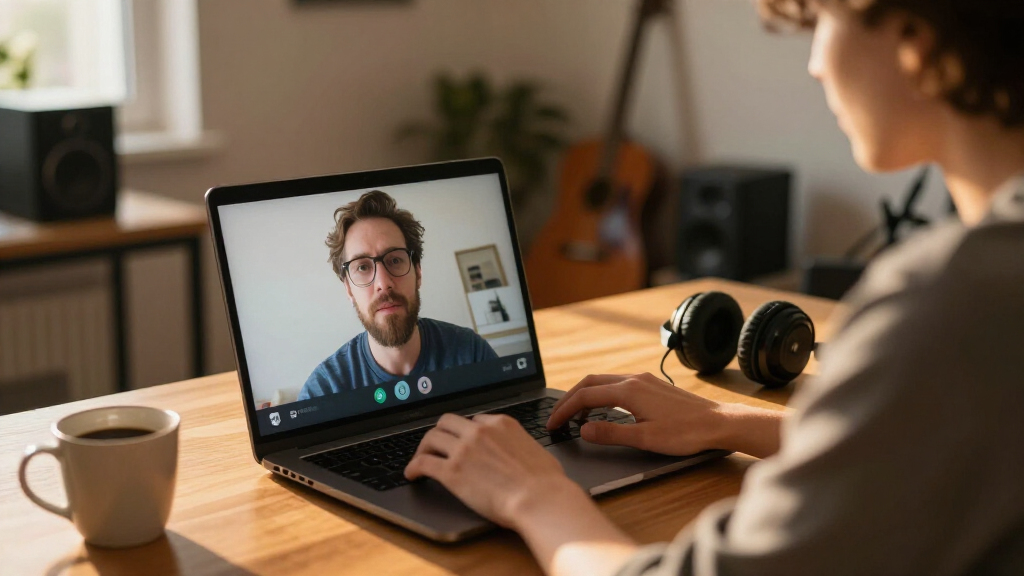
How We Picked
These webcams were selected based on a combination of performance, usability, build quality, and value. Priority was given to models that deliver clear HD or 4K video, reliable audio, and features that enhance video conferencing, such as auto light correction and privacy covers. We also considered user reviews and availability across different price ranges, aiming to identify options suitable for both beginners and advanced users. The ranking reflects a balance between high-end technological features and everyday practicality, ensuring each pick offers distinct advantages for specific user needs.Factors to Consider When Choosing Webcams For Video Conferencing
When choosing a webcam for video conferencing, it’s essential to consider several factors that impact your meeting experience. Beyond resolution, features like microphone quality, lighting correction, and ease of use can make a significant difference. Understanding these factors helps you avoid common pitfalls, such as purchasing a camera that doesn’t work well with your hardware or platform. A thoughtful choice ensures your virtual presence is professional and reliable, whether for casual calls or high-stakes meetings.Resolution and Frame Rate
The resolution determines how sharp and clear your video appears. Most webcams now offer at least 1080p, which is sufficient for most professional settings, but 4K models provide even greater detail, especially useful if you need to crop or zoom during calls. Frame rate impacts motion smoothness—60fps webcams handle fast movements better than 30fps, which can be noticeable during dynamic presentations or when sharing screens. Balancing resolution and frame rate with your hardware capabilities is key to avoiding lag or choppy video.
Audio Quality and Microphones
Good audio quality is equally vital as video clarity. Built-in microphones range from basic to advanced dual microphone arrays with noise cancellation. Higher-quality mics reduce background noise and echo, making your voice clearer and more professional. If you frequently participate in large meetings or webinars, investing in a webcam with superior microphone technology can minimize the need for external audio equipment, simplifying setup and reducing clutter.
Lighting and Autofocus
Lighting conditions vary widely, so look for webcams with auto light correction. This feature adjusts the image for better visibility in low or uneven lighting, preventing dark or washed-out appearances. Autofocus ensures your face remains sharp as you move during calls, avoiding blurry images that can distract viewers. These enhancements are especially useful for home offices with variable lighting or multi-user setups.
Compatibility and Ease of Setup
Ensure the webcam is compatible with your operating system and conferencing platform, such as Zoom, Teams, or Skype. USB plug-and-play models simplify installation, but some advanced features may require additional software. Compatibility issues can cause delays or limit functionality, so checking reviews for platform support is wise. An intuitive setup process is equally important for users who prefer a quick, hassle-free experience.
Build Quality and Design
A sturdy, well-designed webcam reduces the risk of accidental damage and offers better stability during use. Features like adjustable mounts, privacy covers, and compact form factors add convenience. However, premium build quality often comes with a higher price. Decide what balance of durability and cost suits your environment—professional offices may prioritize sturdiness, while portable users might prefer lightweight models.
Frequently Asked Questions
Can I use a 4K webcam for video conferencing?
Yes, a 4K webcam can deliver sharper and more detailed video, which is beneficial for large displays or professional presentations. However, keep in mind that 4K video requires higher bandwidth and a more powerful computer to handle the increased data. Many conferencing platforms default to 1080p, so ensure your software supports 4K streaming. If your hardware or internet connection isn’t robust, a 1080p model may provide a smoother experience without the need for extensive resources.
Is a built-in microphone enough for professional meetings?
While many webcams come with built-in microphones, their quality can vary. For smaller meetings or casual calls, a decent microphone may suffice, but for more formal or larger meetings, investing in a webcam with noise-canceling dual mics or an external microphone tends to produce clearer audio. Good audio reduces misunderstandings and makes your communication more effective. Consider your environment and the importance of sound clarity when choosing your webcam.
Do I need a privacy cover for my webcam?
Adding a privacy cover is a simple way to prevent unauthorized access or accidental activation of your webcam. It provides peace of mind, especially if you handle sensitive information or share your device with others. Many webcams include a built-in cover, but if not, an attachable one is inexpensive and easy to install. Privacy covers are a practical safeguard against hacking and privacy breaches in today’s connected world.
How important is autofocus in a webcam?
Autofocus ensures your face remains sharp even as you move slightly during a call, preventing blurry images that can distract colleagues or clients. It’s particularly useful in dynamic environments or when multiple people share the same camera. However, some models with fixed focus can be sufficient in static setups, often at a lower cost. Ultimately, autofocus adds convenience and professionalism, especially for frequent users who move around during video calls.
Should I prioritize higher frame rates over resolution?
Higher frame rates, such as 60fps, provide smoother video, which can be important for fast-moving content or presentations. However, they typically come at a higher cost and demand more from your hardware. For most conferencing needs, 30fps is adequate, but if you stream fast-paced content or want the most fluid experience, investing in a webcam with 60fps capabilities makes sense. Balance your needs with your hardware’s capacity and your budget for the best results.
Conclusion
For users seeking the best overall experience, the Logitech Brio offers exceptional 4K quality and versatile features suitable for professional settings. Those on a tighter budget will find the NexiGo N60 provides solid 1080p performance with good microphone quality at an accessible price. If premium features like 60fps and advanced autofocus matter, the NexiGo N680E is a compelling choice for high-end conferencing. Beginners or casual users should prioritize simplicity and compatibility, making models like the Logitech C920 ideal. Ultimately, your choice depends on your specific needs, budget, and environment, but these options cover a broad spectrum of conferencing scenarios.
As an affiliate, we earn on qualifying purchases.Fall Picks
fall essentials