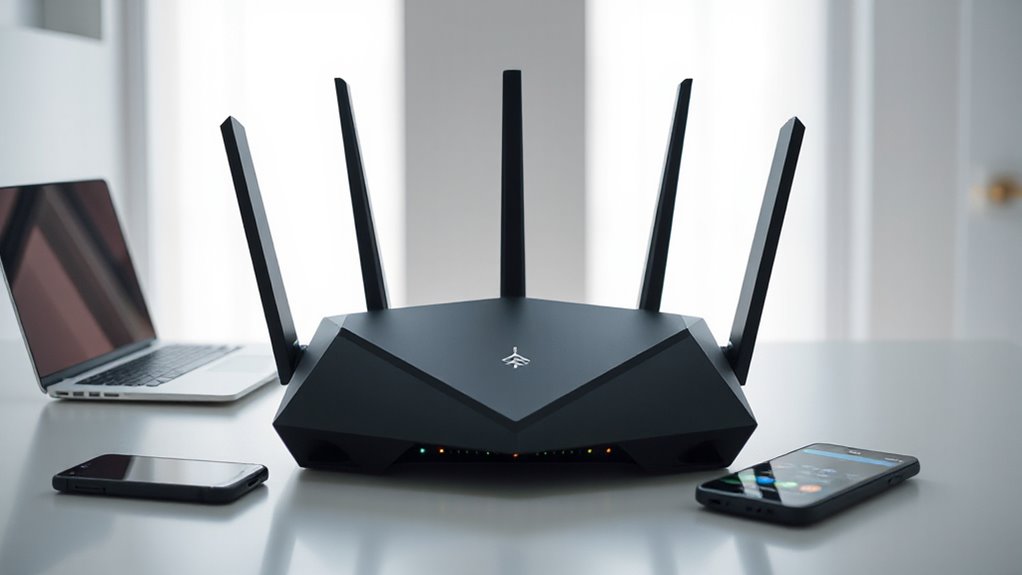

If you’re after the best WiFi 7 routers of 2026 for fast and reliable connectivity, I’ve got you covered. Top models like the NETGEAR RS280S, TP-Link tri-band routers, and ASUS gaming routers offer blazing speeds up to 30 Gbps, extensive device support, and advanced features like multi-link operation and mesh expandability. They’re perfect for gaming, streaming, or large homes. Keep exploring, and you’ll discover which model fits your needs best.
Key Takeaways
- Top WiFi 7 routers offer multi-gig speeds up to 30 Gbps, ensuring ultra-fast, low-latency connectivity for demanding activities.
- They support extensive device capacity and large coverage areas, ideal for large homes and high-density environments.
- Advanced security features like WPA3, VPN, and AIProtection ensure reliable, protected network connections.
- Gaming-focused models provide low latency, game acceleration, and dedicated ports for seamless, responsive gameplay.
- User-friendly management via mobile apps and web interfaces simplifies setup, monitoring, and network customization.
| NETGEAR Nighthawk WiFi 7 Router (RS280S) | 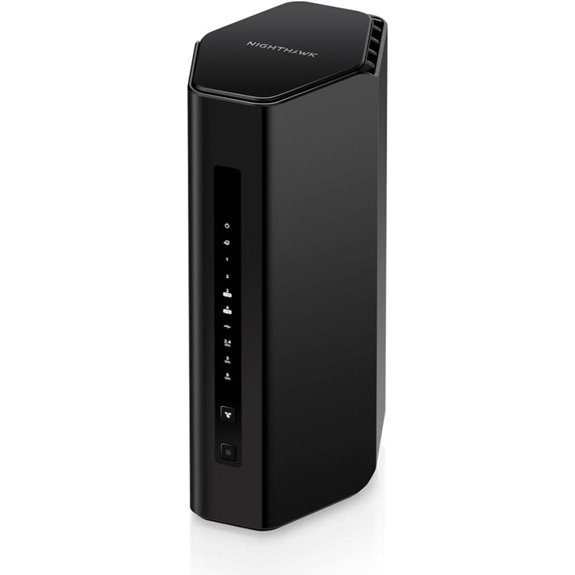 | Top Performance | Wi-Fi Bands: Tri-Band (2.4GHz, 5GHz, 6GHz) | Max Speed: Up to 9.2 Gbps | Number of Ports: 2 x 2.5G, 2 x 1G Ethernet LAN | VIEW LATEST PRICE | See Our Full Breakdown |
| TP-Link Tri-Band WiFi 7 Router with 15Gbps | 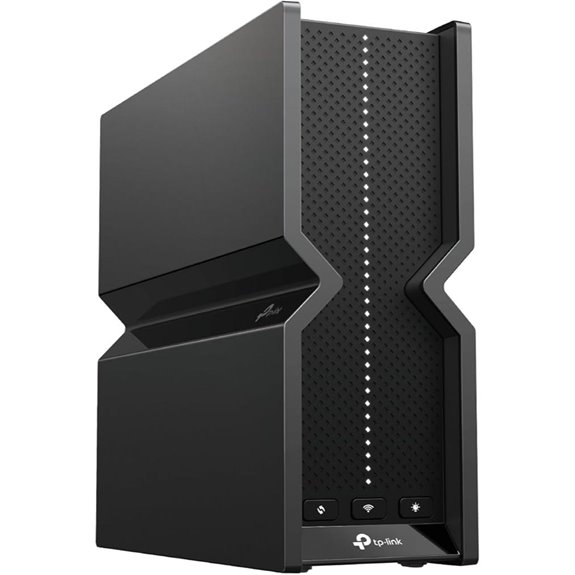 | Best for High-Speed Streaming | Wi-Fi Bands: Tri-Band (2.4GHz, 5GHz, 6GHz) | Max Speed: Up to 15.3 Gbps | Number of Ports: 1 x 10 Gbps WAN, 3 x 1G LAN, 1 x 2.5G LAN | VIEW LATEST PRICE | See Our Full Breakdown |
| ASUS ROG Rapture GT-BE98 PRO WiFi 7 Gaming Router | 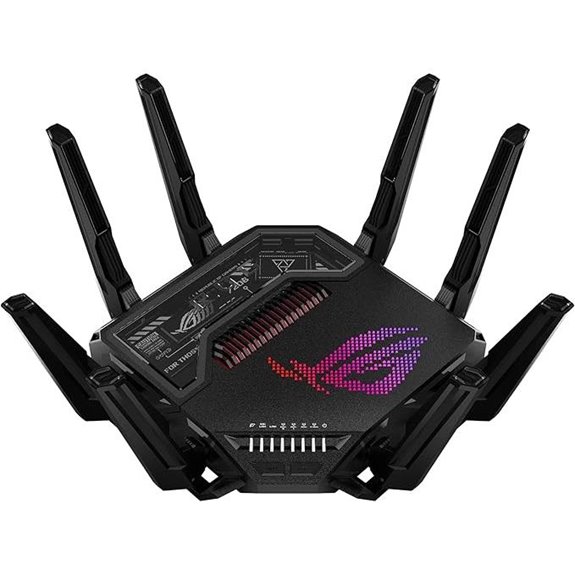 | Gamer’s Choice | Wi-Fi Bands: Quad-Band (including 6GHz, 5GHz, 2.4GHz) | Max Speed: Up to 30 Gbps | Number of Ports: 2 x 10G, 4 x 2.5G, 3 x 1G LAN | VIEW LATEST PRICE | See Our Full Breakdown |
| NETGEAR Nighthawk WiFi 7 Router Dual-Band 3.6 Gbps | 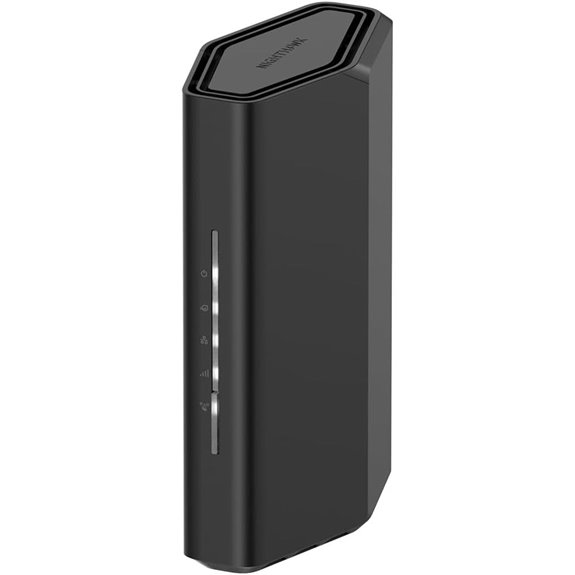 | Best Budget-Friendly | Wi-Fi Bands: Dual-Band (2.4GHz, 5GHz) | Max Speed: Up to 3.6 Gbps | Number of Ports: 1 x 2.5G port, multiple LAN ports | VIEW LATEST PRICE | See Our Full Breakdown |
| TP-Link Archer BE6500 Wi-Fi 7 Router with Ports |  | Best Mesh Expansion | Wi-Fi Bands: Tri-Band (2.4GHz, 5GHz, 6GHz) | Max Speed: Up to 6.5 Gbps | Number of Ports: 1 x 2.5G WAN, 4 x 2.5G LAN, 1 Gbps ports | VIEW LATEST PRICE | See Our Full Breakdown |
| NETGEAR Nighthawk WiFi 7 Router (RS500) | 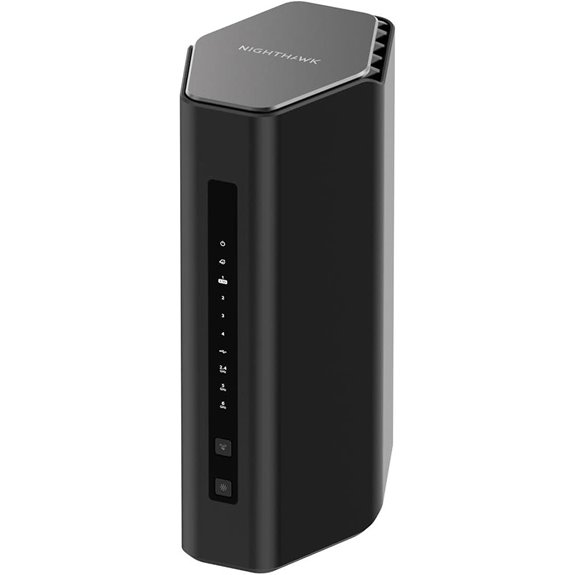 | Reliable Coverage | Wi-Fi Bands: Tri-Band (2.4GHz, 5GHz, 6GHz) | Max Speed: Up to 12 Gbps | Number of Ports: 1 x 2.5G, 3 x 1G LAN | VIEW LATEST PRICE | See Our Full Breakdown |
| TP-Link Tri-Band WiFi 7 Router with Extended Coverage |  | Extended Range | Wi-Fi Bands: Tri-Band (2.4GHz, 5GHz, 6GHz) | Max Speed: Up to 5.76 Gbps | Number of Ports: 1 x 2.5G WAN, 4 x 2.5G LAN, 1 Gbps | VIEW LATEST PRICE | See Our Full Breakdown |
| TP-Link Tri-Band Wi-Fi 7 Gaming Router (BE11000) | 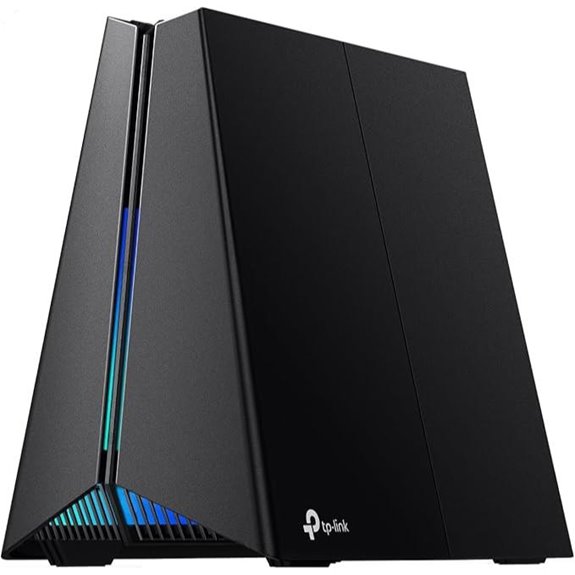 | Gaming Powerhouse | Wi-Fi Bands: Tri-Band (2.4GHz, 5GHz, 6GHz) | Max Speed: Up to 5.76 Gbps | Number of Ports: Multiple ports including 10G, 2.5G, and 1G | VIEW LATEST PRICE | See Our Full Breakdown |
| ASUS RT-BE92U WiFi 7 Tri-Band Router with AI Security | 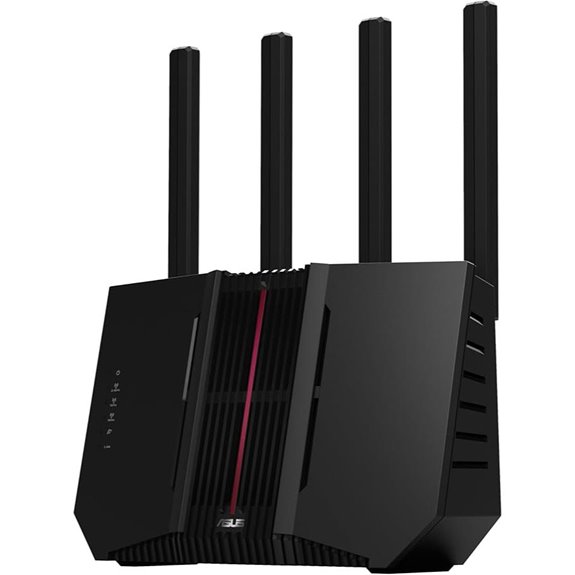 | Security Focus | Wi-Fi Bands: Tri-Band (2.4GHz, 5GHz, 6GHz) | Max Speed: Up to 9.7 Gbps | Number of Ports: USB, Ethernet ports including 5G, 2.5G, 1G | VIEW LATEST PRICE | See Our Full Breakdown |
| TP-Link Archer BE24000 WiFi 7 Router with 12 Antennas |  | Maximum Coverage | Wi-Fi Bands: Quad-Band (including 6GHz, 5GHz, 2.4GHz) | Max Speed: Up to 12 Gbps | Number of Ports: 2 x 10G, 4 x 2.5G, 1 Gbps ports | VIEW LATEST PRICE | See Our Full Breakdown |
| GL.iNet Flint 3 Tri-Band WiFi 7 Router | 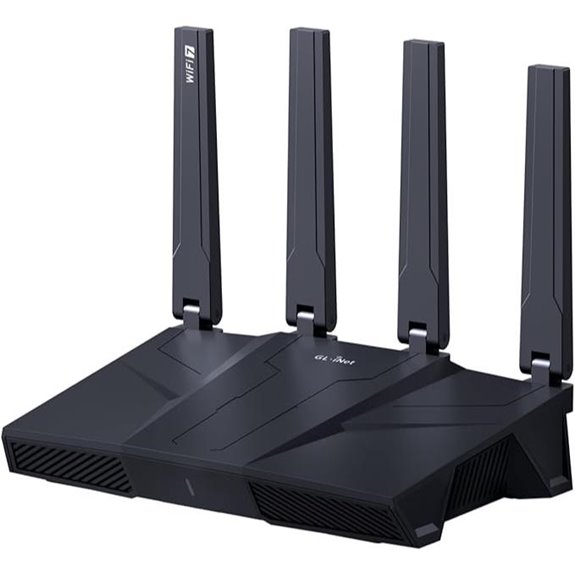 | Best for Advanced Users | Wi-Fi Bands: Tri-Band (2.4GHz, 5GHz, 6GHz) | Max Speed: Up to 9 Gbps | Number of Ports: 1 x 10G, multiple 2.5G, 1G ports | VIEW LATEST PRICE | See Our Full Breakdown |
More Details on Our Top Picks
NETGEAR Nighthawk WiFi 7 Router (RS280S)
If you’re looking for a router that delivers lightning-fast speeds and reliable coverage for gaming, streaming, and home office work, the NETGEAR Nighthawk WiFi 7 Router (RS280S) is an excellent choice. It offers WiFi 7 speeds up to 9.2 Gbps, which is 2.4 times faster than WiFi 6, ensuring smooth performance across all devices. Its sleek design features high-performance antennas and a compact footprint, fitting seamlessly into modern homes. Covering up to 2,500 square feet, it provides strong signals throughout your space. With easy setup via the Nighthawk App and advanced security features like NETGEAR Armor, it’s a powerful, secure, and user-friendly choice.
- Wi-Fi Bands:Tri-Band (2.4GHz, 5GHz, 6GHz)
- Max Speed:Up to 9.2 Gbps
- Number of Ports:2 x 2.5G, 2 x 1G Ethernet LAN
- Security Features:NETGEAR Armor (1-year)
- Coverage Area:Up to 2,500 sq. ft.
- Setup Method:Nighthawk App
- Additional Feature:Armor security suite included
- Additional Feature:Easy Nighthawk App setup
- Additional Feature:Supports multi-gig internet ports
TP-Link Tri-Band WiFi 7 Router with 15Gbps
The TP-Link Tri-Band WiFi 7 Router with 15Gbps is an excellent choice for homes that demand ultra-fast, reliable internet coverage, especially when streaming 4K or 8K content, gaming in AR/VR, or supporting multiple high-speed devices simultaneously. It leverages Wi-Fi 7 technology with Multi-Link Operation, Multi-RUs, 4K-QAM, and channels up to 320 MHz for maximum performance. With tri-band speeds totaling over 15 Gbps, it supports the latest devices like iPhone 16 Pro and Samsung Galaxy S24 Ultra. Its extensive coverage, multi-gig ports, Beamforming antennas, and advanced security features make it a top contender for high-demand households.
- Wi-Fi Bands:Tri-Band (2.4GHz, 5GHz, 6GHz)
- Max Speed:Up to 15.3 Gbps
- Number of Ports:1 x 10 Gbps WAN, 3 x 1G LAN, 1 x 2.5G LAN
- Security Features:TP-Link HomeShield + IoT protection
- Coverage Area:Extensive, supports mesh expansion
- Setup Method:Tether app or web
- Additional Feature:Multi-Link Operation technology
- Additional Feature:Voice control via Alexa/Google
- Additional Feature:Expandable with EasyMesh
ASUS ROG Rapture GT-BE98 PRO WiFi 7 Gaming Router
Gamers seeking lightning-fast speeds and stable connections will find the ASUS ROG Rapture GT-BE98 PRO WiFi 7 Gaming Router an ideal choice, thanks to its support for WiFi 7 (802.11be) and multi-link operation. It offers speeds up to 30 Gbps across four bands, with 320MHz channels in the 6 GHz band for maximum capacity. Dual external antennas boost coverage, while features like triple-level game acceleration and mobile game mode optimize latency and stability. With dual 10G ports, four 2.5G ports, AiMesh support, and built-in security, this router delivers flexible wired and wireless performance for serious gamers and demanding networks alike.
- Wi-Fi Bands:Quad-Band (including 6GHz, 5GHz, 2.4GHz)
- Max Speed:Up to 30 Gbps
- Number of Ports:2 x 10G, 4 x 2.5G, 3 x 1G LAN
- Security Features:Subscription-free security, VPN, AiMesh
- Coverage Area:Up to 2,400 sq. ft.
- Setup Method:Manual setup, app, AiMesh
- Additional Feature:Gaming traffic optimization
- Additional Feature:Triple-Level Game Acceleration
- Additional Feature:Customizable RGB lighting
NETGEAR Nighthawk WiFi 7 Router Dual-Band 3.6 Gbps
For those seeking a high-performance WiFi 7 router capable of supporting multiple devices seamlessly, the NETGEAR Nighthawk Dual-Band Router (RS90) stands out. It delivers speeds up to 3.6 Gbps, making it 1.2 times faster than WiFi 6, perfect for gaming, streaming, and video calls. Supporting up to 50 devices simultaneously, it covers around 2,000 sq. ft. with strong antennas. The sleek design fits easily in any space, and setup is straightforward via the Nighthawk app. It works with any ISP, requiring only a separate modem, and includes security features like NETGEAR Armor for online protection.
- Wi-Fi Bands:Dual-Band (2.4GHz, 5GHz)
- Max Speed:Up to 3.6 Gbps
- Number of Ports:1 x 2.5G port, multiple LAN ports
- Security Features:Built-in security, Armor (30-day trial)
- Coverage Area:Approximately 2,000 sq. ft.
- Setup Method:Nighthawk app, web interface
- Additional Feature:Supports multi-device connectivity
- Additional Feature:30-day free Armor trial
- Additional Feature:Sleek, compact design
TP-Link Archer BE6500 Wi-Fi 7 Router with Ports
If you’re looking for a router that can handle large homes and multiple devices without sacrificing speed, the TP-Link Archer BE6500 Wi-Fi 7 Router with Ports stands out as an excellent choice. It features the latest Wi-Fi 7 technology, including Multi-Link Operation and 4K-QAM, delivering up to 6.5 Gbps combined bandwidth. With support for up to 90 devices and coverage of 2,400 sq. ft., it’s perfect for busy households. The router offers high-speed wired ports, including a 2.5 Gbps WAN/LAN, ensuring fast data transfer. Its easy setup, robust security, and mesh expandability make it a future-proof solution for seamless, reliable connectivity.
- Wi-Fi Bands:Tri-Band (2.4GHz, 5GHz, 6GHz)
- Max Speed:Up to 6.5 Gbps
- Number of Ports:1 x 2.5G WAN, 4 x 2.5G LAN, 1 Gbps ports
- Security Features:HomeShield, parental controls
- Coverage Area:Up to 2,000-2,400 sq. ft.
- Setup Method:Tether app, web interface
- Additional Feature:Supports VPN client/server
- Additional Feature:Future-proof Wi-Fi 7 tech
- Additional Feature:Parental controls included
NETGEAR Nighthawk WiFi 7 Router (RS500)
The NETGEAR Nighthawk WiFi 7 Router (RS500) stands out as an excellent choice for households with multiple devices demanding high-speed, reliable internet. It delivers tri-band WiFi with speeds up to 12 Gbps, making it ideal for 8K streaming, gaming, and video calls. Supporting up to 120 devices, it uses 320 MHz channels for better capacity. Its sleek design, high-performance antennas, and coverage of up to 3,000 sq. ft. ensure strong signals throughout your home. With a 2.5 Gig Ethernet port and multiple gigabit LAN ports, it offers fast wired connections. Plus, built-in security features and automatic updates keep your network safe and protected.
- Wi-Fi Bands:Tri-Band (2.4GHz, 5GHz, 6GHz)
- Max Speed:Up to 12 Gbps
- Number of Ports:1 x 2.5G, 3 x 1G LAN
- Security Features:Built-in security, Armor (30-day trial)
- Coverage Area:Up to 3,000 sq. ft.
- Setup Method:Web setup, app
- Additional Feature:320 MHz high-capacity channels
- Additional Feature:Supports up to 120 devices
- Additional Feature:Modern, small footprint
TP-Link Tri-Band WiFi 7 Router with Extended Coverage
Built for demanding households and tech enthusiasts, the TP-Link Tri-Band WiFi 7 Router with Extended Coverage delivers exceptional performance and expansive coverage through its advanced Tri-Band technology and multi-link operation. It offers speeds up to 5760 Mbps on the 6 GHz band, supported by six internal antennas with Beamforming that optimize capacity and reduce interference. Covering up to 2,000 sq ft, it supports EasyMesh for seamless expansion with extenders and additional routers. Equipped with a 2.5G WAN port and four 2.5G LAN ports, it’s future-proof for high-speed wired connections. Features like TP-Link HomeShield, VPN support, and easy setup make it a versatile choice for modern homes.
- Wi-Fi Bands:Tri-Band (2.4GHz, 5GHz, 6GHz)
- Max Speed:Up to 5.76 Gbps
- Number of Ports:1 x 2.5G WAN, 4 x 2.5G LAN, 1 Gbps
- Security Features:HomeShield, parental controls, IoT security
- Coverage Area:Up to 2,000 sq. ft.
- Setup Method:Tether app, web
- Additional Feature:Supports WPA3 encryption
- Additional Feature:Seamless mesh expansion
- Additional Feature:Expert support available
TP-Link Tri-Band Wi-Fi 7 Gaming Router (BE11000)
Gamers seeking ultra-fast, stable internet connections will find the TP-Link Tri-Band Wi-Fi 7 Gaming Router (BE11000) an ideal choice, thanks to its support for the latest Wi-Fi 7 technology and dedicated gaming features. It delivers speeds up to 5764 Mbps on the 6 GHz band, with additional bandwidth from the 5 GHz and 2.4 GHz bands. Multi-Link Operation enables all three bands to work simultaneously for maximum stability. Equipped with multi-gig ports, including a 5 Gbps WAN and multiple 2.5 Gbps LAN ports, it guarantees fast wired connections. Its Game Accelerator optimizes traffic, reducing lag and enhancing gameplay, making it perfect for serious gamers.
- Wi-Fi Bands:Tri-Band (2.4GHz, 5GHz, 6GHz)
- Max Speed:Up to 5.76 Gbps
- Number of Ports:Multiple ports including 10G, 2.5G, and 1G
- Security Features:TP-Link HomeShield, parental controls
- Coverage Area:Not specified, but high coverage with 12 antennas
- Setup Method:Setup via app or web, management tools
- Additional Feature:RGB customizable lighting
- Additional Feature:Dedicated gaming band
- Additional Feature:Game traffic optimization
ASUS RT-BE92U WiFi 7 Tri-Band Router with AI Security
If you’re looking for a top-tier WiFi 7 router that combines blazing-fast speeds with advanced security, the ASUS RT-BE92U Tri-Band Router is an excellent choice. It supports WiFi 7 with 6 GHz band channels, delivering speeds up to 9700 Mbps and utilizing 4096-QAM for higher capacity. Multi-Link Operation ensures stable, low-latency connections by linking multiple bands simultaneously. With versatile WAN options, AI WAN detection, and a USB port for mobile tethering, it’s highly flexible. Plus, its AIProtection Pro offers subscription-free, commercial-grade security, along with easy parental controls and IoT management, making it perfect for modern, secure home networking.
- Wi-Fi Bands:Tri-Band (2.4GHz, 5GHz, 6GHz)
- Max Speed:Up to 9.7 Gbps
- Number of Ports:USB, Ethernet ports including 5G, 2.5G, 1G
- Security Features:AiProtection Pro (Trend Micro)
- Coverage Area:Up to 2,000 sq. ft.
- Setup Method:Web interface, app
- Additional Feature:Supports AI Security
- Additional Feature:USB tethering option
- Additional Feature:Multi-SSID for IoT
TP-Link Archer BE24000 WiFi 7 Router with 12 Antennas
The TP-Link Archer BE24000 WiFi 7 Router with 12 antennas stands out for anyone seeking maximum coverage and blazing-fast speeds, especially in large homes or busy environments. Its modern design features an easy-to-use touchscreen and LED display, making management simple. Equipped with Wi-Fi 7 technology, it delivers ultra-fast speeds perfect for 4K/8K streaming, gaming, and quick downloads. With dual 10 Gbps multi-gig Ethernet ports, a 10 Gbps WAN/LAN port, and additional gigabit ports, it offers exceptional flexibility. The 12 high-performance antennas and Beamforming technology ensure broad, reliable coverage. Plus, TP-LINK HomeShield enhances security, making this router ideal for demanding households.
- Wi-Fi Bands:Quad-Band (including 6GHz, 5GHz, 2.4GHz)
- Max Speed:Up to 12 Gbps
- Number of Ports:2 x 10G, 4 x 2.5G, 1 Gbps ports
- Security Features:TP-Link HomeShield, parental controls
- Coverage Area:Not specified, but maximized with 12 antennas
- Setup Method:Web setup, management app
- Additional Feature:12 high-performance antennas
- Additional Feature:Touchscreen display included
- Additional Feature:Supports VPN functions
GL.iNet Flint 3 Tri-Band WiFi 7 Router
For those seeking a high-performance router capable of handling multiple devices and demanding applications, the GL.iNet Flint 3 Tri-Band WiFi 7 Router stands out with its ultra-fast speeds reaching up to 9 Gbps. It leverages Wi-Fi 7 technology, including MLO, enhanced OFDMA, and 4K QAM, ensuring ultra-low latency and stable connections even in high-density environments. Designed for extensive coverage, it reliably covers up to 2,000 square feet, making it suitable for large homes or offices. With strong VPN support, parental controls, and easy setup, this router combines speed, security, and user-friendly management for a seamless internet experience.
- Wi-Fi Bands:Tri-Band (2.4GHz, 5GHz, 6GHz)
- Max Speed:Up to 9 Gbps
- Number of Ports:1 x 10G, multiple 2.5G, 1G ports
- Security Features:AdGuard Home, parental controls
- Coverage Area:Extensive, coverage optimized with multiple antennas
- Setup Method:Web setup, tutorials, app
- Additional Feature:OpenVPN and Wireguard VPN
- Additional Feature:8GB eMMC storage
- Additional Feature:Parental controls with Bark
Factors to Consider When Choosing a Wifi 7 Router
When selecting a WiFi 7 router, I focus on speed and bandwidth to guarantee smooth streaming and gaming. Coverage and range are also vital so I can stay connected throughout my space, while device compatibility guarantees I won’t need new gadgets. Finally, security features and easy setup help me keep my network safe and manageable.
Speed and Bandwidth
Speed and bandwidth are crucial factors to contemplate when choosing a WiFi 7 router, as they determine how quickly and reliably your devices can transfer data. WiFi 7 supports multi-band technology, typically including 6 GHz, 5 GHz, and 2.4 GHz, which helps maximize speed and reduce congestion. Theoretical speeds can reach up to 30 Gbps, perfect for demanding tasks like 4K streaming or large file transfers. Advanced features like 320 MHz channels and 4096-QAM modulation boost bandwidth capacity and network throughput. Multi-Link Operation (MLO) allows devices to use multiple bands simultaneously, enhancing overall speed and cutting latency. High-capacity channels and multiple streams ensure stable, high-speed connections, even when multiple devices are running bandwidth-intensive applications.
Coverage and Range
The coverage and range of a WiFi 7 router depend on several key factors, including antenna design, power output, and environmental obstacles. Multi-antenna configurations and Beamforming technology can considerably extend signal reach and improve coverage quality, guaranteeing your devices stay connected even at a distance. Mesh compatibility allows multiple WiFi 7 devices to work together seamlessly, creating whole-home coverage and eliminating dead zones. Larger coverage areas typically require routers with higher power output and advanced signal management features to maintain speed and stability. Placement also plays a critical role; positioning your router centrally within your space ensures ideal coverage. By considering these factors, you can select a router that provides reliable, extensive coverage tailored to your home or office environment.
Device Compatibility
Choosing a WiFi 7 router that’s compatible with your devices requires checking for support of the latest standards, like Wi-Fi 7 (802.11be). I recommend ensuring the router supports multi-link operation and 320 MHz channels, which are essential for maximizing performance. It’s also important to verify if your devices—such as smartphones, laptops, or gaming consoles—are Wi-Fi 7-ready, so you can fully enjoy the benefits. Additionally, look for features like 4K-QAM, OFDMA, and MU-MIMO, which boost speed and efficiency. Don’t forget to confirm that your older devices will still connect smoothly; backward compatibility with previous Wi-Fi generations helps maintain seamless connectivity across your device ecosystem. Compatibility is key to revealing the full potential of your WiFi 7 router.
Security Features
Security features play a vital role in maximizing the benefits of your WiFi 7 router. They protect your data from threats like hacking, malware, and IoT vulnerabilities. Look for routers with WPA3 encryption and advanced firewalls, which provide robust defenses. Built-in security suites such as NETGEAR Armor or TP-Link HomeShield deliver extensive protection without extra costs, safeguarding your network and devices. Subscription-free security options and automatic firmware updates guarantee ongoing safety and performance improvements. Parental controls and device management features help monitor and restrict internet access, keeping your family safe. Support for VPN integration and network segmentation adds privacy and control, allowing you to isolate sensitive devices or information. Prioritizing these security features is essential for a secure, reliable WiFi 7 experience.
Setup and Management
Setting up your WiFi 7 router should be straightforward, so look for models that offer intuitive installation methods like mobile apps or web interfaces. This makes getting your network running quick and hassle-free. Additionally, consider if the router supports remote management, so you can monitor and tweak settings from anywhere—perfect for troubleshooting or optimizing performance on the go. Security features like parental controls, VPN support, and automatic firmware updates are essential for ongoing protection and peace of mind. If you have a larger space, check if the router is compatible with mesh systems or offers easy expansion options to extend coverage effortlessly. Finally, accessible management tools, including device prioritization, network monitoring, and performance analytics, help you keep your network running smoothly and efficiently.
Frequently Asked Questions
Will Wifi 7 Routers Be Compatible With Existing Wifi 6 Devices?
Yes, WiFi 7 routers will be compatible with existing WiFi 6 devices. I’ve checked, and most new WiFi 7 routers support backward compatibility, so your current devices won’t become obsolete. You’ll get the benefits of faster speeds and better performance while still using your WiFi 6 gadgets. This seamless compatibility means you can upgrade without worrying about replacing all your devices at once.
How Do Wifi 7 Routers Impact Network Security Features?
WiFi 7 routers enhance network security features substantially. They support advanced encryption protocols, like WPA3, providing stronger protection for your data. I’ve noticed they also include better intrusion detection and improved firewalls, making it harder for hackers to breach my network. These updates give me peace of mind, knowing my connection is more secure. Overall, WiFi 7 routers are a great step forward in safeguarding my online activities.
Are Wifi 7 Routers Suitable for Smart Home Integration?
Absolutely, WiFi 7 routers are perfect for smart home integration. I installed one recently, and it felt like giving my smart devices a VIP lounge—everything connects seamlessly, even with multiple gadgets. With enhanced bandwidth and lower latency, WiFi 7 guarantees my smart lights, security cameras, and voice assistants work smoothly together. It’s like upgrading from a bicycle to a sports car for your smart home network—faster, more reliable, and ready for anything.
What Is the Typical Setup Process for Wifi 7 Routers?
Setting up a WiFi 7 router is straightforward. I connect it to my modem, power it on, and access the setup page through a browser. Then, I follow the on-screen instructions, choose my network name and password, and customize settings if needed. After that, I connect my devices, and I’m good to go. The process is quick and user-friendly, making it easy for anyone to get online fast.
Do Wifi 7 Routers Support Mesh Networking Options?
Yes, WiFi 7 routers do support mesh networking options. I find that many newer models are designed with mesh compatibility in mind, allowing me to easily expand my coverage by adding compatible nodes. This setup helps eliminate dead zones and provides seamless, fast connectivity throughout my home or office. Plus, mesh support guarantees my devices stay connected smoothly, even as I move around, which is a real game-changer for maintaining reliable WiFi.
Conclusion
With WiFi 7 routers hitting speeds up to 15Gbps, it’s clear we’re entering a new era of ultra-fast, reliable connectivity. Did you know that by 2026, over 75% of households are expected to upgrade to WiFi 7? Whether you’re gaming, streaming, or working from home, choosing the right router guarantees you’re future-proofed. So, pick the one that fits your needs, and enjoy seamless, lightning-fast internet like never before!