
TL;DR

Get audio and creator gear delivered free — and shop member deals
- Fast, free delivery on millions of items
- Access to Prime Big Deal Days deals on October 6–7
- Prime Video, Amazon Music and more included
Audionaut’s GitHub project presents a free, open-source multitrack audio editor for Windows, macOS and Linux, with a command-line interface for scripts and AI agents. Its MCP integration lets compatible agents, including Claude, edit an open project; the project documentation describes the setup and notes that some analysis features require optional dependencies.
Audionaut, a free, open-source multitrack audio editor for Windows, macOS and Linux, is being presented on GitHub with support for editing projects through AI agents using the Model Context Protocol (MCP). The project also provides a headless command-line tool, making it possible to script editing and export tasks without opening the graphical application.
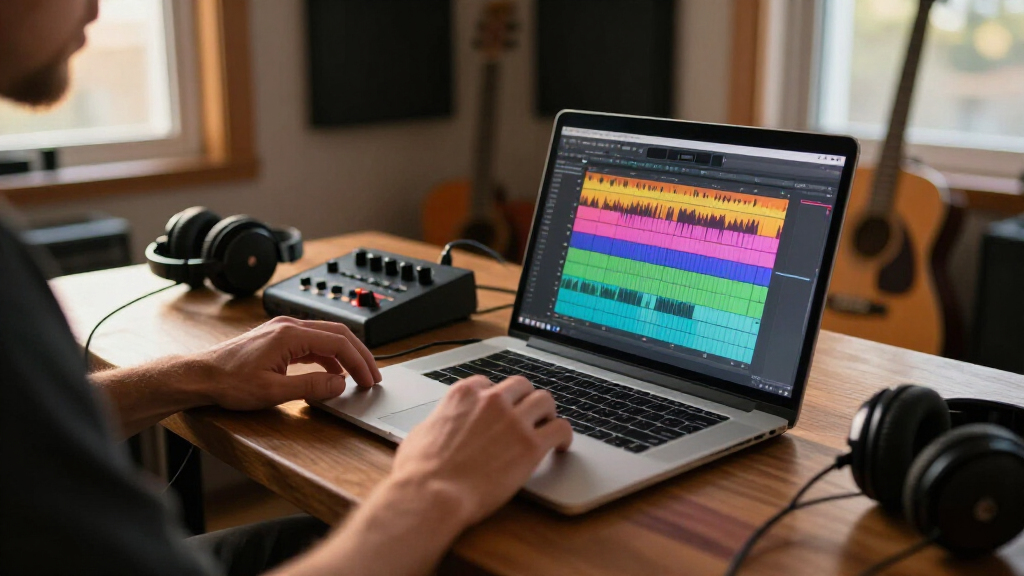
The project describes Audionaut as a desktop application for recording and editing music, podcasts and multitrack recordings. Its listed features include precise cutting, per-track playlists, multichannel support and audio exports. The project says it is built in C++ using the JUCE framework, and positions the software as a focused editor rather than a full digital audio workstation.
For agent-driven editing, Audionaut supports MCP, a protocol that allows compatible clients to interact with tools and applications. The repository’s setup instructions give Claude as an example: users install the application and Node.js 18 or later, then register Audionaut’s MCP package with Claude. According to the project, the session must remain open in Audionaut and each edit arrives as a single undo step. Its documentation also points Claude Desktop users to a setup chapter in the manual.
The separate audionaut-cli tool can work with .audium project files without a graphical interface or audio device. The listed commands cover creating and importing projects, inspecting project information, splitting audio, arranging clips, adjusting gain and fades, analyzing audio, separating stems and exporting mixes. The project says CLI-created projects can be opened in the desktop app, and projects can also be edited in the GUI before being handled by the CLI.
Editing Audio Through Agents and Scripts
Audionaut’s main distinction in the supplied project description is its combination of a multitrack editor with agent access through MCP and a command-line workflow. That setup could let users automate repeatable operations—such as importing recordings, placing clips or exporting mixes—while retaining the option to open the same project in a desktop editor. The repository documents a typical automated sequence: create a project, import audio, analyze it, make edits and export.
The approach may be useful to audio creators who want to script routine work or experiment with agent-assisted editing, but the available information describes capabilities rather than independent tests of their quality. Audionaut is not presented as a replacement for every function in a full DAW. Its narrower feature description and optional analysis components mean prospective users will need to check whether it fits their recording and production needs.
As an affiliate, we earn on qualifying purchases.
What the Repository Documents
The project is hosted in the kvoltmer/Audionaut GitHub repository, which includes source-build instructions for the three listed desktop platforms, tests and a user manual. The build documentation says developers should fetch Git submodules when cloning. Some optional audio-analysis capabilities—including BIC segmentation, onset detection and beat tracking—use Essentia. The repository says the app and tests can still compile with those features disabled if Essentia is not built.
Stem separation is listed as another optional capability, using demucs.cpp, described by the project as a C++ port of Meta’s Demucs. Model weights are not included in the repository; the app downloads them on first use or users can provide a model path to the CLI. These requirements matter because the advertised feature set may depend on which components are available in a given build.
The CLI’s documentation describes a JSON output option that returns a machine-readable success or error envelope, with logs sent to standard error. It also lists exit codes for successful operations, failed operations, usage errors and unavailable features. Those details are aimed at scripts and automation, not just interactive use.
Release Details and Feature Limits
The supplied project material does not state a release date, version number, license name, download status or supported audio formats. It also does not provide performance benchmarks, user reviews or independent testing, so claims about ease of use and editing precision remain the project’s own descriptions. The available information does not establish how MCP editing behaves across different agents beyond naming Claude and other compatible agents.
Some features depend on optional components: analysis requires Essentia, while stem separation requires model weights. The project documentation explains these dependencies but does not specify, in the supplied material, how feature availability varies across packaged builds or platforms. Prospective users should consult the repository and manual for current installation details.
Check the Build and Manual
The next step for interested users is to review the GitHub repository and user manual for current releases, licensing, installation requirements and platform-specific guidance. Users wanting agent control will also need to set up the MCP integration, keep the project open during editing and confirm that their chosen client supports the required workflow.
Developers can follow the project’s build instructions, including its notes on submodules and optional dependencies. The repository does not announce a dated release schedule or a forthcoming milestone in the supplied material, so further updates and feature details remain dependent on the project’s own documentation.
Key Questions
What is Audionaut?
Audionaut is a free, open-source multitrack audio editor. The project lists Windows, macOS and Linux support and describes tools for recording, cutting, arranging and exporting audio.
Can AI agents edit Audionaut projects?
The project says Audionaut supports MCP, allowing compatible agents such as Claude to interact with sessions. Its instructions say to leave the project open in the application while edits are applied.
Does Audionaut have a command-line interface?
Yes. The project provides audionaut-cli for headless work with .audium files, including project creation, importing, clip operations, analysis and export. It also documents JSON output for automated workflows.
Do all Audionaut features work without extra dependencies?
No. The repository says several analysis features require Essentia, and stem separation uses demucs.cpp with model weights that are not included in the repository. The project says the app can build without Essentia, with analysis features disabled.
Source: hn
Fall Picks
fall essentials
As an affiliate, we earn on qualifying purchases.