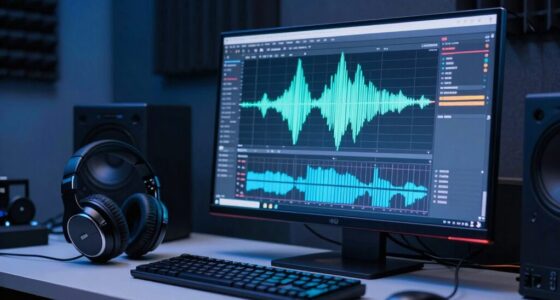

In digital music production, headroom refers to the space between your loudest peaks and the system’s maximum level, which is 0 dBFS. By keeping your levels below this point—usually around -6 dB—you prevent clipping and distortion, ensuring your mix stays clear and dynamic. Managing headroom allows you to process effects and make adjustments without risking audio quality. Keep an eye on your levels, and you’ll maintain the best possible sound—more tips await if you keep exploring.

Get audio and creator gear delivered free with Prime
- Fast, free delivery on millions of items
- Prime Video, Amazon Music and more included
- Member-only deals all year
Key Takeaways
- Headroom is the space between the highest audio peaks and 0 dBFS to prevent clipping.
- In digital production, maintaining headroom means keeping levels below 0 dBFS, typically around -6 dB.
- Proper headroom allows for processing effects without causing distortion or loss of audio clarity.
- Insufficient headroom increases the risk of digital clipping, harshness, and reduced dynamic range.
- Managing headroom involves careful level setting during recording and mixing, using peak meters as a guide.
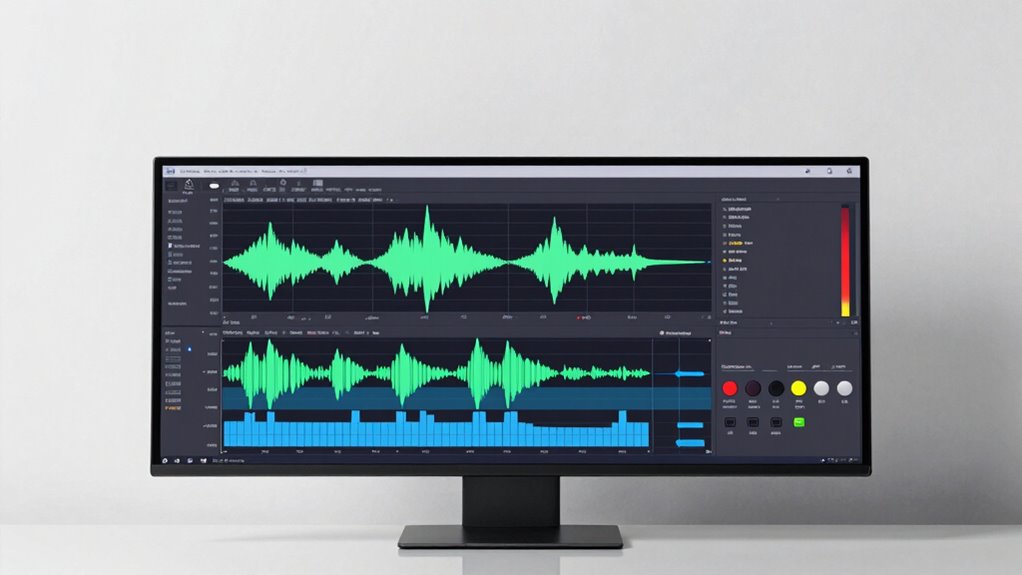
Have you ever wondered what “headroom” really means when you’re producing music entirely within your digital audio workstation? It’s a term that gets tossed around a lot, but understanding its true significance can make a big difference in your mixing process. When you work with digital audio, headroom refers to the space between your highest audio peaks and the maximum level your system can handle without distortion. Think of it as a safety buffer that ensures your mix remains clean and dynamic, rather than clipping and sounding harsh.
In the world of analog gear, headroom is often more intuitive. An analog compressor or preamp, for example, has a certain limit before it distorts. You learn to push it just enough to get the desired saturation without crossing that line. When you’re producing entirely in the box, however, you need to be more conscious of your levels. Digital systems don’t tolerate overloads well; once you hit 0 dBFS (decibels relative to full scale), any further gain results in digital clipping, which destroys audio quality. So, maintaining sufficient headroom means keeping your levels well below that ceiling during recording, mixing, and mastering stages.
Your mixing techniques should always incorporate headroom management. This involves setting initial levels carefully, avoiding overly hot signals from the start. For example, when recording or importing tracks, aim for peaks around -6 dB, not near 0 dB. This gives you room to tweak and process without risking distortion. As you add effects—EQ, compression, reverb—you’ll often boost certain frequencies or levels. If you begin with too little headroom, these adjustments can push your mix over the edge, causing unwanted clipping or a squashed sound.
Products Worth Considering

Bose QuietComfort Ultra Earbuds (2nd Gen) – Wireless Noise‑Cancelling Earbuds with Mic, Immersive Audio, USB‑C Charging, Up to 6 Hours Batte

Bose QuietComfort Headphones (2nd Gen), Wireless Over-Ear Noise-Cancelling Headphones, Black

Anker SOLIX S2000 Portable Power Station, 2,010Wh, 1,500W
As an affiliate, we earn on qualifying purchases.
Frequently Asked Questions
How Do I Measure Headroom in My Digital Audio Workstation?
To measure headroom in your DAW, check your track’s signal level and compare it to the maximum digital level, usually 0 dBFS. Keep an eye on your meters to guarantee your signal doesn’t clip, maintaining enough dynamic range. You can use meters or plugins that show peak levels, helping you keep your signal level below clipping points while preserving headroom for mixing and mastering.
What Are Common Mistakes When Setting Headroom?
Think of setting headroom like balancing a tightrope—overshoot, and you risk falling into distortion; undershoot, and your sound gets lost in the noise. A common mistake is leaving too little headroom, which crushes your dynamic range and increases the signal-to-noise ratio, making your mix muddy. Conversely, too much headroom wastes space and reduces loudness. Aim for a sweet spot to maintain clarity and preserve your mix’s punch.
Does Headroom Affect the Overall Loudness of My Mix?
Yes, headroom affects the overall loudness of your mix. When you leave enough headroom, you preserve the dynamic range, which allows individual elements to breathe and prevents distortion. If you don’t manage headroom well, your mix might sound less loud and more compressed because you’re limiting the potential loudness perception. Proper headroom guarantees your mix stays dynamic, maintains clarity, and achieves the desired loudness without sacrificing quality.
How Does Headroom Relate to Clipping and Distortion?
Headroom directly impacts clipping and distortion by safeguarding your dynamic range and maintaining signal integrity. When you don’t leave enough headroom, loud signals push your mix into clipping, causing unwanted distortion and loss of clarity. Conversely, ample headroom ensures your signals stay within safe levels, preventing clipping while preserving dynamic range. This balance helps your mix sound clean, professional, and free of harsh artifacts caused by exceeding ideal levels.
Can Too Much Headroom Negatively Impact My Mix?
Yes, too much headroom can negatively impact your mix. When your levels have excessive headroom, the signal-to-noise ratio drops, causing quieter sounds that get lost in background noise. This reduces the effective dynamic range, making your mix less lively and detailed. To avoid this, aim for ideal headroom—enough to prevent clipping but not so much that your mix becomes dull or noisy.
Conclusion
So, next time you’re eyeing that perfect mix, remember—your headroom isn’t just about avoiding clipping. It’s about leaving space for your creative genius to breathe. Ironically, in trying to squeeze every ounce of volume, you might just suffocate your mix’s potential. Sometimes, the best move is to leave a little room to grow. After all, in the box, a little space can make all the difference—if only you let it.