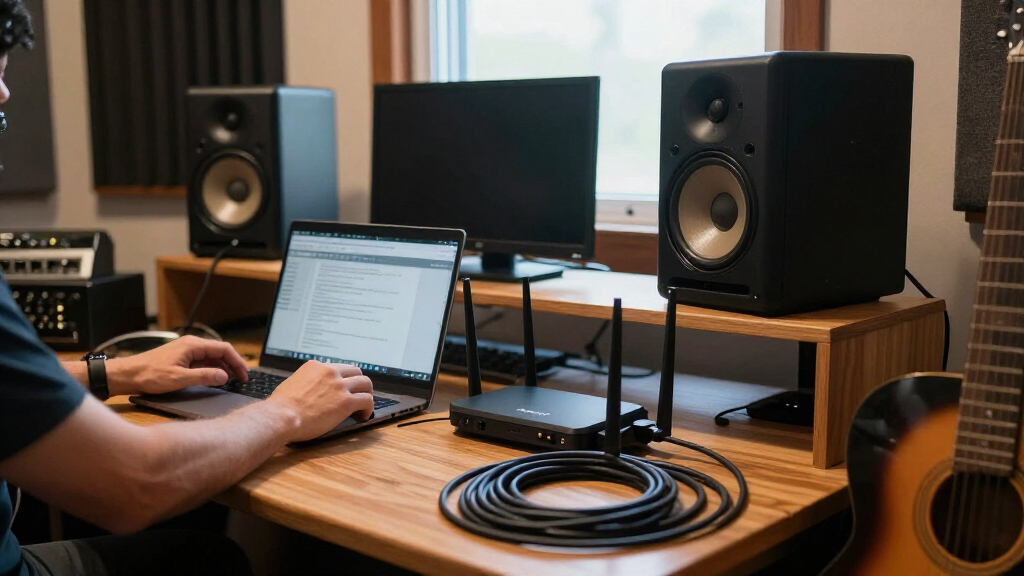
For most households, I’d start with the NETGEAR Nighthawk RS300: its Wi-Fi 7 speeds and stated 2,500-square-foot coverage strike a practical balance without reaching for the lineup’s highest-end hardware. The RS600 is a stronger fit for homes that need broader coverage and more throughput, while the R6700AX keeps things simpler for buyers who want Wi-Fi 6 rather than a newer standard. The main tradeoffs are Wi-Fi generation, coverage, router-only versus modem-router hardware, and how much speed your internet plan and devices can actually use. Advertised wireless rates and coverage are estimates, not promises for every home. Read on for the full comparison and guidance on choosing among the best Netgear routers.

Get audio and creator gear delivered free — and shop member deals
- Fast, free delivery on millions of items
- Access to Prime Big Deal Days deals on October 6–7
- Prime Video, Amazon Music and more included
Complete the kit


Key Takeaways
The RS300 is the most balanced starting point in this group: it combines Wi-Fi 7 with a stated 2,500-square-foot coverage area, while the RS600 and RS700S target larger spaces and higher advertised speeds.
Wi-Fi 7 models are not interchangeable. The RS90 is listed at 3.6 Gbps and up to 2,000 square feet; the RS150 and RS140 are listed at 5 Gbps and up to 2,250 square feet; the RS200 and RS300 cover up to 2,500 square feet but have different advertised speeds.
Modem-router combos solve a different problem. The CAX30 and C7000 include cable modem hardware, so they may simplify a compatible cable setup; standalone routers still need a separate modem or gateway.
Wi-Fi 6 remains a sensible fit for less demanding networks. Models such as the R6700AX, RAX41, and RAX36 avoid buying into Wi-Fi 7 when current devices and internet service may not benefit from it.
The refurbished RS300 is a separate ownership tradeoff. Its listed Wi-Fi 7 specifications resemble the standard RS300, but buyers should weigh refurbished condition and seller support alongside hardware features.
| NETGEAR Nighthawk CAX30 DOCSIS 3.1 Cable Modem and WiFi 6 Router – AX2700, 2.7 Gbps |  | Best Cable Modem-Router Combo | Model: CAX30 | WiFi standard: WiFi 6 (AX2700) | Maximum speed: 2.7 Gbps | VIEW LATEST PRICE | See Our Full Breakdown |
| NETGEAR Nighthawk WiFi 7 Router RS600, Up to 3,300 sq ft, 18 Gbps |  | Best Premium for Large, Busy Homes | WiFi generation: WiFi 7 | Frequency bands: Tri-band | Maximum speed: 18 Gbps | VIEW LATEST PRICE | See Our Full Breakdown |
| NETGEAR Nighthawk WiFi 6 Router R6700AX, Up to 1,500 sq ft, 1.8 Gbps |  | Best for Smaller Homes | WiFi standard: WiFi 6 | Maximum speed: 1.8 Gbps | Coverage: Up to 1,500 sq ft | VIEW LATEST PRICE | See Our Full Breakdown |
| NETGEAR Nighthawk WiFi 7 Router RS200, Up to 2,500 sq ft, 6.5 Gbps |  | Best Midrange WiFi 7 Upgrade | WiFi generation: WiFi 7 | Frequency bands: Dual-band | Maximum speed: Up to 6.5 Gbps | VIEW LATEST PRICE | See Our Full Breakdown |
| NETGEAR Nighthawk WiFi 7 Router RS140, Up to 2,250 sq ft, 5 Gbps |  | Best Simple WiFi 7 Step-Up | WiFi generation: WiFi 7 | Frequency bands: Dual-band | Maximum speed: Up to 5 Gbps | VIEW LATEST PRICE | See Our Full Breakdown |
| NETGEAR Nighthawk WiFi 7 Router RS700S, Up to 3,500 sq ft, 19 Gbps |  | Best for Large, High-Demand Homes | WiFi standard: WiFi 7 | Maximum WiFi speed: Up to 19 Gbps | Bands: Tri-band: 2.4 GHz, 5 GHz, and 6 GHz | VIEW LATEST PRICE | See Our Full Breakdown |
| NETGEAR Nighthawk WiFi 7 Router RS300, Up to 2,500 sq ft, 9.3 Gbps |  | Best WiFi 7 Upgrade for Most Homes | WiFi standard: WiFi 7 | Maximum WiFi speed: Up to 9.3 Gbps | Bands: Tri-band: 2.4 GHz, 5 GHz, and 6 GHz | VIEW LATEST PRICE | See Our Full Breakdown |
| NETGEAR Nighthawk C7000 Cable Modem and WiFi 5 Router Combo |  | Best Cable Modem-Router Combo | Model: C7000 | Modem standard: DOCSIS 3.0 | WiFi standard: WiFi 5 (AC1900) | VIEW LATEST PRICE | See Our Full Breakdown |
| NETGEAR Nighthawk RS300 Tri-Band WiFi 7 Router, Wireless Speed Up to 9.3 Gbps, Covers Up to 2500 Sq. Ft., Black – Certified Refurbished | | Best Refurbished WiFi 7 Option | Condition: Certified refurbished | WiFi generation: WiFi 7 | Wireless speed: Up to 9.3 Gbps | VIEW LATEST PRICE | See Our Full Breakdown |
| Netgear Nighthawk WiFi 6 Router AX3600 Dual-Band RAX41 |  | Best WiFi 6 Pick for Medium Homes | WiFi standard: WiFi 6 (802.11ax) | Maximum speed: Up to 3.45 Gbps | Bands: Dual-band | VIEW LATEST PRICE | See Our Full Breakdown |
| Netgear Nighthawk WiFi 7 Router RS500 – Up to 3,000 sq ft, 12 Gbps |  | Best for Large, Busy Homes | WiFi standard: WiFi 7 (802.11be) | Maximum speed: Up to 12 Gbps | Bands: Tri-band: 2.4 GHz, 5 GHz, and 6 GHz | VIEW LATEST PRICE | See Our Full Breakdown |
| NETGEAR Nighthawk WiFi 7 Router, Up to 2,500 sq ft, 9.3 Gbps | | Best for Tri-Band WiFi 7 Value | WiFi standard: WiFi 7; compatible with WiFi 6 and earlier | Maximum speed: Up to 9.3 Gbps | Bands: Tri-band: 2.4 GHz, 5 GHz, and 6 GHz | VIEW LATEST PRICE | See Our Full Breakdown |
| NETGEAR Nighthawk WiFi 6 Router (RAX36) – AX3000, Dual-Band, 3Gbps, Covers 2,000 sq. ft., Supports 25 Devices |  | Best for Budget-Conscious WiFi 6 Homes | WiFi standard: WiFi 6 | Speed class: AX3000; up to 3Gbps | Bands: Dual-band | VIEW LATEST PRICE | See Our Full Breakdown |
| NETGEAR Nighthawk WiFi 7 Router RS150, Up to 2,250 sq ft, 5 Gbps |  | Best Entry-Level WiFi 7 Pick | WiFi standard: WiFi 7; compatible with WiFi 6 and earlier | Maximum speed: Up to 5 Gbps | Bands: Dual-band | VIEW LATEST PRICE | See Our Full Breakdown |
| NETGEAR Nighthawk WiFi 7 Router RS90, Up to 2,000 sq ft, 3.6 Gbps |  | Best Compact WiFi 7 Upgrade | WiFi standard: WiFi 7 | Maximum speed: Up to 3.6 Gbps | Bands: Dual-band: 2.4 GHz and 5 GHz | VIEW LATEST PRICE | See Our Full Breakdown |
| Netgear router | Coverage | Device capacity | Security | WiFi standard |
|---|---|---|---|---|
| NETGEAR Nighthawk CAX30 DOCSIS | Up to 2,000 sq ft | — | — | WiFi 6 (AX2700) |
| NETGEAR Nighthawk WiFi 7 Route | Up to 3,300 sq ft | Up to 150 devices | WPA3 | — |
| NETGEAR Nighthawk WiFi 6 Route | Up to 1,500 sq ft | Up to 20 devices | WPA3 and NETGEAR Armor | WiFi 6 |
| NETGEAR Nighthawk WiFi 7 Route | Up to 2,500 sq ft | Up to 80 devices | Advanced Router Protection and NETGEAR Armor 30-day trial | — |
| NETGEAR Nighthawk WiFi 7 Route | Up to 2,250 sq ft | Up to 80 devices | — | — |
| NETGEAR Nighthawk WiFi 7 Route | Up to 3,500 sq ft | Up to 200 devices | NETGEAR Armor, 30-day free trial | WiFi 7 |
| NETGEAR Nighthawk WiFi 7 Route | Up to 2,500 sq ft | Up to 100 devices | WPA3 and Advanced Router Protection; NETGEAR Armor trial | WiFi 7 |
| NETGEAR Nighthawk C7000 Cable | — | — | WPA/WPA2, double firewall, and DoS protection | WiFi 5 (AC1900) |
| NETGEAR Nighthawk RS300 Tri-Ba | Up to 2,500 sq ft | — | WPA3 | — |
| Netgear Nighthawk WiFi 6 Route | Up to 2,250 sq ft | Up to 25 devices | WPA3 | WiFi 6 (802.11ax) |
| Netgear Nighthawk WiFi 7 Route | Up to 3,000 sq ft | Up to 120 devices | Advanced Router Protection and NETGEAR Armor (30-day trial) | WiFi 7 (802.11be) |
| NETGEAR Nighthawk WiFi 7 Route | Up to 2,500 sq ft | Up to 100 devices | Advanced Router Protection and NETGEAR Armor (30-day trial) | WiFi 7; compatible with WiFi 6 and earlier |
| NETGEAR Nighthawk WiFi 6 Route | Up to 2,000 sq ft | Up to 25 devices | — | WiFi 6 |
| NETGEAR Nighthawk WiFi 7 Route | Up to 2,250 sq ft | Up to 80 devices | Advanced Router Protection and NETGEAR Armor (trial) | WiFi 7; compatible with WiFi 6 and earlier |
| NETGEAR Nighthawk WiFi 7 Route | Up to 2,000 sq ft | Up to 50 devices | NETGEAR Armor and Advanced Router Protection | WiFi 7 |
More Details on Our Top Picks
NETGEAR Nighthawk CAX30 DOCSIS 3.1 Cable Modem and WiFi 6 Router – AX2700, 2.7 Gbps
The Nighthawk CAX30 is the pick for buyers who want one device to handle both cable internet access and home WiFi. Its built-in DOCSIS 3.1 modem removes the need for a separate cable modem, while WiFi 6, coverage rated up to 2,000 square feet, and four Gigabit Ethernet ports suit a connected household with wired devices. Compared with the R6700AX, it costs you less setup space and avoids pairing a standalone modem with a router; the R6700AX is the simpler fit if you already have a modem or use a non-cable provider. The CAX30 is limited to compatible US cable services, and your ISP must activate it. Also, extended Armor security requires a subscription after the trial, so its bundled convenience does not mean every service is ongoing or provider-independent.
Pros:- Combines a DOCSIS 3.1 modem and WiFi 6 router in one unit
- Rated to cover up to 2,000 square feet
- Four Gigabit Ethernet ports support wired devices
- App management and advanced security features are included
Cons:- Works only with compatible US cable internet providers
- Requires ISP activation before use
- Continued NETGEAR Armor security requires a subscription after the trial
Best for: US cable subscribers with a compatible Xfinity, Spectrum, or Cox plan who want to replace separate modem and router hardware.
Not ideal for: Fiber, DSL, satellite, or non-US households, and cable customers whose provider does not support modem activation.
- Model:CAX30
- WiFi standard:WiFi 6 (AX2700)
- Maximum speed:2.7 Gbps
- Cable technology:DOCSIS 3.1
- Coverage:Up to 2,000 sq ft
- Ethernet ports:4 Gigabit Ethernet ports
- Compatibility:Xfinity, Spectrum, and Cox; US cable internet only
Our verdict“Choose the CAX30 if you have compatible cable internet and want a single device instead of a separate modem and router.”
NETGEAR Nighthawk WiFi 7 Router RS600, Up to 3,300 sq ft, 18 Gbps
For a large home with demanding WiFi needs, the Nighthawk RS600 brings together tri-band WiFi 7, a rated 3,300-square-foot coverage area, and capacity for up to 150 devices. Its 18 Gbps maximum speed is a headline combined WiFi figure, not a promise that one device or internet plan will reach that rate; the practical appeal is more headroom for many simultaneous connections. Compared with the dual-band RS200, the RS600 adds a third band and higher stated capacity, making it the stronger fit for a busy network. That extra capability comes with a separate-modem requirement and a more involved feature set, which may be unnecessary for smaller households. Its 10 Gbps WAN port can accommodate a fast incoming connection, but the listed LAN ports are Gigabit, limiting wired multi-gig options for local devices.
Pros:- Tri-band WiFi 7 offers more capacity for a busy network
- Rated to cover up to 3,300 square feet and support up to 150 devices
- 10 Gbps WAN port supports a high-speed incoming connection
- Includes WPA3, automatic firmware updates, MU-MIMO, and OFDMA
Cons:- Requires a separate modem or gateway for internet service
- Advanced settings may be more involved than a basic household needs
- Only the WAN port is listed as 10 Gbps; the three LAN ports are Gigabit
Best for: Households in larger homes with many connected devices, a compatible high-speed internet plan, and a separate modem already in place.
Not ideal for: Small homes, buyers seeking a modem-router combo, or anyone who wants multiple multi-gig wired LAN connections.
- WiFi generation:WiFi 7
- Frequency bands:Tri-band
- Maximum speed:18 Gbps
- Coverage:Up to 3,300 sq ft
- Device capacity:Up to 150 devices
- Ports:1 x 10 Gbps WAN, 3 x 1 Gbps LAN, USB 3.0
- Processor:Quad-core 2.0 GHz
- Security:WPA3
- Compatibility:Most cable, fiber, DSL, and satellite providers; separate modem or gateway required
Our verdict“Choose the RS600 for a large, device-heavy home that can use tri-band WiFi 7 and does not need a built-in modem.”
NETGEAR Nighthawk WiFi 6 Router R6700AX, Up to 1,500 sq ft, 1.8 Gbps
The Nighthawk R6700AX keeps the choice straightforward: WiFi 6, a stated 1.8 Gbps maximum speed, and coverage rated for up to 1,500 square feet. That scale makes it a better match for an apartment or modest home than the RS200, whose 2,500-square-foot rating and WiFi 7 capability may be more than a smaller household needs. The R6700AX supports up to 20 devices and has four Gigabit LAN ports, giving a few wired devices a direct connection. Setup and management through the Nighthawk app may also suit buyers who prefer phone-based controls over a more elaborate router configuration. The tradeoff is limited reach and capacity: a large or multi-story home, or a household with more than 20 devices, may outgrow it. Continued Armor security also requires a subscription after the trial.
Pros:- WiFi 6 provides a capable fit for everyday home streaming and gaming
- Rated for up to 1,500 square feet and 20 devices
- Nighthawk app supports setup and management
- Four Gigabit LAN ports and one Gigabit WAN port
Cons:- Coverage may not reach every room in a large or multi-story home
- WiFi 6 is an older generation than the WiFi 7 RS200
- Continued Armor security requires a subscription after the trial
Best for: Apartment dwellers and small-house households with up to 20 devices who want an app-managed WiFi 6 router.
Not ideal for: People in large or multi-story homes, households with more than 20 connected devices, or buyers seeking WiFi 7.
- WiFi standard:WiFi 6
- Maximum speed:1.8 Gbps
- Coverage:Up to 1,500 sq ft
- Device capacity:Up to 20 devices
- LAN ports:4 Gigabit LAN
- WAN port:1 Gigabit WAN
- Setup and management:Nighthawk app
- Security:WPA3 and NETGEAR Armor
Our verdict“Pick the R6700AX for a smaller home that needs practical WiFi 6 rather than the greater reach and newer standard of the RS200.”
NETGEAR Nighthawk WiFi 7 Router RS200, Up to 2,500 sq ft, 6.5 Gbps
The Nighthawk RS200 makes a persuasive middle ground for buyers ready to move to WiFi 7 without the RS600’s tri-band, 18 Gbps positioning. It is a dual-band WiFi 7 router rated for 2,500 square feet and up to 80 devices, with a 2.5 Gbps WAN port for a compatible multi-gig internet plan. That makes it better suited to a larger household than the WiFi 6 R6700AX, while asking less of the home network than the RS600’s capacity-focused design. The RS200 also includes three Gigabit LAN ports and USB 3.0, but the listed wired LAN ports are not multi-gig. You will need a separate modem or gateway, and walls or interference can reduce real coverage. NETGEAR Armor is offered as a 30-day trial, with some features requiring a subscription afterward.
Pros:- WiFi 7 supports compatible newer devices and future network upgrades
- Rated for up to 2,500 square feet and 80 devices
- 2.5 Gbps WAN port supports a compatible multi-gig internet plan
- Includes USB 3.0 and supports MU-MIMO and OFDMA
Cons:- Requires a separate modem or gateway
- Three listed LAN ports are Gigabit, not multi-gig
- Some NETGEAR Armor features require a subscription after the 30-day trial
Best for: Households seeking WiFi 7 for a home up to about 2,500 square feet, especially those with a multi-gig internet plan and a separate modem.
Not ideal for: Buyers needing a built-in modem, tri-band capacity, or multi-gig wired LAN ports for local devices.
- WiFi generation:WiFi 7
- Frequency bands:Dual-band
- Maximum speed:Up to 6.5 Gbps
- Coverage:Up to 2,500 sq ft
- Device capacity:Up to 80 devices
- Ports:1 x 2.5 Gbps WAN, 3 x 1 Gbps LAN, 1 x USB 3.0
- Processor:Quad-core 2.0 GHz
- Compatibility:WiFi 6 and earlier devices
- Security:Advanced Router Protection and NETGEAR Armor 30-day trial
Our verdict“Choose the RS200 if you want WiFi 7 and broad home coverage without stepping up to the RS600’s tri-band, higher-capacity design.”
NETGEAR Nighthawk WiFi 7 Router RS140, Up to 2,250 sq ft, 5 Gbps
The Nighthawk RS140 is a straightforward route to WiFi 7 for a household that wants more than a compact WiFi 6 router but does not need the RS200’s higher stated speed and wider coverage rating. Its dual-band design is rated for up to 5 Gbps, 2,250 square feet, and 80 devices; a 2.5 Gig WAN port also gives compatible multi-gig internet service a faster entry point than a Gigabit-only WAN. The Nighthawk app keeps setup and management accessible, while three Gigabit LAN ports cover common wired connections. Compared with the RS200, it is the more modest WiFi 7 option, though the supplied details do not list the RS200’s processor or USB port for the RS140. Its coverage rating may not translate across walls or larger homes, and Armor security requires a subscription after its trial.
Pros:- WiFi 7 with a stated maximum speed of 5 Gbps
- Rated for coverage up to 2,250 square feet and up to 80 devices
- 2.5 Gig WAN port supports compatible multi-gig internet plans
- Nighthawk app provides setup and management
Cons:- Dual-band design does not offer the RS600’s tri-band capacity
- Only three Gigabit LAN ports are listed
- Larger homes may need a mesh system, and Armor security requires a subscription after the trial
Best for: Households wanting an app-managed WiFi 7 router for a medium-sized home, with up to 80 devices and a multi-gig WAN connection.
Not ideal for: Large or multi-story homes needing broader coverage, or buyers who want tri-band WiFi or multiple multi-gig wired ports.
- WiFi generation:WiFi 7
- Frequency bands:Dual-band
- Maximum speed:Up to 5 Gbps
- Coverage:Up to 2,250 sq ft
- Device capacity:Up to 80 devices
- WAN port:2.5 Gig
- LAN ports:3 x 1 Gig
- Setup and management:Nighthawk app
Our verdict“Pick the RS140 for a medium-sized home that wants accessible WiFi 7 and multi-gig WAN support without moving up to the RS200.”
NETGEAR Nighthawk WiFi 7 Router RS700S, Up to 3,500 sq ft, 19 Gbps
The Nighthawk RS700S is the strongest fit here for a large home with many simultaneous connections: its tri-band WiFi 7 design is rated for up to 19 Gbps, coverage up to 3,500 square feet, and as many as 200 devices. That extra capacity sets it apart from the RS300, which covers a smaller area and supports fewer devices, while the 10G WAN port gives fiber customers a faster wired entry point than the RS300’s listed 2.5G WAN. Those figures describe maximum capability, not guaranteed household speeds; your plan, client devices, walls, and layout all affect results. The tradeoff is that this is more router than a modest home may need, and extensive floor plans can still call for mesh nodes. NETGEAR Armor is offered as a trial, then requires a subscription.
Pros:- Tri-band WiFi 7 with a listed maximum speed of up to 19 Gbps
- Coverage rated for up to 3,500 square feet and support for up to 200 devices
- 10G WAN port can accommodate a high-speed fiber connection
- MU-MIMO, OFDMA, and Nighthawk app management support busy households
Cons:- Maximum wireless speed depends on the internet plan and compatible client devices
- A single router may not cover every corner of a very large or obstructed home
- NETGEAR Armor requires a subscription after its 30-day trial
Best for: Large households with many connected devices, a fast fiber plan, and WiFi 7-capable phones, computers, or gaming gear.
Not ideal for: Smaller homes or buyers with a basic internet plan who will not benefit much from the RS700S’s extra capacity; very large or multi-level layouts may need a mesh system.
- WiFi standard:WiFi 7
- Maximum WiFi speed:Up to 19 Gbps
- Bands:Tri-band: 2.4 GHz, 5 GHz, and 6 GHz
- Coverage:Up to 3,500 sq ft
- Device capacity:Up to 200 devices
- Ethernet ports:1x 10G WAN, 4x 1G LAN
- Security:NETGEAR Armor, 30-day free trial
Our verdict“Choose the RS700S when a large, device-heavy home needs the roundup’s strongest stated WiFi 7 capacity and 10G WAN, rather than the smaller RS300.”
NETGEAR Nighthawk WiFi 7 Router RS300, Up to 2,500 sq ft, 9.3 Gbps
The Nighthawk RS300 makes more sense than the RS700S for many homes: it keeps tri-band WiFi 7 and a listed maximum of 9.3 Gbps, while its coverage rating of 2,500 square feet suits a more typical home than the RS700S’s larger footprint. Support for up to 100 devices leaves room for a busy household, and the 2.5G WAN port offers a multi-gig wired connection without stepping up to the RS700S’s 10G WAN. WiFi 6 and earlier devices are supported, so an upgrade does not require replacing every client at once. This is a router, not a modem, and some ISP gateways may need bridge-mode configuration. Its maximum speed also depends on the service plan and connected devices; buyers who only need basic WiFi may find a WiFi 6 model such as the RAX41 a better fit.
Pros:- Tri-band WiFi 7 with a listed maximum speed of 9.3 Gbps
- Coverage rated for up to 2,500 square feet and capacity for up to 100 devices
- 2.5 Gbps WAN port for compatible multi-gig internet service
- Supports WiFi 6 and earlier devices and includes WPA3 security
Cons:- Requires a separate modem or ISP gateway for internet access
- Some existing gateways may need bridge-mode configuration
- Real-world throughput varies with the service plan, layout, and client devices
Best for: Households seeking a current WiFi 7 router for mixed newer and older devices, with coverage around 2,500 square feet and a multi-gig WAN connection.
Not ideal for: People who need a combined cable modem and router, or owners of a very large home who need more coverage and device capacity than this model lists.
- WiFi standard:WiFi 7
- Maximum WiFi speed:Up to 9.3 Gbps
- Bands:Tri-band: 2.4 GHz, 5 GHz, and 6 GHz
- Coverage:Up to 2,500 sq ft
- Device capacity:Up to 100 devices
- Ports:2.5 Gbps WAN and 2x 1 Gbps LAN; 4 ports listed
- Processor:Quad-core 2.0 GHz
- Security:WPA3 and Advanced Router Protection; NETGEAR Armor trial
Our verdict“Pick the RS300 for a 2,500-square-foot home that wants tri-band WiFi 7 without the RS700S’s larger stated coverage and capacity.”
NETGEAR Nighthawk C7000 Cable Modem and WiFi 5 Router Combo
The Nighthawk C7000 is the practical pick for cable customers who want one device instead of a separate modem and router. Its DOCSIS 3.0 modem and WiFi 5 AC1900 router are rated for cable plans up to 800 Mbps with Xfinity and up to 500 Mbps with Cox, making it a more straightforward fit for those supported services than the RS300 or RS700S, which need a separate modem or gateway. Four Gigabit LAN ports provide wired connections for a computer, console, or TV. The tradeoff is its older WiFi 5 standard: compared with the WiFi 6 RAX41, it has less recent wireless technology, and it is not suitable for fiber, DSL, satellite, or bundled voice service. Confirm provider and plan compatibility before buying, and expect to activate the modem through the ISP.
Pros:- Combines a DOCSIS 3.0 cable modem and WiFi 5 router in one unit
- Listed compatibility with Xfinity plans up to 800 Mbps and Cox plans up to 500 Mbps
- Four Gigabit LAN ports for wired devices
- Nighthawk app supports setup and management
Cons:- Not compatible with fiber, DSL, satellite, or bundled voice services
- WiFi 5 is an older standard than the WiFi 6 RAX41 and WiFi 7 RS300
- Requires ISP compatibility checks and modem activation
Best for: Xfinity or Cox cable subscribers on a supported plan who want to replace a separate cable modem and router with one unit.
Not ideal for: Fiber, DSL, satellite, or bundled-voice customers, and households seeking WiFi 6 or WiFi 7 features for newer devices.
- Model:C7000
- Modem standard:DOCSIS 3.0
- WiFi standard:WiFi 5 (AC1900)
- Maximum speed:Up to 1.9 Gbps
- Cable plan compatibility:Xfinity up to 800 Mbps; Cox up to 500 Mbps
- Ethernet ports:4 Gigabit LAN
- USB port:1 USB 2.0
- Security:WPA/WPA2, double firewall, and DoS protection
Our verdict“Choose the C7000 if you have a supported cable plan and value a built-in modem more than the newer WiFi standards in the RS300 or RAX41.”
NETGEAR Nighthawk RS300 Tri-Band WiFi 7 Router, Wireless Speed Up to 9.3 Gbps, Covers Up to 2500 Sq. Ft., Black – Certified Refurbished
This certified refurbished RS300 offers the same headline WiFi 7 class as the new RS300: tri-band operation, a listed maximum of 9.3 Gbps, and coverage up to 2,500 square feet. It suits shoppers who want those capabilities but are willing to choose a refurbished unit rather than the new RS300. Against the RAX41, it adds the newer WiFi 7 generation and tri-band design; against the new RS300, its main distinction is refurbished condition, not a different performance tier. The listing specifies WPA3 and multiple Ethernet ports, but gives less port detail than the new RS300 listing. It still requires a separate modem, and the supplied information warns that warranty coverage may be limited. I would check the refurbishment terms and included accessories before choosing it over the new version.
Pros:- Tri-band WiFi 7 with a listed maximum speed of up to 9.3 Gbps
- Coverage rated for up to 2,500 square feet
- Multiple Ethernet ports include 2.5 Gbps and 1 Gbps options
- WPA3 security
Cons:- Certified refurbished condition may come with limited warranty coverage
- Requires a separate modem for internet access
- The listing provides less specific port detail than the new RS300 listing
Best for: Buyers who specifically want tri-band WiFi 7 and are comfortable purchasing a certified refurbished router after checking its warranty and return terms.
Not ideal for: Shoppers who prefer a new unit, need a built-in cable modem, or want clearly specified port configuration and warranty coverage.
- Condition:Certified refurbished
- WiFi generation:WiFi 7
- Wireless speed:Up to 9.3 Gbps
- Bands:Tri-band
- Coverage:Up to 2,500 sq ft
- Ethernet ports:4
- Port speeds:2.5 Gbps and 1 Gbps
- Security:WPA3
- Dimensions:9.8 x 5.9 x 4 in.
Our verdict“Consider this refurbished RS300 if WiFi 7 capability matters more than buying new and you have confirmed the warranty and return terms.”
Netgear Nighthawk WiFi 6 Router AX3600 Dual-Band RAX41
The Nighthawk RAX41 is the sensible choice for a medium-sized home that wants WiFi 6 without paying for WiFi 7 capacity it may not use. Its dual-band connection is rated up to 3.45 Gbps, with coverage up to 2,250 square feet and support for up to 25 devices. That device limit makes it a more modest household fit than the RS300, which is listed for up to 100 devices and adds tri-band WiFi 7; in return, the RAX41 may be a better match for a smaller mix of phones, computers, TVs, and smart-home gear. Four Gigabit Ethernet ports and WPA3 add useful wired and security basics. The tradeoffs are its lower stated device capacity and lack of listed multi-gig Ethernet. It also needs a separate modem or gateway.
Pros:- WiFi 6 dual-band performance rated up to 3.45 Gbps
- Coverage rated for up to 2,250 square feet
- Four Gigabit Ethernet ports for wired connections
- WPA3 security and a 1.5 GHz triple-core processor
Cons:- Listed device capacity is limited to up to 25 devices, below the RS300’s 100
- Dual-band WiFi 6 lacks the RS300’s tri-band WiFi 7 capabilities
- No multi-gig Ethernet port is listed, and a separate modem is required
Best for: Small-to-medium households with up to 25 connected devices that want WiFi 6, WPA3, and 1 Gbps wired ports without moving to WiFi 7.
Not ideal for: Large households with many simultaneous devices, buyers seeking tri-band WiFi 7, or customers with a multi-gig internet plan who need faster listed Ethernet ports.
- WiFi standard:WiFi 6 (802.11ax)
- Maximum speed:Up to 3.45 Gbps
- Bands:Dual-band
- Coverage:Up to 2,250 sq ft
- Device capacity:Up to 25 devices
- Processor:1.5 GHz triple-core
- Ethernet ports:4 x 1 Gbps
- Antennas:4
- Security:WPA3
Our verdict“Choose the RAX41 for a medium home with a manageable device count that needs WiFi 6 basics rather than the RS300’s higher-capacity WiFi 7 setup.”
Netgear Nighthawk WiFi 7 Router RS500 – Up to 3,000 sq ft, 12 Gbps
The RS500 is the strongest fit here for a large home where many people stream, game, and connect smart devices at once. Its tri-band WiFi 7 design, stated coverage of up to 3,000 square feet, and capacity for up to 120 devices give it more headroom than the dual-band RS150 and RS90. A 2.5Gbps WAN and LAN also leave room for faster internet service and a wired multi-gig connection. That reach is a coverage estimate, not a guarantee through multiple floors or dense walls, where a mesh system may still be needed. Compared with the RS500, the tri-band 9.3Gbps Nighthawk WiFi 7 model is a less ambitious alternative for smaller spaces. The tradeoff is that Armor’s full security features require a subscription after the trial, and some modem/router gateways need bridge mode.
Pros:- Tri-band WiFi 7 offers more wireless capacity for simultaneous streaming, gaming, and connected devices.
- Stated coverage up to 3,000 square feet and support for up to 120 devices suit busy households.
- 2.5Gbps WAN and LAN ports support multi-gig internet and wired connections.
- Includes Advanced Router Protection and a 30-day NETGEAR Armor trial.
Cons:- Coverage can drop through walls and between floors, so some homes may need mesh nodes.
- NETGEAR Armor’s full security features require a paid subscription after the trial.
- Some modem/router combinations may need bridge mode to work correctly.
Best for: Households with a large floor plan, many active devices, and multi-gig wired equipment that can benefit from tri-band WiFi 7.
Not ideal for: Small homes or buyers seeking a one-box modem-and-router solution; its extra capacity may go unused, and it requires a separate modem or gateway.
- WiFi standard:WiFi 7 (802.11be)
- Maximum speed:Up to 12 Gbps
- Bands:Tri-band: 2.4 GHz, 5 GHz, and 6 GHz
- Coverage:Up to 3,000 sq ft
- Antenna array:6 antennas
- Device capacity:Up to 120 devices
- WAN and LAN ports:1 × 2.5 Gigabit WAN; 1 × 2.5 Gigabit LAN; 3 × 1 Gigabit Ethernet LAN
- Security:Advanced Router Protection and NETGEAR Armor (30-day trial)
Our verdict“Choose the RS500 for a large, device-heavy home that can make use of tri-band WiFi 7 and multi-gig wired ports.”
NETGEAR Nighthawk WiFi 7 Router, Up to 2,500 sq ft, 9.3 Gbps
This tri-band Nighthawk is a practical middle ground for buyers who want WiFi 7 with a 6 GHz band but do not need the RS500’s stated 12Gbps speed or 3,000-square-foot coverage. It covers up to 2,500 square feet, supports up to 100 devices, and includes two 2.5Gbps LAN ports—useful for wiring a fast desktop and storage device without relying on wireless performance. The quad-core processor and Nighthawk app add straightforward management, while a USB 3.0 port gives it a connection the listed RS150 does not specify. The RS500 is the better match for larger, more crowded homes; the dual-band RS150 is a simpler WiFi 7 choice if tri-band capacity is not a priority. This router still needs a separate modem, and Armor’s full features are subscription-based after the trial.
Pros:- Tri-band WiFi 7 includes 2.4 GHz, 5 GHz, and 6 GHz bands.
- Two 2.5 Gig LAN ports allow multiple high-speed wired devices.
- Stated coverage up to 2,500 square feet and support for up to 100 devices.
- Nighthawk app, quad-core processor, and USB 3.0 port add useful management and connectivity options.
Cons:- Requires a separate modem or gateway for internet service.
- Walls and interference can reduce the stated coverage.
- NETGEAR Armor’s full security features require a subscription after the 30-day trial.
Best for: Households wanting tri-band WiFi 7, several multi-gig wired connections, and coverage for a mid-to-large home.
Not ideal for: People with a modem/router combo they cannot configure, or buyers who only need basic WiFi for a smaller household.
- WiFi standard:WiFi 7; compatible with WiFi 6 and earlier
- Maximum speed:Up to 9.3 Gbps
- Bands:Tri-band: 2.4 GHz, 5 GHz, and 6 GHz
- Coverage:Up to 2,500 sq ft
- Device capacity:Up to 100 devices
- Ethernet ports:2 × 2.5 Gig LAN and 2 × 1 Gig LAN
- Processor:Quad-core 2.0 GHz
- Other connections:USB 3.0
- Security:Advanced Router Protection and NETGEAR Armor (30-day trial)
Our verdict“Pick this model if you want tri-band WiFi 7 and two multi-gig LAN ports without the RS500’s larger-home focus.”
NETGEAR Nighthawk WiFi 6 Router (RAX36) – AX3000, Dual-Band, 3Gbps, Covers 2,000 sq. ft., Supports 25 Devices
The RAX36 is the straightforward pick for households that need dependable WiFi 6 coverage but do not need to pay for WiFi 7 features they may not use. Its stated 3Gbps AX3000 speed, 2,000-square-foot coverage, and four Gigabit Ethernet ports suit everyday streaming, video calls, and wired consoles. The limit is capacity: support for 25 devices is modest beside the RS90’s 50-device figure or the RS150’s 80, so a growing smart home or a busy household may outgrow it. Unlike those newer WiFi 7 routers, the RAX36 is dual-band and has no stated multi-gig port. It also is not a modem, so cable internet customers need a separate compatible cable modem. I would choose it for ordinary home use, not as a platform for a high-device-count upgrade.
Pros:- WiFi 6 with stated speeds up to 3Gbps suits common streaming and conferencing needs.
- Coverage is rated for up to 2,000 square feet.
- Four 1 Gigabit Ethernet ports provide wired connections for consoles, TVs, or computers.
- Works with cable, satellite, fiber, and DSL service up to 1Gbps.
Cons:- Supports up to 25 devices, fewer than the listed WiFi 7 models.
- Dual-band WiFi 6 lacks the 6 GHz band available on the WiFi 7 alternatives.
- A separate modem is required for internet access.
Best for: Small households with up to 25 connected devices that want WiFi 6 for streaming, calls, and gaming without needing WiFi 7.
Not ideal for: Large families or smart-home-heavy households likely to exceed 25 devices, and anyone expecting a built-in modem or multi-gig Ethernet.
- WiFi standard:WiFi 6
- Speed class:AX3000; up to 3Gbps
- Bands:Dual-band
- Coverage:Up to 2,000 sq ft
- Device capacity:Up to 25 devices
- Ethernet ports:4 × 1 Gigabit Ethernet
- Internet compatibility:Cable, satellite, fiber, and DSL up to 1Gbps
- Modem:Not included
Our verdict“Choose the RAX36 if WiFi 6 and four Gigabit ports cover your needs and you do not expect a large number of connected devices.”
NETGEAR Nighthawk WiFi 7 Router RS150, Up to 2,250 sq ft, 5 Gbps
The RS150 makes a case for WiFi 7 without adding the tri-band complexity of the RS500 or the 9.3Gbps Nighthawk. Its dual-band design delivers stated speeds up to 5Gbps and coverage up to 2,250 square feet, making it a sensible step up from the WiFi 6 RAX36 for homes planning to add newer devices. Support for up to 80 devices also gives it more room for smart-home equipment than the RAX36’s 25-device limit. The compromise is fewer frequency bands than the tri-band models, and its listed wired setup has one 2.5 Gig WAN plus three Gigabit LAN ports, not multi-gig LAN. The Nighthawk app simplifies management, but this is still a router only: you need a separate modem or gateway, and Armor’s full security features require a subscription after its trial.
Pros:- WiFi 7 provides a newer wireless standard while supporting WiFi 6 and earlier devices.
- Rated for up to 2,250 square feet and 80 devices.
- A 2.5 Gig WAN port supports a faster internet connection than a standard Gigabit WAN.
- Nighthawk app offers setup and management from a mobile device.
Cons:- Dual-band design has fewer bands than the tri-band RS500 and 9.3Gbps Nighthawk.
- Three listed LAN ports are Gigabit rather than multi-gig.
- Requires a separate modem or gateway, and NETGEAR Armor’s full features require a paid subscription after the trial.
Best for: Households moving to WiFi 7 that need coverage for a medium-sized home and do not require tri-band capacity or multi-gig LAN.
Not ideal for: Buyers with many high-bandwidth devices competing for wireless capacity, or anyone needing a built-in modem or 2.5 Gig LAN port.
- WiFi standard:WiFi 7; compatible with WiFi 6 and earlier
- Maximum speed:Up to 5 Gbps
- Bands:Dual-band
- Coverage:Up to 2,250 sq ft
- Device capacity:Up to 80 devices
- Processor:Quad-core 2.0 GHz
- Ports:1 × 2.5 Gig WAN and 3 × 1 Gigabit Ethernet LAN
- Security:Advanced Router Protection and NETGEAR Armor (trial)
Our verdict“Choose the RS150 for a moderate-sized home that wants WiFi 7 and broad device support without paying for a tri-band setup.”
NETGEAR Nighthawk WiFi 7 Router RS90, Up to 2,000 sq ft, 3.6 Gbps
The RS90 is the simplest WiFi 7 step-up in this group for a home that does not need the range or capacity of the larger models. It covers up to 2,000 square feet, supports up to 50 devices, and provides a 2.5 Gig WAN port for an internet plan beyond Gigabit speeds. Four Gigabit LAN ports give wired devices reliable connections, though none is multi-gig. Compared with the RS150, the RS90 has a lower stated maximum speed and supports fewer devices; its appeal is a more modest match for households that do not need the RS150’s greater capacity. The dual-band setup also leaves out the 6 GHz band offered by tri-band alternatives such as the 9.3Gbps Nighthawk. As with the other standalone routers here, it needs a separate modem, and Armor’s full features require a subscription after the trial.
Pros:- WiFi 7 supports newer wireless devices and is backward compatible with earlier devices.
- Coverage is rated for up to 2,000 square feet and capacity for up to 50 devices.
- 2.5 Gig WAN port can accommodate a multi-gig internet service.
- Four Gigabit LAN ports and Nighthawk app management support wired use and setup.
Cons:- Lower stated speed and device capacity than the RS150.
- Dual-band design does not include the 6 GHz band found on tri-band alternatives.
- Requires a separate modem, and NETGEAR Armor’s full security features require a paid subscription after the trial.
Best for: Small-to-medium households upgrading to WiFi 7 with a few dozen devices and a need for a 2.5 Gig WAN connection.
Not ideal for: Large homes, homes with more than 50 connected devices, or users who need tri-band WiFi and multi-gig LAN.
- WiFi standard:WiFi 7
- Maximum speed:Up to 3.6 Gbps
- Bands:Dual-band: 2.4 GHz and 5 GHz
- Coverage:Up to 2,000 sq ft
- Device capacity:Up to 50 devices
- Ethernet ports:1 × 2.5 Gig WAN and 4 × 1 Gigabit LAN
- Internet compatibility:Most cable, fiber, DSL, and satellite providers
- Security:NETGEAR Armor and Advanced Router Protection
Our verdict“Pick the RS90 for a moderate-sized home seeking a basic WiFi 7 upgrade, but move to the RS150 for more device capacity or the tri-band Nighthawk for 6 GHz.”
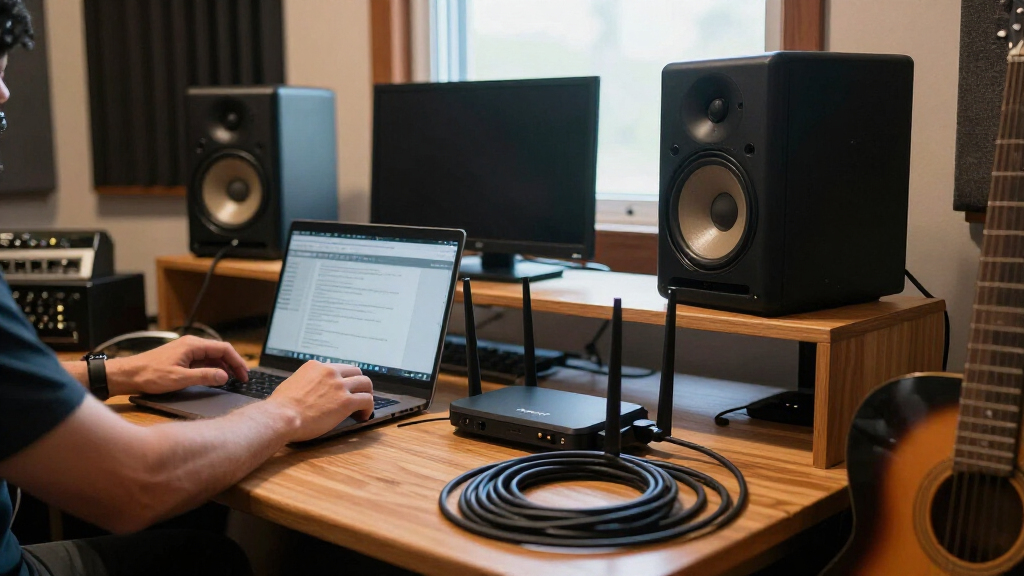
How We Picked
I compared these 15 Netgear options by the details that change a home-network decision: Wi-Fi generation, advertised throughput, stated coverage, router-only versus cable modem-router design, and the likely fit for different household demands. I treated speed and coverage figures as manufacturer-listed estimates rather than real-world guarantees, since walls, interference, placement, client devices, and the broadband plan all affect results.
The ranking favors useful balance and clear fit over the biggest number on a product page. That puts a capable Wi-Fi 7 model with moderate-to-large stated coverage ahead of options that make sense mainly for expansive homes or very high throughput, while modem combos and Wi-Fi 6 routers remain relevant for buyers with specific setup or compatibility needs. I also distinguish the refurbished RS300 from the standard model because condition and support can matter as much as wireless specifications.
| Netgear router | Bands |
|---|---|
| NETGEAR Nighthawk CAX30 DOCSIS | — |
| NETGEAR Nighthawk WiFi 7 Route | — |
| NETGEAR Nighthawk WiFi 6 Route | — |
| NETGEAR Nighthawk WiFi 7 Route | — |
| NETGEAR Nighthawk WiFi 7 Route | — |
| NETGEAR Nighthawk WiFi 7 Route | Tri-band: 2.4 GHz, 5 GHz, and 6 GHz |
| NETGEAR Nighthawk WiFi 7 Route | Tri-band: 2.4 GHz, 5 GHz, and 6 GHz |
| NETGEAR Nighthawk C7000 Cable | — |
| NETGEAR Nighthawk RS300 Tri-Ba | Tri-band |
| Netgear Nighthawk WiFi 6 Route | Dual-band |
| Netgear Nighthawk WiFi 7 Route | Tri-band: 2.4 GHz, 5 GHz, and 6 GHz |
| NETGEAR Nighthawk WiFi 7 Route | Tri-band: 2.4 GHz, 5 GHz, and 6 GHz |
| NETGEAR Nighthawk WiFi 6 Route | Dual-band |
| NETGEAR Nighthawk WiFi 7 Route | Dual-band |
| NETGEAR Nighthawk WiFi 7 Route | Dual-band: 2.4 GHz and 5 GHz |
Factors to Consider When Choosing Best Netgear Routers
Before choosing a Netgear router, I’d match the hardware to the whole network rather than buying by generation or headline speed alone. These broader checks can prevent paying for capabilities your devices cannot use—or choosing a router that does not fit your internet service.
Choose Wi-Fi Generation Around Your Devices
Wi-Fi 7 is the newest generation represented here, but a router can only deliver its newer capabilities to compatible clients. If most of your phones, computers, and smart-home devices use Wi-Fi 5 or Wi-Fi 6, a Wi-Fi 6 model may be a more sensible match for the network you have today. Buying Wi-Fi 7 can still make sense when you expect to keep the router through future device upgrades, but it should be a deliberate longer-term choice. Check the capabilities of your most demanding devices, not just the newest one in the house. Also remember that your internet plan is separate from the router’s wireless capacity. A faster router cannot raise the speed your provider delivers.
Treat Coverage Figures as Planning Estimates
Stated coverage areas help compare models, but they do not predict performance in every floor plan. Dense walls, multiple levels, neighboring networks, and router placement can reduce usable signal. A larger advertised coverage figure is not a guarantee that every room will receive fast, stable Wi-Fi. Place the router in an open, central location before deciding that you need the model with the biggest footprint. For a home with stubborn dead zones, a mesh system or wired access point may solve the problem better than stepping up to a more powerful single router. Consider where devices connect as well as the home’s total square footage.
Decide Whether You Need a Cable Modem Built In
The CAX30 and C7000 combine a cable modem and router, while the other listed options are router choices that require separate modem or gateway hardware for a typical cable connection. A combo can reduce device clutter and simplify setup, but it ties two functions to one unit. Before choosing one, confirm that its modem is compatible with your cable provider and service tier. Buyers who already have a working modem may get little benefit from replacing it with a combo. Separate devices can also make it easier to upgrade the router without changing the modem. Do not assume a modem-router combo works with fiber or every internet service type.
Match Advertised Speed to Your Actual Network
Router speed figures describe wireless capability under specified conditions; they are not the same as a guaranteed speed for one device or an internet speed test. Wi-Fi generation, the number of bands, client-device support, distance, and interference all affect the rate a device can reach. Compare the router’s capabilities with your broadband plan and the devices that move the most data. A household with routine browsing and streaming may gain more from reliable coverage than from a much higher headline rate. High-throughput hardware makes more sense when multiple demanding devices share the network or local wireless transfers matter. Avoid paying for a speed tier your service and clients cannot use.
Plan for Growth Without Overbuying
A router can remain in service for years, so upcoming devices and household changes belong in the decision. If you expect to add Wi-Fi 7 phones or computers soon, a Wi-Fi 7 model may extend the useful life of the purchase. If your devices are unlikely to change and your current network meets your needs, a Wi-Fi 6 option can be a practical choice instead. Think about peak use: video calls, gaming, streaming, and large downloads happening together place different demands on a network than occasional browsing. More listed capacity can help with busy networks, but it does not fix weak placement or an inadequate broadband plan. Buy for plausible near-term needs, not an abstract maximum.
Check Condition, Support, and Setup Needs
Hardware specifications do not tell the whole ownership story. For a refurbished router, confirm what condition standards, included accessories, warranty, and return terms apply to the specific listing. That matters especially when comparing the refurbished RS300 with its standard counterpart, whose core listed wireless figures are similar. For any model, check how configuration, firmware updates, parental controls, and security features are handled before purchase. Buyers who want a straightforward setup may prefer a model and support path that feel manageable rather than the most feature-dense option. Also check the number and type of Ethernet ports if wired computers, consoles, switches, or network storage are part of the plan.
Frequently Asked Questions
Should I choose a Wi-Fi 7 Netgear router if my devices still use Wi-Fi 6?
You can, but older devices will not gain Wi-Fi 7 capabilities simply by connecting to a newer router. The benefit is mainly room for future compatible devices and, depending on the model and network, more capacity for demanding use. If your Wi-Fi 6 network already meets your needs, a Wi-Fi 6 router may be a better fit than paying for features your clients cannot use. Check your internet plan and the devices that handle your busiest tasks before deciding. Choose Wi-Fi 7 when the upgrade horizon or current workload justifies it, not only because it is the newest label.
Can I replace my cable modem with any router in this roundup?
No. The CAX30 and C7000 are the listed cable modem-router combos; the standalone routers do not replace a cable modem. If you buy a router-only model, you will need a separate compatible modem or a provider gateway configured to work with it. Before replacing a modem, confirm compatibility with your internet provider and service plan. For fiber service, a cable modem combo is generally not the right device. Check your existing setup first so you do not buy hardware that cannot connect to your service.
Is the refurbished RS300 a good alternative to the standard RS300?
Its listed Wi-Fi 7 speed and coverage figures are similar to those of the standard RS300, so the main distinction is not the advertised wireless specification. The refurbished listing adds uncertainty around condition, included accessories, warranty coverage, and support terms. Read the specific seller’s details and confirm the return policy before choosing it. If you want the clearest path for setup and after-purchase support, the standard model may be the simpler option. If you are comfortable checking refurbished terms closely, compare those conditions against your priorities.
Will a router listed for 2,500 square feet cover my home reliably?
That figure is a planning estimate, not a promise that every room will receive a strong signal. Building materials, floor layout, interference, router height, and placement can all change coverage. A compact, open single-floor home may behave differently from a larger multi-story house with dense walls. Start by placing the router centrally and away from obstructions. If you still have dead zones, a mesh system or wired access point may be more effective than relying on a larger coverage claim alone.
When does it make sense to choose a Wi-Fi 6 model instead of a Wi-Fi 7 model?
A Wi-Fi 6 model can make sense when your current devices use Wi-Fi 6 or older standards, your broadband plan is moderate, and you do not need the additional capabilities of Wi-Fi 7. The R6700AX, RAX41, and RAX36 represent the Wi-Fi 6 choices in this lineup, with different listed speed and coverage figures. Choosing an older generation can avoid buying capacity that your devices and service cannot use. Wi-Fi 7 is more compelling if compatible devices are arriving soon or many demanding clients share the network. Compare your actual usage and upgrade plans rather than treating the newest generation as an automatic requirement.
Conclusion
For most households, I’d choose the standard Nighthawk RS300 as the best overall because its Wi-Fi 7 specification and stated coverage give it a balanced role in this group. The RS90 is my best value-style fit for buyers who want a more modest Wi-Fi 7 option, while the RS700S is the best premium choice for those prioritizing the highest listed throughput and broader stated coverage. For beginners who want a simpler, familiar standard, I’d look at the R6700AX; anyone considering a combo should check the CAX30 or C7000 against their cable provider first. For larger homes, compare the RS600 and RS700S, and for a careful refurbished purchase, weigh the RS300’s condition and support terms against the standard model. My final choice would depend on device compatibility, home layout, and whether a separate modem is already in place.
Fall Picks
fall essentials
As an affiliate, we earn on qualifying purchases.