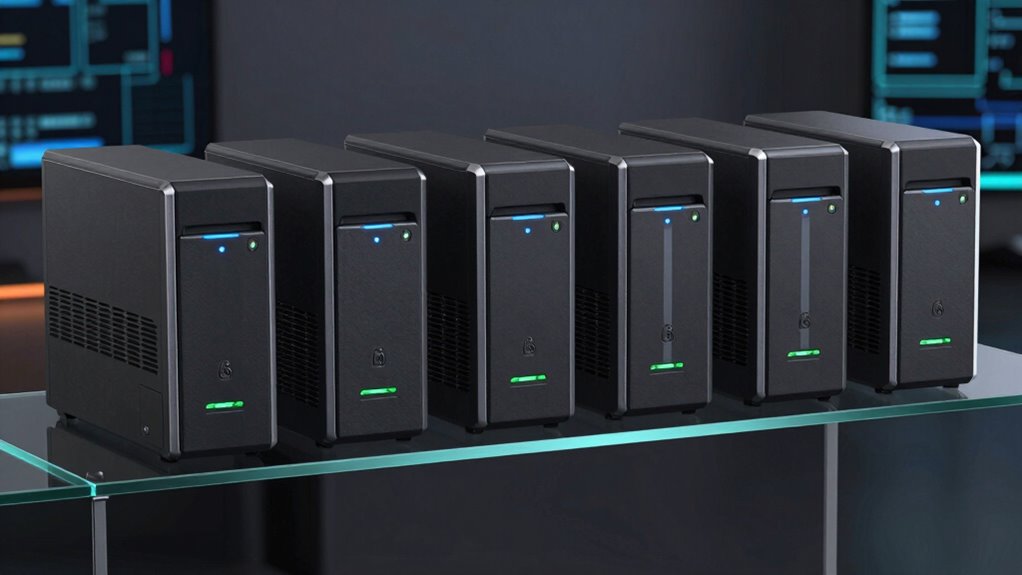

Choosing the right 6-bay NAS in 2026 depends heavily on your specific needs, whether for demanding business environments, media creation, or scalable storage. The UGREEN NAS DXP6800 Plus stands out for its powerhouse Intel Core i3 processor and massive 208TB capacity, making it ideal for heavy-duty data management. Meanwhile, the TERRAMASTER F6-425 Pro offers high-speed dual 10GbE ports and AI capabilities, suited for content creators and media teams. For those seeking scalability and advanced features, the Synology DiskStation DS1621+ provides expandable storage and a robust software ecosystem. The TERRAMASTER F6-424 balances performance with affordability, and the QNAP TS-673A delivers versatile networking and expansion options. Each choice involves tradeoffs—be it complexity, cost, or drive inclusion—so your decision should align with your technical comfort and storage needs.

Get audio and creator gear delivered free with Prime
- Fast, free delivery on millions of items
- Prime Video, Amazon Music and more included
- Member-only deals all year
Complete the kit


Key Takeaways
- The UGREEN NAS offers the highest raw storage capacity and processing power but requires technical setup and drives to be purchased separately.
- TERRAMASTER models emphasize network speed and AI features, making them prime for media professionals but with more complex setup processes.
- Synology‘s DS1621+ excels in scalability and data protection, best suited for users with demanding storage expansion needs.
- QNAP‘s TS-673A combines performance and flexibility with PCIe expansion, ideal for users needing versatile connectivity.
- Price, ease of setup, and included drives are key differences that influence the best choice for different user profiles.
| UGREEN NAS DXP6800 Plus 6-Bay Desktop NAS with Intel Core i3 Processor |  | Best Overall for Heavy-Duty Business Use | Processor: 12th Gen Intel Core i3 1215U | Memory: 8GB DDR5 RAM | Storage Capacity: Up to 208TB | VIEW ON AMAZON | See Our Full Breakdown |
| TERRAMASTER F6-425 Pro NAS Server, Intel Core i3-1315U, 8GB DDR5, Diskless |  | Best for Media and Content Creators | Processor: Intel Core i3-1315U 6-core | RAM: 8GB DDR5 | Storage: Diskless | VIEW ON AMAZON | See Our Full Breakdown |
| Synology DiskStation DS1621+ (Diskless) 6-Bay NAS |  | Best for Scalability and Data Protection | Processor: AMD Ryzen Quad-core 2.2 GHz | Memory: 4 GB | Maximum Capacity: Up to 16 drives | VIEW ON AMAZON | See Our Full Breakdown |
| TERRAMASTER F6-424 NAS 6-Bay, Intel N95 4-Core CPU, 8GB DDR5 (Diskless) |  | Best for Performance and Business | CPU: Intel N95 4-core 3.4GHz (turbo) | Memory: 8GB DDR5, upgradable to 32GB | Ethernet: Dual 2.5G ports | VIEW ON AMAZON | See Our Full Breakdown |
| QNAP TS-673A-8G 6 Bay High-Performance NAS |  | Best for Flexibility and Expansion | Processor: AMD Ryzen V1500B quad-core up to 2.2 GHz | Network Ports: 2 x 2.5GbE | Expansion Slots: 2 x PCIe Gen 3 | VIEW ON AMAZON | See Our Full Breakdown |
| bay na | Processor | Memory | Network Ports |
|---|---|---|---|
| UGREEN NAS DXP6800 Plus 6-Bay | 12th Gen Intel Core i3 1215U | 8GB DDR5 RAM | 1x 10GbE, 1x 2.5GbE |
| TERRAMASTER F6-425 Pro NAS Ser | Intel Core i3-1315U 6-core | — | Dual 10GbE |
| Synology DiskStation DS1621+ | AMD Ryzen Quad-core 2.2 GHz | 4 GB | — |
| TERRAMASTER F6-424 NAS 6-Bay | — | 8GB DDR5, upgradable to 32GB | — |
| QNAP TS-673A-8G 6 Bay High-Per | AMD Ryzen V1500B quad-core up to 2.2 GHz | — | 2 x 2.5GbE |
More Details on Our Top Picks
UGREEN NAS DXP6800 Plus 6-Bay Desktop NAS with Intel Core i3 Processor
The UGREEN NAS DXP6800 Plus stands out for its combination of massive storage capacity—up to 208TB—and powerful hardware, including a 12th Gen Intel Core i3 processor. This makes it suitable for demanding business environments that require fast access to large files and robust data management. Compared with other options, it offers faster network speeds with 10GbE and 2.5GbE ports, though it lacks Wi-Fi and the drives are sold separately. Its complex setup is best suited for users with technical expertise, but it rewards with high performance and security.
Pros:- Massive storage capacity up to 208TB
- Fast network speeds with 10GbE and 2.5GbE ports
- Powerful 12th Gen Intel Core i3 CPU
Cons:- Drives are not included and must be purchased separately
- Supports wired Ethernet only, no Wi-Fi
- Setup complexity may require technical knowledge
Best for: Large businesses or power users needing extensive storage and high-speed data transfer
Not ideal for: Beginners or those seeking a plug-and-play, budget-friendly NAS
- Processor:12th Gen Intel Core i3 1215U
- Memory:8GB DDR5 RAM
- Storage Capacity:Up to 208TB
- Drive Bays:6 SATA + 2 M.2 NVMe
- Network Ports:1x 10GbE, 1x 2.5GbE
- Supported RAID Levels:JBOD, Basic, RAID 0, 1, 5, 6, 10
Our verdict“This model makes the most sense for tech-savvy users needing maximum storage and performance for demanding tasks.”
TERRAMASTER F6-425 Pro NAS Server, Intel Core i3-1315U, 8GB DDR5, Diskless
The TERRAMASTER F6-425 Pro targets media professionals with its Intel Core i3-1315U processor and dual 10GbE ports. As a diskless unit, it offers flexibility to choose your drives but requires additional investment and setup effort. Its AI-native TOS 7 OS supports advanced workflows, virtual machines, and media streaming, making it a solid choice for high-speed editing and storage. Compared with other models, its emphasis on AI and virtualization capabilities sets it apart, though its complexity and higher cost are drawbacks for less tech-savvy users.
Pros:- Dual 10GbE ports for high-speed data transfer
- AI-native OS supports advanced workflows
- Supports online expansion and various RAID modes
Cons:- Requires additional drives and setup
- More complex configuration process
- Higher price point
Best for: Media professionals needing fast transfer speeds and flexible workflows
Not ideal for: Beginners or users looking for a ready-to-go plug-and-play NAS
- Processor:Intel Core i3-1315U 6-core
- RAM:8GB DDR5
- Storage:Diskless
- Network Ports:Dual 10GbE
- M.2 NVMe Slots:3
- Operating System:TOS 7 AI OS
Our verdict“Best suited for media professionals who want high performance and advanced features, despite a steeper learning curve.”
Synology DiskStation DS1621+ (Diskless) 6-Bay NAS
The Synology DiskStation DS1621+ emphasizes expandability and data security. Its AMD Ryzen quad-core processor and scalable design support up to 16 drives with additional expansion units, making it ideal for users with growing storage needs. Compared with other models, its software ecosystem is highly regarded for ease of use and extensive backup options, though its initial setup can be complex and it doesn’t come with drives included. The heavy build and priciness might deter casual users, but its reliability makes it worth serious consideration.
Pros:- Supports up to 16 drives with expansion units
- Excellent software for data protection
- High performance with 174% higher 4K random read IOPS
Cons:- Complex setup requiring technical knowledge
- Drives not included, additional purchases needed
- Heavy at 5.1 kg
Best for: Users needing scalable storage and advanced backup features
Not ideal for: Beginners or those with minimal technical experience
- Processor:AMD Ryzen Quad-core 2.2 GHz
- Memory:4 GB
- Maximum Capacity:Up to 16 drives
- Network Connectivity:Optional 10GbE
- Form Factor:Desktop
- Supported RAID:Multiple options including RAID 0,1,5,6,10
Our verdict“A great choice for users prioritizing scalability, robust data management, and long-term growth.”
TERRAMASTER F6-424 NAS 6-Bay, Intel N95 4-Core CPU, 8GB DDR5 (Diskless)
The TERRAMASTER F6-424 offers a compelling combination of hardware and flexibility, featuring an Intel N95 quad-core CPU and 8GB DDR5 RAM. Its dual 2.5G Ethernet ports support fast data transfer, and it supports a variety of RAID configurations. As a diskless model, it provides room for customization but requires users to supply drives. Its support for SSDs and link aggregation make it suitable for small to medium-sized business operations, though setup might challenge users unfamiliar with RAID and network configurations.
Pros:- Powerful CPU and DDR5 memory
- Dual 2.5G Ethernet ports with link aggregation
- Flexible RAID options and easy SSD installation
Cons:- Requires additional drives, no included disks
- Setup complexity for beginners
- Not ideal for casual or home users
Best for: Small to medium businesses needing high-performance storage
Not ideal for: Casual users or those seeking a ready-to-use NAS
- CPU:Intel N95 4-core 3.4GHz (turbo)
- Memory:8GB DDR5, upgradable to 32GB
- Ethernet:Dual 2.5G ports
- Storage Bays:6
- SSD Slots:2 M.2 NVMe
- RAID Support:RAID 0/1/5/6/10/JBOD
Our verdict“A solid pick for business environments demanding performance and expandability, with some setup complexity.”
QNAP TS-673A-8G 6 Bay High-Performance NAS
The QNAP TS-673A features an AMD Ryzen V1500B quad-core processor and multiple 2.5GbE ports, offering a high level of performance and network flexibility. Its PCIe expansion slots and M.2 NVMe SSD slots enable caching and performance boosts, making it suitable for demanding storage tasks and virtualization. While the setup may be complex for newcomers, it provides excellent expandability for long-term growth and diverse use cases, especially for power users who want to customize and optimize their storage environment.
Pros:- Powerful AMD Ryzen processor
- Multiple 2.5GbE ports for fast networking
- PCIe slots and M.2 NVMe support for expansion
Cons:- Setup can be complex for inexperienced users
- Limited to 6 drive bays, less suitable for very large storage needs
- Higher cost for advanced features
Best for: Advanced users requiring flexible networking and storage expansion
Not ideal for: Beginners or users with simple storage needs
- Processor:AMD Ryzen V1500B quad-core up to 2.2 GHz
- Network Ports:2 x 2.5GbE
- Expansion Slots:2 x PCIe Gen 3
- SSD Slots:2 x M.2 NVMe
- Warranty:3 years
- Maximum Bays:6
Our verdict“This NAS fits users who need high performance, expandability, and customization, accepting some complexity in setup.”

How We Picked
Our selection process focused on balancing performance, expandability, ease of use, and value. We prioritized models with high-quality hardware, versatile RAID options, and software support, especially those with dual or multiple high-speed network ports. The inclusion of features like PCIe slots, M.2 NVMe support, and AI capabilities helped differentiate premium options from more basic or entry-level models. Cost was factored in, but not at the expense of critical features for demanding users. We also considered the reputation of brands and the availability of support and warranty services.
Factors to Consider When Choosing 6 Bay Nas
Choosing the right 6-bay NAS involves understanding your primary use case, expected storage capacity, network performance, and future expansion plans. The ideal model balances these factors with your technical comfort and budget. I’ll break down key considerations to help you evaluate your options and find the best fit.
Performance and Processing Power
Look for a NAS with a processor that matches your workload. For intensive tasks like media editing, virtualization, or large backups, models with Intel Core i3 or AMD Ryzen processors provide the necessary horsepower. For lighter storage and file sharing, lower-power ARM-based options may suffice, but for 6-bay models, higher-end CPUs are often more future-proof.
Storage Capacity and Scalability
Most 6-bay NAS units support RAID configurations for redundancy and performance. If you anticipate needing more storage in the future, consider models like the Synology DS1621+ that support expansion units, or those with M.2 slots for caching. Diskless models offer flexibility but require additional investment in drives.
Network Connectivity
High-speed data transfer hinges on multiple or 10GbE ports, especially if you handle large files regularly. Models like the TERRAMASTER F6-425 Pro or QNAP TS-673A with dual 2.5GbE ports support faster networks, reducing bottlenecks. For small networks or home use, a single 1GbE port may suffice, but for demanding workflows, more ports and link aggregation matter.
Ease of Use and Setup
Some models, especially those requiring manual drive installation and network configuration, are better suited for experienced users. Synology’s DSM OS is praised for its user-friendly interface, while models like TERRAMASTER or QNAP may require more technical knowledge. Be honest about your comfort level with setup and maintenance when choosing.
Price and Value
Premium features like dual 10GbE ports, PCIe expansion, or AI capabilities come at a higher cost. Balance your current needs with potential future requirements. Diskless models tend to be cheaper upfront but add to total cost with drive purchases. Consider models that offer the best mix of features you require within your budget.
Frequently Asked Questions
What should I consider when choosing a 6-bay NAS for business use?
For business use, prioritize performance, data protection, and scalability. Look for models with fast processors like Intel Core i3 or AMD Ryzen, support for RAID configurations, and expandability options. Network speed, security features, and ease of management also matter, especially if multiple users access the NAS regularly.
Are diskless NAS units a good choice?
Diskless NAS units offer flexibility and lower initial costs, allowing you to select drives tailored to your needs. However, they require additional setup, including drive purchase and configuration. For users comfortable with hardware and network setup, they provide a customizable solution; for others, pre-installed drives might be more straightforward.
How important are network ports in a 6-bay NAS?
Network ports significantly influence transfer speeds. For demanding workflows, dual 10GbE or multiple 2.5GbE ports enable faster data movement, especially helpful with large files or multimedia editing. Single gigabit ports are adequate for light use but can become bottlenecks in high-performance environments.
Is expandability a concern with 6-bay NAS models?
Yes, if you foresee your storage needs growing, choosing a model with expansion options like the Synology DS1621+ or those with M.2 slots for caching can save you from replacing your NAS later. Consider future growth when evaluating initial costs and features, especially if you want a long-term solution.
What is the benefit of PCIe slots in NAS units?
PCIe slots allow for adding extra capabilities, such as faster network cards, SSD caching, or additional expansion modules. This flexibility makes models like the QNAP TS-673A more adaptable, especially for advanced users who want to customize their system for maximum performance or specific workflows.
Conclusion
If you need a simple, reliable, and scalable NAS for home or small business, the Synology DS1621+ offers excellent expandability and ease of use. For demanding media workflows or virtualization, the TERRAMASTER F6-425 Pro or QNAP TS-673A provide high performance with advanced features, but expect a steeper learning curve. Budget-conscious buyers seeking high capacity without drives may prefer the UGREEN NAS DXP6800 Plus, especially if they can handle setup complexity. Each choice hinges on your technical comfort, storage demands, and future plans.
Evergreen bestsellers Picks
bestsellers
As an affiliate, we earn on qualifying purchases.