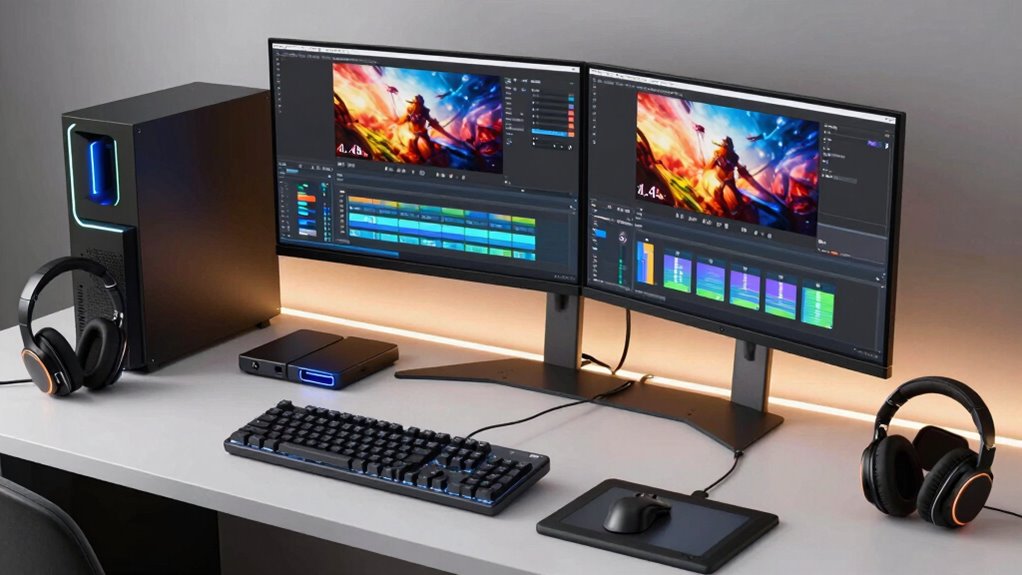

Finding the right editing PC for 4K video in 2026 means balancing raw power with usability and budget. The GEEKOM IT15 AI Mini PC stands out as the best overall due to its impressive processing power and modern DDR5 RAM, ideal for demanding editing tasks. For those prioritizing budget without sacrificing too much performance, the ACEMAGIC M5 Mini PC offers a compelling entry point. Meanwhile, the Stormcraft Phantom AI Gaming Desktop is perfect for professionals who need top-tier specs and fast rendering. However, buyers face tradeoffs: high-end systems come at a premium, while budget options might struggle with complex 4K workflows. Continue reading to see detailed comparisons and find the best fit for your editing needs.

Get audio and creator gear delivered free with Prime
- Fast, free delivery on millions of items
- Prime Video, Amazon Music and more included
- Member-only deals all year
Complete the kit


Key Takeaways
- High core counts and fast CPUs significantly improve rendering times for 4K video editing.
- More RAM (32GB or more) is essential for smooth multitasking and editing large 4K files.
- GPU choice matters: high-end graphics cards like NVIDIA RTX 5080 greatly accelerate rendering and effects.
- Mini PCs can be powerful but often have limited upgrade options; full towers offer more future-proofing.
- Price often correlates with performance, but balancing specs and budget is key for optimal value.
| GEEKOM IT15 AI Mini PC, Intel Ultra 9 285H, 32GB DDR5, 1TB SSD |  | Best for Creative Professionals and AI Tasks | Processor: Intel Ultra 9 285H | AI Performance: 99 TOPS | RAM: 32GB DDR5 (upgradable to 128GB) | VIEW ON AMAZON | See Our Full Breakdown |
| Mini PC Ryzen 7 6800H, 16GB RAM, 1TB SSD, Radeon 680M Graphics, Triple 4K Display Support, Dual LAN, WiFi 6, Bluetooth 5.3, Compact Desktop for Office and Gaming |  | Best for Versatile Productivity and Light Creative Work | Processor: AMD Ryzen 7 6800H | Graphics: Radeon 680M | RAM: 16GB LPDDR5 | VIEW ON AMAZON | See Our Full Breakdown |
| ACEMAGIC M5 Mini PC Windows 11 Pro Intel Core 5 220H 24GB 512GB |  | Best for Compact, Cost-Effective Professional Work | Processor: Intel Core 5 220H | RAM: 24GB LPDDR5 | Storage: 512GB or 1TB NVMe SSD | VIEW ON AMAZON | See Our Full Breakdown |
| CPU Solutions VidCore Core Ultra 9 Video Editing PC, 4K/8K, 3D Modeling, 24-Core, 64GB RAM, 2TB NVMe SSD, Quadro RTX 2000 ADA |  | Best for High-End 4K/8K Video Editing and 3D Workflows | Processor: Intel Core Ultra 9 24-core 5.7 GHz | RAM: 64GB | Storage: 2TB NVMe SSD | VIEW ON AMAZON | See Our Full Breakdown |
| Getorli Mini PC AMD Ryzen 7 6800H, 32GB RAM, 1TB NVMe SSD, Triple 4K Display, WiFi 6, Bluetooth 5.3, Dual LAN, Compact Gaming and Office Desktop |  | Best for Balanced Office and Creative Use in a Compact Form | Processor: AMD Ryzen 7 6800H | Graphics: Radeon 680M | RAM: 32GB LPDDR5 | VIEW ON AMAZON | See Our Full Breakdown |
| Dell Tower Desktop Computer with NVIDIA RTX 5060, 32GB RAM, 1TB SSD, Windows 11 Pro |  | Best Overall for Power and Versatility | Processor: Intel Core Ultra 7 265F (20 cores, up to 5.3 GHz) | Graphics Card: NVIDIA GeForce RTX 5060 8GB GDDR7 | Memory: 32GB DDR5 5600MT/s | VIEW ON AMAZON | See Our Full Breakdown |
| STGAubron Gaming PC Desktop, Core i7, GTX 1660 Super 6G, 32GB RAM, 1TB SSD |  | Best Value for Mid-Range 4K Editing | Processor: Intel Core i7 up to 3.9GHz | Graphics Card: NVIDIA GeForce GTX 1660 Super 6G | Memory: 32GB RAM | VIEW ON AMAZON | See Our Full Breakdown |
| ZOTAC MEK Gaming PC Desktop with Ryzen 7 9800X3D and NVIDIA GeForce RTX 5080 16GB |  | Best for High-End 4K Content Creation | Processor: AMD Ryzen 7 9800X3D (8-core, up to 5.2GHz) | Graphics Card: NVIDIA GeForce RTX 5080 16GB GDDR7 | Memory: 32GB DDR5-6000MHz | VIEW ON AMAZON | See Our Full Breakdown |
| HP Workstation PC Desktop Computer with NVIDIA Quadro K1200 and Intel Core i5 |  | Best for Creative and Engineering Professionals | Processor: Intel Hexa-Core i5 (8th Gen) | Graphics Card: NVIDIA Quadro K1200 4GB | Memory: 32GB DDR4 | VIEW ON AMAZON | See Our Full Breakdown |
| Stormcraft Phantom AI Gaming Desktop with RTX 5080 and 32GB DDR5 |  | Best for Gaming and AI-Enhanced Content Creation | VIEW ON AMAZON | See Our Full Breakdown | |||
| Dell Pro Tower Plus Core Ultra 7 256GB 32GB DDR5 1TB SSD Desktop Computer |  | Best Overall for High-Performance Editing and Multi-Monitor Workstations | Processor: Intel Core Ultra 7 265 (20 cores, up to 5.3GHz, 30MB cache) | RAM: 32GB DDR5 | Storage: 1TB PCIe NVMe SSD | VIEW ON AMAZON | See Our Full Breakdown |
| MINISFORUM Venus Series UM790 Pro Mini PC AMD Ryzen 9 7940HS, DDR5 32GB, 512GB PCIe4.0 SSD, 4K HDMI & USB4 Outputs, Radeon 780M Graphics |  | Best Compact Power for 4K Editing and Multi-Display Flexibility | Processor: AMD Ryzen 9 7940HS | Architecture: Zen 4 | Base Clock: 4.0GHz | VIEW ON AMAZON | See Our Full Breakdown |
| STGAubron Gaming PC Desktop, Core i7, RTX 3050 6G, 16GB RAM, 512GB SSD |  | Best for Budget-Friendly 4K Editing and Gaming Hybrid Setups | Processor: Intel Core i7 up to 3.9GHz | Graphics Card: NVIDIA GeForce RTX 3050 6G | Memory: 16GB RAM | VIEW ON AMAZON | See Our Full Breakdown |
| Gaming PC Desktop with Intel Core i9-14900HX, RTX 5060 Ti 8GB, 1TB NVMe SSD |  | Best for High-End 4K Editing and Gaming with Premium Power | Processor: Intel Core i9-14900HX (24 cores, up to 5.8GHz) | Graphics Card: NVIDIA GeForce RTX 5060 Ti 8GB | Memory: 16GB DDR5 | VIEW ON AMAZON | See Our Full Breakdown |
| editing pcs for 4k video | Processor | Storage | Connectivity | Graphics Card |
|---|---|---|---|---|
| GEEKOM IT15 AI Mini PC | Intel Ultra 9 285H | 1TB NVMe Gen 4 SSD | WiFi 7, Bluetooth 5.4, 2.5Gbps Ethernet | — |
| Mini PC Ryzen 7 6800H | AMD Ryzen 7 6800H | 1TB NVMe SSD | Dual LAN, WiFi 6, Bluetooth 5.3 | — |
| ACEMAGIC M5 Mini PC Windows 11 | Intel Core 5 220H | 512GB or 1TB NVMe SSD | WiFi 6, Bluetooth 5.2, Gigabit Ethernet | — |
| CPU Solutions VidCore Core Ult | Intel Core Ultra 9 24-core 5.7 GHz | 2TB NVMe SSD | — | Quadro RTX 2000 ADA with 16GB VRAM |
| Getorli Mini PC AMD Ryzen 7 68 | AMD Ryzen 7 6800H | 1TB NVMe SSD | WiFi 6, Bluetooth 5.3, Dual LAN | — |
| Dell Tower Desktop Computer wi | Intel Core Ultra 7 265F (20 cores, up to 5.3 GHz) | 1TB PCIe NVMe SSD | Wi-Fi 6, Bluetooth 5.4, HDMI 2.1, DisplayPort 1.4a | NVIDIA GeForce RTX 5060 8GB GDDR7 |
| STGAubron Gaming PC Desktop | Intel Core i7 up to 3.9GHz | 1TB SSD | Wi-Fi, Bluetooth 5.0, HDMI, DisplayPort | NVIDIA GeForce GTX 1660 Super 6G |
| ZOTAC MEK Gaming PC Desktop wi | AMD Ryzen 7 9800X3D (8-core, up to 5.2GHz) | 2TB NVMe M.2 SSD | WiFi 6E, Bluetooth 5.3, HDMI 2.1b, 3x DisplayPort 2.1b | NVIDIA GeForce RTX 5080 16GB GDDR7 |
| HP Workstation PC Desktop Comp | Intel Hexa-Core i5 (8th Gen) | — | — | NVIDIA Quadro K1200 4GB |
| Stormcraft Phantom AI Gaming D | — | — | — | — |
| Dell Pro Tower Plus Core Ultra | Intel Core Ultra 7 265 (20 cores, up to 5.3GHz, 30MB cache) | 1TB PCIe NVMe SSD | — | — |
| MINISFORUM Venus Series UM790 | AMD Ryzen 9 7940HS | 512GB PCIe4.0 SSD (up to 4TB with expansion) | — | — |
| STGAubron Gaming PC Desktop | Intel Core i7 up to 3.9GHz | 512GB SSD | Wi-Fi 6, Bluetooth 5.0 | NVIDIA GeForce RTX 3050 6G |
| Gaming PC Desktop with Intel C | Intel Core i9-14900HX (24 cores, up to 5.8GHz) | 1TB NVMe SSD | WiFi 6 | NVIDIA GeForce RTX 5060 Ti 8GB |
More Details on Our Top Picks
GEEKOM IT15 AI Mini PC, Intel Ultra 9 285H, 32GB DDR5, 1TB SSD
This mini PC stands out for its combination of high-end CPU, GPU, and AI acceleration, making it a strong choice for demanding 4K editing workflows. Compared to the CPU Solutions VidCore, it offers better AI performance and multi-display support, but at a higher price and with a more complex setup. Its support for four displays, including dual 8K outputs, benefits multi-monitor editing setups, while the 32GB DDR5 RAM ensures smooth multitasking. However, its premium cost makes it less accessible for casual users, and upgrading options require technical skill. This pick makes the most sense for professionals working on complex projects that leverage AI and need multiple high-res outputs.
Pros:- Exceptional AI acceleration with 99 TOPS performance
- Supports up to four high-resolution displays for multitasking
- Durable metal frame with quiet cooling for continuous operation
Cons:- Premium price may be prohibitive for casual users
- Limited pre-installed OS info adds setup complexity
- Upgrade options are somewhat technical
Best for: Content creators, AI developers, and professionals needing reliable 24/7 workflow support
Not ideal for: Casual editors or hobbyists who seek budget-friendly, simple solutions without advanced AI features
- Processor:Intel Ultra 9 285H
- AI Performance:99 TOPS
- RAM:32GB DDR5 (upgradable to 128GB)
- Storage:1TB NVMe Gen 4 SSD
- Graphics:Intel Arc 140T GPU
- Display Support:Up to four displays (2x 8K, 2x 4K)
- Connectivity:WiFi 7, Bluetooth 5.4, 2.5Gbps Ethernet
- Build Material:PC+ABS metal frame
- Warranty:3 years
Our verdict“This mini PC is best suited for professionals who need robust AI, multi-display support, and high reliability for intensive 4K editing.”
Mini PC Ryzen 7 6800H, 16GB RAM, 1TB SSD, Radeon 680M Graphics, Triple 4K Display Support, Dual LAN, WiFi 6, Bluetooth 5.3, Compact Desktop for Office and Gaming
This compact mini PC delivers solid performance with a Ryzen 7 6800H processor, supporting up to three 4K monitors, making it ideal for multitasking across office, media, and light creative tasks. Compared with the ACEMAGIC M5, it offers a more powerful CPU and better graphics for multimedia work, though it lacks a dedicated GPU suitable for intensive editing. Its dual LAN, WiFi 6, and Bluetooth 5.3 provide flexible connectivity, and the 16GB RAM is sufficient for most editing workflows, but it’s not designed for demanding 3D rendering or high-end gaming. Its small footprint limits upgrade options, and it’s best for users balancing moderate editing with other productivity. This model is perfect for users seeking a compact, capable machine for 4K editing and multitasking without high-end GPU needs.
Pros:- Supports triple 4K displays for enhanced multitasking
- Powerful Ryzen 7 6800H CPU suited for multitasking and media tasks
- Flexible connectivity including dual LAN, WiFi 6, and Bluetooth 5.3
Cons:- Limited upgrade options due to small size
- No dedicated GPU for intensive editing or gaming
- Moderate RAM (16GB) may bottleneck heavy workflows
Best for: Office workers, media editors, and light content creators who need a space-saving yet capable machine
Not ideal for: High-end video editors or 3D artists requiring dedicated graphics power and extensive upgrade paths
- Processor:AMD Ryzen 7 6800H
- Graphics:Radeon 680M
- RAM:16GB LPDDR5
- Storage:1TB NVMe SSD
- Display Support:Triple 4K (via HDMI, DisplayPort, USB-C)
- Connectivity:Dual LAN, WiFi 6, Bluetooth 5.3
Our verdict“This mini PC offers a compact yet capable solution for professionals who need reliable 4K editing support with good connectivity, but it isn’t meant for demanding graphics tasks.”
ACEMAGIC M5 Mini PC Windows 11 Pro Intel Core 5 220H 24GB 512GB
The ACEMAGIC M5 offers a space-efficient desktop experience with a high-performance Core i5 220H processor and 24GB of RAM, making it suitable for multitasking, professional workloads, and light editing. Compared to the GEEKOM IT15, it provides a more traditional Windows environment and a more manageable price point, but with less GPU power for graphics-intensive tasks. Its dual SSD slots and expandability support up to 4TB make it flexible for storage needs, while its compact size suits tight spaces. However, the thermal management under sustained heavy workloads can be a concern, and the limited pre-installed configurations may require manual upgrades for some users. It’s best for professionals needing a small footprint with desktop-grade performance for 4K editing and multitasking.
Pros:- Powerful Intel Core i5 220H processor for demanding multitasking
- High 24GB RAM for smooth workflow handling
- Dual SSD slots with expandability for large storage needs
Cons:- Thermal management challenges during prolonged heavy loads
- Limited to 512GB or 1TB SSD pre-configurations
- Not suitable for graphics-intensive tasks without dedicated GPU
Best for: Small business users, remote professionals, and those needing a compact Windows-based editing machine
Not ideal for: High-end video editors or gamers looking for dedicated graphics and extensive upgrade options
- Processor:Intel Core 5 220H
- RAM:24GB LPDDR5
- Storage:512GB or 1TB NVMe SSD
- Dimensions:5.0 × 5.0 × 1.6 inches
- Connectivity:WiFi 6, Bluetooth 5.2, Gigabit Ethernet
Our verdict“This compact Windows PC suits professionals needing reliable multitasking and 4K editing support in limited space, though it’s less ideal for intensive graphics workflows.”
CPU Solutions VidCore Core Ultra 9 Video Editing PC, 4K/8K, 3D Modeling, 24-Core, 64GB RAM, 2TB NVMe SSD, Quadro RTX 2000 ADA
This workstation is tailored for professionals tackling intensive 4K and 8K editing, featuring a 24-core Intel Ultra 9 processor and a Quadro RTX 2000 ADA GPU with 16GB VRAM. Its high-capacity 64GB RAM and 2TB NVMe SSD ensure swift handling of large files and complex tasks, outperforming most consumer-grade systems like the Mini PC Ryzen 7 6800H in demanding workflows. The all-in-one liquid cooling system supports extended editing sessions without thermal throttling, but the tower’s size and weight can be a drawback for those with limited space. Its high price reflects its professional-grade components, making it less suitable for budget-conscious hobbyists. For those requiring maximum performance for professional editing, this unit offers unmatched power and reliability.
Pros:- Powerful 24-core Intel Ultra 9 processor for demanding tasks
- Quadro RTX 2000 ADA GPU with 16GB VRAM for detailed rendering
- Extensive 64GB RAM and 2TB NVMe SSD boost workflow speed
Cons:- High price point restricts accessibility
- Large, heavy tower may be inconvenient in small spaces
- Requires professional setup and maintenance
Best for: High-end professional video editors, 3D artists, and media production studios
Not ideal for: Casual creators or those with limited workspace due to its size and cost
- Processor:Intel Core Ultra 9 24-core 5.7 GHz
- RAM:64GB
- Storage:2TB NVMe SSD
- Graphics Card:Quadro RTX 2000 ADA with 16GB VRAM
- Cooling:All-in-one liquid cooling
- Display Support:Up to 4 monitors, 7680 x 4320 resolution
Our verdict“This workstation excels for professionals needing maximum processing and graphics power for 4K and 8K editing workflows, but it’s overkill for casual or hobbyist use.”
Getorli Mini PC AMD Ryzen 7 6800H, 32GB RAM, 1TB NVMe SSD, Triple 4K Display, WiFi 6, Bluetooth 5.3, Dual LAN, Compact Gaming and Office Desktop
The Getorli Mini PC combines a Ryzen 7 6800H with 32GB RAM and supports up to three 4K displays, making it suitable for multitasking and moderate 4K editing. Compared to the Mini PC Ryzen 7 6800H with 16GB RAM, it offers double the memory, enhancing multitasking and editing performance. Its dual LAN, WiFi 6, and Bluetooth 5.3 ensure solid connectivity, while the 32GB RAM handles typical editing workflows comfortably. However, lacking a dedicated GPU limits its capacity for intensive graphics tasks and high-end gaming. Its compact design is ideal for users who need a flexible, space-efficient machine for creative and office tasks, but it’s not built for demanding professional editing or rendering.
Pros:- Supports up to three 4K displays for multitasking
- Powerful Ryzen 7 6800H CPU for media and productivity tasks
- Fast 32GB RAM and 1TB NVMe SSD with expansion options
Cons:- No dedicated GPU for intensive editing or gaming
- Limited warranty period of 1 year
- Thermal management may be a concern during extended workloads
Best for: Creative professionals, remote workers, and office users needing a small, capable machine for 4K editing and multitasking
Not ideal for: High-end video editors or gaming enthusiasts requiring dedicated graphics hardware
- Processor:AMD Ryzen 7 6800H
- Graphics:Radeon 680M
- RAM:32GB LPDDR5
- Storage:1TB NVMe SSD
- Display Support:Up to 3x 4K displays
- Connectivity:WiFi 6, Bluetooth 5.3, Dual LAN
Our verdict“This mini PC offers a well-rounded, space-saving solution for moderate 4K editing and multitasking, suitable for professionals needing flexibility without high-end graphics demands.”
Dell Tower Desktop Computer with NVIDIA RTX 5060, 32GB RAM, 1TB SSD, Windows 11 Pro
This Dell tower stands out for its impressive combination of a 20-core Intel Core Ultra 7 265F processor and NVIDIA RTX 5060 graphics, making it a strong contender for demanding 4K editing. Compared to the ZOTAC MEK with its higher-end RTX 5080, this Dell offers a more balanced setup for multitasking and professional workflows without overinvesting in gaming-optimized hardware. Its 32GB DDR5 RAM ensures smooth multitasking, while the 1TB NVMe SSD guarantees rapid file access, critical for editing large 4K files. The connectivity options, including Wi-Fi 6 and multiple display outputs, support multi-monitor workflows. The main tradeoffs involve its bulkier design and higher price point, reflecting premium hardware suited for serious editing tasks. It doesn’t focus on gaming-specific features, which might be a downside for some users.
Pros:- High-core count processor handles multitasking with ease
- Fast DDR5 RAM ensures smooth editing workflows
- Rapid 1TB NVMe SSD accelerates data access
- Supports multiple monitors and modern connectivity
Cons:- Premium hardware leads to a high cost
- Bulky tower design may require significant space
Best for: Professional video editors who need a powerful, versatile desktop with multi-monitor support and fast storage.
Not ideal for: Casual users or those on a tight budget who don’t require high-core counts or advanced graphics.
- Processor:Intel Core Ultra 7 265F (20 cores, up to 5.3 GHz)
- Graphics Card:NVIDIA GeForce RTX 5060 8GB GDDR7
- Memory:32GB DDR5 5600MT/s
- Storage:1TB PCIe NVMe SSD
- Connectivity:Wi-Fi 6, Bluetooth 5.4, HDMI 2.1, DisplayPort 1.4a
- Operating System:Windows 11 Pro
Our verdict“This desktop is ideal for professionals who prioritize raw power and expansion capabilities for 4K editing.”
STGAubron Gaming PC Desktop, Core i7, GTX 1660 Super 6G, 32GB RAM, 1TB SSD
This STGAubron PC offers a solid balance of performance and affordability for 4K editing, featuring an Intel Core i7 processor and GTX 1660 Super graphics. While it doesn’t match the raw GPU power of the ZOTAC MEK’s RTX 5080, its 32GB RAM and fast 1TB SSD provide smooth editing experiences at a lower price point. It’s a good choice for those who need capable hardware without the premium costs of high-end gaming or professional workstations. The system’s RGB lighting and gaming peripherals appeal to gamers or streamers working on editing tasks. However, it lacks detailed upgrade options and the warranty details remain unclear, which could pose issues for long-term reliability. Its hardware is less future-proof for intensive 4K workloads than higher-tier systems.
Pros:- Strong CPU and GPU for gaming and editing
- Large 32GB RAM supports multitasking
- Fast SSD for quick file access
- Includes gaming-oriented features and peripherals
Cons:- Limited upgrade potential disclosed
- Price not specified, so value assessment is unclear
Best for: Enthusiast editors or hobbyists seeking reliable 4K editing performance without overspending.
Not ideal for: Heavy professional editors or those working with complex multi-layered projects who need the latest GPU features.
- Processor:Intel Core i7 up to 3.9GHz
- Graphics Card:NVIDIA GeForce GTX 1660 Super 6G
- Memory:32GB RAM
- Storage:1TB SSD
- Connectivity:Wi-Fi, Bluetooth 5.0, HDMI, DisplayPort
- Operating System:Windows 11 Home 64-bit
Our verdict“This system offers a practical mix of performance and affordability for casual to intermediate 4K editing tasks.”
ZOTAC MEK Gaming PC Desktop with Ryzen 7 9800X3D and NVIDIA GeForce RTX 5080 16GB
The ZOTAC MEK represents a step up with its Ryzen 7 9800X3D processor and RTX 5080 16GB GPU, making it well-suited for demanding 4K editing and gaming alike. It outperforms systems like the Stormcraft Phantom in raw GPU power, thanks to its high-end graphics card and faster DDR5 memory. The included 2TB NVMe SSD and advanced cooling system support prolonged, intensive workloads. While its premium price reflects its high performance, the limited warranty options and lack of explicit upgrade paths could be drawbacks for future-proofing. Its power and cooling setup make it ideal for sustained editing and rendering sessions, but the higher cost may be overkill for casual users.
Pros:- Exceptional GPU and CPU combo for demanding tasks
- Large 2TB NVMe SSD for fast data access
- Advanced cooling system for sustained performance
- High-quality DDR5 RAM
Cons:- High price limits accessibility
- Limited upgrade options and warranty details
Best for: Content creators and professionals working on extensive 4K projects needing top-tier hardware.
Not ideal for: Entry-level editors or users on a tight budget who don’t require maximum GPU performance.
- Processor:AMD Ryzen 7 9800X3D (8-core, up to 5.2GHz)
- Graphics Card:NVIDIA GeForce RTX 5080 16GB GDDR7
- Memory:32GB DDR5-6000MHz
- Storage:2TB NVMe M.2 SSD
- Cooling:360mm AIO liquid cooler
- Connectivity:WiFi 6E, Bluetooth 5.3, HDMI 2.1b, 3x DisplayPort 2.1b
Our verdict“This PC is best suited for professionals who need the highest performance for 4K editing and rendering.”
HP Workstation PC Desktop Computer with NVIDIA Quadro K1200 and Intel Core i5
This HP workstation offers a balanced setup with an Intel Hexa-Core i5 processor and NVIDIA Quadro K1200 for 4K editing and professional workloads. It’s ideal for users who need reliable performance for creative, CAD, or engineering tasks. The 32GB DDR4 RAM and combined 1TB SSD plus 4TB HDD support fast workflows and large storage needs. Its expandable ports and multiple connectivity options make it adaptable to professional setups. However, as a renewed product, its warranty or longevity may be uncertain, and its bulkier tower design might not fit in small spaces. Its GPU, while professional-grade, isn’t tailored for high-end gaming or intensive rendering, limiting its versatility.
Pros:- Reliable hardware suitable for professional tasks
- Large storage options with fast SSD and HDD
- Multiple connectivity options including Wi-Fi 5G
- Expandable for future upgrades
Cons:- Renewed product might have limited warranty
- Bulky design may be hard to fit in tight spaces
- GPU not optimized for high-end gaming or intensive rendering
Best for: Creative professionals or engineers requiring stable, reliable hardware for 4K editing and CAD workflows.
Not ideal for: Casual editors or gamers who need high-end GPU capabilities for rendering or gaming.
- Processor:Intel Hexa-Core i5 (8th Gen)
- Graphics Card:NVIDIA Quadro K1200 4GB
- Memory:32GB DDR4
- Primary Storage:1TB SSD
- Additional Storage:4TB HDD
- Wireless Connectivity:Wi-Fi 5G, Bluetooth
Our verdict“This workstation is well-suited for professionals needing dependable performance for creative, engineering, or 4K editing tasks.”
Stormcraft Phantom AI Gaming Desktop with RTX 5080 and 32GB DDR5
The Stormcraft Phantom AI combines a powerful Intel Core U7 265F CPU with an RTX 5080 16GB GPU, making it capable of handling high-FPS 4K gaming as well as AI-accelerated editing. Its 32GB DDR5 RAM and 2TB SSD support fast load times and multitasking, comparable to the ZOTAC MEK but with an added focus on AI features. The stylish tempered glass case with RGB lighting adds to its appeal. The system’s high-end specs come with a higher price tag, and its focus on gaming and AI may be beyond what a typical professional editor needs, leading to potential overkill. It’s an excellent choice for those who want a hybrid system for gaming and content creation but less so for purely professional workflows.
Pros:- Exceptional GPU and CPU for demanding tasks
- Large 32GB DDR5 RAM supports multitasking
- Fast 2TB SSD for rapid data access
- Stylish case with RGB lighting
Cons:- High price may be prohibitive
- Overkill for casual editing needs
Best for: Gamers and streamers who also do high-end 4K editing and want AI features for accelerated workflows.
Not ideal for: Budget-conscious editors or those seeking a dedicated professional editing workstation without gaming features.
Our verdict“This system excels for users blending high-end gaming, AI-enhanced editing, and 4K workflows, though it may be more than necessary for basic editing tasks.”
Dell Pro Tower Plus Core Ultra 7 256GB 32GB DDR5 1TB SSD Desktop Computer
This Dell Pro Tower Plus stands out for its powerful 20-core Intel Core Ultra 7 processor, which delivers exceptional multitasking and rendering speeds—ideal for handling 4K editing workflows. Unlike the NVIDIA-equipped systems, it relies on integrated graphics, which may limit performance in GPU-accelerated effects but keeps the price more manageable. The support for three 4K monitors via DisplayPort enhances productivity, making it perfect for professionals who need multiple screens without sacrificing speed. However, its lack of WiFi could be a drawback for wireless setups, and it doesn’t include a dedicated GPU, limiting its suitability for GPU-intensive tasks like high-end color grading or effects work. The combination of fast DDR5 RAM and a large SSD ensures quick load times and smooth editing, though the absence of peripherals means you’ll need to budget for additional accessories.Pros:- Powerful 20-core Intel Core Ultra 7 processor with AI acceleration
- Supports three 4K monitors for extensive workspace
- Fast DDR5 RAM and large 1TB SSD for quick editing workflows
Cons:- No built-in WiFi, requiring wired Ethernet setup
- Integrated graphics limit GPU-intensive tasks
- No included peripherals or dedicated GPU
Best for: Content creators and professionals who prioritize multi-monitor setups and CPU performance over high-end GPU power.
Not ideal for: Gamers or those working with GPU-accelerated effects who need a dedicated graphics card for rendering or gaming.
- Processor:Intel Core Ultra 7 265 (20 cores, up to 5.3GHz, 30MB cache)
- RAM:32GB DDR5
- Storage:1TB PCIe NVMe SSD
- Graphics:Integrated Intel Graphics
- Display Support:Supports 3x 4K monitors via DisplayPort
- Operating System:Windows 11 Pro
- Ports:Multiple USB-C, USB 3.2, DisplayPort, Gigabit Ethernet
- WiFi:No built-in WiFi
Our verdict“This system suits professionals who need a robust, multi-monitor capable CPU powerhouse for 4K editing, with some limitations for GPU-heavy tasks.”
MINISFORUM Venus Series UM790 Pro Mini PC AMD Ryzen 9 7940HS, DDR5 32GB, 512GB PCIe4.0 SSD, 4K HDMI & USB4 Outputs, Radeon 780M Graphics
The MINISFORUM UM790 Pro offers impressive performance in a compact form factor, featuring an AMD Ryzen 9 7940HS with Zen 4 architecture that rivals full-sized desktops in speed. It supports four monitors through HDMI and USB4 outputs, making it ideal for multi-taskers who need a clutter-free workspace. Compared to the Dell Pro Tower, this mini PC sacrifices some expandability for portability, but its expandable storage up to 4TB compensates for initial capacity. Radeon 780M graphics provide decent GPU acceleration without the expense of a dedicated GPU, yet this may fall short for complex GPU-accelerated effects or high-end gaming. Its small size makes it perfect for those with limited space but still demanding performance, though the higher price point reflects its premium mini design.Pros:- High-performance AMD Ryzen 9 7940HS with fast clock speeds
- Supports four 4K displays via HDMI and USB4 outputs
- Expandable storage up to 4TB for media-heavy workflows
- Compact, portable, ideal for space-constrained environments
Cons:- Limited pre-installed storage (512GB), requiring expansion
- No dedicated GPU, may limit GPU-intensive effects
- Higher price compared to comparable mini PCs
Best for: Video editors and multitaskers who need a small, powerful system with multiple 4K outputs and expandable storage.
Not ideal for: Users requiring extensive internal upgrades or dedicated professional GPU performance for high-end effects.
- Processor:AMD Ryzen 9 7940HS
- Architecture:Zen 4
- Base Clock:4.0GHz
- Boost Clock:5.2GHz
- Graphics:Radeon 780M
- Memory:32GB DDR5
- Storage:512GB PCIe4.0 SSD (up to 4TB with expansion)
- Video Outputs:2x HDMI, 2x USB4
- Form Factor:Mini PC
Our verdict“This mini PC is optimal for creators needing a small yet powerful multi-display setup with room for storage expansion.”
STGAubron Gaming PC Desktop, Core i7, RTX 3050 6G, 16GB RAM, 512GB SSD
The STGAubron Gaming PC combines solid gaming and editing capabilities, making it suitable for creatives on a budget. Its Intel Core i7 processor provides enough power for 4K editing, while the RTX 3050 6G GPU offers GPU acceleration for effects and rendering. Compared to the more expensive desktop with RTX 5060 Ti, this system is a more affordable entry point, though it sacrifices some GPU power and future-proofing. The 16GB RAM is sufficient for most editing tasks but might require an upgrade for intensive multitasking or large projects. The 512GB SSD ensures quick load times, but storage can fill quickly with 4K footage. The RGB lighting and gaming features make it more appealing to hybrid users but may be unnecessary for purely professional editing workflows.Pros:- Decent CPU and GPU combo for 4K editing and gaming
- Fast SSD for quick project access and rendering
- Includes RGB lighting and gaming peripherals for an engaging setup
Cons:- Limited upgrade options and future-proofing
- Price not specified, but potentially higher for gaming features
- Potentially high power consumption due to RGB lighting
Best for: Budget-conscious creators who want a capable system for 4K editing and gaming without breaking the bank.
Not ideal for: Users working on highly complex projects or needing maximum GPU power for effects-heavy workflows.
- Processor:Intel Core i7 up to 3.9GHz
- Graphics Card:NVIDIA GeForce RTX 3050 6G
- Memory:16GB RAM
- Storage:512GB SSD
- Operating System:Windows 11 Home 64-bit
- Connectivity:Wi-Fi 6, Bluetooth 5.0
Our verdict“This system offers good performance for entry-level 4K editing combined with gaming features at a budget-conscious price point.”
Gaming PC Desktop with Intel Core i9-14900HX, RTX 5060 Ti 8GB, 1TB NVMe SSD
This high-end gaming PC offers top-tier processing and GPU performance, making it suitable for demanding 4K editing tasks that leverage GPU acceleration. The Intel Core i9-14900HX with 24 cores and a boost clock of 5.8GHz ensures rapid rendering and multitasking, rivaling professional workstations. Its RTX 5060 Ti 8GB GPU provides significant power for effects, 3D modeling, and gaming alike, outperforming the RTX 3050 in the previous pick. The 1TB NVMe SSD guarantees fast data access, while the 16GB DDR5 RAM is ample for heavy editing workflows. However, such power comes with increased energy consumption and heat output, and the premium price might be prohibitive for casual users. This machine excels for those who need both professional-grade editing and gaming performance in a single system.Pros:- Exceptional CPU and GPU for demanding 4K editing and gaming
- Fast 1TB NVMe SSD supports large media files
- Supports next-gen connectivity and multi-monitor setups
Cons:- High power consumption and heat output
- Premium price may be out of reach for casual users
- Limited storage capacity for extensive media libraries
Best for: Professional editors and gamers demanding maximum GPU and CPU power for 4K workflows and rendering-intensive tasks.
Not ideal for: Budget users or those with limited space, due to its high cost and potential heat management needs.
- Processor:Intel Core i9-14900HX (24 cores, up to 5.8GHz)
- Graphics Card:NVIDIA GeForce RTX 5060 Ti 8GB
- Memory:16GB DDR5
- Storage:1TB NVMe SSD
- Connectivity:WiFi 6
- Ports:USB 3.2, HDMI, DisplayPort
Our verdict“This desktop is best suited for creators needing relentless power for 4K editing and high-end gaming in a single system.”

How We Picked
This roundup was curated based on performance benchmarks, build quality, upgradeability, and value. We prioritized CPUs with high core counts and fast clock speeds to handle demanding 4K editing workflows. GPU power was a key factor, especially for accelerated rendering and effects. We also considered system thermals, noise levels, and expandability options, knowing that professional editors need reliable, long-term solutions. Price-to-performance ratio was crucial, ensuring each system offers good value relative to its specs. The rankings reflect the overall balance of these factors, aiming to match different user needs from hobbyists to professionals.Factors to Consider When Choosing Editing Pcs For 4k Video
When choosing an editing PC for 4K video, understanding key factors beyond raw specs can help you make a smarter investment. The right balance of CPU, GPU, RAM, and storage impacts editing speed, workflow smoothness, and future-proofing. Additionally, considering expandability and build quality can save money and headaches later. Here are some critical factors to weigh before making your choice.Processor Power and Core Count
The CPU is the heart of any editing machine. For 4K video, a multi-core processor with high clock speeds reduces rendering times and improves real-time playback. While a high core count is beneficial, the latest generations of CPUs tend to deliver better performance per core, meaning newer models can outperform older, more cores. Avoid overly budget CPUs, as they might slow down complex effects or multi-layer edits, but also beware of overspending on very high-end chips if your workflow doesn’t demand it—this is where balance matters.
Graphics Card Importance
An capable GPU, like an NVIDIA RTX 3060 or higher, accelerates rendering, effects, and playback in editing software. For 4K workflows, GPU power can be more impactful than CPU alone, especially with software optimized for GPU acceleration. However, premium graphics cards come at a steep cost, and some users may find a mid-range GPU sufficient for their needs. Be mindful of compatibility and power supply requirements, as high-end GPUs demand more robust systems.
Memory (RAM) and Storage
Large, complex 4K projects require at least 32GB of RAM to prevent bottlenecks during editing. Faster RAM (DDR5 over DDR4) can provide marginal gains for demanding tasks. Storage choice also impacts workflow; NVMe SSDs drastically reduce load times and improve file transfer speeds compared to traditional SSDs. For extensive projects, consider systems with additional drive bays or slot options for future expansion.
Upgradeability and Expandability
Professional editing setups benefit from systems that allow upgrades, such as additional RAM slots or PCIe expansion. Mini PCs often sacrifice upgradeability for compactness, which might lead to obsolescence sooner. Full towers, while larger, usually offer more room for future GPU or storage upgrades, extending the system’s usable lifespan. Think about your long-term needs and whether your system can evolve with your workflow.
Price Vs. Performance Balance
It’s tempting to buy the most powerful hardware, but overspending on unnecessary specs can reduce overall value. Conversely, underpowered systems will bottleneck your editing process. Aim for a system that offers the best balance—enough CPU, GPU, and RAM to handle current projects comfortably, with the potential for future upgrades. Always compare the performance-per-dollar to avoid paying for features you won’t use regularly.
Frequently Asked Questions
Is a high-end GPU necessary for 4K video editing?
A high-end GPU can significantly speed up rendering, effects, and playback in 4K editing. While some editing software benefits from GPU acceleration, the CPU still plays a critical role. For casual or hobbyist editing, a mid-range GPU like an RTX 3060 may suffice, but professionals working with complex effects or large projects will see notable time savings with top-tier cards like the RTX 5080. Balancing GPU with CPU and RAM ensures smooth performance without overspending.
Can I upgrade my PC later if I need more power?
Many desktop systems allow upgrades, especially full tower builds that support additional RAM, storage, or newer GPUs. Mini PCs tend to have limited upgrade paths, which could mean replacing the entire system sooner. If future-proofing matters to you, select a system with accessible slots and room for expansion. Keep in mind that upgrading components can also require compatible power supplies and motherboards, so check these details before purchase.
What is the minimum RAM I should consider for 4K editing?
For 4K editing, a minimum of 32GB of RAM is recommended to handle large files and multitasking smoothly. If your workflow involves multiple layers, effects, or 3D elements, opting for 64GB can provide extra buffer and prevent slowdowns. Systems with less than 16GB will struggle with complex projects, leading to frustrating delays and longer rendering times. RAM upgrades are usually straightforward and worth considering upfront.
Is it better to choose a mini PC or a full tower for 4K editing?
Mini PCs offer portability and space-saving benefits but often compromise on upgradeability and cooling, which can limit performance over time. Full tower systems, while larger and less convenient, typically feature better airflow, more expansion slots, and higher-end components, making them more suitable for intensive 4K workflows. Your choice should depend on your workspace constraints, upgrade plans, and performance needs. For long-term projects, a full tower generally provides more flexibility.
How much should I budget for a powerful editing PC for 4K video?
The budget varies based on performance requirements, but expect to spend at least $1,500-$2,000 for a system capable of handling 4K editing comfortably. High-end configurations with top-tier CPUs and GPUs can push costs beyond $3,000, especially if you include premium components or professional-grade features. Prioritize essential specs like CPU, GPU, and RAM over extras, and consider future upgrade options to maximize your investment.
Conclusion
Choosing the best editing PC for 4K video depends on your specific needs and budget. For overall balanced performance, the GEEKOM IT15 AI Mini PC offers strong specs in a compact form. Budget-conscious editors will find the ACEMAGIC M5 Mini PC a solid entry point, while demanding professionals should consider systems like the Stormcraft Phantom AI Gaming Desktop for top-tier rendering speeds. Beginners and hobbyists should prioritize systems with straightforward usability, whereas pros need upgradeability and maximum power. Think about your workflow, future needs, and how much you’re willing to invest — this will guide you to the right choice.”
Halloween Picks
halloween
As an affiliate, we earn on qualifying purchases.