
Pushing your stereo width too far using common widening tools can silently ruin mono compatibility. When you overdo it, phase issues may arise, causing elements to vanish or sound hollow when played in mono. This happens because stereo effects can shift phase relationships between channels, disrupting coherence. To keep your mix solid across all systems, you need to manage stereo width carefully. Stay tuned to learn how to avoid these pitfalls and maintain a balanced, mono-compatible mix.

Get audio and creator gear delivered free with Prime
- Fast, free delivery on millions of items
- Prime Video, Amazon Music and more included
- Member-only deals all year
Key Takeaways
- Excessive stereo widening can cause phase cancellation, making elements disappear or sound hollow in mono playback.
- Using stereo widening plugins without mono compatibility checks risks introducing phase shifts.
- Over-panning instruments or effects may create phase issues that collapse the stereo image in mono.
- Failing to monitor phase correlation during mixing can lead to unintentional mono incompatibility.
- Relying solely on stereo effects without phase control can compromise clarity across all listening systems.
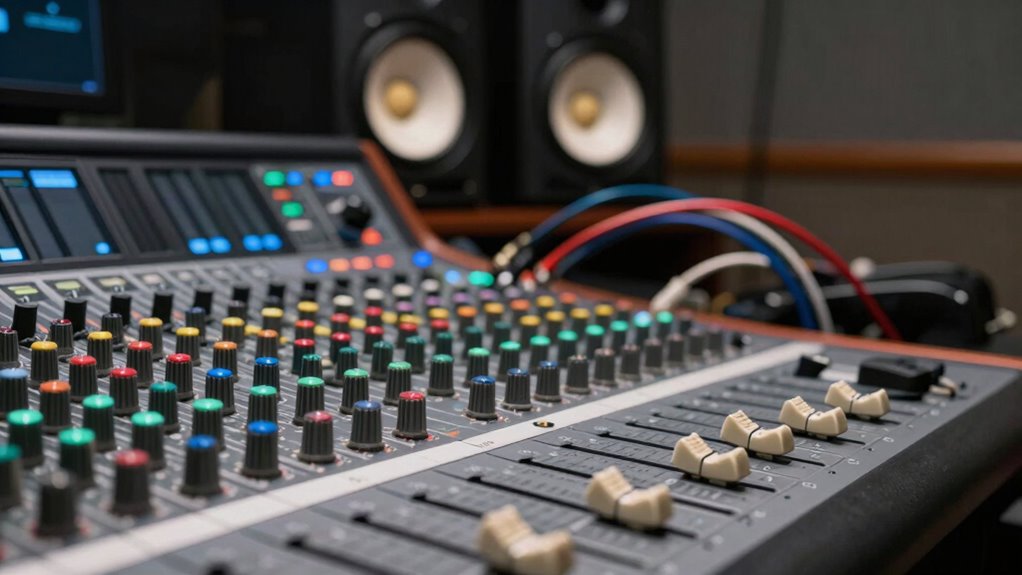
Ever wondered how to make your mix sound wider and more immersive? Many producers turn to panning techniques to achieve that expansive stereo image, but if you’re not careful, you might end up sacrificing mono compatibility. When you employ certain mixing strategies to enhance stereo width, you risk creating phase issues that can cause your mix to collapse when played in mono. This is often overlooked, yet it’s a common trap that can ruin the listening experience across different playback systems.
Enhancing stereo width can harm mono compatibility if phase issues aren’t managed carefully.
Panning techniques are powerful tools for shaping your stereo image, but they require precision. For example, hard panning a vocal or an instrument to one side can give a sense of space, but if you push it too far, you might introduce phase cancellation when summed to mono. The key is to find a balance—using subtle panning and stereo spread techniques that maintain phase coherence. Techniques like mid-side processing can help you control stereo width without disrupting mono compatibility, allowing you to widen your mix intelligently. Additionally, understanding the phase relationship between your tracks is essential for maintaining mono compatibility. Incorporating phase alignment tools or techniques can further help ensure that elements stay coherent in mono.
Mixing strategies aimed at widening your stereo image often involve doubling tracks, using stereo reverb, or applying stereo widening plugins. While these methods can create a lush, immersive soundstage, they can also create phase discrepancies if not applied correctly. For instance, stereo widening plugins that manipulate phase or delay signals can introduce phase shifts that aren’t immediately obvious on your monitors but become problematic on mono systems. When the phase shifts align poorly, elements that sound clear in stereo may vanish or sound hollow when summed.
To avoid this, you need to regularly check your mix in mono. This simple step ensures that your stereo enhancements aren’t causing phase issues. If you notice elements disappearing or sounding thin in mono, revisit your panning and stereo widening techniques. Sometimes, adjusting the stereo width or using more transparent processing can preserve mono compatibility while still delivering a wide, engaging stereo image. Being aware of phase shifts caused by certain effects can help you make informed adjustments that maintain clarity across all playback systems. Moreover, employing phase correlation meters can give you visual feedback on the stereo phase relationship, helping you make smarter mixing decisions.
Ultimately, the stereo width trick is about balancing width and phase coherence. By understanding how panning techniques influence stereo imaging and implementing mixing strategies that respect phase relationships, you can create mixes that sound expansive without sacrificing mono compatibility. Remember, a truly professional mix is one that translates well across all playback systems, so be cautious with your stereo widening efforts, and always double-check your results in mono.
Products Worth Considering

DJI Osmo Mobile 8 Phone Gimbal with Mic Mini Transmitter, Infinity Black

Bose QuietComfort Ultra Earbuds (2nd Gen), Deep Plum

Samsung 32-Inch Odyssey OLED G8 (G80SH) 4K Gaming Monitor
As an affiliate, we earn on qualifying purchases.
Frequently Asked Questions
How Does Stereo Width Affect Headphone Listening?
Stereo width influences your headphone listening by creating a sense of space and dimension. Panning techniques spread sounds across the stereo field, enhancing immersion. However, if you’re not careful, phase cancellation can occur when sounds are panned too widely or inappropriately, causing certain elements to weaken or disappear in mono. To avoid this, balance your panning and check how your mix responds in mono to maintain clarity and avoid phase issues.
Can Mono Compatibility Be Restored After Widening Stereo?
Yes, you can restore mono compatibility after widening stereo, but it requires addressing phase issues. Use audio editing software to invert the phase of one channel and check how the mix sounds in mono. If phase cancellation occurs, adjust the stereo width or re-balance your mix. Properly managing phase issues helps maintain mono compatibility, ensuring your audio sounds good across all listening environments without sacrificing stereo width.
What Are Common Mistakes When Applying the Stereo Width Trick?
Think of applying the stereo width trick like balancing a delicate sculpture. You might accidentally tilt it, causing phase cancellation and frequency masking issues that distort your sound. Common mistakes include over-widening stereo, which amplifies phase cancellation in mono, and neglecting to check how frequencies interact. Always listen in mono and adjust carefully to avoid muddying the mix or losing clarity, preserving both width and mono compatibility.
Does Stereo Widening Impact Dynamic Range?
Stereo widening can impact your dynamic range if you rely on it excessively, especially when combined with dynamic compression. It can cause phase cancellation issues, leading to uneven sound levels and reduced clarity. As you widen stereo images, pay attention to how phase shifts might affect the overall dynamic range, and use compression carefully to avoid squashing the audio’s natural dynamics. Balancing these elements guarantees your mix remains punchy and well-defined.
Which Plugins Are Best for Stereo Width Enhancement?
You should try plugins like iZotope Ozone Imager or Waves S1 Stereo Imager for stereo width enhancement. Use panning techniques to spread your sounds across the stereo field effectively, and focus on frequency balancing to maintain clarity. These tools allow you to widen your mix without sacrificing mono compatibility, ensuring your track sounds spacious and full on any system. Always listen in mono afterward to avoid phase issues.
Conclusion
Think of stereo width tricks as adding bright colors to a painting—they may make it pop in stereo, but in mono, everything blurs together into muddy shades. If you want your mix to shine clearly on any system, avoid these tricks. Instead, focus on balanced panning and subtle effects that hold true across all platforms. Like a well-tuned orchestra, a solid mono compatibility ensures your music sounds good everywhere, not just in your headphones.